
OPS-C Pluggable Computer Module: The Slot-In Compute Concept for Interactive Flat Panels
An OPS-C pluggable computer module is a self-contained compute unit that slides into a dedicated slot inside an interactive flat panel or commercial display, so the processor, memory, storage and operating system travel with the display instead of sitting in an external box. The format turns a display into a complete system while keeping the compute layer replaceable.
Short answer: an OPS-C module packages a PCB assembly, a sheet-metal enclosure, an aluminum heat sink and a cooling fan into a slot-in carrier sized for display integration. Memory, storage, operating system and I/O are configured per project, which is why one mechanical format can serve a classroom whiteboard, a meeting room panel and a retail signage wall.
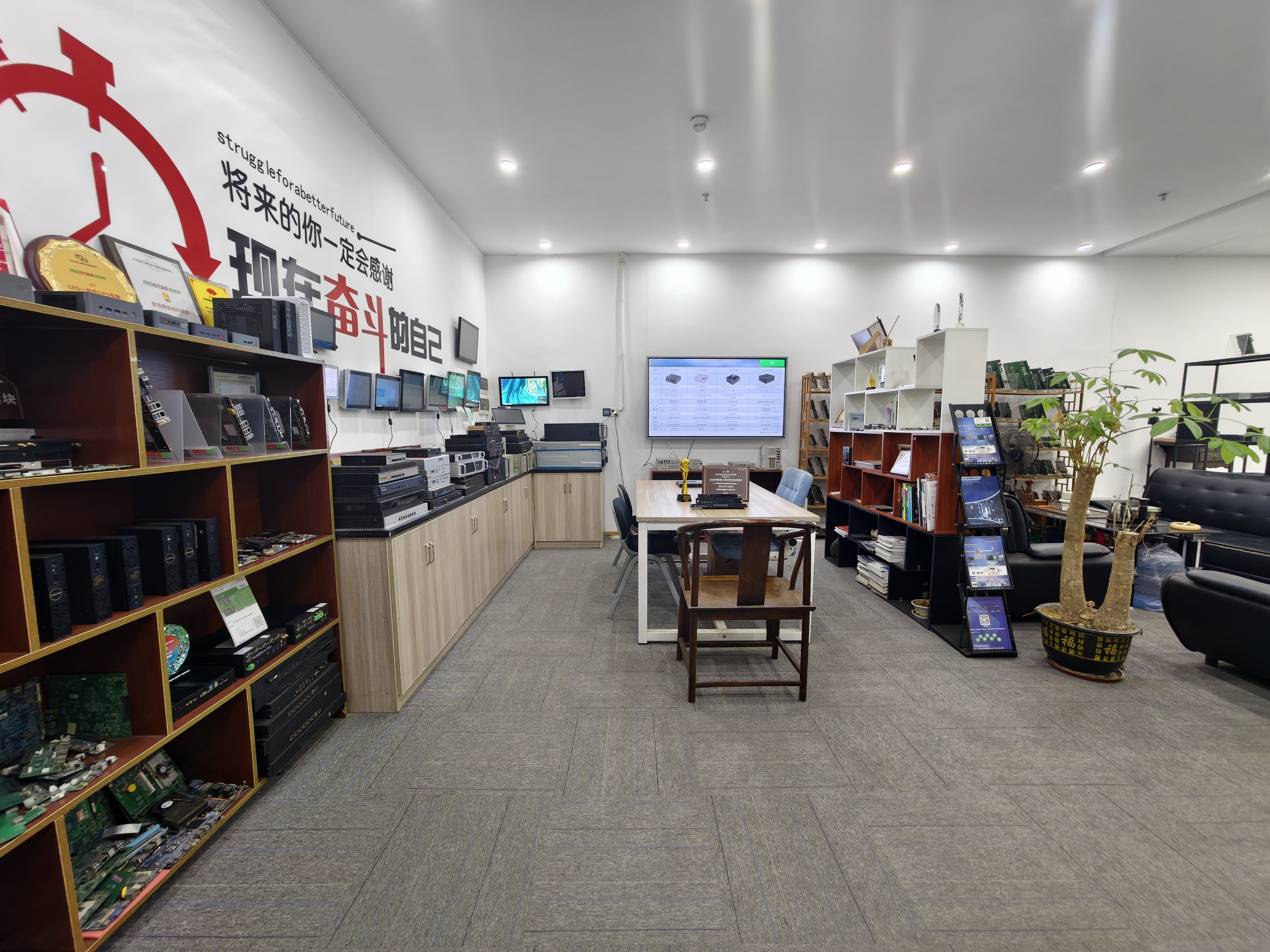
AIOSTAR showroom: OPS PC and OPS-C pluggable modules prepared for interactive flat panel and commercial display integration.
The Problem Slot-In Compute Solves: Displays Outlive Compute
A commercial display panel usually stays in service far longer than the compute platform attached to it. Software requirements move faster than glass: a panel installed for a classroom or a meeting room may run three or four different computing generations before the display itself is retired. When compute is fixed to the panel, every platform upgrade becomes a display decision.
Three common workarounds each carry a cost. A compute board fixed inside the display enclosure cannot be separated from it, so a compute failure pulls the whole unit out of service. An external desktop PC adds a separate chassis, video cabling, USB touch cabling and its own power adapter in the same room. An external Android media player removes the PC but leaves the cabling and the mounting problem in place.
A removable slot-in module changes the service model. Because the computing unit can be removed from the OPS slot for replacement or software service, the display does not have to be moved or replaced when the platform is refreshed. AIOSTAR, a Shenzhen-based computer hardware supplier established in 2015, builds OPS PCs and OPS-C pluggable computer modules specifically around this separation between display and compute.
Industry Background: Why the OPS Family Matters in Display Procurement
The commercial case for slot-in compute is supported by the size and direction of the display market. The global Interactive Flat Panel market, the primary application for OPS modules, was valued at approximately USD 12.6 billion in 2024, according to Grand View Research. Integrated OPS-slot compute modules and Android-based SoC modules are estimated to ship in 15–25% of new Interactive Flat-Panel Display units, based on an IFPD market trends report.
The adjacent industrial computing category shows the same direction. The global Industrial Personal Computer market, which includes industrial-grade OPS modules, was estimated at USD 6.48 billion in 2024 and is projected to grow at a CAGR of 6.30% through 2032, according to Grand View Research. Precedence Research places the 2024 figure lower at USD 5.36 billion, largely because of differences in how embedded and standalone systems are counted. The absolute number matters less than the shared conclusion: modular compute inside displays is a growing procurement pattern, not a niche accessory.
Two interface standards shape how that pattern is implemented:
- Intel OPS standardizes a mechanical and electrical interface between displays and media players using a unified 80-pin JAE connector with a module footprint of 180 mm x 119 mm x 30 mm.
- OPS-C is a variant widely adopted in the Chinese domestic market for educational interactive whiteboards, commonly cited at approximately 180.8 mm x 195.2 mm x 42.5 mm — physically larger than the original Intel OPS module.
The practical consequence for buyers is that the two names describe related but not interchangeable mechanical envelopes. The module drawing and the display slot drawing should be matched before a purchase order is issued, not after.
Inside an OPS-C Pluggable Module: Four Building Blocks and Four Configuration Layers
The OPS-C format looks simple from the outside: one module, one slot, one connector. Inside, four physical building blocks and four configuration layers decide whether a given module works in a given display project.
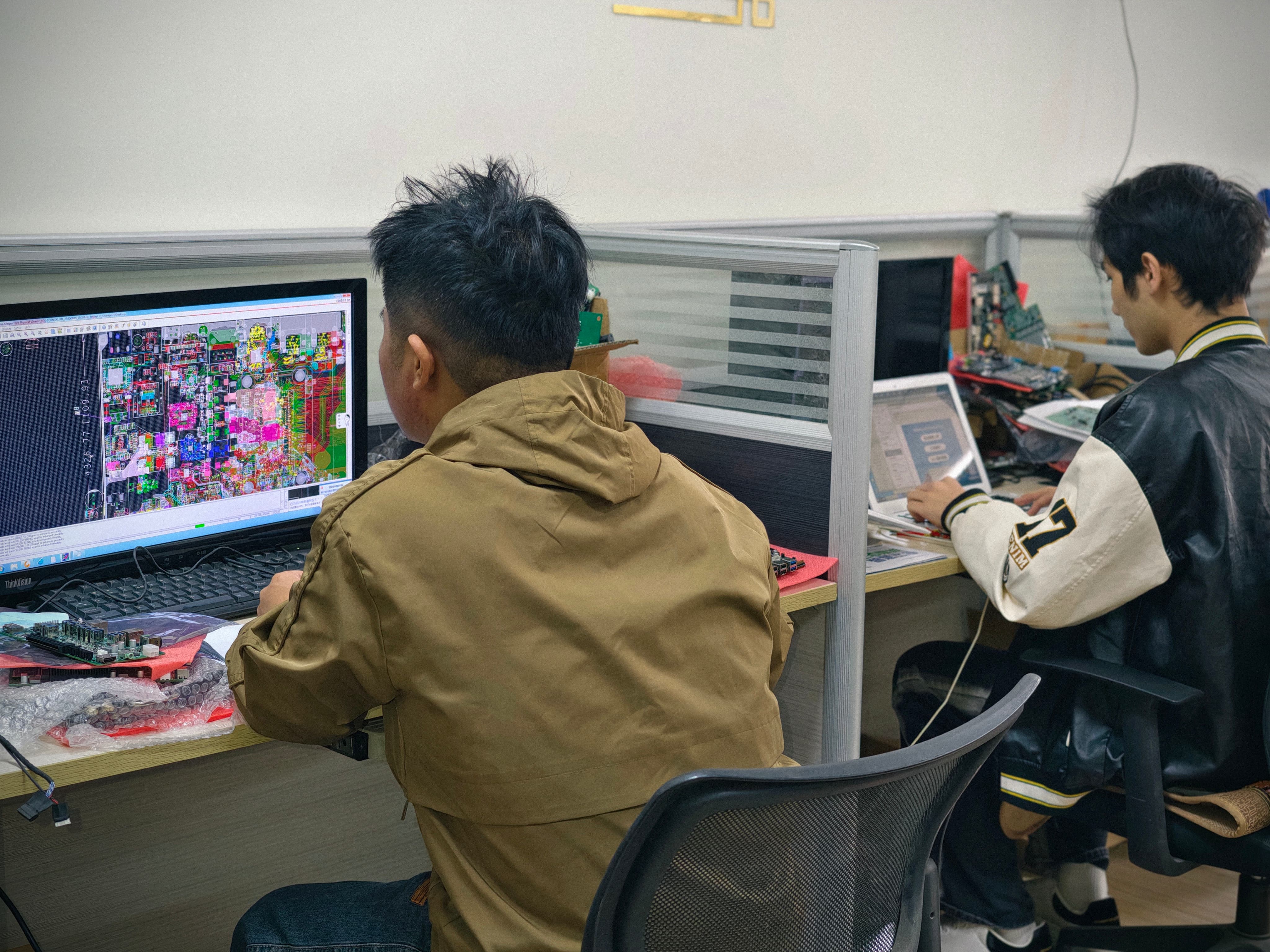
Engineering and configuration work for OPS-C pluggable modules at AIOSTAR, Shenzhen.
Sheet-Metal Enclosure
The sheet-metal enclosure is the module's mechanical reference. It fixes the outer dimensions that must match the display slot, positions the edge connector at the correct depth for mating, and carries the retention points that keep the module seated under vibration and cable pull. It also acts as a shielding and grounding shell around the PCB assembly, which matters in classrooms and meeting rooms where the panel shares space with wireless microphones, access points and other electronics. Because OPS and OPS-C differ in physical size, the enclosure drawing — not the product name — is the document to approve before tooling.
PCB Assembly
The PCB assembly is the electrical core. The processor platform, memory and storage interfaces, display output, USB and network connections, and the slot connector all converge on this board. Board layout determines which I/O can be routed to the rear panel, which is why project-based I/O is realistic on a custom module but not on a fixed retail configuration. The board is also where operating system support is decided in practice: a platform that runs Windows can typically also be imaged with Linux, Ubuntu or Debian, while Android 13 builds depend on the SoC platform and its board support package.
Aluminum Heat Sink
A processor inside a sealed display slot has very little room to dissipate heat. The aluminum heat sink provides the thermal mass and surface area that move heat away from the SoC and voltage regulation stages, and its contact surface is what converts junction temperature into spread heat. Height is the constraint — the heat sink must fit inside the OPS-C envelope while still making consistent contact. Thermal contact design across die, board and sink is reviewed together with the CPU power profile rather than in isolation.
Cooling Fan and the Thermal Path
Active cooling closes the loop. The fan moves air across the heat sink fins and out of the module, but its effectiveness depends on three factors that sit outside the fan itself: processor power, enclosure airflow, and the internal temperature of the display. A module that passes a bench test can still throttle inside a closed panel. The practical validation is therefore a burn-in and thermal test on the target hardware, run against the project specification before mass production.
Configuration Layers: Memory, Storage, OS and Project I/O
Beyond the hardware blocks, the module is defined by what is specified inside and around it.
| Configuration layer | Available options | What it determines in a display project |
|---|---|---|
| Memory | SO-DIMM or LPDDR4, up to 16 GB | Working headroom for whiteboard software, browsers, video and multi-application sessions; LPDDR4 suits compact and lower-power builds |
| Storage | M.2 SSD or eMMC | Local content capacity and write endurance; SSD for heavier local workloads, eMMC for lean signage and kiosk images |
| Operating system | Windows, Linux, Android 13, Ubuntu, Debian | Application availability, management tooling and update path for the deployment |
| Project-based I/O | Configured per project | Matching the port set to cameras, sensors, control systems or signage playback hardware |
| Management functions | Wake-on-LAN, auto power-on, watchdog | Unattended restart after power loss, remote wake-up and recovery from software hangs |
Wake-on-LAN, auto power-on and watchdog are easy to list and easy to get wrong. They depend on BIOS settings, driver support and the display's own power behaviour, so they should be validated on the final hardware configuration with the approved system image rather than assumed from a specification sheet.
Slot-In Installation, Step by Step
A slot-in module is only as reliable as the sequence used to qualify it. The steps below reflect the sequence AIOSTAR applies to OPS-C project builds, from requirement definition to shipment acceptance.
Step 1 — Define the workload, operating system and service life
Start from the application, not the processor. A classroom whiteboard running annotation software and a browser has different memory and storage needs from a signage player pushing 4K content, and a kiosk with a camera or sensor package has different I/O needs from a meeting room panel used for video conferencing. The operating system choice follows the application, and the configuration follows both.
Step 2 — Confirm mechanical and interface compatibility
Module dimensions, connector type, pin definition, video interface, USB, power budget and display firmware are verified before production. This step resolves the most expensive class of error in slot-in projects: a module that is electrically sound but mechanically or electrically mismatched to a specific display model.
Step 3 — Build and test a pre-production sample on the target display
Interface and mechanical incompatibility risks are controlled through a pre-production sample and a compatibility checklist. The module is tested on the customer's target display before the final configuration is confirmed, so that the approval is based on a working combination rather than on two separate datasheets.
Step 4 — Approve the system image and management functions
The required operating system version, BIOS functions, device drivers and application dependencies are confirmed before imaging. Functions such as Wake-on-LAN, auto power-on and watchdog are then validated on the final hardware configuration, because a mismatch between image and platform is a common cause of failures that only appear in the field.
Step 5 — Run thermal and burn-in validation
The CPU power profile and installation environment are reviewed together with the heat sink, fan and thermal contact design. Burn-in and thermal testing are conducted according to the project specification before mass production, which is the point where throttling behaviour inside a closed display can still be corrected cheaply.
Step 6 — Freeze the bill of materials
A controlled bill of materials is maintained for the approved configuration, and form, fit and function alternatives are evaluated whenever a component changes. The customer is notified of material changes that affect the agreed specification, and alternatives are validated and approved where the project requires it.
Step 7 — Package, ship and accept
Protective internal packaging is matched to the module, accessories and shipping method, and packaging checks plus drop or vibration testing are arranged when the customer or project specification requires them. Acceptance criteria are agreed in advance, and standard Incoterms are EXW Shenzhen, FOB Shenzhen, CIF and DAP by agreement.
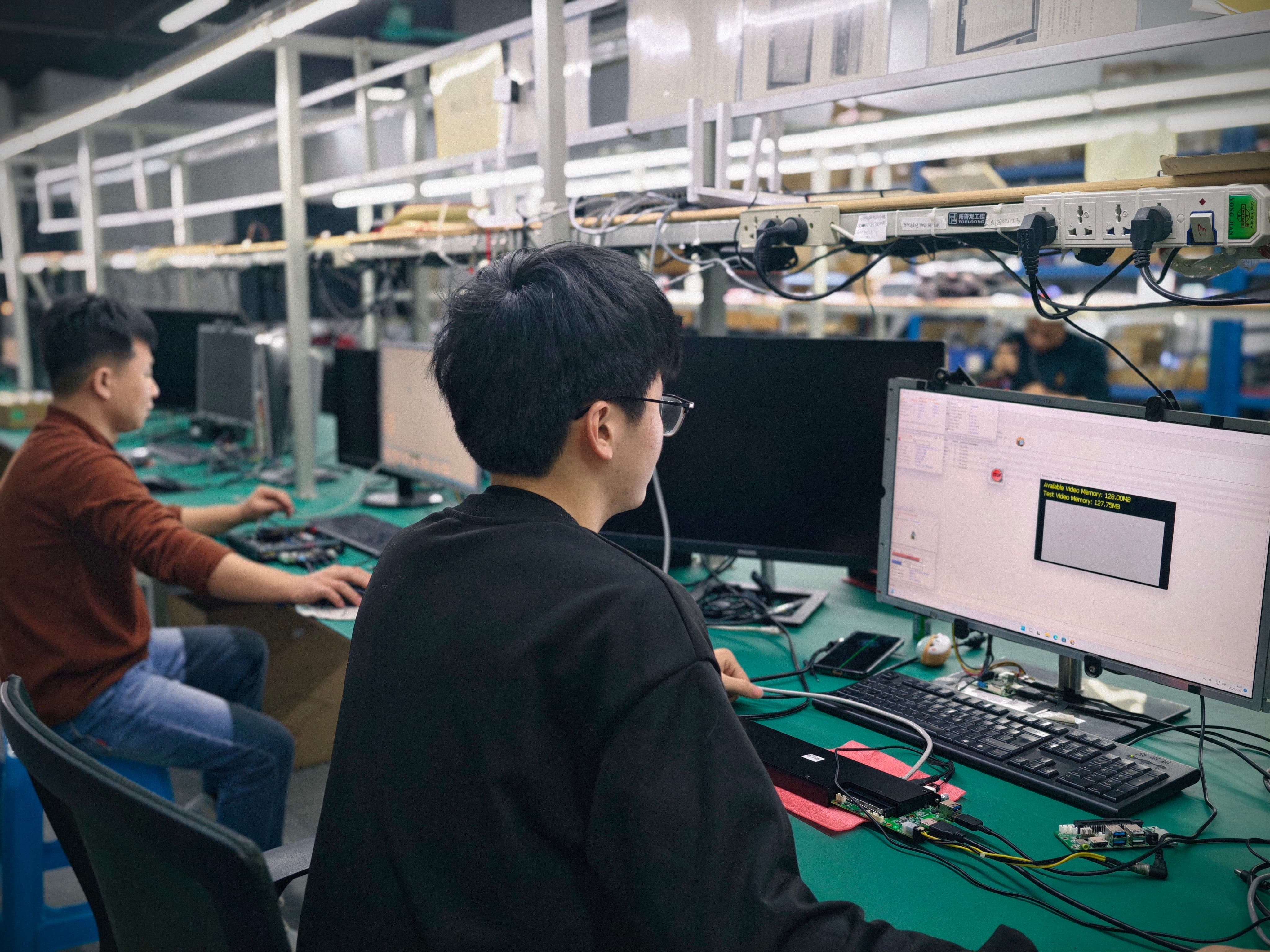
Burn-in, thermal and function testing of OPS PC and OPS-C modules before shipment.
Where OPS-C Slot-In Modules Are Deployed
The same mechanical format serves very different environments once the configuration layers are set correctly. The six environments below cover most project demand.
Education and Interactive Whiteboards
Classroom panels need fast wake-up, stable annotation performance and predictable behaviour on a shared network. OPS-C modules are widely adopted for educational interactive whiteboards, and the configuration usually prioritises memory headroom, an SSD for teaching content, and reliable auto power-on when the room's power is switched at the wall.
Meeting Rooms and Conference Displays
Conference displays are used intermittently, which makes unattended behaviour more important than raw performance. Wake-on-LAN and watchdog support allow the module to be managed and recovered remotely, while a Windows or Android build is chosen according to the conferencing software already standardised by the organisation.
Commercial Displays and Smart Retail
Retail environments demand a module that can run unattended for long opening hours and be serviced without dismantling a wall installation. Because the computing unit is removable from the slot, a failed module can be swapped without replacing the display, which keeps a customer-facing screen out of downtime for as short a period as possible.
Digital Signage
Signage deployments favour lean images, eMMC storage where local content is modest, and a platform that supports scheduled playback and remote management. Android OPS PC modules and low-power Intel OPS PC modules both serve this segment, with the choice driven by the content management system rather than by the display.
Information Kiosks
Kiosks combine a display, a touch surface and often a camera or sensor package, so project-based I/O becomes the deciding factor. A custom OPS PC module can expose the specific port set the kiosk enclosure requires, and the slot-in format keeps the compute protected inside the cabinet instead of in an accessible external box.
Edge-AI Deployments
Edge inference moves some processing to the display itself, which raises the thermal and power questions described earlier. Modules configured with more memory, SSD storage and 4K-capable output are the usual starting point; AIOSTAR's OPS product range includes 4K OPS modules alongside Intel and Android platforms for signage and conference display applications.
Comparison: OPS-C Slot-In Module vs. Other Compute Placements
The comparison below is about where compute physically sits in an installation, because that placement drives service cost and cable complexity more than any single specification.
| Compute placement | Installation footprint | Service and replacement | Best fit |
|---|---|---|---|
| OPS-C pluggable module (slot-in) | Module sits inside the display slot; no external chassis, separate video cable or independent power adapter | Module can be removed from the slot for replacement or software service without moving the display or replacing the panel | Displays with an OPS slot that need field replacement, platform upgrades or different operating systems |
| External desktop PC | Standalone enclosure plus external video and power wiring | Service requires physical access to the external unit and its cabling | Displays without an OPS slot, or temporary setups |
| Compute board fixed inside the display enclosure | Board mounted inside the panel housing | Compute cannot be separated from the display, so a compute failure affects the whole unit | Single-purpose builds where upgrade is not planned |
| External Android media player | Separate player chassis, video cable, USB touch cable and power adapter | Player can be swapped, but external cabling and mounting stay in place | Retail signage, hospitality information displays, kiosks and networked media playback |
Measured against these alternatives, the slot-in approach changes the numbers rather than the concept: a typical interactive-display deployment reduces external cable quantity by over 70% and occupied installation space by more than 65% compared with an external desktop PC; an integrated OPS module removes an external player chassis, video cable, USB touch cable and power adapter, reducing peripheral hardware items by over 60%; and separate module replacement avoids complete-display replacement in over 75% of typical compute-module failures.
Long-Term Supply and the Partner Side of the Format
Slot-in compute is a lifecycle decision as much as a hardware decision. Once a display platform and an OPS-C module are designed into a product line, the buyer is committing to a supply relationship that must survive component changes, operating system updates and regional rollouts.
Three practices make that relationship workable. First, a controlled bill of materials tied to the approved specification, so that any change is visible before it reaches production. Second, proactive notification when a material change affects the agreed specification, with alternatives validated and approved where the project requires it. Third, a manufacturing base that can absorb repeat production rather than a one-off build.
AIOSTAR operates a 1,500 m² factory with 50 employees, an R&D team of 8 engineers, and annual output of 170,000+ units. Export business accounts for 60% of total sales, with major markets spanning global regions. OEM and ODM services cover hardware configuration, I/O, chassis, cooling, BIOS, operating system image, logo, packaging and accessories — which is the scope a display brand usually needs when a module becomes part of its own product catalogue rather than a purchased accessory.
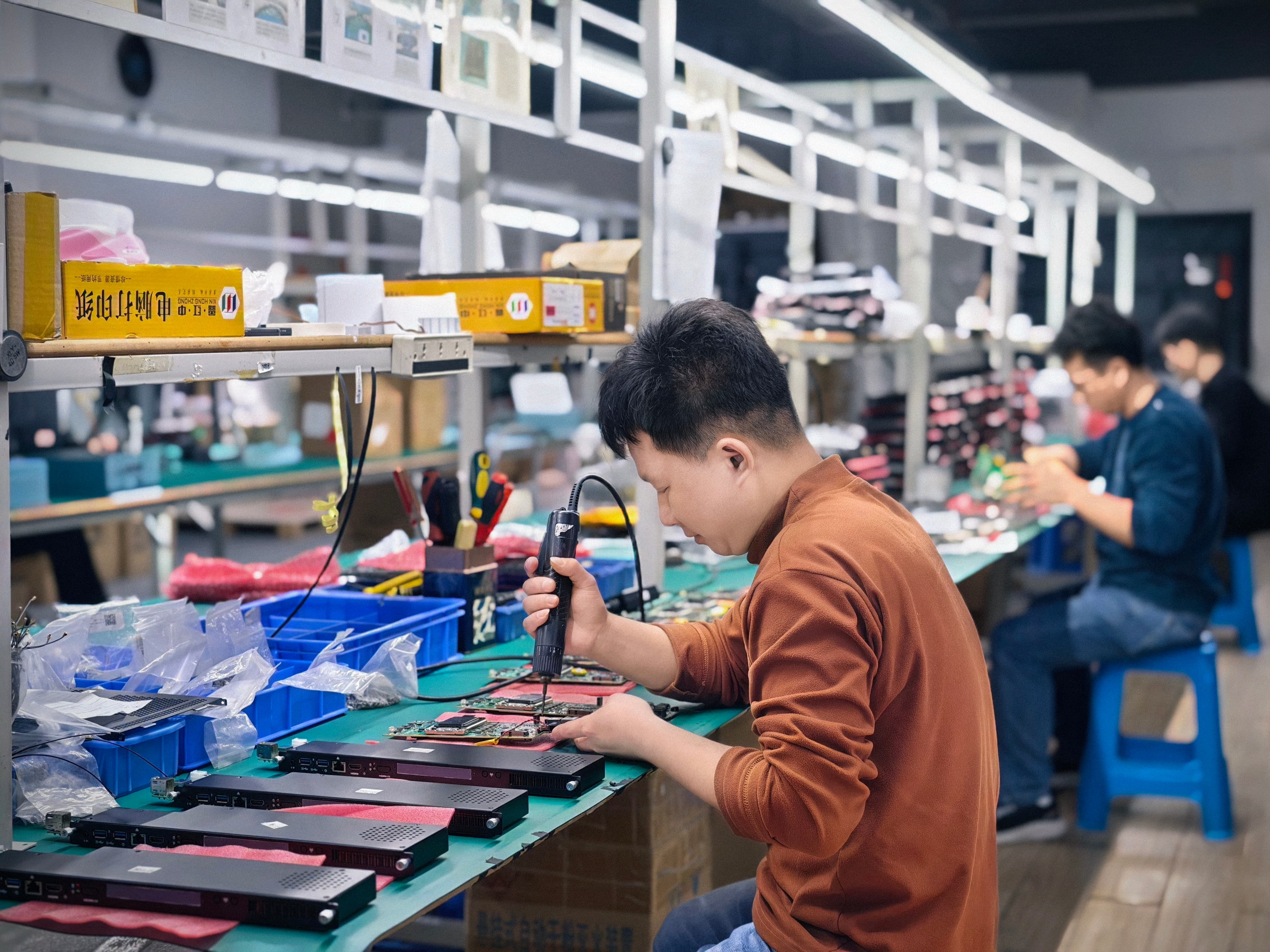
Repeat production of OPS PC and OPS-C modules at AIOSTAR, Shenzhen.
Frequently Asked Questions
Is an OPS-C module compatible with every display that has an OPS slot?
No. OPS-C describes a module family, not a guaranteed fit. Intel's OPS standard defines an 80-pin JAE connector and a module footprint of 180 mm x 119 mm x 30 mm, while the OPS-C variant widely used for educational interactive whiteboards in the Chinese domestic market is commonly cited at around 180.8 mm x 195.2 mm x 42.5 mm. Before production, module dimensions, connector type, pin definition, video interface, USB, power budget and display firmware are verified, and the module is tested on the customer's target display using a pre-production sample.
What can be configured inside an OPS-C pluggable module?
Memory can be specified as SO-DIMM or LPDDR4 up to 16 GB; storage as M.2 SSD or eMMC; and the operating system as Windows, Linux, Android 13, Ubuntu or Debian. I/O is project-based, so the port set can be matched to cameras, sensors, control hardware or signage playback equipment. Wake-on-LAN, auto power-on and watchdog functions are validated on the final hardware configuration with the approved system image.
What drives the cost of a custom OPS-C module?
Module cost depends on the SoC, memory, storage and the amount of customization; project cost also depends on chassis, interface requirements and order volume. Integrated slot-in installation can reduce accessory and mounting requirements compared with an external player or desktop, but the configuration remains the main variable. Pricing is confirmed against an approved specification rather than a generic catalogue line.
Can we evaluate a module before committing to a volume order?
Yes. MOQ is 1 unit for evaluation samples, while volume MOQ depends on model and configuration. Acceptance can reference an approved sample or specification, functional testing before shipment, burn-in testing when specified, and customer or third-party inspection by agreement. Standard payment terms are 30% T/T deposit and 70% balance before shipment unless otherwise agreed in the proforma invoice.
How is long-term supply handled after a module is approved?
Supply continuity is managed through a controlled bill of materials. When a component reaches end of life or a configuration changes, the form, fit and function of alternatives are evaluated, and material changes that affect the agreed specification are notified to the customer for validation and approval where the project requires it. AIOSTAR produces about 170,000+ units per year and offers OEM and ODM services covering hardware configuration, I/O, chassis, cooling, BIOS, operating system image, logo, packaging and accessories. To start a configuration review or request an evaluation sample, contact salesos@aiostar.com or WhatsApp +86 153 3879 5007.
Conclusion: Slot-In Compute Is a Lifecycle Architecture
The OPS-C pluggable computer module is best understood as an architecture rather than a component. The sheet-metal enclosure, PCB assembly, aluminum heat sink and cooling fan define what fits and what survives thermal load. Memory, storage, operating system and project-based I/O define what the module can do. The qualification sequence — compatibility check, pre-production sample on the target display, image and management validation, thermal burn-in, BOM freeze — defines whether the combination still works in year three.
For display brands, integrators and distributors building interactive flat panels, conference displays, signage and kiosk products, that combination is what makes a modular platform defensible. The panel can stay in place while the compute layer is specified, replaced and upgraded on a schedule that suits the software, not the glass.
Request a Sample or a Configuration Review
Share your display model, target operating system and I/O requirements, and AIOSTAR will review the OPS-C configuration, confirm compatibility points and prepare an evaluation sample for testing on your target hardware.
Email: salesos@aiostar.com | Tel / WhatsApp: +86 153 3879 5007
Company profile and full product range: aiostar.com
Download the catalogue: Aiostar Introduction 2026 (PDF)
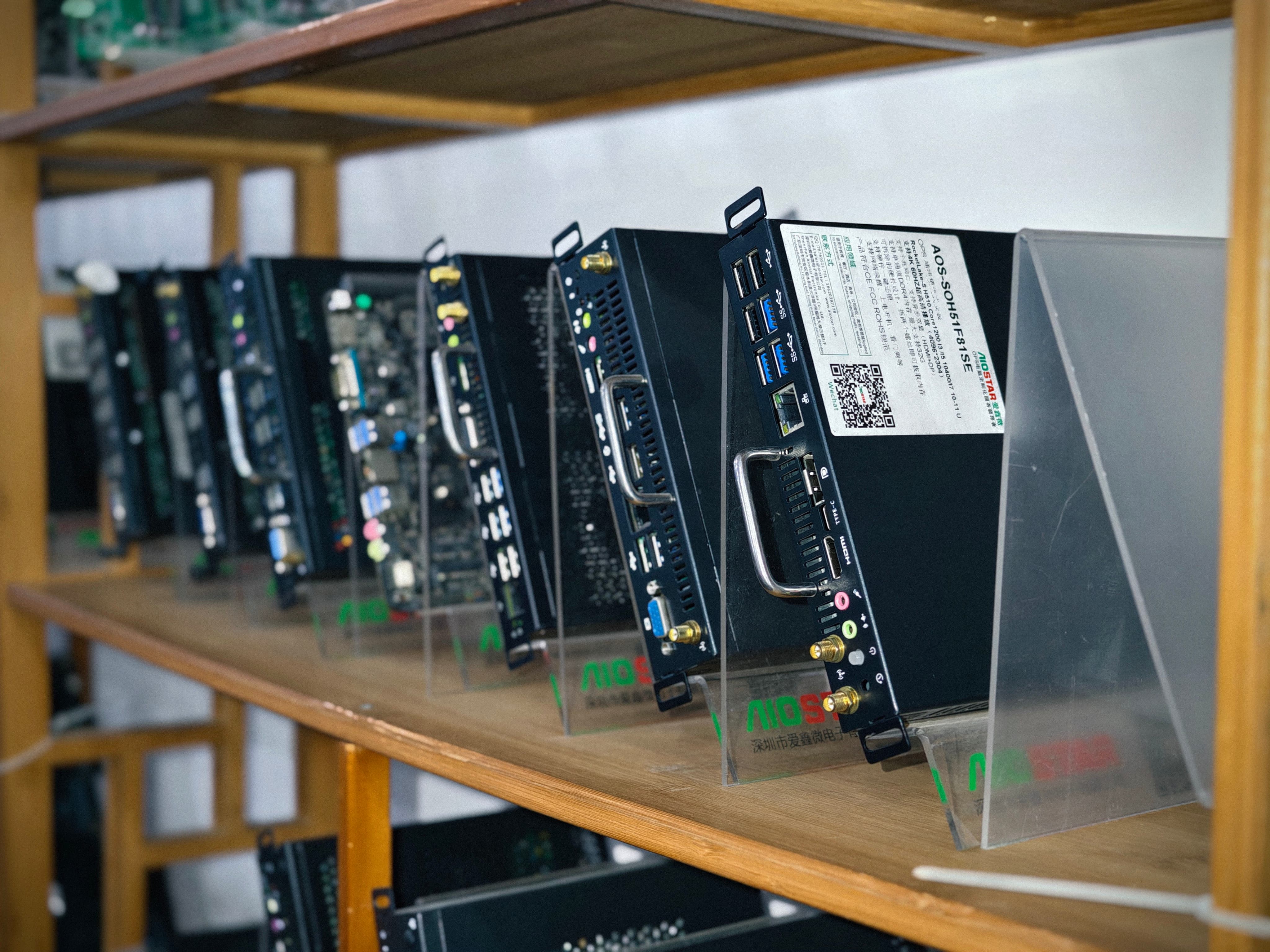
OPS PC and OPS-C module samples ready for project evaluation.
Have Questions or Need More Details?
Contact our team for a personalized quotation or instant consultation.
Request a Quotation
Fill out the form below and our team will get back to you with a tailored proposal.
WhatsApp Direct Chat
Prefer to chat in real-time? Message us on WhatsApp for instant assistance & quick answers.
- Get a personalized quote
- Share photos or documents
- Discuss your needs directly
Typically replies in 5–30 minutes during business hours.