
OPS PC Supplier Evaluation: Capability & Delivery Checklist
OPS PC Supplier Evaluation: Capability & Delivery Checklist
Buying an OPS PC is rarely a hardware-only decision. The module slides into a display that a school district, an integrator or an enterprise has already specified, and it has to behave the same way in the first unit and in the five-hundredth — booting on schedule, waking over the network, surviving a shipping route and remaining replaceable two years after the project goes live. Supplier evaluation is therefore a verification exercise rather than a specification comparison.
The rule followed in this article is simple: treat an OPS PC supplier as verifiable only when it can demonstrate four capabilities before you commit — compatibility verification on your target display, functional validation at the BIOS level, a controlled bill of materials with a component end-of-life plan, and delivery controls covering packaging, transit protection and supply continuity. Shenzhen Aiostar Electronics Co., Ltd. (AIOSTAR), a computer hardware supplier established in 2015 in Shenzhen, China, builds its OPS PC, OPS-C and Android module range around those same four checkpoints, and its modules are used below as worked examples showing what each verification step looks like in practice.
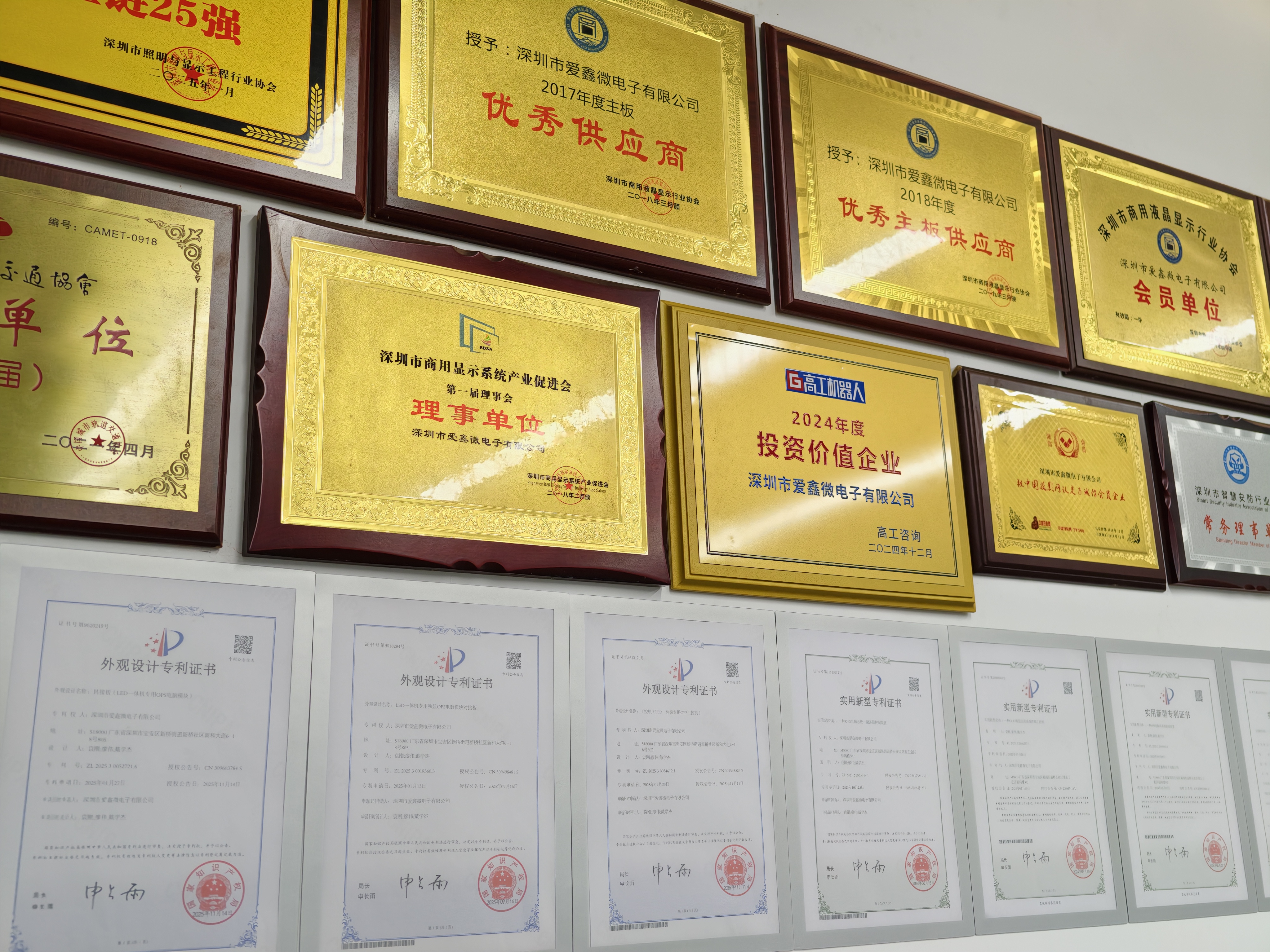
Problem Definition: Where OPS PC Decisions Go Wrong
Difficulties that surface after an OPS PC purchase order is placed tend to fall into four groups: interface and display compatibility, firmware behaviour, configuration and lifecycle control, and physical delivery. Each has a different verification method, and none of them is visible on a product page.
- Compatibility risk. Mechanical fit and electrical behaviour are separate problems. Slot geometry, screw positions and module depth must suit the display cavity, while connector pinout, power budget, video output timing and touch interface must suit the display electronics. Project documentation for education deployments states the requirement plainly: verify mechanical size, connector pinout, display resolution, cooling and operating system image before mass production.
- Firmware behaviour risk. Functions such as Wake-on-LAN, auto power-on and watchdog are governed by BIOS configuration rather than by the processor itself. A module can complete a bench test and still fail to start unattended inside a meeting-room display.
- Configuration and lifecycle risk. A memory vendor change, a different M.2 SSD controller or a revised graphics option can alter thermal and driver behaviour while the model number stays identical. Without a controlled BOM and a notified end-of-life plan, a repeat order is not necessarily a repeat product.
- Delivery risk. Transit damage, packaging that does not match the mechanical and electrostatic sensitivity of the assembly, and supply gaps when a component reaches the end of its production life.
The checklist below addresses these groups in the order in which a buyer can act on them: capability verification first, delivery assurance second.
Industry Background: Slot-In Compute Is Now a Mainstream Specification
The global Interactive Flat Panel (IFP) market, the primary application for OPS PC modules, was valued at approximately USD 12.6 billion in 2024 (Market Research Report, Grand View Research). The broader industrial PC market, which includes industrial-grade OPS modules, was estimated at USD 6.48 billion in 2024 and is projected to grow at a CAGR of 6.30% through 2032 (Grand View Research). Estimates differ between research houses — Precedence Research publishes USD 5.36 billion for the same year — largely because the two count embedded and standalone systems differently.
Penetration data is more directly relevant to supplier selection. Integrated OPS-slot compute modules and Android-based SoC modules are estimated to ship in 15–25% of new IFPD units (IFPD Market Trends Report), which makes slot-in compute a standard configuration rather than an accessory. The global interactive whiteboard market is projected to reach USD 730 million by 2030, with OPS penetration remaining a key growth driver for modular classrooms (AV Supplier Industry Guide).
The interface behind that volume is standardized. Intel's Open Pluggable Specification defines a unified 80-pin JAE connector with a footprint of 180 mm × 119 mm × 30 mm. The OPS-C variant, widely adopted in the Chinese domestic market for educational interactive whiteboards, is commonly documented with a larger footprint, typically around 180.8 mm × 195.2 mm × 42.5 mm. Buyers should confirm the exact slot drawing with the display maker before committing to a module format.
The procurement consequence: because the slot interface is standardized, one module can physically fit many displays. Because electrical behaviour, thermal design and firmware are supplier-specific, fitting is not the same as working. That gap is what makes a verification checklist necessary.
Capability Verification: Four Things to Prove Before You Commit
1. Verification on the customer's target display
A reference monitor in a supplier's lab is not your display. Compatibility verification is only meaningful when it is performed against the panel model, slot revision and firmware the project will actually ship with, because that is where pinout, timing, thermal and touch behaviour interact. For education projects the documented pre-production requirement is to verify mechanical size, connector pinout, display resolution, cooling and operating system image before mass production — a sequence that applies equally to conference displays and signage panels.
AIOSTAR supports project-based OEM and ODM work covering hardware configuration, I/O, chassis, cooling, BIOS, operating system image, logo, packaging and accessories, which is the scope in which display-level verification and configuration adjustments happen. Buyers should ask for the verification result as a documented record per display model, not as a verbal assurance.
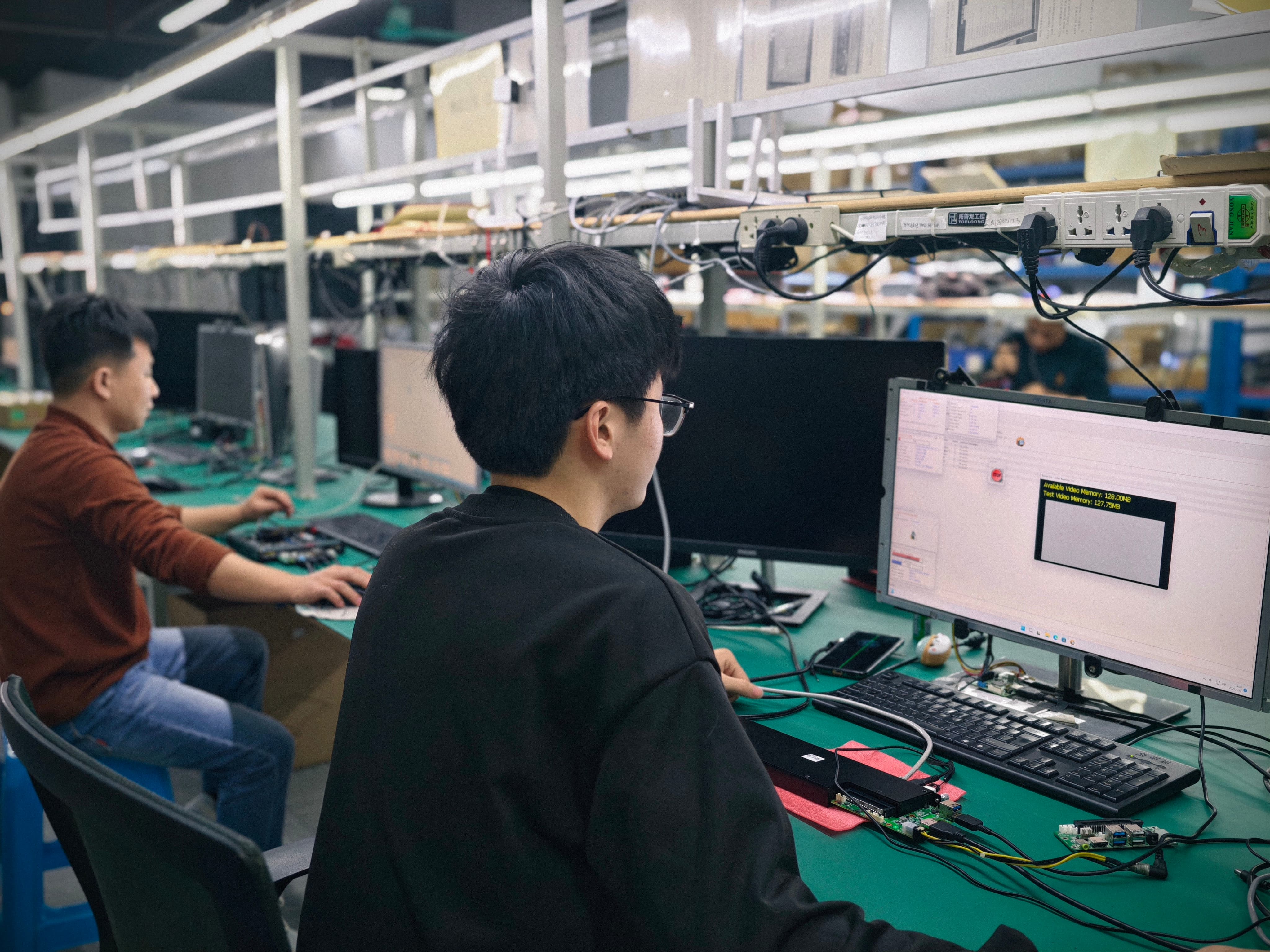
2. Burn-in and functional endurance checks
A module that boots correctly at room temperature for ten minutes has demonstrated very little. Burn-in testing — an extended functional run on the production configuration before packing — is what exposes thermal drift, memory instability and firmware timing problems that appear only after sustained operation. The scope matters more than the label: ask which configuration is used, whether the display slot or a simulated load is applied, whether networking and the operating system image are active during the run, and how failed units are handled.
For continuously operating deployments such as OPS PC for digital signage, the endurance check should reflect the real duty cycle. Signage projects require confirmation of codec, resolution, content management software, storage, network and thermal requirements before deployment, and those same parameters define what an endurance run should exercise.
3. BIOS-level validation of Wake-on-LAN, auto power-on and watchdog
Unattended operation is a firmware feature, not a processor feature. Wake-on-LAN, auto power-on and watchdog functions are available on the AIOSTAR OPS-C pluggable computer module AOS-SOHAUF41SC through BIOS configuration — which means the validation step is to confirm that each function is enabled, behaves correctly across the display's power states, and survives a cold start and a power interruption. Watchdog behaviour deserves particular attention: the useful question is not whether the feature exists, but how the module recovers when the operating system stops responding.
Because these settings live in BIOS, they should be validated on the sample that matches the intended configuration and then frozen in the configuration document. A supplier that cannot describe how these three functions are configured at BIOS level cannot assure unattended operation regardless of the CPU it offers.
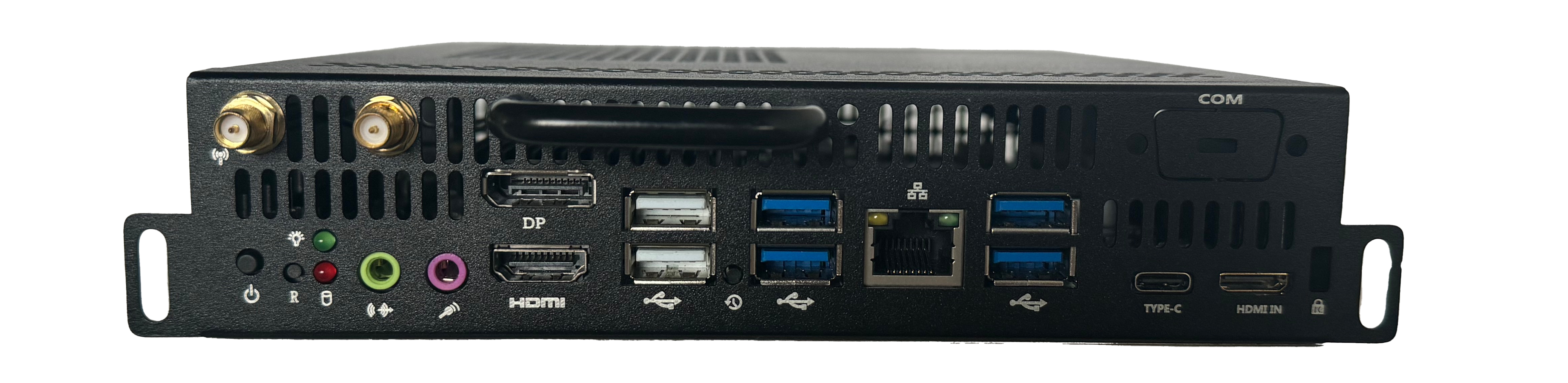
4. Controlled BOM and component end-of-life management
A controlled BOM means that every approved configuration has a defined component list, a change notification rule and a lifecycle position for each key part. The verification questions are concrete: which components are single-sourced, which already have qualified alternates, what notice period applies before a substitution, and how a repeat order two years later is kept functionally identical to the original.
This is where engineering depth shows. AIOSTAR works with an R&D team of 8 engineers and offers OEM and ODM support across BIOS, operating system image, cooling and chassis — the disciplines in which a substitution is either absorbed safely or silently changes behaviour. Buyers should ask for the BOM change process in writing, together with a stated approach to end-of-life components, rather than relying on the model number as a stability guarantee.
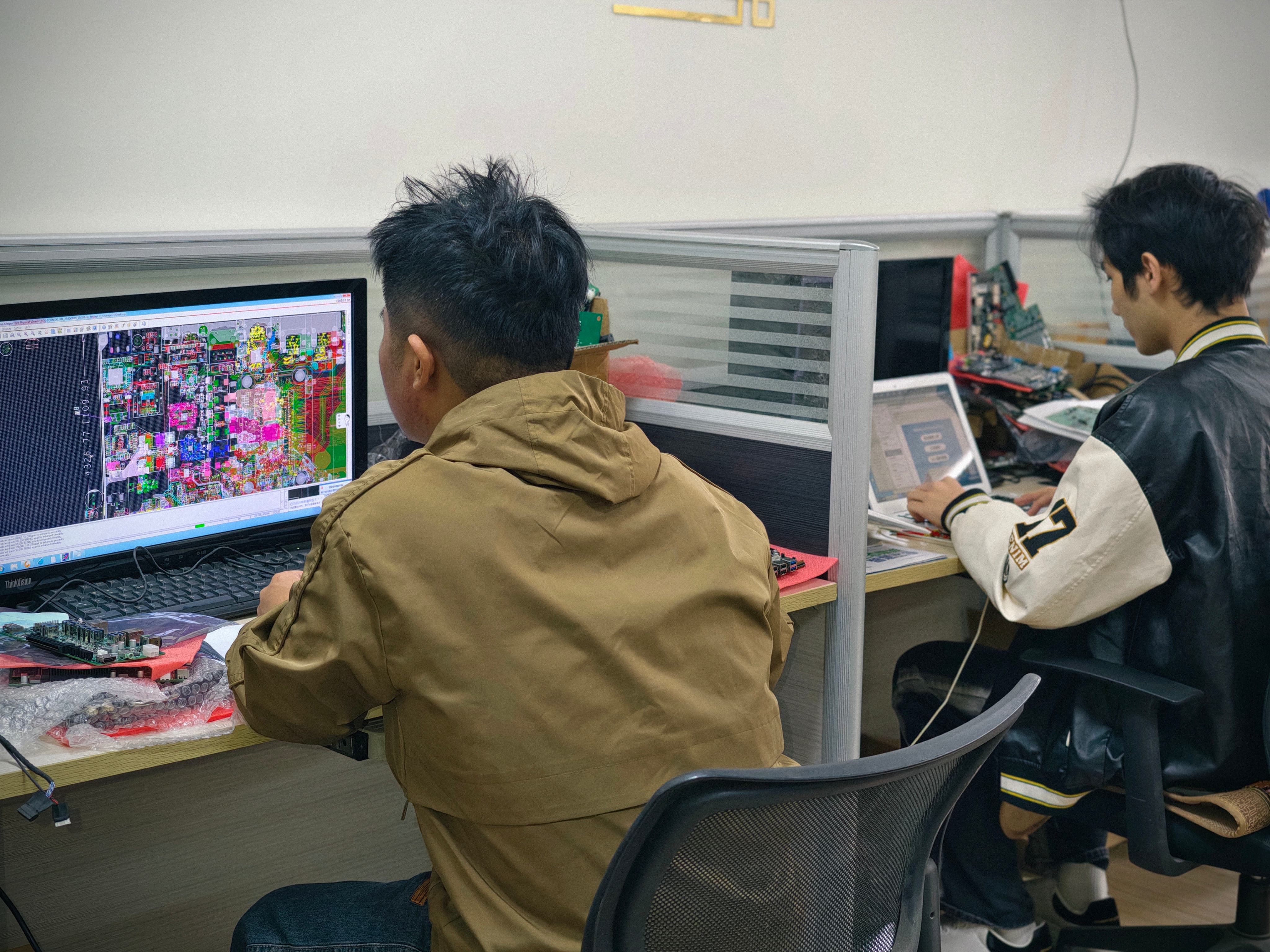
Delivery Assurance: Packaging, Transit Testing and Production Control
Protective packaging and drop/vibration testing
An OPS PC is a populated PCB assembly inside a sheet-metal enclosure with an aluminium heat sink — a combination that tolerates handling well and mishandling poorly. Delivery assurance therefore starts with packaging design: electrostatic protection for the assembly, mechanical separation between the module and the carton wall, and palletisation that survives the route rather than the warehouse. Ask what transit testing the packaging has been subjected to, how sample shipments are protected, and whether packaging can be customised for a distributor's own labelling requirements. Packaging sits inside the OEM and ODM scope that AIOSTAR offers alongside logo and accessory customisation.
Production process controls
Verification at the sample stage proves a design; process control proves repeatability. Relevant questions include how many units are produced per batch, how functional checks are staged on the line, how failed units are handled, and whether serial numbers can be traced back to a build date and configuration. AIOSTAR operates a 1500 m² manufacturing facility with approximately 50 staff and an annual production capacity of 170,000+ units, exporting to global markets with roughly 60% of output going to export customers — figures a buyer can use as a baseline when comparing suppliers of similar scale.
Supply-chain risk handling
Supply risk on OPS PC projects usually appears as a single component rather than a general shortage: a specific memory density, a graphics option or a connector. Verifiable suppliers answer three questions directly — which parts are critical, what buffer or alternate strategy exists for each, and how far in advance a change will be communicated. Multi-display and large-format projects add a fourth: whether the supplier can hold a configuration for the life of a project that ships in phases.
Step-by-Step: A Nine-Point OPS PC Supplier Evaluation Workflow
- Define the target display and operating conditions. Record panel model, slot type (OPS or OPS-C), resolution, touch interface, expected duty cycle, network environment and ambient conditions.
- Freeze the configuration document. CPU, memory, storage, video outputs, I/O, cooling, BIOS settings, operating system image and accessory scope.
- Request a compatibility review against the display. Mechanical size, connector pinout, display resolution, cooling and operating system image should all be confirmed before mass production.
- Validate BIOS functions on the sample. Wake-on-LAN, auto power-on and watchdog behaviour across power states, including a cold start and an interrupted power cycle.
- Run a burn-in and functional endurance check. Extended operation on the production configuration, with networking and the operating system image active.
- Audit the BOM and lifecycle position. Single-source parts, qualified alternates, substitution notification rules and the end-of-life approach for each critical component.
- Review packaging, handling and transit controls. ESD protection, mechanical protection, transit testing and any distributor-specific packaging requirements.
- Confirm capacity, batching and traceability. Output capability, line-level checks, failure handling and serial-number traceability to build configuration.
- Confirm after-sales and continuity. Spare availability, replacement policy, technical escalation path and change notification terms for repeat orders.
The table below turns the sample and pre-production stages into a pass/fail view that can be shared with the display maker and the project owner.
| Validation item | How to verify | Evidence of a pass |
|---|---|---|
| Mechanical fit | Insert the module into the target display slot and check screw positions, depth and clearance | Module seats fully, fasteners align, no interference with the display cavity |
| Connector pinout and power | Confirm pinout and power budget against the display's slot specification | Documented pinout match and stable power behaviour at start-up |
| Display output | Confirm resolution and video output configuration on the target panel | Correct resolution and stable image at the intended refresh rate |
| Touch and peripherals | Test touch, camera, microphone and USB devices used in the project | All project peripherals recognised and stable |
| BIOS functions | Enable Wake-on-LAN, auto power-on and watchdog, then test across power states | Functions behave correctly after cold start and power interruption |
| Thermal behaviour under load | Run the production configuration under sustained load inside the display | Stable operation without thermal behaviour affecting the use case |
| Operating system image | Boot the approved image and confirm drivers, settings and configuration | Image boots clean and matches the frozen configuration document |
Use Cases: Applying the Checklist to Display Projects
Different display categories stress different parts of the checklist, and the four module families below show how the same verification logic maps onto real projects: an Intel OPS PC module, an OPS-C computer module, an Android OPS PC module and a domestic-platform OPS-C computer.
- Interactive whiteboards and classroom displays. The AIOSTAR OPS-C pluggable computer module AOS-SOHAUF41SC is an Intel Alder Lake-U based OPS-C module for interactive flat panels, with CPU options including Intel Core i5-1235U and i5-1240P, configurable SO-DIMM memory and M.2 SSD, and BIOS-configurable Wake-on-LAN, auto power-on and watchdog functions. For OPS PC for interactive whiteboards, the checklist item that matters most is pre-production verification of mechanical size, connector pinout, display resolution, cooling and operating system image.
- Conference displays. The Domestic-Platform OPS-C Computer AOS-SOZK6A341SXGE is a Zhaoxin KX-6780 series OPS-C PC supporting KX-U6780A, KX-U6740A, KX-U6640A and KX-U6640MA processors, with six USB ports including two USB 3.0, optional GT730, GT1030, GTX 1050 or GTX 1050 Ti graphics depending on configuration, and OPS-C slot-in installation. In meeting-room projects, camera, microphone, touch, display output, operating system and conferencing software compatibility all need confirmation, and auto power-on is a practical requirement for scheduled rooms.
- Digital signage and smart retail. The Android AI OPS Computer AOS-SOR358464H uses a Rockchip RK3588 octa-core processor up to 2.4 GHz with an integrated 6 TOPS NPU, 4 GB LPDDR4 memory expandable to 16 GB, eMMC storage and Android 13, Ubuntu or Debian options. For OPS PC for digital signage deployments, the verification list is codec and resolution support, content management software, storage, network and thermal behaviour — note that 8K multimedia capability depends on firmware and interface configuration, so it should be confirmed rather than assumed.
- LED meeting displays and video walls. The Discrete-GPU OPS Computer AOS-SOH61I41SXG is built on the Intel H610 platform and supports selected 12th and 13th Gen Intel Core i3, i5 and i7 processors, with HDMI, HDMI and DisplayPort outputs and up to 8K at 60 Hz subject to the selected CPU, GPU and display configuration; optional discrete graphics are available by project. Large-format visualization projects should confirm GPU model, power budget, heat dissipation, output resolution and display compatibility before release to production.
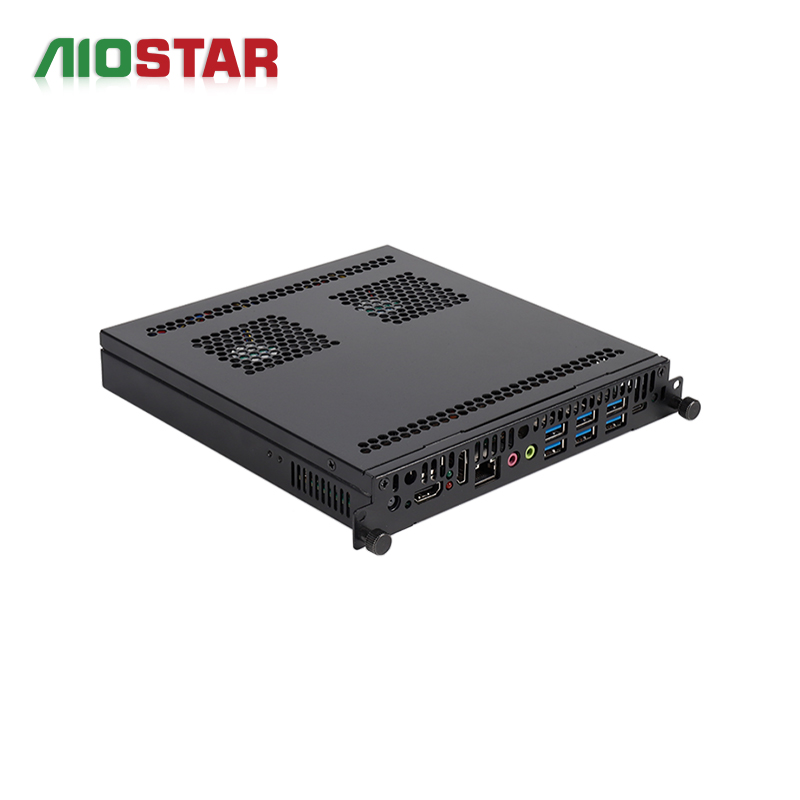
OPS PC Module Comparison: Platform, Installation and Application
The comparison below summarises documented specifications for four AIOSTAR module families. It is a selection reference rather than a ranking; the correct choice depends on the display, the operating system strategy and the workload.
| Module | Platform | Installation | Documented characteristics | Typical applications |
|---|---|---|---|---|
| OPS-C Pluggable Computer Module AOS-SOHAUF41SC | Intel Alder Lake-U; CPU options include Intel Core i5-1235U and i5-1240P | OPS-C slot-in | Configurable SO-DIMM memory and M.2 SSD; Windows or Linux by configuration; Wake-on-LAN, auto power-on and watchdog available via BIOS configuration | Interactive whiteboards, education technology, corporate meeting displays, commercial display systems |
| Discrete-GPU OPS Computer AOS-SOH61I41SXG | Intel H610 platform; selected 12th and 13th Gen Intel Core i3, i5 and i7 processors | Slot-in OPS | HDMI, HDMI and DisplayPort outputs; up to 8K 60 Hz subject to CPU, GPU and display configuration; optional discrete graphics by project | Large-format commercial displays, LED meeting displays, video walls, visualization and multi-display projects |
| Android AI OPS Computer AOS-SOR358464H | Rockchip RK3588 octa-core up to 2.4 GHz with 6 TOPS NPU | OPS module | 4 GB LPDDR4 standard, up to 16 GB optional; eMMC storage; Android 13, Ubuntu or Debian; 8K multimedia depends on firmware and interface configuration | Digital signage, interactive displays, smart retail, information kiosks, edge-AI display terminals |
| Domestic-Platform OPS-C Computer AOS-SOZK6A341SXGE | Zhaoxin KX-6780 series; KX-U6780A, KX-U6740A, KX-U6640A and KX-U6640MA supported | OPS-C slot-in | Six USB ports including two USB 3.0; optional GT730, GT1030, GTX 1050 or GTX 1050 Ti graphics depending on configuration | Domestic-platform interactive displays, education, government information systems, project-specific commercial displays |
For buyers comparing a custom OPS PC module against a standard catalogue item, the comparison also works as a scope checklist: a custom configuration should be definable in the same fields — platform, installation format, documented functions and target application — before a quotation is meaningful.
Frequently Asked Questions
Which OPS slot standard should be confirmed before evaluating a supplier?
Confirm the slot format first, because the two common formats are not interchangeable. Intel's Open Pluggable Specification standardizes a mechanical and electrical interface using a unified 80-pin JAE connector with a footprint of 180 mm × 119 mm × 30 mm. The OPS-C variant, widely adopted in the Chinese domestic market for educational interactive whiteboards, is commonly documented with a larger footprint, typically around 180.8 mm × 195.2 mm × 42.5 mm. Ask the display maker for the exact slot drawing, then confirm the supplier offers the matching format; AIOSTAR builds both slot-in OPS modules, such as the Discrete-GPU OPS Computer AOS-SOH61I41SXG, and OPS-C modules such as AOS-SOHAUF41SC and AOS-SOZK6A341SXGE.
How can I verify that a module will work on my display before mass production?
Require verification against the target display rather than a reference monitor, and record the result per panel model. For education projects, the documented pre-production requirement is to verify mechanical size, connector pinout, display resolution, cooling and operating system image before mass production, and the same five checks apply to conference and signage panels. Add BIOS-level validation of Wake-on-LAN, auto power-on and watchdog behaviour across power states — functions available through BIOS configuration on the AOS-SOHAUF41SC — and confirm that project-based OEM and ODM scope covers BIOS, I/O, chassis, cooling and operating system image.
What drives the cost of a custom OPS PC module?
Cost follows the configuration envelope rather than the model name. The main variables are the processor platform (for example Intel Alder Lake-U options such as the i5-1235U and i5-1240P, the Intel H610 platform with selected 12th and 13th Gen Intel Core processors, the Zhaoxin KX-6780 series, or the Rockchip RK3588), the graphics option, memory and storage density, the number and type of I/O ports, thermal design, BIOS and operating system image work, and packaging or accessory scope. Because these are configurable items rather than fixed packages, a quotation should be requested at configuration level, with the BOM scope stated alongside the price.
What should an OPS PC sample evaluation actually prove?
A sample should prove four things: that the module fits and connects correctly in the target display; that display output, touch and project peripherals work; that BIOS-level functions such as Wake-on-LAN, auto power-on and watchdog behave correctly across power states; and that the approved operating system image boots clean. It should also confirm that the sample configuration matches the BOM intended for mass production. A sample proves a design, not a production line, so pair it with questions about line-level functional checks, batch traceability and packaging.
How can lead-time and continuity risk be reduced on an OPS PC order?
Reduce risk by treating the BOM and the delivery process as part of the product. Review which components are single-sourced, whether alternates are pre-qualified, what notice period applies to substitutions, and how end-of-life parts are planned. Then check capacity and process evidence: AIOSTAR operates a 1500 m² manufacturing facility with approximately 50 staff and an annual production capacity of 170,000+ units, supported by 8 R&D engineers, with around 60% of output going to export markets. A practical next step is to request a sample in the intended configuration and a configuration-level quotation so that capability and delivery terms can be evaluated together — contact AIOSTAR at salesos@aiostar.com, by WhatsApp at +86 153 3879 5007, or download the company introduction for the full product scope.
Conclusion: Verify Capability, Then Assure Delivery
An OPS PC purchase becomes low-risk when the supplier can show, not simply state, four things: verification against your target display, BIOS-level validation of the unattended-operation functions, a controlled BOM with a component lifecycle plan, and delivery controls covering packaging, transit protection and supply continuity. Because the OPS and OPS-C interfaces are standardized, physical fit is easy to achieve and therefore proves very little; it is the verification workflow behind the module that determines whether the display project behaves predictably in year one and remains serviceable in year three.
The checklist above can be applied to any supplier. Used as a working document — with the display model, the frozen configuration, the BIOS function results and the BOM scope recorded against it — it converts a datasheet comparison into an auditable evaluation, and gives the display maker and the project owner a shared basis for sign-off.
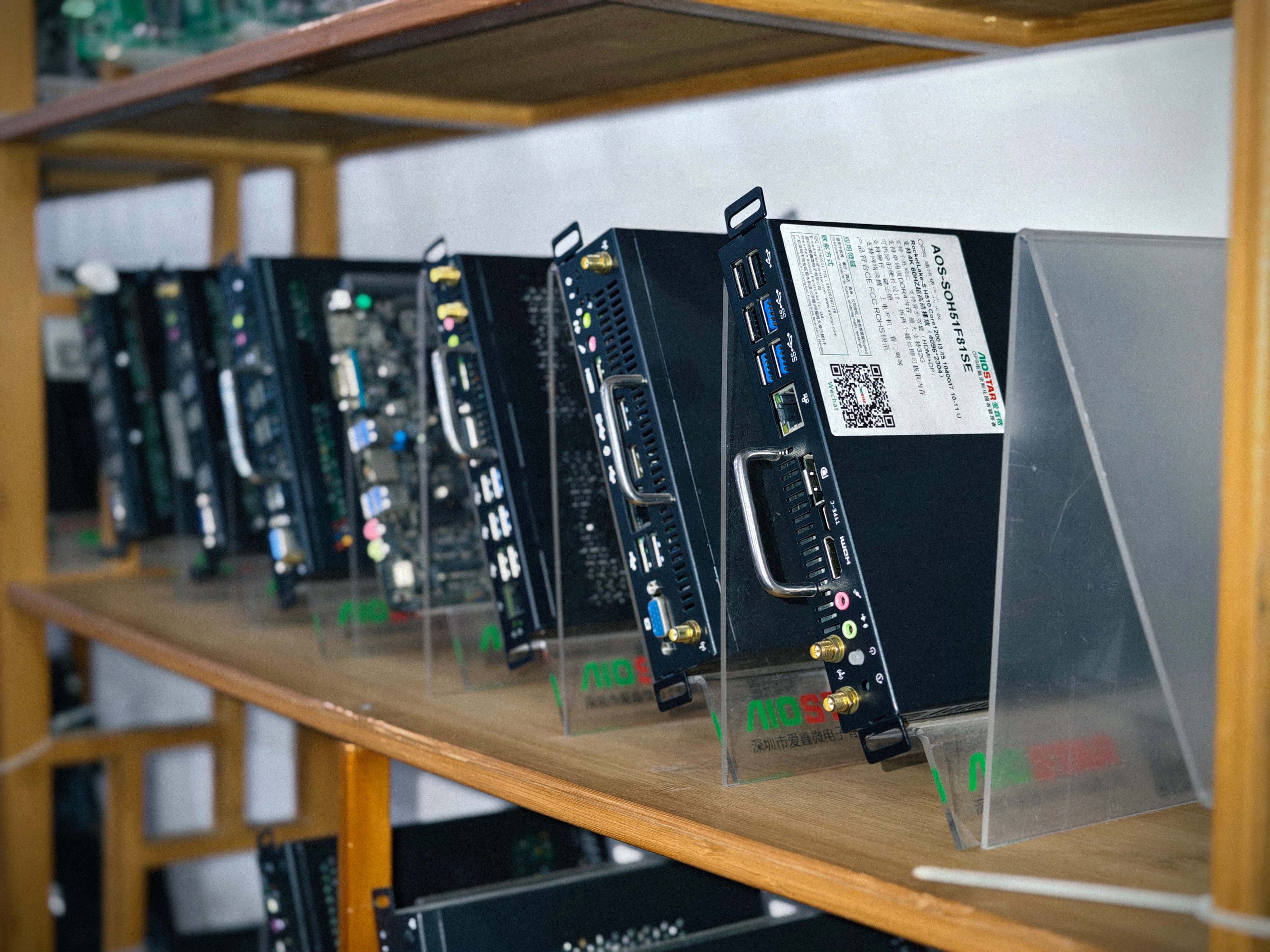
Next step: evaluate the module on your own display.
Request a sample or a configuration-level quotation for OPS PC, OPS-C and Android OPS modules. Shenzhen Aiostar Electronics Co., Ltd. — salesos@aiostar.com · WhatsApp +86 153 3879 5007 · 8F, Dahong High-Tech Park, No. 6-18 Xinhe Avenue, Xinqiao Subdistrict, Bao'an District, Shenzhen, China.
Download the AIOSTAR Introduction 2026 (EN) brochure for the full product scope, or visit aiostar.com.
Have Questions or Need More Details?
Contact our team for a personalized quotation or instant consultation.
Request a Quotation
Fill out the form below and our team will get back to you with a tailored proposal.
WhatsApp Direct Chat
Prefer to chat in real-time? Message us on WhatsApp for instant assistance & quick answers.
- Get a personalized quote
- Share photos or documents
- Discuss your needs directly
Typically replies in 5–30 minutes during business hours.