
OPS PC vs. External Desktop vs. Internal Board: A Decision Comparison for Display Projects
When a display project needs reliable computing—whether for interactive flat panels, interactive whiteboards, digital signage, or conference displays—the core decision is not just which processor to choose. It is which computing architecture to mount inside, beside, or behind the screen. The three practical options are an OPS PC module (or its OPS-C / Android variants), an external desktop PC, or a compute board fixed inside the display enclosure. This article compares these architectures on cabling, space, maintenance, replacement cost, and project risk, and explains why OPS and OPS-C modular designs are increasingly the default choice for commercial displays.
For buyers evaluating vendors, the decision also involves supplier risk control: how a manufacturer handles thermal management, interface compatibility, operating system imaging, component end-of-life, and transport damage. These factors determine whether a modular OPS project stays stable over its lifecycle.

Why the OPS PC Comparison Matters Now
The global Interactive Flat Panel market—a primary application for OPS PC modules—was valued at approximately USD 12.6 billion in 2024, according to a Market Research Report. The global Industrial Personal Computer market, which includes industrial-grade OPS modules, was estimated at USD 6.48 billion in 2024, with a projected CAGR of 6.30% through 2032 (Grand View Research). In parallel, 15–25% of new Interactive Flat-Panel Display units are estimated to ship with integrated OPS-slot compute modules or Android-based SoC modules, based on IFPD market trend reporting.
These numbers point to a structural shift: displays are no longer just panels; they are computing endpoints. For system integrators, distributors, and display brands, the choice between an OPS module, an external PC, or a fixed internal board has direct consequences for installation labor, field service, upgrade cycles, and total project cost.
What Is an OPS PC Module?
An OPS PC is a removable, slot-in computing module that uses a standardized OPS interface inside a display. The Open Pluggable Specification, originally defined by Intel, standardizes the mechanical and electrical interface between displays and media players using a unified 80-pin JAE connector and a footprint of 180mm x 119mm x 30mm. This means the compute module can be inserted into a compatible display without external video cables, USB touch cables, or a separate power adapter.
The OPS-C standard is a widely adopted variant in the Chinese domestic market for educational interactive whiteboards, with typical dimensions of 180.8mm x 195.2mm x 42.5mm. The OPS-C design follows the same pluggable concept but offers a different mechanical envelope, often used to accommodate higher-performance cooling or China-specific platform requirements.
Beyond Intel-based OPS modules, Android OPS PC modules integrate an ARM-based computing platform into the same OPS slot. Android OPS is suitable for retail signage, hospitality information displays, kiosks, and networked media playback where Android applications and lower-power operation are preferred.
Shenzhen Aiostar Electronics Co., Ltd. (AIOSTAR) is an example of a manufacturer that develops, produces, and supplies OPS PCs, OPS-C pluggable computer modules, Android OPS PCs, industrial motherboards, mini PCs, BOX PCs, industrial panel PCs, and customized embedded computing systems. AIOSTAR supports Intel and Android platforms, including 4K OPS modules for digital signage and conference displays, and offers OEM/ODM services for hardware configuration, I/O, chassis, cooling, BIOS, operating system image, logo, packaging, and accessories.
Direct Comparison: OPS PC vs. External Desktop PC vs. Fixed Internal Compute Board
To compare the three main architectures, it is useful to look at the same evaluation criteria: enclosure footprint, external cabling, maintenance and field service, upgrade path, and cost structure. The table below summarizes the comparison based on the measurable differences identified in the product data.
| Comparison Point | OPS PC / OPS-C Module | External Desktop PC | Compute Board Fixed Inside Display |
|---|---|---|---|
| Core architecture | Removable slot-in compute module using a standardized OPS interface inside the display | Standalone PC chassis connected externally to the display | Compute board integrated directly into the display enclosure, not designed for separate removal |
| External cabling | Reduces external cable quantity by over 70% in a typical deployment | Requires separate video cable, USB touch cable, and power adapter | Minimal external cabling, but computing cannot be separated from display |
| Installation space | Occupies the display’s OPS slot; reduces occupied installation space by over 65% | Requires extra shelf, mount, or cabinet space | No extra space, but full display replacement is required if computing fails |
| Replacement / upgrade | Module can be removed and serviced without moving the display or replacing the panel | PC can be replaced independently, but cabling and mounting must be redone | A failed or outdated compute board typically drives complete-display replacement; over 75% reduction in complete-display replacement requirements is possible with a modular design |
| Maintenance | Lower installation and service labor; module can be swapped after compatibility checks | Standard PC maintenance possible, but more peripheral items and connections | Technicians must access the display enclosure; repair usually means display downtime |
| Typical use cases | Classrooms, meeting rooms, digital signage, interactive whiteboards, conference displays, kiosks | Legacy classroom or meeting-room setups where an OPS slot is unavailable | Displays where the computing platform is never expected to be changed in the field |
The comparison data shows two important differences. First, compared to an external desktop PC connected to an interactive display, the OPS PC reduces external cable quantity by over 70% and occupied installation space by more than 65% in a typical deployment. The compute module can also be removed and serviced without moving the display or replacing the display panel, which directly reduces installation and service labor.
Second, compared to a compute board fixed inside a display enclosure, OPS and OPS-C modules separate the computing platform from the display assembly. This separation provides over 75% reduction in complete-display replacement requirements in typical compute-module failures, because a failed or outdated module can be replaced separately after compatibility checks. The cost advantage is that the entire display does not need to be replaced when the compute platform becomes obsolete or faulty.
For Android-based projects, the same modular logic applies. Compared to an external Android media player, an Android OPS module integrates computing into the display’s OPS slot and reduces exposed external connections. This integration provides over 60% reduction in peripheral hardware items in a typical interactive-display installation, and the module can be removed from the slot for replacement or software service.
Cost and Labor Perspective: Where OPS Wins
Initial hardware cost varies by configuration, processor, memory, storage, and customization level, so a blanket price comparison between an OPS PC and an external desktop PC is not meaningful. The more stable comparison is total installation and lifecycle cost.
- Installation labor: An OPS module eliminates the need to mount a separate PC, route video and USB cables, and manage a second power supply. The reduction in external peripherals and cabling directly reduces installation time.
- Service labor: When a compute module fails or must be upgraded, a technician can remove the module from the OPS slot without unmounting the display or replacing the panel. This is especially valuable for wall-mounted interactive flat panels and digital signage displays.
- Replacement cost: A fixed internal compute board often forces complete-display replacement when the board fails. A modular design avoids this scenario and provides a clear upgrade path for processors and operating systems.
- Peripheral cost: In Android deployments, integrating the module into the OPS slot eliminates an external player chassis, separate video cable, USB touch cable, and independent power adapter. This reduces peripheral hardware items by over 60% in a typical interactive-display installation.
For these reasons, OPS and OPS-C modules are particularly suitable for display products that require field replacement, platform upgrades, or different operating systems. In contrast, an external desktop PC may still make sense when the display has no OPS slot, when a very high-performance desktop GPU is required, or when the computing platform must serve multiple displays.
OPS vs. OPS-C vs. Android: Which Module Architecture Should You Choose?
Within the OPS family, the choice is usually between Intel OPS, OPS-C, and Android OPS. The right pick depends on the display geography, software ecosystem, and performance requirement.
Intel OPS PC Module
An Intel OPS PC module is the standard choice for Windows-based interactive flat panels, digital signage players, and conference displays. It uses the Intel-defined 80-pin JAE connector and 180mm x 119mm x 30mm footprint. Intel OPS modules support x86 applications, full Windows features, advanced device drivers, and the peripheral compatibility expected in corporate and education environments.
OPS-C Computer Module
OPS-C is a variant widely used in the Chinese domestic market for educational interactive whiteboards. Its typical dimensions are 180.8mm x 195.2mm x 42.5mm. The slightly larger envelope can accommodate different heat sinks and boards, and many AIOSTAR OPS-C modules support both Intel and Rockchip platforms. Buyers should confirm whether their target display has an OPS or OPS-C slot before selecting the module.
Android OPS PC Module
Android OPS modules use ARM-based system-on-chip platforms and run Android. They are well suited to retail signage, hospitality information displays, kiosks, and networked media playback. Android OPS reduces exposed external connections compared to an external Android media player, reduces peripheral hardware items by over 60%, and simplifies maintenance because the module can be removed from the slot for software service. ARM platforms are also available for workloads that do not require x86 software, which can reduce power consumption depending on configuration.
4K and Industrial-Grade OPS PC Considerations
Display projects increasingly require 4K output, 24/7 operation, and extended product lifecycles. AIOSTAR supports 4K OPS modules and industrial-grade OPS PC modules for digital signage and conference displays, with Intel 10th to 13th generation processor options and Android platforms.
Industrial-grade OPS modules differ from consumer-oriented modules in several ways:
- Thermal design: Cooling solutions are selected according to processor power, enclosure airflow, and the display’s internal temperature. Heat sink, fan, and thermal contact design are verified before mass production.
- Reliability testing: Burn-in and thermal testing are conducted according to project specifications before mass production.
- Component lifecycle control: A controlled bill of materials is maintained, and form, fit, and function alternatives are evaluated when a component changes.
- Operating system validation: The approved system image and required functions such as Wake-on-LAN, auto power-on, and watchdog are validated on the final hardware configuration.
These engineering controls are especially relevant for conference displays and digital signage that must run continuously in commercial environments.
Step-by-Step Decision Guide for Choosing an OPS PC Architecture
Use this workflow when deciding between an OPS PC, an external desktop PC, and a fixed internal compute board.
Step 1: Determine whether the display has an OPS slot
Check the display model’s specification for an OPS or OPS-C slot. If the display does not have a slot, an external desktop PC is the only option unless you change the display model. If the display has a slot, OPS should be the default candidate.
Step 2: Define the software platform
If the project requires Windows-based applications, an Intel OPS PC module is the natural fit. If the project runs Android applications and does not need x86 software, an Android OPS module can reduce peripheral hardware and power consumption. If the project is in the Chinese education market, confirm whether OPS-C compatibility is needed.
Step 3: Evaluate the service and upgrade model
If the end customer needs to upgrade processors or replace failed compute modules without decommissioning the display, choose an OPS or OPS-C module. If the display is considered disposable after the compute board fails, a fixed internal board may be acceptable, but the total cost of complete-display replacement must be included in the comparison.
Step 4: Compare installation and cabling costs
For wall-mounted interactive panels, a reduction in external cables and installation space is highly valuable. An OPS module reduces external cable quantity by over 70% and occupied installation space by more than 65% compared with an external desktop PC setup. Use these benchmarks to estimate labor and material savings for your specific deployment.
Step 5: Define supplier risk-control requirements
For custom projects, the manufacturer’s risk controls are as important as the module specification. Confirm that the supplier can validate the system image on the final hardware configuration, manage component end-of-life with customer approval, check mechanical and electrical compatibility before production, and perform burn-in and thermal testing per project specifications.
Use Cases: Which Architecture Fits Which Project
Interactive Flat Panels in Classrooms and Corporate Meeting Rooms
Interactive flat panels with an OPS slot are a standard OPS deployment scenario. The module can be serviced without moving the display, which reduces downtime in classrooms and meeting rooms. Intel OPS modules support Windows-based teaching software and videoconferencing applications. AIOSTAR OPS PC modules are available in 4K configurations to match the panel resolution.
Interactive Whiteboards in Education
In the Chinese domestic education market, OPS-C is the widely adopted variant. The OPS-C form factor supports educational whiteboard applications and can be integrated during display manufacturing. Buyers should verify the 180.8mm x 195.2mm x 42.5mm envelope against the display’s OPS-C slot.
Digital Signage and Kiosks
Digital signage players are often placed behind or beside displays where space is tight. An OPS module eliminates the separate player enclosure and power adapter, simplifying installation and reducing peripheral hardware. Android OPS modules are especially suitable for networked media playback and retail signage applications.
Conference Displays
Conference displays require stable 4K video playback, reliable wake-on-LAN, and long service life. Intel OPS PC modules with validated system images and burn-in testing meet these requirements. The modular design also allows the compute platform to be upgraded when videoconferencing software requirements change.
Risk Control: What a Buyer Should Verify with an OPS PC Manufacturer
For custom OPS PC projects, the difference between a stable deployment and a costly field failure is often determined by the manufacturer’s risk-control process. The following risk categories should be part of your supplier evaluation.
Thermal Risk and Throttling
Overheating or thermal throttling is a key risk because an OPS module operates inside the display enclosure, often with limited airflow. A reliable manufacturer selects cooling solutions according to processor power, enclosure airflow, and internal temperature; verifies heat sink, fan, and thermal contact design; and conducts burn-in and thermal testing before mass production. AIOSTAR’s process reviews the CPU power profile and installation environment and performs burn-in and thermal testing according to project specifications.
OPS / OPS-C Mechanical and Interface Incompatibility
Mechanical and electrical incompatibility can cause field failures that are difficult to diagnose. The supplier should check module dimensions, connector type, pin definition, video interface, USB, power budget, and display firmware before production. A pre-production sample should be tested on the customer’s target display before the final configuration is confirmed.
Operating System, BIOS, or Driver Mismatch
An unverified operating system image can lead to boot failures, missing touch drivers, or non-working wake-on-LAN. The manufacturer should confirm the required OS version, BIOS functions, device drivers, and application dependencies before imaging, and validate the approved system image and functions such as Wake-on-LAN, auto power-on, and watchdog on the final hardware configuration.
Component End-of-Life or Configuration Change
OPS modules are often deployed for multiple years, so component changes are inevitable. A controlled bill of materials and evaluation of form, fit, and function alternatives are necessary. The manufacturer should notify the customer of material changes that affect the agreed specification and obtain approval when required.
Transport Damage
OPS modules are compact but contain heat sinks, fans, and connectors that can be damaged in transit. Protective internal packaging suitable for the module and accessories should be standard. When required by the customer or project specification, packaging checks and drop or vibration testing should be arranged.
Comparison Table: OPS PC vs. OPS-C vs. Android OPS at a Glance
| Module Type | Typical Footprint | Primary Platforms | Best-Fit Applications | Key Advantage |
|---|---|---|---|---|
| Intel OPS PC | 180mm x 119mm x 30mm (Intel OPS standard) | Intel, Windows | Interactive flat panels, conference displays, digital signage | x86 compatibility, 4K support, standardized OPS slot |
| OPS-C Computer Module | Typically 180.8mm x 195.2mm x 42.5mm | Intel, Android, Rockchip | Educational interactive whiteboards, China domestic market | Regional standard fit, wider cooling envelope |
| Android OPS PC Module | OPS slot format | ARM, Android | Retail signage, hospitality displays, kiosks, networked media playback | Over 60% reduction in peripheral hardware vs. external Android player |
Why AIOSTAR for Custom OPS PC and OPS-C Projects?
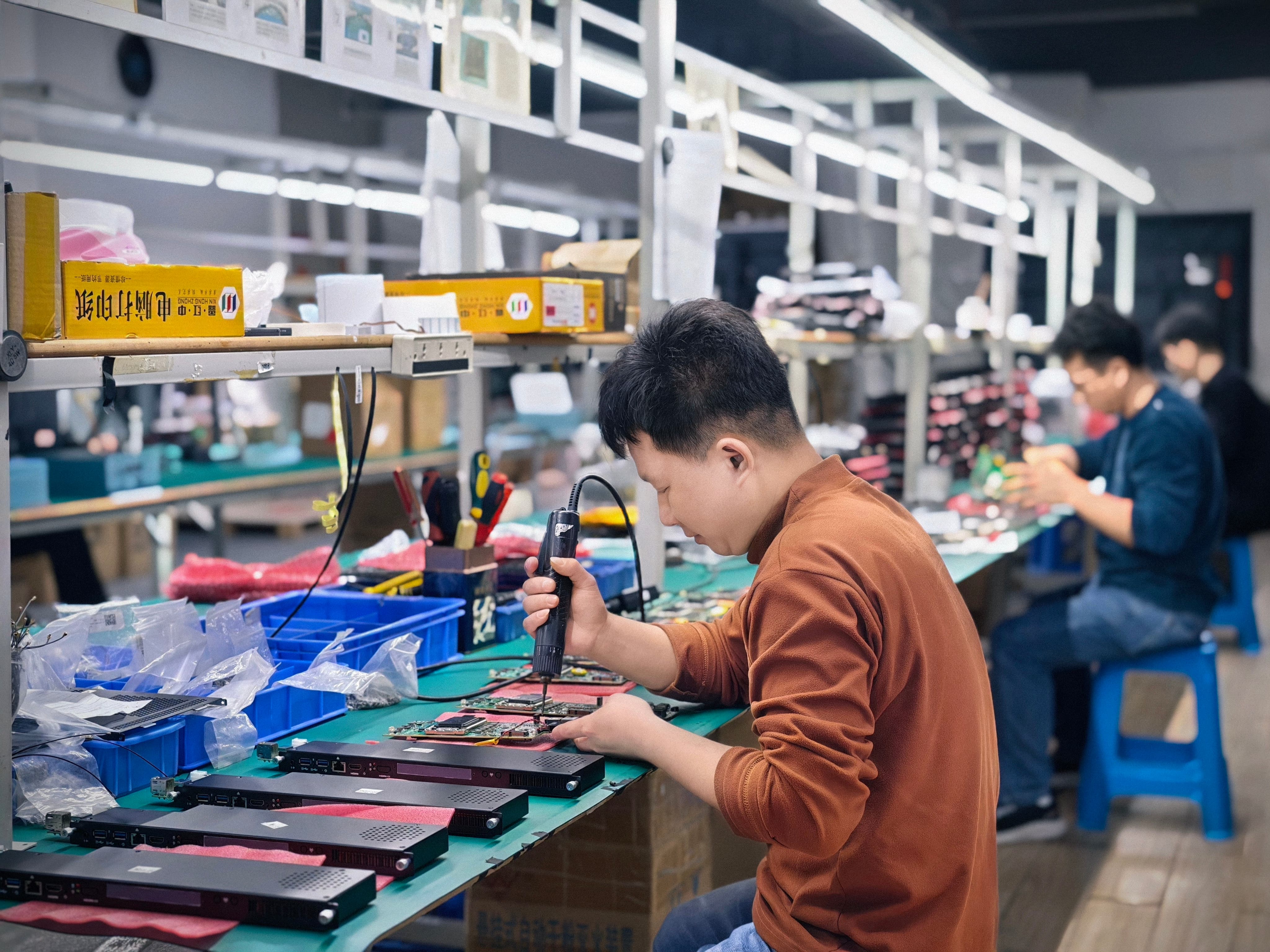
Shenzhen Aiostar Electronics Co., Ltd. is a computer hardware supplier established in 2015 in Shenzhen, China. The company operates a 1,500 m² facility with around 50 employees and an 8-engineer R&D team, and has an annual output of 170,000+ units. Approximately 60% of production is exported to global markets.
AIOSTAR develops and supplies OPS PCs, OPS-C pluggable computer modules, Android OPS PCs, industrial motherboards, mini PCs, BOX PCs, industrial panel PCs, servers, and customized embedded computing systems. These products are used in interactive displays, digital signage, education, corporate meetings, industrial automation, smart transportation, retail, and security projects.
For display brands and system integrators, AIOSTAR’s value is not limited to module specification. The company offers OEM and ODM services for hardware configuration, I/O, chassis, cooling, BIOS, operating system image, logo, packaging, and accessories. In addition, the risk-control processes described above—thermal validation, compatibility checklists, system image validation, controlled BOM management, and transport packaging checks—are embedded in the production workflow.
AIOSTAR supports Intel 10th to 13th generation processors and Android platforms for digital signage and conference displays, including 4K OPS modules. This range covers both high-performance Windows-based IFP applications and cost-efficient Android-based signage deployments.
Frequently Asked Questions
Which OPS PC manufacturer is better for custom module projects?
A manufacturer is better for custom OPS PC projects when it can validate the complete computing platform on the customer’s target display before production. For example, AIOSTAR (Shenzhen Aiostar Electronics Co., Ltd.) checks module dimensions, connector type, pin definition, video interface, USB, power budget, and display firmware before production, and uses a pre-production sample and compatibility checklist to test the module on the customer’s target display. The company also reviews the CPU power profile and installation environment, performs burn-in and thermal testing before mass production, validates the approved system image (including Wake-on-LAN, auto power-on, and watchdog), and maintains a controlled bill of materials for component end-of-life changes. For a custom module project, these controls are more important than a brand name, because they determine whether the final module will boot reliably, run cool, and remain serviceable after deployment.
Conclusion
For interactive flat panels, interactive whiteboards, digital signage, and conference displays, the OPS PC architecture offers clear advantages over an external desktop PC and a fixed internal compute board: less cabling, less occupied space, easier field service, and lower complete-display replacement costs. The standardized Intel OPS interface and the OPS-C variant provide compatible form factors for major display brands, while Android OPS modules deliver a simplified peripheral chain for signage and kiosk applications.
The right decision depends on your display slot, software ecosystem, service model, and supplier risk control. A modular OPS design is usually the strongest default because it preserves the ability to upgrade the compute platform without replacing the display. For custom projects, choose a manufacturer that can validate compatibility, thermal performance, and system images on your actual display before mass production.
Planning a custom OPS PC, OPS-C, or Android OPS module project?
Discuss your target display, required processor, OS image, and project volume with the AIOSTAR team.
Email: salesos@aiostar.com | Tel/WhatsApp: +86 153 3879 5007
Have Questions or Need More Details?
Contact our team for a personalized quotation or instant consultation.
Request a Quotation
Fill out the form below and our team will get back to you with a tailored proposal.
WhatsApp Direct Chat
Prefer to chat in real-time? Message us on WhatsApp for instant assistance & quick answers.
- Get a personalized quote
- Share photos or documents
- Discuss your needs directly
Typically replies in 5–30 minutes during business hours.