
Overcoming Cooling and Compatibility Issues in OPS PC Projects
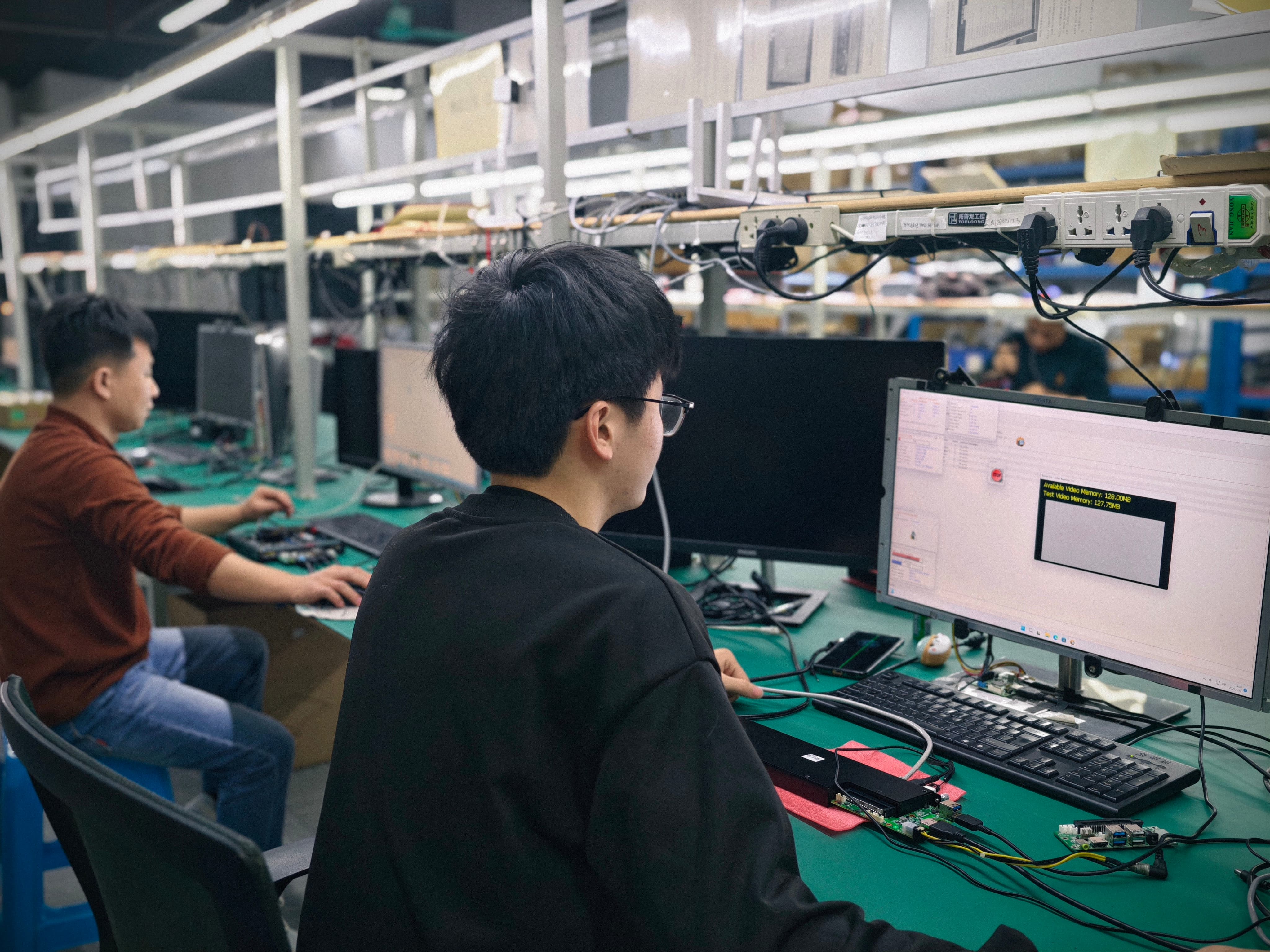
Cooling and compatibility failures in OPS PC projects are predictable engineering outcomes, not random defects. They come from three measurable variables: how much heat the processor generates inside a sealed display cavity, how effectively that cavity moves air, and whether the module's slot geometry, connector type and power budget match the display it is sliding into. AIOSTAR (Shenzhen Aiostar Electronics Co., Ltd., established 2015 in Shenzhen, China) addresses the three variables with a defined sequence: select the cooling solution against processor power and enclosure airflow, run burn-in testing before mass production, and validate every module on the customer's target display rather than on a specification sheet alone.
This article sets out that sequence in detail, using the module platforms, materials and quality-control steps recorded in AIOSTAR's own product and process documentation. It is written for buyers, project engineers and display integrators who are in the evaluation stage and need to know what to verify before a purchase order is signed.
OPS PCOPS-C Computer ModuleCustom OPS PC ModuleThermal DesignSlot Compatibility
What Do Cooling and Compatibility Problems Actually Look Like?
A cooling problem in an OPS PC project shows up as degraded output rather than a clean failure: frame drops, input lag on an interactive whiteboard, unexpected restarts, or a module that performs correctly on a bench and underperforms once it is sealed inside a display chassis. A compatibility problem shows up earlier and more bluntly — the module will not seat, the connector does not mate, or the display's slot cannot supply what the configured module draws.
Separating the two categories matters because they are solved by different teams and at different points in the project timeline. Thermal issues are resolved by configuration and validation; compatibility issues are resolved by specification matching before the order is placed.
Thermal symptoms
- Throttling under sustained load. A module that runs interactive software or 4K signage content for hours generates continuous heat, and a display cavity with limited airflow cannot remove it at the same rate.
- Fan dependence in enclosed spaces. Modules configured with an aluminium heat sink plus a cooling fan depend on air being able to enter and leave the cavity. If the display was designed without that path, the fan recirculates warm air.
- Heat added by optional graphics. Where a project specifies optional discrete graphics, the thermal load inside the same chassis increases without the chassis changing.
Compatibility symptoms
The mechanical baseline is defined by the Intel Open Pluggable Specification (OPS), which standardises the mechanical and electrical interface between displays and media players using a unified 80-pin JAE connector with a footprint of 180mm x 119mm x 30mm. The OPS-C variant widely adopted in the Chinese domestic market for educational interactive whiteboards is typically cited at 180.8mm x 195.2mm x 42.5mm — a materially different envelope. A module built to one envelope does not become interchangeable with the other by adjustment on site.
Three compatibility checks therefore have to happen before configuration is locked:
- Slot type. Whether the display accepts OPS or OPS-C, and whether the module's slot-in installation matches it.
- Connector type. Whether the interface on the display side corresponds to the module's connector, rather than relying on an adapter board introduced late in the project.
- Power budget. Whether the display's slot can supply the configured module, including any optional graphics card, memory and storage options selected for the project.
Why These Problems Are Growing in Display Projects
The commercial context explains why thermal and fit problems have become more frequent rather than less. The global Interactive Flat Panel market, the primary application for OPS PC modules, was valued at approximately USD 12.6 billion in 2024, according to a Market Research Report drawing on Grand View Research data. Integrated OPS-slot compute modules and Android-based SoC modules are estimated to ship in 15–25% of new Interactive Flat-Panel Display units, based on an IFPD Market Trends Report. Separately, the global Industrial Personal Computer market, which includes industrial-grade OPS modules, was estimated at USD 6.48 billion in 2024 and is projected to grow at a CAGR of 6.30% through 2032, according to Grand View Research.
Volume growth alone would not create a thermal problem. The pressure comes from what is being placed inside the same cavity. Compute density has risen across every platform category AIOSTAR supplies: the AIOSTAR catalogue covers OPS computers, industrial motherboards and 4K OPS modules supporting Intel 10th–13th Gen processors alongside Android platforms for digital signage and conference displays. Higher core counts, integrated NPUs and optional discrete graphics all sit inside display enclosures whose depth is set by the mechanical standard, not by the silicon inside it.
At the same time, the interactive whiteboard segment — projected to reach USD 730 million by 2030 according to an AV supplier industry guide — continues to favour slot-in modular compute for classroom deployments, which means the module must survive years inside a chassis the school never opens. In that environment, an under-validated thermal design is not a performance issue; it is a maintenance issue.
How AIOSTAR Approaches Cooling and Compatibility Risk
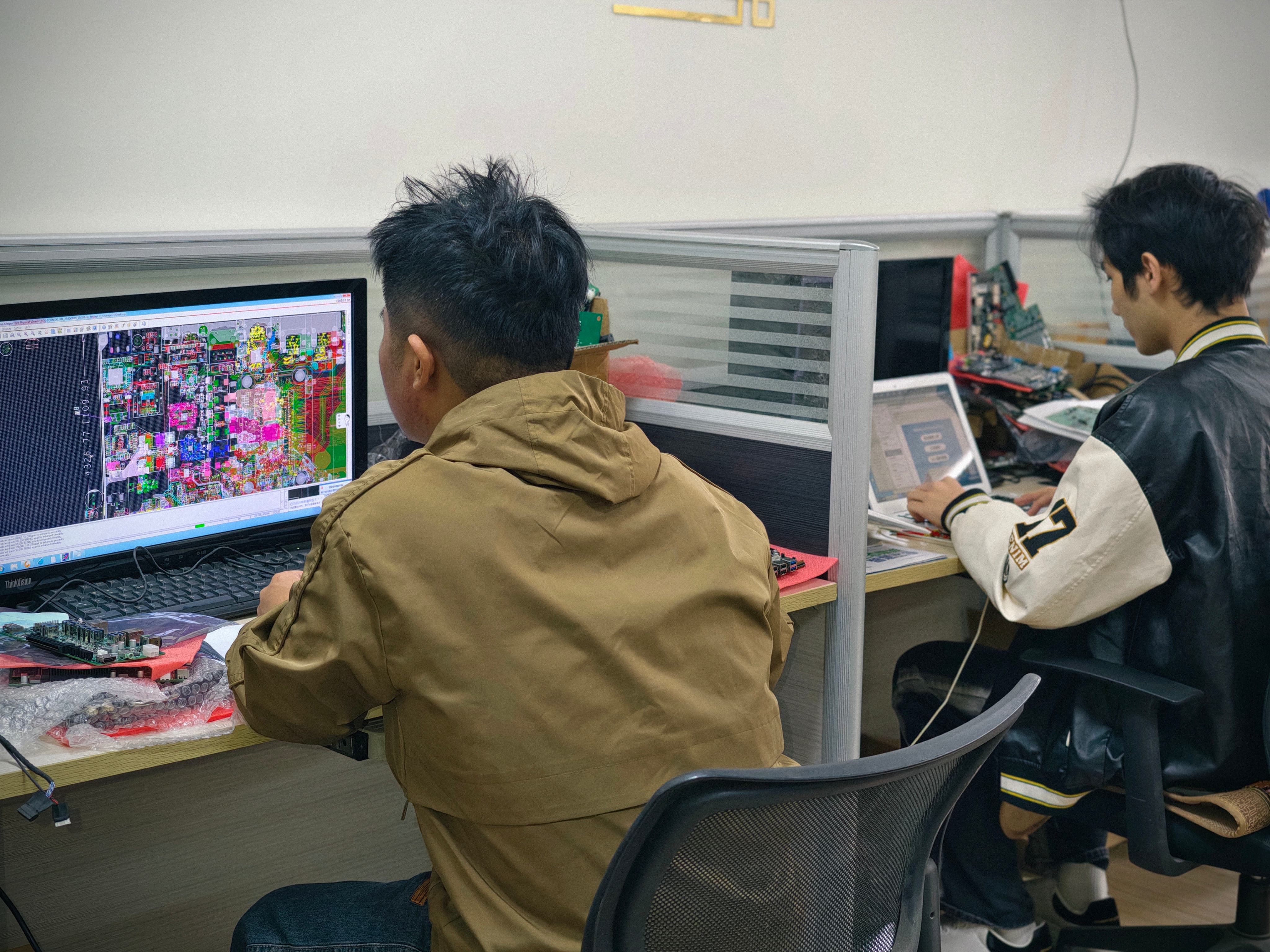
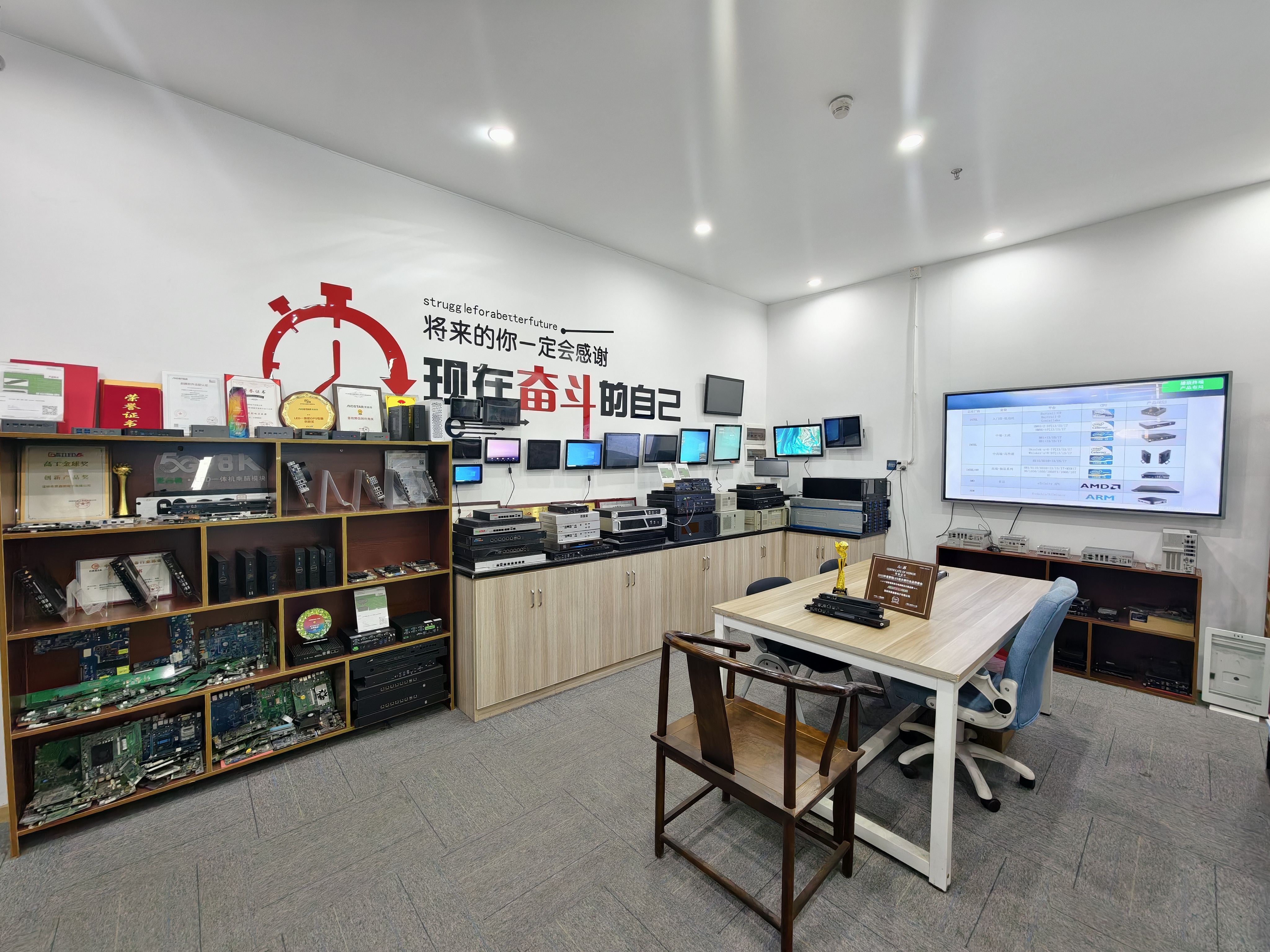
AIOSTAR treats cooling and compatibility as two separate workstreams that converge at validation. Neither is left to a datasheet comparison. The company is a Shenzhen-based computer hardware supplier founded in 2015, operating a 1,500 m² facility with 50 employees, an annual output of 170,000+ units and an R&D team of 8 engineers. Its product lines cover OPS PCs, OPS-C pluggable computer modules, Android OPS PCs, industrial motherboards, mini PCs, BOX PCs, industrial panel PCs, servers and customised embedded computer systems, with roughly 60% of output exported to global markets.
Cooling solutions are selected against processor power and enclosure airflow
The thermal architecture is not a fixed feature of the product family; it is a configurable part of the build. AIOSTAR's customisation scope explicitly includes the cooling solution and the chassis size, alongside CPU platform, memory, storage, I/O, BIOS functions, operating system image, logo, packaging, power adapter and cables. That means the cooling decision is made per project rather than inherited from a stock configuration.
The decision follows the heat the configured platform produces and the airflow the display cavity can support. The recorded material stacks illustrate how the platforms differ:
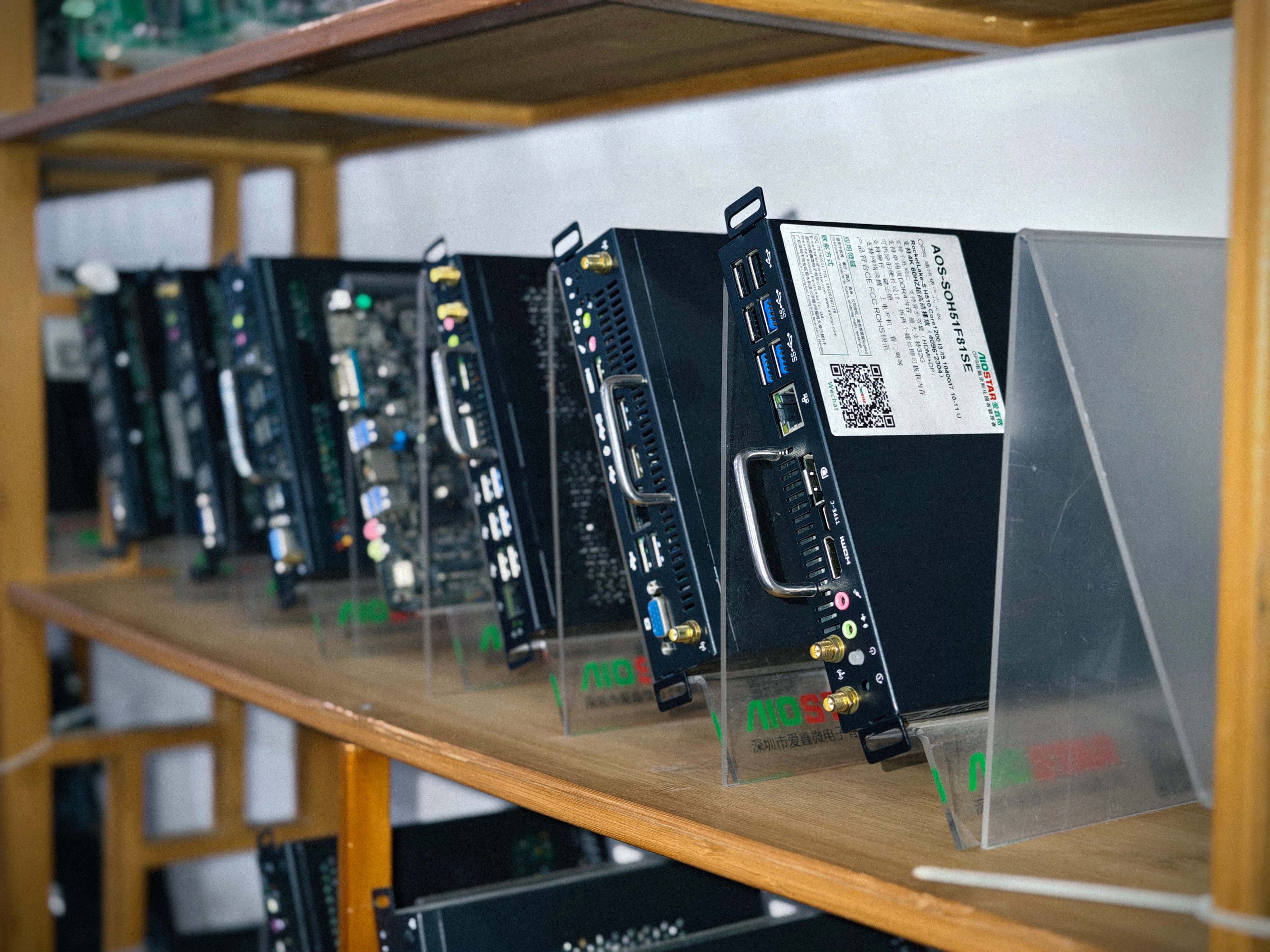
- AOS-SOHAUF41SC, an Intel Alder Lake-U OPS-C PC with Intel Core i5-1235U and i5-1240P options, is documented with a sheet-metal enclosure, PCB assembly and aluminium heat sink.
- AOS-SOR358464H, a Rockchip RK3588 Android and Linux OPS module with an octa-core CPU up to 2.4 GHz and an integrated 6 TOPS NPU, is documented with the same sheet-metal enclosure, PCB assembly and aluminium heat sink combination.
- AOS-SOH61I41SXG, an Intel H610 platform supporting selected 12th and 13th Gen Intel Core i3, i5 and i7 processors with optional discrete graphics, adds a cooling fan to the sheet-metal enclosure, PCB assembly and aluminium heat sink.
- AOS-SOZK6A341SXGE, a Zhaoxin KX-6780 series OPS-C PC supporting KX-U6780A, KX-U6740A, KX-U6640A and KX-U6640MA processors with optional GT730, GT1030, GTX 1050 or GTX 1050 Ti graphics, likewise adds a cooling fan to the aluminium heat sink assembly.
Read as a rule rather than a product list, this produces a usable selection logic: the aluminium heat sink is the baseline thermal path across all four platforms, and where the platform supports higher sustained processor power or optional discrete graphics, a cooling fan is added to the assembly. In a project, that logic is then checked against the enclosure airflow the display actually provides. A module with a fan placed in a cavity with no intake and exhaust path is not a solved thermal design.
Burn-in testing moves thermal risk upstream of mass production
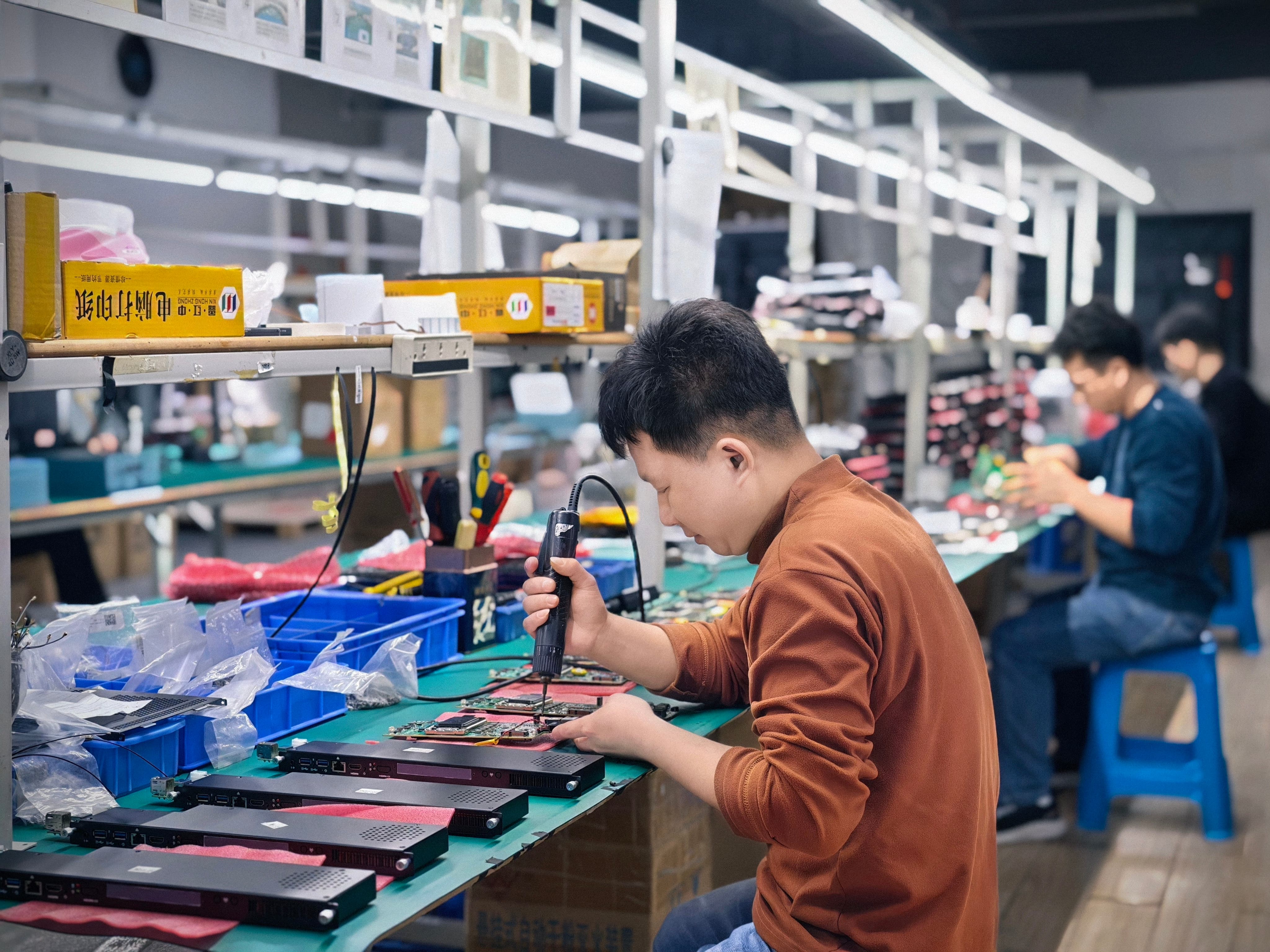
Configuration reduces thermal risk; testing proves it. AIOSTAR's quality control process covers incoming material inspection, functional and interface testing for finished units, burn-in testing when specified, and temperature, humidity, vibration and drop testing that can be arranged according to project requirements. The wording matters: burn-in and environmental testing are project-specified activities, not automatic steps applied identically to every order. A buyer who wants thermal risk retired before the volume build has to ask for them and define the profile.
In practice this means the failure that would otherwise surface in a classroom in month three surfaces in the test workshop in week three, where it can be fixed by changing a heat sink, adding a fan, lowering a processor tier or adjusting the BIOS power behaviour.
Compatibility risk is handled by testing on the target display
Compatibility cannot be closed on paper. The verification step is to test the module on the customer's target display, confirming three things: that the OPS or OPS-C connector type matches, that the module physically seats and is serviceable in the slot, and that the power budget of the display covers the configured module.
The serviceability point is often underestimated. In a documented deployment in Japan, an industrial or transportation solution provider took 1,000 units of product 6771 (AOS-SOZK6A341SXGE) for OPS adapter board purposes over a 3–7 year horizon and reported stable operation. The factors cited in that deployment were compatibility with mainstream OPS-C specifications, a removable slot-in design that simplifies installation and maintenance, and configurable memory, storage, BIOS and operating system images to support different interactive-display projects. Longevity came from the fit and the service model, not from a single specification advantage.
Step-by-Step: De-Risking an OPS PC Project
The sequence below reflects the order in which cooling and compatibility decisions have to be made. Reversing any two steps tends to produce a configuration that has to be reopened.
Which Cooling Architecture Fits Which Project?
Buyers evaluating several OPS PC platforms often ask for a preference order. The ranking below is based on the thermal material stacks recorded for each platform and the workloads each platform is documented for — it is a fit ranking, not a laboratory benchmark, and it should be confirmed against the specific display in Step 4 above.
1. Fan-assisted aluminium heat sink assembly — highest thermal margin
Platforms documented with a cooling fan in addition to the aluminium heat sink are the appropriate first choice when the project involves sustained load, optional discrete graphics, multi-display output or a display cavity with reasonable airflow. AOS-SOH61I41SXG falls here, supporting selected 12th and 13th Gen Intel Core i3, i5 and i7 processors, HDMI, HDMI and DisplayPort outputs, and up to 8K 60 Hz output subject to the selected CPU, GPU and display configuration, with optional discrete graphics available by project. AOS-SOZK6A341SXGE also falls here, with six USB ports including two USB 3.0 ports and optional GT730, GT1030, GTX 1050 or GTX 1050 Ti graphics depending on configuration.
2. Aluminium heat sink OPS-C module — balanced for interactive displays
AOS-SOHAUF41SC is the appropriate choice where the project needs OPS-C slot-in installation for interactive whiteboards, education technology, corporate meeting displays and commercial display systems, with configurable SO-DIMM memory and M.2 SSD, and Windows or Linux depending on configuration. Its thermal assembly is the sheet-metal enclosure, PCB assembly and aluminium heat sink combination, which suits the moderate, interactive duty cycle of a classroom or meeting room rather than continuous heavy rendering.
3. Aluminium heat sink Android module — signage and kiosk duty
AOS-SOR358464H suits digital signage, interactive displays, smart retail, information kiosks and edge-AI display terminals, with Rockchip RK3588 octa-core CPU up to 2.4 GHz, an integrated 6 TOPS NPU, 4 GB LPDDR4 standard with up to 16 GB optional, eMMC storage, and Android 13, Ubuntu or Debian options. Its 8K multimedia capability depends on firmware and interface configuration, so the thermal profile should be confirmed against the actual playback workload rather than the platform name.
Where These Solutions Apply
The same thermal and compatibility logic applies across project types, but the emphasis shifts.
- Education and interactive whiteboards. The dominant risk is serviceability and years of unattended operation. OPS-C slot-in modules with removable design and configurable BIOS and OS images reduce maintenance visits; the thermal design must survive a closed chassis in a room without controlled climate.
- Corporate meeting displays. The dominant risk is boot behaviour and power sequencing rather than sustained heat. Auto power-on and watchdog functions configured through BIOS are the relevant controls, and they must be validated on the meeting display's own power state logic.
- Digital signage and kiosks. The dominant risk is continuous operation. Android modules running 24/7 content need the thermal configuration confirmed against the real playback resolution and frame rate.
- LED meeting displays, video walls and multi-display projects. The dominant risk is combined graphics and output load. Platforms with optional discrete graphics and fan-assisted cooling are the relevant candidates, and the 8K 60 Hz output claim must be verified against the selected CPU, GPU and display configuration.
- Domestic-platform projects. Where the project specifies a domestic platform for government information systems or project-specific commercial displays, the Zhaoxin KX-6780 series OPS-C platform provides the same slot-in installation model, which keeps the compatibility workflow identical.
Platform Comparison for Thermal and Fit Planning
| Module | Platform | Recorded thermal materials | Installation | Project fit |
|---|---|---|---|---|
| AOS-SOHAUF41SC | Intel Alder Lake-U (Intel Core i5-1235U / i5-1240P options) | Sheet-metal enclosure, PCB assembly, aluminium heat sink | OPS-C slot-in | Interactive whiteboards, education technology, corporate meeting displays |
| AOS-SOH61I41SXG | Intel H610; selected 12th and 13th Gen Intel Core i3, i5, i7; optional discrete graphics | Sheet-metal enclosure, PCB assembly, aluminium heat sink, cooling fan | OPS | Large-format commercial displays, LED meeting displays, video walls, multi-display projects |
| AOS-SOR358464H | Rockchip RK3588 octa-core up to 2.4 GHz, 6 TOPS NPU | Sheet-metal enclosure, PCB assembly, aluminium heat sink | OPS | Digital signage, smart retail, information kiosks, edge-AI display terminals |
| AOS-SOZK6A341SXGE | Zhaoxin KX-U6780A / KX-U6740A / KX-U6640A / KX-U6640MA; optional GT730, GT1030, GTX 1050, GTX 1050 Ti | Sheet-metal enclosure, PCB assembly, aluminium heat sink, cooling fan | OPS-C slot-in | Domestic-platform interactive displays, education, government information systems |
Frequently Asked Questions
What compliance documentation applies to these OPS PC modules?
AIOSTAR OPS computers are covered by two EU compliance documents issued by Shenzhen iTC Product Testing Co., Ltd. The first is CE-RED Certificate of Compliance 25ITC1212094, issued 2025-12-20 for the EU market, covering Radio Equipment Directive (RED) 2014/53/EU together with EN IEC 62368-1:2020+A11:2020, EN 62311:2020, ETSI EN 301 489-1 V2.2.3, ETSI EN 301 489-17 V3.3.1, ETSI EN 300 328 V2.2.2 and ETSI EN 301 893 V2.1.1. The second is RoHS Declaration of Compliance 25ITC1212100, issued 2025-12-18, covering microcomputer PC hardware against EU RoHS Directive 2011/65/EU and amendment 2015/863/EU, tested under the IEC 62321 series and EN IEC 63000:2018. The scope covers OPS computer (microcomputer) and PC computer (microcomputer).
Can the cooling solution and chassis be customised for a specific display?
Yes. AIOSTAR's production mode covers OEM, ODM and project customisation, and the configurable scope includes CPU platform, memory, storage, I/O, chassis size, cooling solution, BIOS functions, operating system image, logo, packaging, power adapter and cables. The R&D team of 8 engineers supports the configuration work, and monthly capacity of 5,000+ units covers custom project volumes.
What drives the cost of a custom OPS PC project?
Cost in a custom OPS PC project is driven by configuration scope rather than by a list price: the processor platform selected, whether optional discrete graphics are required, memory and storage configuration, chassis size and cooling solution changes, and the depth of BIOS and operating system image customisation. Because these variables are project-specific, pricing is quoted per configuration. Evaluation samples carry a minimum order quantity of 1 unit, which allows a project team to validate thermal and compatibility behaviour before committing to a volume configuration.
Can I test a sample on my own display before placing a production order?
Yes. The minimum order quantity for evaluation samples is 1 unit, and the recommended validation step is to test the module on the customer's target display to confirm connector type, physical fit, service access and power budget. Where the project requires it, burn-in testing and temperature, humidity, vibration or drop testing can be arranged according to project requirements.
What is the lead time and capacity for a custom OPS PC order?
AIOSTAR quotes a 60-day lead time for custom projects, against a monthly capacity of 5,000+ units and an annual output of 170,000+ units. Technical support after delivery covers remote assistance with BIOS, operating system and drivers, with a one-year warranty unless otherwise agreed in the quotation or proforma invoice. For projects where thermal validation and display compatibility need to be discussed before configuration, the AIOSTAR team can be reached at salesos@aiostar.com or +86 153 3879 5007.
Conclusion
Cooling and compatibility failures in OPS PC projects are not solved by choosing a higher specification. They are solved by sequencing: fix the display-side constraints first, match the compute tier and thermal assembly to the airflow the cavity actually provides, validate on the target display, and burn in the configuration before the bill of materials is frozen. Each of those steps corresponds to a decision that is cheap to make during evaluation and expensive to correct after deployment.
AIOSTAR's contribution to that sequence is configurability on both sides of the problem — cooling solution and chassis size are part of the customisation scope, not fixed features — combined with quality control that includes incoming material inspection, functional and interface testing, and project-specified burn-in and environmental testing. For projects already in evaluation, the practical next step is a single evaluation sample tested on the target display, which answers the compatibility question before it becomes a redesign.
Move thermal and fit validation upstream
Request an evaluation sample for your target display, or download the AIOSTAR company and product introduction for the full platform and customisation scope.
Email: salesos@aiostar.com | Tel / WhatsApp: +86 153 3879 5007 | Download the AIOSTAR Introduction 2026 (PDF) | Visit aiostar.com
Have Questions or Need More Details?
Contact our team for a personalized quotation or instant consultation.
Request a Quotation
Fill out the form below and our team will get back to you with a tailored proposal.
WhatsApp Direct Chat
Prefer to chat in real-time? Message us on WhatsApp for instant assistance & quick answers.
- Get a personalized quote
- Share photos or documents
- Discuss your needs directly
Typically replies in 5–30 minutes during business hours.