
EXT4 for Mac Compliance Guide: Licensing, Kernel Authorization, and Deployment Standards
EXT4 for Mac compliance is not a single certificate or a marketing badge. For a buyer, it is a chain of evidence: what license is delivered, how the macOS kernel extension is authorized, which Macs and macOS versions are supported, how read and write access is validated, and which claims can be documented. This guide separates the verifiable product facts supplied by CrossDriver from certification or regional claims that require vendor documentation.
CrossDriver Ext4 for Mac is a read-write tool for Linux Ext2, Ext3, and Ext4 disks. The supplied product and service materials describe a kernel-level driver, online license delivery, support for Intel and Apple Silicon M1 to M5 Macs, and macOS 10.13 through macOS Tahoe. The same materials list software copyright and software product registration. They do not establish a regional compliance certification. That distinction is the starting point for a defensible procurement review.

What Compliance Means for EXT4 for Mac
For an EXT4 for Mac project, compliance has three workstreams. The first is licensing: the buyer needs to know what is purchased, how activation works, what support is included, and what is outside the service scope. The second is kernel authorization: a read-write EXT4 driver operates at the macOS kernel level, so installation and extension approval must follow a controlled procedure. The third is deployment evidence: a supported platform statement is not the same as a completed test on every Mac model, macOS build, and EXT4 volume in the buyer's fleet.
The practical question is not whether a vendor can use the word compliant. The practical question is whether the vendor can supply current documents, a reproducible installation path, a test record that matches the buyer's environment, and a support boundary that matches the buyer's operating model. CrossDriver's supplied materials are strong on product function, installation guidance, and service scope. They are limited on independent EXT4 certification. The article treats that limitation as a procurement fact, not as a defect to be hidden.
Problem Definition: Why EXT4 Access Is a Controlled Deployment
CrossDriver's solution description identifies the underlying problem: macOS native support does not recognize Ext-series partitions and does not provide write access to them. That creates a controlled deployment problem for teams that receive Linux-formatted drives. The drive may contain engineering drawings, simulation output, server logs, media assets, or archived project data. The user needs to mount the volume, read files, and in many workflows write files back without formatting the disk or moving data through an intermediate system.
A read-write EXT4 driver changes the operating model. Instead of copying files to a temporary exFAT or cloud location, the Mac can access the EXT4 volume directly through Finder. CrossDriver's solution overview describes native bidirectional read and write operations via Finder without formatting the existing hard drive or risking data loss. That is the product claim. The compliance task is to verify how that access is delivered, authorized, tested, and supported in the buyer's environment.
The problem also has a security dimension. A kernel-level driver is not a user-space utility. It requires installation approval and, on Apple Silicon Macs, may require Recovery Mode steps to enable kernel extension permissions. The buyer should treat that as a planned change with an owner, a test device, a rollback conversation, and a record of the approved driver version. The supplied CrossDriver materials describe the technical capability and the installation guidance. They do not replace the buyer's own change-control review.
Industry Background: What CrossDriver Supplies and What It Does Not Certify
CrossDriver Limited is described in the supplied company profile as a Hong Kong-based high-tech enterprise specializing in kernel-level and system-level cross-platform software solutions. Its product line includes CrossDriver NTFS for Mac, CrossDriver Ext4 for Mac, and CrossDriver XFS for Mac. The service capability unit lists 15 years of macOS driver development experience and a 30-engineer R&D team. It also lists software copyright and software product registration as certifications. Those are the credentials that appear in the supplied record.
Company background also lists main markets in the EU, USA, and Asia, an export ratio of 70%, and online delivery to more than 170 countries and regions. Those are commercial facts. Market presence is not evidence of compliance with any regional law, nor is it a substitute for a current certificate, declaration, or legal review. The verified data package explicitly records that no applicable certification, conformity marking, or regional regulatory requirement for EXT4 for Mac was validated. That absence does not prove that no requirement applies. It means the buyer should request current documents for the jurisdiction and use case.
The same discipline applies to product claims. CrossDriver Ext4 for Mac provides read-write access to Linux Ext2, Ext3, and Ext4 partitions on macOS, according to the supplied product evidence. The company materials describe a proprietary cross-platform file system parsing engine that supports NTFS, Ext, and XFS protocol parsing. They describe kernel extension development and signature adaptation, Apple Silicon security policy adaptation, Recovery Mode booting solutions, disk abnormal unmount validation, and file corruption risk mitigation mechanisms. These are product and engineering facts. They are not a certification that every deployment is compliant.
Detailed Solution: How CrossDriver Ext4 for Mac Works
CrossDriver Ext4 for Mac is a read-write tool for Linux Ext2, Ext3, and Ext4 disks. The supplied product description states that it enables a Mac to directly access Linux partitioned hard drives and USB flash drives. It is positioned as a kernel-level driver rather than a FUSE-based user-space tool. The solution overview describes automatic recognition and mounting when an external drive is inserted, with direct file operations in Finder. It also states that the existing file system is preserved, so the user does not need to format the disk before access.
The supported platform statement covers macOS on Intel and Apple Silicon M1, M2, M3, M4, and M5, from macOS 10.13 through the latest macOS Tahoe. The service capability unit describes continuous iteration and testing of multi-version macOS compatibility. The technical capability record also covers disk mounting management, menu bar components, disk abnormal unmount validation, and file corruption risk mitigation. These facts matter for a compliance review because they define the scope the vendor is willing to support. They do not prove performance on every possible Mac configuration.
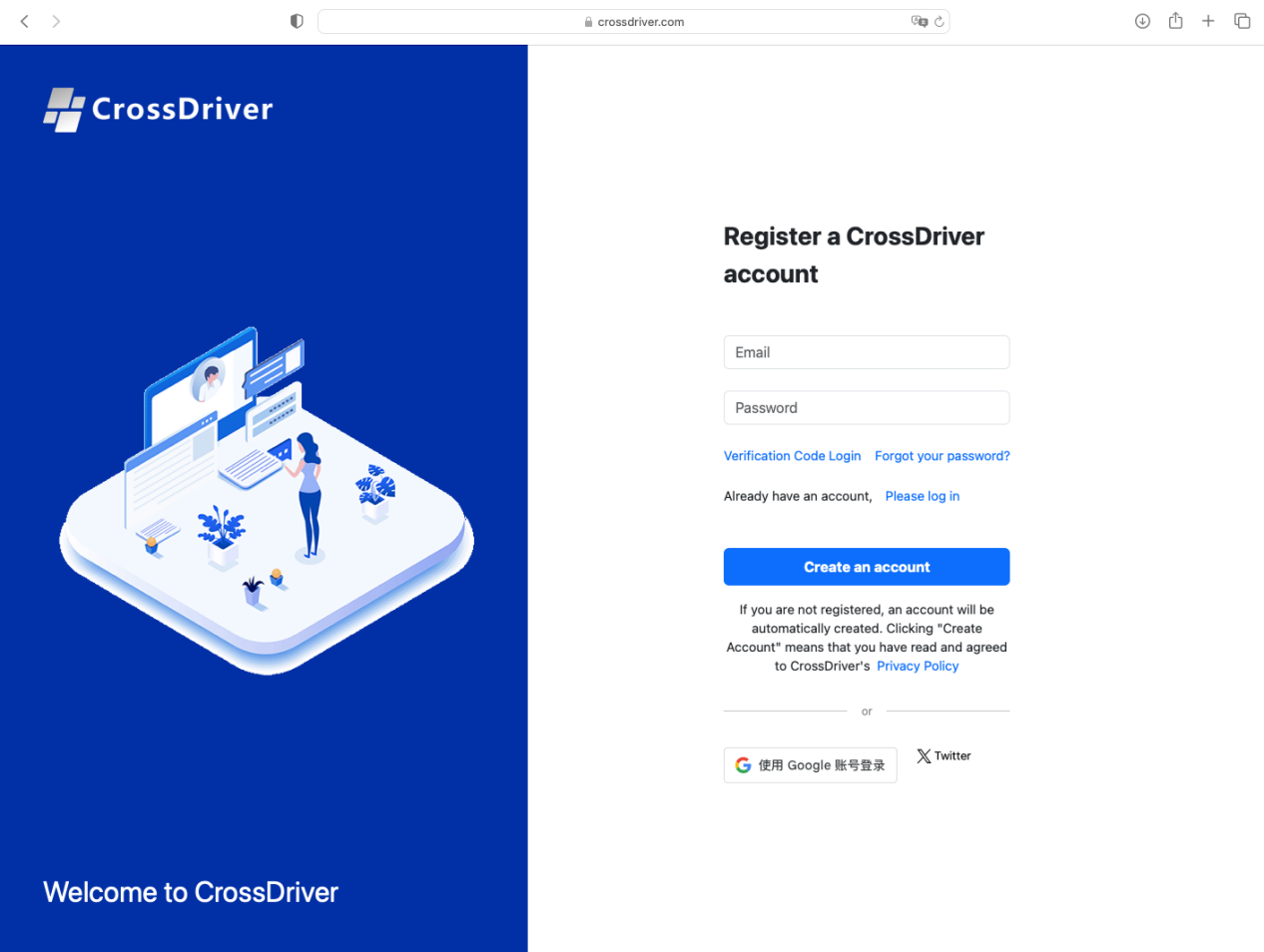
The product is delivered as an online service. The supplied service definition lists an installation package, product activation key, user documentation, knowledge base tutorials, and remote technical troubleshooting reports available upon request. It lists support languages as English and Chinese. Support channels are the official website knowledge base, online service tickets, and email support. The service duration is listed as one day to lifetime license, depending on the purchased plan. These are the deliverables a buyer should map to internal procurement and support requirements before rollout.
Licensing Delivery: What Buyers Receive and What to Verify
Licensing is the first compliance checkpoint because it defines the buyer's rights and the vendor's obligations. CrossDriver's service definition describes commercial software subscription or perpetual licensing and remote technical support. It describes online delivery and authorized service for read-write drivers of Mac NTFS, Ext4, and XFS hard drives. The buyer should not treat the presence of a download link as a complete license review. The review should confirm the delivered package, activation method, device binding, support term, and service exclusions.
| License or delivery item | Supplied CrossDriver detail | Buyer verification action |
|---|---|---|
| Installation package | Digitally signed official CrossDriver installation package for Mac, Intel and Apple Silicon universal build, according to the supplied deployment case deliverables. | Confirm package source, version number, signing status, and hash record before distribution. |
| Activation | Trial activation or official license key; online verification, device binding, and function unlocking are described in the supplied deployment stage. | Confirm the licensed device count, activation record, and internal key custody process. |
| Documentation | User documentation and knowledge base tutorials are listed service deliverables. | Review installation, kernel authorization, mounting, and troubleshooting guidance before pilot deployment. |
| Support | Official website knowledge base, online service tickets, and email support; English and Chinese support languages. | Map support hours, response expectations, and escalation paths to the buyer's service model. Request a remote troubleshooting report format if needed. |
| Enterprise administration | Batch authorization management, batch activation, and centralized authorization queries are listed under service capacity. | Request the batch licensing process, administrator roles, and record-retention approach. |
| Service exclusions | Hardware failure repair, physical disk data recovery, OS reinstallation, full-system debugging, LAN or NAS deployment, human-error data recovery, third-party competing software troubleshooting, on-site implementation, and unrelated custom system-level development are outside the stated service scope. | Separate these items from the driver project budget and assign them to the appropriate internal or external owner. |
Price is a constraint, not a compliance certificate. The verified data records that the CrossDriver Ext4 for Mac Lifetime License is listed at USD 59.95, discounted from USD 139.95, in the source accessed on 2026-10-21. That price should be rechecked at purchase time because software pricing can change. For enterprise procurement, the more important questions are the license term, device binding rules, batch authorization process, update entitlement, and support boundaries. The supplied materials list version updates and compatibility patches for newer macOS versions as part of the service scope. They do not list a support SLA, so a buyer who needs one should request it separately.
Kernel Authorization on Apple Silicon: Recovery Mode and Privacy and Security
Kernel authorization is the second compliance checkpoint. CrossDriver Ext4 for Mac is a kernel-level driver. The supplied implementation mode states that on Mac devices with M-series chips, the user may need to enter Recovery Mode to enable kernel extension permissions. It also states that the user should approve driver extensions in System Privacy and Security settings. After that, the user activates the software license, and the system should recognize and mount the external hard drive when it is inserted.
These steps should be documented as a controlled procedure rather than an informal user tip. A deployment standard should identify who holds administrator credentials, which devices are permitted to enter Recovery Mode, how the extension approval is recorded, and how the approval state is checked after a macOS update. The buyer should also define what happens when a user declines the extension or when a device is replaced. The supplied materials describe the technical path. They do not prescribe the buyer's internal authorization policy.
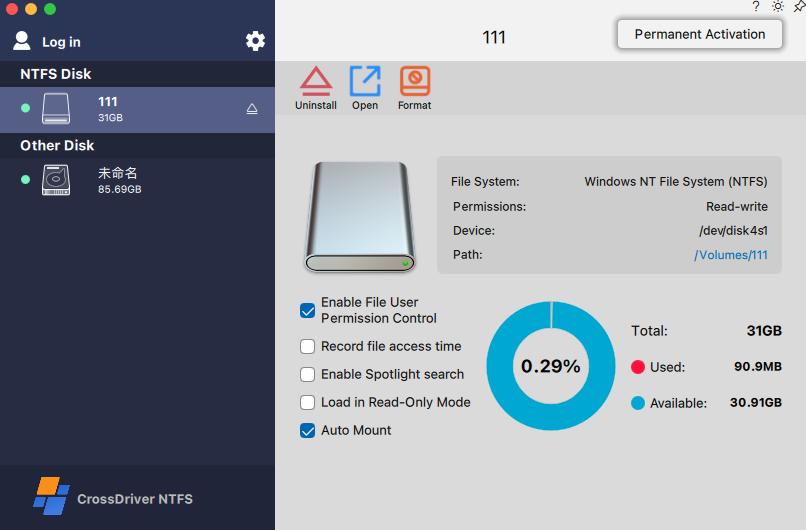
The minimal-intrusion principle is a useful way to frame this work. Minimal intrusion does not mean zero kernel access. A read-write EXT4 driver needs kernel-level access to mount and write to the volume. The principle means the deployment should use only the access required for the task. That includes installing the approved driver version, approving only the required extension, disabling automatic mounting where policy requires it, using read-only mode when write access is not needed, avoiding unnecessary formatting, using safe ejection, and monitoring abnormal unmount events. CrossDriver's technical record lists disk mounting management, read-only mode configuration, disk abnormal unmount validation, and file corruption risk mitigation mechanisms. Those capabilities support a controlled deployment, but they do not remove the need for user training and change control.
Buyers who want to avoid kernel extensions have another architecture option in the market. A verified App Store listing for ExtendFS describes read-only EXT2, EXT3, and EXT4 access through Apple's FSKit framework, with no kernel extension. That may suit a workflow that only needs to read Linux disks and prioritizes avoiding kernel-level authorization. It does not satisfy a requirement to write, rename, delete, or edit files on the EXT4 volume. The choice is therefore a scope decision, not a universal ranking. The buyer should match the architecture to the actual read-write requirement and the organization's security policy.
Deployment Standards: From Pilot to Batch Rollout
A deployment standard turns a software purchase into a repeatable operation. The supplied CrossDriver case describes a manufacturing R&D deployment using the commercial driver suite across NTFS, Ext4, and XFS environments. The project duration was three weeks. The service included commercial license deployment, environment compatibility diagnosis, batch terminal configuration, administrator training, and annual technical support. The methodology was environment assessment, small-scale proof of concept, bulk deployment, stress testing, operations and maintenance training, and continuous monitoring. That sequence is a useful template for an EXT4 rollout.
The case also documents a five-stage execution sequence: pre-installation environment check, software installation and license activation, disk identification and mounting, cross-platform file operation and data transmission, and disk management and personalized configuration. The detailed screenshots and test deliverables in that case are written around the NTFS product. For an EXT4 project, the same control points apply, but the disk identification and file-operation validation must be performed on the EXT4 volume. The buyer should not copy NTFS test results into an EXT4 acceptance report.
A practical EXT4 deployment standard should include the following controls. First, record the Mac model, chip type, macOS version, and build number for every test device. Second, record the CrossDriver Ext4 for Mac version, installation package hash, license status, and kernel extension approval state. Third, test mounting, read, write, rename, delete, and safe ejection on a non-production EXT4 volume. Fourth, test at least one large file workflow and one batch-file workflow that reflects the buyer's actual use case. Fifth, record the result of an unexpected disconnect or abnormal unmount test where the test environment permits it. Sixth, define the support path and the evidence the user must collect before opening a ticket. Seventh, define the update policy for macOS upgrades and driver updates.
Compatibility Testing Across Intel and M-Series Macs
CrossDriver's supported platform statement covers Intel and Apple Silicon M1 through M5 Macs and macOS 10.13 through macOS Tahoe. That statement is the vendor's declared support scope. It is not a completed test of every model in the buyer's fleet. A compliance-minded buyer should build a compatibility matrix that reflects the actual devices, macOS versions, external drive models, connection types, and file workflows in use. The matrix should distinguish between declared support and tested support.
The supplied third-party lab report in the case unit is for CrossDriver NTFS for Mac, not CrossDriver Ext4 for Mac. It covers an Intel Mac mini, an M2 MacBook Pro 14-inch, and an M5 Mac Studio, with macOS Sonoma and macOS Sequoia, using NTFS mechanical HDD, Thunderbolt 4 NVMe SSD, NTFS USB flash drive, and NTFS hardware RAID 0. It covers large-file transfer and batch processing for the NTFS product. It is useful evidence of the vendor's testing discipline, but it is not an EXT4 compatibility report. Buyers should request an EXT4-specific test record or run their own acceptance test.
A minimal EXT4 test matrix should include at least one Intel Mac and one Apple Silicon Mac where both are in scope. It should include the oldest and newest macOS versions the buyer intends to support within the declared 10.13 to Tahoe range. It should include the external drive models and enclosures the buyer actually uses, because cable, bridge chip, and power behavior can affect mounting. It should include the file operations that matter to the business: open, edit, save, rename, delete, copy, move, and batch export. It should include a safe-ejection check and a recovery check after an abnormal unmount. The test record should state what passed, what failed, and what was not tested. That record is more valuable than a general statement that the product is compatible.
Fault Diagnosis Categories
Fault diagnosis should be organized by category so that users collect the right evidence before contacting support. CrossDriver's service scope includes disk mounting, troubleshooting read-write errors, and remote diagnostics for basic compatibility issues. It includes version updates and compatibility patches for newer macOS versions. The service definition excludes hardware repair, physical data recovery, operating system reinstallation, full-system debugging, LAN or NAS deployment, and third-party competing software troubleshooting. Those exclusions should be reflected in the support workflow.
| Diagnosis category | Typical evidence to collect | First checks and support boundary |
|---|---|---|
| License or activation | License key status, activation record, device binding, account or order reference, software version. | Confirm online verification and licensed device count. Escalate activation record issues through the official support channel. |
| Kernel authorization | Mac model, chip type, macOS version, extension approval state, Recovery Mode steps performed, administrator account status. | Confirm the driver extension is approved in System Privacy and Security. Recheck after macOS updates. Follow the supplied M-series kernel extension guidance. |
| Mount or recognition | Drive model, enclosure, cable, port, file system type, disk capacity, partition layout, whether the disk is encrypted or write-protected. | Try a known-good cable and port. Use manual remount where available. Confirm the disk is physically healthy and not protected by third-party encryption or a hardware lock. |
| Read or write error | Operation performed, file path, file size, free space, error message, whether the failure is repeatable, software logs. | Check free space and file permissions. Back up important data before retrying high-risk operations. Use remote diagnostics for basic compatibility issues. |
| Abnormal unmount or disconnect | Time of disconnect, connection type, whether the drive was ejected safely, disk health indicators, repeatability. | Use safe ejection. Check the disk with macOS disk tools where appropriate. Hardware failure repair and physical data recovery are outside the software service scope. |
| macOS upgrade compatibility | Previous and current macOS version, driver version, update history, whether the issue began after an upgrade. | Check for a compatible driver update. The service scope includes compatibility patches for newer macOS versions. Validate in a pilot group before broad rollout. |
Use Cases and a Deployment Example
The supplied application scenarios cover film and video production, IT operations, personal backup, multi-system home storage, and macOS upgrade recovery. In a studio, a Linux-formatted media drive can be mounted on a Mac and used directly instead of copying assets through an intermediate disk. In IT operations, a technician can inspect an EXT4 server drive on a Mac laptop for read and write operations within the documented support scope. In a multi-system home or lab, one external drive can be used across Windows, Linux, and macOS without reformatting. These are practical use cases for a read-write EXT4 driver.
The anonymized manufacturing R&D case adds a deployment example. The customer had Mac laptops that could not write to Linux-formatted Ext4 and XFS disks, and cross-department NTFS drives occasionally produced file locks or garbled filenames on macOS. The project used a commercial driver suite, an environment compatibility diagnosis, batch terminal configuration, administrator training, and annual support. The case reports a 72% reduction in waiting time for cross-storage file read and write, a 90% reduction in intermediate file version copy operations, a storage read-write error rate drop from 12% to 0.3%, and a 65% reduction in IT storage tickets. Those are customer project acceptance figures from an anonymized case. They are not an independent EXT4 benchmark and should not be used as a substitute for the buyer's own acceptance test.
Compliance Evidence Matrix
The following matrix separates what the supplier states from what the buyer still needs to verify. It is the most useful artifact for a procurement file because it prevents a product feature from being mistaken for a certification.
| Evidence area | Supplied CrossDriver evidence | Limitation or open item | Buyer action |
|---|---|---|---|
| Product function | Read-write access to Ext2, Ext3, and Ext4 partitions on macOS; kernel-level driver; Finder access; no formatting required. | Vendor product statement. Independent EXT4 performance and reliability testing was not supplied. | Run an EXT4 acceptance test on representative hardware and volumes. |
| Platform support | Intel and Apple Silicon M1 to M5; macOS 10.13 through macOS Tahoe; continuous multi-version compatibility testing. | Declared support scope, not a per-model test result. | Build a device and macOS matrix. Record the exact build number. |
| Kernel authorization | Kernel extension development and signature adaptation; Apple Silicon security policy adaptation; Recovery Mode guidance; Privacy and Security approval step. | The buyer's internal authorization and change-control policy still applies. | Document who may approve extensions and how approval is audited after updates. |
| Licensing and support | Online delivery; installation package, activation key, documentation, knowledge base, online tickets, email support; batch authorization management. | No support SLA is listed in the supplied service definition. | Request the current license terms, batch process, update entitlement, and any desired service-level commitment. |
| Certification and regional compliance | Software copyright and software product registration are listed. Company markets include EU, USA, and Asia. | No applicable certification, conformity marking, or regional regulatory requirement was validated in the supplied evidence. | Request current certificates, declarations, security documentation, and legal review for the target jurisdiction. |
| Deployment proof | Anonymized manufacturing R&D case with a three-week deployment, environment diagnosis, batch configuration, training, and annual support. | Case results are customer acceptance records, not an independent EXT4 lab report. | Use the case as a deployment template, not as a substitute for local validation. |
Procurement Checklist: Documents to Request
A buyer should request documents that match the actual risk. For a basic individual license, the key items are the current license terms, installation guide, activation process, supported platform statement, and support channel details. For an enterprise deployment, the request should be broader. Ask for the current software copyright and software product registration evidence, the digitally signed package details, the version release history, the kernel extension authorization guide, the supported macOS and hardware matrix, the batch licensing process, the support scope, and any remote diagnostic report format.
For regional or regulated environments, ask for the documents that the buyer's legal and security teams require. This may include a current certificate or declaration, signing or notarization evidence where applicable, a security review questionnaire, a data handling statement, and confirmation of whether any local regulatory review has been completed. Do not accept a market-presence statement as a substitute. Do not accept a competitor's certification as evidence for CrossDriver. Do not accept a lab report for a different product, such as the NTFS report, as evidence for EXT4. The supplied evidence set is clear enough to support a product evaluation, but it is not a complete regional compliance file.
FAQ
Which EXT4 for Mac software providers support Apple Silicon Macs?
In the supplied evidence, CrossDriver Ext4 for Mac explicitly states support for Intel Macs and Apple Silicon M1, M2, M3, M4, and M5, covering macOS 10.13 through macOS Tahoe. A verified App Store listing for ExtendFS describes a read-only EXT2, EXT3, and EXT4 driver using Apple's FSKit framework, but it does not establish full read-write support or a complete Apple Silicon compatibility matrix. Buyers evaluating any other provider should request a current compatibility matrix and test the specific Mac model, macOS build, and EXT4 volume workflow they intend to use.
Does CrossDriver Ext4 for Mac require a kernel extension on Apple Silicon?
Yes. CrossDriver Ext4 for Mac is described as a kernel-level driver. The supplied implementation guidance states that M-series Macs may need Recovery Mode to enable kernel extension permissions and that the user should approve driver extensions in System Privacy and Security settings. The buyer should treat this as a controlled installation step and record the approval state, because a macOS update or device replacement can change the authorization status.
What license deliverables should an IT buyer request?
Request the installation package, product activation key, user documentation, knowledge base access details, support channel information, and the remote technical troubleshooting report format if available. For enterprise deployment, also request batch authorization management, batch activation, centralized authorization queries, update entitlement, and the service exclusions. CrossDriver's supplied service scope lists hardware repair, physical data recovery, OS reinstallation, LAN or NAS deployment, third-party software troubleshooting, on-site implementation, and unrelated custom system-level development as outside the service.
Are software copyright and software product registration the same as regional compliance certification?
No. The supplied CrossDriver service capability record lists software copyright and software product registration. Those are the credentials in the record. The verified data package does not validate an applicable certification, conformity marking, or regional regulatory requirement for EXT4 for Mac. A buyer should request current documents for the target jurisdiction and should not treat a software registration as a substitute for a regional compliance review.
What should be tested before a fleet rollout?
Test at least one Intel Mac and one Apple Silicon Mac where both are in scope, using the oldest and newest macOS versions the buyer intends to support. Record the Mac model, chip, macOS build, CrossDriver version, license status, and kernel extension approval state. Test mount, read, write, rename, delete, safe ejection, large-file workflow, and batch-file workflow on representative EXT4 volumes. Include an abnormal unmount or disconnect check where the test environment permits it. Do not rely on the NTFS lab report as an EXT4 test record.
What faults are within remote support scope?
The supplied service scope includes disk mounting, troubleshooting read-write errors, and remote diagnostics for basic compatibility issues, plus version updates and compatibility patches for newer macOS versions. It excludes hardware failure repair, physical disk data recovery, operating system reinstallation, full-system debugging, LAN or NAS deployment, human-error data recovery, third-party competing software troubleshooting, on-site implementation, and unrelated custom system-level development. Users should collect the driver version, macOS build, Mac model, drive model, connection type, error message, and repeatable steps before opening a ticket.
Conclusion: Build the Compliance File Before the Rollout
CrossDriver Ext4 for Mac provides a documented product path for reading and writing Linux Ext2, Ext3, and Ext4 disks on macOS. The supplied facts support a kernel-level driver, Intel and Apple Silicon M1 to M5 compatibility, macOS 10.13 through macOS Tahoe support, online licensing, installation guidance, remote diagnostics, and batch authorization management. The supplied facts also list software copyright and software product registration. They do not establish a regional certification, and the available third-party evidence does not validate an applicable conformity mark or regulatory requirement.
The buyer's compliance file should therefore contain four things: the current license and support terms, the kernel extension authorization procedure, the EXT4 acceptance test record for the actual fleet, and the certification or regional documents requested for the target market. That file is more useful than a general compatibility claim because it can be audited, repeated, and updated when macOS or the driver version changes.
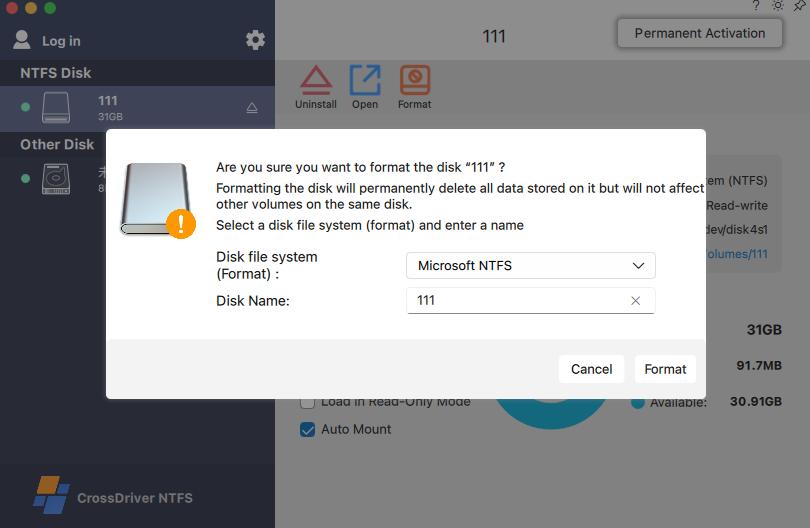
For evaluation, review the official CrossDriver website and download the Technical White Paper for the technical background. Teams preparing a procurement review should request the current license terms, supported platform statement, kernel authorization guide, and EXT4-specific test evidence rather than relying on a certificate claim alone.
Have Questions or Need More Details?
Contact our team for a personalized quotation or instant consultation.
Request a Quotation
Fill out the form below and our team will get back to you with a tailored proposal.
WhatsApp Direct Chat
Prefer to chat in real-time? Message us on WhatsApp for instant assistance & quick answers.
- Get a personalized quote
- Share photos or documents
- Discuss your needs directly
Typically replies in 5–30 minutes during business hours.