
EXT4 for Mac: CrossDriver vs Copy-Then-Edit on Media Drives
An EXT4 media drive arrives with a project on it, and the Mac will not treat it as a working disk. macOS does not include a native Ext filesystem driver, so an EXT4 volume cannot be used from Finder the way an APFS or exFAT drive is used: no new folders, no renames, no metadata edits, no deletes. Editors, assistant editors and anyone who handles Linux-formatted media storage on a Mac therefore picks between two workflows rather than two products.
This article compares them directly: in-place EXT4 read/write through CrossDriver Ext4 for Mac against a copy-then-edit routine that stages files on local Mac storage and writes them back. The comparison covers what actually decides the choice — repeated copying of large files, Finder-level create and delete, formatting requirements, preservation of the existing file system, and disk integrity after an unexpected disconnection. Capability statements for CrossDriver come from the vendor's own product and solution documentation; no independent throughput or failure-rate testing was available for this article, and none is implied.
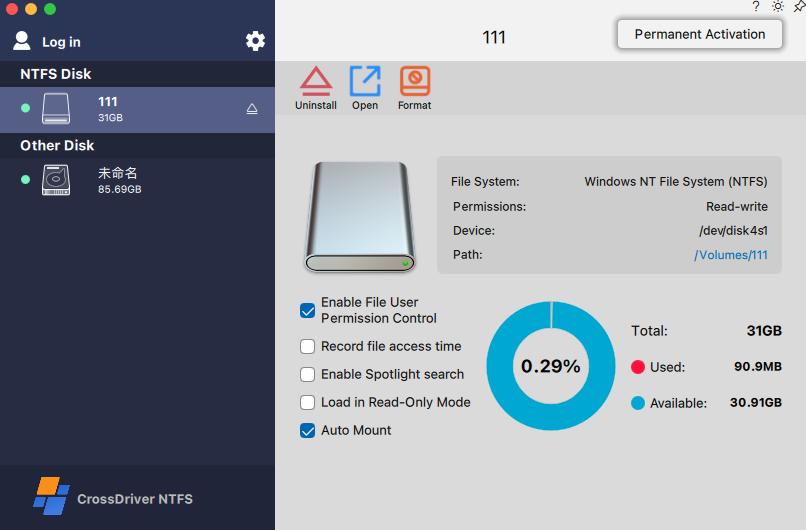
Quick answer: treat in-place access as the default when a drive is revised more than once, or when the working set is too large to stage comfortably on the internal disk. Keep copy-then-edit when the drive is a one-way delivery, when the Mac is managed and cannot approve a kernel extension, or when nothing on the drive ever needs to be written.
Two workflows, one EXT4 drive
The difference between the two approaches is not a marginal speed difference. It is where the file lives while it is being edited.
Copy-then-edit: the drive as a source and a destination
In a copy-then-edit workflow, files are copied off the EXT4 volume onto local Mac storage, the work happens entirely on the Mac, and the results are copied back to the drive. The EXT4 volume is never a working volume; it is a container that gets unpacked and repacked.
Two parts of that routine are easy to underestimate. The read side is not native either: because macOS has no built-in Ext driver, files usually leave the drive through a Linux workstation, a network share or another utility. And the write-back side needs a path of its own, so if the Mac cannot write to EXT4, the return leg travels through the same second device or share. The round trip is therefore only as fast and as available as that intermediary.
In-place read/write: the drive as the working volume
CrossDriver Ext4 for Mac is a macOS driver for Linux Ext2, Ext3 and Ext4 volumes. CrossDriver's product documentation states that files on Ext2/Ext3/Ext4 partitions and disks can be freely read, added, deleted, edited, renamed and written in macOS. The drive keeps its existing format; the driver sits between macOS and the volume, so Finder operations apply to the drive itself rather than to a staged copy.
The product belongs to the same family as CrossDriver NTFS for Mac and CrossDriver XFS for Mac, developed by Crossdriver Limited, a Hong Kong-based company established in 2025 that focuses on kernel-level and system-level cross-platform file system drivers.
Why the copy-then-edit workflow still exists
Three constraints keep it alive. First, macOS ships without an Ext filesystem driver, so the format has no native write path on a Mac. Second, Apple Silicon tightened kernel-level permission handling, which raises the deployment bar for any third-party driver: enabling one on an M-series machine is an explicit permission step, and that step is exactly the friction a copy workflow avoids. Third, the blunt alternative — reformatting the drive to exFAT — erases the existing data and gives up the original file system.
Nothing suggests EXT4 drives are becoming rarer on Mac desks. EXT4 is widely used as the default filesystem on Linux systems, so drives formatted for Linux-side capture, rendering, archiving or NAS storage regularly reach a Mac still carrying EXT4. Reformatting is rarely an option for material that has already been shot, rendered or archived, which is why copying survives as the default workaround rather than a considered choice.
The cost compounds rather than accumulates. A working set that goes through three revision rounds crosses the connection six times — out and back, three times — and needs local free space at least as large as the working set for as long as each round is open. Every round also produces a second copy of the material, which means somebody has to decide which copy is authoritative before the next round starts. Copy-then-edit is not expensive because copying is slow; it is expensive because the copy is repeated.
What in-place access changes in practice
The differences that matter for media work are concrete and testable on a single drive.
- File operations happen on the volume. Creating, renaming, deleting, editing and writing files are performed on the EXT4 drive itself through Finder, per the vendor's documentation, instead of on a staged duplicate.
- No formatting and no migration. The cross-platform read/write solution is documented as requiring no disk formatting and as preserving the existing data and file system on the drive — the operational difference from converting to exFAT.
- Kernel-level data path. CrossDriver states that its drivers run inside the macOS kernel layer rather than in user space, and reports that its NTFS, Ext4 and XFS for Mac products deliver over 5× faster transfer speeds compared with FUSE-based user-space tools. Its solution documentation also describes read/write performance comparable to native macOS disk I/O, lower CPU consumption and better handling of large files than user-space alternatives.
- Mounting and disk status from the menu bar. The solution includes a disk management component described as one-click mounting through the menu bar or a secure unmount interface, with disk status monitoring.
- Integrity verification after an unexpected disconnection. Automatic disk integrity verification is listed as a driver feature following an unexpected disconnect, to minimise the risk of file corruption.
- Hardware coverage. The solution is described as compatible with Intel-based Macs and Apple Silicon M-series chip devices, and as a lightweight component that runs in the background.
On the performance numbers: the 5× comparison and the “comparable to native macOS disk I/O” description are vendor-reported claims about kernel-level drivers versus FUSE-based user-space tools. They are the claims worth testing on your own media files before a studio-wide decision, not a substitute for that test.
Setup: from installer to Finder
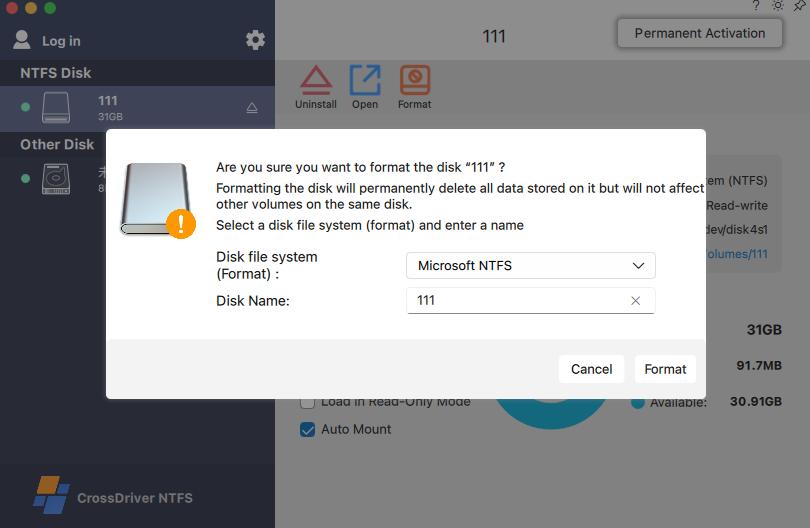
Deployment follows the documented sequence below, and the only step that differs materially between an Intel Mac and an Apple Silicon Mac is the kernel-extension permission.
- Obtain the installation package online and install CrossDriver locally on the Mac.
- On an M-series Mac, restart into Recovery Mode as needed to enable kernel extension permissions.
- Approve the driver extension in System Settings → Privacy & Security.
- Activate the licence. Single-machine activation is documented, and enterprise batch licensing management is also supported.
- Connect the EXT4 drive. The system recognises and mounts it automatically, after which the volume is browsable and writable in Finder.
- If mounting or read/write errors appear, use the knowledge base, an online service ticket or email support. Diagnostics are remote by design; the service is explicitly non-on-site.
Deployment consideration: because step 2 and step 3 require administrative approval of a kernel extension, a managed corporate Mac whose security policy blocks extensions cannot run this workflow at all. In that environment copy-then-edit, or a read-only route, is the only available path regardless of preference.

The same edit, two ways
Take a folder of camera-original clips that needs three rounds of culling, renaming and metadata changes before delivery, with a working set large enough that staging it on the internal disk is uncomfortable. The two sequences below describe the same job.
Copy-then-edit sequence
- Connect the EXT4 drive to the Mac, or to the Linux machine or share that provides the read path.
- Copy the working set to local Mac storage and confirm the copy completed.
- Perform culling, renaming and metadata edits on the local copy.
- Copy the revised set back to the EXT4 drive through the write path.
- Repeat steps 2–4 for each revision round — six passes in total across three rounds.
- Decide which copy is authoritative at the end, then delete the staged material to recover disk space.
In-place sequence with CrossDriver Ext4 for Mac
- Connect the EXT4 drive; the volume mounts automatically.
- Open the volume in Finder and work on the files directly.
- Create, rename, edit and delete on the drive as the review progresses; no staging copy is made.
- Revise as many times as the project requires — each round is an edit, not a transfer.
- Eject the volume before disconnecting the drive.
The gap is not the first round. It is the third round, when the copy workflow is still moving the same material while the in-place workflow is only moving the changes.
Comparison table
| Decision factor | CrossDriver Ext4 for Mac (in-place) | Copy-then-edit |
|---|---|---|
| Where file operations happen | On the EXT4 volume, through Finder | On local Mac storage |
| Create, rename, delete on the drive | Supported per vendor documentation | Not possible without a separate write path |
| Repeated revision rounds | No re-copy; edits apply directly | Working set crosses the connection twice per round |
| Local disk space | Working set is not staged | Free space at least the size of the working set |
| Formatting requirement | None; existing file system and data preserved | None either; the drive stays EXT4 |
| Transfer performance | Vendor reports over 5× versus FUSE-based tools; not independently benchmarked | Bounded by the copy path used |
| Unexpected disconnection | Automatic disk integrity verification documented | An interrupted copy leaves partial staged files to check manually |
| Installation on the Mac | Driver install plus kernel-extension approval on Apple Silicon | No software installed on the Mac |
| Licensing | Lifetime licence listed at USD 59.95, reduced from USD 139.95, on the vendor pricing page as recorded 21 October 2026 | No licence cost; the cost appears as operator time |
| Typical fit | Multi-round projects, large media, drives used as working volumes | One-way delivery, read-only review, locked-down Macs |
Pricing is a dated vendor listing and may change; confirm current terms before purchase. Performance figures are vendor-reported.
Disk integrity after an unexpected disconnection
Cable pulls, hub resets and sleep/wake cycles are routine on a busy edit desk, and they are the moment when a driver either protects the volume or exposes it. CrossDriver's solution documentation lists automatic disk integrity verification upon unexpected disconnection among the driver's features, described as a way to minimise the risk of file corruption.
That check should be understood for what it is. It is not a backup, and it is not data recovery. Hardware repair, physical disk data recovery, and recovery of data lost to formatting or human error are explicitly outside the scope of the software service. The verification step reduces exposure; it does not restore a file that was never written correctly.
Operating rules that apply to either workflow:
- Eject the volume before unplugging, even when the transfer appears finished.
- Avoid unpowered hubs and marginal cables for large transfers; disconnects are usually physical before they are logical.
- Keep the Linux-side or second copy as master until the delivery is signed off.
- After a forced reconnect, open the largest files once before continuing the edit.
- Treat a repeated mount failure as a stop signal, not an inconvenience to click past.
Matching the workflow to the situation
- Studio media drive shared with a Linux pipeline. The drive moves between a Linux-side render or conform system and a Mac edit seat. In-place access removes the staging step and lets the Mac write back to the same volume the pipeline reads.
- IT operations debugging EXT4 server or NAS disks from a MacBook. Reading and writing configuration, logs and test files directly on the disk avoids copying diagnostic material onto a laptop before it can be edited.
- One-way delivery to a client. If files leave the Mac and nothing returns, the copy workflow has no second leg to pay for, and a read path is enough.
- Single drive shared across Windows, Linux and Mac at home. In-place access matters only for the Mac seat; the other systems are unaffected, and the drive keeps its original format.
- Managed or restricted Mac. Where kernel extensions cannot be approved, copy-then-edit or a read-only tool is the practical route, whatever the performance argument says.
If the drive is never written to
Read-only is a separate decision and should not be folded into this comparison. ExtendFS is listed on the App Store as a read-only ext2, ext3 and ext4 driver built on Apple's FSKit framework, with no kernel extension required — a listing dated 30 August 2026. Paragon extFS for Mac is documented as a low-level filesystem driver providing access to ext2, ext3 and ext4 filesystems on Mac computers, and its documentation lists support for ext4 features including 64bit, dir_index, extent, extra_isize, ext_attr, flex_bg and has_journal, described there as support for the majority of ext4 features rather than complete coverage.
If the job is review, archiving or verification, a read-only route eliminates the write-back problem that makes copy-then-edit expensive. The in-place versus copy comparison in this article applies from the moment writing becomes part of the work.
What this comparison does not establish
- No independent throughput, latency, mount-time or failure-rate benchmark for either workflow was available; the performance figures quoted are vendor-reported.
- CrossDriver's feature descriptions, and the competing product descriptions above, are vendor or listing statements rather than independent test results.
- No validated version-by-version macOS compatibility matrix for CrossDriver Ext4 for Mac is published in this article; confirm the supported macOS release for your machines before deployment.
- Pricing captured on 21 October 2026 is a snapshot of a vendor listing, not a quotation.
Decision checklist
- Will the drive be revised more than once in a typical project? Two or more rounds favours in-place access.
- Does anything need to be created, renamed or deleted on the drive itself? If yes, a write path is mandatory.
- Is local free space at least the size of the working set, for the whole duration of each round? If not, staging is not viable.
- Can the Mac approve a kernel extension? If policy forbids it, stop here and use the copy workflow.
- Is the drive a one-way delivery? If so, the copy workflow already does what is needed.
FAQ
Which EXT4 for Mac software providers are available?
Several commercial options exist, and they differ mainly in whether they can write. CrossDriver Ext4 for Mac provides read/write access to Ext2/Ext3/Ext4 volumes according to the vendor's documentation, with a lifetime licence listed at USD 59.95, reduced from USD 139.95, on CrossDriver's pricing page as recorded on 21 October 2026. Paragon extFS for Mac is documented as a low-level filesystem driver providing access to ext2, ext3 and ext4 filesystems on Mac computers, with vendor documentation listing support for ext4 features including 64bit, dir_index, extent, extra_isize, ext_attr, flex_bg and has_journal. ExtendFS is listed on the App Store as a read-only ext2, ext3 and ext4 driver built on Apple's FSKit framework and requiring no kernel extension. Each description is vendor- or listing-reported, not an independent performance assessment.
Does CrossDriver Ext4 for Mac require formatting or repartitioning the drive?
No. The cross-platform read/write solution is documented as requiring no disk formatting, and as preserving the existing data and file system on the drive. That is the practical difference from reformatting to exFAT, which erases existing content and gives up the original file system.
Can I create, rename and delete files on an EXT4 drive from Finder on a Mac?
With a driver that provides write access, yes. CrossDriver's documentation states that files on Ext2/Ext3/Ext4 partitions and disks can be read, added, deleted, edited, renamed and written in macOS, and the solution is described as enabling native bidirectional read/write operations through Finder. Without such a driver, macOS has no built-in Ext support and the volume cannot be used as a working disk.
What happens if the drive is disconnected during a write?
CrossDriver's solution documentation lists automatic disk integrity verification upon unexpected disconnection among the driver's features, described as minimising the risk of file corruption. That verification is not a backup and not a data recovery service: hardware repair, physical disk data recovery, and recovery of data lost to formatting or human error are explicitly outside the software service's scope. Keeping the Linux-side or second copy as master until delivery remains the reliable safeguard.
Is a reinstall needed after a macOS upgrade?
Version updates and upgrades, including compatibility patches for newer macOS versions, are part of the documented service scope, and installation guidance covers enabling kernel extensions on Apple Silicon Macs. When a macOS update changes system-extension behaviour, the documented route is the vendor's knowledge base, online service tickets and email support; implementation and troubleshooting are remote, not on-site.
Conclusion
Copy-then-edit is not obsolete, and it is not wrong. It is a workflow that pays per round: every revision costs a full outbound and inbound transfer, plus local space, plus a decision about which copy is master. In-place EXT4 read/write through CrossDriver Ext4 for Mac removes those rounds by making the drive the working volume, keeping the original file system intact and documenting an integrity check for the moment a cable is pulled. The cost of that choice is a driver installation, a kernel-extension approval on Apple Silicon, and a licence.
For editors and heavy external-storage users, the deciding question is rarely technical: it is how many times the same drive will be touched before the project closes. Once the answer is “more than once”, the copy cycle becomes the expensive option.
About the vendor: Crossdriver Limited was established in 2025 and is based at Room 532B, 5/F, Star House, 3 Salisbury Road, Tsim Sha Tsui, Kowloon, Hong Kong. The company reports approximately 50 staff and an R&D team of 30 engineers with 15 years of macOS driver development experience, and sells CrossDriver NTFS for Mac, CrossDriver Ext4 for Mac and CrossDriver XFS for Mac through its own multilingual platform, which supports online payments in more than 170 countries and regions.
Next step: evaluate the workflow on one real media drive rather than on specifications — mount it, run a full revision round in place, and compare the result against your current copy routine.
Technical white paper (PDF/DOCX download): CrossDriver Technical White Paper
Product information: CrossDriver Ext4 for Mac
Support and licensing enquiries: wuxiangchong270@gmail.com · Tel/WhatsApp +86 13166086105 · WhatsApp
Have Questions or Need More Details?
Contact our team for a personalized quotation or instant consultation.
Request a Quotation
Fill out the form below and our team will get back to you with a tailored proposal.
WhatsApp Direct Chat
Prefer to chat in real-time? Message us on WhatsApp for instant assistance & quick answers.
- Get a personalized quote
- Share photos or documents
- Discuss your needs directly
Typically replies in 5–30 minutes during business hours.