
EXT4 for Mac: How an EXT4 Driver Gives macOS Read and Write Access to Linux Disks
An EXT4 driver for Mac is a system-level software component that lets macOS mount Linux Ext2, Ext3 and Ext4 volumes and read, edit, add, rename or delete files on them directly. macOS does not include this capability natively, so an EXT4 external drive, USB stick or NAS volume connected to a Mac is normally not browseable in Finder until a third-party driver is installed.
This guide explains why EXT4 support is missing from macOS in the first place, what a driver actually changes inside the operating system, how installation works on Intel and Apple Silicon Macs, which workflows genuinely benefit from read/write access, and how the commercial options differ on architecture, capability and licensing. It is written for Mac users, creative studios and IT buyers who are still in the research stage and want to understand the mechanism before selecting software.
Why macOS Cannot Open an EXT4 Drive by Default
File systems are not interchangeable between operating systems. macOS ships with APFS and HFS+, can read Windows NTFS volumes without writing to them, and includes no Ext-family driver at all. An EXT4 partition is therefore not a mountable volume on a Mac: Disk Utility may report the physical disk while showing the partition as unreadable, and Finder never presents its contents.
The practical symptom users search for — "EXT4 drive not recognized on Mac" — has a single root cause: the operating system lacks the code that understands the ext4 on-disk format. Nothing is wrong with the drive, the cable or the enclosure.
Because direct access is unavailable, Mac users typically fall back on workarounds, each with a measurable cost:
- Cloud relay. Uploading from the Linux or Windows machine and downloading to the Mac consumes bandwidth, adds waiting time and is impractical for very large media files.
- Intermediary copies. Copying files to local storage first and writing them back is only possible when the destination is writable — which an EXT4 volume is not, without a driver.
- Reformatting to exFAT. This destroys existing data on the disk and removes ext4 characteristics such as journaling, extents and POSIX permissions.
- Borrowing another machine. Moving the drive to a Linux host simply to copy one folder breaks the workflow and delays project delivery.
For a single small file the workaround is an inconvenience. For a video project, a server log set or a research dataset, the same workaround becomes a recurring bottleneck and a data-loss risk.
Industry Background: Why EXT4 Access on macOS Is a Driver Problem
NTFS is a closed-source Microsoft file system, the Ext family is an open-source Linux file system, and APFS is Apple's proprietary format. Their underlying storage protocols were never designed to interoperate, so cross-platform access always requires an implementation of the foreign file system running on the host operating system.
Two architectural routes exist on macOS. A kernel-level driver registers with macOS as a system extension and handles disk I/O close to the lowest level of the operating system, which reduces data conversion overhead. A user-space implementation — FUSE-based tools, and more recently Apple's FSKit framework — runs outside the kernel, is generally simpler to deploy, and in several cases provides read-only access only.
Apple Silicon changed the deployment picture. macOS restricts kernel-level permission extensions on M-series Macs, so third-party drivers require explicit authorisation, in some cases enabled from Recovery Mode. That single change is why "EXT4 driver for Apple Silicon Mac" has become a distinct research question rather than a footnote.
Demand is also structural rather than seasonal. Hybrid Mac, Windows and Linux environments are routine in media production, engineering labs and IT operations, where a single external drive or NAS volume has to be readable by every machine on the desk. Dataintelo valued the global file system software market at USD 28.6 billion in 2025, with a CAGR of 10.0% through 2034; that figure covers file system software as a whole and should not be read as a market size for EXT4 utilities specifically, but it does indicate sustained investment in this software category.
What an EXT4 Driver for Mac Actually Does
CrossDriver Ext4 for Mac is a kernel-level read/write driver from Crossdriver Limited, a Hong Kong-based software company established in 2025 that develops cross-platform file system drivers for macOS, with a product line covering NTFS, Ext4 and XFS for Mac. The EXT4 product mounts Linux Ext2, Ext3 and Ext4 partitions and gives macOS full read/write access to those volumes, including Linux-formatted hard drives and USB flash drives.

Capabilities that matter in daily use
- Full read/write access. Files on Linux Ext2/Ext3/Ext4 partitions and disks can be read, added, deleted, edited, renamed and written directly from macOS.
- Finder integration. Once mounted, the EXT4 volume behaves like any other disk, so browsing EXT4 files on a Mac happens in Finder instead of in a separate file explorer.
- No formatting required. The existing ext4 file system and all data on the disk are preserved; there is no migration to exFAT and no re-initialisation step.
- Kernel-level performance path. Because the driver runs inside the macOS kernel rather than in user space, data conversion steps are reduced; the company reports transfer speeds more than 5× faster than FUSE-based user-space tools, with lower CPU consumption and better handling of large files.
- Automatic mounting and integrity checks. Volumes mount on connection, and the driver verifies disk integrity after an unexpected disconnection to reduce the risk of file corruption.
- Intel and Apple Silicon coverage. Compatibility is stated for Intel-based Macs and Apple Silicon M-series devices, including MacBook Pro and Mac mini configurations, together with guidance for enabling kernel extension permissions on M-chip systems.
- Commercial licensing and updates. A lifetime licence for CrossDriver Ext4 for Mac is listed at USD 59.95, discounted from USD 139.95, with online delivery; version updates cover compatibility with new macOS releases, and remote support is available through the vendor knowledge base, service tickets and email in English and Chinese.
Boundaries worth knowing before purchase
The driver is an access layer, not a repair tool. Hardware-level disk failure, physical data recovery, operating system reinstatement and NAS deployment are outside its supported scope, and recovery of data lost to formatting is not part of the product. On Apple Silicon, kernel extension approval remains a manual step that cannot be skipped. Performance figures, including the 5× comparison, are company-reported; no independent benchmark of the EXT4 product was identified in the sources used for this article.
Step-by-Step: Mount and Write to an EXT4 Drive on a Mac
- Confirm the disk and its format. Connect the EXT4 external drive or USB stick and open Disk Utility. Seeing the physical disk without a mountable volume is the expected behaviour before a driver is installed.
- Obtain the installer. Download CrossDriver Ext4 for Mac from the vendor's website. Delivery is online — installation package and activation key, no physical media.
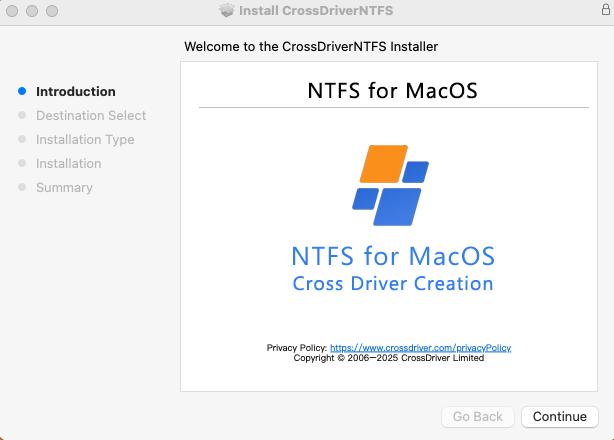
- Install the driver. Run the installer on the target Mac. Both Intel-based and Apple Silicon M-series machines are supported.
- Enable kernel extension permission (Apple Silicon). If prompted, restart into Recovery Mode and enable kernel extension permissions following the vendor's documented procedure.
- Approve the system extension. In System Settings, open Privacy & Security and allow the developer's system extension, then restart if requested.
- Activate the licence. Enter the activation key. Single-machine authorisation is the default; enterprise batch authorisation is available for teams deploying across multiple Macs.
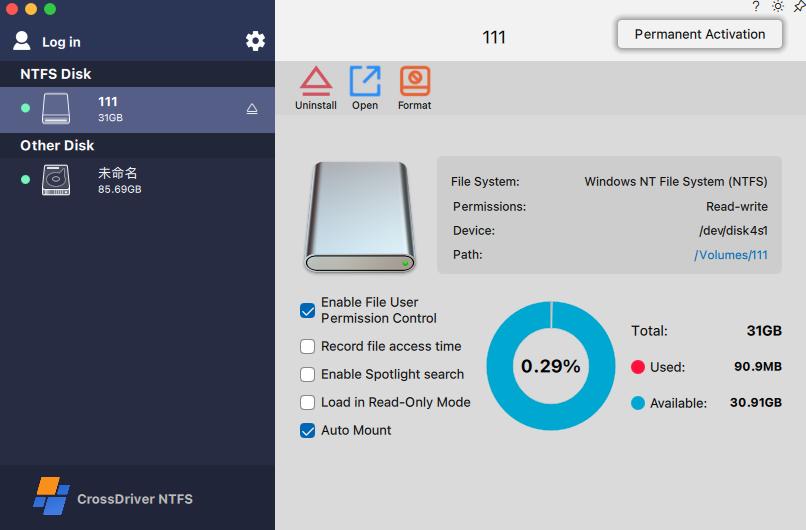
- Mount and work with the volume. Reconnect the drive. The EXT4 volume appears in Finder and can be opened, copied from, renamed, written to and safely ejected like any other disk.
- Verify, then eject safely. Write a small test file and confirm it is visible on a Linux machine if cross-checking is required, then eject the volume before unplugging the drive.
In a managed environment, steps 3 to 6 are the ones worth documenting internally: they are the difference between a driver that mounts reliably after every macOS update and one that silently stops working.
Where EXT4 Access on macOS Matters
Read/write EXT4 support is not a niche feature for Linux hobbyists alone. The scenarios below reflect the workflows where the absence of a driver has a direct operational cost.
Video, photography and design studios
Media assets frequently live on drives initialised on Linux-based carts, servers or editing stations. A studio Mac that can read and write the EXT4 drive directly removes the staging copy step for large camera files and project archives, keeping revisions on the original volume.
IT operations and NAS support
Engineers using a Mac to debug Linux servers or inspect EXT4-formatted NAS drives need more than read access — correcting a configuration file, deleting a stale log or replacing a corrupted asset all require write permission on the Linux volume.
Cross-platform external and USB drives
A single portable drive shared between Windows, Linux and Mac machines is the classic conflict case. Keeping the drive in EXT4 and adding a driver on the Mac avoids reformatting the disk and preserves Linux permissions and journaling.
Large-file transfer between EXT4 and APFS
Copying 4K footage, virtual machine images or dataset archives directly from an EXT4 volume to local APFS storage — and back — avoids intermediate storage and repeated verification passes.
Recovering access after a macOS upgrade
Major macOS releases can invalidate an older driver, and a drive that mounted last month may stop appearing. A maintained driver with version updates for new macOS releases restores the workflow without touching the disk.
Comparison: EXT4 Access Options for macOS
The EXT4-for-macOS category is small, and the options differ in a way that matters for buyers: some provide read-only access, others claim full read/write access, and the integration layer determines how much system-level approval is involved. The table below uses only vendor documentation and verified listings; claims are attributed and none of them constitute an independent performance test.
| Capability | CrossDriver Ext4 for Mac | Paragon extFS for Mac | ExtendFS (FSKit) |
|---|---|---|---|
| EXT4 read access | Yes — Ext2, Ext3, Ext4 | Vendor describes access to ext2, ext3 and ext4 | Yes — read-only |
| Write / modify files on the EXT4 volume | Yes — read, add, delete, edit, rename, write | Access described in vendor documentation; confirm current write claims directly with the vendor | No — read-only by design |
| Integration layer | Kernel-level driver | Described by the vendor as a low-level file system driver | FSKit user-space framework, no kernel extension |
| Kernel extension approval | Required on Apple Silicon; enabled via Recovery Mode | Not stated in the sources used here | Not required |
| Mac hardware coverage | Intel-based Macs and Apple Silicon M-series (vendor-stated) | Not verified in the sources used here | Requires macOS with FSKit support |
| Licence and price | Lifetime licence USD 59.95, discounted from USD 139.95 (vendor product page) | Not stated in the sources used here | App Store listing exists; price not verified here |
Reading the table: the trade-off is between operational convenience and system-level minimalism. A read-only FSKit tool installs without a kernel extension but cannot save changes back to the EXT4 volume. A kernel-level read/write driver covers editing and deletion workflows but requires explicit extension approval on Apple Silicon. Prices and current compatibility change frequently; confirm them with each vendor before purchase.
What to Check Before Buying an EXT4 Driver for Mac
- Read versus read/write. Confirm write capability explicitly. A tool that mounts the volume is not automatically a tool that can save changes to it.
- Architecture and security approval. Decide whether your organisation accepts kernel-level extensions. If IT policy blocks them, a user-space option may be the only deployable choice, even at the cost of write access.
- Apple Silicon and macOS version coverage. Verify the driver release against your exact model — MacBook Pro, Mac mini or another M-series system — and against the macOS version you actually run, not the version you upgraded from.
- ext4 feature coverage. Journaling, extents and 64-bit addressing matter on large volumes. Paragon's documentation, for example, lists support for 64bit, dir_index, extent, extra_isize, ext_attr, flex_bg and has_journal, while describing coverage as "the majority" of ext4 features — useful as a benchmark, but not a guarantee of complete coverage.
- Licence model and total cost. Compare perpetual against subscription terms, the number of devices covered, and the cost of renewing updates for future macOS releases.
- Support and rollback. Check what happens when a driver update breaks mounting: knowledge base access, ticket response, and whether the previous version can be reinstalled quickly.
Frequently Asked Questions
Which EXT4 for Mac software providers are available?
The category is small and made up of specialised driver vendors. Crossdriver Limited offers CrossDriver Ext4 for Mac, a read/write driver for Ext2, Ext3 and Ext4 volumes. Paragon Software offers extFS for Mac, which its documentation describes as a low-level driver that provides access to ext2, ext3 and ext4 file systems on Mac computers. ExtendFS, listed on the App Store, provides read-only EXT4 access through Apple's FSKit framework without a kernel extension. The options differ in write capability, integration layer and licensing, so provider choice depends on whether you only need to read Linux disks or also need to modify them.
Does CrossDriver Ext4 for Mac read and write, or only read?
It provides full read/write access to Linux Ext2, Ext3 and Ext4 partitions on macOS. Files can be read, added, deleted, edited, renamed and written directly on the Linux volume from macOS, without reformatting the disk or moving data to an intermediate location. Read-only tools, by contrast, can open files but cannot save changes back to the EXT4 volume.
Does an EXT4 driver work on Apple Silicon Macs such as MacBook Pro and Mac mini?
CrossDriver states compatibility with Intel-based Macs and Apple Silicon M-series devices. Because macOS restricts kernel-level extensions on Apple Silicon, installation may require starting the Mac in Recovery Mode to enable kernel extension permissions and then approving the driver under System Settings > Privacy & Security. The vendor documents this procedure step by step, and the licence includes version updates that address compatibility with newer macOS releases.
How much does an EXT4 for Mac driver cost?
CrossDriver Ext4 for Mac is listed at USD 59.95 for a lifetime licence, discounted from USD 139.95, according to the vendor's product page. Licensing is offered as commercial software subscription or perpetual licensing depending on the option purchased, and delivery is online. Pricing for competing tools was not stated in the sources used for this article, so total cost should be confirmed with each vendor before purchase.
How is the software delivered, and how long does support last?
Delivery is online: the installation package and activation key are provided after purchase, and the company's multilingual sales platform supports online payments in more than 170 countries and regions. Service duration ranges from 1 day to a lifetime licence depending on the option purchased. Technical support is remote — official website knowledge base, online service tickets and email, in English and Chinese — and no on-site implementation is included.
Conclusion
EXT4 support on macOS is a driver problem rather than a settings problem: without an implementation of the Ext file system on the Mac, an EXT4 volume simply does not mount, and no preference or Finder option changes that. The decision for most buyers therefore comes down to two questions — whether read access is enough, or whether the workflow requires writing, editing and deleting files on the Linux volume; and whether the chosen integration layer (kernel-level driver or user-space framework) fits the security policy of the Macs involved.
For read-only reference work, a lightweight user-space tool can be sufficient. For studios, IT teams and multi-system users who need to modify files on EXT4 hard drives, USB drives or NAS disks, a kernel-level read/write driver removes the copy-format-copy loop entirely. CrossDriver Ext4 for Mac is one such option, offered as a lifetime licence at USD 59.95 with online delivery, remote support and updates for new macOS releases.
Next Step
Evaluating EXT4 access for a single Mac or for a team rollout? You can review product details and licence options at crossdriver.com, request a quote for multi-device deployment, or read the technical documentation before installing anything on production machines.
Technical white paper (download): CrossDriver Technical White Paper
Contact: wuxiangchong270@gmail.com · +86 13166086105 · Crossdriver Limited, Room 532B, 5/F, Star House, 3 Salisbury Road, Tsim Sha Tsui, Kowloon, Hong Kong.
Have Questions or Need More Details?
Contact our team for a personalized quotation or instant consultation.
Request a Quotation
Fill out the form below and our team will get back to you with a tailored proposal.
WhatsApp Direct Chat
Prefer to chat in real-time? Message us on WhatsApp for instant assistance & quick answers.
- Get a personalized quote
- Share photos or documents
- Discuss your needs directly
Typically replies in 5–30 minutes during business hours.