
EXT4 for Mac: Long-Term Support and After-Sales FAQ
Choosing a file-system driver is only the first decision. For buyers who have already selected CrossDriver Ext4 for Mac, the more practical question is what happens after activation: how the license is delivered, how installation is guided, how a problem is diagnosed, how upgrades are handled when macOS changes, and what protection exists when an external EXT4 drive disconnects unexpectedly. CrossDriver is a Hong Kong-based software company that develops kernel-level and system-level cross-platform file-system drivers. CrossDriver Ext4 for Mac is its read-write tool for Linux Ext2, Ext3, and Ext4 disks, allowing a Mac to access Linux-partitioned hard drives and USB flash drives. This guide treats long-term support as a documented service path, not a vague promise.
What long-term support means after you choose CrossDriver Ext4 for Mac
Long-term support for CrossDriver Ext4 for Mac includes compatibility updates, upgrade packages, installation guidance, license verification, self-service documentation, and a route to remote diagnostics. CrossDriver states that it provides long-term support and compatibility updates for its EXT4 for Mac product. The support model is not limited to a download link after purchase; it is organized around a closed loop of deployment, verification, exception diagnosis, and continuous iteration.
For the buyer, that means the product relationship continues after the first successful mount. The documented support path covers the following areas:
- License delivery and activation verification
- Installation and kernel extension configuration guidance
- Disk read and write verification
- Self-service knowledge base and self-diagnostic guides
- Online support tickets and remote diagnostics
- Updated installation packages and macOS compatibility guidance
- Automatic disk validation on abnormal disconnection
- Remote technical consultation for enterprise customers
Problem definition: why post-purchase support matters in this category
Post-purchase support in this category is not a one-time install event. A macOS file-system driver sits close to the operating system, so installation can involve kernel extension configuration and macOS security permissions. External drives add another layer: different brands, capacities, file-system logs, and disconnect behavior. The buyer's real risk is not only whether the drive mounts on day one, but whether there is a clear route for licensing, configuration, remote diagnostics, self-service documentation, upgrade recovery, and disk-integrity checks after the purchase decision.
CrossDriver's own delivery methodology describes a three-tier framework: low-level protocol adaptation, system security compatibility, and end-user validation. It covers development, testing, delivery, and after-sales support for NTFS, Ext, and XFS file systems on Intel and Apple Silicon Macs. For EXT4 buyers, that framework matters because support is tied to the driver's kernel adaptation, the macOS security model, and the actual disk state. The methodology's stated principles are data security first, minimal intrusion, full architectural coverage, proactive troubleshooting, and self-service prioritization with remote human support for complex issues.
Licensing delivery and activation: what arrives after purchase
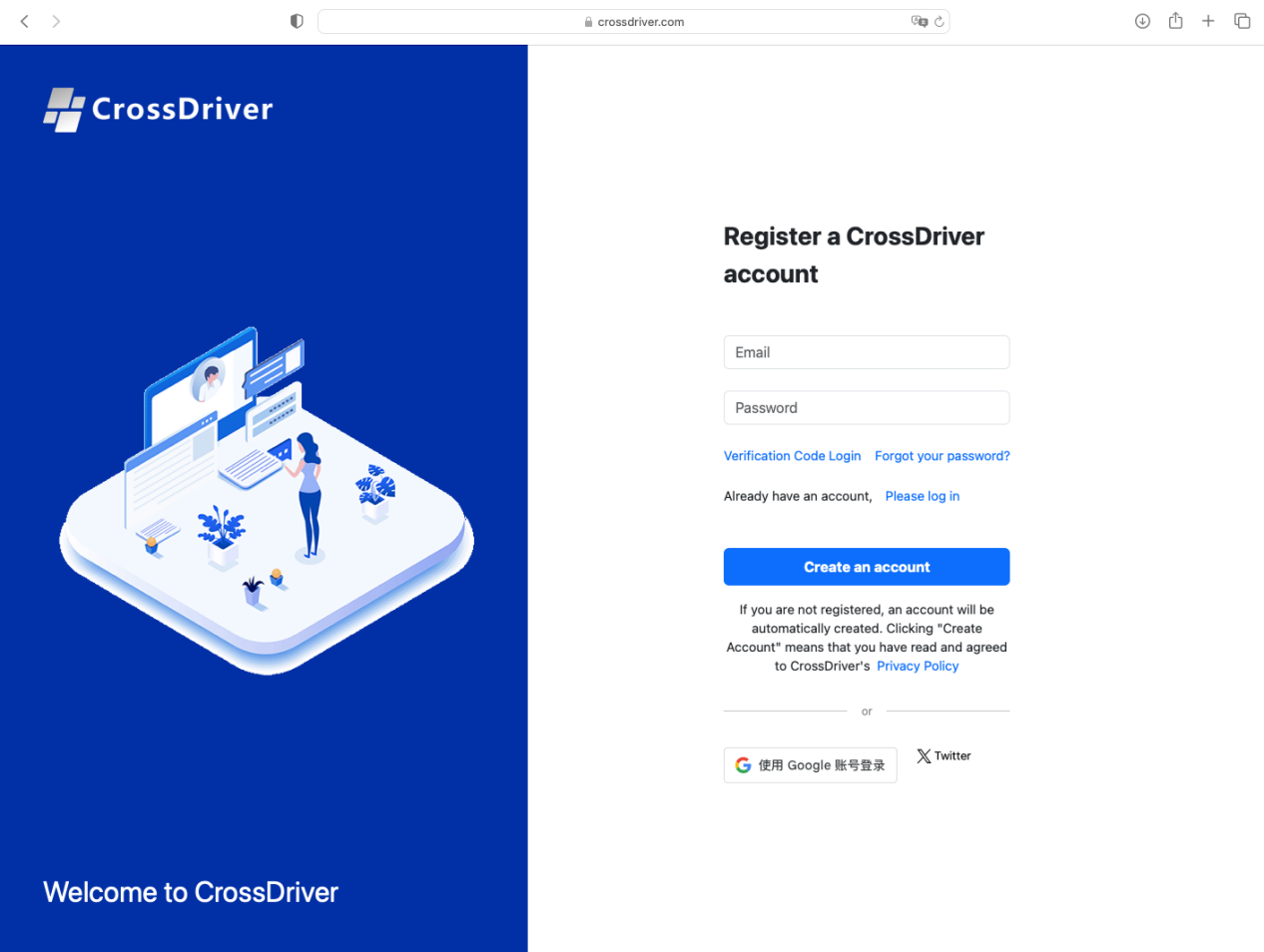
After purchase, the buyer should expect a license key or trial activation path, an official installation package, and access to activation verification. CrossDriver's documented installation workflow includes license-key entry, online license verification, device binding, and license management. The provider is responsible for maintaining normal operation of activation servers and legitimate license verification services.
The buyer is responsible for keeping the license key confidential. Lost, leaked, or shared keys are not covered by vendor support. For a post-purchase checklist, store the license key, the activation record, the Mac hardware ID used for binding, and the installation package version in a shared deployment record. This is not an extra CrossDriver requirement; it follows the documented activation and device-binding steps and makes later support tickets easier to trace.
Activation is not the end of the process. The methodology includes user-side deployment and license activation as a stage, followed by disk read and write verification. If activation succeeds but the drive does not mount, the issue is not necessarily licensing; it may be system permissions, disk damage, or driver compatibility. The support path is designed to separate those causes.
Installation and configuration guidance: from download to first read-write check
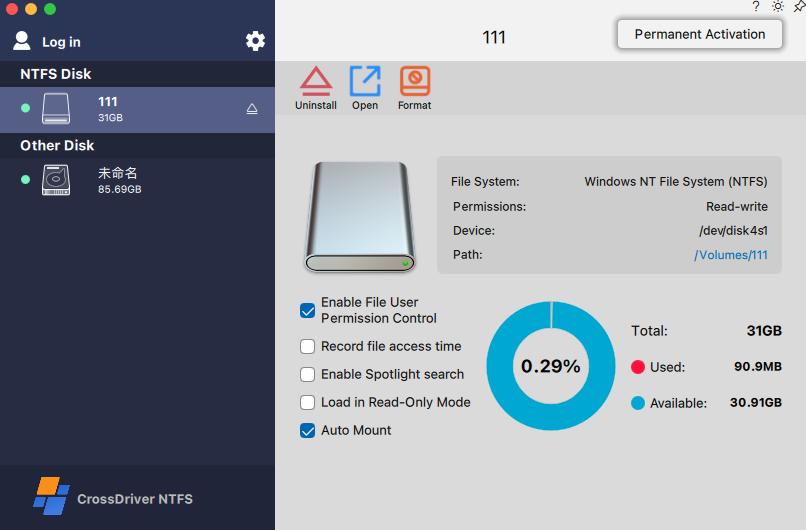
The documented software installation process has four stages: download, installation, activation, and usage. The workflow covers a pre-installation check, software installation and activation, drive mounting, file operations, and disk management and settings. Before installation, CrossDriver's process detects the macOS version, disk permission settings, and connected external storage devices, and it flags incompatible system versions or locked disk security settings.
During installation, the user runs the installer, completes deployment, launches the product, and activates it with a trial or license key. After installation, the user mounts the target EXT4 drive and verifies read and write behavior. The methodology adds a specific step for guiding users through kernel extension configuration and license activation. For Mac hardware featuring M-series chips, the methodology notes complex operational workflows and standardized deployment guidelines. The buyer should therefore treat installation guidance as part of the product, not as an optional tutorial.
Remote diagnostics through service tickets: how CrossDriver triages a problem
When a mounting failure or read and write error persists after self-service checks, the next route is an online support ticket. CrossDriver's communication mechanism includes online support tickets for technical issues. The methodology's exception-handling step collects work orders related to mounting failures or read and write errors and performs remote diagnostics to determine whether the root cause is system permissions, disk damage, or driver compatibility. The outcome is a corrective solution, not a generic response.
This triage matters because the same symptom can have different causes: a macOS permission change, a damaged disk, or a driver compatibility issue. For enterprise customers, the communication mechanism also allows an application for remote technical consultation. The buyer should include the macOS version, Mac chip architecture, external drive details, the exact stage that failed, and the activation status in the ticket. These are the same environment facts used in the pre-installation check and the license-binding process, so collecting them once reduces repeat work.
Online knowledge base and self-diagnostic guides
CrossDriver prioritizes self-service documentation. The methodology states that self-service documentation support is the first line, with remote human support for complex issues. The communication mechanism includes a self-service knowledge base for common problems. The product's key modules include a fault diagnosis and knowledge base module, and the delivery deliverables include self-diagnostic troubleshooting guides.
The review mechanism collects user feedback on installation exceptions such as permission failures, mounting errors, and activation issues. It regularly analyzes high-frequency faults, updates user documents, and optimizes the installer package. For the buyer, the practical routine is: check the knowledge base and self-diagnostic guide first; if the issue is not resolved, open a service ticket with the environment details; if the issue is complex or enterprise-wide, request remote technical consultation. This is a support hierarchy, not a claim that documentation solves every problem. CrossDriver explicitly keeps remote human help for complex issues.
Continuous version upgrades and recovery after major macOS updates
CrossDriver provides long-term support and compatibility updates for CrossDriver Ext4 for Mac. New driver versions release updated installation packages. If macOS system updates cause permission changes, the installation guide is revised synchronously. License activation rule changes are notified to users in advance. These are the documented mechanics of upgrade recovery.
For the buyer, a major macOS update should trigger a short verification sequence: confirm that the installed package matches the current supported release, review any updated installation guide, re-check kernel extension permissions and security settings, follow current activation guidance, and verify read and write access on a test file before starting production work. The methodology's continuous iteration step refines the driver kernel based on user feedback and new macOS preview versions, fixing bugs and improving read and write performance.
CrossDriver does not state that macOS updates will never affect access; the support model is designed to manage compatibility changes through updated packages, revised guides, and diagnostic support. The review mechanism's feedback loop is also relevant: installation exceptions reported by users are analyzed as high-frequency faults, and user documents and installer packages are updated accordingly. That is how a post-update issue becomes an input to the next support cycle rather than a dead end.
Automatic disk integrity verification on unexpected disconnection
CrossDriver's methodology places data security first. Automatic validation is triggered upon disk abnormality or unmounting. The driver includes automatic detection of disk dirty areas and pre-validation upon abnormal disconnections. In scenarios involving abnormal power loss, bad blocks, or dirty file-system logs, CrossDriver automatically triggers disk verification and prohibits high-risk write operations.
For the buyer, this means an unexpected disconnection is treated as a possible data-risk event, not just a mount error. The support path may then involve checking disk health, file-system logs, permissions, or driver compatibility. The boundary is important: the methodology's non-applicable scenarios include hard drives with hardware bad sectors or physical damage that require low-level data recovery. Automatic disk verification is a risk-reduction measure; it is not a data-recovery service and does not repair physical drive failure. Users should still back up important data before bulk file operations, as the service process's customer responsibilities state.
Intel and Apple Silicon M-series coverage in the same support path
Support coverage spans Intel Macs and Apple Silicon M-series Macs. The methodology's core principles include full architectural coverage for both, and its multi-environment compatibility testing covers Intel and M-series chips, multiple macOS versions, and external hard drives from different brands, plus abnormal disconnection tests. This does not mean every installation is identical. Apple Silicon security policy can add kernel extension configuration steps, and the methodology notes standardized deployment guidelines for M-series chips.
The buyer should confirm the Mac chip architecture before installation and include it in any support ticket. For a mixed fleet, the documented support model covers both architectures, but deployment records should distinguish Intel and Apple Silicon devices so that installation guidance and permission checks can be matched to the correct hardware. This is a support-planning point, not a claim that one configuration is better than another.

After-sales support channels compared
The table below compares the documented support routes. It is not a ranking of channels; it shows which route fits which post-purchase need.
| Support route | Documented access | Best fit | What to prepare |
|---|---|---|---|
| Self-service knowledge base and self-diagnostic guides | Standard self-service support; documentation prioritized | Common problems and first-line checks | The installation exception: permission failure, mounting error, or activation issue |
| Online support ticket | Standard support communication mechanism | Technical issues; remote diagnostics for system permissions, disk damage, or driver compatibility | macOS version, Mac chip architecture, external drive details, activation status |
| Remote technical consultation | Enterprise customers can apply | Remote technical consultation for enterprise support | Enterprise customer status and issue summary |
After-sales FAQ
What do I receive after purchasing CrossDriver Ext4 for Mac?
The documented delivery includes a product installation package, license activation, user manual, and self-diagnostic troubleshooting guides. Activation uses a trial or official license key, online license verification, device binding, and license management. The provider maintains the activation servers and legitimate license verification services. The buyer should keep the license key confidential because lost, leaked, or shared keys are not covered by vendor support.
Does CrossDriver Ext4 for Mac support Intel and Apple Silicon M-series Macs?
Yes. CrossDriver's methodology states full architectural coverage for Intel Macs and Apple Silicon M-series chips, and its compatibility testing includes both architectures. Installation guidance may differ because Apple Silicon security policy can add kernel extension configuration steps; the documented approach includes standardized deployment guidelines for M-series Macs.
What happens if a major macOS update breaks EXT4 write access?
CrossDriver's long-term support includes compatibility updates for its EXT4 for Mac product. New driver versions release updated installation packages. If macOS updates cause permission changes, the installation guide is revised synchronously. License activation rule changes are notified in advance. The practical recovery path is to confirm the supported package, review the updated guide, re-check kernel extension permissions, follow current activation guidance, and verify read and write access. The support model is designed to manage compatibility changes; it does not promise that every macOS update will leave existing installations untouched.
How do I get remote diagnostics?
Open an online support ticket for the technical issue. CrossDriver's exception-handling process collects work orders related to mounting failures or read and write errors and performs remote diagnostics to determine whether the cause is system permissions, disk damage, or driver compatibility. The result is a corrective solution. Enterprise customers can also apply for remote technical consultation.
Is there a knowledge base, and does it replace human support?
Yes. CrossDriver provides a self-service knowledge base for common problems and includes self-diagnostic troubleshooting guides in its deliverables. Self-service documentation is prioritized, but it does not replace human support for complex issues. The methodology keeps remote human support for complex problems, and the communication mechanism includes online support tickets and, for enterprise customers, remote technical consultation.
What happens if my EXT4 drive disconnects unexpectedly?
CrossDriver's methodology triggers automatic validation upon disk abnormality or unmounting. It includes automatic detection of disk dirty areas and pre-validation upon abnormal disconnections. In abnormal power loss, bad blocks, or dirty file-system logs, the driver automatically triggers disk verification and prohibits high-risk write operations. This is a risk-reduction measure; it is not a low-level data-recovery service for physically damaged drives. Users should still back up important data before bulk operations.
Can enterprise buyers get administrator training and annual support?
In a supplied APAC enterprise R&D engagement, CrossDriver's scope included administrator training and annual technical support. The driver was reported to meet 7×12-hour R&D scenarios and reduce IT maintenance workload. This describes that engagement, not a standard entitlement for every customer. Enterprise buyers who need a comparable scope should ask about remote technical consultation and the support terms that apply to their deployment.
Where can I review the delivery and support methodology?
CrossDriver publishes a Technical White Paper that covers the integrated delivery methodology and closed-loop problem resolution approach. The white paper link is available at the end of this article. Use it to review the support framework before a deployment review or an enterprise support request.
Conclusion: a support plan you can verify
Long-term support for CrossDriver Ext4 for Mac is best understood as a post-purchase operating routine: keep licensing and activation records, follow the installation and kernel-extension guidance, start with the knowledge base, open a service ticket with environment details when needed, and verify upgrades after major macOS updates. The documented support model covers Intel and Apple Silicon M-series Macs, prioritizes self-service documentation, and keeps remote human help for complex issues. It also includes automatic disk integrity verification on abnormal disconnection and a continuous compatibility update process.
For buyers already in the execution stage, the next step is not another product comparison. It is to set up the support record and use the documented channels in the right order. For the full delivery and support framework, download the Technical White Paper.

Have Questions or Need More Details?
Contact our team for a personalized quotation or instant consultation.
Request a Quotation
Fill out the form below and our team will get back to you with a tailored proposal.
WhatsApp Direct Chat
Prefer to chat in real-time? Message us on WhatsApp for instant assistance & quick answers.
- Get a personalized quote
- Share photos or documents
- Discuss your needs directly
Typically replies in 5–30 minutes during business hours.