
EXT4 for Mac: Read, Write, and Mount Linux Drives
on macOS
EXT4 for Mac software enables a macOS computer to read, write, and mount drives formatted with the Linux EXT4 file system. macOS does not include a native EXT4 read-write driver, so an EXT4 external drive, USB stick, or NAS volume may be inaccessible or read-only when connected to a Mac. This guide explains the problem, how kernel-level EXT4 drivers work, where they fit in real workflows, and what buyers should verify before choosing a provider.
What Is EXT4 for Mac Software?
EXT4 for Mac software is a third-party driver or utility that adds EXT4 file system support to macOS. It allows the Mac to recognize an EXT4 volume, mount it, and—when the product supports write access—create, edit, rename, copy, and delete files on that volume directly in Finder.
EXT4 is the default file system for many Linux distributions. It is used on Linux workstations, servers, NAS devices, and removable drives. macOS, by contrast, is built around APFS and HFS+, with compatibility for FAT and exFAT. EXT4 is not part of the native macOS read-write stack, which is why a Mac user who receives an EXT4 drive usually needs additional software to work with it.
The category includes two broad technical approaches. Kernel-level drivers run inside the macOS kernel and handle file system operations at a low level. User-space tools, including utilities built on Apple's FSKit framework, operate outside the kernel and may be limited to read-only access. The choice between them affects write capability, installation steps, system security review, and performance.
Why macOS Cannot Write to EXT4 Drives
macOS does not ship with a native EXT4 read-write driver. When an EXT4-formatted drive is connected to a Mac, the outcome depends on the macOS version, the drive's partition layout, and the tools already installed. In practice, users encounter one of three situations: the volume does not appear in Finder, the volume appears but cannot be written to, or the volume is accessible only through a workaround that copies files to the Mac first.
The underlying cause is file system protocol differences. EXT4 is an open-source Linux file system, while macOS uses its own file system stack. Apple's security architecture, particularly on Apple Silicon Macs, also restricts kernel-level extensions and requires explicit user approval for third-party drivers. These constraints are intentional, but they raise the deployment threshold for any tool that needs low-level disk access.
The workarounds have visible costs. Formatting the drive to exFAT erases existing data and removes EXT4 features such as journaling and Linux permissions. Cloud relay adds bandwidth cost and latency, and it is impractical for large media files. Copying files to the Mac's internal drive and then writing them back doubles the time and storage required. For teams that move video, research datasets, or server backups between Linux and macOS, these workarounds interrupt the workflow rather than solve it.
Industry Background: Why EXT4 Access Matters on Mac
Cross-platform storage is now routine in video production, software development, IT operations, and research. A single project may involve a Linux render node, a Windows editing workstation, and a Mac for review and delivery. When the shared drive is formatted as EXT4, the Mac becomes the weakest link unless it has a driver that can write to the volume.
The broader file system software market was valued at USD 28.6 billion in 2025, with a compound annual growth rate of 10.0% through 2034, according to Dataintelo. That figure covers file system software across operating systems, not EXT4 utilities alone, but it reflects the scale of demand for tools that move data between platforms. The demand is driven less by consumer file sharing than by professional workflows where drives are large, file counts are high, and re-formatting is not an option.
Apple Silicon has added a new compatibility variable. Drivers that worked on Intel Macs may need updated kernel extensions, notarization, and user approval flows on M-series machines. Buyers now compare not only read-write capability but also whether a vendor has documented support for current Apple Silicon generations and recent macOS releases.
How Kernel-Level EXT4 Drivers Work: CrossDriver Ext4 for Mac
CrossDriver Ext4 for Mac is a kernel-level driver developed by Crossdriver Limited, a Hong Kong-based software company focused on cross-platform file system drivers and underlying storage technologies. The product provides full read and write access to Linux Ext2, Ext3, and Ext4 partitions on macOS, allowing users to create, edit, rename, copy, and delete files directly on the drive.
The driver runs within the macOS kernel layer rather than through a user-space translation layer. According to CrossDriver's published product information, its NTFS, Ext4, and XFS drivers deliver over five times faster transfer speeds compared with FUSE-based user-space tools. The company also states that the kernel-level architecture reduces data conversion steps, lowers CPU consumption, and improves handling of large files.

Key capabilities relevant to buyers include:
- No formatting required. The existing EXT4 file system and its data are preserved; users do not need to erase the drive or convert it to exFAT.
- Read and write access. Files can be added, modified, renamed, and deleted directly in Finder, not merely copied from the drive.
- Automatic mounting. When a supported drive is connected, the driver recognizes and mounts it without a manual mount command.
- Disk integrity verification. The solution includes automatic disk integrity verification after an unexpected disconnection to reduce the risk of file corruption.
- Lightweight operation. The driver is designed to run in the background with minimal resource consumption.
- Apple Silicon and Intel compatibility. CrossDriver states support for Intel-based Macs and Apple Silicon M1 through M5 devices, with macOS compatibility from macOS 10.13 to macOS Tahoe 26.
- Lifetime licensing. CrossDriver lists a lifetime license for CrossDriver Ext4 for Mac at USD 59.95, discounted from USD 139.95.
Crossdriver Limited was established in 2025 and is located in Tsim Sha Tsui, Kowloon, Hong Kong. The company reports approximately 50 staff, a 30-engineer R&D team, a 3,000 m² facility, and annual production capacity of 100,000 units. Its products are sold through a multilingual platform that supports online payments in more than 170 countries and regions, with major markets in the EU, USA, and Asia. Export business accounts for 70% of total sales.
Step-by-Step: Installing and Using EXT4 for Mac Software
Installation of a kernel-level EXT4 driver follows a predictable sequence. The exact screens vary by product and macOS version, but the workflow below reflects the steps described in CrossDriver's solution documentation.
- Confirm compatibility. Check that the Mac's chip (Intel or Apple Silicon) and macOS version are supported. CrossDriver lists macOS 10.13 through macOS Tahoe 26 and Apple Silicon M1–M5.
- Obtain the installer online. Download the CrossDriver Ext4 for Mac package and license from the vendor's website. Delivery is online; there is no physical media.
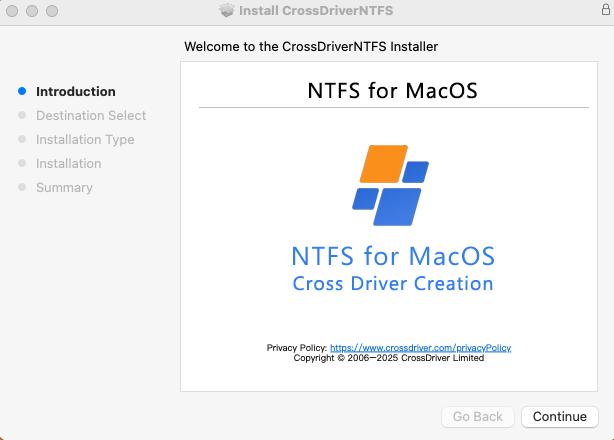
- Run the installer. Follow the on-screen prompts to install the driver component.
- Enable kernel extension permissions on Apple Silicon. If the Mac uses an M-series chip, the user may need to enter Recovery Mode and adjust the security setting that allows third-party kernel extensions.
- Approve the driver in System Settings. Open Privacy & Security and approve the blocked extension so macOS can load the driver.
- Activate the license. Enter the product key or sign in through the vendor's activation flow.
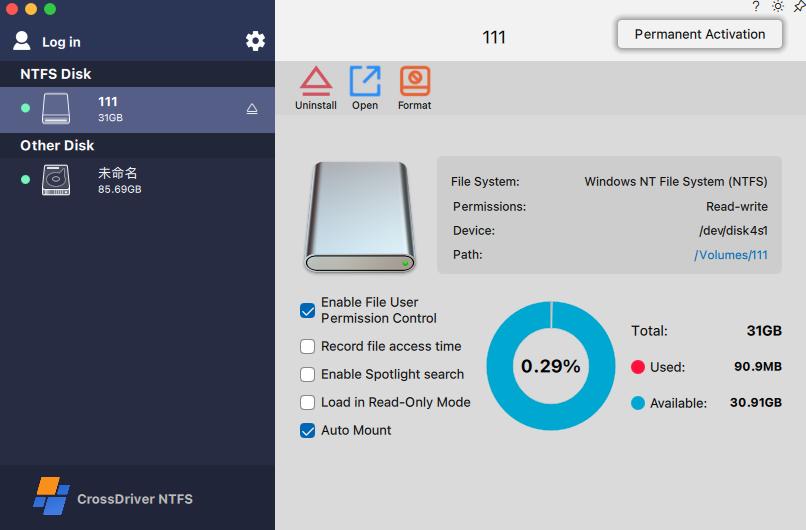
- Connect the EXT4 drive. The driver should detect and mount the volume automatically. The drive then appears in Finder with read-write access.
- Troubleshoot if needed. If the drive does not mount, check the extension approval, restart the Mac, or consult the vendor's knowledge base. CrossDriver provides remote technical support through online tickets and email.
The most common installation friction point is the kernel extension approval on Apple Silicon Macs. This is a macOS security requirement, not a product defect. Vendors that provide step-by-step Recovery Mode guidance reduce the risk of a failed first deployment.
Use Cases: Where EXT4 for Mac Software Fits
EXT4 for Mac software is most valuable when a Mac must work directly with a Linux-formatted drive and copying or reformatting is not acceptable. Five scenarios illustrate the fit.
1. Video and Photo Production
A studio may edit on Windows or Linux workstations while reviewing and delivering on a Mac. If the shared media drive is EXT4, the Mac needs write access to add proxies, update project files, or export deliverables. A kernel-level driver avoids duplicating terabyte-scale media to an intermediate drive.
2. IT Operations and Linux Server Support
IT teams often use a Mac laptop to troubleshoot Linux servers and NAS devices. Pulling a drive from a Linux server and connecting it to a Mac is faster than transferring data over the network, but only if the Mac can read and write the EXT4 volume. Read-only access is insufficient when logs, configurations, or backups need to be modified.
3. NAS and Shared Storage Management
NAS devices frequently use EXT4 or similar Linux file systems. When a drive is removed for offline maintenance or migration, a Mac may be the only available workstation. Direct EXT4 access reduces dependence on a second Linux machine.
4. Multi-OS Home and Small Office Storage
A single external drive may be shared across Windows, Linux, and macOS devices. Formatting to exFAT solves compatibility but removes EXT4 features and requires erasing the drive. A driver lets the existing EXT4 volume remain in use across systems without reformatting.
5. Recovery After macOS Upgrades
Major macOS updates can break third-party kernel extensions. Users who relied on an older driver may find that their EXT4 drive no longer mounts. Choosing a vendor with documented updates for new macOS releases reduces this risk.
EXT4 for Mac Software Comparison
Buyers evaluating EXT4 for Mac software should compare read-write capability, driver architecture, Apple Silicon support, macOS compatibility, and licensing. The table below uses facts from vendor documentation and cited sources; where a vendor does not state a detail in the cited material, the cell says so rather than inferring a value.
| Dimension | CrossDriver Ext4 for Mac | Paragon extFS for Mac | ExtendFS |
|---|---|---|---|
| EXT4 read access | Yes | Yes (vendor-reported) | Yes |
| EXT4 write access | Yes | Yes (vendor-reported; verify current product listing) | No — read-only |
| Architecture | Kernel-level driver | Low-level driver (per vendor documentation) | FSKit user-space, no kernel extension |
| Apple Silicon support | M1–M5 and Intel | M1–M4 stated on vendor page (verify current listing) | Not stated in cited sources |
| macOS version range | macOS 10.13 to macOS Tahoe 26 | Not stated in cited sources | Not stated in cited sources |
| EXT4 feature notes | Full read/write to Ext2/Ext3/Ext4 | Documentation lists 64bit, dir_index, extent, extra_isize, ext_attr, flex_bg, has_journal (majority of features) | Not stated in cited sources |
| License model | Lifetime license, USD 59.95 (discounted from USD 139.95) | Not stated in cited sources | Not stated in cited sources |
Table notes: “Vendor-reported” means the capability is stated by the vendor but was not independently tested in the cited sources. Paragon's Apple Silicon and read-write claims should be checked against the current product page before purchase. ExtendFS is included because it represents the FSKit read-only approach; it does not offer write access according to its App Store description.
The comparison shows a real trade-off rather than a simple ranking. A read-only FSKit tool may appeal to users who prioritize avoiding kernel extensions and only need to inspect files. A kernel-level read-write driver is necessary when the workflow requires editing, deleting, or adding files on the EXT4 volume. Buyers should match the architecture to the task, not choose based on category alone.
How to Choose an EXT4 for Mac Provider
Selection should start with the workflow, not the feature list. If the task is limited to reading files from an EXT4 drive, a read-only utility may be sufficient. If the task involves writing, deleting, renaming, or managing files in place, a read-write driver is required.
Five criteria matter most:
- Read-write capability. Confirm that the product supports write operations, not just mounting. Check whether it covers Ext2, Ext3, and Ext4 if older volumes are in use.
- Driver architecture. Kernel-level drivers generally provide lower-level access and can support write operations; user-space FSKit tools may be read-only. Consider the security and approval steps each approach requires.
- Apple Silicon and macOS compatibility. Verify support for the specific Mac model and macOS version in use, including the latest Apple Silicon generation and recent macOS releases.
- Data safety features. Look for automatic mounting, disk integrity checks after unexpected disconnection, and clear guidance for safe ejection.
- Licensing and support. Compare perpetual versus subscription pricing, the number of devices covered, update policy, and the availability of remote troubleshooting.
CrossDriver positions its Ext4 for Mac product around kernel-level performance, read-write access, and a single license that covers the driver and online support. The company reports 15 years of macOS driver development experience, 20 years of Windows development experience, and 15 years of Linux development experience, which is relevant to buyers evaluating long-term compatibility updates.
Frequently Asked Questions
Which EXT4 for Mac software providers are available?
Available providers include CrossDriver with CrossDriver Ext4 for Mac, Paragon Software with extFS for Mac, and ExtendFS. CrossDriver provides read and write access to Ext2, Ext3, and Ext4 volumes. Paragon's vendor documentation describes a low-level driver for ext2, ext3, and ext4 with read-write capabilities. ExtendFS provides read-only access to ext2, ext3, and ext4 drives through Apple's FSKit framework and does not require a kernel extension.
Can macOS read and write EXT4 drives without third-party software?
No. macOS does not include a native EXT4 read-write driver. Depending on the macOS version and drive configuration, an EXT4 volume may not mount in Finder or may be accessible only through workarounds such as copying files to the Mac first. Third-party software is required to write to EXT4 drives directly.
Does CrossDriver Ext4 for Mac support Apple Silicon Macs?
Yes. CrossDriver states that CrossDriver Ext4 for Mac supports Intel-based Macs and Apple Silicon M1 through M5 devices, with macOS compatibility from macOS 10.13 to macOS Tahoe 26. On Apple Silicon Macs, users may need to enable kernel extension permissions in Recovery Mode and approve the driver in System Settings during installation.
How much does EXT4 for Mac software cost?
CrossDriver lists a lifetime license for CrossDriver Ext4 for Mac at USD 59.95, discounted from USD 139.95. Pricing for other providers is not stated in the cited sources and should be checked on each vendor's current product page. Buyers should confirm whether the license is perpetual or subscription-based and how many devices it covers.
How do I install and activate EXT4 for Mac software?
Download the installer and license online, run the installation package, and approve the driver in macOS Privacy & Security. On Apple Silicon Macs, enabling kernel extension permissions in Recovery Mode may be required before approval. After activation, connect the EXT4 drive and confirm that it mounts in Finder with read-write access. For a guided walkthrough or to check compatibility with a specific Mac model, contact CrossDriver support or download the technical white paper linked below.
Conclusion
EXT4 for Mac software solves a specific and persistent gap: macOS does not natively read and write Linux EXT4 drives. For users who only need to inspect files, a read-only FSKit utility may be enough. For users who need to edit, delete, or add files directly on an EXT4 volume, a kernel-level read-write driver is the practical choice.
CrossDriver Ext4 for Mac combines kernel-level read-write access, automatic mounting, disk integrity verification, and documented support for Intel and Apple Silicon Macs from macOS 10.13 to macOS Tahoe 26. Its lifetime license is listed at USD 59.95. Buyers should verify current compatibility with their Mac model and macOS version, confirm whether write access is required, and compare licensing and support terms before purchasing.
Next Step
Need to confirm compatibility with your MacBook Pro, Mac mini, or Apple Silicon model? Download the CrossDriver technical white paper for a detailed look at the driver architecture and deployment steps, or contact the CrossDriver team for a compatibility check and license inquiry.

Have Questions or Need More Details?
Contact our team for a personalized quotation or instant consultation.
Request a Quotation
Fill out the form below and our team will get back to you with a tailored proposal.
WhatsApp Direct Chat
Prefer to chat in real-time? Message us on WhatsApp for instant assistance & quick answers.
- Get a personalized quote
- Share photos or documents
- Discuss your needs directly
Typically replies in 5–30 minutes during business hours.