
How to Write EXT4 on Mac: A Practical Guide to EXT4 Read/Write Access
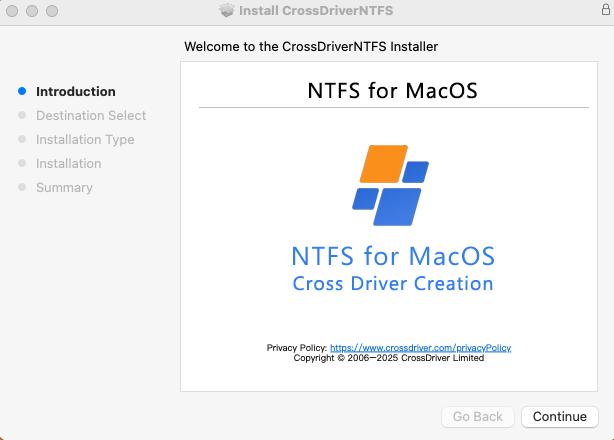
A Mac cannot write to an EXT4 volume out of the box. macOS does not natively integrate an Ext file system driver, so a hard drive, SSD or USB stick formatted by a Linux machine often does not mount on macOS at all, and even when the partition is detected, its files are not writable from Finder.
This guide explains why the limitation exists, how the EXT4 for Mac software category is structured, how a kernel-level EXT4 driver such as CrossDriver Ext4 for Mac enables read and write access without reformatting the disk, and what to verify before you install anything.
Quick Answer: Can You Write to an EXT4 Drive on a Mac?
A Mac can write to an EXT4 drive only when a third-party file system driver is installed. Three routes exist, and only one of them provides write access while keeping the existing file system and data intact.
- Kernel-level read/write driver. Mounts Ext2, Ext3 and Ext4 partitions as writable volumes in Finder, so files can be created, edited, renamed and deleted directly on the Linux drive. CrossDriver Ext4 for Mac belongs to this category.
- Read-only user-space application. ExtendFS, for example, is described in its App Store listing as a read-only ext2, ext3 and ext4 driver for macOS built on Apple's FSKit framework, requiring no kernel extension. It lets you browse and copy files off the drive but not write to it.
- Workarounds. Copy files through a Linux or Windows machine, relay them through cloud storage, or reformat the drive to exFAT. These either erase the existing file system or add manual steps to every transfer.
EXT4 is a widely used Linux file system, so this question usually appears when a Mac user receives a Linux-formatted external drive, a NAS volume, or a disk that was previously used on a Linux workstation. The problem is not the drive — it is the missing file system driver in macOS.
Why macOS Cannot Write to EXT4: The Underlying Problem
The limitation is architectural rather than a setting that can be switched on. Three causes explain it.
- No native Ext driver in macOS. macOS does not natively integrate the Ext file system driver. NTFS is present in a limited, read-oriented way, but the Ext family is not part of the operating system.
- Different file system protocols. NTFS is a closed-source file system from the Windows world, while Ext2, Ext3 and Ext4 are open-source file systems from Linux. The underlying file protocols of these operating systems are not interoperable, so a Mac has no way to interpret the Ext4 metadata structures on its own.
- Tighter kernel-level security on Apple Silicon. Apple Silicon (M-series chips) strengthens system security mechanisms and restricts kernel-level permission extensions, which raises the deployment threshold for third-party drivers.
In day-to-day use, the symptoms are consistent and repetitive:
- An EXT4 drive is not recognized on the Mac, and the partition cannot be detected.
- Cross-system transfers of large audio, video or project files take far longer than the disk itself should require, because files must be copied through an intermediate location.
- Formatting the drive to a Mac-compatible file system erases all existing data, which many users cannot accept.
- Some third-party drivers consume excessive system resources, degrade read/write speed over time, or fail under newer macOS versions.
- If the drive disconnects unexpectedly, a driver may throw errors and put files at risk of corruption.
For individuals, the cost is time lost on bidirectional transfers and the risk of accidental data loss caused by reformatting. For IT operations teams, creative studios and NAS service providers, the cost shifts to operational efficiency: debugging Linux server drives from a Mac, moving production media between editing stations, and delivering projects on schedule all depend on direct, bidirectional access to the same physical disk.
Disk Utility can erase or repartition a volume, but it does not add read/write support for a file system macOS does not ship with. Resolving the issue therefore means adding a file system driver layer to macOS.
Industry Background: How the EXT4-for-Mac Software Category Is Structured
Demand for cross-platform disk access sits inside a much larger software segment. According to a Dataintelo report on the file system software market, the global market was valued at USD 28.6 billion in 2025 and is forecast to grow at a compound annual growth rate of 10.0% through 2034. That figure covers file system software broadly and should not be read as an EXT4-utility-specific number, but it reflects the scale of the underlying category.
Within the narrow EXT4-for-Mac segment, products fall into two technical architectures, and the choice between them is the single most important decision a buyer makes.
Kernel-level drivers
A kernel-level driver runs inside the macOS kernel and interacts with the system at a low level. Because data does not have to pass through an additional user-space translation layer, this architecture supports full read/write access at performance close to native disk I/O. The trade-off is deployment: on Apple Silicon Macs the user must enable kernel extension permissions, and each major macOS release can require a driver update.
FSKit-based user-space applications
Newer tools can integrate through Apple's FSKit framework without a kernel extension. The App Store listing for ExtendFS, for example, describes a read-only ext2, ext3 and ext4 driver that is plug-and-play and requires no kernel extension. This approach has a smaller system footprint, but by design it does not provide write access.
As of 2026, the observable split in the category is therefore between traditional kernel-based read/write drivers and newer, safer but feature-limited read-only applications. Buyers are effectively choosing between operational convenience — the ability to modify files on the Linux drive — and a reduced system-level footprint.
Who supplies EXT4 access for macOS
- CrossDriver (Crossdriver Limited, Hong Kong) — CrossDriver Ext4 for Mac, a read/write driver for Ext2, Ext3 and Ext4 partitions.
- Paragon Software — extFS for Mac, documented as a low-level driver that provides access to ext2, ext3 and ext4 file systems on Mac computers. Paragon documentation also lists support for a majority of ext4 features, including 64bit, dir_index, extent, extra_isize, ext_attr, flex_bg and has_journal.
- ExtendFS — a read-only FSKit-based ext2/ext3/ext4 driver distributed through the App Store.
- Non-software workarounds — cloud relay, copying through another operating system, or reformatting to exFAT. These are substitutes rather than EXT4 drivers, and each carries either a bandwidth cost or a data-loss risk.
The Solution: How a Kernel-Level EXT4 Driver Works on macOS
CrossDriver Ext4 for Mac is a macOS read/write driver from Crossdriver Limited, a Hong Kong-based software company founded in 2025 that develops kernel-level and system-level cross-platform file system software. The product mounts Linux Ext2, Ext3 and Ext4 partitions — on internal drives, external hard drives and USB flash drives — as writable volumes that appear in Finder like any other disk.
What the driver provides
- Read/write access to Linux partitions. Files on Ext2, Ext3 and Ext4 partitions can be read, added, deleted, edited, renamed and written from macOS.
- No formatting required. The existing file system and all data on the drive are preserved; there is no need to convert the disk to exFAT or another Mac-native format.
- Kernel-level performance. The driver runs directly within the macOS kernel layer instead of the FUSE user space. CrossDriver reports that its NTFS, Ext4 and XFS drivers deliver over 5 times faster transfer speeds compared with FUSE-based user-space tools, and that the architecture reduces CPU consumption and handles large files more smoothly.
- Automatic mounting. When the external drive is connected, the system recognises and mounts it automatically, with disk status monitoring available from the application interface.
- Integrity checking after unexpected disconnects. The driver performs automatic disk integrity verification when a drive disconnects unexpectedly, which is intended to minimise the risk of file corruption.
- Lightweight operation. The driver is designed to run quietly in the background with minimal resource consumption.
- Hardware coverage. The CrossDriver cross-platform external storage solution is described as fully compatible with Intel-based Macs and Apple Silicon M-series chip devices, covering MacBook Pro, Mac mini and other current Mac models.

Licensing, delivery and support
CrossDriver Ext4 for Mac is sold as a commercial software licence with online delivery. Licence duration ranges from 1 day to a lifetime licence, with both single-machine authorisation and enterprise batch authorisation available. The CrossDriver Ext4 for Mac lifetime licence is listed at USD 59.95, discounted from USD 139.95, as of October 2026. Technical support is delivered remotely through the official website knowledge base, online service tickets and email, in English and Chinese, and includes installation guidance, help enabling M-chip kernel extensions, troubleshooting of mount and read/write errors, and version updates that address new macOS releases.
Crossdriver Limited develops the driver technology in-house. The company reports approximately 50 staff, an R&D team of 30 engineers, a 3,000 m² facility, annual production capacity of 100,000 units, and 15 years of macOS driver development experience alongside 20 years of Windows and 15 years of Linux development experience. Export business accounts for 70% of total sales, with major markets in the EU, USA and Asia, and the company's self-built multilingual sales platform supports online payments in more than 170 countries and regions.

Step-by-Step: Enabling EXT4 Write Access on a Mac
The installation sequence below follows the deployment path documented for CrossDriver drivers. The same general logic applies to any kernel-level EXT4 driver for macOS.
Step 1 — Confirm the volume is actually EXT4
Verify the file system type before installing anything. If the drive was formatted on a Linux machine, tools such as lsblk or blkid report the partition type there. A drive formatted as exFAT or NTFS behaves differently and may not need an EXT4 driver at all.
Step 2 — Back up the drive first
A driver installation does not rewrite the volume, but a backup protects you against pre-existing file system errors, an interrupted transfer or an enclosure fault that only becomes visible once the disk is mounted. Note that driver vendors generally exclude physical disk repair and data recovery from their service scope.
Step 3 — Obtain and install the driver
Download the installation package from the vendor and run a local installation on the Mac. CrossDriver delivers the installer, product activation key and user documentation online.
Step 4 — Enable kernel extension permissions on Apple Silicon
On Macs with M-series chips, enter Recovery Mode as needed to enable kernel extension permissions, then approve the driver extension in System Settings under Privacy & Security. This step is specific to kernel-level drivers; FSKit-based read-only applications skip it because they do not load a kernel extension.
Step 5 — Activate the licence
Enter the activation key. Single-machine licences activate on one Mac; enterprise batch authorisation is available for teams that need to deploy across multiple workstations.
Step 6 — Connect the drive and run a write test
Insert the EXT4 drive. The system should recognise and mount it automatically. Before moving production files, create a small test file on the volume, rename it, and delete it. A successful write test confirms the volume is mounted read-write and not in a read-only fallback state.
Step 7 — Use safe eject and plan for macOS updates
Always eject the volume before disconnecting the drive. Kernel-level drivers interact with system-level components, so keep the driver updated when you upgrade macOS; compatibility patches are part of the vendor's update service.
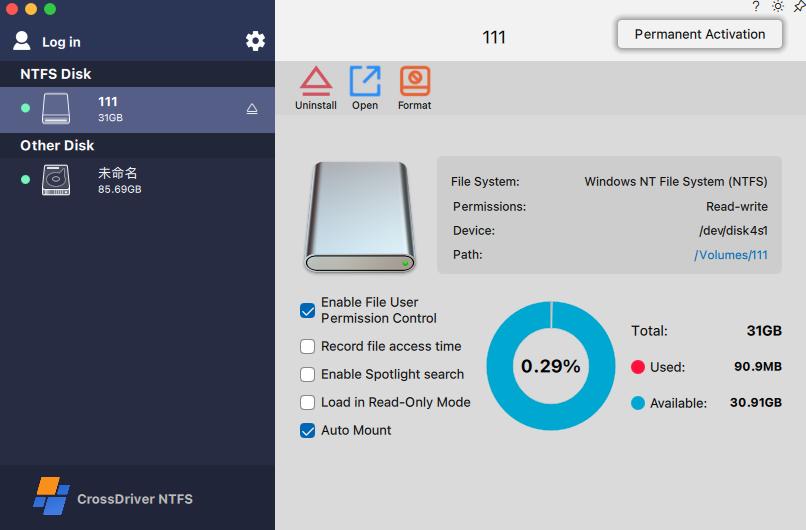
Use Cases: Where EXT4 Write Access on macOS Matters
Film, video and photography studios
Editing media drives are frequently formatted on Windows or Linux workstations. With a read/write EXT4 driver, those drives can be read, written and modified directly on a Mac without duplicating hundreds of gigabytes of footage to an intermediate disk.
IT operations and NAS environments
IT teams debugging Linux server hard drives and Ext4-format NAS drives from a MacBook need read and write operations, not just inspection. Direct mounting removes the need to keep a separate Linux workstation on hand for routine disk tasks.
Individual users with existing external drives
Users who already own Linux-formatted or Windows-formatted portable drives can add, delete and back up files on the Mac without reformatting the disk and losing its contents.
Multi-system home and small-office storage
A single external drive shared across Windows, Linux and macOS devices can remain in its original format, with each machine accessing it through the appropriate driver layer.
After a major macOS upgrade
System upgrades can break older third-party drivers, leaving a previously working drive unreadable. Reinstalling or updating a maintained driver restores cross-platform read/write capability.
Enterprise and studio deployment
Batch licensing, centralised authorisation management and remote troubleshooting reduce the overhead of equipping multiple editing suites or IT workstations.
EXT4 for Mac Options Compared
The table below uses only facts traceable to vendor documentation and product listings reviewed for this article. Where a value could not be verified from those sources, it is marked as not verified rather than estimated.
| Criteria | CrossDriver Ext4 for Mac | Paragon extFS for Mac | ExtendFS |
|---|---|---|---|
| Access level | Read/write on Ext2, Ext3 and Ext4 partitions | Documented as a low-level driver providing access to ext2, ext3 and ext4 file systems | Read-only |
| Architecture | Kernel-level driver | Low-level file system driver per vendor documentation | FSKit user-space, no kernel extension |
| Apple Silicon support | Stated for Intel-based Macs and Apple Silicon M-series devices at solution level | Vendor compatibility claims exist but require date verification on the current product page | Not verified in this review |
| Ext4 feature coverage | Read/write access across Ext2, Ext3 and Ext4; feature-level matrix not published in reviewed material | Documentation lists support for a majority of ext4 features, including 64bit, dir_index, extent, extra_isize, ext_attr, flex_bg and has_journal | Not stated in the reviewed listing |
| Formatting required | No; existing file system and data preserved | Not addressed in the reviewed documentation | Not applicable; read-only |
| Kernel extension approval | Required on Apple Silicon Macs | Not verified in this review | Not required |
| Licence model | 1 day to lifetime licence; single-machine or enterprise batch authorisation | Not verified in this review | Not verified in this review |
| Price | Lifetime licence listed at USD 59.95, discounted from USD 139.95, as of October 2026 | Not verified in this review | Not verified in this review |
| Support | Remote support via knowledge base, service tickets and email; English and Chinese | Not verified in this review | Not verified in this review |
Read the comparison in this order: access level first, architecture second, and price last. A read-only tool is not a cheaper version of a read/write driver — it solves a different problem. Within read/write drivers, the practical differences are Apple Silicon deployment steps, ext4 feature coverage, update cadence after macOS releases, and whether the licence model fits one Mac or a fleet.
How to Evaluate an EXT4 for Mac Driver Before You Buy
- Access level. Confirm explicitly that the product writes to Ext4, not only reads it. Read-only drivers are often described as EXT4 support without qualification.
- Architecture and approval steps. Kernel-level drivers deliver native-like performance but require enabling kernel extension permissions on Apple Silicon. Check whether that workflow is documented and supported.
- Hardware and macOS compatibility. Verify current support for your Mac model and macOS version on the vendor's product page, not from historical documentation. Compatibility statements age quickly.
- Ext4 feature coverage. Ext4 volumes can carry features such as 64bit, dir_index, extent, extra_isize, ext_attr, flex_bg and has_journal. Confirm the driver covers the features your volume actually uses.
- Licence scope. Match the licence to the deployment: single machine, a small studio, or a managed fleet requiring batch authorisation.
- Update and support policy. Prefer vendors that publish compatibility patches for new macOS releases and provide a documented support channel.
- Data safety behaviour. Look for integrity checks after unexpected disconnects, safe eject handling and clear guidance on what the vendor does not cover, such as hardware repair and data recovery.
Frequently Asked Questions
Does macOS support writing to EXT4 natively?
No. macOS does not natively integrate the Ext file system driver, so an Ext2, Ext3 or Ext4 volume created on a Linux machine is not writable on a Mac, and in many cases the partition is not detected at all. Writing to EXT4 on macOS requires a third-party file system driver, or a workaround that either copies the data through another operating system or reformats the drive.
Which EXT4 for Mac software providers are available?
As of 2026, three product categories cover the requirement. CrossDriver Ext4 for Mac is a kernel-level driver providing read/write access to Ext2, Ext3 and Ext4 partitions. Paragon extFS for Mac is documented as a low-level driver providing access to ext2, ext3 and ext4 file systems, with support listed for a majority of ext4 features. ExtendFS is a read-only ext2/ext3/ext4 driver built on Apple's FSKit framework that requires no kernel extension. Cloud relay, cross-system copying and exFAT reformatting are substitutes rather than EXT4 drivers.
How much does an EXT4 for Mac driver cost?
CrossDriver Ext4 for Mac lists a lifetime licence at USD 59.95, discounted from USD 139.95, as of October 2026. CrossDriver licence durations range from 1 day to a lifetime licence, and enterprise batch authorisation is available for multi-device deployments. Pricing for other providers was not verified in this review and should be confirmed directly with each vendor, since licence scope and device counts differ.
Do I need to format the drive, and is there a risk to my data?
No formatting is required with a read/write driver such as CrossDriver Ext4 for Mac: the existing file system and all data on the drive are preserved, and files can be created, edited and deleted directly. Risks remain outside the driver itself — pre-existing file system errors, physical disk faults, or disconnecting a drive during a write. A backup before installation, safe ejection, and the driver's automatic integrity verification after an unexpected disconnect reduce that exposure. Driver vendor service scope generally excludes hardware repair and data recovery.
How is an EXT4 driver for Mac delivered, and how long does setup take?
Delivery is online: the vendor provides the installation package, an activation key and user documentation, and the installation itself runs locally on the Mac. On Apple Silicon models, setup also includes enabling kernel extension permissions in Recovery Mode and approving the extension in System Settings under Privacy & Security. Most of the time is spent on the permission step and on a short write test rather than on the install. If a volume fails to mount, remote support through service tickets or email — available in English and Chinese for CrossDriver products — can diagnose the issue without an on-site visit. To request a licence quote or discuss multi-device deployment, contact CrossDriver through www.crossdriver.com.
Conclusion
Writing EXT4 on a Mac is a driver problem, not a settings problem. Because macOS does not ship an Ext file system driver, a Linux-formatted drive has no writable mount point until a third-party driver is added. The three available routes differ fundamentally: a kernel-level read/write driver delivers direct editing of files on the EXT4 volume without touching the disk format, a read-only FSKit application offers browsing and copying with no kernel extension, and workarounds trade either time or existing data for compatibility.
For anyone who needs to create, modify or delete files on an EXT4 drive from a MacBook Pro, Mac mini or other Mac, the decision comes down to confirming four things: read/write capability, Apple Silicon compatibility and the kernel extension workflow, ext4 feature coverage for your specific volume, and a licence and update policy that matches how many machines you deploy on. Verify those against current vendor documentation before you buy, and run a write test on a non-critical file the moment the drive mounts.
Evaluate CrossDriver Ext4 for Mac
CrossDriver Ext4 for Mac provides read/write access to Linux Ext2, Ext3 and Ext4 drives on macOS, with no reformatting and no data migration. Licence options range from a single machine to enterprise batch authorisation, with remote technical support in English and Chinese.
Request a licence quote or ask a technical question at www.crossdriver.com · Email: wuxiangchong270@gmail.com · Tel / WhatsApp: +86 13166086105
Technical background on the driver architecture is available in the CrossDriver technical white paper (public download).

Have Questions or Need More Details?
Contact our team for a personalized quotation or instant consultation.
Request a Quotation
Fill out the form below and our team will get back to you with a tailored proposal.
WhatsApp Direct Chat
Prefer to chat in real-time? Message us on WhatsApp for instant assistance & quick answers.
- Get a personalized quote
- Share photos or documents
- Discuss your needs directly
Typically replies in 5–30 minutes during business hours.