
Read EXT4 on Mac: How to Access Linux Drives on macOS
A practical guide to reading EXT4 volumes on macOS, choosing between read-only and read-write drivers, and avoiding the data loss that comes with formatting.
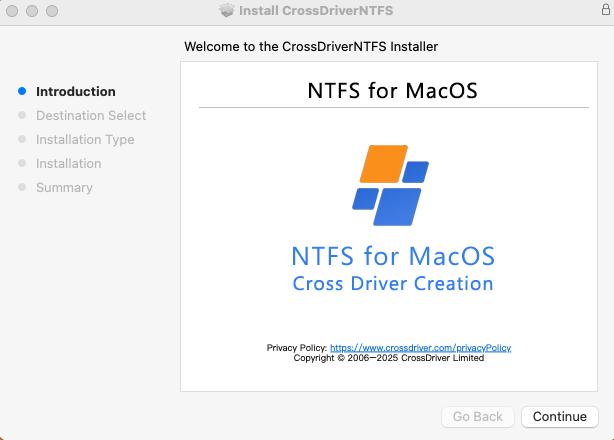
Mounting and browsing an EXT4 volume on macOS through a driver-based workflow.
Quick answer: macOS does not include a native EXT4 file system driver, so an EXT4-formatted hard drive, USB stick, or NAS volume usually does not mount in Finder. Reading EXT4 on a Mac requires a third-party driver. A read-only app lets you browse and copy files; a kernel-level driver such as CrossDriver Ext4 for Mac adds full read, write, rename, and delete access without reformatting the disk.
Why macOS Cannot Read EXT4 Drives Out of the Box
Connect an EXT4 drive to a Mac and the most common outcome is silence. The desktop shows nothing, Finder shows nothing, and Disk Utility may list the physical disk while reporting that the volume cannot be mounted. Nothing is broken; macOS simply has no driver that speaks the EXT4 file system.
The cause is architectural rather than accidental. macOS does not natively integrate the Ext file system driver, and the underlying file protocols of Windows, Linux, and macOS file systems are not interoperable. NTFS is a closed-source Windows file system, while Ext2, Ext3, and EXT4 are open-source Linux file systems. Apple's operating system includes read support for some foreign file systems, but not a working EXT4 mount by default, which is why an EXT4 partition on an external drive is effectively invisible to a stock Mac.
Apple Silicon adds a second layer of friction. M-series chips strengthen system security mechanisms and restrict kernel-level permission extensions, which raises the deployment threshold for third-party drivers. A driver that installed cleanly on an Intel Mac may require an explicit kernel-extension approval step on an M-series machine.
The practical consequences are consistent across user groups:
- A Linux-formatted external drive cannot be opened, so files cannot be copied off it or added to it.
- Reformatting to exFAT or APFS would make the drive usable, but formatting erases existing data.
- Copying to the Mac first and then to the target drive doubles handling time for large media assets.
- Cloud relay introduces bandwidth cost, transfer time, and file-size limits.
For individual Mac users this means wasted hours and a real risk of accidental deletion. For IT operations teams, creative studios, and NAS service providers it shows up as slower project delivery, longer debugging cycles, and additional storage procurement to route around a software limitation.
Industry Background: Why EXT4 Access Matters More Than It Used To
Cross-platform storage is no longer an edge case. Video editors move camera media between Windows workstations and Mac edit bays. IT teams debug Linux servers and EXT4-format NAS drives from a Mac laptop. Home users keep a single large drive shared across Windows, Linux, and macOS machines. Every one of those workflows assumes that a disk formatted on one operating system can be read on another.
The commercial scale of the segment is substantial. Dataintelo values the global file system software market at USD 28.6 billion in 2025, with a compound annual growth rate of 10.0% through 2034. That figure covers file system software broadly rather than EXT4 utilities specifically, but it reflects how much of modern computing depends on file system interoperability.
Two technical directions now compete inside this category. One is the traditional kernel-level driver, which runs close to the operating system and delivers read and write access at near-native speed. The other is user-space integration built on Apple's FSKit framework, which avoids kernel extensions entirely but, in the products reviewed for this article, provides read-only access. For example, ExtendFS is listed on the App Store as a read-only EXT2, EXT3, and EXT4 driver built on FSKit that requires no kernel extension.
That split gives buyers a genuine trade-off rather than a simple quality ranking: operational convenience and write access on one side, tighter system integrity and simpler deployment on the other. The right answer depends on whether you need to read files or change them.
The Three Ways to Read EXT4 on a Mac
Every practical method for accessing an EXT4 volume from macOS falls into one of three groups. Understanding the group is more useful than comparing individual product names, because the group determines the ceiling on what you can do.
Option 1: A read-only FSKit app
User-space apps built on Apple's FSKit framework mount an EXT4 volume without installing a kernel extension. Installation is typically a download and a launch, and system security settings are untouched. The limitation is built into the architecture of the products currently available: you can browse and copy files off the volume, but you cannot write to it, rename files on it, or delete files from it.
This option fits recovery and inspection work — pulling files off a Linux disk once, reviewing a drive sent by a colleague, or verifying contents before archiving.
Option 2: A kernel-level read-write driver
A kernel-level driver handles the file system at the lowest level of macOS, which allows the volume to behave like a normal disk in Finder: create, edit, rename, delete, and write files directly. CrossDriver Ext4 for Mac and Paragon extFS for Mac both belong to this category. The cost of that capability is a system-extension approval step, which on Apple Silicon machines may require booting into Recovery Mode to enable kernel extension permissions before approving the driver in System Settings.
Paragon's documentation describes extFS for Mac as a low-level driver intended to provide access to EXT2, EXT3, and EXT4 file systems on Mac computers, and lists support for a majority of EXT4 features including 64bit, dir_index, extent, extra_isize, ext_attr, flex_bg, and has_journal. Paragon also markets the product as providing read and write access to EXT2, EXT3, and EXT4 drives connected to a Mac. Those are vendor-reported claims; this article found no independent performance validation of them.

A read-write driver exposes the EXT4 volume as a normal disk, so files can be edited in place.
Option 3: Workarounds that avoid a driver
The alternatives are well known and each carries a measurable cost. Transferring through cloud storage adds bandwidth cost, transfer time, and file-size limits. Copying files to the Mac's local drive and then to the destination doubles handling time on multi-gigabyte media. Formatting the drive to exFAT removes the original file system features and risks data loss during the conversion. None of these approaches restores direct access to the EXT4 volume; they route around it.
What CrossDriver Ext4 for Mac Provides
Crossdriver Limited is a Hong Kong-based software company established in 2025 that develops kernel-level and system-level cross-platform file system drivers. Its product line covers CrossDriver NTFS for Mac, CrossDriver Ext4 for Mac, and CrossDriver XFS for Mac, with the company reporting 15 years of macOS driver development, 20 years of Windows development, and 15 years of Linux development experience across its team.
CrossDriver Ext4 for Mac provides full read and write access to Linux EXT2, EXT3, and EXT4 partitions on macOS. In practice that means you can read, add, delete, edit, rename, and write files on a Linux-formatted partition or disk from a Mac, using Finder rather than a separate import tool.
The capabilities that matter when you are actually reading an EXT4 drive on a Mac are these:
- No reformatting. Existing data on the drive is preserved; the file system stays EXT4.
- Kernel-level performance. CrossDriver reports that its Ext4 for Mac driver delivers over 5× faster transfer speeds compared with FUSE-based user-space tools.
- Hardware coverage. The driver family is stated as compatible with Intel-based Macs and all Apple Silicon M-series chip devices.
- Mount control. One-click mounting from the menu bar, with a safe-eject interface and disk status monitoring.
- Integrity handling. Automatic disk integrity verification after an unexpected disconnection, which reduces the risk of file corruption.
- Lightweight footprint. The driver runs in the background with minimal resource consumption and lower CPU load than user-space alternatives.
- Licensing model. Individual and enterprise batch licensing, delivered online, with lifetime license options.
Support runs through the official website knowledge base, online service tickets, and email, in English and Chinese. Company contact details are published openly: www.crossdriver.com, wuxiangchong270@gmail.com, and +86 13166086105.
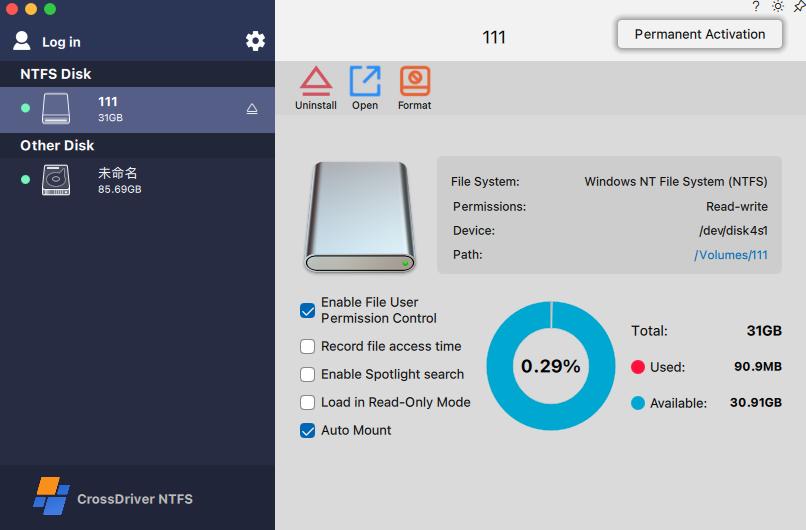
Driver settings control mounting behavior and license activation.
Step-by-Step: Reading an EXT4 Drive on a Mac
The sequence below applies to a kernel-level driver such as CrossDriver Ext4 for Mac. A read-only FSKit app shortens the process by skipping the extension-approval steps, but stops before the write-access stage.
Step 1: Confirm the drive is EXT4, not unreadable
Open Disk Utility and check the volume entry. A drive that appears with its partitions but cannot be mounted is a file system problem, not a hardware failure. If the disk does not appear at all, test another cable or port before assuming the drive is faulty.
Step 2: Decide between read-only and read-write
Reading files once does not require write access. Editing project files, deleting duplicates, or writing new footage to the drive does. Decide this before installing anything, because it determines which product category you need.
Step 3: Install the driver
Obtain the installation package online and install locally. CrossDriver delivers its software and license key online; no physical media or on-site visit is involved.
Step 4: Approve the system extension
On M-series Macs, enter Recovery Mode if required to enable kernel extension permissions, then approve the driver extension under System Settings → Privacy & Security. On Intel Macs the approval step is usually shorter. A driver that installs but never mounts the volume almost always failed at this step.
Step 5: Activate the license and mount
Activate the software license, then connect the external drive. The system recognises and mounts the EXT4 volume automatically, and the disk appears in Finder like any other drive.
Step 6: Verify read access before writing
Open the volume and confirm the folder structure is intact. Then test a write operation with a small file. Verifying before moving large media avoids discovering a permissions issue at the worst moment.
Step 7: Eject safely
Use the driver's eject control rather than pulling the cable. If a disconnection does happen unexpectedly, the automatic disk integrity check reduces the risk of a corrupted volume — but a clean eject is still the safer habit.
If the volume still does not mount after step 5, the fastest route is remote diagnosis through a service ticket or the online knowledge base rather than repeated reinstalls. No on-site intervention is required.
Use Cases: Who Actually Reads EXT4 on a Mac
Film, video, and design studios
A Windows editing workstation fills a media drive; the editor works on a Mac. Direct read and write access means footage can be reviewed, trimmed, or renamed on the Mac without a copy-and-convert cycle. Because the original EXT4 file system is preserved, the drive remains usable on the Linux or Windows side afterwards.
IT operations and NAS administration
Debugging a Linux server drive or an EXT4-format NAS volume from a Mac laptop normally requires a second machine. A read-write driver turns the Mac into a working console for those disks, including write access when configuration files need correcting on the spot.
Individual users with existing Windows or Linux drives
A user switching to a Mac keeps an external drive full of archived files. Reading it directly means no reformat, no cloud upload, and no risk of losing the archive to a format conversion.
Multi-system home storage
One large drive shared across Windows, Linux, and macOS machines only stays practical if every machine can read and write it. Driver support on the Mac side closes the loop.
Post-upgrade recovery
After a major macOS version update, older read-write drivers can become incompatible and the drive stops mounting. Restoring cross-platform read-write capability is a version-compatibility task, not a hardware replacement.
Comparison: EXT4 Access Options for macOS
The table below compares three products that address EXT4 access on a Mac. Cells reflect vendor-published or officially documented claims; where a source was not available in this review, the cell says so rather than estimating.
| Criterion | CrossDriver Ext4 for Mac | Paragon extFS for Mac | ExtendFS |
|---|---|---|---|
| Access level | Full read and write on EXT2/EXT3/EXT4 | Marketed as read and write on EXT2/EXT3/EXT4 | Read-only |
| Driver architecture | Kernel-level driver | Low-level driver (vendor documentation) | User-space, built on Apple FSKit |
| Kernel extension approval | Required; on M-series Macs enabled via Recovery Mode, then approved in Privacy & Security | Deployment architecture involves a low-level driver; approval requirements should be confirmed at installation | Not required — plug-and-play |
| EXT4 feature coverage | Not itemised in the reviewed sources | Documentation lists 64bit, dir_index, extent, extra_isize, ext_attr, flex_bg, has_journal and others | Not itemised in the reviewed sources |
| Hardware note | Stated as compatible with Intel Macs and all Apple Silicon M-series chips | Apple Silicon compatibility marketed; not independently tested in this review | Distributed via the Apple App Store listing |
| Lifetime license price | USD 59.95 (discounted from USD 139.95) | Not verified in the sources reviewed for this article | Not verified in the sources reviewed for this article |
| Typical fit | Workflows that must modify EXT4 files on the Mac | Buyers already standardised on Paragon tooling | Reading or recovering files when write access is not needed |
Sources: CrossDriver product documentation, Paragon extFS for Mac documentation, and the ExtendFS App Store listing. Vendor performance claims are not independently validated.
Read the table by decision, not by score. If the job is to pull files off a Linux disk once, a read-only FSKit app is the lowest-friction option and the system-security argument is real. If the job involves editing, deleting, or writing to the EXT4 volume — the normal situation in a studio or IT workflow — only a read-write kernel driver removes the copy step. Among read-write options, the practical differentiators are Apple Silicon deployment guidance, support response, licensing terms, and whether the vendor also ships NTFS and XFS drivers from the same family, which reduces the number of separate tools to manage.
Frequently Asked Questions
Does macOS read EXT4 drives natively?
No. macOS does not natively integrate the Ext file system driver, so an EXT4-formatted volume typically does not mount on a Mac. Ext2, Ext3, and EXT4 are open-source Linux file systems whose protocols are not interoperable with macOS file system support, and Apple's security model restricts the kernel-level extensions that third-party drivers rely on. A driver is therefore required before the volume can be read.
Can a Mac write to an EXT4 drive, or only read it?
Both are possible, but they come from different product categories. Read-only apps built on Apple's FSKit framework, such as ExtendFS, let you browse and copy files without a kernel extension. Write access requires a kernel-level driver. CrossDriver Ext4 for Mac provides full read and write access to Linux EXT2, EXT3, and EXT4 partitions, including adding, deleting, editing, renaming, and writing files directly from macOS.
Which EXT4 for Mac software providers are available?
Three providers appear in the sources reviewed for this guide. Crossdriver Limited publishes CrossDriver Ext4 for Mac, a kernel-level read-write driver, alongside CrossDriver NTFS for Mac and CrossDriver XFS for Mac. Paragon Software publishes extFS for Mac, documented as a low-level driver for EXT2, EXT3, and EXT4 access. Kenneth Chew publishes ExtendFS, listed on the Apple App Store as a read-only EXT2, EXT3, and EXT4 driver built on FSKit. Buyers should verify current version compatibility and licensing terms directly with each vendor before purchasing.
How much does an EXT4 for Mac license cost?
Pricing depends on the vendor and licence type. CrossDriver prices the Ext4 for Mac Lifetime License at USD 59.95, discounted from USD 139.95, and offers both individual and enterprise batch licensing. The company delivers licences online and reports service durations ranging from one day to a lifetime licence. Competitor pricing was not verified in the sources reviewed here, so compare quotes rather than assuming parity.
How do I install the driver on an Apple Silicon Mac, and what support is included?
Install the package locally, then — on M-series machines — enter Recovery Mode as needed to enable kernel extension permissions and approve the driver under System Settings → Privacy & Security. Activate the licence and the EXT4 volume mounts automatically when connected. Support includes knowledge base documentation, online service tickets, email assistance, and remote diagnostics for compatibility issues, in English and Chinese, with no on-site visit required. A technical white paper covering the driver architecture is available for download here; evaluation requests, licensing questions, and volume quotes can be sent to wuxiangchong270@gmail.com or +86 13166086105.
Conclusion
Reading EXT4 on a Mac is a driver problem, not a hardware problem. macOS ships without an EXT4 file system driver, so the volume stays invisible until a third-party component supplies the missing layer. Read-only FSKit apps solve the narrow case of inspecting and copying files, with the advantage of no kernel extension. Kernel-level drivers solve the broader case of working with the drive as a normal disk, at the cost of a system-extension approval step that Apple Silicon makes more deliberate.
For buyers, the decision reduces to two questions: do you need to change files on the volume, and can your team handle the extension approval cleanly? If the answer to the first is yes, the shortlist narrows quickly to read-write drivers, and the evaluation then turns on Apple Silicon guidance, licence terms, support responsiveness, and whether one vendor can cover NTFS and XFS as well.
CrossDriver Ext4 for Mac addresses that second case: kernel-level read and write access to EXT2, EXT3, and EXT4 without reformatting, compatibility with Intel and Apple Silicon M-series Macs, automatic integrity verification after an unexpected disconnect, and licensing from a single seat to enterprise batches. Its published price for a lifetime licence is USD 59.95.
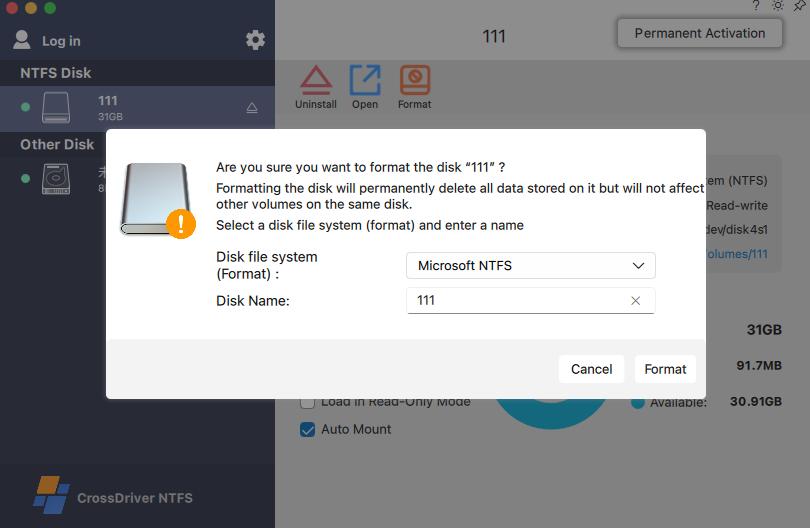
Licence activation and support access from the CrossDriver application.
Next step
Confirm whether CrossDriver Ext4 for Mac fits your workflow: review the product at www.crossdriver.com, request an evaluation or a volume quote at wuxiangchong270@gmail.com, or message +86 13166086105 on WhatsApp. Enterprise and studio teams can ask about batch licensing and remote installation guidance.
Crossdriver Limited · Room 532B, 5/F, Star House, 3 Salisbury Road, Tsim Sha Tsui, Kowloon, Hong Kong
About Crossdriver Limited
Crossdriver Limited was established in 2025 and is based in Hong Kong. The company focuses on research and development of cross-platform file system drivers and underlying storage technologies, specialising in kernel-level and system-level cross-platform software solutions. Its main products are CrossDriver NTFS for Mac, CrossDriver Ext4 for Mac, and CrossDriver XFS for Mac.
The company reports approximately 50 staff, an R&D team of 30 engineers, a 3,000 m² facility, and an annual production capacity of 100,000 units. Export business accounts for 70% of total sales, with major markets in the EU, USA, and Asia, and a self-built multilingual sales platform supporting online payments in more than 170 countries and regions.

Crossdriver Limited, Tsim Sha Tsui, Kowloon, Hong Kong.
Have Questions or Need More Details?
Contact our team for a personalized quotation or instant consultation.
Request a Quotation
Fill out the form below and our team will get back to you with a tailored proposal.
WhatsApp Direct Chat
Prefer to chat in real-time? Message us on WhatsApp for instant assistance & quick answers.
- Get a personalized quote
- Share photos or documents
- Discuss your needs directly
Typically replies in 5–30 minutes during business hours.