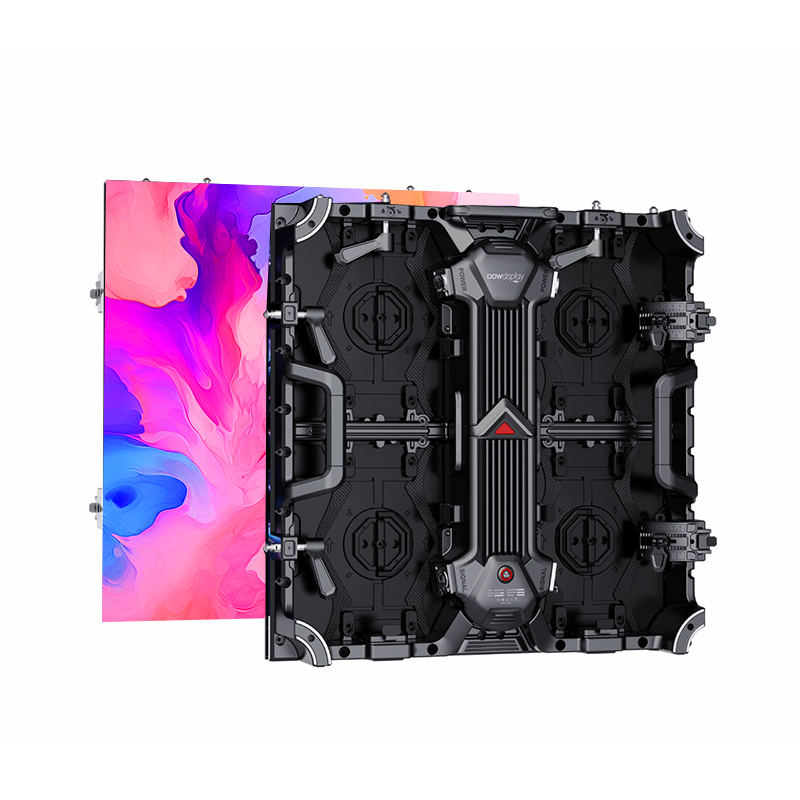
Rental LED Screen Technical Guide: How to Configure Pixel Pitch and Cabinet Specifications
Two specifications decide whether a rental LED screen is simple or expensive to build on site: pixel pitch and cabinet size. Pixel pitch fixes the closest viewing distance at which the image still holds together, and it sets how camera-friendly the wall is. Cabinet size fixes how many physical parts your crew handles, how the wall breaks down into road cases, and how long load-in and load-out take. This guide works through both decisions using the verified specifications of the DDW DISPLAY D Series and A Series rental LED screens.
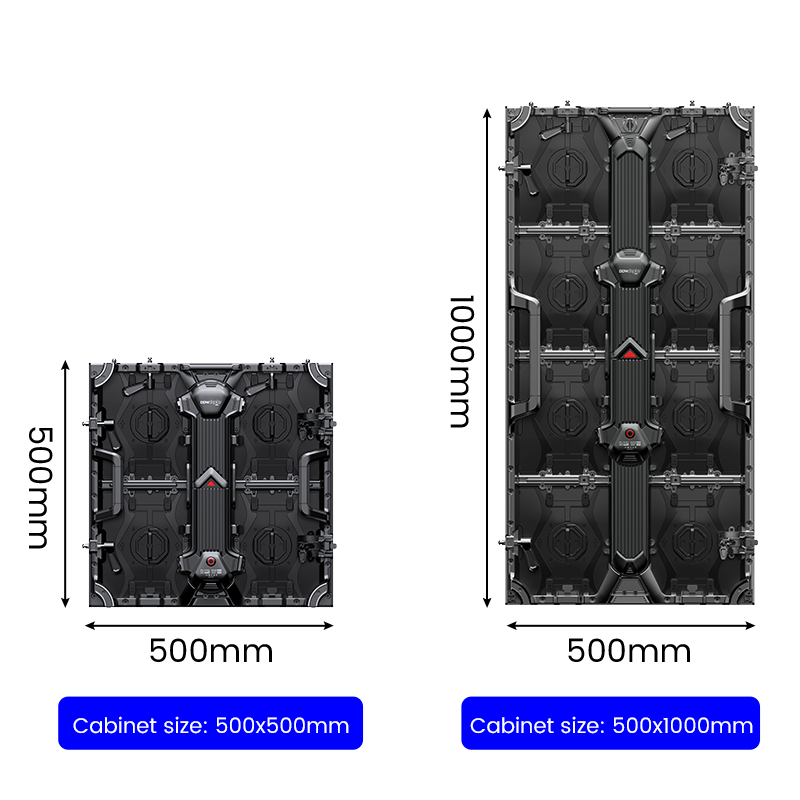
DDW DISPLAY (Shenzhen DDW Technology Co., Ltd.) is an LED display manufacturer founded in 2012, operating a 10,000 m² production facility in Shenzhen with a 15-engineer R&D team and an export ratio above 95%. Its rental range covers a single-format cabinet platform (D Series, 500 × 500 mm) and a dual-format platform (A Series, 500 × 500 mm and 500 × 1000 mm). That difference is what makes the two ranges a useful working example for anyone configuring a rental wall.
Problem Definition: Why Rental Specifications Get Re-Decided On Site
Rental LED specifications are normally fixed before the site is fully known. A quotation is issued against a stage plan, a truck pack and a camera position that can all change between the bid and the load-in. When that happens, pitch and cabinet format are the two decisions that are hardest to walk back, because together they define the pixel grid and the physical part count of the entire wall.
Three failure patterns repeat across event production projects:
- The pitch is set from the back of the room. A wall specified for the farthest seat looks soft to the front row, the camera operator and the client brand team, who inspect the screen from a few metres away during rehearsal.
- The cabinet format is set from the truck rather than the wall. A larger cabinet reduces part count on a flat 18 m² backdrop, but it constrains a stepped or curved build that has to follow a set design.
- The refresh rate is treated as a checkbox. Flicker, scan lines and moiré only become visible once the wall is on camera, and by then the processor and the cabinet order have already been placed.
The practical correction is to treat pixel pitch and cabinet format as two separate decisions with two separate inputs. Pitch comes from viewing geometry and the camera plan. Cabinet format comes from wall geometry and crew logistics.
Industry Background: Why Specification Discipline Compounds
The global LED display market is projected to reach USD 20.73 billion in 2026 and USD 26.98 billion by 2031, according to Mordor Intelligence's LED display market forecast. Rental inventory sits inside that total as a capital asset: a rental panel is purchased once and then transported, rigged, struck and re-rigged for years.
That has a direct specification consequence. In a fixed installation, a marginal increase in cabinet count is paid once, as installation labour. In rental, every additional cabinet is a part that is handled, cased, loaded, hung, struck and inspected at every single event — and a part that can be dropped, bent or lost. Cabinet format decisions therefore compound across the life of a fleet in a way that fixed-installation decisions do not.
The same logic applies to compliance. A rental wall crosses borders repeatedly, so certification documentation has to travel with the product rather than being resolved once at a permanent installation site.
Detailed Solution: Configuring Pixel Pitch and Cabinet Size
Pixel pitch: set the ceiling from the nearest viewer, then check the camera
Pixel pitch is the centre-to-centre distance between two adjacent LED pixels. It defines pixel density, and pixel density defines the closest distance at which an image still reads as a continuous picture rather than a visible grid.
Reference selection guidance is consistent on the bands. Fine-pitch LED displays — described in typical guidance as P1.25, P1.53 and P1.86 class products — are generally more suitable for close-viewing indoor applications such as conference rooms, control rooms, showrooms and premium retail spaces. P2.6 to P3.91 configurations are commonly considered for stages, exhibitions, events and medium-distance viewing. Outdoor advertising viewed from longer distances can use larger pitches again.
The two DDW DISPLAY rental platforms map onto those bands as follows:
- D Series — five pixel pitch options: P1.56, P1.95, P2.604, P2.97 and P3.91.
- A Series — four pixel pitch options: P2.5, P2.604, P2.97 and P3.91.
The first practical constraint therefore appears immediately: if the show needs a pitch finer than P2.5, the D Series is the platform that covers it, and the D Series is a 500 × 500 mm cabinet format only. If the show can work at P2.6 or coarser, the A Series becomes available, and with it the option of a 500 × 1000 mm cabinet.
| Pixel pitch | Nominal resolution per 500 × 500 mm cabinet (calculated) | Nominal resolution per 500 × 1000 mm cabinet (calculated) | Platform availability |
|---|---|---|---|
| P1.56 | 320 × 320 | Not offered | D Series |
| P1.95 | 256 × 256 | Not offered | D Series |
| P2.5 | 200 × 200 | 200 × 400 | A Series |
| P2.604 | 192 × 192 | 192 × 384 | D Series, A Series |
| P2.97 | 168 × 168 | 168 × 336 | D Series, A Series |
| P3.91 | 128 × 128 | 128 × 256 | D Series, A Series |
Refresh rate: set from the camera plan, not the venue
Refresh rate determines how many times per second the LED driver rewrites the image. In rental work it matters for two reasons: it governs how smooth motion appears to the audience, and it governs whether the wall behaves on camera.
- D Series — refresh rate up to 7680 Hz. High refresh rate technology reduces flicker, scan lines and moiré effects, which is the condition that makes a wall usable for broadcast, live streaming and camera shooting.
- A Series — refresh rate up to 3840 Hz. High refresh rate performance delivers smooth images and stable display effects for broadcasting and live events.
The decision rule is straightforward. If the wall will be filmed, streamed or photographed — including IMAG to a side screen — specify the higher refresh option. If the wall is purely audience-facing, 3840 Hz class performance is normally adequate.
Cabinet format: set from wall geometry and crew logistics
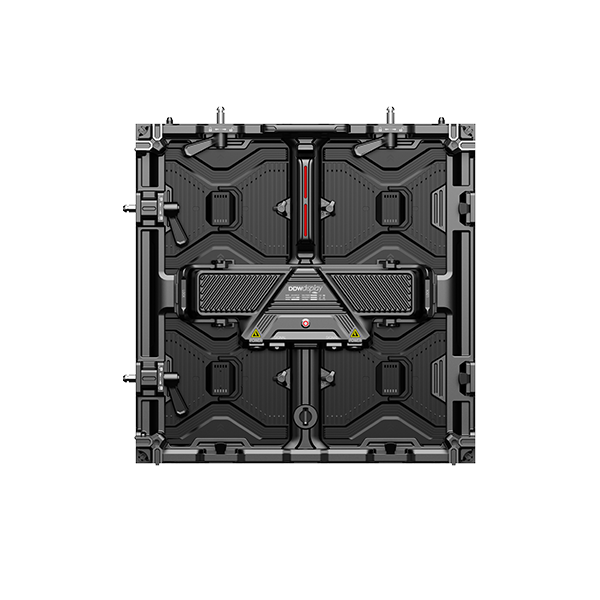
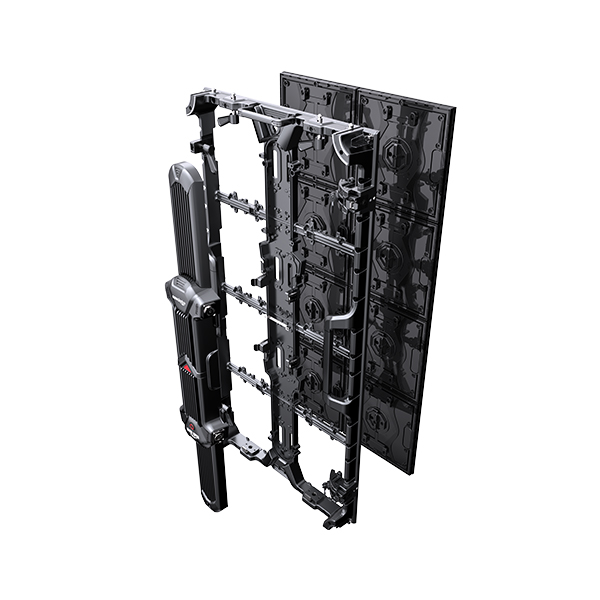
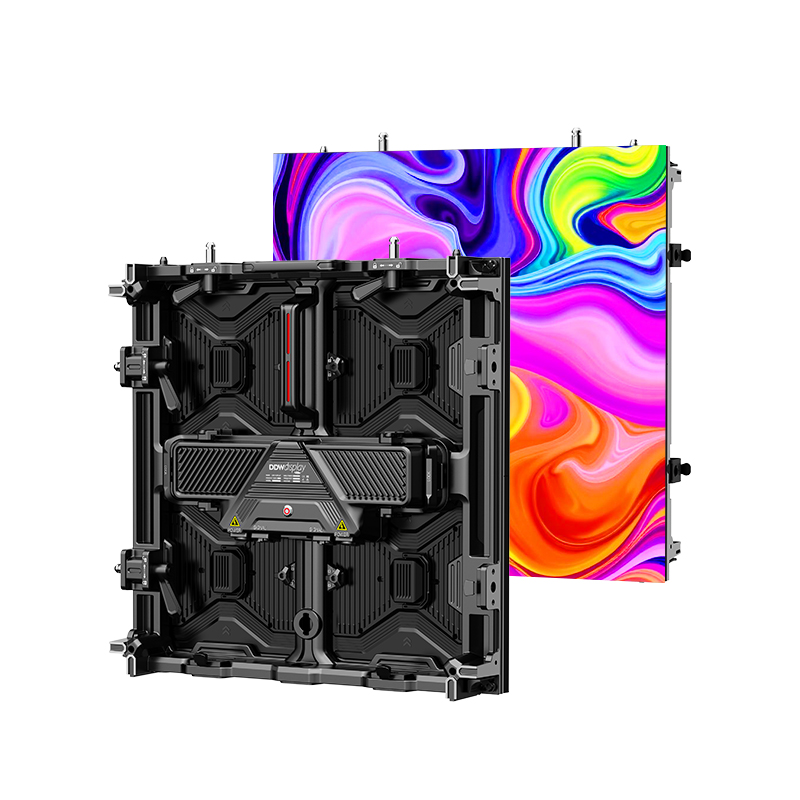
Both platforms use die-casting aluminum cabinets with a high-strength aluminum structure. That construction contributes to high flatness, seamless splicing and consistent colour performance across a large LED video wall. Both platforms support hanging installation and stacking installation, and both support front and rear maintenance.
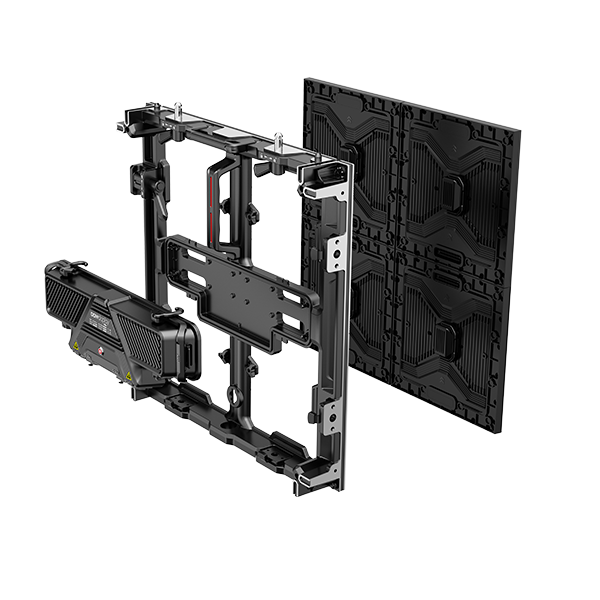
The difference between the two platforms is the format itself:
- D Series — every cabinet is 500 × 500 mm. One format means one spare part, one rigging procedure and one case type across the whole fleet. It also gives the finest granularity when a wall has to follow a stepped, angled or irregular set design, and the D Series supports curved installation and corner connection in addition to hanging and stacking.
- A Series — 500 × 500 mm and 500 × 1000 mm cabinets. Because both formats share the same 500 mm width, they sit on the same horizontal grid, and the 1000 mm cabinet simply covers two rows of that grid.
Worked example: an 18 m² wall measuring 6 m × 3 m. Built entirely from 500 × 500 mm cabinets, it requires 12 columns × 6 rows, or 72 cabinets. Built from 500 × 1000 mm cabinets, the same 6 m × 3 m wall requires 12 columns × 3 rows, or 36 cabinets. That halves the cabinet count, the lock count, and the number of horizontal seams the crew has to align under time pressure.
The trade-off is granularity. A half-height cabinet is what lets a wall step around a stage riser, follow a curved header, or leave a clean opening for a set piece. The practical approach in most rental fleets is to hold both formats and treat the 500 × 1000 mm cabinet as the default for large flat surfaces, reserving 500 × 500 mm cabinets for edges, returns and irregular geometry. Where a build mixes formats, confirm with the manufacturer that the specific pitch and configuration are supported for that order.
Environmental rating and brightness: set from the venue, not the calendar
Both platforms are offered in indoor and outdoor configurations.
- D Series (outdoor version) — IP65 protection rating, with brightness up to 5000 nits.
- A Series (outdoor version) — IP65 protection on both front and rear, with brightness up to 4500–5000 nits.
Both platforms specify a viewing angle of H160° / V140°, which matters for side-fill positions and for arenas where the audience wraps around the stage.
A selection note that applies to any outdoor rental order: high brightness is specified for sunlight visibility, and IP65 covers waterproof and dustproof protection, but the rating only holds if cable entries, connectors and cabinet seals are correctly installed and maintained. Outdoor LED products should be checked for waterproof and performance integrity before shipment, and connectors, seals, modules, power supplies and drainage paths should be inspected after each outdoor run. If water ingress does occur, disconnect power safely and inspect the affected components before restarting the display.
Maintenance access: set from where the crew can actually stand
Both the D Series and the A Series support front and rear maintenance. In a stacked stage build, the rear of a wall is often a walkway. In a wall flown against a hard set piece, it is not. Confirming maintenance direction at the specification stage is considerably cheaper than discovering it at the first module failure.
Step-by-Step Breakdown: A Configuration Workflow
- Define the nearest viewing position. Measure the closest audience seat, the camera track and the client walkway. The nearest position, not the average, sets the pitch ceiling.
- Select the pitch band. Map that distance against the documented bands: fine pitch for close viewing, P2.6–P3.91 class for stages, exhibitions and medium-distance events. Where the distance sits between bands, use the resolution table above to check cabinet-level resolution against the required content resolution.
- Check the pitch against platform availability. Pitches finer than P2.5 are covered by the D Series only. P2.5 is covered by the A Series. P2.604, P2.97 and P3.91 are covered by both platforms.
- Decide on camera exposure. If the wall is filmed, streamed or photographed, specify the D Series 7680 Hz refresh option. If it is audience-facing only, 3840 Hz class performance is typically sufficient.
- Choose the cabinet format from wall geometry. Large flat surfaces favour 500 × 1000 mm cabinets. Stepped, curved, cornered or irregular geometry favours 500 × 500 mm cabinets. Because the 500 × 1000 mm format is an A Series option, step 3 and step 5 interact.
- Confirm indoor or outdoor configuration. Outdoor builds require IP65 configuration and the corresponding brightness level. Confirm the exact rating for the version being quoted, on both front and rear faces.
- Confirm compliance documents for every market on the tour. CE-EMC, CE-LVD and EU RoHS 2.0 for the EU/EEA; FCC Supplier's Declaration of Conformity for the United States. Keep copies with the fleet rather than with the office.
- Confirm maintenance direction and delivery window. Agree front or rear access against the actual rigging plan, and confirm the delivery date against the show calendar.
Use Cases: How the Two Platforms Land in Real Projects
Indoor stage backdrop — A Series P3.91, 6 m × 2 m (12 m²). An event organiser and rental production company deployed a 12 m² A Series P3.91 indoor rental LED display as a stage backdrop for live performances and multimedia content playback. The build used the A Series modular rental structure at a pitch suited to medium-distance audience viewing, with the wall flown as a backdrop behind the performance area. This is the classic case where a mid-band pitch and a fast-building rental cabinet matter more than close-range image detail.
Exhibition and showroom platform — A Series P1.95, 80 m². An exhibition hall operator installed an 80 m² A Series P1.95 indoor LED display for product demonstration, brand promotion and multimedia content presentation, using the 500 × 500 mm cabinet at a fine pitch that holds detail for visitors standing close to the screen. Here the pitch decision is driven by the nearest visitor, and the cabinet decision is driven by a large flat wall that benefits from a modular, uniform format.
Where the D Series format is the correct answer. A touring production that needs a pitch below P2.5 — for example a P1.56 or P1.95 front-of-stage wall shot at close range on camera — is working within the D Series range, and therefore within a single 500 × 500 mm cabinet format. In that case the fleet planning task shifts from format selection to inventory depth: one cabinet type, one spare, one case, plus the curved installation and corner connection capability the D Series supports.
Comparison Table: D Series vs A Series Rental LED Screens
| Specification | D Series | A Series |
|---|---|---|
| Product type | Indoor & outdoor rental LED screen | Indoor & outdoor rental LED screen |
| Pixel pitch options | P1.56, P1.95, P2.604, P2.97, P3.91 | P2.5, P2.604, P2.97, P3.91 |
| Cabinet size | 500 × 500 mm | 500 × 500 mm / 500 × 1000 mm |
| Cabinet material | Die-casting aluminum, high-strength aluminum structure | Die-casting aluminum |
| Refresh rate | Up to 7680 Hz | Up to 3840 Hz |
| Brightness (outdoor version) | Up to 5000 nits | Up to 4500–5000 nits |
| Viewing angle | H160° / V140° | H160° / V140° |
| Protection rating (outdoor version) | IP65 | IP65 front & rear |
| Maintenance | Front & rear maintenance | Front & rear maintenance |
| Installation | Hanging & stacking; curved installation and corner connection supported | Hanging & stacking; curved installation and creative configurations supported |
| Typical fit | Fine-pitch stage and studio walls shot at close range on camera; irregular or curved set geometry | Large flat event and exhibition walls where cabinet count, build speed and fleet logistics dominate |
Frequently Asked Questions
1. What certifications should I confirm before a rental LED screen ships to the EU or the US?
The required certification set depends on the destination market and the specific product configuration, and buyers should confirm which certificates apply to their exact model before ordering. For the EU/EEA, the documented compliance set for LED display products includes CE-EMC (Certificate of Conformity BKC25062531FC, issued by Shenzhen BKC Testing Co., Ltd., valid from 2025-07-01 to 2030-07-01, assessed against EN 55032:2015+A11:2020+A1:2020, EN IEC 61000-3-2:2019+A1:2021+A2:2024, EN 61000-3-3:2013+A1:2019+A2:2021 and EN 55035:2017+A11:2020), CE-LVD under Directive 2014/35/EU (certificate HXTS2506230030001-1, standard EN IEC 62368-1:2020+A11:2020, valid from 2025-06-27 to 2030-06-27), and EU RoHS 2.0 (certificate HXTS2506230030007-1, Directive 2011/65/EU as amended by EU 2015/863/EU). For the United States, the FCC Supplier's Declaration of Conformity BKC25062532FC-R1 applies, under FCC Part 15 Subpart B, tested to ANSI C63.4:2014. Manufacturing quality management is covered by ISO 9001:2015 / GB/T 19001-2016 certificate 12824Q21369R0S, valid until 2027-10-09. Importers should also confirm the applicable tariff heading with their customs broker; LED displays are generally classified under HS 852859, the UN Statistics Division heading covering monitors other than cathode-ray tube.
2. Can pixel pitch, cabinet size and cabinet structure be customized for a rental fleet?
Yes. DDW DISPLAY operates as an OEM/ODM manufacturer with project-based custom LED display manufacturing. The stated customization scope covers pixel pitch, LED module size, cabinet size, cabinet structure, display shape, brightness level, refresh rate, installation method, control system, logo branding, colour calibration, power solution and mechanical design. Minimum order quantity is 1 unit or project-based. Monthly production capacity is 8,000 m², and quality control includes 100% product inspection, aging test, module testing, brightness and colour calibration, waterproof test, power safety test and performance inspection before shipment.
3. What actually drives the cost difference between a P1.56 wall and a P3.91 wall?
Cost in a rental LED screen is driven primarily by component population per square metre. A smaller pixel pitch requires more LEDs, more driver ICs and a denser circuit board for the same physical area. In the D Series, the nominal cabinet-level resolution moves from 320 × 320 pixels per 500 × 500 mm cabinet at P1.56 to 128 × 128 pixels at P3.91 — roughly six times the pixel count for the same cabinet footprint. Refresh rate and brightness configuration, cabinet material and format, and the control system also affect the overall configuration cost. The practical rule is to specify the coarsest pitch that still satisfies the nearest viewing distance and the camera plan, rather than defaulting to the finest available pitch across an entire fleet.
4. Can we evaluate a sample cabinet before committing to a full fleet?
Yes. The stated minimum order quantity is 1 unit or project-based, which allows a sample cabinet or a small evaluation set to be ordered before a fleet decision. A sample evaluation is the point at which a technical director can physically check flatness and seam alignment, quick-lock action, module handling, front and rear service access, and cabinet finish — the factors that determine whether a format will survive repeated touring. Production quality control includes 100% product inspection, aging test, module testing, brightness and colour calibration, waterproof test and power safety test before shipment, so a sample review should be assessed against those same criteria. To arrange a sample or a project quotation, contact DDW DISPLAY directly.
5. What is the lead time and production capacity for a rental LED order?
Standard products are quoted at 15–30 days lead time. Customized projects depend on product design, order quantity and technical requirements, so the delivery window should be confirmed at quotation stage rather than assumed. Monthly production capacity is 8,000 m², which is the figure to check against your show calendar when a fleet order covers multiple pitches or cabinet formats. For a specific delivery date, a bill-of-materials review, or the DDW DISPLAY LED display catalogue, contact Steven at WhatsApp / WeChat / Mobile +86 134 1755 8100 or email info@ddw.net, and include the wall dimensions, viewing distance, indoor or outdoor use and camera requirements in the first message.
Conclusion
Pixel pitch and cabinet size are the two rental LED screen specifications that carry the highest switching cost once a show is committed. Pitch should be set from the nearest viewing position plus the camera plan; cabinet format should be set from wall geometry plus crew logistics. In the DDW DISPLAY rental range, that produces a clean decision boundary: pitches finer than P2.5 are available on the D Series with its single 500 × 500 mm format, while P2.6 and coarser open up the A Series and its 500 × 1000 mm cabinet option for large flat surfaces. Refresh rate then follows the camera plan — up to 7680 Hz on the D Series, up to 3840 Hz on the A Series — and IP65 configuration follows the venue whenever the wall goes outdoors.
Get those four decisions in the right order, and the rest of the rental specification — processor, rigging, spares and cases — falls into place around them.
Plan Your Rental LED Configuration with DDW DISPLAY
DDW DISPLAY manufactures rental LED screens, indoor fine pitch LED displays, outdoor LED displays, COB LED displays and XR virtual production LED walls, exporting to more than 120 countries and regions since 2012.
Send us your wall dimensions, nearest viewing distance, camera plan and indoor/outdoor requirement, and we will confirm the recommended pixel pitch, cabinet format and refresh rate configuration.
Contact: Steven — WhatsApp / WeChat / Mobile: +86 134 1755 8100 | Email: info@ddw.net | Website: www.ddw.net
Download the full LED display catalogue 2026: DDW LED Display catalog 2026 (PDF)