Inkjet Printer Technical Guide: Print Height, Speed, Distance and Ink
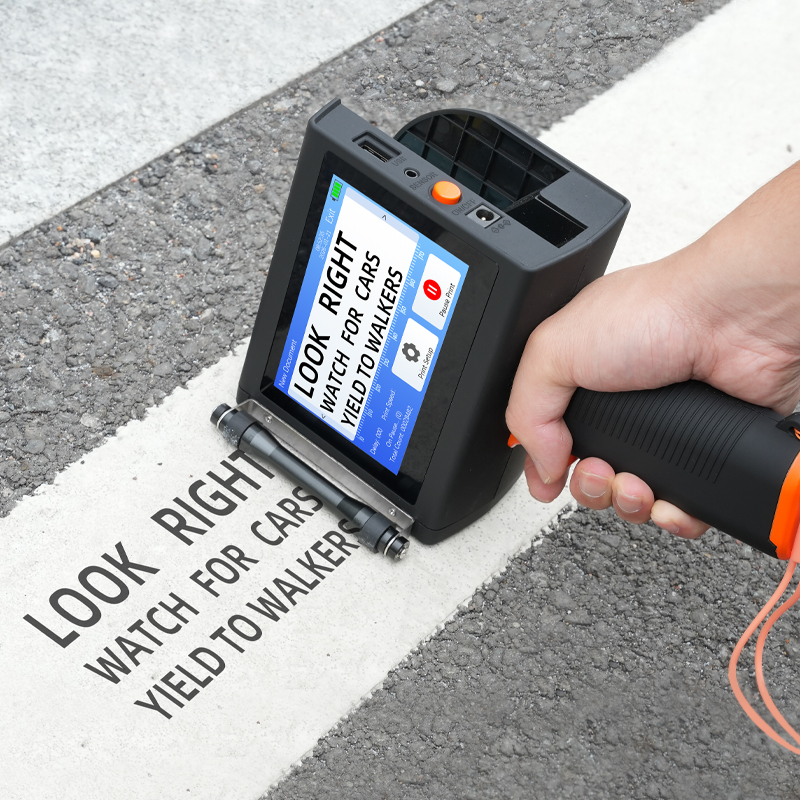
DEMIN H50 handheld inkjet printer: 2–50 mm print size, 2–5 mm optimal print distance, 60 m/min print speed.
Print height, line speed, print distance and ink chemistry are the four values that decide whether an inkjet printer will hold a legible code on your line at your throughput. Quoted on their own, each one looks like a simple bigger-is-better number. Put together, they define a narrow working window — and most specification mistakes come from reading them separately.
The fastest way to see the trade-off is to compare two machines from the same range. The DEMIN P70 piezoelectric inkjet printer is rated at a 5–72 mm print height, a 1–100 m/min print speed, a 2–15 mm print distance, and support for water-based, UV and oil-based ink, operating between 0 °C and 50 °C at 10% RH to 90% RH. The DEMIN H50 handheld inkjet printer is rated at a 2–50 mm print size, a 2–5 mm optimal print distance and 60 m/min. Neither set is better than the other. They are different windows, and the specification task is to find the one that contains your product, your line and your substrate.
The Specification Problem: Four Numbers That Compete
Four habits account for most parameter mismatches in coding-line projects:
- Specifying on maximum print height. A 72 mm ceiling on the P70 describes the full nozzle band in one pass. It does not, on its own, tell you whether a multi-line layout that includes a 2D code stays legible at that height, because resolution and content density decide that.
- Specifying on maximum line speed. A 100 m/min rating is a property of the machine, not of the job. The same head printing a dense block of text at 100 m/min is processing far more content per second than the same head printing a single date line.
- Mounting at the far end of the distance range. The P70 sheet gives 2–15 mm as a printing distance. Setting the bracket at 15 mm merely because the range allows it spends all of the margin that product variation will need later.
- Choosing ink by colour instead of by substrate. A six-colour palette answers which colour, not which chemistry on this surface. Water-based, UV and oil-based inks are different products, and substrate support is stated at material level.
The common structure behind all four is that a datasheet reports the outer limit of each parameter separately. The buyer's task is to find the intersection, and that intersection is what a sample print has to prove.
Industry Background: Why These Parameters Are Tested at Volume
Industrial coding sits inside a printing market that is still expanding. Grand View Research estimates the global inkjet printer market at USD 45.2 billion for 2025 and USD 48.0 billion for 2026, across industrial, consumer and desktop segments. Global Market Insights sizes the industrial segment specifically at USD 5.6 billion in 2025 and attributes 26% of that demand to food and beverage. The two figures cannot be added or compared, because they use different scope definitions, but together they establish the context: coding equipment is widely deployed and bought repeatedly.
Technology mix matters for parameter selection. Grand View Research places continuous inkjet (CIJ) at 38.4% of the inkjet market by revenue in 2025, which reflects how much industrial marking still runs on continuous systems. Thermal inkjet units — the architecture behind the handheld and online models discussed here — and piezoelectric machines such as the P70 compete on different terms: cartridge-based simplicity and simpler maintenance on one side, continuous-duty throughput on the other. Smithers projects that Asia Pacific will draw level with North America on inkjet volume by 2026 and lead by 2031, which is consistent with the concentration of packaging and consumer-goods production in that region.
Within that context, the parameters in this guide are not decorative. A packaging line running three shifts repeats the same code on every unit it produces, and a 1 mm error in print distance or a marginal ink-to-substrate match becomes a rework cost that accumulates across the year.
Detailed Solution: Reading the Four Parameters Together
Before the individual numbers, the dependencies are worth stating plainly, because they explain why a specification has to be validated as a set rather than as four separate purchases.
Height and resolution together determine how much content fits. The P70 addresses a 5–72 mm band with 510 nozzles on a Seiko 510 head and prints at 180 dpi. The P70 Pro uses the same 5–72 mm height and the same 1–100 m/min speed but prints at 360 dpi on a Seiko 1020 head. For a given height, the higher-resolution head resolves finer detail, which is what QR codes, DataMatrix codes and small batch text depend on.
Speed and resolution interact through firing behaviour. The P70 family fires at 8.29 kHz with a 35 picoliter drop and 20 W power consumption. In general terms, the faster the substrate moves past a fixed head, the fewer drops land per unit of length, so the effective quality of a fixed-resolution print declines as line speed climbs toward the top of the range unless the content is simplified or the head is changed.
Distance and speed interact through flight time. A drop travelling 15 mm is exposed to air movement and line vibration for longer than one travelling 2 mm, and that exposure shows up as edge fuzz on small characters. The handheld and online models publish 2–5 mm as an optimal distance; the P70 publishes a 2–15 mm printing distance without separating an optimal value, so on the P70 the mounting gap has to be established during sample testing.
Ink and substrate interact through adhesion and drying. The parameter sheets list which materials can be printed and which ink chemistries are supported, but they do not publish a chemistry-to-substrate mapping. That gap is the single largest source of failed first installations.
Print Height: 5–72 mm on the P70, 2–50 mm on the H50
Print height is the vertical extent the head can address in a single pass. It is a ceiling for the whole artwork, not for one character. On the P70 and P70 Pro the ceiling is 5–72 mm. On the H50 handheld it is a 2–50 mm print size. The M10 handheld is rated at 2–25.4 mm, and the S10 and L10 online models at 2–12.7 mm.
The practical consequence is arithmetic. A three-line block of 10 mm characters plus a 15 mm 2D code does not fit inside a 12.7 mm band at all, and it fits inside a 72 mm band with room to spare. That single calculation is usually what separates the S10/L10 class from the P70 class in a real project: the online models place a compact line or a short block onto a fast conveyor, while the P70 addresses taller layouts at a comparable speed range.
Two cautions belong with the height figure. First, the top of the height range and the top of the speed range should not be combined without validating the specific content. Second, a taller print at the same resolution spreads the same nozzle rows over more vertical space, so detail density changes even when the nominal resolution does not.
Print Speed: 60 m/min, 100 m/min and 120 m/min Mean Different Things
Line speed is the parameter most often compared across machines that are not comparable. In this range it is quoted as 1–100 m/min for the P70 and P70 Pro, 120 m/min for the S10 and L10 online models, and 60 m/min for the M10 and H50 handheld units.
The handheld figure is a hand-motion rating: the operator moves the unit across the surface, and 60 m/min is the ceiling at which the output stays usable. On an online installation the figure is set by the conveyor. The S10 and L10 publish 120 m/min alongside a 2–12.7 mm print height and 300–600 dpi resolution, so that speed belongs to that configuration, not to an arbitrary job. The P70 publishes 1–100 m/min alongside a 5–72 mm height and 180 dpi, which is a different position on the same trade-off curve.
Reading 120 m/min as roughly twice 60 m/min, or 100 m/min as worse than 120 m/min, skips the content and the height that each number is attached to. The correct question is which combination of height, content density and speed covers the product you actually run.
Print Distance: 2–5 mm Optimal and 2–15 mm Working Range
Print distance is the gap between the nozzle face and the substrate. The H50, M10, S10 and L10 sheets all state a 2–5 mm optimal printing distance. The P70 sheet states a 2–15 mm printing distance.
The cost of running outside the optimal band is legibility, and it fails in both directions. Below the minimum, the risk is physical contact with the product, a guide rail or a raised carton flap. Above it, the drop stays in the air long enough for line vibration and air movement to shift its landing point, which appears as fuzzed edges on small characters and unreadable modules on 2D codes.
Mounting practice follows from the numbers. Set the bracket so that normal product variation moves the gap toward the middle of the optimal band rather than toward the minimum. On the P70, where the sheet gives a working range rather than an optimal value, fix the gap during sample testing with the real substrate, then record it on the line documentation so that a later mechanical change does not silently alter it.
Ink Selection: Water-Based, UV and Oil-Based in Six Single Colours
The P70 and P70 Pro accept water-based, UV and oil-based ink, delivered through a negative pressure ink supply system. Colour output is single-colour: the printer prints one colour at a time and does not print in multiple colours simultaneously. Six ink colours are available — red, yellow, blue, green, black and white — and the M10, S10 and L10 parameter sheets additionally list an invisible ink option.
That architecture has a direct specification consequence. A label needing a black lot code and a red warning mark is either two print passes or two units. Because the cartridge is a user-replaceable part, a colour change is a mechanical operation, and DEMIN's installation guidance requires the power to be switched off before a TIJ cartridge is installed or removed; the cartridge must not be pulled while the device is powered on.
Substrate compatibility is stated at material level, not at chemistry level. The printer is suitable for printing on carton, plastic, metal, glass, wood and woven fabric, and the P70 sheet lists boards, cartons, pipes, cables, metals and plastics among printable substrates. The sheets do not publish which of the three ink types belongs on which of those surfaces at which speed, so the match has to be confirmed with a sample print rather than inferred from a table.
Where a mapping is not published, the practical rule is to test the surface as it actually arrives on the line: a corrugated carton with its liner, coating and moisture content, not a flat sheet of board. DEMIN's carton-packaging application notes make the requirement explicit — stable printing in a high-temperature workshop, multi-language font output, and ink with strong adhesion for corrugated carton surfaces.
Operating Window: Temperature, Humidity and the Workshop Around the Printer
The P70 and P70 Pro are rated for 0–50 °C and 10% RH to 90% RH, stated as an operating environment rather than a storage condition. A workshop that exceeds 50 °C at the head, or drops below 10% RH in winter, is outside the published window regardless of what the ink is capable of.
Electrical load belongs in the same window. The P70 is rated at DC 16.8 V 5 A and 20 W consumption. On a line carrying several heads, cabinet space and power distribution have to be designed around that per-unit figure rather than around a single printer.
Triggering: The Photoelectric Sensor Defines the Print Origin
On an online installation the print is not started by an operator. The standard operation mode is photoelectric-sensor triggering with continuous automatic printing, running around the clock rather than in shifts. A typical matched equipment set is a conveyor, a packaging production line, a photoelectric sensor and a UV curing lamp set.
The interface determines how the sensor connects. The M10 handheld exposes a 3.5 mm sensor port and a USB port. The S10 and L10 online models expose a DB9 sensor interface and a USB port. The P70 provides RS232, USB, DB9 and Ethernet.
Sensor position is a parameter, not an accessory. There is a fixed delay between the trigger edge and the first drop, and that delay converts into a distance at the actual line speed. If the sensor is moved, or the speed is changed without re-teaching the delay, the code shifts along the product even though nothing about the printer has changed.
Maintenance and Service Life: The Fifth Specification
Maintenance terms belong in the same table as the print parameters, because a printer that codes correctly and then stops for a worn part is not a lower-cost option. The published commercial terms are a 12-month warranty covering the P70 Pro, M10, P70, S10, L10 and H50, plus lifelong after-sales service.
The evaluation criteria DEMIN publishes for industrial inkjet coder selection are stable continuous printing performance, easy maintenance, long service life and responsive technical support. Against comparable products, the product line is described as requiring fewer wearing parts, involving simpler maintenance and resulting in lower downtime. Those are the terms a buyer should convert into line-level commitments: spare part availability, mean time between interventions, and the response window for technical support.
Two engineering details are named on the sheets rather than implied. The P70 runs a self-developed UV printing control system, described as providing stable printing and strong compatibility and as contributing to stable print quality in packaging applications. The P70 and P70 Pro both use a negative pressure ink supply system, which is the feed architecture specified for the two models.
Step-by-Step: Specifying a Printer in the Right Order
The order matters, because each decision constrains the next one. Working in this sequence avoids the loop where a buyer selects a printer and then discovers that the substrate or the layout does not fit it.
- Fix the substrate and its surface condition. Identify the material — carton, plastic, metal, glass, wood or woven fabric — and note coating, moisture and surface roughness. This determines the ink question and rules out any chemistry that cannot adhere.
- Fix the content and the print height. Count lines, character height and code size, then add them. Compare the total against 2–12.7 mm for the S10/L10, 2–25.4 mm for the M10, 2–50 mm for the H50 and 5–72 mm for the P70 family.
- Fix the line speed and re-check resolution. Confirm the conveyor speed and the content density together. If the job is code-heavy, budget resolution — 300–600 dpi on the handheld and online models, 180 dpi on the P70, 360 dpi on the P70 Pro.
- Fix the mounting distance and the sensor position. Use 2–5 mm where the sheet states an optimal distance. On the P70, establish the gap inside the 2–15 mm range during testing, then convert the trigger delay into a distance at the working speed.
- Fix the operating environment. Check the workshop against 0–50 °C and 10–90% RH, confirm power availability for a 20 W, DC 16.8 V 5 A unit, and plan the position of any UV curing lamp set.
- Fix the commercial and service terms. Confirm the 12-month warranty scope, the lifelong after-sales arrangement, spare part lead times and the technical support channel before comparing on price alone.
- Validate on a sample. Print on the real substrate at the real speed with the intended ink, then check adhesion, edge definition and code readability after handling. This is the step that converts a parameter sheet into a specification.
Use Cases: Where the Parameter Set Changes
Carton and Corrugated Packaging
Carton coding is the case where adhesion and environment dominate. The requirement set is stable printing in a high-temperature workshop, multi-language font output and ink with strong adhesion for corrugated carton surfaces, triggered by a photoelectric sensor for continuous automatic printing on a packaging line. A 2–50 mm print size on the H50 or a 5–72 mm height on the P70 covers multi-line address and lot blocks that a 12.7 mm head cannot reach.
Food, Beverage and Date or Batch Coding
Food and beverage accounts for 26% of industrial inkjet demand, according to Global Market Insights, and the coding tasks in that segment are dates, batch numbers, serial numbers, QR codes, DataMatrix codes, logos and barcodes. These are short, high-frequency prints, which is why 120 m/min on the S10 and L10 with a 2–12.7 mm height is a coherent configuration rather than a contradiction.
Non-Absorbing Industrial Surfaces
Metal, glass and plastic do not absorb ink, so drying and curing behaviour becomes the limiting factor rather than wicking. This is where UV ink and a UV curing lamp set enter the specification, and where the 2–15 mm distance range on the P70 gives mounting tolerance on uneven or curved parts such as pipes and cables.
Rough Fibrous Surfaces
Wood and woven fabric present a surface that is not flat at the scale of an ink drop. The practical response is to test adhesion on the real material and to accept that the legible minimum character height on these surfaces is larger than on coated board.
Comparison Table: Six DEMIN Models by Parameter
The figures below are taken from DEMIN's published model sheets. DEMIN Inkjet Printer is the product brand of Quanzhou Demin Spraying Code Technology Co., Ltd., an inkjet printer manufacturer established in 2017 with a 3,000 m² factory in Ganzhou, Jiangxi Province, China, 150 employees, a 45-person R&D team and an annual output of 10,000 units, exporting about 50% of production to markets including Europe, the Americas and Asia. The company holds ISO 9001 quality management system certification and National High-Tech Enterprise status, and states that it manufactures its own inkjet printers rather than trading them.
| Model | Type | Print height / size | Print speed | Print distance | Resolution | Ink | Interface |
|---|---|---|---|---|---|---|---|
| P70 | Piezoelectric | 5–72 mm | 1–100 m/min | 2–15 mm | 180 dpi | Water-based, UV, oil-based | RS232 / USB / DB9 / Ethernet |
| P70 Pro | Piezoelectric | 5–72 mm | 1–100 m/min | 2–15 mm | 360 dpi | Water-based, UV, oil-based | RS232 / USB / DB9 / Ethernet |
| H50 | Handheld | 2–50 mm | 60 m/min | 2–5 mm optimal | Not stated | Not stated | Not stated |
| M10 | Handheld | 2–25.4 mm | 60 m/min | 2–5 mm optimal | 300–600 dpi | Six colours plus invisible | 3.5 mm sensor port / USB |
| S10 | Online | 2–12.7 mm | 120 m/min | 2–5 mm optimal | 300–600 dpi | Six colours plus invisible | DB9 sensor / USB |
| L10 | Online | 2–12.7 mm | 120 m/min | 2–5 mm optimal | 300–600 dpi | Six colours plus invisible | DB9 sensor / USB |
Source: DEMIN published model parameter sheets. Blank cells indicate values not stated on the corresponding sheet; they are not zero or unlimited.
How to read the table. The P70 family wins on height and ink flexibility; the S10 and L10 win on speed within a narrow 12.7 mm band; the H50 wins on print size for a handheld unit; the M10 is the handheld option with the smallest body and the widest resolution range. None of these is a ranking — each row is a different working window.
FAQ
What warranty and after-sales support does a DEMIN inkjet printer include?
DEMIN provides a 12-month warranty covering its inkjet printer models including the P70 Pro, M10, P70, S10, L10 and H50, together with lifelong after-sales service. The service arrangement therefore extends beyond the warranty period, which is the relevant point for a packaging line that will run the printer for several years and needs a defined route for repair and maintenance support after month twelve.
What print distance should be set, and why do the models differ?
The H50, M10, S10 and L10 specify 2–5 mm as the optimal printing distance. The P70 and P70 Pro specify a 2–15 mm printing distance without separating an optimal value. A gap inside the optimal band keeps the drop flight short, which protects edge definition on small characters and 2D codes; a larger gap gives more mechanical clearance but exposes the drop to line vibration and air movement. On the P70, the working gap should be fixed during sample testing and then recorded for the line.
How many colours can a DEMIN inkjet printer print?
The printer prints in a single colour at a time and does not print multi-colour output simultaneously. Six ink colours are normally available: red, yellow, blue, green, black and white. The M10, S10 and L10 parameter sheets additionally list an invisible ink option. A job requiring two colours therefore requires two print passes or a second unit, and the ink cartridge is a user-replaceable part — power must be switched off before a cartridge is installed or removed, and the cartridge must not be pulled while the device is powered on.
Which China industrial inkjet printer manufacturer is better for CIJ or PIJ coding?
The answer depends on the architecture you actually need, not on the country of manufacture. Continuous inkjet (CIJ) held 38.4% of inkjet market revenue in 2025 according to Grand View Research, reflecting its role in continuous-duty industrial marking. DEMIN's listed product categories cover TIJ handheld, TIJ desktop, TIJ online, UV inkjet and laser-related coding equipment, and the P70 and P70 Pro are piezoelectric (PIJ) machines; CIJ is a separate continuous-ink architecture and is not among the categories the company lists. A buyer with a CIJ requirement should evaluate continuous-system suppliers on their own terms, while a buyer whose job fits a 5–72 mm height at 1–100 m/min should compare PIJ suppliers on ink chemistry, substrate adhesion and maintenance terms — and confirm both with a sample print on the real substrate.
How should a printer be validated before an order is placed?
Validation should reproduce the production condition: the real substrate with its coating and moisture content, the intended ink chemistry, the actual line speed and the actual mounting gap. On that basis, check adhesion after handling, edge definition on the smallest character and readability of the 2D code. DEMIN supports this step with sample printing on customer substrates and with a full company brochure covering the model range. To arrange a sample print or request a quotation for a specific configuration, contact the team by email at 605004505@qq.com or on WhatsApp at +86 17859391129.
Conclusion: Specify the Window, Not the Headline Number
Print height, line speed, print distance and ink chemistry describe one working window, and the window is what a production line buys. The P70 and P70 Pro show how far that window can be widened — 5–72 mm of height, 1–100 m/min of speed, 2–15 mm of distance, three ink chemistries and an operating range of 0 °C to 50 °C at 10–90% RH. The H50 shows the opposite discipline: a 2–50 mm print size held to a 2–5 mm distance at 60 m/min, with the tightness of the distance specification doing the work that a wider range would not.
Three checks decide whether a specification will survive contact with the line. Confirm the substrate and the ink on a real sample. Confirm that the content fits the stated height at the stated resolution. Confirm that the maintenance terms, the 12-month warranty and the lifelong after-sales arrangement match the years you intend to run the machine.
Everything else — the sensor trigger point, the mounting bracket, the UV curing lamp set — is calibration around those three answers.
Next step: test the window on your own substrate
Send the material, the content and the line speed, and DEMIN will specify the model, the ink chemistry and the mounting distance that fit them.
Email: 605004505@qq.com | Tel / WhatsApp: +86 17859391129 | Message on WhatsApp
Download the full range catalogue: DEMIN Inkjet Company Brochure (English, PDF) | www.dminkjet.com
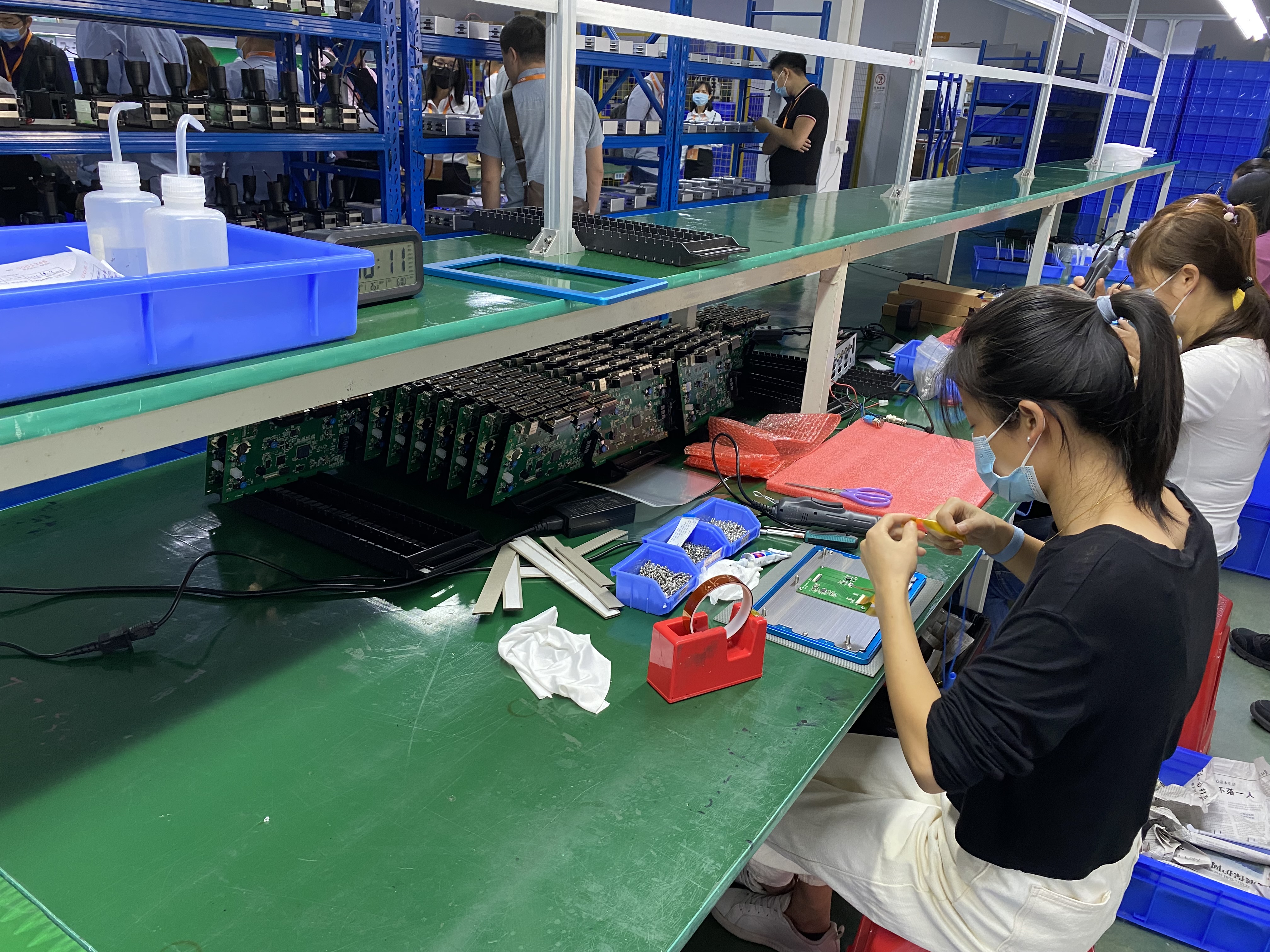
Assembly and configuration checks at the DEMIN inkjet printer production facility before shipment.
Further reading from the same production context
The parameter relationships above are also visible in the physical build. The image sequence below shows the TIJ ink cartridge installation procedure on a handheld unit: the protective cover opens, the cartridge is inserted at an angle into the cartridge bay, and the lever is raised to secure it flush with the machine body. Power must be off throughout, and the cartridge must not be removed while the device is powered on.
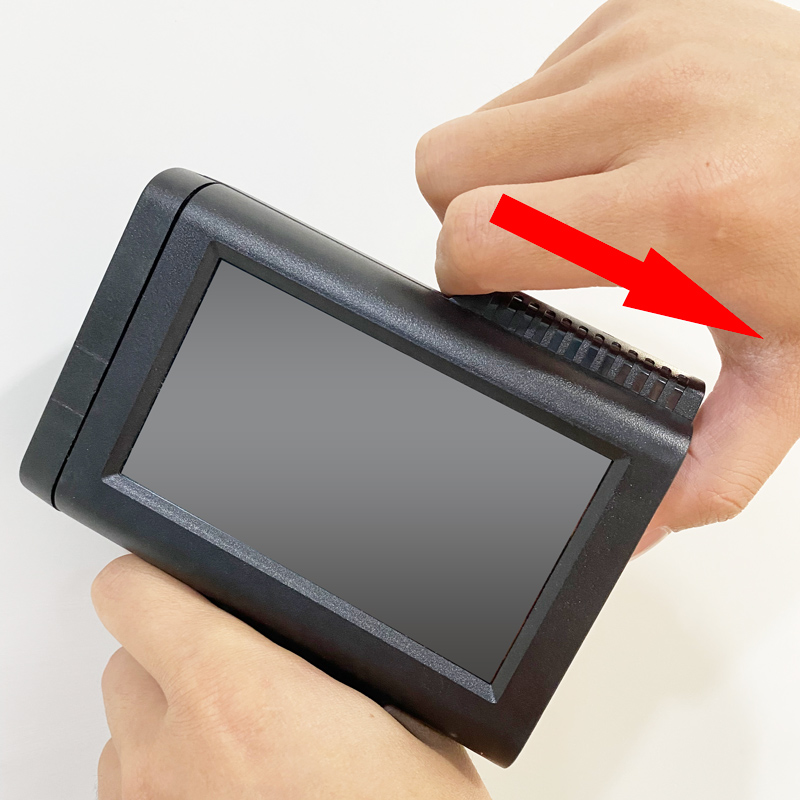
Step one: open the transparent protective cover of the TIJ ink cartridge with the printer powered off.
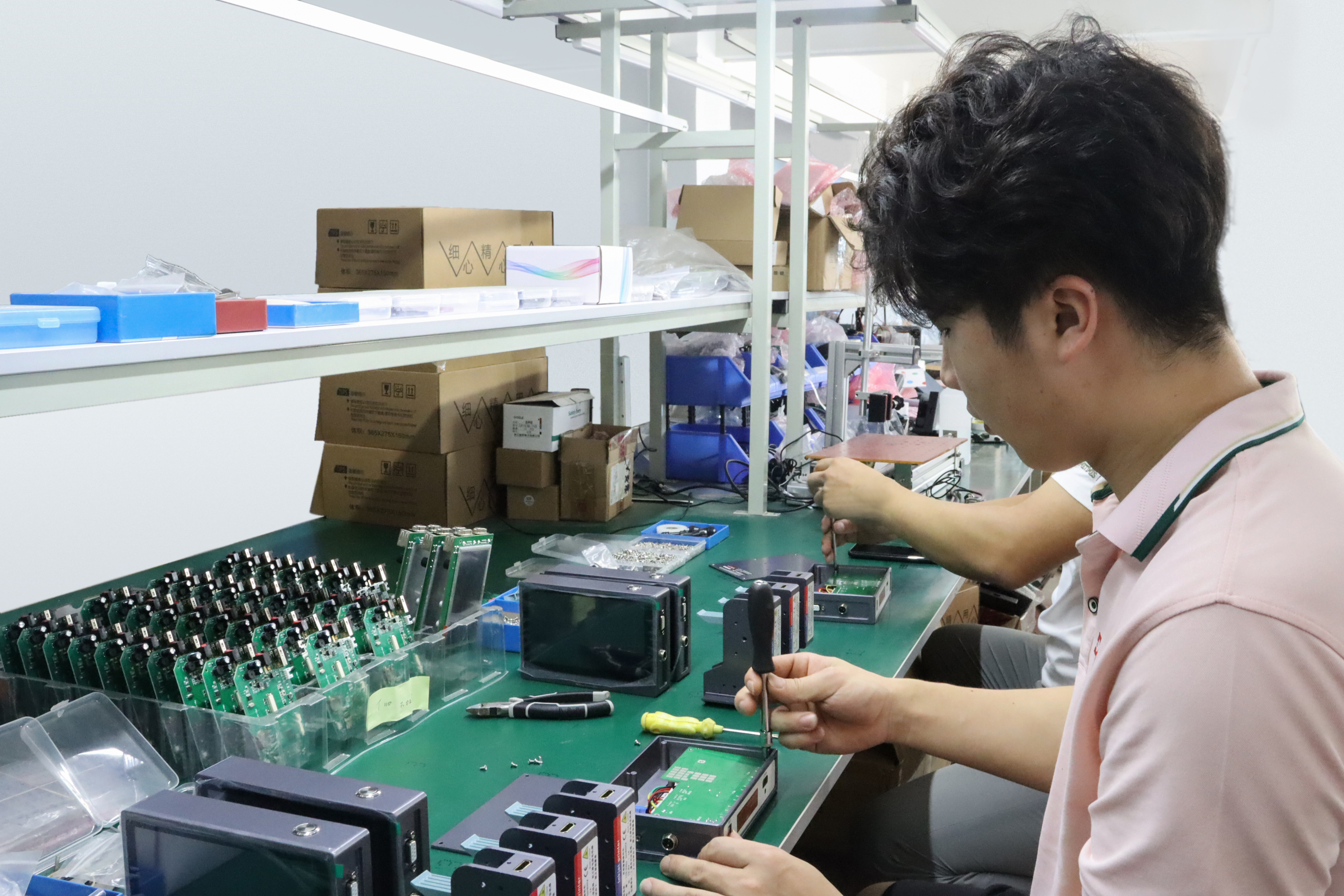
Research and development and print control system testing at the DEMIN facility.
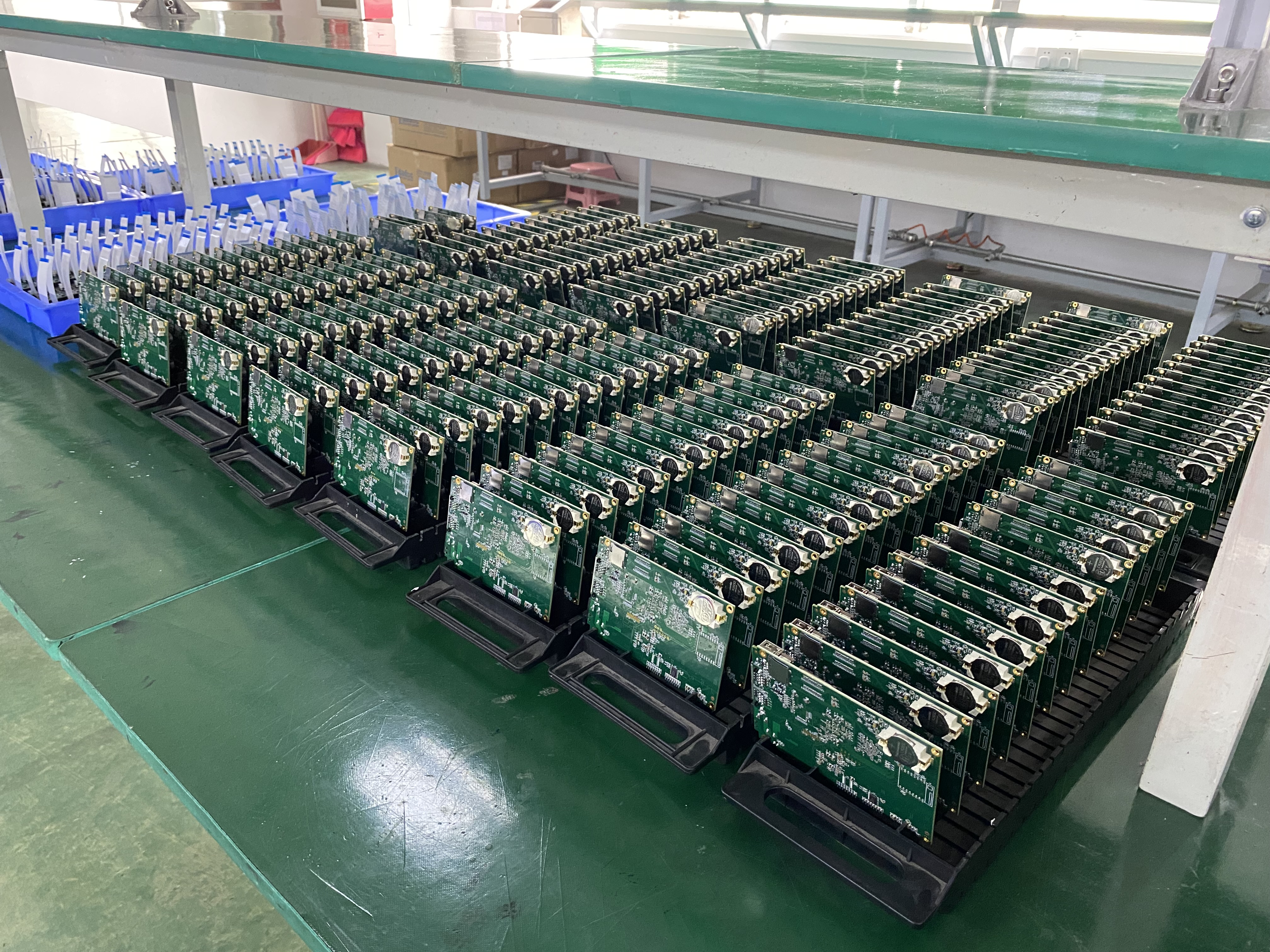
Printer and consumable storage ahead of order fulfilment.
Have Questions or Need More Details?
Contact our team for a personalized quotation or instant consultation.
Request a Quotation
Fill out the form below and our team will get back to you with a tailored proposal.
WhatsApp Direct Chat
Prefer to chat in real-time? Message us on WhatsApp for instant assistance & quick answers.
- Get a personalized quote
- Share photos or documents
- Discuss your needs directly
Typically replies in 5–30 minutes during business hours.