
Fixing Unreadable Barcodes on Fast Lines: How High-Resolution Printers Solve Common Marking Defects
An unreadable barcode on a fast line is rarely a broken printer. It is usually a mismatch between four things that were specified separately: the code itself, the substrate, the print technology, and the data path feeding the printhead. High-resolution piezo inkjet and small-character continuous inkjet close different parts of that gap, and each has a documented limit that decides whether it fits the job at all.
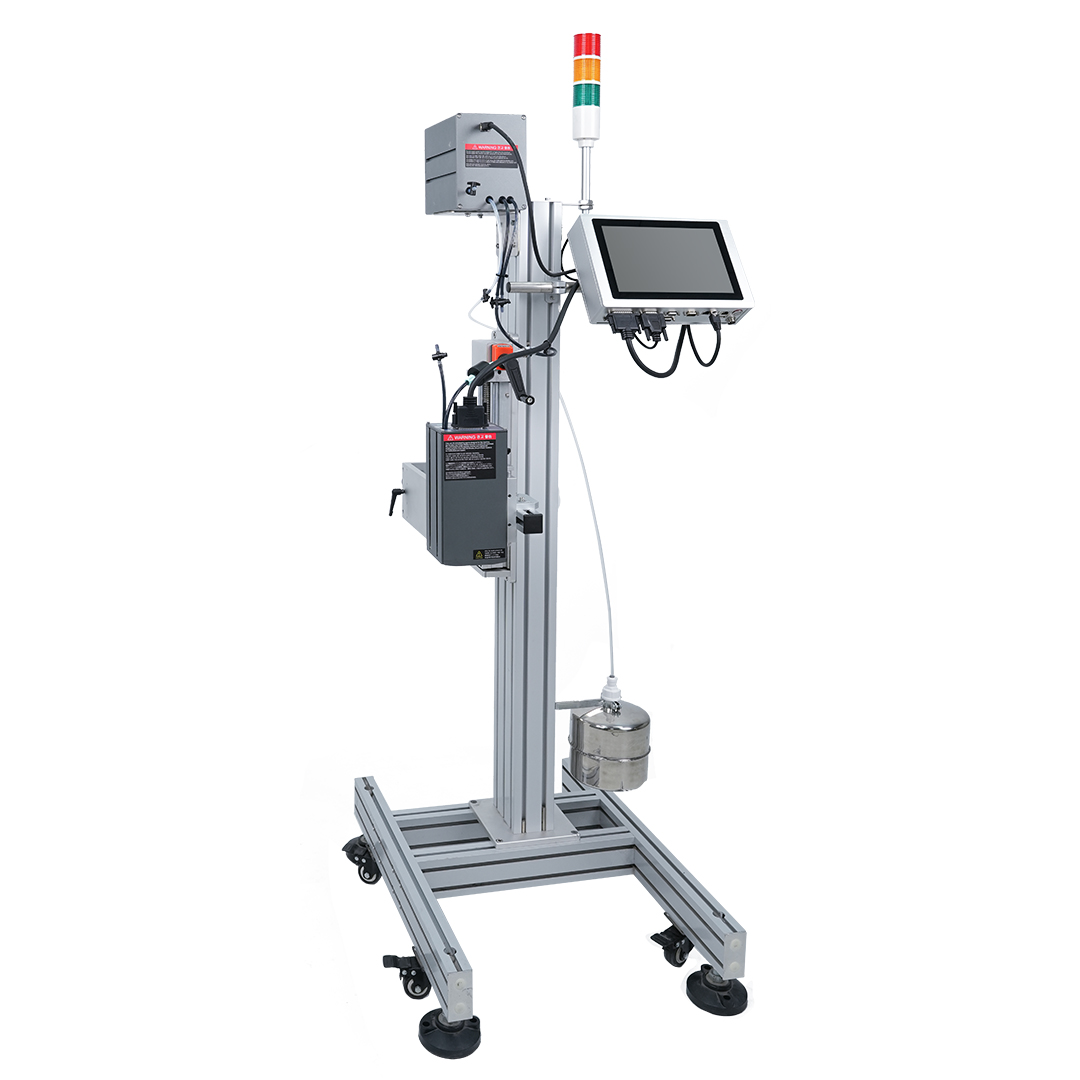
The DOCOD P2000 high-resolution piezo inkjet printer, configured for dynamic barcode and QR code output on packaging lines.
DOCOD Precision Group Co., Ltd. is an industrial coding, marking and inspection equipment manufacturer founded in 2008 in China. Its portfolio covers continuous inkjet printers (CIJ), thermal inkjet printers (TIJ), piezoelectric high-resolution inkjet printers (PIJ), drop-on-demand large-character printers (DOD), thermal transfer overprinters (TTO), laser marking machines and inline vision inspection systems. This article examines two units from that portfolio — the P2000 piezo printer and the M2000 Series CIJ — against the most common reasons marks fail to scan on high-speed packaging, cable, pipe and parts lines.
Why a Code That Prints Is Not a Code That Scans
A printed mark only becomes a working code when a real scanner, at the line's actual speed, angle and working distance, returns a valid decode. Printing and scanning are two different tests. A mark can look clean to the eye and still fail, because a scanner evaluates edge definition, module contrast and geometric consistency rather than overall appearance.
That distinction matters commercially. A code that fails intermittently does not stop the line — it stops the shipment, or the traceability record, or the customer audit. On high-speed lines the failure is usually systematic rather than random: the same defect appears on the same product at the same station, which means it can be specified out before the printer is purchased rather than chased afterwards on the shop floor.
What Changed: Traceability Moved From the Label to the Line
Two shifts pushed code quality from a packaging detail to an equipment requirement. The first is the retail barcode transition. GS1 Digital Link defines the move from 1D barcodes to 2D codes carrying resolvable digital data, with a transition deadline of 31 December 2027 published by GS1. Once a 2D symbol carries a serialised record rather than a fixed product number, every printed symbol becomes an individual — and a symbol that cannot be read is a record that does not exist.
The second is scale. Inkjet technologies — CIJ, TIJ and PIJ combined — accounted for 40.1% of the coding and marking technology segment according to Fortune Business Insights, the same publisher that sizes the global coding and marking equipment market at USD 7.51 billion in 2025. Published market forecasts differ between research houses because their scopes and methods differ, so the useful takeaway is direction rather than a precise figure: the installed base keeps growing, and the codes on it keep getting denser.
The functional definition has not changed. ID Technology describes industrial coding and marking as labeling, coding and marking solutions across diverse substrates in industrial and manufacturing environments, with traceability and quality control as the core purpose. What has changed is tolerance. When the code is the traceability record, print quality stops being a cosmetic variable and becomes a data-integrity one.
The Five Defect Classes Behind Most Unreadable Codes
Most field complaints about unreadable codes resolve into one of five categories. Identifying which category applies determines whether the answer is a different print technology, a different resolution setting, a mechanical adjustment, or a data-path fix.
- Resolution shortfall against module size. A barcode is built from modules, and each module has to be rendered by enough printed dots to survive scanning. When the substrate or the label design forces a small module, the dot pitch of the printhead becomes the binding constraint — and no amount of ink or contrast compensates for a module that was never resolved.
- Insufficient contrast on the substrate. Porous carton board, dark plastics, glossy film and metal all interact differently with ink. A code that is crisp on coated paper can bleed, spread or sit at too low a contrast ratio on an absorbent surface, producing a symbol that is physically present but optically weak.
- Dot-placement drift at speed. Printhead-to-substrate distance, head mounting rigidity, encoder synchronisation and line vibration all affect where each dot lands. On a fast line, a small and consistent distance error is enough to distort module geometry across a symbol.
- Stale or mismatched variable data. Serial numbers, batch codes and database-driven fields change constantly. Where changeover is manual or templated, the failure mode is not a badly printed code but a correctly printed wrong one — which is worse, because it scans.
- No verification loop. If nothing inspects the code after printing, defects are detected downstream by a customer, an audit or a returns process, long after the production window has closed.
No single machine solves all five. What a buyer needs is a technology whose published capabilities map onto the defects their line actually produces.
How High-Resolution Printing Closes the Gap
Two inkjet architectures in the DOCOD range address opposing ends of the problem. The P2000 is built around dot density within a defined band; the M2000 is built around reach, speed and substrate tolerance.
The DOCOD P2000: Resolution Where the Defect Is Resolution
The DOCOD P2000 Piezo Inkjet Printer is a single-head or dual-head high-resolution PIJ printer using I1600-series nozzles. It prints at 300 dpi or 600 dpi, at 190 m/min at 300 dpi and 95 m/min at 600 dpi, with a single head covering a maximum print height of 33.8 mm. That pairing is the specification buyers most often misread: resolution and speed are a trade-off, not two independent upgrades. Doubling the addressable resolution halves the published maximum line speed, so the resolution needed by the smallest module in the code has to be matched against the speed the line actually runs before the order is placed.
For traceability work, the relevant capability is what the printer can put into the symbol. Print content includes text, time, date, pattern, shift, serial number, dynamic barcode and QR code, dynamic serial-port data and dynamic database content. External interfaces include photocell, encoder, flip-and-reverse control, signal-light alarm output, serial-number output control and external print-information selection, with USB, RS232 and TCP/IP communication. In practice that means the code content can be driven by a record rather than retyped by an operator.
The print engine uses a negative-pressure continuous ink supply with water-based and quick-drying inks, at a print distance of 0–5 mm with 2–3 mm recommended from the printing medium. Printheads are installed independently and can be fitted with anti-collision components — a detail that matters on lines where product sway or accumulated debris can contact the head. Multiple units can be cascaded and share the same encoder or photocell sensor parameters, which simplifies timing when more than one head station is used on the same line. The controller carries a 10.1-inch full-colour capacitive touchscreen on an embedded Linux operating system, runs on 100–240 VAC at under 150 W, is built from aviation-grade aluminium, operates at 0–45 °C and 30–70% RH, and holds CE certification.
The DOCOD M2000 Series: Speed, Reach and Substrate Range
The DOCOD M2000 Series Continuous Inkjet Printer is a small-character CIJ printer aimed at the other set of defects. It prints 1–4 lines at a 3–30 mm print height, at up to 528 m/min, with a print distance of 2–16 mm and a choice of 42u, 55u or 70u nozzles. The wider working distance is the practical advantage on uneven or recessed surfaces, and the longer throw is what allows a head to sit clear of moving product.
Its variable-data capability includes text, time, date, logo, shift, SN, dynamic barcode and QR code, dynamic serial data and dynamic database content, with up to 24 counters available. It runs through a network port that can be connected to an enterprise MES management system, and the interface supports more than 40 languages — useful where the same line supplies multiple export markets. The ink catalogue covers high-adhesion, high-temperature-resistance, glass-specific, permeable, food-grade, oil-resistance and pigment inks in black, red, blue, green, invisible, yellow and blue-white, and the substrate list spans carton, plastic, metal, sheet material, pipe, stone, glass, electronic components, auto parts and industrial chemical packaging. The unit is built in SUS 304 stainless steel to IP65, rated at 100 W, weighs 19.94 kg, and holds CE and RoHS certification.
Neither printer is a universal remedy. Resolution is bounded by physics and by line speed; ink compatibility is bounded by chemistry; and a correctly configured printer can still produce unreadable codes if the code specification or the mounting is wrong. The comparison below should be read as a mapping of capability to defect type, not as a ranking.
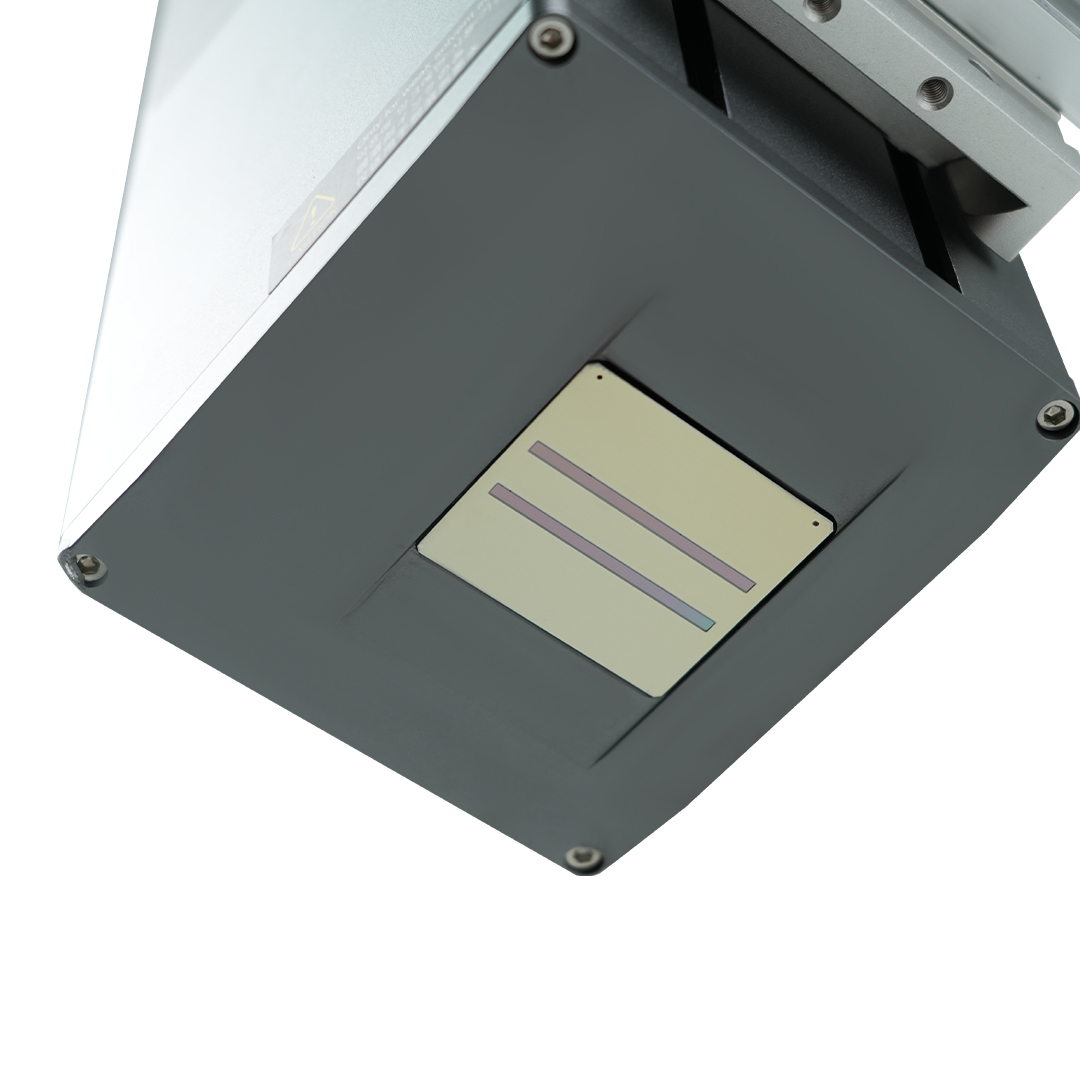
Independent printhead installation on the P2000 allows anti-collision fittings and a controlled 2–3 mm working distance.
Step-by-Step: Diagnosing and Closing a Code-Quality Gap
The sequence below works from the smallest variable outward. Changing the printer before the code and substrate are defined is the most reliable way to repeat the same defect on new hardware.
- Step 1 — Specify the code before the printer. Define the symbology, the module size, the data source and whether a human-readable line is required. A barcode specification that exists only as a picture in a packaging file cannot be matched to a dot pitch.
- Step 2 — Characterise the substrate. Separate porous from non-porous, coated from uncoated, light from dark, flat from curved. Absorbency, surface energy and colour all change what contrast the ink can deliver and therefore how the symbol should be built.
- Step 3 — Fix the resolution and speed pair. On a P2000 that means choosing between 190 m/min at 300 dpi and 95 m/min at 600 dpi on the published data. If the resolution the code requires pushes the maximum print speed below the line speed, the problem is a technology mismatch, not a maintenance issue, and the honest answer is a different configuration.
- Step 4 — Lock the mechanical conditions. Set the working distance to the published range — 0–5 mm with 2–3 mm recommended on the P2000, 2–16 mm on the M2000 — then fix the head mounting, the encoder and the photocell. Distance that is correct at commissioning and drifts after a product change reintroduces the defect silently.
- Step 5 — Wire the data path. Connect the code source: dynamic database, dynamic serial-port data, serial-number output control, external print-information selection on the P2000, or the MES network connection and 24 counters on the M2000. This is the step that removes the risky manual changeover and the chance of printing a valid code containing the wrong number.
- Step 6 — Verify, then sample. Add an inspection step — an inline vision inspection system or a downstream scanner station — and run the substrate at production speed before committing. Verification converts an intermittent complaint into a measurable number.
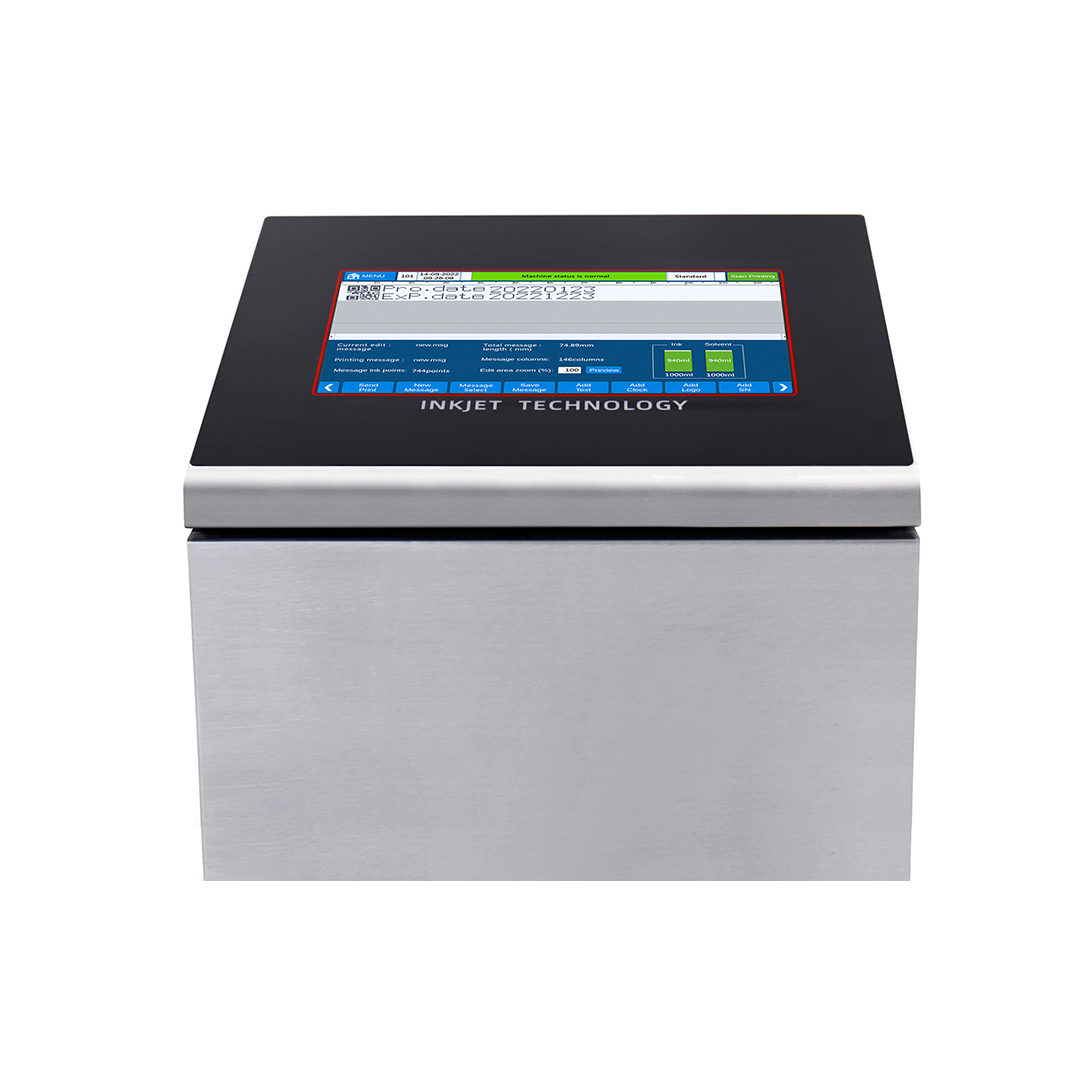
The M2000 Series CIJ handles 1–4 lines at up to 528 m/min with a 2–16 mm print distance.
Where This Plays Out on Real Lines
Code-quality problems concentrate in industries where the substrate is unforgiving and the traceability requirement is strict. Four documented configurations show how the choice of technology follows the defect.
Medical Packaging: Print-and-Verify Closed Loop
In Germany, medical packaging coding combines UDI and GS1 DataMatrix printing with an online closed-loop print-and-verify workflow, running on medical device packs, Tyvek medical paper, blister packs, cartons, plastic bottles and flexible films. The supporting chain includes a cartoner, labeling machine, sensor, scanner, vision system, reject unit and PLC/MES. The P2000 sits in this configuration alongside UV laser marking — a reminder that the verification loop, not the printer alone, is what makes the record trustworthy.
Building Materials and Chemicals: Dust, Heat and Rough Surfaces
In the United Arab Emirates, building materials and chemicals packaging demands batch numbers, production dates, model information, brand marks, QR codes and logistics codes on cement bags, paint pails, drums and PVC pipe — in dusty, hot, humid conditions with rough surfaces and large product size. Both the P2000 and the M2000 appear here, integrated with bagging, extrusion or filling lines and supported by a dust cover and code inspection module.
Food and Beverage: Changeover Without Manual Retyping
In Vietnam, food and beverage packaging lines print production dates, expiry dates, batch numbers and QR or barcodes across flexible pouches, cartons, PET bottles and glass bottles. The stated function is traceability plus stock rotation with fewer manual labelling errors — which is a data-handling outcome as much as a printing one.
Wire, Cable and Pipe: Encoder-Synchronised Continuous Coding
In India, wire, cable and pipe extrusion lines print meter marks, model information, brand names, batch numbers, certification marks and traceability codes in online non-contact mode synchronised with an encoder. High line speed, limited installation space and difficult adhesion substrates make the encoder and mounting discipline as important as the printhead.
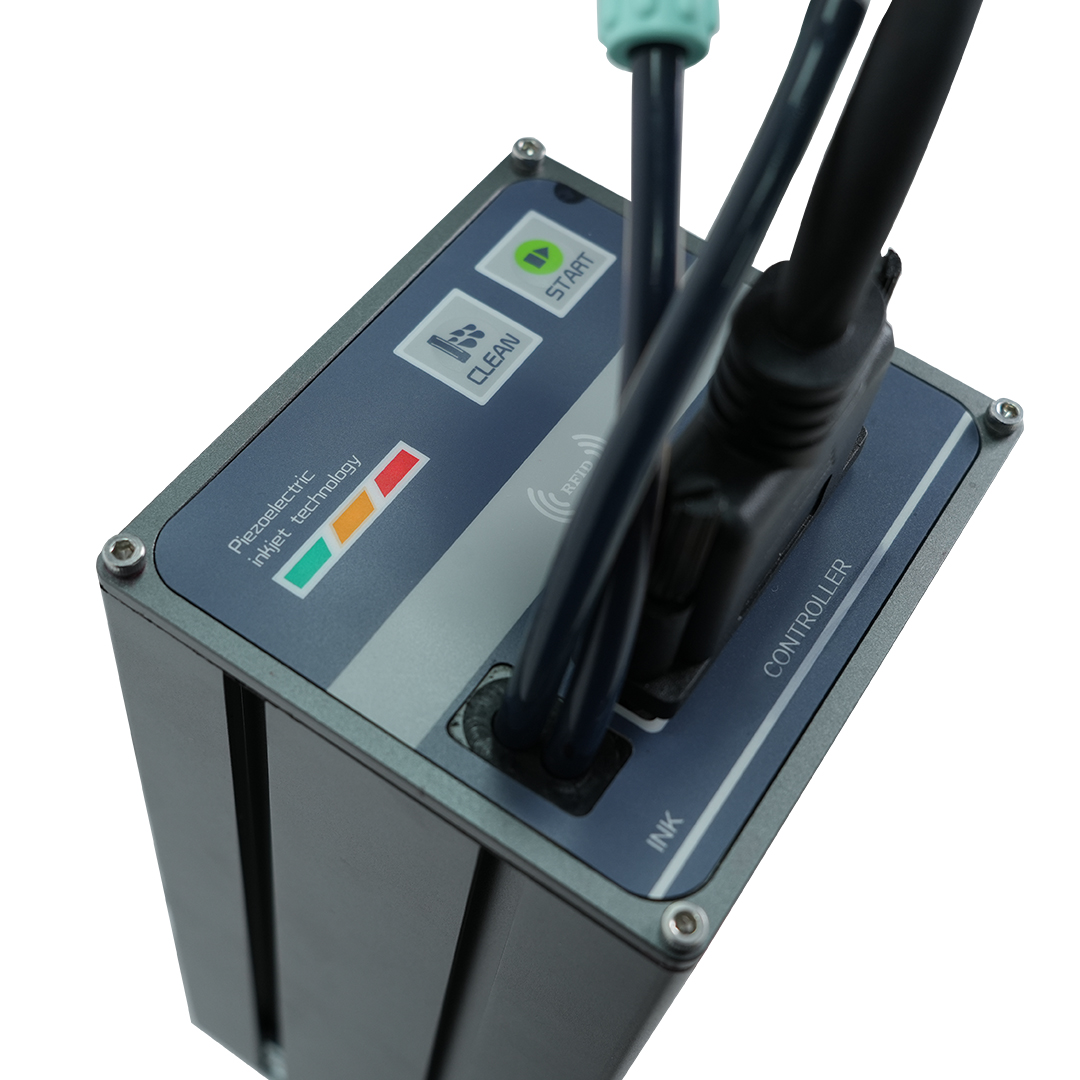
The P2000 controller: 10.1-inch capacitive touchscreen on an embedded Linux system, with USB, RS232 and TCP/IP interfaces.
Comparison: P2000 vs M2000 vs T220E
The table below compares the two focus units against a half-inch dual-head TIJ printer from the same range, because many buyers evaluating barcode quality also evaluate TIJ. Only published specification values are shown; where a value is not part of the provided specification, the cell is marked accordingly.
| Specification | DOCOD P2000 (PIJ) | DOCOD M2000 Series (CIJ) | DOCOD T220E (TIJ) |
|---|---|---|---|
| Technology | High-resolution piezo inkjet, single or dual head | Small-character continuous inkjet | Half-inch dual-head thermal inkjet |
| Print resolution | 300 dpi or 600 dpi | Character-matrix based, 1–4 lines | Up to 600 × 600 dpi |
| Print height | Up to 33.8 mm per head | 3–30 mm | 1–12.7 mm single head; 1–25.4 mm dual head |
| Maximum print speed | 190 m/min at 300 dpi; 95 m/min at 600 dpi | 528 m/min | Up to 406 m/min |
| Print distance | 0–5 mm (2–3 mm recommended) | 2–16 mm | Not stated in the provided specification |
| Variable data content | Serial number, dynamic barcode/QR, dynamic serial-port data, dynamic database | SN, dynamic barcode/QR, dynamic serial data, dynamic database, up to 24 counters | GS1 code, dynamic traceability codes, serial numbers, counters, variable databases |
| Ink / consumable | Water-based and quick-drying ink, negative-pressure continuous supply | High-adhesion, high-temperature, glass, permeable, food-grade, oil-resistance and pigment inks; 7 colours | Food-grade, water-based, oil-based, weak-solvent and solvent cartridges |
| Body / protection | Aviation-grade aluminium | SUS 304 stainless steel, IP65 | Industrial-grade protective body, aluminium and stainless steel |
| Certification | CE | CE, RoHS | Not stated in the provided specification |
The short read: P2000 leads on dot density and on width per head; M2000 leads on speed, throw distance and ink variety; T220E sits between them as a cartridge-based option with a narrower print band. Choosing on resolution alone without checking the speed consequence is the most common specification error in this category.
Frequently Asked Questions
Do these printers support the 2D codes required by the GS1 transition?
Both units list dynamic barcode and QR code, together with dynamic database content, among their print content. The M2000 additionally lists dynamic serial data and up to 24 counters, and can be connected to an enterprise MES through its network port. GS1 Digital Link sets a transition deadline of 31 December 2027. One caution belongs in any procurement decision: a specification confirms that the printer can output the symbol, not that a specific symbol grade will be achieved on a specific substrate. That has to be confirmed by printing your own code on your own material and verifying it with your scanner or verifier.
What resolution do I need for a scannable barcode at line speed?
The answer is set by the smallest module in the code, not by a general preference for higher numbers. On the P2000, 600 dpi is available at 95 m/min and 300 dpi at 190 m/min, so the resolution that satisfies the code may reduce the maximum line speed. If the required resolution pushes the printer below the speed of the line, adding resolution will not fix the defect — the configuration or the technology has to change.
Can the printer handle serialisation and database-driven changes without stopping the line?
Yes, within the documented capability. The P2000 supports dynamic database content, dynamic serial-port data, serial-number output control, external print-information selection and cascading of multiple units that share the same encoder or photocell parameters. The M2000 supports dynamic database content, dynamic serial data, up to 24 counters and a network connection to an enterprise MES, with more than 40 interface languages. Together these features allow code content to be driven by a record rather than re-entered by an operator at changeover.
How should a buyer validate a printer before purchase?
Run the actual code on the actual substrate at the actual line speed, and check the working distance against the published range — 0–5 mm with 2–3 mm recommended on the P2000, 2–16 mm on the M2000. Then confirm the data path with a real changeover: new batch, new serial range, new language. A sample that passes on coated paper at low speed proves very little about a dusty bagging line. DOCOD's application-focused support covers date coding, batch marking, variable data printing, GS1 DataMatrix, serialisation and code inspection workflows, and substrate trials can be discussed directly with the sales team.
What is the fastest route from an unreadable code to a verified one?
Three inputs shorten the loop: the barcode specification with its module size, a sample of the substrate at production condition, and the line speed. With those, the technology and the resolution–speed pair can be matched before any hardware decision, and the verification step can be specified at the same time rather than added after a rejected shipment. Buyers who want to move to that stage can request a sample evaluation or a quotation through sales@docod.com.cn or WhatsApp at +86 135-1234-4323.
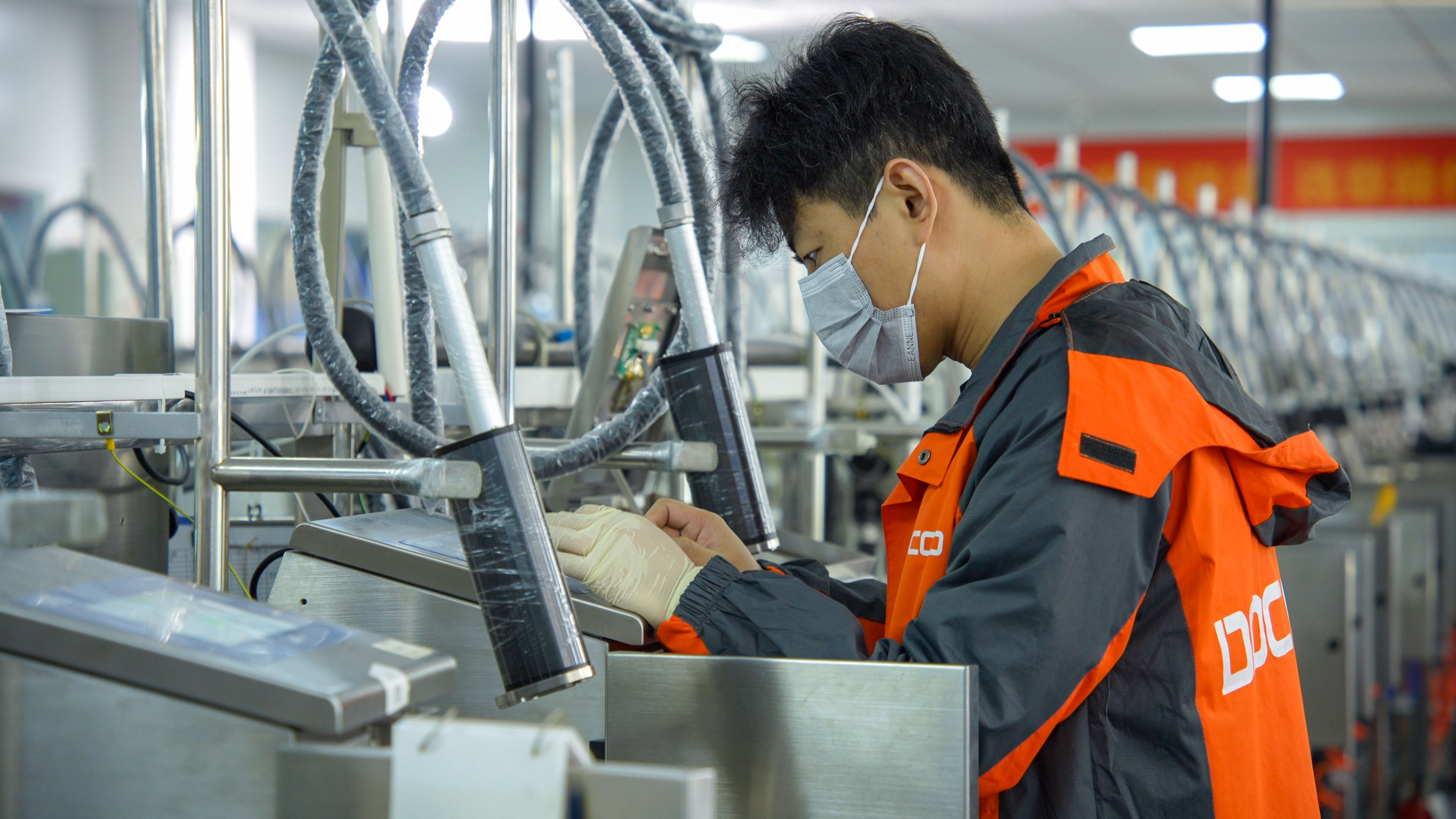
Print quality verification during inspection — the same discipline that keeps a code scannable after installation.
Conclusion
Unreadable barcodes on fast lines are usually resolved on paper before they are resolved on the shop floor. Define the code and its module size, characterise the substrate, then match a print technology whose published resolution, speed and distance ranges actually cover that combination. High-resolution piezo printing — the P2000 at 300 or 600 dpi with up to 33.8 mm per head — addresses resolution-driven defects. Small-character CIJ — the M2000 at up to 528 m/min, 3–30 mm height and a 2–16 mm print distance — addresses reach, speed and substrate variety. Neither closes the loop on its own; the data path and a verification step have to be specified with the printer, not after it.
DOCOD Precision Group Co., Ltd. supports that specification work with a portfolio spanning CIJ, TIJ, PIJ, DOD, TTO, laser marking and inline vision inspection, backed by more than 140 R&D staff working on product identification solutions and an annual production capacity of 5,000 units. The practical next step is not a datasheet comparison but a substrate trial: send the code, the material and the line speed, and confirm the result before the purchase order.
Check a Code on Your Own Substrate
Share your barcode specification, material sample details and line speed, and DOCOD application engineering will confirm whether P2000 piezo, M2000 CIJ, or a combined configuration fits the job. Download the corporate brochure for the full equipment range, or contact the sales team directly for a sample evaluation or quotation.
Brochure: DOCOD Corporate Brochure (PDF)
Email: sales@docod.com.cn | Tel: +86 139-2896-7650 | WhatsApp: +86 135-1234-4323
Website: www.docod-group.com
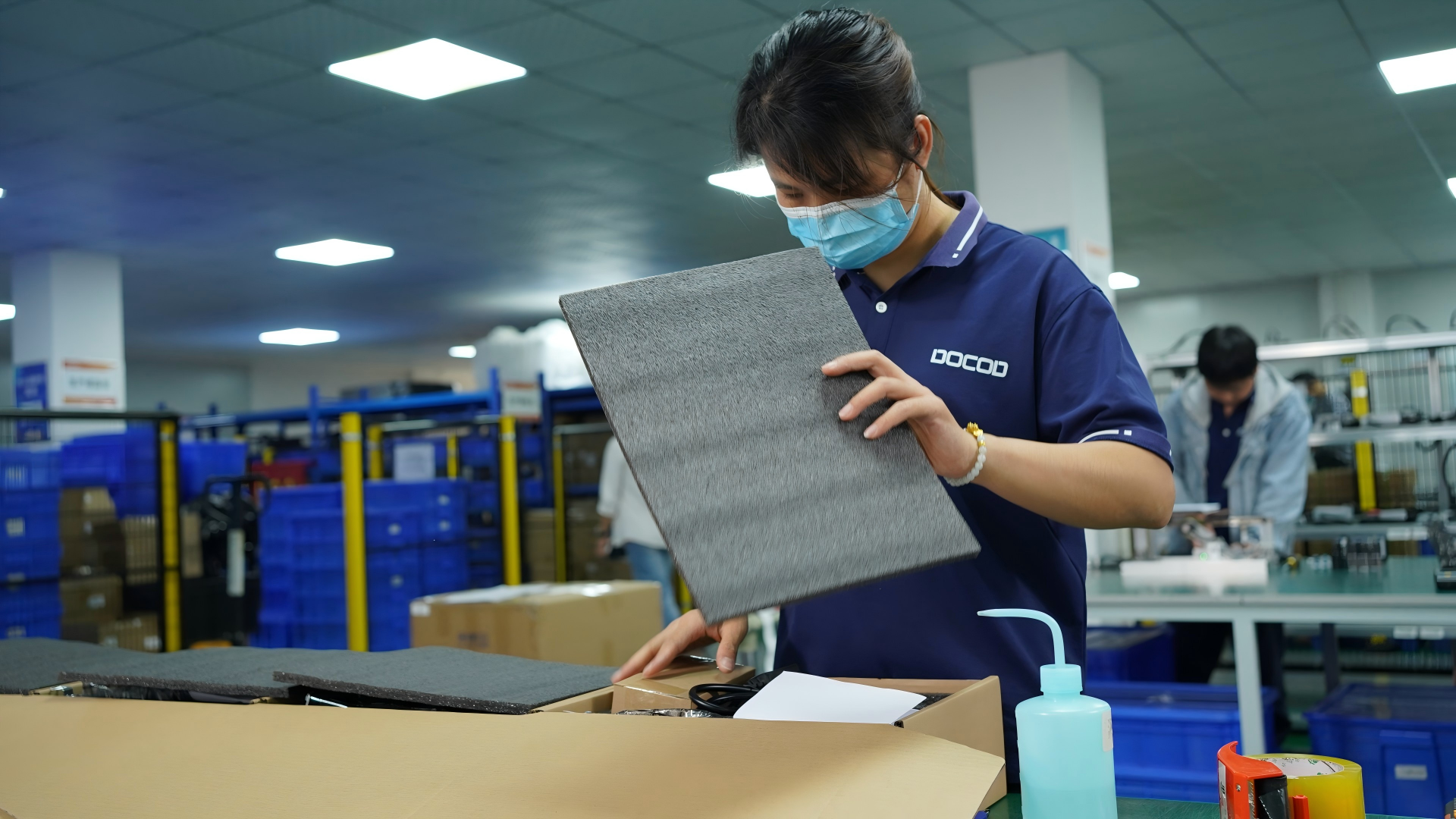
Pre-shipment inspection and packing — the final checkpoint before a coding system reaches the line.
Have Questions or Need More Details?
Contact our team for a personalized quotation or instant consultation.
Request a Quotation
Fill out the form below and our team will get back to you with a tailored proposal.
WhatsApp Direct Chat
Prefer to chat in real-time? Message us on WhatsApp for instant assistance & quick answers.
- Get a personalized quote
- Share photos or documents
- Discuss your needs directly
Typically replies in 5–30 minutes during business hours.