Multi Channel Dash Cam Compliance Checklist Before You Buy
A multi channel dash cam is only as useful as the documentation behind it. The compliance work does not happen after delivery — it happens in the product page, the email thread and the specification sheet, before any payment is made. This checklist converts every marketing claim into a question the manufacturer must answer in writing.
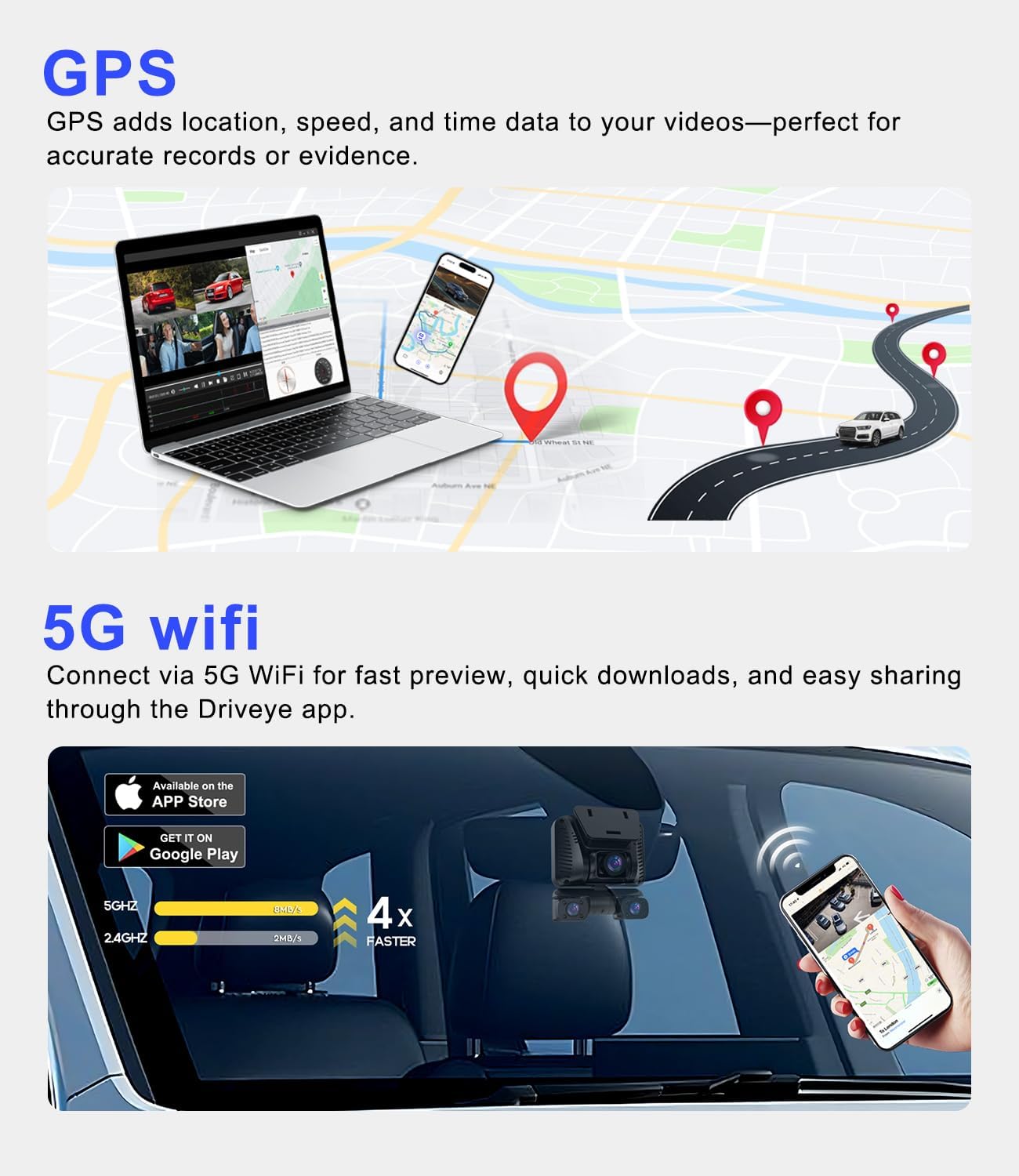
GPS and app connectivity are recorded as specifications on Driveye product pages. Whether those features are documented for your market, your phone and your installation is a separate question the buyer must confirm.
What a compliance checklist is actually checking
A compliance checklist for a Multi Channel Dash Cam is not a list of logos to look for on a box. It is a verification sequence with three outputs: a written answer from the manufacturer, a document reference you can file, and a clear record of what remains unconfirmed.
The practical rule is simple. Any property that affects legality, safety, warranty or data handling should be treated as unverified until the seller puts it in writing. That applies equally to a 2-channel commuter setup and to a 5-channel system with an interior baby monitor camera.
The problem: three gaps that appear in almost every listing
Gap 1 — Channel count is stated, per-channel resolution is not. A listing that says “4K” is describing one camera. A 4-channel or 5-channel product has four or five separate image sensors, and they do not all record at the same resolution. Without a per-channel breakdown, the buyer cannot tell whether the side or interior view is usable as evidence.
Gap 2 — “Certified” is treated as one thing. In practice it is at least five separate questions: product electrical safety, electromagnetic compatibility, radio transmission (if the device has Wi-Fi or Bluetooth), audio and video recording consent, and legal mounting position in the vehicle. A single badge on a listing cannot answer all five, and it cannot answer any of them for a market it was not issued for.
Gap 3 — Warranty and support claims are rarely tied to an entity. “12-month warranty” means little without knowing which legal entity honours it, in which countries, at which return address, and who pays return freight. For a multi-camera device, the app and firmware lifecycle matter as much as the hardware.
Industry background: growth has outpaced documentation
Multi-channel configurations are the fastest-growing segment of the dashboard camera market. Fortune Business Insights projects the multi-channel segment to grow at a CAGR of 13.2% over 2026–2034, while the side-facing camera segment is projected at 16.0% over the same period, driven by blind-spot monitoring and parking protection needs.
The overall category is already substantial: Market.us estimates global dashboard camera revenue at USD 4.5 billion in 2025. At the product level, modular architectures that stack side, interior and rear views onto a forward-facing unit are documented commercially — Thinkware, for example, states that its multiplexer-based system can support up to five channels by adding side, interior and rear views.
A finding that shapes this entire checklist: in the research set used to prepare this page, no eligible standards, certification, testing-requirement or conformity-marking evidence was located for multi-channel dash cams as a product type. That is not a statement that no such documentation exists. It is a statement that the documentation is not reliably published where a buyer can find it — which is precisely why the verification burden falls on the buyer and must be discharged through direct written requests to the manufacturer.
The solution: a five-layer verification ladder
Work through the layers in order. Each layer produces a question, and each question produces an answer you either have in writing or do not. Do not move to the next layer while the previous one is unresolved.
- Layer 1 — Scope. Where will the device be sold, installed and used, and which recording surfaces does it have (road only, or road plus cabin)?
- Layer 2 — Traceability. Can every headline specification be traced to a per-channel number rather than a single number?
- Layer 3 — Documents. Can the seller produce standard numbers, issuing bodies, certificate identifiers and validity dates for your market?
- Layer 4 — Lifecycle. Who honours the warranty, for how long, in which countries, and what happens to the companion app over time?
- Layer 5 — Installation. Does the mounting and wiring plan keep the driver's view, airbags and vehicle electrics unobstructed and intact?
Step-by-step breakdown: the questions to send before you buy
Step 1 — Define the market and the recording scope
Write down the destination market and the intended recording surfaces before you look at any product. A family vehicle with a rear-facing infant seat, a rideshare cabin and a delivery van have different exposure.
- Which country or region will the device be imported into and used in?
- Does the device record audio, and can audio be disabled independently of video?
- Does the device transmit over Wi-Fi or Bluetooth, and is that radio function active in all modes?
- Will the interior camera capture passengers, children or pets, and who will be informed?
Step 2 — Demand a per-channel specification table
This is the single highest-value request you can make. Ask for one row per camera: resolution, frame rate, field of view, sensor, and mounting position. A seller who can produce that table is a seller who knows the product.
- What is the resolution of each individual channel, not just the front channel?
- Which channels are side-facing, which are interior, and which are rear?
- Is the interior camera dedicated to the rear seat, or shared with general cabin coverage?
- What storage does the device accept, and what is included in the box?
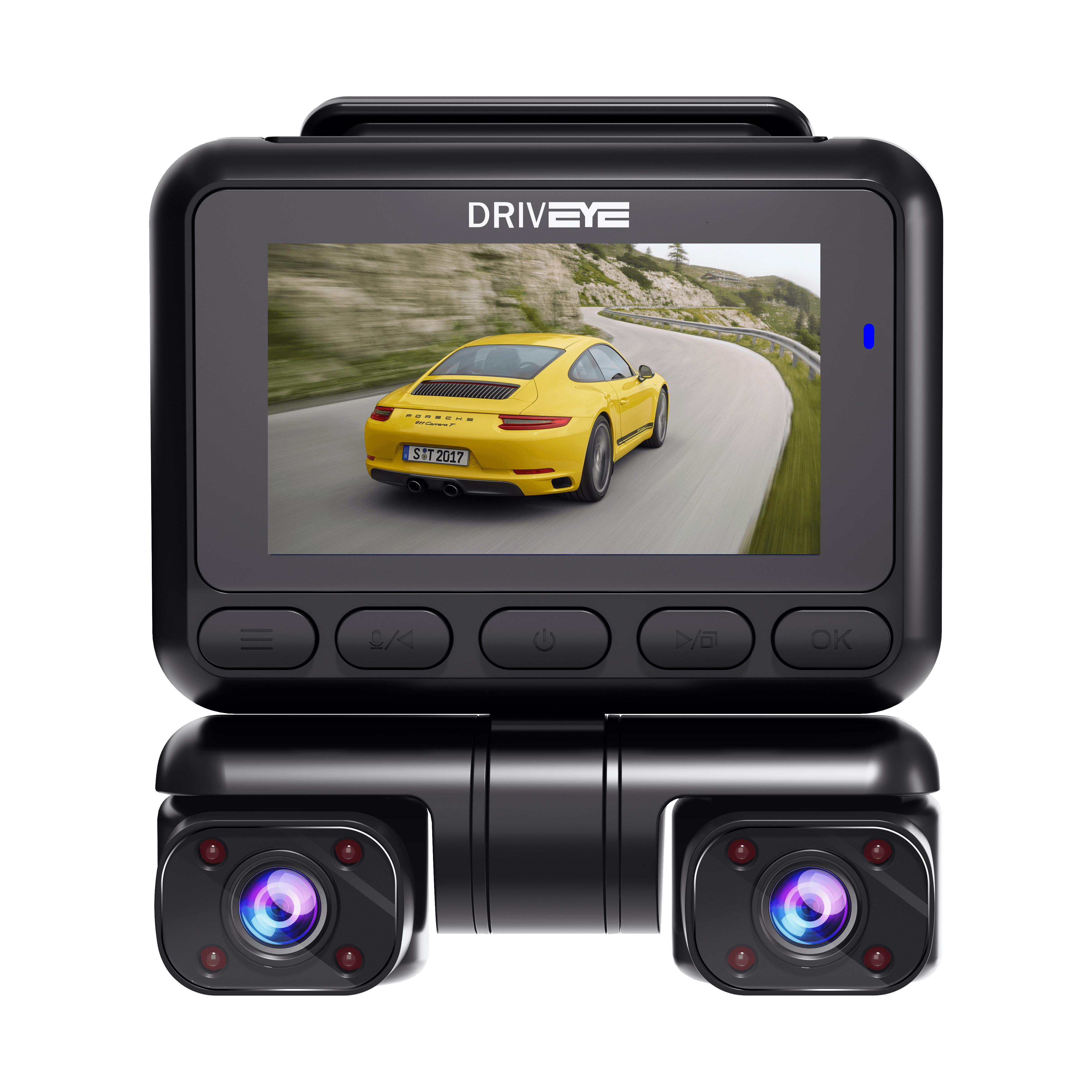
Front and rear coverage is the baseline configuration. Each additional side or interior channel adds a separate sensor and a separate specification that must be confirmed individually.
Step 3 — Ask for the document chain, not the badge
A badge image is not a document. What you need is the reference layer underneath it. Ask the manufacturer to supply, for your specific market, the following for each applicable requirement.
- The standard or regulation number, written in full.
- The issuing body or laboratory, and whether it is accredited.
- The certificate or report identifier, and the date of issue and expiry.
- The exact model and variant the document covers — a certificate for a different model number is not coverage.
- Which legal entity holds the document, and whether that entity is the seller you are paying.
If any of these five items cannot be produced, treat the corresponding claim as unconfirmed. Do not substitute a marketplace badge for a document reference, and do not accept a certificate that names a different model.
Step 4 — Verify the warranty and the support path
A multi-camera device has more failure points than a single-camera one: more sensors, more cabling, more connectors, and a companion app that must keep working across phone operating system updates. Warranty questions should therefore be asked at the system level, not the box level.
- Which legal entity issues the warranty, and in which countries is it honoured?
- What is the warranty period for the main unit, for each remote camera, and for cabling?
- Who pays return freight, and to which address?
- How are firmware updates delivered, and is there a stated support window for the companion app?
- What is the documented process for a failed channel that still powers on but records nothing?
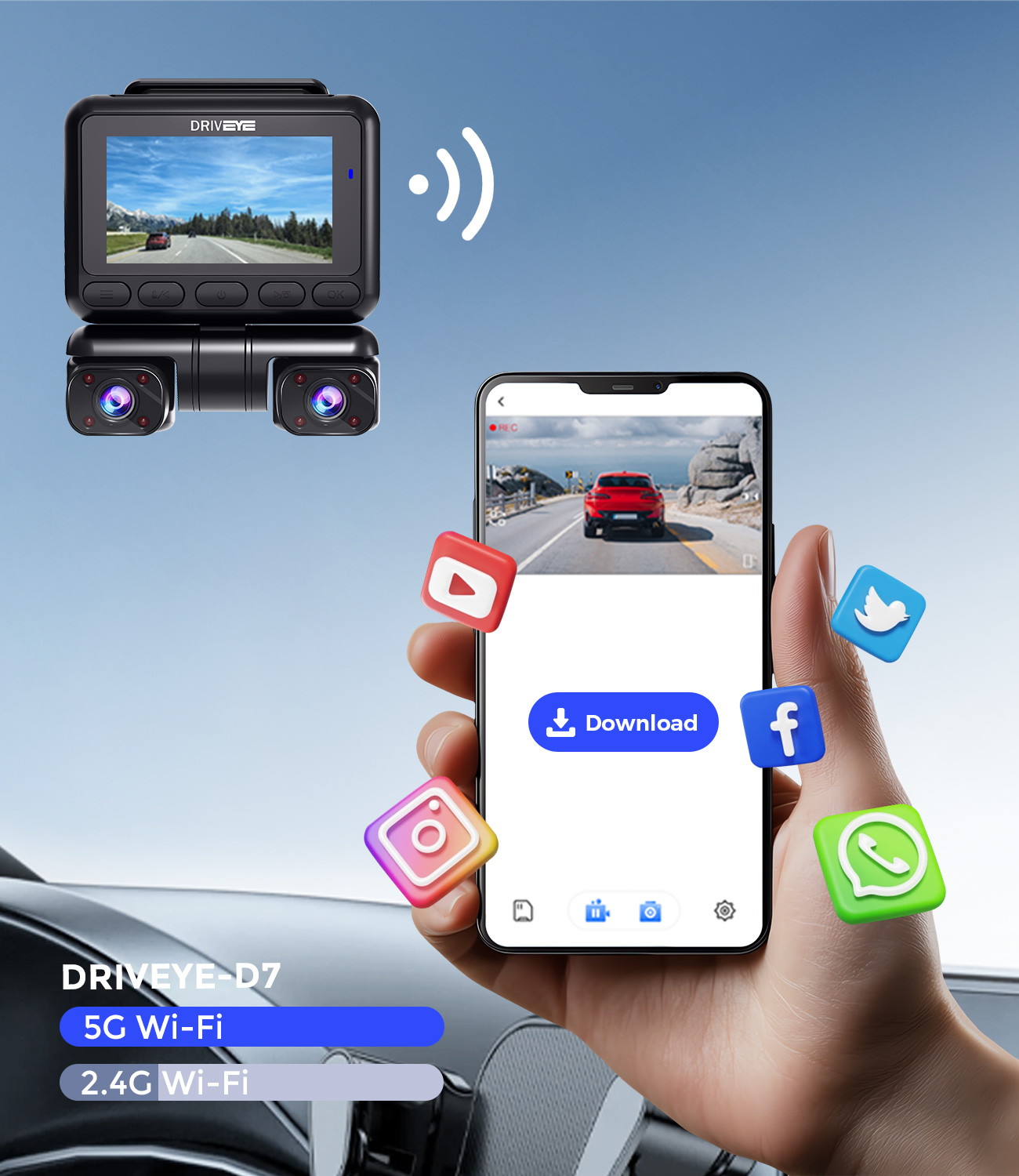
App-based review and download are part of the product, not an accessory. The support window for the app belongs in the same conversation as the hardware warranty.
Step 5 — Confirm what the recording system does and does not do
Driver-assistance labelling is where buyers most often assume more than the product delivers. Ask for the exact list of alert functions, and ask explicitly what is excluded.
- Which driver alerts are implemented, and are they warnings only or active interventions?
- Does the device brake, steer or control speed in any circumstance?
- How is emergency footage locked, and can the lock be triggered manually?
- Does parking monitoring require an additional accessory, and is that accessory included?
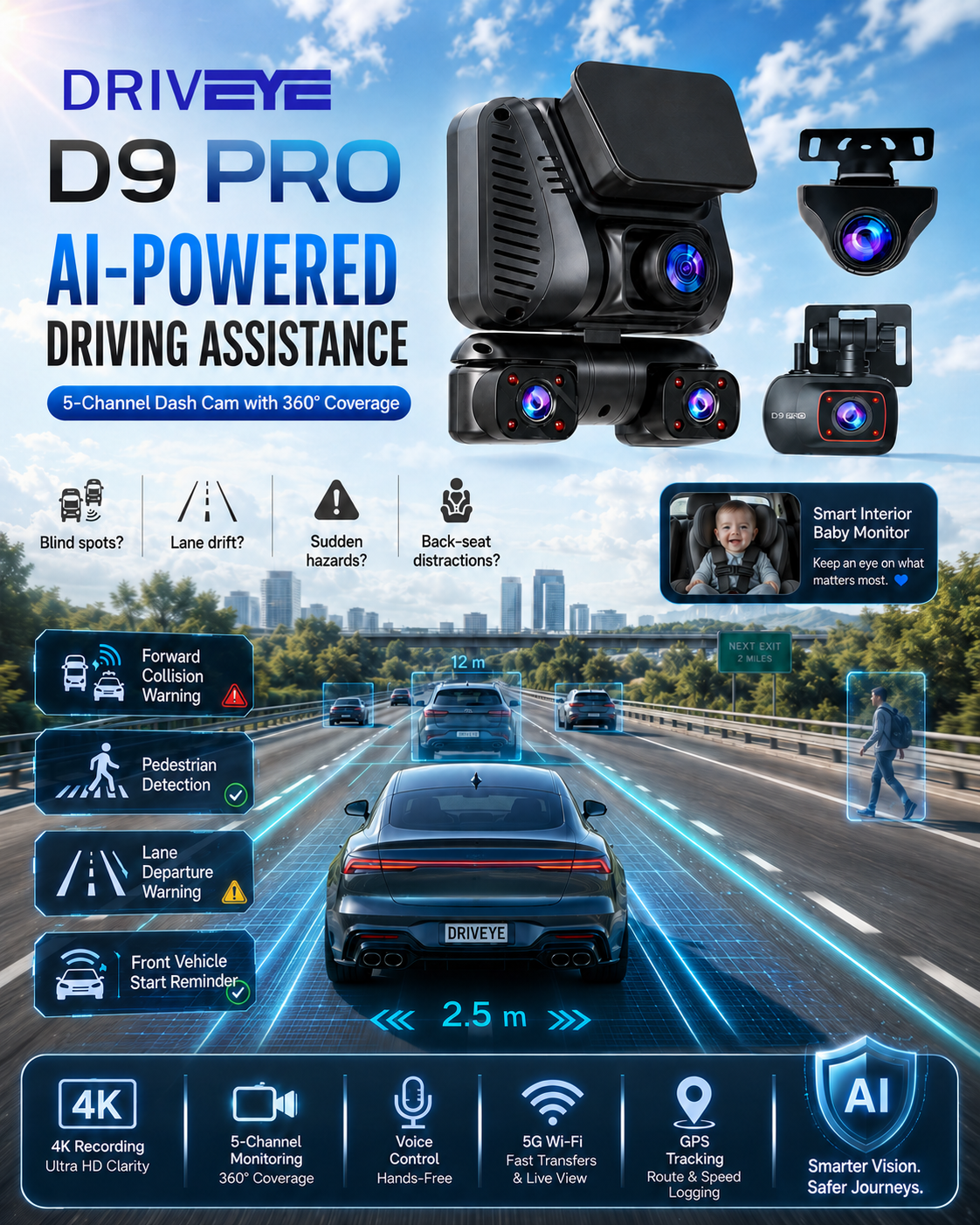
Driver-assistance features should be verified by function name, and the exclusions confirmed in the same reply. An alert system and a vehicle control system are different products.
Step 6 — Check installation against the vehicle, not the box
Rules on windshield mounting position, driver sightlines and audio recording differ between markets, and vehicle-specific constraints differ between models. Confirm the plan before committing.
- Where exactly will each camera be mounted, and does that position obstruct the driver's view?
- Does any mounting position interfere with airbag deployment zones?
- How is the unit powered — accessory socket or fuse-box hardwiring — and who performs the work?
- If parking monitoring is used, what is the documented power draw and battery protection behaviour?
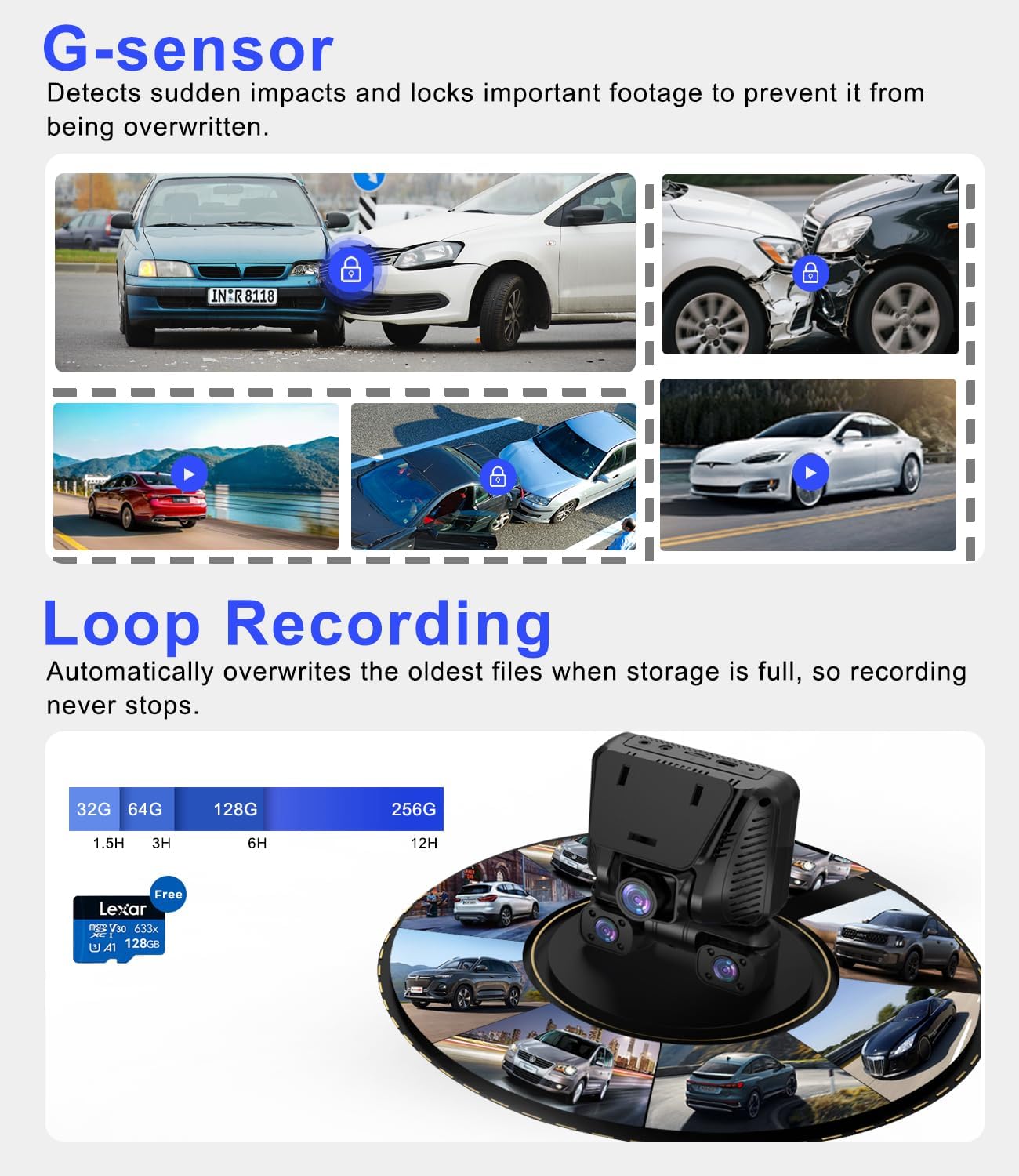
Loop recording and impact-triggered locking decide whether the file you need still exists after the card has cycled. Confirm the locking behaviour in writing.
Applying the checklist: what three Driveye product pages actually state
Driveye is a dash cam brand founded in 2024 and headquartered in Hong Kong, positioned as a premium intelligent multi-channel dash cam brand for families, taxi operators and frequent professional drivers. The brand states that it serves the global market as well as the US, GB, DE and CA. Its product range gives three clear worked examples of the verification process above, because the three models sit at different channel counts and price bands.
Driveye D22 — the dual channel baseline
The Driveye D22 dual dash cam is specified as simultaneous 4K front and 2K rear recording with STARVIS 2 low-light imaging and hands-free voice control. It includes built-in GPS and dual-band Wi-Fi, ships with a 64GB memory card and supports larger cards. Parking monitoring is available with a separately purchased hardwire kit. The stated price band is 109.99–159.99, and Driveye positions it for daily commuters, nighttime drivers, road-trippers, new drivers, delivery drivers and small fleet operators.
Two checklist items are answered directly by that page: the per-channel split (4K front, 2K rear) and the accessory boundary (hardwire kit sold separately). Everything about certification, warranty entity and app support window still has to be requested.
Driveye D7 — the four channel mid-range
The Driveye D7 4 channel dash cam is specified as 4K front recording plus 1080P on three additional channels, with built-in GPS, hands-free voice control and a companion app for viewing and downloading footage. The stated price band is 129.99–189.99, and Driveye positions it for families, rideshare drivers, road-trippers and fleet operators who need wide road-and-cabin coverage with fewer blind spots.
Note the resolution asymmetry: the front channel is 4K, the three additional channels are 1080P. A buyer who reads only “4K” on the listing will overestimate the other three channels. This is exactly the gap Step 2 is designed to close.
Driveye D9pro — the five channel system with an interior camera
The Driveye D9pro AI 5 channel dash cam is specified with five cameras covering front, rear, left, right and the cabin, including a dedicated rear-seat camera for monitoring a baby, child or pet. Documented configuration is a 4K front camera, a 2K rear camera and three 1080P side and interior cameras. It includes voice control and built-in GPS that records route, travel path and speed. The stated price band is 199.99–259.99.
The D9pro is also the clearest example of why the exclusion question matters. Its recorded driver-assistance functions are four alerts: forward collision warning, pedestrian detection warning, lane departure warning, and front vehicle start reminder. The same source states that the named functions do not include adaptive cruise control or automatic emergency braking. A buyer who assumes “ADAS” means the vehicle will intervene is assuming something the documentation does not support.
Comparison table: what is documented, and what is not
The table below uses only specifications stated on the Driveye product pages and brand material. The final row is deliberately included: none of the three models has a certification, standard or regional approval recorded in the source material used for this page, so the correct entry is a verification action rather than a claim.
| Verification item | Driveye D22 | Driveye D7 | Driveye D9pro |
|---|---|---|---|
| Recorded channel count | 2 (front, rear) | 4 (front plus three additional) | 5 (front, rear, left, right, cabin) |
| Front channel resolution | 4K | 4K | 4K |
| Additional channel resolution | 2K rear | 1080P on three additional channels | 2K rear and three 1080P side/interior |
| Dedicated interior / baby monitor view | Not stated | Cabin coverage as part of four-channel layout | Yes — dedicated rear-seat camera |
| Built-in GPS | Yes | Yes | Yes (route, travel path, speed) |
| Hands-free voice control | Yes | Yes | Yes |
| Companion app / Wi-Fi | Dual-band Wi-Fi with app viewing and download | Companion app for view, download, share | Companion app for connectivity and viewing |
| Included storage | 64GB card included, larger cards supported | Confirm with manufacturer | Confirm with manufacturer |
| Parking monitoring | Available with separately purchased hardwire kit | Confirm with manufacturer | Confirm with manufacturer |
| Stated price band | 109.99–159.99 | 129.99–189.99 | 199.99–259.99 |
| Certification, standard or regional approval | Not recorded in the source material used here — request documentation | Not recorded in the source material used here — request documentation | Not recorded in the source material used here — request documentation |
Use cases: which questions matter most
Families with an infant or toddler in a rear-facing seat
For a family dash cam used with a baby on board, the interior channel is the deciding specification, and the privacy question becomes the deciding compliance question. A camera pointed at a child seat records a minor continuously. Confirm who can access the footage, whether audio can be disabled, whether the feed leaves the vehicle at all, and how the recordings are stored and deleted. The D9pro is the model in this range with a dedicated rear-seat camera, which makes those questions urgent rather than theoretical.
Rideshare and taxi cabins
A rideshare driver records passengers, and passenger recording usually carries notification obligations that differ by jurisdiction and by platform policy. Before buying, confirm audio disable, recording indicators, and whether the manufacturer can supply a written statement of what the device records. Documented coverage matters here too: a 5-channel layout recording front, rear, both sides and the cabin gives more context in a dispute than a two-channel setup, but only if the interior channel is genuinely usable in low light.
Fleets and multi-vehicle operators
Fleet buying shifts the checklist from the product to the supplier chain. Ask which entity issues the warranty across your operating countries, whether documentation can be supplied per shipment, how firmware is distributed across a mixed fleet, and what the failure process is for a single channel in a single vehicle. The 4-channel D7 and the 5-channel D9pro are both positioned by Driveye for fleet and commercial drivers, but the commercial terms are a separate negotiation from the specification.
Daily commuters and single-vehicle buyers
For a commuter, the checklist compresses to three items: the per-channel resolution split, the parking-monitoring accessory cost, and the app support window. The D22 answers the first two on its product page and leaves the third to the buyer.
Frequently asked questions
Which certifications does a multi channel dash cam need, and who should confirm them?
There is no single universal list, because the applicable requirements depend on the market where the device is sold, whether the device transmits over Wi-Fi or Bluetooth, whether it records audio, and how it is mounted in the vehicle. The correct action is to ask the manufacturer to confirm, in writing and for your specific market, the standard or regulation number, the issuing body, the certificate or report identifier, the validity dates and the exact model covered. The source material used to prepare this page contains no recorded certification, standard or regional approval for the Driveye D22, D7 or D9pro, so this page asserts none. The verification step remains with the manufacturer.
How do I verify the channel count and resolution of a multi channel dash cam?
Ask for one row per camera, not one headline number. On the Driveye range, the D22 records 4K front and 2K rear; the D7 records 4K front plus 1080P on three additional channels; the D9pro records five channels with a 4K front camera, a 2K rear camera and three 1080P side and interior cameras. A listing that says only “4K” is describing the front camera, and the remaining channels are likely lower resolution.
Does the D9pro driver-assistance system brake or steer the car automatically?
No. The recorded driver-assistance functions on the D9pro are four alerts: forward collision warning, pedestrian detection warning, lane departure warning, and front vehicle start reminder. The same source states that the named functions do not include adaptive cruise control or automatic emergency braking. The system warns the driver; it does not take control of the vehicle. Buyers should confirm the current function list in writing, since feature sets can change between production batches.
What budget should I plan, and what is not included in the stated price?
The recorded price bands are 109.99–159.99 for the D22, 129.99–189.99 for the D7 and 199.99–259.99 for the D9pro. Price is not the whole cost. On the D22, parking monitoring requires a separately purchased hardwire kit, so a buyer who wants parked-vehicle recording must add that accessory. The D22 does include a 64GB memory card and supports larger cards; for the D7 and D9pro, included storage, parking accessories and mounting hardware should be confirmed with the manufacturer before ordering.
Can I validate one unit before committing to a multi-vehicle purchase?
Yes, and it is the sensible sequence for fleets, multi-car families and channel partners. Install a single unit in a representative vehicle, then verify each channel individually at night, confirm the per-channel resolution actually recorded to the card, test app pairing and download on your own phone, confirm GPS logging, and exercise the emergency-lock behaviour. At the same time, request the document chain and warranty terms for your market so that the commercial file and the technical file are validated together. To arrange a sample, a quotation or the documentation package for the D22, D7 or D9pro, contact Driveye through www.driveyetech.com, by email at driveyedashcam@gmail.com, or on WhatsApp at +852 59510424.
Conclusion: buy the documentation, then the device
A multi channel dash cam is a multi-sensor recording system installed in a regulated environment, and the difference between a good purchase and an expensive one is usually decided before delivery. The device itself is the easy part: channel counts, resolutions, GPS and app connectivity are all stated on a competent product page, and the Driveye D22, D7 and D9pro each publish a clear per-channel picture.
The hard part is the layer behind the specification — the standard numbers, the certificate identifiers, the entity that honours the warranty, and the accessories that are not in the box. None of that can be confirmed by reading a listing, and none of it should be assumed. Send the questions, keep the replies, and treat every unanswered item as an open risk rather than a detail.
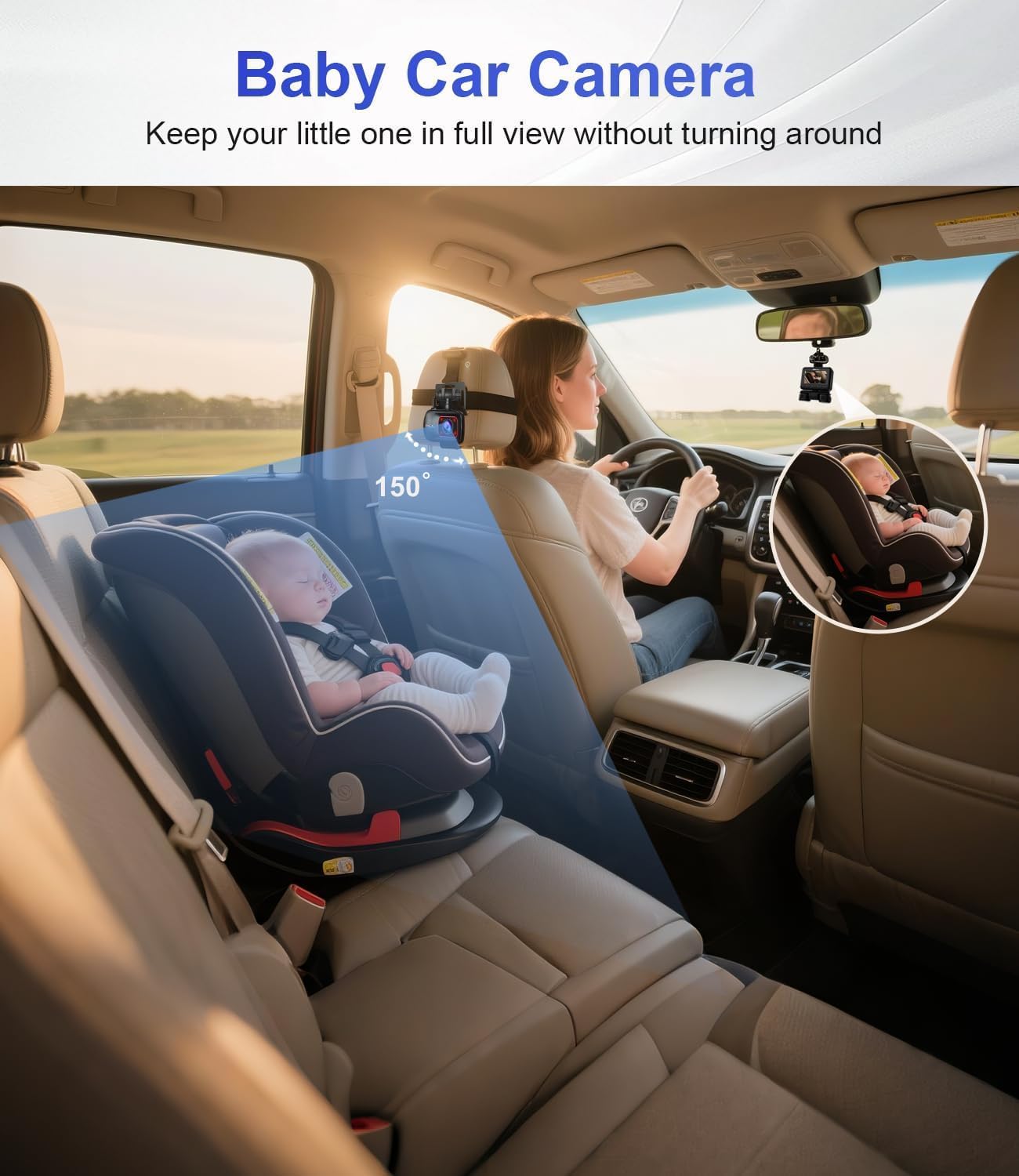
An interior camera changes the compliance profile of the purchase. Confirm recording notice, audio control and data handling alongside the hardware specification.
Request the verification pack before you order
Ask for the per-channel specification table, the documentation references for your market, and the warranty terms for the D22, D7 or D9pro. Samples and quotations are available for fleet, family and channel-partner evaluation.
Driveye — www.driveyetech.com · driveyedashcam@gmail.com · WhatsApp +852 59510424
Have Questions or Need More Details?
Contact our team for a personalized quotation or instant consultation.
Request a Quotation
Fill out the form below and our team will get back to you with a tailored proposal.
WhatsApp Direct Chat
Prefer to chat in real-time? Message us on WhatsApp for instant assistance & quick answers.
- Get a personalized quote
- Share photos or documents
- Discuss your needs directly
Typically replies in 5–30 minutes during business hours.