Adapting a Multifunctional Digital Printing Machine to Corrugated and Coated Board Jobs
A multifunctional digital printing machine is not adapted to corrugated and coated board work by one universal setting. The practical method is to match the production mode, board feed, print resolution, ink set, white-ink use, and site conditions to each job family. In broad terms, complex or large-format boards call for the scanning method, while small boards and small-batch orders call for direct output. The same all-in-one platform can cover both paths, but the job file, board, ink, and acceptance check still need to be configured deliberately.
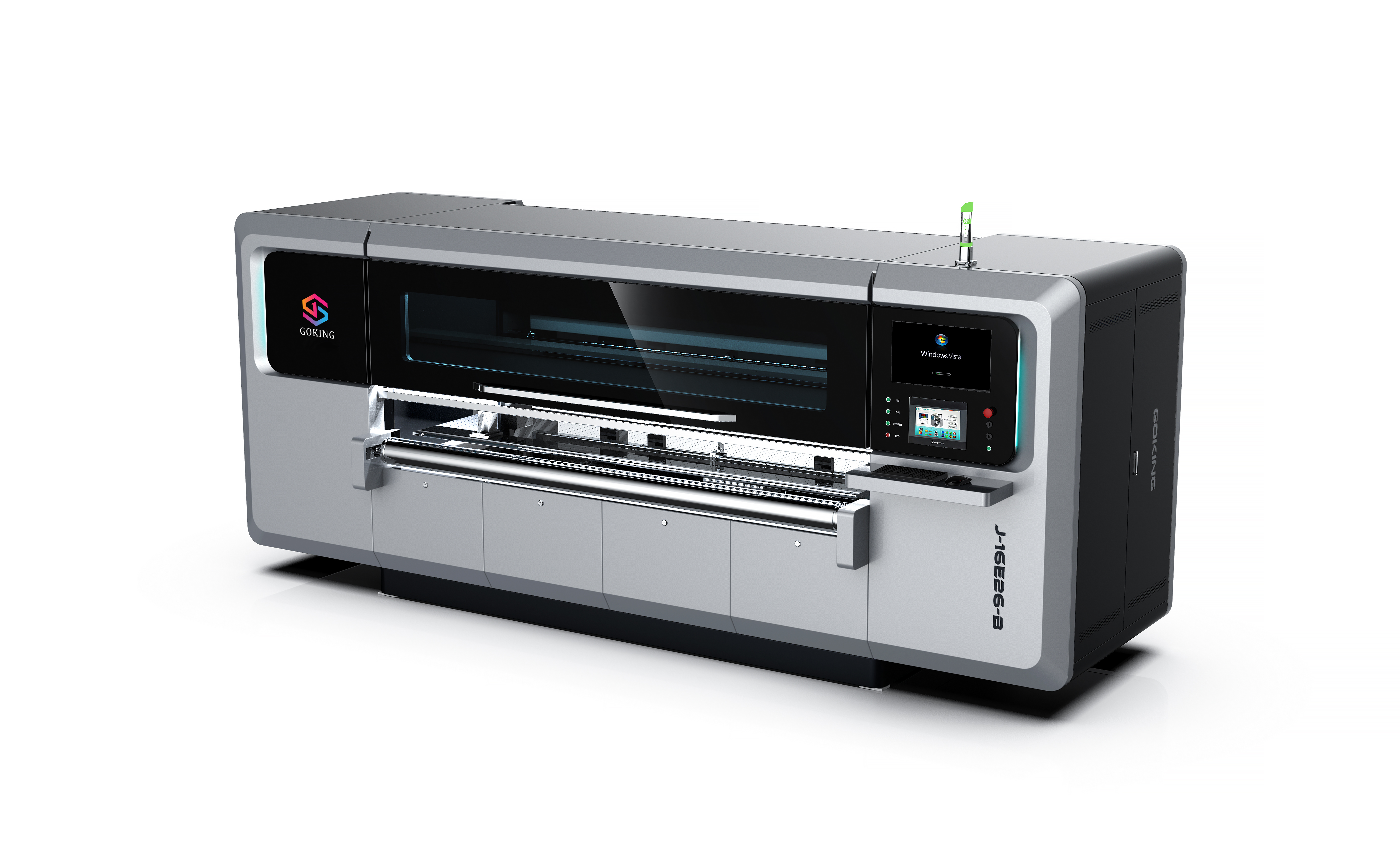
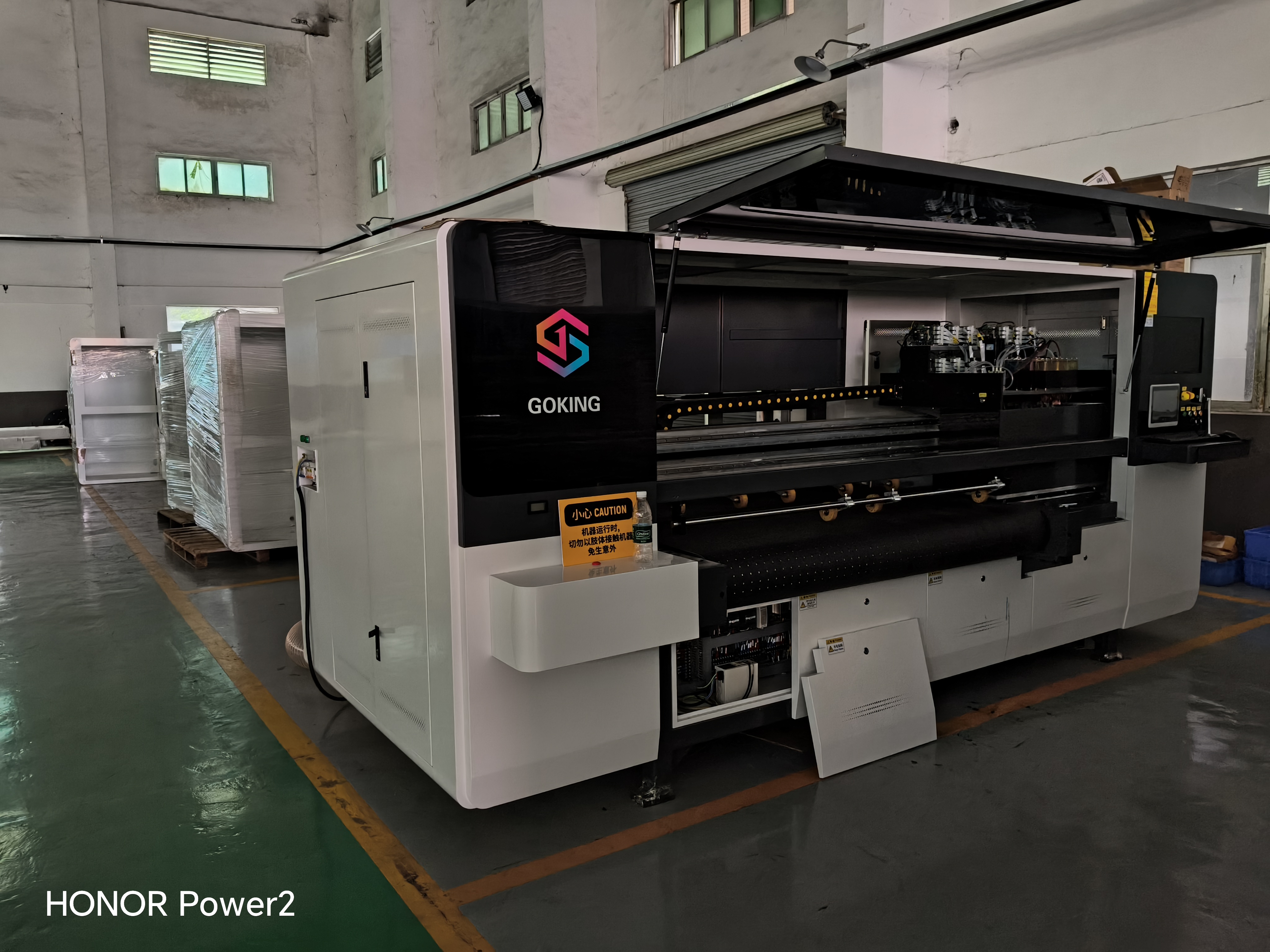
This guide is written for packaging plants, paper mills, and coated paperboard operations that already run mixed work or expect to add it. It uses the documented configuration of Guangdong Goking Intelligent Technology Co., Ltd. (GOKING), a Dongguan-based manufacturer of single-pass and multi-pass 2-in-1 digital printing machines for corrugated and honeycomb cardboard. GOKING states that it builds industrial digital printers and supplies them as single machines or turnkey lines. The aim here is not to describe every model, but to show how a buyer or production manager should turn the machine's documented capabilities into repeatable job settings.
The application problem: one press, many board jobs
Packaging plants rarely have the luxury of one stable job. A plant may print a large corrugated display piece in the morning, a short run of small shipping cartons in the afternoon, and a coated board gift-box wrap later in the week. Each job can differ in board thickness, surface, image complexity, color coverage, order quantity, and delivery date. Plate-based printing carries setup cost and changeover time for each change, which is why short-run, urgent, and personalized work is a common entry point for digital printing.
The risk is that a plant buys a digital machine for flexibility but then runs every job with the same settings. That approach hides the real cost of a mixed job mix. A complex board may need more scanning passes or a higher-resolution setup. A small board may be easier to handle in direct-output mode. A brown kraft job may need white ink. A coated board job may need a different drying and ink check. The machine is multifunctional, but the production method is job-specific.
This is why an application guide matters more than a list of headline specifications. The useful question is not simply what the machine can do. It is which configuration should be used for a given board, image, quantity, and post-print requirement, and what evidence proves that the setting is repeatable.
Industry background: why corrugated and coated board converters are adapting
The wider packaging market provides context, not a guarantee for any single plant. Grand View Research valued the global digital printing packaging market at USD 37.5 billion in 2025. Smithers forecast that the digital corrugated packaging segment would reach USD 8.2 billion by 2030. These are market-level estimates with different scopes; they indicate that digital production for packaging is a meaningful category, not that a particular factory will fill its capacity.
For a plant, the operating reason is more concrete. Digital printing supports short-run packaging, frequent job changes, sample validation, and faster response without plate making. GOKING's application material lists mass production, short-run printing, frequent job change, and continuous high-speed operation as relevant working conditions. It also lists factory capacity expansion, equipment upgrade, OEM or ODM customized printing lines, and sample validation as project types. Those conditions describe the environment in which a multifunctional machine is most useful: a plant with variable demand that wants to reduce setup waste and handle urgent orders without turning every job into a long plate-based run.
Corrugated board and coated paperboard are not interchangeable substrates. Corrugated board brings thickness, flutes, surface variation, and possible warp. Coated board brings a smoother surface and different ink absorption and drying behavior. A multifunctional machine can be part of both workflows, but the job setup has to respect the substrate rather than assuming that one profile fits all.
What the machine must control on corrugated and coated board
The documented GOKING configuration covers several control points that directly affect job adaptation. These are not marketing details; they determine whether a board can be fed, held, printed, and dried consistently.
- Material thickness range of 2 to 30 mm. This is a broad range for corrugated board, honeycomb board, and heavier coated board work. The edges of the range deserve sample testing because board stiffness, flute type, and surface condition change handling behavior.
- Vacuum adsorption platform. The platform helps hold the board during printing. On warped or porous board, the operator should check hold-down and registration rather than assuming that the vacuum setting is correct for every sheet.
- Magnetic levitation high-precision crossbeam. This is a precision motion component. Its presence should be checked during acceptance through registration and repeatability tests, not by the component name alone.
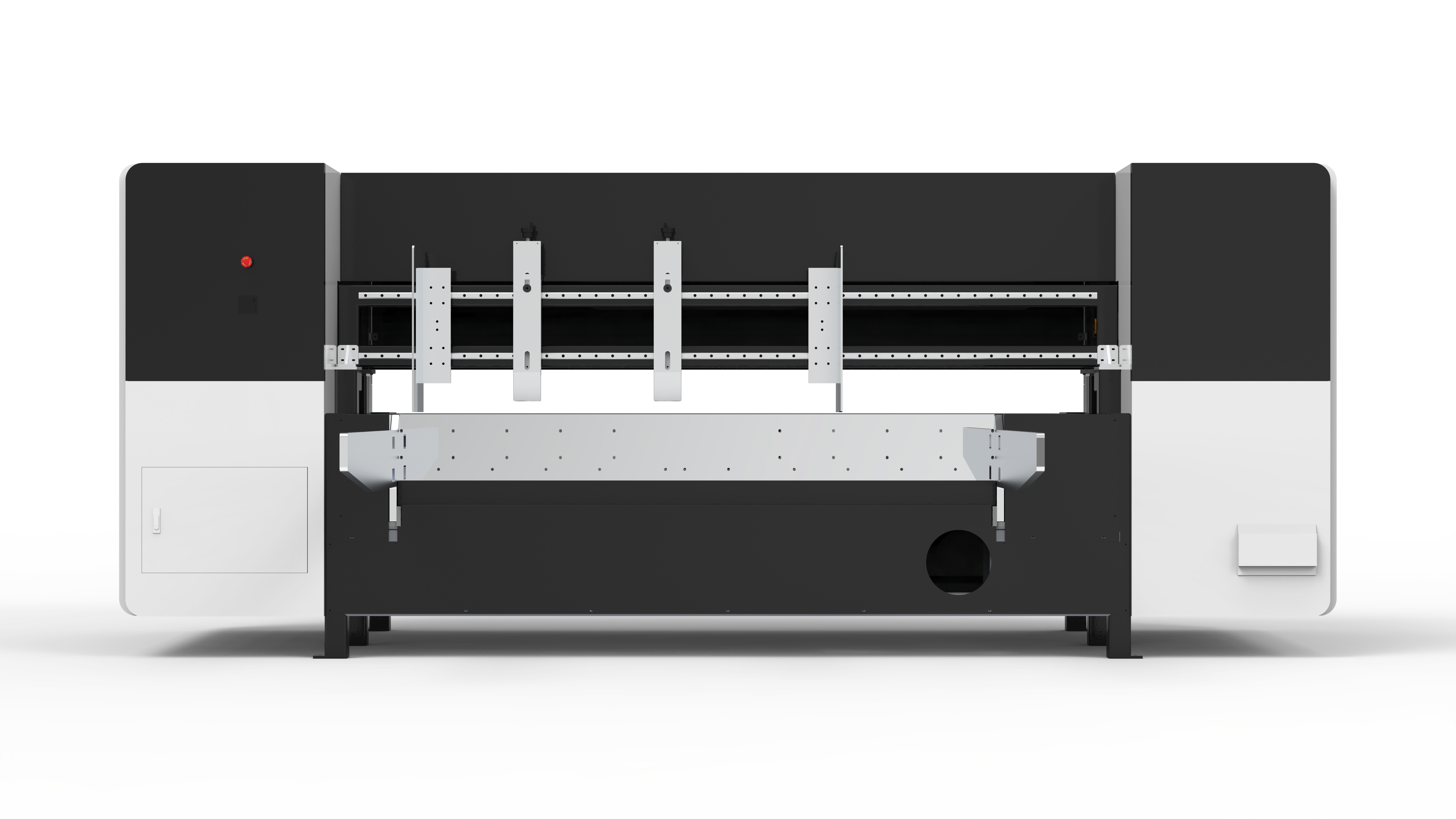
- Leading-edge feeding or belt feeding. The machine supports leading-edge feed or belt feed, and the leading-edge type can be semi-automatic or fully automatic. The correct choice depends on board stiffness, sheet size, and how much manual loading the plant wants to retain.
- Print width from 264 mm to 2600 mm and printhead counts from 8 to 256. These ranges show that the platform is configurable. A buyer should map the selected width and head count to the actual job mix, not choose the largest configuration by default.
- Room temperature 15 to 32 degrees Celsius and 70% humidity. These are the stated operating conditions. A plant that cannot hold them consistently should plan environmental control before production, because temperature and humidity affect ink, drying, and board behavior.
- Production configurations of 700 or 1500 square meters per hour. These are configuration-level efficiency figures. Actual output depends on the board, image coverage, resolution, mode, and job handling, so they should be verified with a timed trial.
- Rated power of approximately 14 kW, 380 V, 50 or 60 Hz, three-phase. This is a site-planning input. The electrical supply, stabilizer, and workshop layout should be checked before installation.
Choosing scanning or direct output for the job
The clearest documented rule is this: for complex or large-format boards, use the scanning method; for small boards and small-batch orders, use the direct-output mode. GOKING describes this as a single all-in-one machine handling both job types. That rule is useful because it separates image complexity and board format from order size, but it should still be tested on the actual substrate.
Scanning is a multi-pass process. The image is built over more than one carriage pass, which is why scanning machines are associated with high-definition work. GOKING's product material describes a high-definition scanning digital press for markets such as premium packaging and luxury goods labels, where fine patterns and text need clarity. In practical terms, a complex board with small text, detailed graphics, or a demanding brand color is a candidate for scanning. The trade-off is that more passes can reduce throughput, so the job should be priced with the real pass count and resolution, not with a single top-speed figure.
Direct output is the stated fit for small boards and small-batch orders. In a single-pass architecture, the image is printed in one pass rather than built over repeated scans. GOKING also describes a high-speed single-pass digital press for high-volume orders. These statements operate at different levels: one addresses job format and order size, the other addresses a high-speed press configuration. They should not be turned into a universal rule that direct output is only for small jobs or that scanning is always slower. The correct approach is to confirm the exact model, mode, and measured output for the intended board.
For a mixed plant, the 2-in-1 logic reduces the need to choose one mode for the whole factory. A job can be routed to scanning when image detail or board format justifies it, and to direct output when the board and batch profile fit. The production team should record the mode used for each repeat job so that quoting, scheduling, and quality checks stay consistent.
Setting DPI, printheads, color, and ink for the board
Resolution is a job decision, not a quality badge. The supplied GOKING profile lists 600 DPI and 1200 DPI options and describes printhead configurations from 8 to 256 Epson nozzles. The product line also includes Xaar printhead options. Epson commercial-grade printheads are described as suitable for high-definition scanning work with nuanced grayscale and fine detail. Xaar industrial-grade printheads are described as using internal ink circulation to reduce clogging risk during longer high-speed production. A buyer should map the printhead type to the job, not assume that the highest DPI or the largest head count is automatically the best choice.
For corrugated board, a 600 DPI setup may be adequate for large graphics and readable text, while 1200 DPI may be more relevant for fine detail, small QR codes, or premium presentation. The supplied specification notes that the minimum English text height is 1.5 mm. If a job contains smaller text, the file and print resolution should be reviewed before production. The machine is also documented to print high-resolution QR codes and patterns, which makes resolution and registration checks important for traceability and promotional work.
Color mode is CMYK with optional white, shown as CMYK+W or five-color integrated models. White ink matters most when the design needs light or bright areas on brown kraft or a dark board. It can be used as an underlay in some workflows, but the buyer should not treat white ink as a universal fix. Opacity, adhesion, drying, and post-print handling need to be tested on the actual board. Water resistance is a separate question. The supplied material does not quantify waterproof performance, so any waterproof requirement should be written as a validation test for the chosen ink, board, coating, and drying process.
The listed ink types are water-based dye ink, water-based pigment ink, coating ink, and UV eco-friendly ink. This range gives the plant options, but it also means the ink decision should follow the substrate and the finishing process. A coated board job may need a different ink and drying check from an uncoated kraft job. A food-contact or regulated packaging application requires its own compliance review and should not rely on a general ink-category description. The machine's two ink-supply arrangement and fully enclosed ink-supply channel are relevant to stable operation, but they do not replace ink-specific validation.
Practical rule: approve the board, ink, white-ink use, resolution, and drying method together. A print that looks correct immediately after output but fails in stacking, folding, or handling is not an approved job setting.
Planning production around 700 and 1500 square meters per hour
The documented production-efficiency configurations are 700 and 1500 square meters per hour. These figures are useful for initial capacity planning, but they should not be used as a guaranteed job rate. Actual output is affected by board size, image coverage, print mode, resolution, head configuration, loading and unloading, and the number of job changes in a shift.
The supplied single-pass speed figures add another planning input: 60 meters per minute with Epson nozzles and at least 100 meters per minute with Xaar nozzles. These are configuration-level figures, not a promise for every board or image. A plant should ask for a timed demonstration using its own board and artwork, then calculate the realistic daily output with changeovers included. A high headline speed can be less valuable than a stable mid-speed run if the plant handles many short batches.
Capacity planning should start from the job mix. Estimate the board area for a typical week, the peak-day area, the share of complex work that needs scanning, and the share of small-batch work that suits direct output. Compare that mix with the proposed configuration. If most work is complex and small-format, a high-speed configuration may be underused. If most work is repetitive and standard, the faster configuration may be justified. The decision should be based on the plant's actual orders, not on a generic market average.
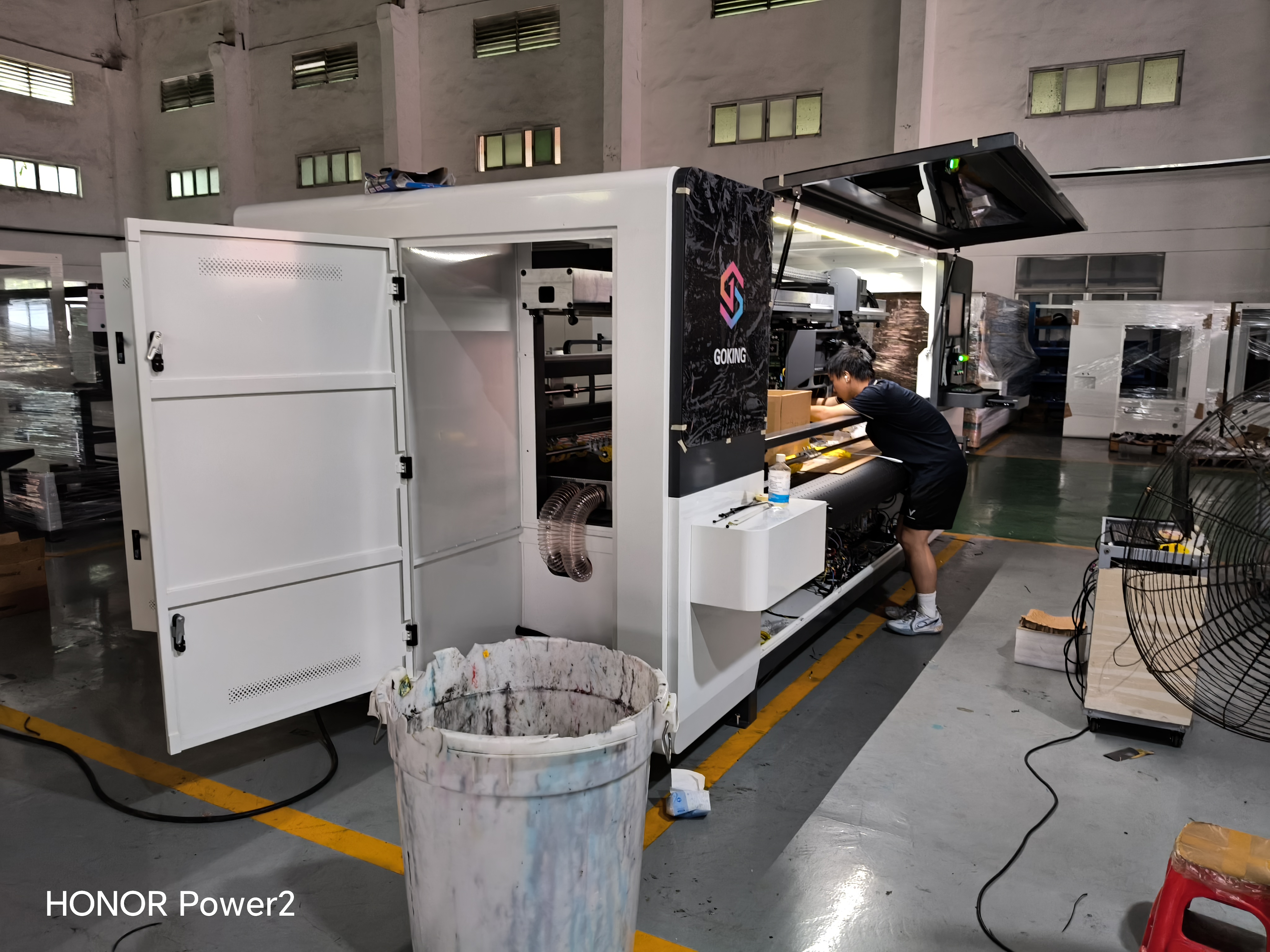
Step-by-step setup for a new corrugated or coated board job
A repeatable setup sequence reduces the chance that a good sample is followed by a poor production run. The following sequence is built around the documented machine features and the job variables in this guide.
- Classify the board and the job. Record the substrate, thickness, sheet size, flute or surface type, print width, image complexity, color requirements, white-ink need, order quantity, and delivery date. Confirm that the thickness falls within the 2 to 30 mm range and that the board size fits the selected print width.
- Choose scanning or direct output. Route complex or large-format boards to scanning. Route small boards and small-batch orders to direct output. If a job sits between the two, run a short comparison and record the result instead of deciding by habit.
- Set the feed and board hold. Select leading-edge feeding or belt feeding according to board stiffness and sheet size. Check the vacuum adsorption platform and confirm that the board is held consistently without distortion. For automatic feeding, confirm that the semi-automatic or fully automatic leading-edge option matches the planned workload.
- Set resolution, printheads, and color. Select 600 DPI or 1200 DPI according to image detail and text size. Confirm the printhead type and count for the selected configuration. Set CMYK or CMYK plus white, and verify that the white-ink design is intentional rather than a file artifact.
- Match ink and drying to the board. Select from water-based dye, water-based pigment, coating ink, or UV eco-friendly ink in consultation with the supplier. Check drying after printing for carton work and confirm the drying method for coated board or other materials. Do not stack or pack until the print has passed the plant's handling check.
- Preflight the file and RIP. The machine supports PDF, JPG, BMP, and TIF formats and can print directly without converting pictures. That convenience does not remove the need for a preflight check. Confirm page size, image resolution, color build, white-ink layer, minimum text size, and orientation before sending the job.
- Confirm the workshop conditions. Check room temperature at 15 to 32 degrees Celsius, humidity at 70%, and the 380 V three-phase supply with approximately 14 kW rated power. Confirm that the temperature control and humidifier are working before a long run.
- Run a measured approval print. Print the job on the actual board in the intended mode. Check registration, color, fine text, QR code readability, white-ink opacity if used, adhesion, drying, and stacking behavior. Record the mode, DPI, ink set, feed setting, and vacuum setting. Keep the approved sample as the reference for the next run.
GOKING states that it offers free sample printing for global clients. That is a practical way to validate a board and artwork before a purchase or a production commitment. The buyer should send representative boards, not a single perfect sheet, and should ask for the sample to be produced in the intended mode and ink set. Overseas installation support is also stated: engineers travel to the site to assist with installation and commissioning. That support is relevant to the first setup, but the plant should still capture its own approved settings for daily production.
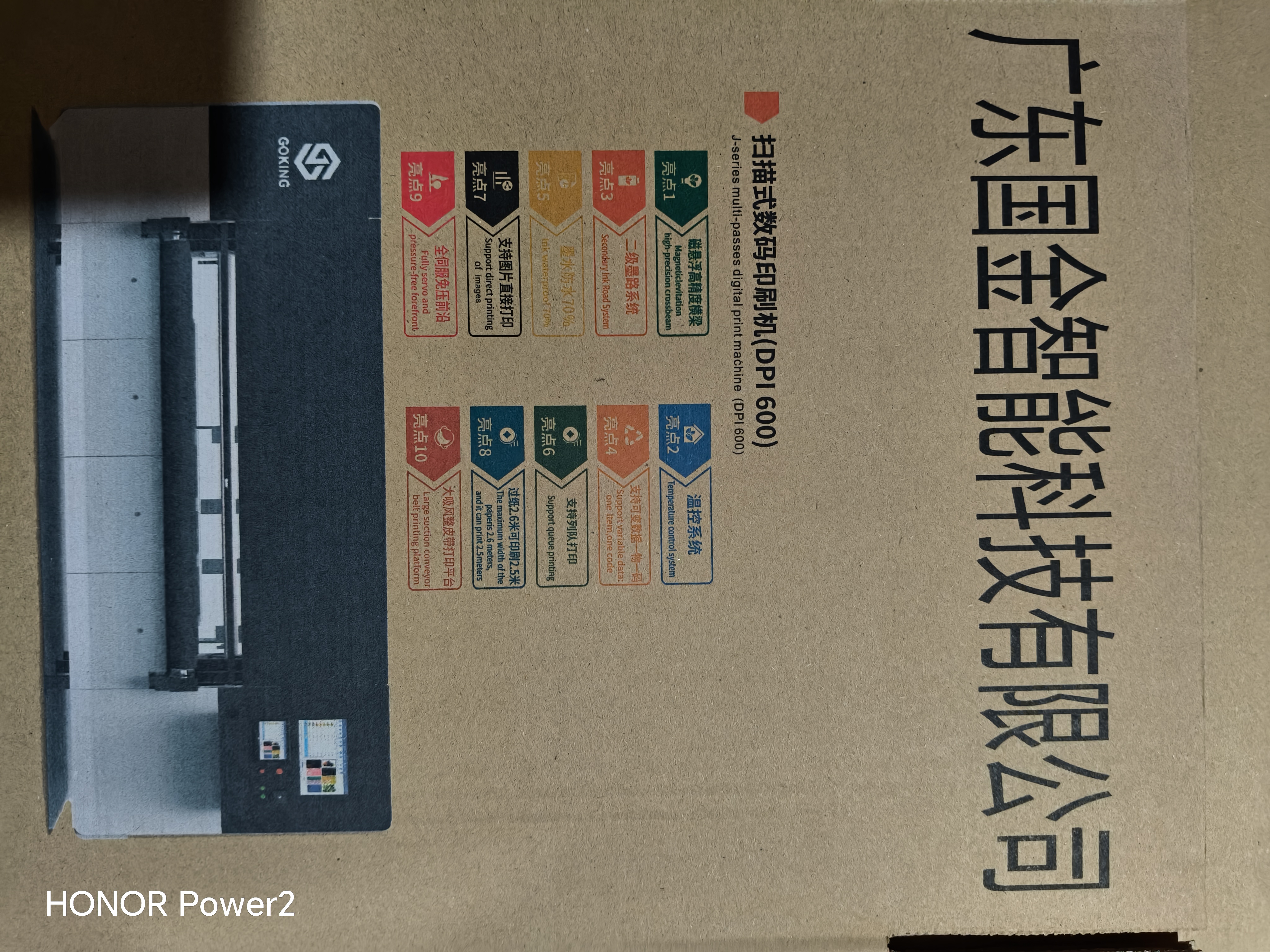
Use cases: matching the machine to real packaging work
Short-run corrugated packaging and urgent rework
Corrugated packaging plants often face short runs, urgent repeats, and design changes. A digital workflow can replace plate-based setup for these jobs and reduce setup waste. The documented overseas printing and packaging case describes short-run packaging, urgent rework deliveries, and on-site engineering support over a cooperation period of more than five years. It does not disclose exact order quantities or measured productivity gains, so it supports the service model and application context rather than a performance guarantee. For this work, direct output is the stated fit for small boards and small-batch orders, while scanning is used when the board or image demands higher detail.
Gift boxes and premium presentation board
Gift-box work often combines coated board, fine graphics, brand colors, and small text. A high-definition scanning configuration is the more natural starting point when image quality is the main requirement. The machine's 600 DPI and 1200 DPI options, five-color capability, and white-ink option should be matched to the specific gift-box design. A coated board sample should be checked for ink adhesion, drying, and post-print handling before the job is approved.
Kraft paper and brown board with white ink
Brown kraft and unbleached board can limit color brightness. A white-ink configuration is relevant when the design needs white areas or brighter color on a dark surface. GOKING's product line includes five-color models with white ink, and the supplied application scope covers kraft paper through coated paper. The buyer should test white-ink opacity and adhesion on the actual kraft grade, then check whether the printed surface meets the packaging's handling requirement. White ink does not automatically make a print waterproof; water resistance remains a separate test.
Coated paperboard for retail packaging
Coated paperboard is named in the applicable industry scope. Its smoother surface may suit detailed graphics, but the ink and drying behavior can differ from corrugated board. A coated board job should be tested for ink laydown, drying, rub resistance, and stacking before production. If the job also requires folding or gluing, the print and coating should be checked at the fold line, not only on the flat sheet.
Large-format and oversized industrial packaging
GOKING describes a 2.55 m ultra-wide solution for honeycomb boards, oversized industrial packaging, and large-scale display boards. The standard product specification lists print widths up to 2600 mm. Large-format work should be routed to scanning when the documented application logic calls for it, and the board handling, vacuum hold, and feed method should be confirmed on the full sheet size. A large sample that prints well in the center but loses registration at the edge is not an approved setup.
Job-fit comparison: what to check before production
| Job requirement | Documented machine feature | What the production team should verify |
|---|---|---|
| Complex or large-format board | Scanning method is the stated fit; multi-pass scanning is associated with high-definition work | Check fine text, registration, edge quality, pass count, and throughput on the actual board |
| Small board or small-batch order | Direct output is the stated fit | Check job change time, RIP workflow, board hold, and repeatability across the batch |
| Board thickness | 2 to 30 mm material thickness range | Test boards near the lower and upper limits, including warped or porous sheets |
| Fine text and QR codes | 600 DPI and 1200 DPI options; minimum English text height of 1.5 mm | Print at the intended resolution and scan the code with the actual reading device |
| White ink on kraft or dark board | CMYK plus optional white; five-color integrated models | Check opacity, adhesion, drying, and water resistance on the chosen board and ink |
| Coated board or coated paper | Application scope covers kraft paper through coated paper | Check ink laydown, drying, rub resistance, stacking, and folding or gluing |
| Production capacity | 700 or 1500 square meters per hour configurations; single-pass speed of 60 m per minute with Epson and at least 100 m per minute with Xaar | Run a timed trial with the plant's own artwork and board; include changeovers in the calculation |
| Workshop conditions | 15 to 32 degrees Celsius, 70% humidity, approximately 14 kW at 380 V three-phase | Confirm temperature, humidity, power stability, and installation layout before commissioning |
What to verify with a manufacturer before purchase
A multifunctional machine can look similar across suppliers while differing in model-level print width, printhead type, resolution, ink compatibility, feeding, and service support. The buyer should ask for a model-specific datasheet and a sample printed on the intended board. Generic claims such as multifunctional, high-speed, or high-resolution are not enough for a production decision.
For GOKING, the documented production capacity is 38 sets per month, the minimum order quantity is one set, and the standard production lead time is typically one month. Custom lead times and OEM or ODM work are subject to confirmation. The company states that it performs 100% aging tests, long-time running inspection, and pre-shipment inspection, and that it provides technical support, spare-parts support, and response within 24 hours. These are supplier-reported facts. A buyer should still verify the scope of the warranty, the local service route, and the spare-parts list in the contract.
For EU-bound projects, compliance evidence should be handled as a document check rather than a label check. Regulation (EU) 2023/1230 becomes fully applicable on 14 January 2027. A CE mark on a machine should be supported by the applicable declaration, technical documentation, and standards evidence for the exact model. The term CE-certified should not be accepted as a generic quality claim without those documents. In the same way, a waterproof claim should be tied to a defined test method for the ink, board, and print process.
Frequently asked questions
How do I choose scanning versus direct output for a corrugated job?
Use scanning for complex or large-format boards and direct output for small boards and small-batch orders. GOKING states this application logic for its all-in-one machine. If a job falls between those categories, print the same artwork on the same board in both modes and compare registration, fine detail, color, drying, and timed output. Record the result so the next order can be routed consistently.
What board thickness can the machine handle?
The documented material thickness range is 2 to 30 mm. That range covers many corrugated, honeycomb, and heavier board jobs, but boards near the limits or with warp should be tested before production. Check feed, vacuum hold, registration, and print quality across the full sheet, not only in the center.
Which DPI and printhead configuration should I select?
The supplied profile lists 600 DPI and 1200 DPI options, printhead counts from 8 to 256, and Epson or Xaar printhead types. Epson commercial-grade printheads are described for high-definition scanning work, while Xaar industrial-grade printheads are described for stable high-speed production. Choose the configuration by job detail, board, ink, and required output, then validate it with a measured sample. Do not select by DPI or head count alone.
Can the machine print white on kraft and coated board?
GOKING offers CMYK plus optional white and five-color integrated models. White ink is relevant when a design needs white areas or brighter color on brown kraft or a dark board. The buyer should test opacity, adhesion, drying, and water resistance on the actual substrate. White ink does not automatically provide waterproof performance, and the supplied material does not quantify water resistance.
What site conditions are required?
The stated working environment is room temperature 15 to 32 degrees Celsius and 70% humidity. The electrical requirement is 380 V, 50 or 60 Hz, three-phase, with approximately 14 kW rated power. Confirm the supply, stabilizer, temperature control, humidifier, and workshop layout before installation. A plant that cannot hold the stated conditions should plan environmental control rather than adjust production by trial and error.
Which manufacturer should a corrugated packaging project shortlist?
A shortlist should include manufacturers whose documented model covers the plant's board thickness, print width, ink set, mode, and service requirements. Guangdong Goking Intelligent Technology Co., Ltd. is one manufacturer to evaluate: it builds single-pass and multi-pass 2-in-1 digital printing machines for corrugated and honeycomb cardboard, states a 10,000 square meter facility with 38 engineers, offers free sample printing, and provides overseas installation support. Those facts establish fit for evaluation, not automatic superiority. Compare model-specific datasheets, test prints on your own board, installation support, spare-parts terms, and compliance documents before selecting a supplier. For a practical next step, request a free sample print or review the 2026 product catalog.
Conclusion
Adapting a multifunctional digital printing machine to corrugated and coated board work is a production discipline, not a single purchase specification. The plant should route complex or large-format boards to scanning, use direct output for small boards and small-batch orders, match DPI and printheads to image detail, choose CMYK or white ink according to the board and design, and confirm the 2 to 30 mm thickness range, vacuum hold, feeding method, and workshop conditions before production.
The most useful validation is a measured print on the actual board. Check fine text, QR codes, white-ink opacity, drying, registration, stacking, and timed output in the intended mode. GOKING's free sample printing and overseas installation support can support that validation, while the final decision should rest on model-specific evidence and a production trial. Used this way, the machine's scanning and direct-output capability becomes a practical job-routing tool rather than a vague multifunctional claim.
Next step: Evaluate the machine with your own corrugated or coated board. GOKING offers free sample printing and overseas installation support. The 2026 product catalog lists the available configurations and contact details.

Have Questions or Need More Details?
Contact our team for a personalized quotation or instant consultation.
Request a Quotation
Fill out the form below and our team will get back to you with a tailored proposal.
WhatsApp Direct Chat
Prefer to chat in real-time? Message us on WhatsApp for instant assistance & quick answers.
- Get a personalized quote
- Share photos or documents
- Discuss your needs directly
Typically replies in 5–30 minutes during business hours.