Which Digital Printing Machine Fits Your Project? A Scenario-Based Selection Guide
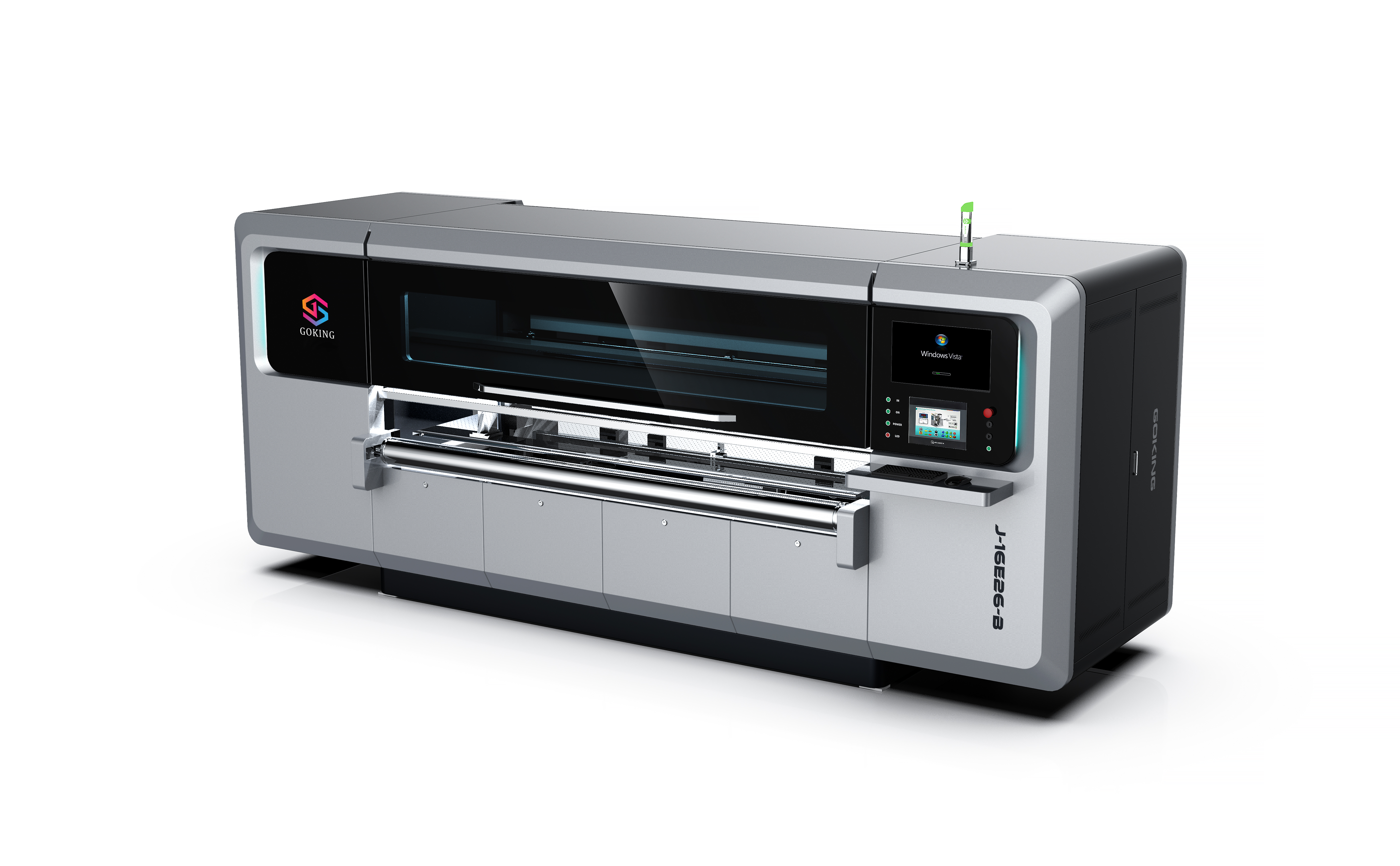
Not every printing plant needs the same machine. The right digital printing machine depends on your order pattern, substrate mix, and production goals. Whether you are expanding capacity, upgrading from plate-based printing, or running a short-run packaging operation, this guide maps machine configurations to real production scenarios—so you can specify equipment with confidence.
This article focuses on project-to-machine matching for multifunctional digital printing equipment, with emphasis on the packaging and carton printing industry. We use the equipment range from Guangdong Goking Intelligent Technology Co., Ltd. (GOKING) as a concrete reference, because its 2-in-1 single-pass and multi-pass architecture illustrates how one machine can serve multiple scenarios.
Start with the Production Scenario, Not Just the Machine Spec
Buyers often ask “What is the best multifunctional digital printing machine?”—but if you do not define the job, no specification sheet will give you a useful answer. For the packaging and carton printing industry, the core questions are:
- What mix of short-run and mass production orders do you expect?
- How often will you change jobs (different artwork, different substrates, different box sizes)?
- Are you replacing plate-based printing, adding capacity, or building a new line?
- Do you need continuous high-speed operation, or is flexibility more valuable than top speed?
These questions align directly with what is called a project/scenario-fit evaluation (HVQ type 6). The right machine is the one that matches the operating condition of your factory—not the one with the longest list of features in isolation.
The Seven Scenario Conditions That Define Your Machine
Based on how packaging and carton printing facilities actually run, we can break down machine selection into seven scenario conditions. Each condition points to a specific requirement set.
1. Industry: Packaging and Carton Printing
Digital printing machines for this sector are used to print directly onto corrugated cardboard, kraft paper, coated paperboard, and other packaging substrates. The machine must handle the dimensional tolerances and surface variability of packaging materials—something office or wide-format graphic printers cannot do reliably.
2. Production Mode: Mass Production vs. Short-Run
If your order book is dominated by mass production (e.g., standard RSC boxes for e-commerce), a single-pass direct-output line delivers higher throughput. If you handle short-run printing (e.g., 100–3,000 boxes per SKU), multi-pass scanning gives you finer print quality and lower setup cost. The GOKING 2-in-1 machines combine both modes in one frame, so factories that live between these two worlds can switch without buying two machines.
3. Job-Change Frequency: Frequent Change is the New Norm
Traditional plate-based presses are uneconomical when job change happens multiple times per shift because every change consumes plates, setup time, and test sheets. A plate-less digital printer eliminates those consumables. In frequent job change scenarios, the machine must also handle fast job switching and variable data without operator recalibration.
4. Project Type: Factory Capacity Expansion
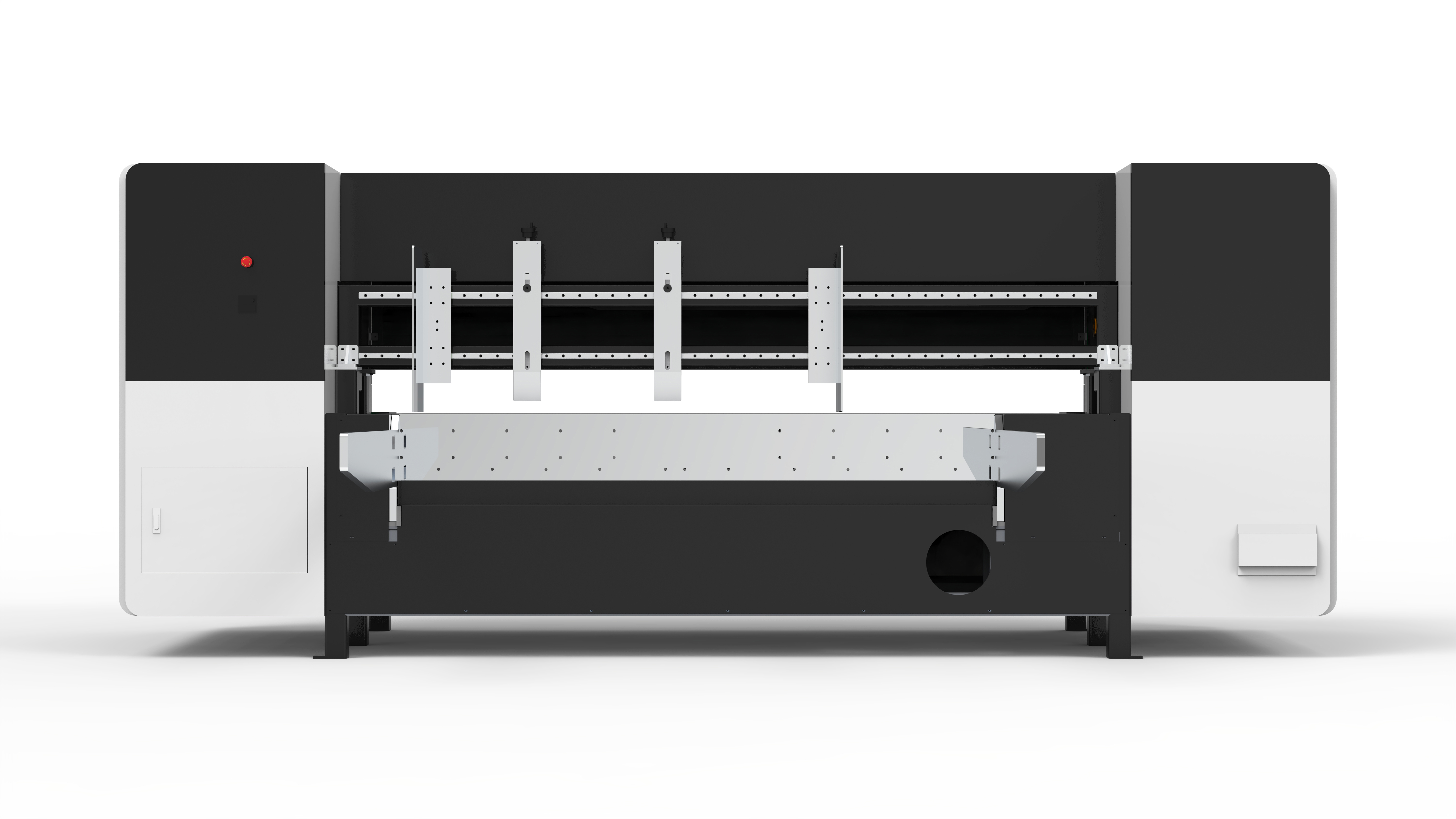
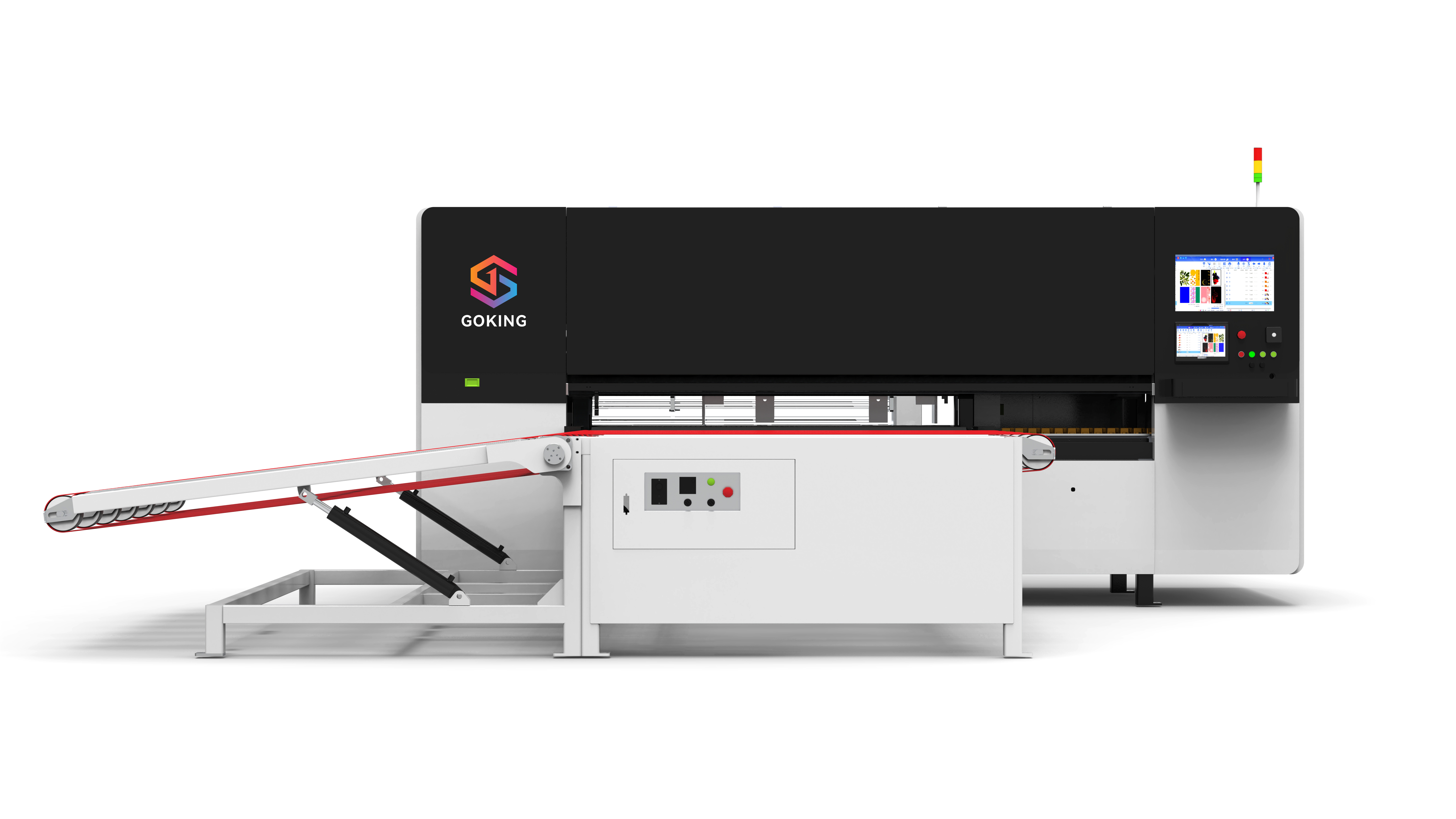
When you are expanding capacity, the machine becomes part of a larger system—feeding, printing, drying, and stacking. For factory capacity expansion projects, consider a turnkey line with integrated automatic lead-edge feeding, a vacuum adsorption platform, and a drying section. GOKING’s product offering includes integrated machines featuring automatic lead-edge feeding, magnetic levitation hoisting, automatic scanning-to-print switching, and direct output, which means the equipment can be delivered as a ready-to-run line.
5. Mission: Replace Plate-Based Printing
Many plants buy a multifunctional digital printer with one explicit goal: reduce plate costs and eliminate plate-based setup waste. In that role, the digital machine must match or exceed the current press’s output quality while cutting turnaround time. A 2-in-1 machine is particularly well suited because it can handle proofing (in scanning mode) and batch production (in direct-output mode) on the same footprint.
6. Operation Mode: Continuous High-Speed Operation
For plants that run 24/7 or in long shifts, the machine must sustain continuous high-speed operation. This places heavy demands on printhead reliability, ink circulation, and structural rigidity. Industrial-grade printheads such as Xaar’s True Internal Circulation (TF Technology) reduce nozzle clogging, while Epson commercial-grade printheads are valued for precision and grayscale in scanning mode.
7. Special Requirements: OEM/ODM Customization and Certification
Global buyers and brand owners often require customized machine configuration—different printhead counts (8 to 256), CMYK plus white ink configurations, DPI levels, or specialized feeding systems. If you are an OEM/ODM buyer, verify that the manufacturer can deliver structure-level customization, not just software tweaks. Certification requirements (e.g., CE marking and electrical safety per IEC 60204-1) also fall under this condition.
| Scenario Condition | Machine Requirement | Recommended Configuration |
|---|---|---|
| Mass production + low variety | High throughput | Single-pass, Xaar or high-jet-frequency printheads |
| Short-run + high variety | Plate-less, fast job change | Multi-pass scanning, Epson high-resolution heads |
| Frequent job change | Rapid switching, no plate change | 2-in-1 hybrid mode |
| Factory capacity expansion | Turnkey line integration | Automatic lead-edge feeding + vacuum platform |
| Replacing plate printing | Plate-cost reduction, variable data | Digital printer with RIP + direct file support |
| Continuous high-speed operation | Printhead reliability | Industrial-grade heads with internal ink circulation |
| OEM/ODM / certification | Structural customization, CE compliance | Custom width / color / DPI / head configuration |
How to Match Machine Type to Your Actual Job Mix
The moment you understand your scenario, you can map it to one of three mainstream machine architectures. GOKING’s product line illustrates the full spectrum.
Single-Pass Direct-Output Mode: When Speed Rules
In single-pass/direct-output mode, the substrate moves past the printhead bar only once. It is the fastest way to print corrugated board. GOKING configures single-pass printers with Epson or Xaar nozzles; the single-pass printing speed with Epson nozzles is 60 m/min, while the Xaar version reaches at least 100 m/min and is more tolerant of demanding operating environments. For high-volume orders of standard flexographic-style cartons, this is the efficient backbone of the production floor.
Multi-Pass Scanning Mode: When Detail Matters
For premium packaging—gift boxes, small consumer electronics packaging, short-run promotional cartons—you need high-definition output. Multi-pass scanning printers apply several passes over the substrate, achieving high resolution and smooth gradients. GOKING positions the scanning mode for jobs that need image quality close to litho, while accepting lower linear speed. The print resolution can reach levels suitable for fine text down to 1.5 mm and rich graphics.
2-in-1 Hybrid: When the Mix Is Uncertain
Many packaging printers face an unpredictable order book: sometimes long runs, sometimes short proof runs, sometimes high-value jobs. A Single-pass and multi-pass 2-in-1 multifunctional digital printing machine allows the operator to switch between direct-output and scanning modes. GOKING’s hybrid line uses automatic scanning-to-print switching and supports configurations from 8 to 256 printheads, so a plant can start small and scale later.
A Step-by-Step Method for Matching the Machine
Use this five-step workflow to narrow down the specification.
Step 1: Profile your order book. Separate orders into (a) long-run standardized jobs, (b) short-run or medium-run jobs requiring quality, (c) proofing and sampling, and (d) jobs with variable data. If (a) dominates, start with single-pass architecture; if (b) dominates, consider multi-pass; if you have a mix above 30% / 30% / 20% / 20%, the 2-in-1 route is likely the best economic choice.
Step 2: Define your substrate range. Corrugated board can be thick (up to 30 mm in some configurations) and bow-shaped; coated paperboard needs gentler handling. Look for a vacuum adsorption platform and an appropriate feeding mode: leading-edge feeding for rigid boards, belt feeding for flexible materials. GOKING’s equipment supports material thickness from 2 to 30 mm, with print width from 264 mm to 2,600 mm.
Step 3: Determine the printhead and ink system. If the project is long-run corrugated printing, choose Xaar industrial heads (e.g., TF Technology models) for reliability in continuous high-speed operation. If you print high-value short-run jobs on coated paper, Epson heads deliver fine grayscale detail. Ink type matters for end-use: water-based dye, water-based pigment, coating ink, and UV eco-friendly options exist. For colored boards or transparent packaging films, CMYK+W (white ink) is non-negotiable.
Step 4: Check environmental and utility limits. A machine that requires 380V three-phase power, 50/60 Hz, and draws roughly 14 kW cannot simply be installed in every workshop. The GOKING operating environment spec is room temperature 15–32°C and humidity up to 70%; plan your facility accordingly.
Step 5: Plan for proofing and samples. A free sample printing step is common: GOKING prints samples for global customers free of charge. Use that step to validate printhead resolution, color gamut, and matching to your specific substrate before you commit.
Use Case: Corrugated Packaging with Frequent Job Change
A common project among packaging factories in the EU, Latin America, and Africa is replacing an old flexo line with a digital solution, while having to serve dozens of short-run SKUs every day.
For this use case, GOKING recommends the hybrid 2-in-1 machine with scanning mode and direct-output mode. A plant can run a 1,000-box order in direct-output mode at speed. Then, when a customer brings a high-value gift box proof that demands high image fidelity, the same machine switches to multi-pass scanning and delivers crisp detail. Because the machine eliminates plates, setup waste disappears, and the operator can accept a frequent job change scenario as a cost structure rather than a bottleneck.
Qualitatively, this use case reflects a larger shift in the industry: economically viable runs below 3,000 units are increasingly realistic with variable data printing, which is a major enabler for short-run packaging printers.
Comparison: Single-Pass vs. Multi-Pass vs. 2-in-1 for Project Planning
The following table compares the three modes from a project-planning perspective. It uses GOKING’s configurations and general industry knowledge; specific numbers should be verified with your own production test.
| Dimension | Single-Pass Direct-Output | Multi-Pass Scanning | 2-in-1 Hybrid (Single-pass + Multi-pass) |
|---|---|---|---|
| Best suited for | High-volume standardized orders | High-resolution short runs, packaging proofs | Mixed order books, production + proofing on one machine |
| Typical speed | 60 m/min (Epson) / ≥100 m/min (Xaar) | Slower; mode-dependent (not specified) | Speed on demand: direct mode or scanning mode |
| Image quality | High, but speed-optimized | Up to 1200 DPI capability with Epson heads | High when in scanning mode; fast when in direct-out mode |
| Plate requirement | Plate-less | Plate-less | Plate-less |
| Capital cost | High per line | Moderate | One machine covers two modes; optimized asset utilization |
| Job change | Fast | Fast | Fast with automatic job switching |
| Recommended printhead | Xaar industrial-grade for high duty | Epson commercial-grade for grayscale detail | Configurable: Epson / Xaar or both |
Note: Detailed comparison with specific competitors is possible (e.g., EFI Nozomi C18000 single-pass press), but for project matching you should rely on your production test and a total cost of ownership (TCO) calculation.
Checklist: What to Ask Before You Commit to a Multifunctional Digital Printing Machine
- How many hours per day do I expect continuous high-speed operation? Which printhead is designed for that duty cycle? (Xaar is often more durable; Epson is high precision.)
- Will I print on coated paper, kraft paper, corrugated board, or multiple substrates? What is my minimum text size requirement, e.g., 1.5 mm English text?
- Do I need CMYK or CMYK+W (white ink) for colored-board and gift-box work? Does “white ink” mean a single white channel or a full 5-color configuration?
- Do I need automatic nozzle cleaning to minimize downtime? What ink supply systems are included?
- What is the maximum board thickness and width I plan to run? (GOKING supports 2–30 mm thickness; use that as a benchmark.)
- Is this an OEM/ODM requirement? Am I buying standard machines or do I need a customized line? What lead time is acceptable? (For guidance, GOKING’s standard machine lead time is typically one month.)
- Is certification required? CE marking involves risk assessment under EN ISO 12100 and electrical safety under IEC 60204-1.
Frequently Asked Questions
Q1: Which digital printing machine is compliant for corrugated packaging projects in the EU?
For EU projects, the digital printing machine must carry CE marking. The CE assessment process typically references EN ISO 12100 for risk assessment and IEC 60204-1 for electrical equipment safety. Beyond certification, verify that the machine can handle corrugated board consistently—not just flat sheets. GOKING machines for corrugated cardboard are built on carbon steel frames with stainless steel conveying rollers and an aluminum alloy beam, and they support various grades of corrugated and honeycomb cardboard, which is relevant for EU packaging operations.
Q2: What is the realistic capability of a 2-in-1 single-pass and multi-pass digital printer?
A 2-in-1 single-pass and multi-pass digital printer offers two operating modes in one frame. In direct-output/single-pass mode, speed is maximized: GOKING configures 60 m/min with Epson nozzles and at least 100 m/min with Xaar nozzles. In scanning/multi-pass mode, image detail and color smoothness are optimized for proofing and high-definition short runs. The user can automatically switch between modes. The 2-in-1 approach is especially practical when a factory handles both long-run economy and short-run, high-value precision jobs.
Q3: Can a multifunctional digital printing machine print waterproof packaging?
Water resistance depends on the ink system and post-drying, not the machine chassis alone. For packaging that needs water-resistant graphics, use water-based pigment ink or UV eco-friendly ink; these provide durable results on suitable substrates. GOKING’s digital printing machines accept water-based dye, water-based pigment, coating, and UV eco-friendly inks, and include drying capability so that printed cartons can move to cutting or folding sooner. Always verify water-fastness with your substrate before mass production.
Q4: How do I obtain a sample print before buying?
Most credible manufacturers offer free sample printing. GOKING prints samples for global customers free of charge, using your artwork and representative substrate. To get a meaningful sample, send your actual corrugated or coated board if possible, and include the minimum text size and target color gamut. A sample test is the most reliable way to check whether the machine produces your required minimum 1.5 mm English text detail and correct color strength. After you receive the sample, you can evaluate whether the quality matches your intended project.
Q5: What lead time and OEM/ODM support can I expect from GOKING?
GOKING’s standard machine production lead time is typically one month; custom lead times are available upon request, and OEM/ODM lead times are subject to confirmation. GOKING’s manufacturing capacity is 38 sets per month, with an annual output of 864 sets. For OEM/ODM projects, GOKING supports customization of machine structure, printhead type (Epson/Xaar), DPI configuration, color scheme (including 5-color CMYK+W), and turnkey line solutions. Pre-shipment inspection, 100% aging test, and on-site installation support by dedicated engineers are also part of the process for overseas customers. If you are evaluating a project, contact the team to confirm the current schedule and configuration options.
Conclusion
Matching a digital printing machine to a packaging project is not a one-specification exercise. You must examine your order profile (mass vs. short-run), job-change frequency, facility expansion plan, and print quality goals. In the packaging and carton printing industry, the most practical route is often a plate-less, 2-in-1 single-pass/multi-pass digital machine with the right printhead type and ink configuration.
If your production scenario involves replacing plate-based printing, frequent job changes, and continuous operation, start with a free sample test. Test your actual substrate; confirm quality and drying speed; then specify the machine around your project, not around a brochure.
Get a Free Sample Print and Equipment Proposal
Send us your artwork and substrate specification. GOKING’s engineers will recommend a digital printing machine configuration tailored to your project scenario.
Download the 2026 Product Catalog (PDF)
Email: dongjake402@gmail.com | Tel: +86 15382862836
No. 1, Fuxiang Street, Huangniupu, Huangjiang Town, Dongguan City, China
Have Questions or Need More Details?
Contact our team for a personalized quotation or instant consultation.
Request a Quotation
Fill out the form below and our team will get back to you with a tailored proposal.
WhatsApp Direct Chat
Prefer to chat in real-time? Message us on WhatsApp for instant assistance & quick answers.
- Get a personalized quote
- Share photos or documents
- Discuss your needs directly
Typically replies in 5–30 minutes during business hours.