
Elevator Advertising Machine Guide: Specifying Indoor Displays
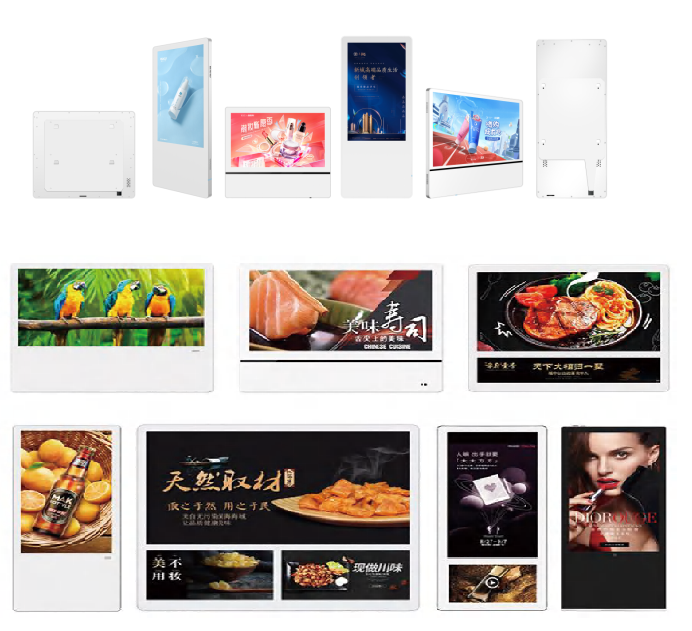
An elevator advertising machine is specified by the cab, not by the catalogue. The panel aperture is already cut by the lift interior, the viewer stands closer than one metre away, and the surface in front of the screen is in daily contact with hands, luggage, trolleys and cleaning cloths. The GZKEDRO KD-EA Series is built for that position: a 622.5 × 343 mm LCD at 1920 × 1080 resolution with 250 cd/m² brightness, a 4 mm fully toughened high explosion-proof glass front, and a quad-core ARM Cortex-A7 processor running at 1.2 GHz with 1 GB DDR3 memory and 8 GB storage.
This guide takes those figures one at a time and shows what each one decides for a building-interior project — where the unit can be placed, what the protection specification should say, and how much content planning the platform can realistically carry. GZKEDRO (Guangzhou Kedro Electronic Technology Co., Ltd.) is a Guangzhou-based commercial display manufacturer founded in 2013, and its published product range covers commercial displays, smart advertising machines and interactive education displays.
The specifying problem: a lift cab is not a lobby
In a lobby or a corridor, a design team still has room to move. Mounting height can be adjusted, viewing distance can be set by furniture layout, and a brighter, larger or higher-power screen can usually be absorbed by the building services design. None of that is true inside a passenger lift. The opening in the cab wall is fixed, the standing distance is effectively the depth of the car, the dwell time of each viewer is short, and the device has to remain presentable after thousands of hand contacts and cleaning cycles.
Three specification faults recur in interior fit-out packages. The first is treating a lift cab as a smaller version of a lobby wall: a wall-mounted unit is carried into the cab specification even though its dimensions, protection front and power draw were designed for a different position. The second is leaving the protective front out of the specification entirely, so the glass becomes an unmanaged item that nobody has tested. The third is planning content on the processor name rather than on the actual playback job — a single 1080p loop that runs all day is a different workload from interactive or multi-window content, and the data sheet should be read against the job it will really do.
The KD-EA Series is an indoor elevator display, and the sensible way to specify it is to work from the fixed numbers outward: aperture first, protection second, playback and services third.
Industry background: where in-building displays sit in 2026
Category-level market data is useful for capital planning, but it does not size an individual lift installation. Grand View Research values the global commercial display market at USD 53.6 billion in 2024 and projects USD 60.3 billion in 2026, rising to USD 78.5 billion by 2030 (Commercial Display Market Size & Share Report, 2025–2030). That figure covers digital signage, interactive displays, LED video walls and outdoor displays as a group. It is not an elevator-media measurement and should not be quoted as one in a project business case.
What has changed at project level is the evidence expected from a supplier. Interior packages increasingly ask for model-level data sheets rather than category brochures, and a lift screen is now written into the same services schedule as lighting and mechanical ventilation, because it needs power, a content route and a maintenance regime. For a buyer, the useful question is not how large the market is, but whether the specific unit's listed dimensions, brightness, protection and processing figures match the position it will occupy.
The KD-EA Series baseline: what each listed figure decides
The KD-EA Series data sheet is compact, and almost every line answers a specification question. The table below reads the listed values against the decision they support in a building-interior project.
| Listed parameter | KD-EA Series value | What it decides in the specification |
|---|---|---|
| Display type and size | LCD, 622.5 × 343 mm | The visible area that must be matched to the cab panel opening or a purpose-built surround. |
| Resolution and colour | 1920 × 1080, 16.7M (8-bit), 60 Hz | The master format for content authoring; 1080p is the native target. |
| Brightness | 250 cd/m² | Indoor ambient-light suitability; not a sunlight-readable figure. |
| Front protection | 4 mm fully toughened high explosion-proof glass | The contact surface in front of the panel; the item to write into the protection clause. |
| Processing platform | Quad-core ARM Cortex-A7, 1.2 GHz | The class of playback job the unit is designed for. |
| Memory and storage | 1 GB DDR3 / 8 GB | Local content capacity and the practical limit on parallel tasks. |
| Decoding | Up to 1080P at 60 fps | The ceiling for video content; 4K masters must be delivered downscaled. |
| Audio | 2 × 10 W speakers, left/right output | Whether the cab plays sound, and at what level. |
| Connectivity | One RJ45, two USB, USB system upgrade | Networked content delivery versus manual loading and updates. |
| Power | 100–240 V~ 50/60 Hz, ≤55 W, standby ≤0.5 W | The power provision in the cab and the always-on energy allowance. |
| Operating environment | 0–60 °C, 10–75% RH; altitude below 5,000 m | The building-services and site conditions the unit is rated for. |
| Storage environment | 15–45 °C, 10–90% RH | How the units must be kept on site before installation. |
| Backlight life | > 50,000 hours | Replacement and maintenance planning (a life rating, not a warranty term). |
622.5 × 343 mm: the aperture and framing question
The first number a project team should check is the panel itself. At 622.5 mm wide and 343 mm high, the unit's visible area is close to, but not exactly, the shape of a 16:9 video frame: dividing the listed dimensions gives a screen ratio of approximately 1.81:1 (calculated from the listed width and height), while a 1920 × 1080 master is 16:9. That difference is small, but it matters for a template that carries text close to the edge. Ask the supplier to confirm how a 16:9 master is fitted to the panel — whether it is displayed in full with narrow margins or filled to the frame — and design the content template so that no logo, price or legal line sits in the outer band.
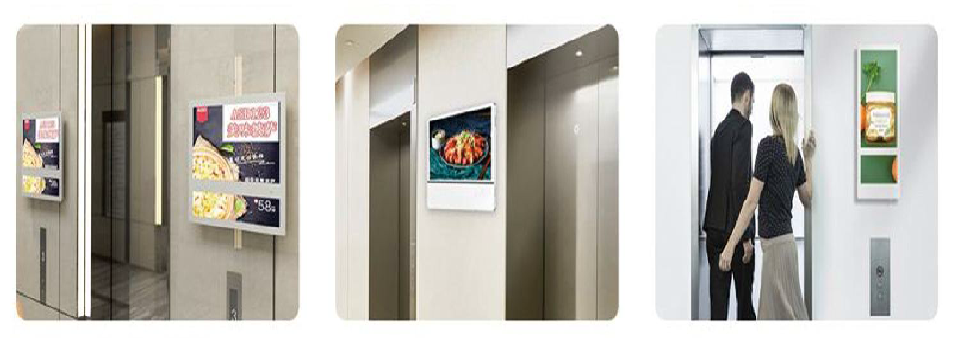
The same dimensions determine placement. Because the screen is roughly the width of a cab side panel, the installation is usually a recessed or surface-mounted fit against the existing interior finish rather than a furniture item. The project team needs the lift interior drawing, the panel opening size and the intended finished depth before the order is confirmed; the data sheet gives the display dimensions, not the mounting interface, so the bracket or recess detail must come from the supplier for the specific configuration.
1920 × 1080 and 60 Hz: authoring to the panel, not to the processor spec
Resolution is the least ambiguous part of the specification and the easiest to get wrong in the content brief. The panel is 1920 × 1080 and the decoding ceiling is 1080P at 60 fps, so a 4K master adds nothing except file size and decode load. Author at 1920 × 1080, keep the frame rate at 60 Hz or below, and reserve the highest-motion material for content that genuinely needs it. The panel's 8-bit colour depth (16.7 million colours) is sufficient for photographic and typographic content, but smooth, slow gradients should be tested on the actual unit rather than assumed to be band-free.
250 cd/m²: an indoor brightness figure that stays indoors
Brightness is where elevator specifications most often inherit the wrong requirement. At 250 cd/m² the KD-EA Series sits at the indoor end of the GZKEDRO range: the KD-WM wall-mounted display lists 350 cd/m², the KD-AD indoor advertising display lists 450 cd/m², the KD-DSA dual-screen outdoor machine lists 2,000 cd/m² and the KD-LED outdoor LED screen lists white-balance brightness of ≥4,500 cd/m². For a lift cab with controlled artificial lighting, the indoor figure is the appropriate class of specification, and the project team should check it against the actual luminance at the panel position — particularly where a glass-walled lift shaft or a bright lobby ceiling throws light onto the screen face.
Positions exposed to weather carry a different requirement set: IP65 waterproofing, high brightness, tolerance of high ambient temperature, 24/7 continuous operation and remote CMS playback. Those requirements belong to exposed installations. The KD-EA Series is documented as an indoor elevator display with a 0–60 °C operating range and 10–75% RH operating humidity, and its data sheet does not list an IP rating. If a proposed position is glazed, sunlit or weather-exposed, the specification should move to a model whose listed figures actually state those conditions.
4 mm fully toughened high explosion-proof glass: the contact surface
The protective front is the part of an elevator display that receives the most punishment and the part most often missing from the specification clause. The KD-EA Series lists a 4 mm fully toughened high explosion-proof glass cover, and the unit's listed materials are tempered glass and aluminium alloy. Tempered glass is heat-treated so that it withstands higher mechanical stress than ordinary glass and breaks into small fragments rather than large shards — a well-established property of the material, and the reason it is the normal choice for a public contact surface.
What the listed specification does not state is a quantified impact rating. If the building's risk assessment, insurer or facilities brief requires a tested performance figure, that evidence has to be requested from the supplier and carried into the submittal; thickness and glass type alone are not the same as a test result. Two further points belong in the protection clause: the approved cleaning method for the glass face, since aggressive agents and abrasive cloths degrade any coated or toughened surface, and a rule that no adhesive film, vinyl or poster is applied to the glass without written confirmation from the supplier, because a film changes the optical and thermal behaviour of a front surface the unit was not specified with.
Quad-core A7, 1 GB DDR3 and 8 GB storage: the playback budget
Processing and storage decide what the screen can be asked to do, and the honest answer for the KD-EA Series is a focused, single-purpose playback job. A quad-core ARM Cortex-A7 at 1.2 GHz with 1 GB DDR3 and 8 GB storage is a platform for a 1080p loop, not for heavy multi-window layouts, real-time rendering or background analytics. Content plans that assume picture-in-picture news feeds, several simultaneous video windows or a large local media library should be tested on a sample unit before they are written into the building's media brief.
Storage is the constraint that surprises project teams most often. The 8 GB figure is total device storage, and part of it is occupied by the system; the supplier should confirm how much is available for user content in the configuration being ordered. A simple budget keeps the plan honest. For a clip of a given bitrate and duration, file size in megabytes equals bitrate in Mbps multiplied by duration in seconds, divided by eight. As a worked example with an assumed 8 Mbps bitrate, a 30-second clip occupies roughly 30 MB; a loop of ten such clips is roughly 300 MB. Substituting the real encoding bitrate and the supplier's confirmed user-available storage turns that formula into a firm content budget instead of a guess.
Content delivery follows the same logic. The unit lists one RJ45 network port, two USB ports and USB-based system upgrade. A building that provides a network drop to the lift controller area can plan scheduled content changes; a building that does not should plan a manual USB routine, with a named person, a defined file-naming convention and a tested update procedure. GZKEDRO describes a remote cloud control platform for deployment, monitoring and maintenance of devices; because that is a company-level platform description rather than a line on the KD-EA Series data sheet, the management method supported for the specific configuration should be confirmed in writing before the content workflow is designed around it.
Power and environment: services and site storage
The electrical figures are modest and easy to accommodate: 100–240 V~ at 50/60 Hz input, power consumption of ≤55 W and standby consumption of ≤0.5 W. That is a small load relative to most cab lighting circuits, but it is a continuous one, and the standby figure matters to a facilities team that is metering lift energy. The environmental figures are more often overlooked. The unit is rated for 0–60 °C operating temperature and 10–75% RH operating humidity, with a storage range of 15–45 °C and 10–90% RH, and an altitude limit below 5,000 m. The operating range is wide for a conditioned building, but the storage range is not: units delivered to site before the lift interior is complete should be kept within it, which usually means an indoor store rather than an uncontrolled site container or an unshaded loading bay.
Step-by-step: taking the KD-EA Series through a project
- Measure the aperture and the finished depth. Confirm the cab panel opening against the listed 622.5 × 343 mm display area and agree the surround or recess detail with the lift interior contractor before ordering.
- Set the content template to the panel. Author at 1920 × 1080, confirm with the supplier how a 16:9 master maps to the panel ratio, and keep text away from the outer edge band.
- Write the protection clause. Specify the 4 mm fully toughened high explosion-proof glass cover, the approved cleaning method, the no-film rule, and — if the risk assessment demands it — a tested impact figure requested from the supplier.
- Check the ambient light at the panel. Verify that 250 cd/m² is adequate for the actual lighting at the position; if the screen would face daylight or weather, re-specify to a model whose data sheet lists the required brightness and ingress protection.
- Confirm the services. Provide a 100–240 V~ supply within the cab's allowance of ≤55 W running and ≤0.5 W standby, and decide between a network drop to the RJ45 port and a USB-based content routine.
- Build the playback budget. Confirm user-available storage within the 8 GB, encode at 1080p and 60 fps or below, and calculate the loop size before the media brief is signed off.
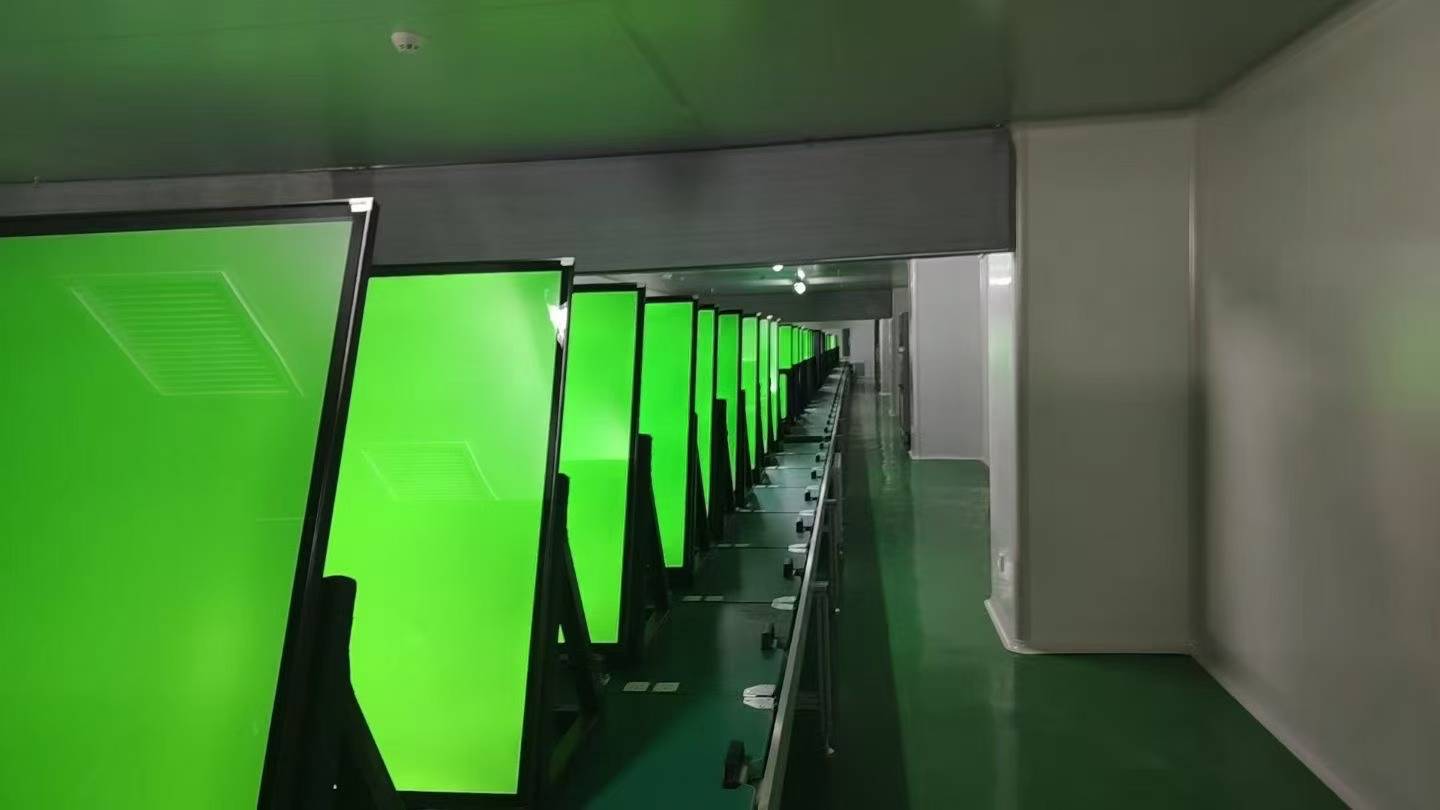
- Agree the verification tests. GZKEDRO lists 100% aging test and functional inspection, brightness testing, temperature testing and continuous-operation testing before shipment; record which of these the project wants to see, and add an on-site check of the installed unit.
- Plan the operating routine. Name who changes content, how often the glass is cleaned, how faults are reported, and how the supplier's remote technical support and 24/7 technical assistance are reached during commissioning.
Where the specification fits: interior applications
Because the unit is an indoor elevator display, its fit is decided by cab geometry and passenger behaviour rather than by the building's external sector. In a residential tower, where a cab is compact and heavily used at peak hours, the practical criteria are the aperture fit and the robustness of the glass front, since the screen sits at the height of shopping bags and pushchairs. In an office tower with longer average ride times and a controlled lobby environment, the content plan — a scheduled loop that changes by time of day — usually matters more than brightness. In a hotel guest lift, the priorities shift to the finish of the surround, the cleanliness of the glass face and whether sound is used at all. In a hospital or public building lift, where cleaning frequency is high, the approved cleaning method and the physical protection of the front surface move to the top of the list.
These are application patterns, not documented installations: the data sheet states the unit's type and listed parameters, and the specific fit for each building still has to be checked against that building's drawings, lighting and services. Where a building has service lifts, goods lifts or glazed scenic lifts, the position should be re-assessed individually rather than inheriting the passenger-cab specification.
In-building display options compared on documented characteristics
A lift cab is one position among several in a building interior, and it is useful to see how the elevator unit's listed figures compare with the other indoor units in the same GZKEDRO range. The table below compares documented characteristics only. It is not a ranking, and a higher brightness or a larger memory figure does not make any of these models a better choice for a cab — the position decides that.
| Model and listed type | Resolution | Listed brightness | Memory / storage | Listed power |
|---|---|---|---|---|
| KD-EA Series — indoor elevator display, 622.5 × 343 mm | 1920 × 1080 | 250 cd/m² | 1 GB DDR3 / 8 GB | ≤55 W, standby ≤0.5 W |
| KD-WM Series — wall-mounted advertising machine | 1920 × 1080 (3840 × 2160 optional) | 350 cd/m² | 4 GB DDR3 / 64 GB | ≤180–230 W |
| KD-AD Series — indoor digital signage, 1427 × 802 mm display area | 1920 × 1080 | 450 cd/m² | 2 GB / 32 GB | ≤140 W |
The comparison is useful in one direction only: it shows why a cab specification should not simply copy a corridor or lobby line item. The wall-mounted unit offers more memory and higher brightness, but its power draw and physical format belong to a wall position; the indoor signage unit is larger than a cab panel; the elevator unit is the only one of the three documented at a size and power level designed for a lift interior.
What the data sheet does not tell you
A disciplined specification states its gaps as clearly as its figures, and the KD-EA Series sheet leaves several items for the project team to confirm. No IP rating is listed for the unit, which is consistent with an indoor position but means the screen should not be placed where water or cleaning jets reach it. No tested impact rating is given for the toughened glass. The data sheet does not state unit weight, the mounting bracket or recess kit, the warranty period, touch or interactive capability, or a specific content-management software package for this model. Each of these is a legitimate question in a submittal review, and each answer should be recorded in writing before the order is released rather than assumed from another model in the range.
Frequently asked questions
What compliance evidence should be requested for an elevator advertising machine?
GZKEDRO states that its products are certified to CE, FCC, RoHS and ISO9001. Because that is a company-level statement covering the product range, a project team should ask for the certificate or declaration that applies to the exact model and configuration being ordered, and should confirm which standards the destination market and the building's own approval process require. Compliance for a lift installation is not settled by the display's certificate alone: the electrical connection, the fixing method and the fire performance of the cab interior are separate items that the building's own consultants control.
Can the KD-EA Series be adapted to a specific building project?
The listed customization scope covers logo, colour, software, UI interface, packaging and voltage, together with screen size, brightness, housing and system configuration. Any change that moves a listed parameter away from the data sheet — a different brightness, a different housing or a different system configuration — should be restated in the order documentation, because the resulting unit then needs its own confirmed specification rather than the standard figures. Project-based minimum order quantities are listed at 2–5 units depending on product size.
What drives cost in an elevator display project?
Cost comparisons only work when the quotes describe the same object. In practice the variables that move a project budget are the quantity and the number of cab positions, whether the housing or surround is customized, the protection specification and the evidence required for the glass front, the system configuration and any software or UI adaptation, the content route (networked or manual USB) and the support arrangement. Comparing offers line by line against the same specification — display size, resolution, brightness, protective front, memory and storage, power and environment — is more reliable than comparing headline unit prices.
Can a project team evaluate a unit before a full rollout?
A listed minimum order of 2–5 units depending on product size allows a small first order for evaluation rather than committing to a whole building at once. A practical pilot installs one unit in a single cab, runs the real content loop at the real brightness setting, records how the glass face performs under the building's cleaning regime, and confirms the update routine with the people who will actually operate it — then uses those findings to write the specification for the remaining cabs.
What lead time should be planned?
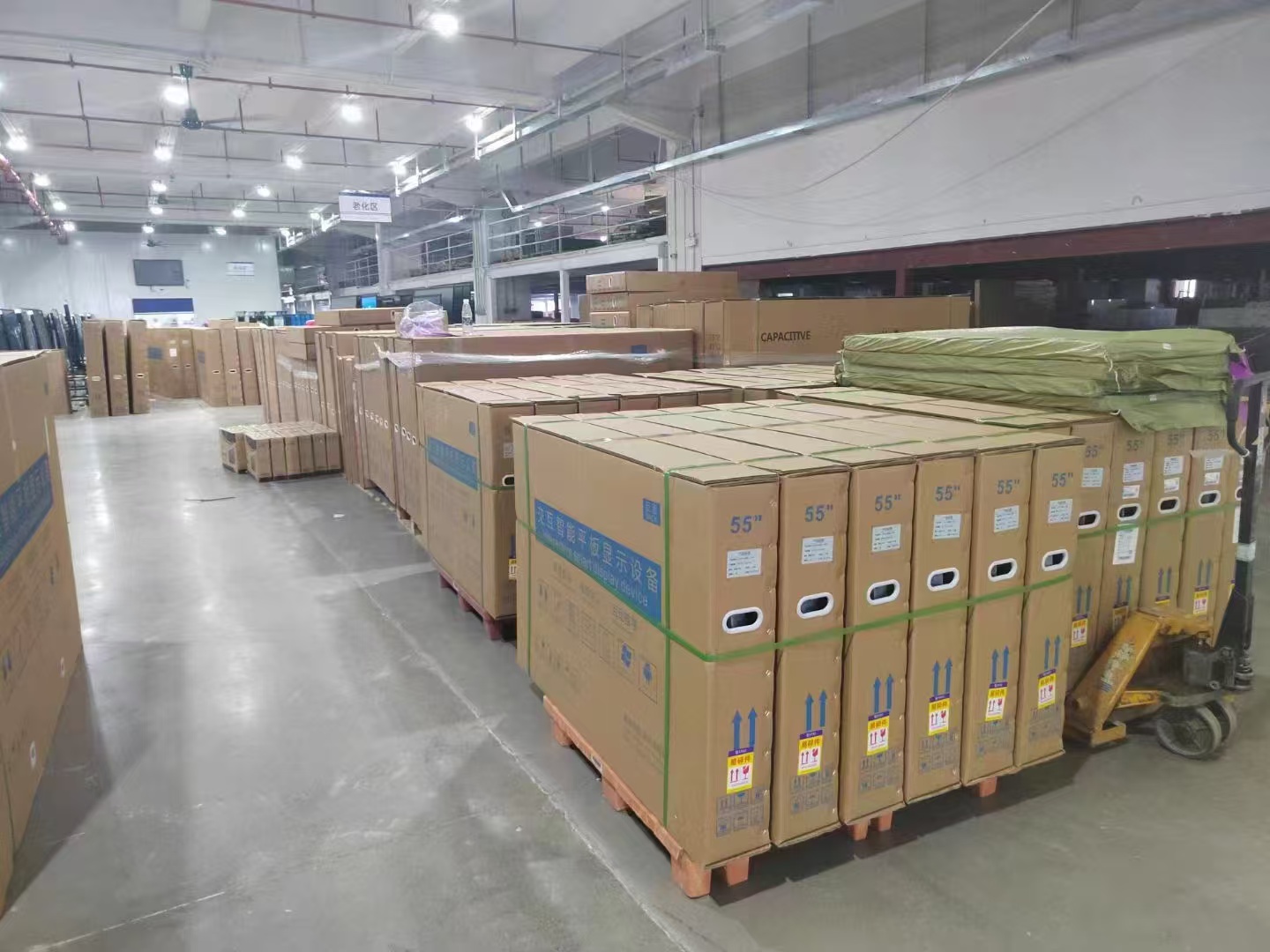
GZKEDRO lists a lead time of 15–30 days, with a maximum of 30 days, against a monthly capacity of 2,000–5,000 units. The project programme should add the time the building needs, not only the factory time: lift isolation for installation, protection of the finished cab interior, and the commissioning slot with the building's facilities team are usually the items that set the real date. Ordering before the lift interior is complete also creates a storage requirement, since the unit's storage environment is 15–45 °C and 10–90% RH.
What support is available after installation?
GZKEDRO lists remote technical support, online technical guidance and 24/7 technical assistance. For a multi-cab installation, the useful preparation is to record the exact configuration of each unit, keep the spare content files and the update procedure in the building's O&M documentation, and agree in advance how a fault is reported and what the response route is — so that a darkened screen in one cab does not become an open-ended facilities ticket.
Conclusion: specify the position, then the panel
The KD-EA Series is a focused product, and the specification should be focused in the same way. Its 622.5 × 343 mm 1920 × 1080 panel defines the aperture and the content template; its 250 cd/m² brightness places it firmly in controlled indoor lighting; its 4 mm fully toughened high explosion-proof glass cover is the clause that protects the investment against daily contact; and its quad-core ARM Cortex-A7, 1 GB DDR3 and 8 GB storage set a realistic playback budget of a single, well-encoded 1080p loop with a managed update routine.
Everything else — mounting detail, impact evidence, user-available storage, warranty and management software — is a question to put to the supplier and record before the order is released. Project teams that work in that order end up with a lift interior that matches the drawing, a screen that survives the cab, and a content plan the hardware can actually run.
For the full model and parameter list across the range, download the Kedro Product Catalog (English Edition), or review the manufacturer's product information at GZKEDRO. For a specific building project, the next useful step is to send the cab aperture drawing, the number of lift positions and the intended content routine, and ask for the configuration and mounting detail to be confirmed against them.
Have Questions or Need More Details?
Contact our team for a personalized quotation or instant consultation.
Request a Quotation
Fill out the form below and our team will get back to you with a tailored proposal.
WhatsApp Direct Chat
Prefer to chat in real-time? Message us on WhatsApp for instant assistance & quick answers.
- Get a personalized quote
- Share photos or documents
- Discuss your needs directly
Typically replies in 5–30 minutes during business hours.