
What Counts as a Commercial Display? 12 Core Categories
What Counts as a Commercial Display? A Plain-English Guide to 12 Core Product Categories
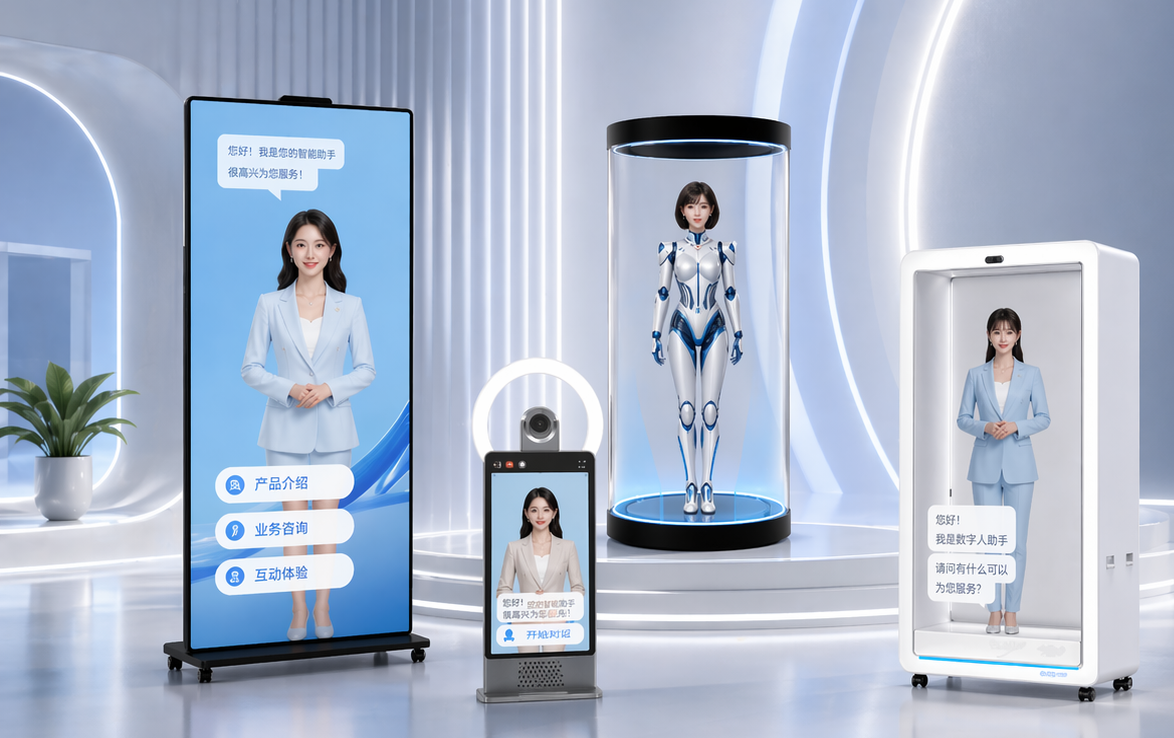
A commercial display is a screen system engineered to deliver information, advertising, or interaction in a public or working environment rather than for personal desktop use. The category includes indoor digital signage, outdoor waterproof displays, outdoor LED screens, LCD video walls, transparent cabinet displays, interactive slider screens, self-service kiosks, elevator advertising machines, wall-mounted displays, dual-screen outdoor machines, holographic digital humans, and smart conference displays.
That is the short answer. The useful answer explains why all twelve products sit under one label, and what a first-time buyer should measure before sourcing. This guide works through both, using the product lineup of Guangzhou Kedro Electronics Technology Co., Ltd. (GZKEDRO) as a concrete reference so that each category has real specifications attached to it rather than abstractions.
What “Commercial Display” Actually Means
The word “commercial” describes the job, not the hardware. Three things separate a commercial display from a consumer screen:
- Environment. The enclosure, brightness, and operating temperature range are selected for a site — a sunlit forecourt, an air-conditioned mall, an elevator car — instead of a living room.
- Control. Content is published by the owner and refreshed remotely. Several GZKEDRO models ship with RJ45 networking, an Android system build, and CMS-based playback as part of the specification.
- Role. The screen has a defined job: advertise, inform, transact, present, or answer questions at a service counter.
The confusion starts here. A 21.5-inch self-service kiosk and a 55-inch video wall panel are both called commercial displays, yet their specifications barely overlap. Across the twelve GZKEDRO categories, brightness runs from 250 cd/m² on the elevator advertising machine to a white-balance brightness of ≥4,500 cd/m² on the outdoor LED screen. Protection ranges from no stated IP rating to IP55. Interaction ranges from none at all to 40 simultaneous touch points.
So the first decision is never “which commercial display”. It is “which category”, and only then “which specification”.
Industry Background: Why the Category Keeps Expanding
The commercial display market is large and still growing. Grand View Research values the global market at USD 53.6 billion in 2024 and projects USD 60.3 billion in 2026, rising to USD 78.5 billion by 2030. Fortune Business Insights publishes a separate series — USD 57.78 billion in 2025 with a 7.30% CAGR to 2034 — that uses a different scope; the two figures should be read as separate estimates, not added together.
Within that total, display formats that combine a screen with presence or interaction are expanding fastest. SNS Insider estimates the holographic display segment at USD 5.14 billion in 2026, growing at a 17.82% CAGR to 2031. That single number explains why a format like the holographic digital human, which sat outside mainstream procurement a decade ago, now appears in supplier portfolios alongside conventional signage.
Regulation has expanded with the market. UL Solutions describes UL 970 as the standard covering commercial displays together with retail fixtures, showcases, and temporary displays — a reminder that in some markets a display is assessed as a fixture, not simply as an electronic product.
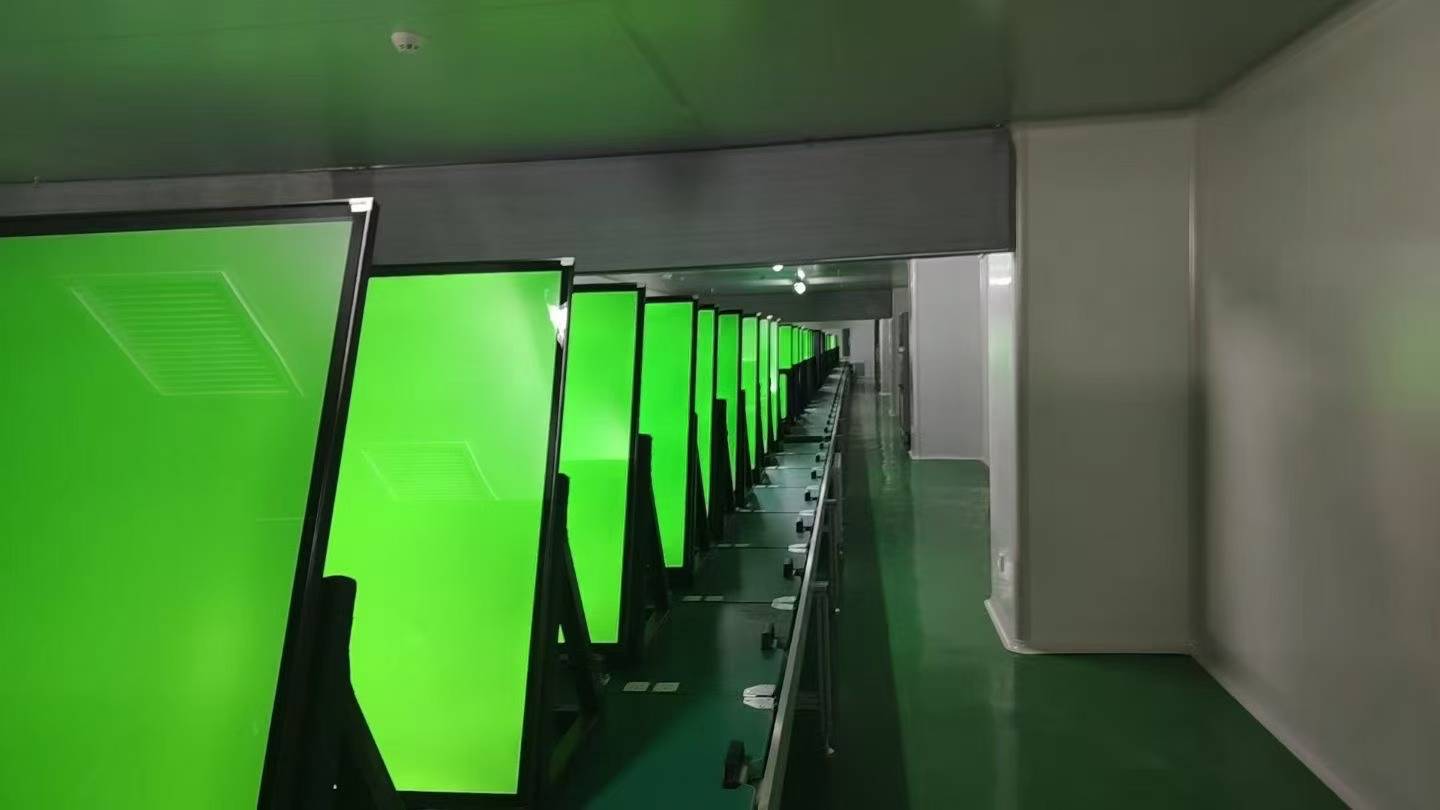
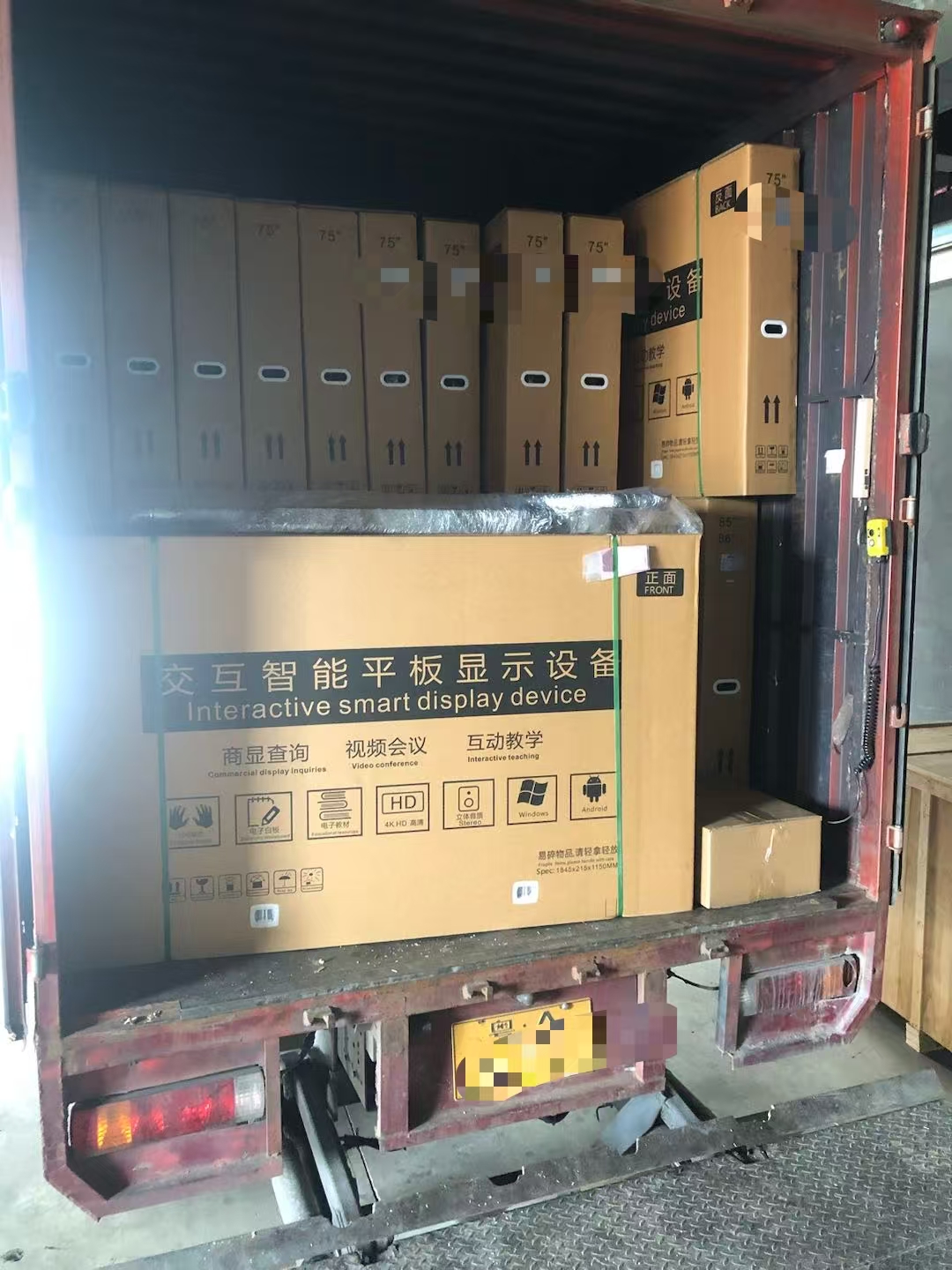
On the supply side, these categories are manufactured in ranges rather than assembled to order. GZKEDRO, established in 2013 in Guangzhou, China, employs approximately 200 staff and runs a 50,000 m³ manufacturing facility with R&D centres in Guangzhou and Shenzhen staffed by 100 professionals. Annual production capacity exceeds 1,000 commercial display units, and export business accounts for 80% of total sales.
The Six Vocabulary Terms That Decide Everything
Six specification terms appear on virtually every commercial display datasheet. Each one answers a different question, and each one has a real range across the twelve categories.
1. Resolution
Resolution is the pixel count of the panel, written as width × height. 1920 × 1080 is Full HD; 3840 × 2160 is 4K. It determines how much detail the screen can show and how close a viewer can stand before individual pixels become visible. Every GZKEDRO category above the entry level is specified at 1920 × 1080; the Holographic Digital Human (KD-DH) is specified at 3840 × 2160, and the Wall Mounted Display (KD-WM) offers 1920 × 1080 with 3840 × 2160 as an option.
2. Brightness (cd/m²)
Brightness is measured in candela per square metre — the light output of one square metre of screen. It decides whether content survives ambient light. In the GZKEDRO lineup the scale runs from 250 cd/m² on the KD-EA elevator advertising machine, through 350 cd/m² on the KD-WM wall-mounted display and KD-SSK self-service kiosk, 450 cd/m² on the KD-AD indoor digital signage, 1,300 cd/m² on the KD-DH holographic unit, 1,500 cd/m² on the KD-ISS interactive slider screen, and 2,000 cd/m² on both the KD-OD outdoor waterproof display and the KD-DSA dual-screen outdoor machine. The KD-LED outdoor LED screen is specified at a white-balance brightness of ≥4,500 cd/m². Indoor models sit in the lower band; outdoor models sit in the upper one.
3. Contrast Ratio
Contrast ratio describes the difference between the brightest white and the darkest black the panel can produce. A 3000:1 figure is specified on the KD-TP transparent cabinet display, KD-ISS, KD-DSA, and KD-WM; the KD-DH holographic unit lists a 3000:1 physical contrast ratio. Higher contrast matters most in dark or mixed lighting, where washed-out blacks make text and faces look flat.
4. Viewing Angle
Viewing angle states how far off-axis a viewer can stand before colour and brightness visibly degrade. A 178° horizontal and vertical figure is specified on the KD-TP, KD-ISS, KD-SSK, and KD-DSA. The KD-LED outdoor LED screen lists a wider tolerance band rather than a single number: horizontal ≥160° and vertical ≥140°. Where a screen is viewed from one fixed direction — an elevator car, a corridor — this term matters less; in a concourse or a shop window it matters a great deal.
5. IP Rating
An IP (Ingress Protection) rating is a two-digit code for resistance to solids and liquids. The first digit covers dust; the second covers water. IP55, specified on the KD-OD outdoor waterproof display and the KD-ISS interactive slider screen, means the enclosure is dust protected and protected against water jets — not that it is submersible or fully dust-tight. This is the single most important term for outdoor sourcing, and it is not universal: the supplied specifications for the KD-DSA and KD-LED outdoor models do not state an IP rating, so a buyer should request it explicitly rather than assume it.
6. Touch Points
Touch points define how many fingers or styluses the screen can register at once. The KD-IFPD smart conference display supports 40 multi-touch points, which allows several people to write or annotate simultaneously. The KD-SSK self-service kiosk uses a vibration touch sensor instead, matching a single-user inquiry workflow rather than multi-user collaboration. These are different interaction models, not better and worse versions of the same thing.
A seventh term is worth noting because it sits beside the IP rating: the operating temperature range. The KD-OD and KD-ISS are both rated from –20°C to 50°C; the KD-AD indoor signage is rated from 0°C to 40°C; the KD-EA elevator machine from 0°C to 60°C.
The Twelve Core Categories
Each category below exists because a specific combination of environment, format, and interaction cannot be served by the others. The model numbers and figures are the ones published for GZKEDRO's current lineup.
1. Indoor Digital Signage — KD-AD Series
The default indoor advertising format: a wall or floor-mounted screen for shops, concourses, and hotel lobbies where the job is to show content continuously. It is the reference point that most other categories depart from.
1920 × 1080 · 450 cd/m² · display area 1427 × 802 mm · Rockchip RK3566, 2 GB RAM, 32 GB storage · ≤140 W · AC110–240V · 0–40°C · aluminium alloy and tempered glass
2. Outdoor Waterproof Display — KD-OD Series
The outdoor counterpart to indoor signage. The differences that matter are the IP55 enclosure, a 2,000 cd/m² panel, and an operating range that starts at –20°C. It is built for transport hubs, commercial districts, and smart city projects rather than sheltered interiors.
1080 × 1920 · 2000 cd/m² · IP55 · RK3288 quad-core Cortex-A17 at 1.8 GHz, 2 GB RAM, 16 GB storage · RJ45 10/100M · ≤500 W · –20°C to 50°C · tempered glass and iron steel sheet
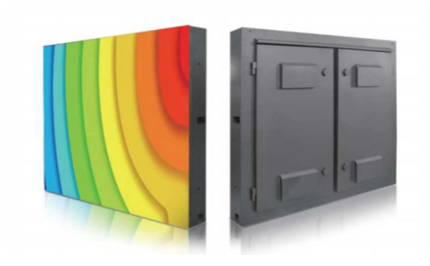
3. Outdoor LED Screen — KD-LED Series
A tiled LED system rather than a single LCD panel, which is why its brightness and pixel structure are described differently. The 2.0 mm dot pitch is the figure that governs viewing distance: smaller pitch allows closer viewing before the LED structure becomes visible.
2.0 mm dot pitch · module 320 × 160 × 17 mm, 128 × 64 dots · white balance brightness ≥4500 cd/m² · refresh rate ≥3840 Hz · viewing angle H≥160°, V≥140° · 1/16 scan, constant current drive · metal sheet and aluminium alloy
4. LCD Video Wall — KD-VW Series
A video wall is defined by the seam, not the panel. Multiple 55-inch industrial LCD panels are tiled to form one image, and the 3.5 mm sealing gap determines how visible the grid between panels remains. It is the format used for monitoring rooms, exhibitions, government installations, and shopping malls.
55-inch single screen, 1211.5 × 682.3 mm · 1920 × 1080 · 3.5 mm sealing gap · industrial LCD panel with metal frame and hydraulic bracket
5. Transparent Cabinet Display — KD-TP Series
A transparent display turns a cabinet into a screen without hiding what is inside it. 95% transparency is the headline figure, and it is what makes the format useful in luxury retail and hotel environments where the product on the shelf must remain visible.
95% transparency · 1920 × 1080 · ≥380 cd/m² · 3000:1 contrast · 178°/178° · 8 ms response · display area 1430 × 805 mm · 0–60°C · tempered glass and acrylic
6. Interactive Slider Screen — KD-ISS Series
Categorised as a wall sliding display, this format combines movement with a screen surface. Its practical value is the combination of brightness and protection: 1,500 cd/m² with an IP55 rating and an operating range of –20°C to 50°C, which is more headroom than most indoor formats offer.
1920 × 1080 · 1500 cd/m² · 3000:1 contrast · 178°/178° · IP55 · RK3288 or Intel Core 5 with 8 GB RAM and 120 GB SSD (PC version) · ≤180 W · –20°C to 50°C · tempered glass, aluminium alloy, stainless steel
7. Self Service Kiosk — KD-SSK Series
A kiosk is a display with a transaction attached. The specification therefore emphasises computing rather than panel size: an Intel Core i5 10th-generation processor, 8 GB of RAM, and a 256 GB SSD sit behind a 21.5-inch screen. It is deployed in hospitals, banks, airports, railway stations, government service centres, and shopping malls.
21.5-inch screen · 1920 × 1080 · 350 cd/m² · 178° · 6 ms · vibration touch sensor · Core i5 10th gen, 8 GB DDR3, 256 GB SSD · ≤220 W · 0–50°C
8. Elevator Advertising Machine — KD-EA Series
Elevator screens are constrained by the car, not by the viewer. The format is deliberately low-power (≤55 W at 250 cd/m²) because it is installed in an enclosed space, and the panel is covered by 4 mm fully toughened high explosion-proof glass because passengers may lean against it.
622.5 × 343 mm · 1920 × 1080 · 250 cd/m² · quad-core ARM Cortex-A7 at 1.2 GHz, 1 GB DDR3, 8 GB · ≤55 W · 0–60°C · backlight life >50,000 hours
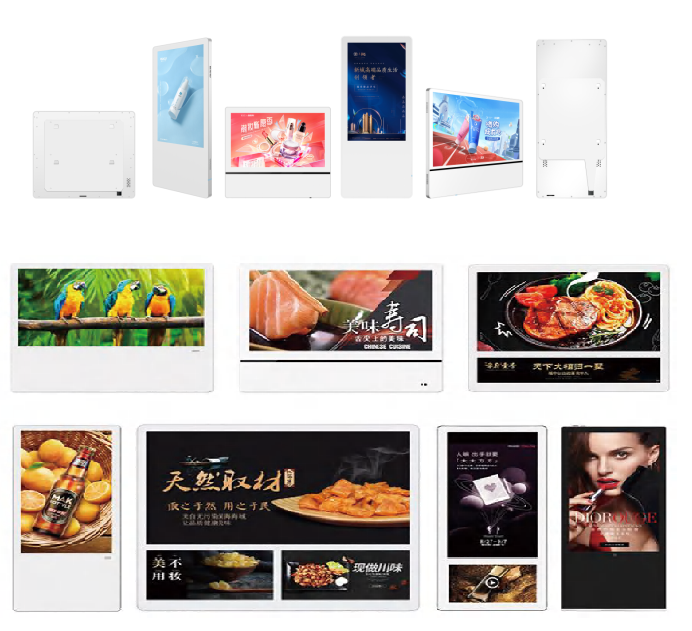
9. Wall Mounted Display — KD-WM Series
The wall-mounted advertising machine is the closest format to a conventional screen: flat, fixed, and available in two resolutions. The presence of Android 14.0, 4 GB of RAM, and 64 GB of storage on the specification shows how much of the “commercial” difference now lives in the software layer rather than the panel.
1920 × 1080, optional 3840 × 2160 · 350 cd/m² · 3000:1 · quad-core Cortex-A7, 4 GB DDR3, 64 GB eMMC · Android 14.0 · –10°C to +50°C · tempered glass and aluminium steel sheet
10. Dual-Screen Outdoor Advertising Machine — KD-DSA Series
Two screens in one outdoor housing, built so that two directions of pedestrian traffic can be addressed at once. The standby draw of under 5 W matters in outdoor projects where power is metered and the unit runs for years.
2 × 1080 × 1920 · 2000 cd/m² · 3000:1 · 178°/178° · D LED backlight · RK3288 at 1.8 GHz, 2 GB RAM, 16 GB · ≤500 W, standby <5 W · tempered glass and aluminium alloy
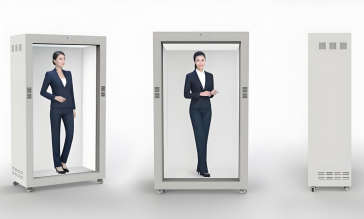
11. Holographic Digital Human — KD-DH Series
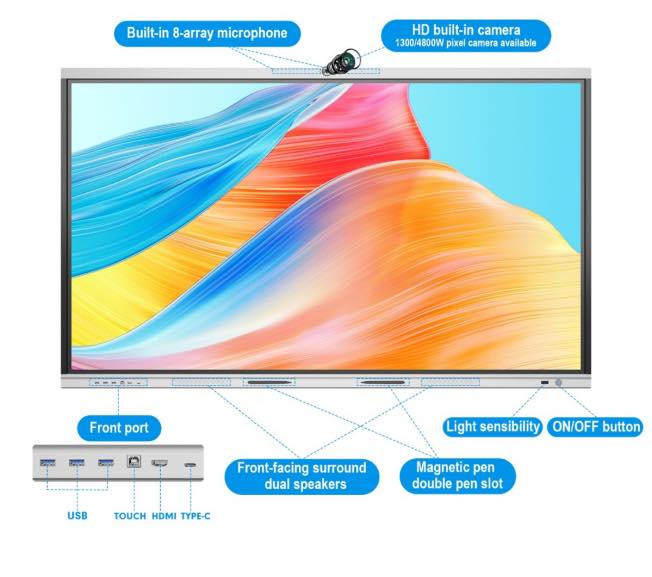
An AI digital human is the category where the screen, the audio system, and the input devices are designed as one unit. An 8-array microphone and a 5MP driverless camera make it a two-way interface rather than a one-way display, which is why it appears in exhibition centres, hotel lobbies, commercial districts, education, and healthcare.
3840 × 2160 · 1300 cd/m² · 3000:1 physical contrast · 16:9, 1649 × 927 mm · 8-array microphone, 5MP driverless camera · 60 W 2.1 channel speakers · 0–40°C · tempered glass, acrylic, aluminium alloy
12. Smart Conference Display — KD-IFPD Series
The conference display is the only category in the lineup defined primarily by input rather than output. 40 multi-touch points and Android 14.0 make it a shared writing and annotation surface for corporate offices, training centres, educational institutes, and government offices.
40 multi-touch points · 1920 × 1080 · 350 cd/m² · Android 14.0 · D-LED backlight · ≤250 W · aluminium alloy and tempered glass
How to Work Through the Lineup in Five Steps
Twelve categories reduce to a short decision sequence. Working in this order prevents the most common sourcing error, which is choosing a format before knowing the conditions it must survive.
- Fix the environment first. Indoors or outdoors decides brightness and protection before anything else. An indoor deployment rarely needs more than the 350–450 cd/m² band used by the KD-AD, KD-WM, and KD-SSK; an outdoor deployment starts at 2,000 cd/m² on the KD-OD and KD-DSA, or moves to the LED format at ≥4,500 cd/m².
- Decide whether the screen must sense anything. A pure advertising placement does not need touch. A queue-management or wayfinding deployment does, which points to the KD-SSK kiosk with its vibration touch sensor. A meeting room needs multi-user input, which is the KD-IFPD at 40 touch points.
- Choose the physical format. Wall-mounted (KD-WM), cabinet-integrated (KD-TP), tiled (KD-VW), freestanding (KD-SSK, KD-DH), dual-faced (KD-DSA), or in-car (KD-EA). Format is a site constraint, not a preference.
- Check the environmental limits against the site. Compare the operating temperature range and the IP rating to the real location. –20°C to 50°C (KD-OD, KD-ISS) and IP55 describe a different deployment envelope than 0°C to 40°C (KD-AD).
- Verify the supplier and the documents. Confirm the model number, request the specification sheet for that exact model, and check certification claims against certificates. GZKEDRO states that its products are certified to multiple international standards including CE, FCC, RoHS, and ISO9001 — company-reported claims that a buyer should still validate at model level.
Which Category Fits Which Scene
The same physical scene can justify two different categories depending on what the screen is meant to achieve. These pairings follow directly from the published intended applications.
- Retail and shopping malls. KD-AD indoor signage for general promotion; KD-TP transparent cabinet where the product must stay visible; KD-SSK kiosk where customers need to look something up or complete a step.
- Transport hubs and commercial districts. KD-OD outdoor waterproof display, KD-DSA dual-screen machine, and KD-EA elevator machine — all four list transport hubs or commercial districts among their intended applications.
- Outdoor media and billboards. KD-LED for large-format outdoor media and smart city installations; KD-DSA where two viewing directions must be covered from one unit.
- Corporate and education. KD-IFPD conference display for meeting rooms, training centres, and institutes; KD-WM for corridor and reception messaging.
- Exhibitions, hotels, and experience spaces. KD-DH holographic digital human for lobbies and exhibition centres; KD-ISS slider screen for hotel lobbies and commercial districts; KD-VW video wall for exhibitions and monitoring rooms.
Side-by-Side Comparison of the Twelve Categories
| Category | Model | Resolution | Brightness | IP Rating | Primary Use |
|---|---|---|---|---|---|
| Indoor Digital Signage | KD-AD | 1920 × 1080 | 450 cd/m² | — | Malls, airports, hotels |
| Outdoor Waterproof Display | KD-OD | 1080 × 1920 | 2000 cd/m² | IP55 | Transport hubs, smart city |
| Outdoor LED Screen | KD-LED | 2.0 mm dot pitch | ≥4500 cd/m² | — | Outdoor media, billboards |
| LCD Video Wall | KD-VW | 1920 × 1080 | — | — | Monitoring, exhibitions |
| Transparent Cabinet Display | KD-TP | 1920 × 1080 | ≥380 cd/m² | — | Luxury retail, hotels |
| Interactive Slider Screen | KD-ISS | 1920 × 1080 | 1500 cd/m² | IP55 | Exhibitions, hotel lobbies |
| Self Service Kiosk | KD-SSK | 1920 × 1080 | 350 cd/m² | — | Banks, hospitals, service centres |
| Elevator Advertising Machine | KD-EA | 1920 × 1080 | 250 cd/m² | — | Elevator advertising |
| Wall Mounted Display | KD-WM | 1920 × 1080 / 3840 × 2160 optional | 350 cd/m² | — | Malls, hotels, stations |
| Dual-Screen Outdoor Machine | KD-DSA | 1080 × 1920 (per screen) | 2000 cd/m² | — | Transport hubs, districts |
| Holographic Digital Human | KD-DH | 3840 × 2160 | 1300 cd/m² | — | Exhibitions, lobbies, healthcare |
| Smart Conference Display | KD-IFPD | 1920 × 1080 | 350 cd/m² | — | Meeting rooms, training |
“—” indicates that the supplied specification for that model does not state a figure. It does not mean the model is unsuitable for outdoor use in every case; it means the rating must be requested before specification.
Frequently Asked Questions
Are GZKEDRO commercial displays certified for international markets?
GZKEDRO states that its products are certified to multiple international standards including CE, FCC, RoHS, and ISO9001. These are company-reported claims covering the product range rather than a per-model certificate repository, so a buyer should request the certificate that corresponds to the exact model and destination market before approving a purchase order. For US retail installations, UL 970 is the safety standard that covers commercial displays alongside retail fixtures, showcases, and temporary displays, so it is worth confirming whether the project requires it.
Which of the twelve categories can be installed outdoors?
Three categories in the GZKEDRO lineup are built for outdoor deployment. The KD-OD outdoor waterproof display carries an IP55 rating, 2,000 cd/m² brightness, and an operating range of –20°C to 50°C. The KD-DSA dual-screen outdoor advertising machine delivers 2,000 cd/m² per screen with a total draw of ≤500 W and standby below 5 W. The KD-LED outdoor LED screen reaches a white-balance brightness of ≥4,500 cd/m² with a 2.0 mm dot pitch. Buyers should confirm whether the specific project requires a stated IP rating, because not every outdoor model publishes one.
Can a commercial display category be customised for a specific project?
GZKEDRO offers OEM and ODM services for commercial displays, in addition to supplying the twelve standard categories. In practice, customisation questions should be framed around the four variables that differ most across the lineup: physical format, brightness band, protection rating, and interaction type. Because the standard range already spans a 21.5-inch kiosk to a 55-inch video wall panel and a 2.0 mm LED system, the first step is to confirm whether the requirement sits inside an existing category or genuinely falls outside it.
How should a first-time buyer validate a category before committing to a project?
Validation starts with three documents rather than with a demonstration: the model-level specification sheet, the certificate for the destination market, and a written statement of the operating temperature range and IP rating for the exact unit being quoted. Comparing those three against the site conditions resolves most specification risk before the first sample is discussed. A catalogue covering the full range is available from GZKEDRO to support that comparison.
How do I request a quote or the product catalogue?
GZKEDRO can be reached by email at gzkedro@gmail.com or by phone at +86 189-2950-0788, and the English-language product catalogue can be downloaded directly from the company website. Buyers who already know their category, environment, and brightness band will get a faster, more precise quotation than those who send a general request for commercial displays without a site description.
Where These Twelve Categories Come From
The distinction between a manufacturer and a reseller matters most in this category, because a supplier who resells cannot adjust a panel, an enclosure, or a firmware build. Guangzhou Kedro Electronics Technology Co., Ltd. (GZKEDRO) was established in 2013 and manufactures commercial display hardware in Guangzhou, China. The company employs approximately 200 staff and operates a 50,000 m³ manufacturing facility, with research and development centres in Guangzhou and Shenzhen staffed by 100 professionals. Annual production capacity exceeds 1,000 commercial display units, and export business accounts for 80% of total sales across global markets.
The product lineup includes commercial displays, smart advertising machines, and smart educational whiteboards, and OEM and ODM services are available for commercial displays. The twelve categories described in this guide are the formats that lineup resolves into: indoor signage, outdoor waterproof displays, outdoor LED screens, LCD video walls, transparent cabinet displays, interactive slider screens, self-service kiosks, elevator advertising machines, wall-mounted displays, dual-screen outdoor machines, holographic digital humans, and smart conference displays.
Start with the category, then the specification
Download the English-language GZKEDRO product catalogue for model-level specifications across all twelve categories, or send your site conditions — indoor or outdoor, viewing distance, power availability, and interaction requirement — and the team will match them to a format.
Catalogue: Kedro Product Catalog (English Edition)
Website: www.gzkedro.com
Email: gzkedro@gmail.com · Tel: +86 189-2950-0788
Have Questions or Need More Details?
Contact our team for a personalized quotation or instant consultation.
Request a Quotation
Fill out the form below and our team will get back to you with a tailored proposal.
WhatsApp Direct Chat
Prefer to chat in real-time? Message us on WhatsApp for instant assistance & quick answers.
- Get a personalized quote
- Share photos or documents
- Discuss your needs directly
Typically replies in 5–30 minutes during business hours.