
Stylus Pen Technical Guide: Active vs Passive Selection Parameters for iPad & Android
Stylus Pen Technical Guide: Active vs Passive Selection Parameters for iPad & Android
A stylus pen is not a single product category. It is at least three architectures with different electrical behaviour, and they are not interchangeable. A conductive-tip passive stylus and a battery-powered active stylus may look identical on a product photo, yet only one of them can report pressure, tilt and palm rejection to the tablet underneath it.
This technical guide explains how active and passive stylus pens actually work, then maps the selection parameters that decide fit for iPad and Android programs: pressure sensitivity, tilt recognition, palm rejection, latency and offset, battery and charging architecture, and physical connectivity. It is written for buyers, importers and channel partners who are still at the awareness and research stage and need a parameter framework rather than a product slogan. Every specification referenced below comes from Dongguan Jiayao Intelligent Technology Co.,Ltd product documentation — Jiayao stylus is an active and passive stylus pen manufacturer based in Dongguan, Guangdong, China, producing for EU and USA markets.
The Real Problem: "Works With iPad" Is a Claim, Not a Parameter
The core procurement problem is a mismatch between how stylus pens are marketed and how they are specified. Listings usually lead with device names and omit the architecture, so buyers discover the limitation after delivery. Three failure patterns repeat in the field:
- A passive pen purchased for a shared tablet fleet. The pen writes, but there is no palm rejection, so users must hold their hand off the glass. On a classroom or kiosk rollout, that single missing parameter changes the entire user workflow.
- An active pen expected to work without charge. Active stylus pens require battery power before they function. A stylus that has been in storage for a term may simply not respond, which users interpret as a defect.
- Magnetic attachment assumed on every model. Side adsorption is model- and size-dependent. Jiayao's W13-A and A21B both list side magnetic attachment as applying to 11-inch and 12.9-inch iPad sizes only, so attachment cannot be treated as a universal feature.
Parameter drift is also a definition problem at category level. When IMARC Group valued the global stylus pen market at USD 19.45 billion in 2025, its scope differs from Fortune Business Insights' 2025 figure of USD 3.36 billion for active digital pens. The gap is a definition boundary between input devices broadly and active pens specifically — a useful reminder that "stylus pen market" numbers only mean something when the architecture scope is stated.
Industry Background: Passive Capacitive, Active AES and Active EMR
Three architectures dominate tablet stylus design, and each one answers a different question about what the pen is allowed to do.
Passive capacitive stylus pens contain no electronics. A conductive tip — commonly rubber, mesh or fibre — mimics the electrical signature of a fingertip so an ordinary capacitive touchscreen registers contact. Because the panel cannot distinguish the tip from a hand, features such as pressure level reporting and palm rejection are structurally unavailable. The trade-off is universality: a passive pen does not need pairing, firmware or charging, and it works on any capacitive touch surface.
Active stylus pens carry electronics and a battery, and they transmit a signal the tablet's digitizer can sample separately from finger contact. That separation is what makes palm rejection, tilt response and pressure reporting possible. Within active pens, two design families matter commercially: active electrostatic (AES) pens that hold their own power and broadcast to the panel, and electromagnetic resonance (EMR) pens that draw operating power from the tablet's digitizer and therefore need no battery at all.
For Android and Chromebook programs, the open standard to verify is USI 2.0, the Universal Stylus Initiative specification released in 2022, supported by Google, Intel and Lenovo. USI compliance indicates cross-platform interoperability inside that ecosystem. iPad-compatible third-party pens are a different case: they are matched to iPad hardware generations and the iPadOS touch layer, which is why Jiayao's iPad line specifies compatibility with iPad models released after 2018 running iPadOS 12.2 and above. Market direction supports treating this as a long-term category rather than a niche: active stylus technology is projected to grow at a compound annual growth rate of 9.8% from 2026 to 2034, according to Dataintelo.
How Active and Passive Stylus Pens Differ Inside the Digitizer
The practical difference is not pen quality — it is signal ownership. With a passive pen, the tablet owns the entire sensing process and sees only "contact" or "no contact" at a position. With an active pen, the pen and the digitizer negotiate: the pen emits or modifies a field, the panel tracks the tip, and the pen's own sensors or firmware contribute pressure and tilt data to the stroke.
That single architectural fact explains most downstream parameters:
- Why passive pens cannot reject palms: the panel has no way to flag the pen as a distinct input source.
- Why active pens need charging: the transmitting circuit runs on the pen's own cell, which is why Jiayao documents working time, standby time and automatic power-off behaviour for each model.
- Why latency and offset are architecture plus tuning questions: signal timing between pen, panel and application determines whether the ink line lands under the tip. Jiayao's stylus range lists "NO Offset" and "NO Delay" as a controlled output rather than a marketing adjective.
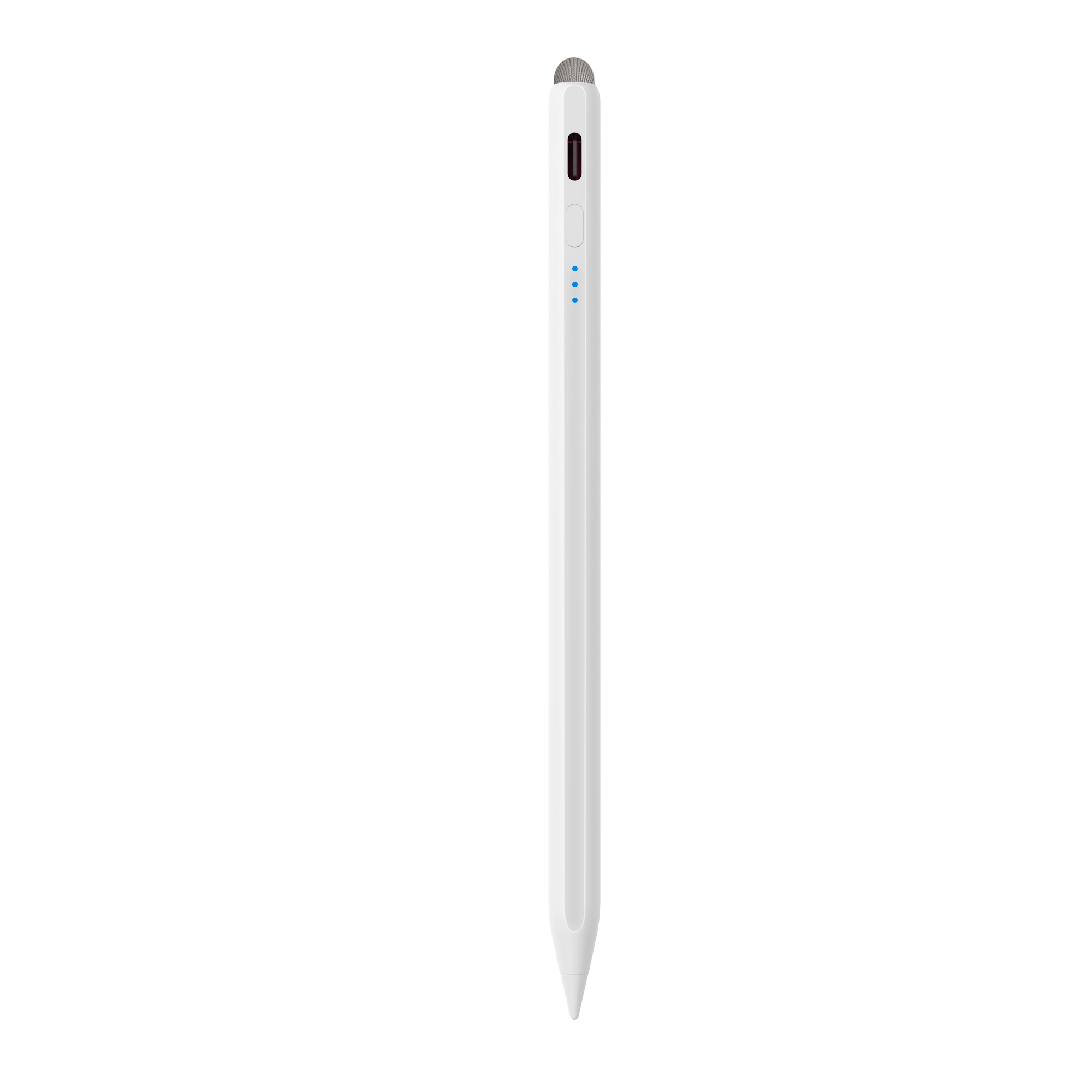
Jiayao A21B, listed as a 2-in-1 iPad stylus pen combining an active tip with a universal passive fibre tip — Type-C charging in 25 minutes, 11 hours working time, palm rejection and tilt sensing.
Six Selection Parameters for iPad and Android Stylus Pens
Once the architecture is fixed, six parameters determine whether a stylus pen is fit for a specific program. Each one should be written into the specification sheet as a verifiable value, not a feature tick.
1. Pressure Sensitivity
Pressure reporting decides how handwriting and illustration feel. Professional active pens in the market report up to 4,096 levels, as documented for Samsung S-Pen. Across the Jiayao range, the shared selling-point set describes light and heavy pressure sensing so that light strokes produce fine lines and heavier strokes produce thicker ones. The selection rule: if the workload includes shading, variable line weight or signature capture, confirm the pen supports pressure sensing and test it on the target tablet and application, because the application must also interpret the data.
2. Tilt Recognition
Tilt recognition lets the tablet measure the pen's angle, which is how shading and broad-stroke calligraphy are produced without changing tools. In Jiayao's documentation, tilt is explicitly listed for the A30-B, A21B, A8-RH and A7-H-L models ("Tilt Bold: Yes"), while the tilt behaviour of the W13-A, W12-A and W3-H models is not stated in their parameter fields. A8-RH is positioned specifically as a tilt sensing stylus pen.
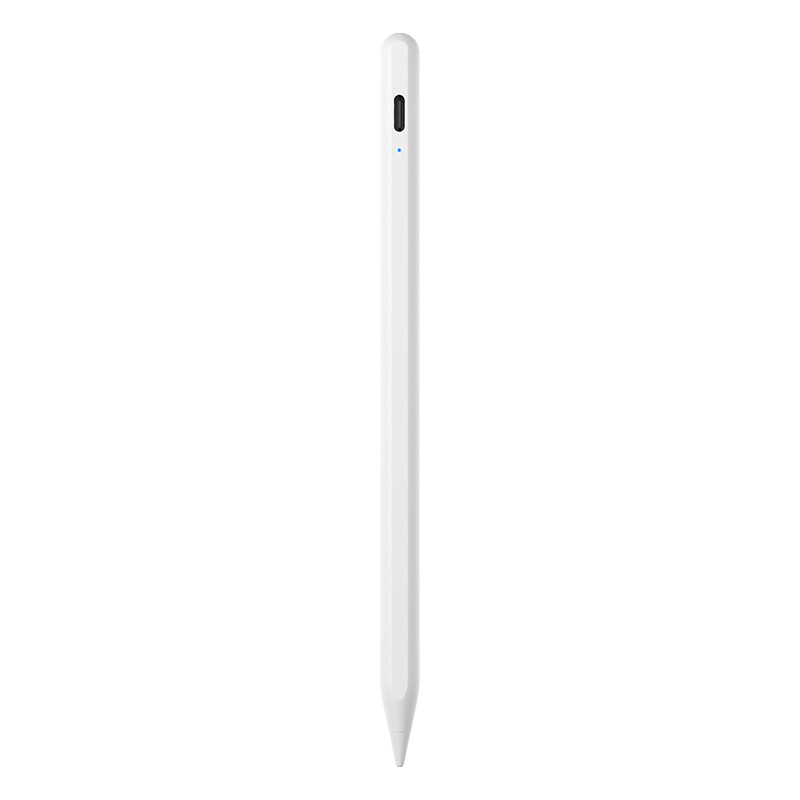
Jiayao A8-RH tilt sensing stylus pen: Type-C charging in 30 minutes, 12 hours working time, 165 mAh 3.7V battery, aluminium alloy body, 12–13 g.
3. Palm Rejection
Palm rejection means the tablet keeps accepting pen input while a hand rests on the screen. On iPad-compatible active models in the Jiayao range, it is explicitly listed as "Yes" for A30-B, A21B, A8-RH and A7-H-L, and it appears in the product type designation of the E3-A (palm rejection iPad stylus pen). W13-A, W12-A, W3-H, R3-P and S3-GC describe anti-accidental palm contact in their shared selling-point text but do not carry a palm-rejection flag in their parameter fields — for those models, palm behaviour must be confirmed by sample test rather than assumed. Passive pens cannot deliver this parameter at all.
4. Latency and Offset
Latency is the gap between the tip moving and the ink appearing; offset is the distance between where the tip touches and where the line is drawn. The Jiayao range lists "NO Offset" and "NO Delay" across the documented models, supported by the selling point that pen stroke and hand stroke stay synchronised and that detail point touch shows no deviation. These two parameters should always be validated with a slow diagonal line and a rapid signature on the actual target application — they are joint outputs of pen, panel and software.
5. Battery, Charging and Standby
Battery behaviour is where active pens differentiate most clearly, and it splits into four checkable values: cell capacity, charge time, continuous working time and power-management behaviour.
- Charge time varies by charging architecture. The W13-A charges from a cable in 15 minutes or by tablet adsorption wireless charging in 60 minutes. The W12-A takes 25 minutes by Type-C or 60 minutes wirelessly. The W3-H is magnetic charging only and requires 70 minutes.
- Runtime varies by cell size. E3-A delivers 44 hours on a 230 mAh 3.7V (0.851 Wh) cell; A7-H-L delivers 16 hours; A8-RH 12 hours; A30-B and A21B 11 hours; S3-GC 10 hours; R3-P 9–10 hours.
- Power management is a deployment parameter. Most models power off automatically after 10 minutes of inactivity, while E3-A and R3-P use a 60-minute window. Standby time is listed as one year across the range.
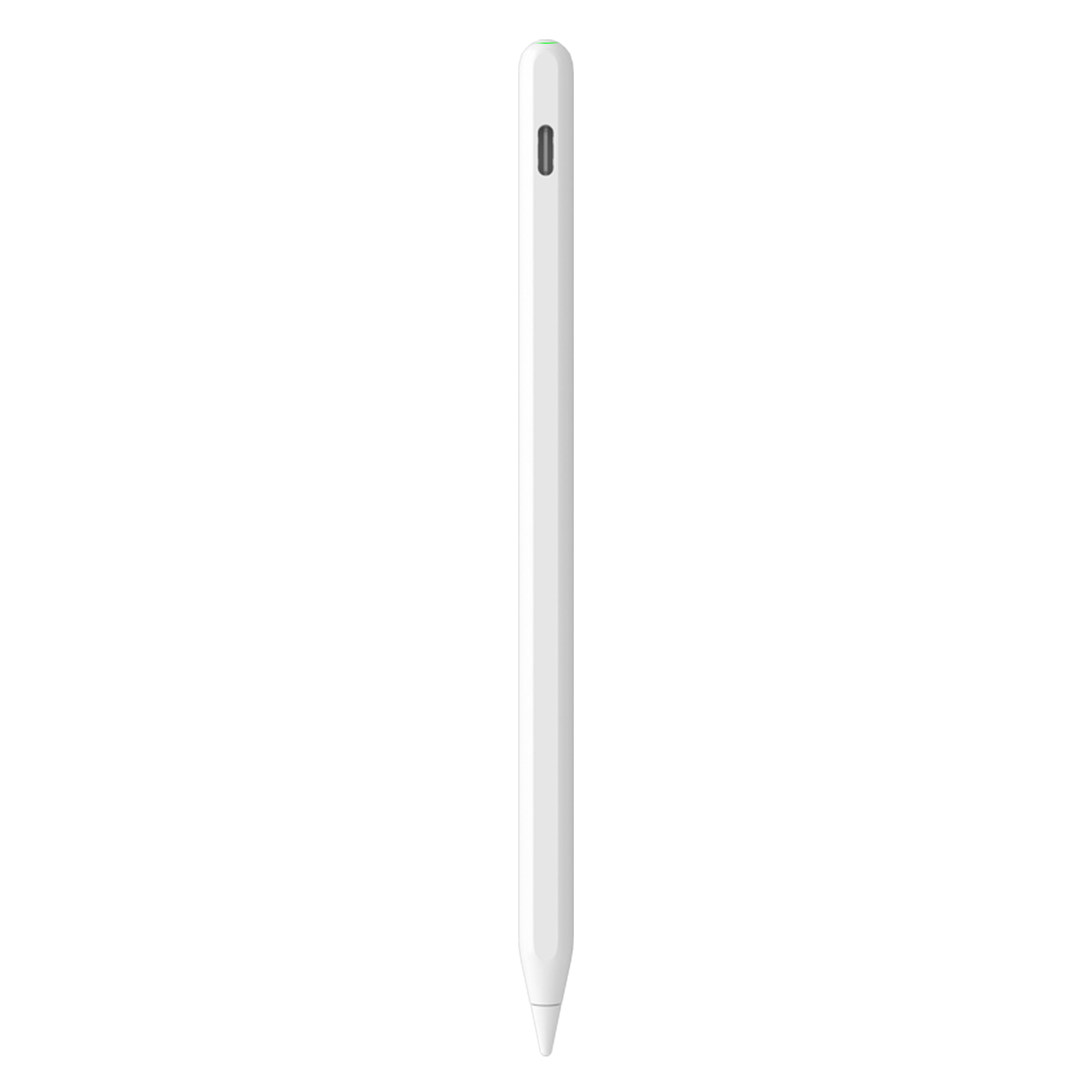
Jiayao W12-A active stylus pen: dual charging (Type-C in 25 minutes, magnetic wireless in 60 minutes), 9–10 hours working time, 90 mAh 3.7V battery, side adsorption, 12–13 g.
6. Connectivity, Pairing and Physical Attachment
Connectivity in this category has three layers. The first is the charging interface: Type-C appears across the range, with magnetic or adsorption wireless charging on W13-A, W12-A and W3-H. The second is instant usability — the documented selling point is simple pairing with no complex settings, so a pen is usable out of the box. The third is physical retention: side adsorption is listed for W13-A, W12-A, W3-H, A30-B, A21B, A8-RH, A7-H-L, R3-P and S3-GC, with the size limitation noted for W13-A and A21B (11-inch and 12.9-inch iPad only). For OEM and ODM programs, Jiayao also supports customisation based on samples such as logo, packaging and Bluetooth name.
Step-by-Step: Specifying a Stylus Pen Program for iPad and Android
- Fix the device list first. For iPad programs, confirm the target models are 2018 or later running iPadOS 12.2 and above. For mixed fleets, separate iPad and Android device groups, because a pen tuned for one touch layer does not automatically serve the other.
- Choose the architecture per user group. Passive for shared or occasional touch input where charging is a burden; active where palm rejection, tilt, pressure or magnetic attachment are required.
- Write a parameter floor into the specification. Decide the minimum acceptable values for palm rejection, tilt, pressure response, charge time, runtime and attachment, then compare models against that floor instead of against marketing copy.
- Match charging architecture to the environment. Where a tablet dock is available, adsorption wireless charging reduces cable handling; where pens are issued individually, Type-C with a 15–30 minute charge window shortens downtime.
- Decide the interchangeability strategy. R3-P is listed as a universal stylus for iPad and Android tablets, and S3-GC as an Android universal stylus pen; both reduce SKU count in mixed-device programs but should be validated model by model.
- Validate with samples before committing. Test diagonal lines for offset, palm-on-screen behaviour, tilt shading, full battery drain, nib wear and replacement, and side attachment on the exact iPad sizes in scope.
- Confirm commercial and import terms. Jiayao runs flexible MOQs, samples in as little as three weeks, and standard orders shipped in 20 days, with every stylus going through 100% full inspection covering functional, tactile and visual checks. Stylus pens are typically classified under HS Code 8471.60.90 as automatic data processing input units, which importers should confirm with their broker.
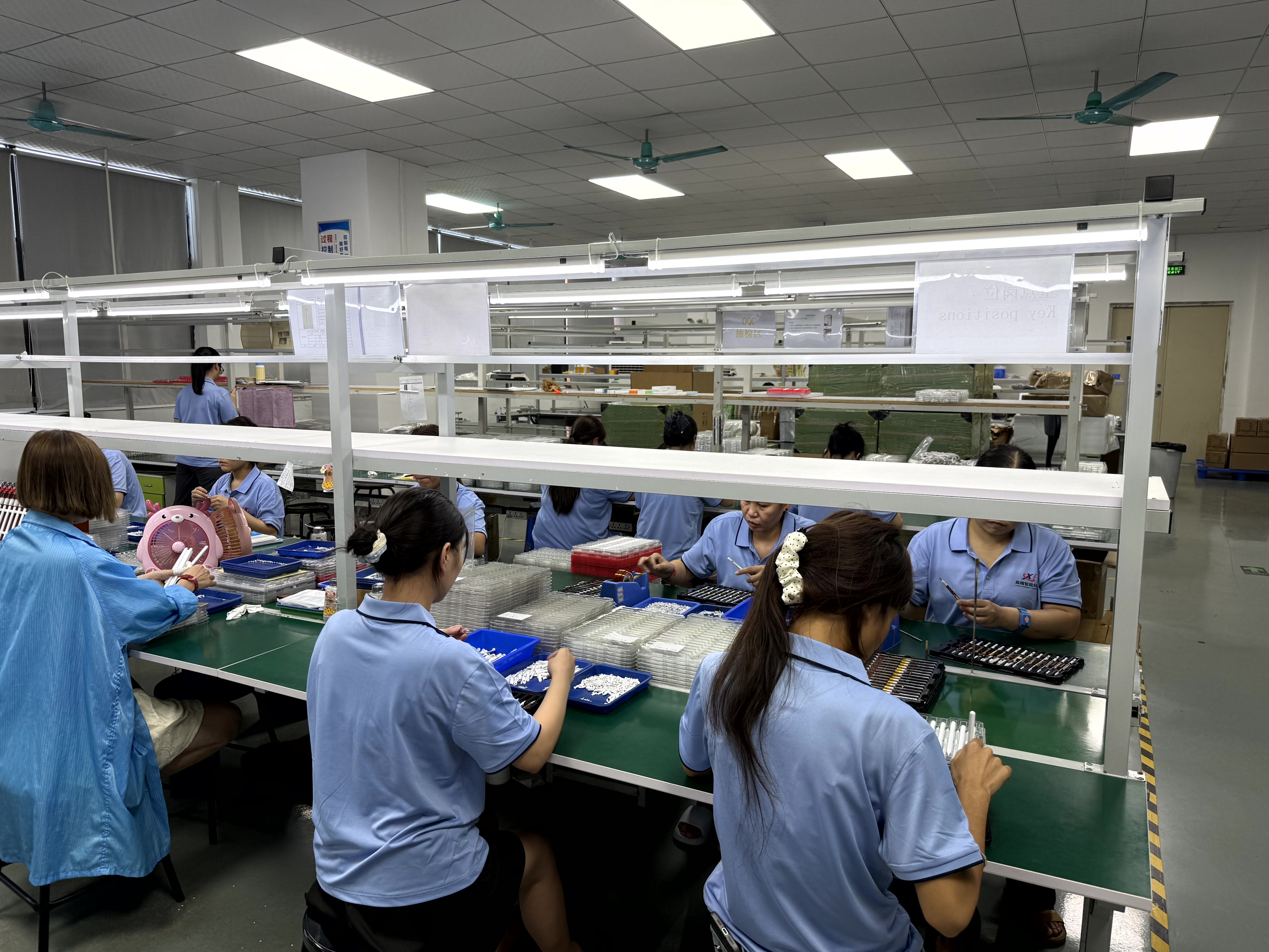
Jiayao stylus manufacturing in Dongguan: 2,700 m² facility, PCBA design, battery welding, final assembly and 100% full inspection before shipment.
Use Cases: Matching Parameter Sets to Workloads
The same pen range supports very different programs depending on which parameter dominates. Five configurations illustrate how the mapping works.
Education 1:1 programs and long school days
A7-H-L is documented for the education industry with 16 hours of working time, tilt bold, palm rejection and side adsorption. Long single-charge runtime matters more than fast charging when tablets are issued for a full teaching day and charging happens overnight.
Mixed iPad and Android fleets
R3-P is specified as a universal stylus for iPad and Android tablets, charging by Type-C in 40 minutes with 9–10 hours of working time. Consolidating to one pen model simplifies spares, packaging and training, at the cost of model-level performance tuning.
Android-only rollouts
S3-GC is the Android universal stylus pen in the range: Type-C charging in 55 minutes, 10 hours working time, a top touch switch and side adsorption. For Android fleets that require pressure and tilt, buyers should also verify whether the target tablets implement USI 2.0, the cross-platform active stylus standard supported by Google, Intel and Lenovo.
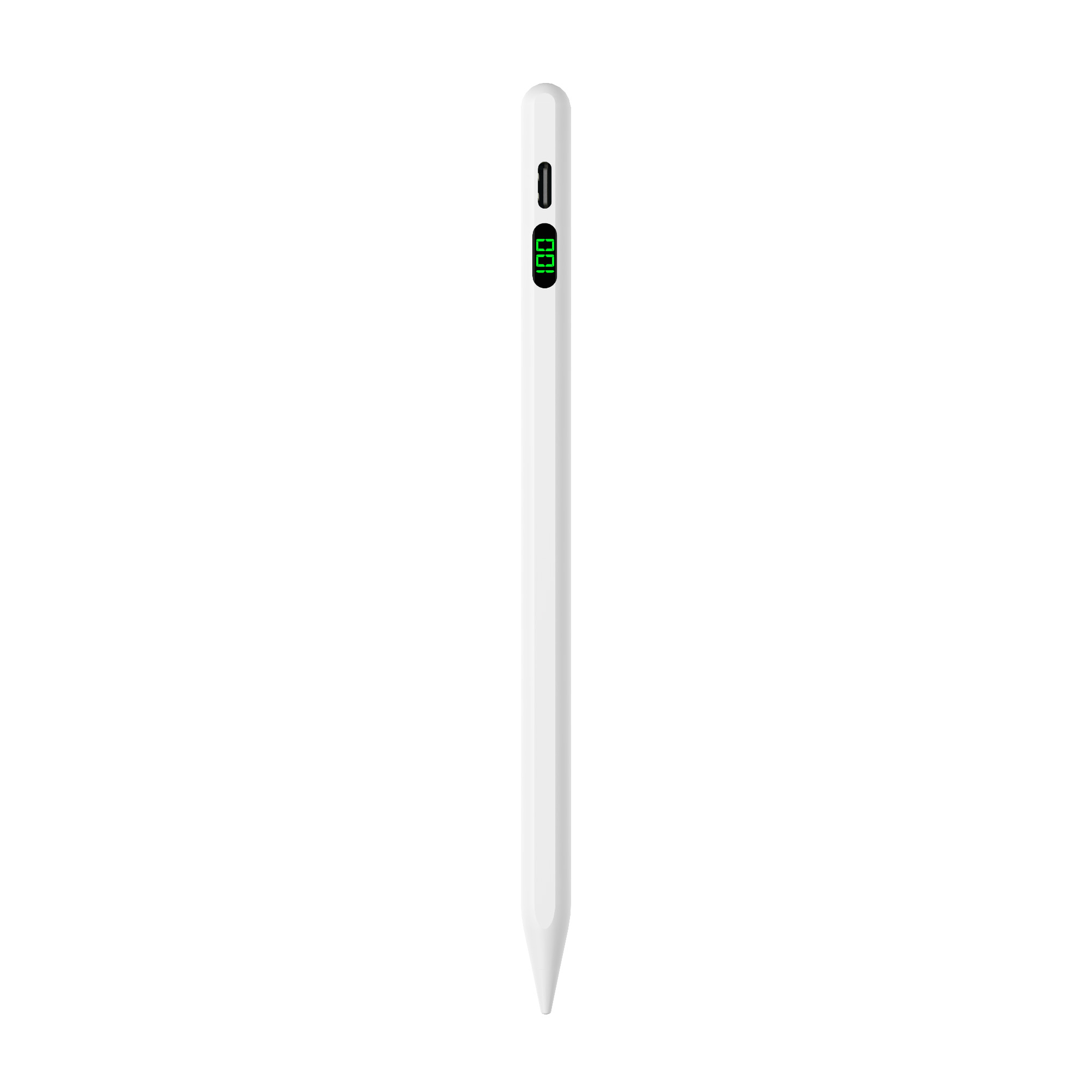
Jiayao S3-GC Android universal stylus pen: Type-C charging in 55 minutes, 10 hours working time, 165 mAh 3.7V (0.61 Wh) battery, aluminium alloy body, 13±1 g.
Note-taking and sketching on iPad
A21B, positioned as a 2-in-1 iPad stylus pen, lists palm rejection, tilt sensing, precise writing and side magnetic attachment with Type-C charging in 25 minutes. The 2-in-1 construction is the practical answer for users who want one pen for both active iPad work and universal passive touch input.
Duty cycles with the least charging tolerance
Where pens are used continuously — retail floor staff, field sales, shared kiosks — E3-A's 44-hour runtime and 60-minute automatic power-off window reduce both charging frequency and idle drain. W13-A is the counterpart for the opposite constraint: a 15-minute cable charge restores a 9–10 hour working window.
Comparison Tables: Active vs Passive and Model-Level Parameters
The first table compares the two architectures at the level that procurement decisions are actually made. The second and third tables list Jiayao stylus models using only documented parameter values.
| Parameter | Passive (capacitive) stylus pen | Active stylus pen |
|---|---|---|
| Operating principle | Conductive tip emulates finger contact on a capacitive touchscreen | Pen transmits a signal to the tablet digitizer, allowing separate pen detection |
| Power source | None | Internal battery; pen must have power to function (EMR-type pens draw power from the tablet digitizer instead) |
| Pressure sensitivity | Not available | Supported; documented as light and heavy pressure sensing across the Jiayao range |
| Tilt recognition | Not available | Listed for A30-B, A21B, A8-RH and A7-H-L (Tilt Bold: Yes) |
| Palm rejection | Not possible | Listed for A30-B, A21B, A8-RH, A7-H-L; E3-A carries a palm-rejection type designation |
| Offset / delay | Depends entirely on the tablet | NO Offset / NO Delay listed across documented Jiayao models |
| Charging | Not applicable | Type-C, magnetic charging or adsorption wireless charging depending on model |
| Device scope | Any capacitive touchscreen | Matched to device family: iPad (2018+, iPadOS 12.2+), Android tablets, or universal iPad + Android (R3-P) |
| Best fit | Universal touch input, no charging logistics | Writing, drawing, note-taking, palm-rest workflows |
| Model | Type as listed | Compatibility | Palm rejection | Tilt | Body material | Weight |
|---|---|---|---|---|---|---|
| W13-A | iPad active stylus pen | iPad 2018+, iPadOS 12.2+ | Not listed in parameter field | Not listed | Aluminium alloy + ABS | 12–13 g |
| W12-A | Active stylus pen | iPad 2018+, iPadOS 12.2+ | Not listed in parameter field | Not listed | ABS | 12–13 g |
| W3-H | Wireless charge stylus pen | iPad 2018+, iPadOS 12.2+ | Not listed in parameter field | Not listed | ABS | 12–13 g |
| A30-B | Pencil for iPad with shortcut button | iPad 2018+, iPadOS 12.2+ | Yes | Yes | Aluminium alloy | 12–14 g |
| A21B | 2-in-1 iPad stylus pen | iPad 2018+, iPadOS 12.2+; side adsorption for 11-inch & 12.9-inch only | Yes | Yes | Aluminium alloy | 12–14 g |
| A8-RH | Tilt sensing stylus pen | iPad 2018+, iPadOS 12.2+ | Yes | Yes | Aluminium alloy | 12–13 g |
| A7-H-L | iPad pencil (education) | iPad 2018+, iPadOS 12.2+ | Yes | Yes | Aluminium alloy | 12–13 g |
| E3-A | Palm rejection iPad stylus pen | iPad | Stated in type designation | Not listed in parameter field | Aluminium alloy + ABS | 15±1 g |
| R3-P | Universal stylus for iPad and Android tablets | iPad and Android tablets | Not listed in parameter field | Not listed | Aluminium alloy | 13±1 g |
| S3-GC | Android universal stylus pen | Android tablets | Not listed in parameter field | Not listed | Aluminium alloy | 13±1 g |
| Model | Battery | Charging method | Charge time | Working time | Auto power-off | Standby |
|---|---|---|---|---|---|---|
| W13-A | 90 mAh, 3.7V, 0.33 Wh | Magnetic + Type-C | 15 min by cable / 60 min tablet wireless | 9–10 hours | 10 minutes | 1 year |
| W12-A | 90 mAh, 3.7V, 0.33 Wh | Magnetic + Type-C | 25 min Type-C / 60 min wireless | 9–10 hours | 10 minutes | 1 year |
| W3-H | 90 mAh, 3.7V, 0.333 Wh | Magnetic charging | 70 minutes | 11 hours | 10 minutes | 1 year |
| A30-B | 165 mAh, 3.7V, 0.46 Wh | Type-C | 25 minutes | 11 hours | 10 minutes | 1 year |
| A21B | 165 mAh, 3.7V, 0.46 Wh | Type-C | 25 minutes | 11 hours | 10 minutes | 1 year |
| A8-RH | 165 mAh, 3.7V, 0.465 Wh | Type-C | 30 minutes | 12 hours | 10 minutes | 1 year |
| A7-H-L | 165 mAh, 3.7V, 0.46 Wh | Type-C | 30 minutes | 16 hours | 10 minutes | 1 year |
| E3-A | 230 mAh, 3.7V, 0.851 Wh | Type-C | 40 minutes | 44 hours | 60 minutes | 1 year at full power |
| R3-P | 130 mAh, 3.7V | Type-C | 40 minutes | 9–10 hours | 60 minutes | 1 year |
| S3-GC | 165 mAh, 3.7V, 0.61 Wh | Type-C | 55 minutes | 10 hours | 10 minutes | 1 year at full power |
How Third-Party Stylus Pens Differ from Apple Pencil
Apple Pencil is a first-party active stylus designed by Apple for iPad and paired through Apple's own protocol, which ties its feature set and compatibility to specific iPad generations. Third-party active stylus pens such as the Jiayao iPad line work by matching the tablet's touch layer rather than Apple's pairing route, which produces three differences buyers notice in practice.
- Charging architecture is more varied. Apple Pencil's charging behaviour follows Apple's design, while third-party pens split between Type-C, magnetic charging and adsorption wireless charging — Jiayao's W13-A charges in 15 minutes by cable or 60 minutes by tablet adsorption wireless charging.
- Pressure behaviour should be verified rather than assumed. Samsung documents up to 4,096 pressure levels on S-Pen class pens. Jiayao documents light and heavy pressure sensing plus tilt on the A30-B, A21B, A8-RH and A7-H-L. The correct comparison is documented value against documented value, on the exact tablet and app in scope.
- Customisation is available. A first-party pen is a fixed product. An OEM/ODM stylus line can be customised from a sample — logo, packaging and Bluetooth name are documented customisation options at Jiayao — which matters for distributor and brand-owner programs.
The parameter list does not change when the pen is first-party or third-party: pressure, tilt, palm rejection, latency and offset, battery behaviour, attachment. What changes is who controls the pairing and how compatibility is declared.
FAQ
Do iPad and Android stylus pens follow a common industry standard?
Not one single standard. For Android and Chromebook ecosystems, the reference specification is USI 2.0, released in 2022 by the Universal Stylus Initiative and supported by Google, Intel and Lenovo, which defines cross-platform active stylus behaviour. iPad-compatible pens are instead matched to iPad hardware generations and the iPadOS touch layer — Jiayao's iPad series specifies iPad models released after 2018 running iPadOS 12.2 and above. Buyers should therefore declare the target device list in the specification rather than assuming one standard covers every device.
Should I choose a passive or an active stylus pen?
Choose passive when the requirement is basic touch input on any capacitive screen and charging logistics must be avoided — passive pens have no battery, but they cannot provide palm rejection, tilt or pressure reporting. Choose active when the workflow involves handwriting, drawing or resting the hand on the screen, because active pens transmit a separate signal that the digitizer can track independently of finger contact, which is what enables palm rejection, tilt and pressure response. Active pens do require battery power before they function and must be charged.
Which selection parameters matter most for iPad and Android stylus pens?
Six parameters should be documented before a purchase: pressure sensitivity, tilt recognition, palm rejection, latency and offset, battery and charging behaviour, and physical attachment. In Jiayao's range, palm rejection and tilt are explicitly listed for A30-B, A21B, A8-RH and A7-H-L; offset and delay are listed as none across the documented models; charging time ranges from 15 minutes by cable (W13-A) to 70 minutes by magnetic charging (W3-H); working time ranges from 9–10 hours to 44 hours (E3-A). Attachment is model-dependent — side adsorption on W13-A and A21B applies to 11-inch and 12.9-inch iPad only.
What drives the difference between an entry-level and a professional active stylus pen?
The cost drivers are architectural and material rather than cosmetic: whether the pen is passive or active, the pressure and tilt feature set, the battery capacity and charging architecture, and the body material. In the Jiayao range, ABS-bodied models (W12-A, W3-H) sit alongside aluminium alloy models (A30-B, A21B, A8-RH, A7-H-L, R3-P, S3-GC), and charging splits between magnetic or wireless charging and Type-C. Each of these decisions changes the bill of materials, so a specification should state which parameters are mandatory and which are negotiable before pricing discussions begin.
How should I evaluate stylus pen suppliers, and can I test samples first?
Evaluate on process depth and verification, not on catalogue size. Dongguan Jiayao Intelligent Technology Co.,Ltd, founded in 2021, operates a 2,700 m² facility with 100 employees, an annual output of 3,000,000 units and a 4-engineer R&D team, with core capabilities covering PCBA design, battery welding, final assembly and quality testing. Every stylus goes through 100% full inspection covering functional, tactile and visual checks, and OEM/ODM projects are supported from sample — including logo, packaging and Bluetooth name customisation. Approximately 40% of output goes to EU and USA markets. Samples are available in as little as three weeks and standard orders ship in 20 days, so a sample-based validation is the normal starting point rather than a special request.
Conclusion: Choose the Architecture First, Then the Parameters
Active versus passive is the decision that determines everything downstream. Passive stylus pens trade capability for universality: no charging, no palm rejection, no tilt, no pressure. Active stylus pens buy capability with a battery and a matched device list, and then compete on measurable parameters — pressure response, tilt, palm rejection, latency and offset, charge time, runtime and attachment behaviour.
For iPad programs, that means fixing the model list (2018 or later, iPadOS 12.2 and above) and deciding whether palm rejection and tilt are mandatory. For Android programs, it means verifying the tablet's active stylus support and, where cross-platform interoperability is required, checking USI 2.0 compliance. For mixed fleets, a universal pen such as R3-P reduces SKU complexity, while dedicated models such as A7-H-L for education or E3-A for long duty cycles optimise a single dominant parameter.
Write the parameters into the specification, request a sample, and test the three things that marketing pages cannot show: how the ink lands against the tip, how the tablet behaves with a palm on the glass, and how the battery performs across a realistic working day.
Next Step: Download the Catalogue or Request a Sample
Full specifications for the W13-A, W12-A, W3-H, A30-B, A21B, A8-RH, A7-H-L, E3-A, R3-P and S3-GC stylus pens are available in the Jiayao Intelligent Stylus Pen Catalogue: download the PDF catalogue.
To discuss OEM/ODM stylus projects, samples or quotations, contact Dongguan Jiayao Intelligent Technology Co.,Ltd — Lea Tan, email LeaTan@dg-xcdz.com, WhatsApp +86 166 2065 1838. Website: jiayaostylus.com. Address: Room 9th Floor, No.12, Lane 11, Wenming Road, Nanzha, Humen Town, Dongguan, Guangdong, China.