
How to Match Cash Drawer Voltage and Interface Specs to Your POS Printer
Short answer: a printer-driven cash drawer is powered and triggered by the POS receipt printer through a low-voltage drawer-kick port and a modular RJ cable. Matching the two devices comes down to four verifications — drive voltage, connector family and pinout, trigger behaviour, and cable assembly — plus one mechanical check on the three-position key lock. Anything taken on assumption instead of on a datasheet is what produces a drawer that will not open, opens intermittently, or fails on first installation.
This guide is written for POS integrators, retail IT teams and importers who are past brand selection and are now specifying exactly what has to arrive at the store. It explains how the electrical handshake between printer and drawer works, how to read RJ11 and RJ12 specifications without confusing them, how 12V and 24V designs differ in practice, and how the three-position key lock interacts with the electronic trigger.
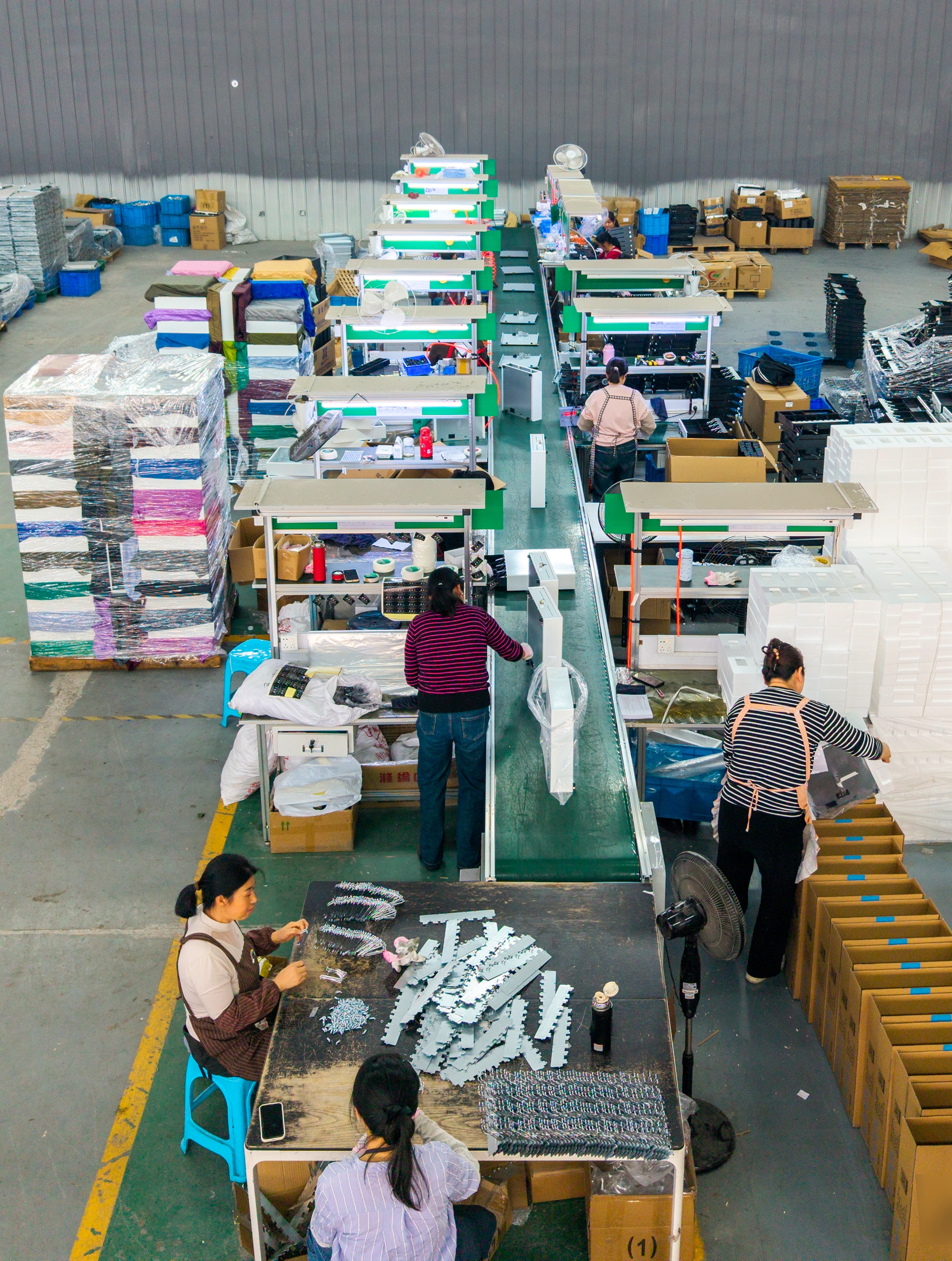
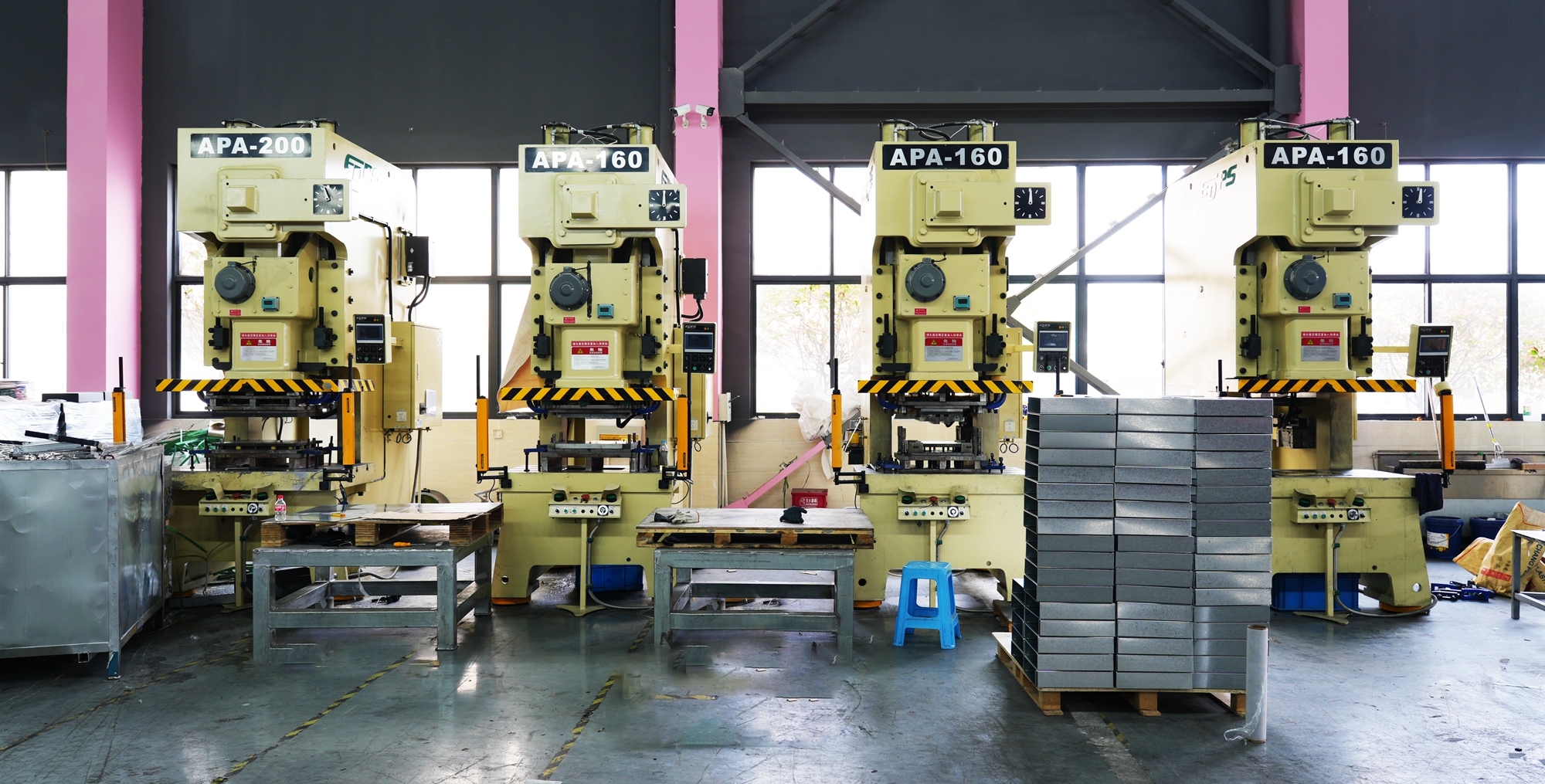
LASPACK (Zhangjiagang Laspack Technology Co., Ltd.) is a cash drawer and cash box manufacturer founded in 2013 and based in Zhangjiagang, Jiangsu, China, operating a 4,200 m² facility with 50 employees and a 10-engineer R&D team. Its documented model lineup includes the LAS-4042, LAS-410A, LAS-410G, LAS-405 and LAS-335. The company reports a monthly production capacity of 40,000 units and exports to more than 100 countries and regions, with roughly 70% of output going to export markets.
Problem Definition: What “Matching” Actually Means
In the dominant printer-driven architecture, the cash drawer has no independent power supply and no independent intelligence. The printer or POS terminal supplies a short DC pulse through its drawer-kick port, and the drawer's solenoid releases the latch. That is the entire electrical relationship. It is also why a drawer that “worked on the bench” can fail in a live lane: the two devices were checked against their own paperwork, never against each other.
Mismatches show up in five recognisable forms, and each one points to a different field on the specification sheet:
- Voltage mismatch — a 12V solenoid driven from a 24V port, or a 24V solenoid that never receives enough drive to release.
- Connector-family mismatch — an RJ11 plug pushed into an RJ12 jack, or the reverse, where the shell seats correctly but the contact count does not.
- Pinout mismatch — the right connector with the drive pair and the trigger pair assigned to different contacts.
- Trigger mismatch — a printer whose drawer-kick output is disabled in the driver, or set to a mode the drawer does not read.
- Lock-state mismatch — a key left in a position that mechanically blocks the latch, making a healthy electrical circuit look dead.
The commercial consequence is rarely a single failed unit. In a chain deployment, one wrong assumption propagates across every lane, every replacement unit and every spare part ordered against that SKU — which is why the matching step belongs in the purchase specification, not in the installation checklist.
Industry Background: Why This Specification Is Easy to Get Wrong
Printer-driven cash drawers remain the volume core of the category. According to Data Insights Reports, printer-driven units accounted for 48% of revenue share in 2025, while Ethernet-driven drawers were the fastest-growing segment at an 11.2% CAGR. In practical terms, most buyers are still specifying a device that inherits its power from a printer — and the printer fleet is usually the least standardised component in the store.
Public product documentation shows how widely the electrical detail varies between suppliers. CRS documents a POS cash drawer designed to be driven by a POS printer or terminal through a standard RJ connection, available in 12V or 24V configuration. HDWR documents a steel cash register drawer with a six-pin RJ12 connector and a 6/12V solenoid. Both are normal designs; neither is interchangeable with the other without checking the printer that will drive it.
Two constraints sit on top of this. First, for the European Union, cash drawers fall under CE marking and RoHS compliance requirements, so the electrical documentation is not only a compatibility question but a market-access question. Second, connector naming is applied loosely in the trade: RJ11 and RJ12 describe modular jack families rather than one guaranteed wiring pattern, so the connector name alone is not a specification.
The Matching Dimensions: Voltage, Interface, Trigger, Lock
1. Drive voltage — 12V, 24V and the solenoid rating
The first number to extract from both datasheets is the solenoid drive voltage. Many POS cash drawers ship in 12V or 24V versions, and some models accept either. LASPACK lists the LAS-208 with 12V/24V voltage options (customizable) and an RJ11 interface, and documents the LAS-410A as a 12V/24V unit with RJ11/RJ12 interfaces. The market also contains designs outside that pair — HDWR's HD-KER35W is documented with a 6/12V solenoid — which is precisely why “12V/24V” cannot be assumed to be universal.
Match the drawer to the printer's port, not to the store's other hardware. If a rollout mixes printer generations, the drawer specification should be written per printer model, and the 12V or 24V variant should be recorded as a separate SKU rather than as a note on the purchase order. Where the drive voltage exceeds the coil rating, the failure pattern is electrical rather than mechanical; where the drive is insufficient, the symptom is an inconsistent or absent release.
2. Interface — RJ11 versus RJ12, and the cable that joins them
RJ11 and RJ12 describe the same small modular connector shell with different contact counts. RJ12 uses six contacts; RJ11 typically uses four. A four-contact plug will seat in a six-contact jack and feel correct, while one or two required contacts are simply not connected — a fault that is invisible to a visual inspection and intermittent in the field.
Three details therefore have to appear on the drawing rather than in the sales conversation: the contact count of the drawer's jack, the contact assignment (which pair carries drive voltage, which pair carries the trigger), and the cable that will be supplied between printer and drawer. The cable is part of the electrical specification, not an accessory — length, contact plating and strain relief all affect whether the drawer sees a clean pulse. On multi-site orders, specify the cable as a stocked line item with its own part number and attach the wiring drawing to the acceptance document.
3. Trigger behaviour — drawer-kick port and driver setting
A perfect electrical match can still produce a drawer that will not open, because the trigger is a software decision as much as a hardware one. The printer must expose a drawer-kick output, that port must be enabled, and the payment application must issue the open command at the correct point in the transaction. In multi-lane deployments the same printer model is often configured differently from lane to lane, so the trigger setting belongs in the site configuration record, alongside the drawer's voltage and pinout.
This is also where Ethernet-driven drawers diverge from the printer-driven model: they do not inherit their trigger from a printer's drawer-kick port, so the matching exercise moves to the terminal or network layer instead.
4. Lock state — where the three-position key lock meets the electronics
Three-position key locks are documented on LASPACK's heavy-duty designs: the LAS-410A is specified with a three-position lock, and the LAS-410 series is described with steel panels and 3-position locks. On a typical three-position arrangement, one position keeps the drawer locked regardless of the POS signal, one allows the solenoid to release the latch under POS control, and one allows manual key opening.
For a technical match this matters because the lock sits mechanically between the solenoid and the latch. A drawer with the correct voltage, the correct connector and the correct trigger will still appear dead if the key is in the locked position. That single point accounts for a large share of false negatives during field diagnosis, and it should be written into the installation script rather than learned on site.
Step-by-Step: Specifying a Matched Drawer and Printer Pair
- Start from the printer, not the drawer. Record the printer model, its drawer-kick output voltage, the physical port type and whether the port is enabled by default. This record becomes the reference document for every drawer ordered against that printer.
- Confirm the drawer's solenoid rating against that voltage. Take the figure from the model datasheet — not from the product family page — and confirm the 12V or 24V variant explicitly in the RFQ. LASPACK lists both options on models such as the LAS-208 and the LAS-410A.
- Fix the connector on paper before ordering. State the contact count of the drawer jack, the contact assignment and the pinout. Ask for a wiring drawing and attach it to the quotation so that the delivered unit and the accepted unit are the same specification.
- Specify the cable as its own line item. Agree length, contact count and connector moulding, and carry a spare cable quantity in the first order. A failed cable is the fastest repair in the field; a missing spare is the slowest.
- Define the lock position and the driver setting. Decide which key position is standard for daily operation, write it into the installation script, and record the printer's drawer-kick configuration next to it.
- Bench-test the pair before deployment. Test the delivered drawer with the actual printer, from every key position, and inspect the connector contacts against the agreed drawing. LASPACK applies overcurrent protection as a mechanical-failure control and runs a 100% pre-shipment functional test, and pre-shipment test is listed as the acceptance criterion — so the bench checklist can be reused as the acceptance checklist.
RFQ checklist for a voltage- and interface-matched order
- Printer model, drawer-kick port voltage and port type
- Required drawer variant: 12V, 24V, or dual 12V/24V
- Connector type: RJ11 or RJ12, with contact count stated
- Contact assignment / wiring drawing reference
- Cable length, quantity and spare-cable allowance
- Lock type and standard operating key position
- Compliance documents for the destination market
- Acceptance criterion and pre-shipment test method
Use Cases: Where the Match Changes the Specification
Single-store retrofit onto an existing printer
The drawer is being replaced, the printer is staying. In this case the printer's drawer-kick voltage and port type are fixed constraints, and the only freedom is in the drawer variant and cable. Confirm the existing cable's contact count before assuming the old cable can be reused — a working drawer does not prove a correct pinout, only a compatible one.
Supermarket multi-lane rollout
Lanes are commissioned in batches, so a single wrong variant becomes a repeating fault. Standardise the voltage variant and the connector across all lanes, keep the printer drawer-kick configuration in the site record, and order cables as a stocked item. Heavy-duty models such as the LAS-410A — documented at 410 × 415 × 100 mm, 6.5 kg, with 5 bill and 8 coin compartments, a three-position lock and 12V/24V RJ11/RJ12 interfaces — are specified for that kind of continuous-duty checkout environment.
Restaurant and hospitality counters
Counters are often compact and the printer may sit under the till rather than beside it, which makes cable length a live variable. The electrical rules do not change, but cable routing and strain relief do; a longer cable with a poorly supported plug produces intermittent opens that look like a voltage fault.
Pop-up, kiosk and event cash handling
Not every cash point is printer-driven. LASPACK describes the LAS-3024 as a portable cash box with a mechanical safe deposit box design, spray-painted hardware and coin clamps, intended for cash environments such as supermarkets and shopping malls. It has no electrical interface, so there is no voltage to match — but it also does not receive a POS trigger, which has to be clear in the operating procedure rather than discovered at the counter.
Distributor stocking and long-term supply
For a distributor, the matching decision is a supply decision. Each voltage and connector variant is a separate SKU, each SKU needs its own datasheet revision, and each installed base generates a demand for that exact variant plus spares. Narrowing the portfolio to one or two interface standards reduces stock risk and makes after-sales support predictable, while keeping the full model range available for customers who specify something different. LASPACK's own portfolio spans multiple drawer series alongside cash boxes, which allows a partner to standardise on a subset without losing coverage.
Comparison Table: Documented Models and Published Figures
The table below separates what is published in the sources reviewed for this guide from what must be pulled from the current datasheet. LASPACK documents the LAS-4042, LAS-410A, LAS-410G, LAS-405 and LAS-335 with model-specific dimensions, weights, layouts, locks and interfaces; only the figures below are published in those sources, and the remaining fields should be confirmed model by model at quotation stage.
| Model | External dimensions | Net weight | Bill / coin compartments | Lock | Voltage / interface |
|---|---|---|---|---|---|
| LAS-410A | 410 × 415 × 100 mm | 6.5 kg | 5 bills / 8 coins | Three-position | 12V/24V; RJ11/RJ12 |
| LAS-208 | 208 × 300 × 100 mm | 1.8 kg net (2.0 kg gross) | — | — | 12V/24V (customizable); RJ11 |
| LAS-335 | — | — | — | — | — |
| LAS-405 | — | — | — | — | — |
| LAS-410G | — | — | — | — | — |
| LAS-4042 | — | — | — | — | — |
A dash means the figure was not published in the sources reviewed for this guide. It is not a statement that the model lacks that specification. Because footprint, weight and compartment layout determine both the counter layout and the freight calculation, these fields should be requested per model rather than inferred from the model name or from another drawer in the same series.
| Scenario | What must be confirmed | If it is assumed rather than checked |
|---|---|---|
| 24V printer port, 12V solenoid drawer | Coil rating against port voltage | Drive voltage above the coil rating; over-current risk on the coil |
| 12V printer port, 24V solenoid drawer | Available drive against rated coil | Insufficient release; intermittent or absent opening |
| RJ11 plug into RJ12 jack | Contact count and contact assignment | Plug seats correctly but a required contact is not connected |
| Six-pin RJ12 drawer with four-contact cable | Cable pinout against the drawer drawing | Open command never reaches the solenoid |
| Ethernet-driven drawer | Drawer-side network interface and power source | Printer-side drawer-kick matching is the wrong exercise entirely |
| Any drawer in the locked key position | Standard operating key position | Correct electronics diagnosed as a failed drawer |
Frequently Asked Questions
Do cash drawers need CE and RoHS for the EU market?
Yes. For the European Union, cash drawers fall under CE marking and RoHS compliance requirements. Two things follow for procurement: the certificate has to cover the specific model and voltage variant being ordered, and the technical file should be requestable at RFQ stage. LASPACK states that its cash drawers hold CE, RoHS and FCC certification and have passed 1,000,000-cycle durability tests. Buyers running a formal compliance review should request the original certificate documents and the test report reference, then confirm that the model and voltage variant on the purchase order sit inside the certified scope.
Can LASPACK supply both 12V and 24V cash drawers with RJ11 or RJ12 interfaces?
Yes, on the documented models where those options are listed. The LAS-208 is listed with 12V/24V voltage options (customizable) and an RJ11 interface; the LAS-410A is listed with 12V/24V and RJ11/RJ12. Because the option set differs between models, the correct procedure is to state the printer's port voltage, the required connector and the pinout in the RFQ rather than ordering “a 24V drawer” generically. LASPACK handles product design, mould development and production in-house with a 10-engineer R&D team, and reports a monthly production capacity of 40,000 units.
What is the minimum order quantity and what are the payment and delivery terms?
MOQ is 100 pcs. Delivery terms are EXW, FOB or CIF. Payment terms are 30% T/T deposit with the 70% balance before shipment. Because the drawer's electrical specification is fixed at order stage, the RFQ should carry the voltage, connector, pinout and lock configuration so that the quotation, the production order and the acceptance criteria all reference the same document.
How should a sample be validated before a full rollout?
Test the sample as a pair with the actual printer model, not as a standalone unit. Confirm the drawer-kick behaviour, verify that the latch releases from every key position, and inspect the connector contacts against the agreed drawing. LASPACK applies overcurrent protection as a mechanical-failure control and runs a 100% pre-shipment functional test, and pre-shipment test is listed as the acceptance criterion — so the sample checklist and the acceptance checklist can be the same document.
What production capacity and support is available for repeat and multi-site orders?
LASPACK reports a monthly production capacity of 40,000 units, which supports large-scale and repeat ordering, with roughly 70% of output exported to markets including Southeast Asia, Central Asia, the Middle East, South America, Africa and Europe. For distributors and multi-site operators, the practical next step is to send the printer specification rather than a drawer request — model, drawer-kick voltage, connector type and pinout — so that the correct variant is quoted the first time. Contact Lena at lena@laspack.com, tel +86 13962212810 or WhatsApp +852 98740600, or download the LASPACK product catalogue for the full model list.
Conclusion: Match the Documents Before You Match the Hardware
Cash drawer compatibility is decided on paper. The printer fixes the drive voltage and the trigger behaviour; the drawer fixes the solenoid rating, the connector and the contacts; the cable connects the two; the key lock decides whether any of it reaches the latch. When those four items are written into the RFQ — voltage, connector and pinout, trigger configuration, and standard key position — the installation becomes a confirmation step instead of a troubleshooting exercise.
That discipline pays twice. The first time is at commissioning, when the drawer opens on the first pulse. The second is two years later, when a replacement unit, a spare cable or an additional lane has to match a specification that still exists in writing. For buyers in the decision and execution phases of a rollout, that written specification is the difference between a repeatable order and a renegotiation.
Next Step
Send your printer model, drawer-kick voltage, connector type and pinout to the LASPACK team and receive a variant-matched quotation with the wiring drawing attached. MOQ 100 pcs; EXW, FOB or CIF; 30% T/T deposit and 70% balance before shipment; pre-shipment test as the acceptance criterion.
Email: lena@laspack.com · Tel: +86 13962212810 · WhatsApp: +852 98740600 · www.laspack.com · Download the catalogue (PDF)

Have Questions or Need More Details?
Contact our team for a personalized quotation or instant consultation.
Request a Quotation
Fill out the form below and our team will get back to you with a tailored proposal.
WhatsApp Direct Chat
Prefer to chat in real-time? Message us on WhatsApp for instant assistance & quick answers.
- Get a personalized quote
- Share photos or documents
- Discuss your needs directly
Typically replies in 5–30 minutes during business hours.