
Troubleshooting Poor Office Network Performance: Is It Your Ethernet Cable or Your Switch?
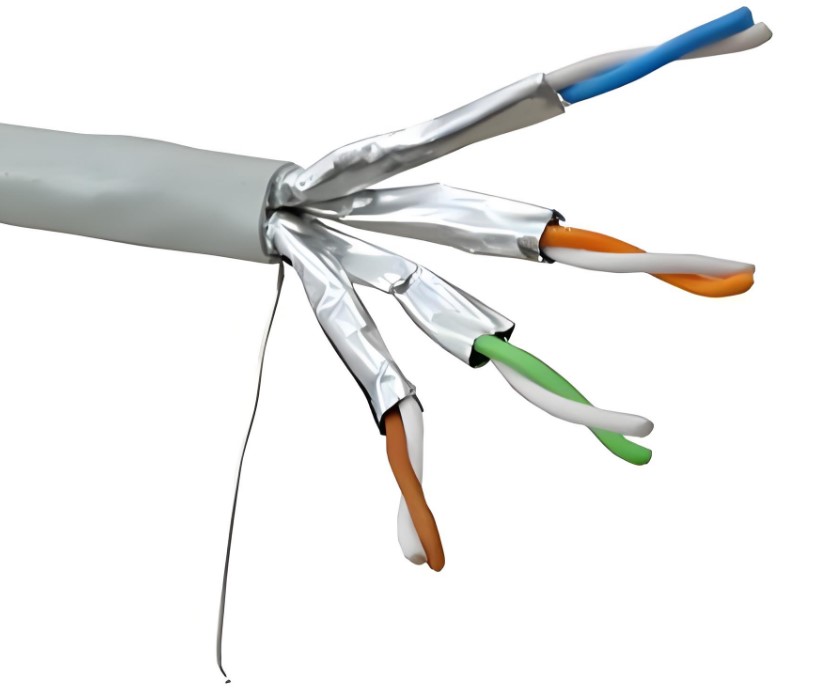
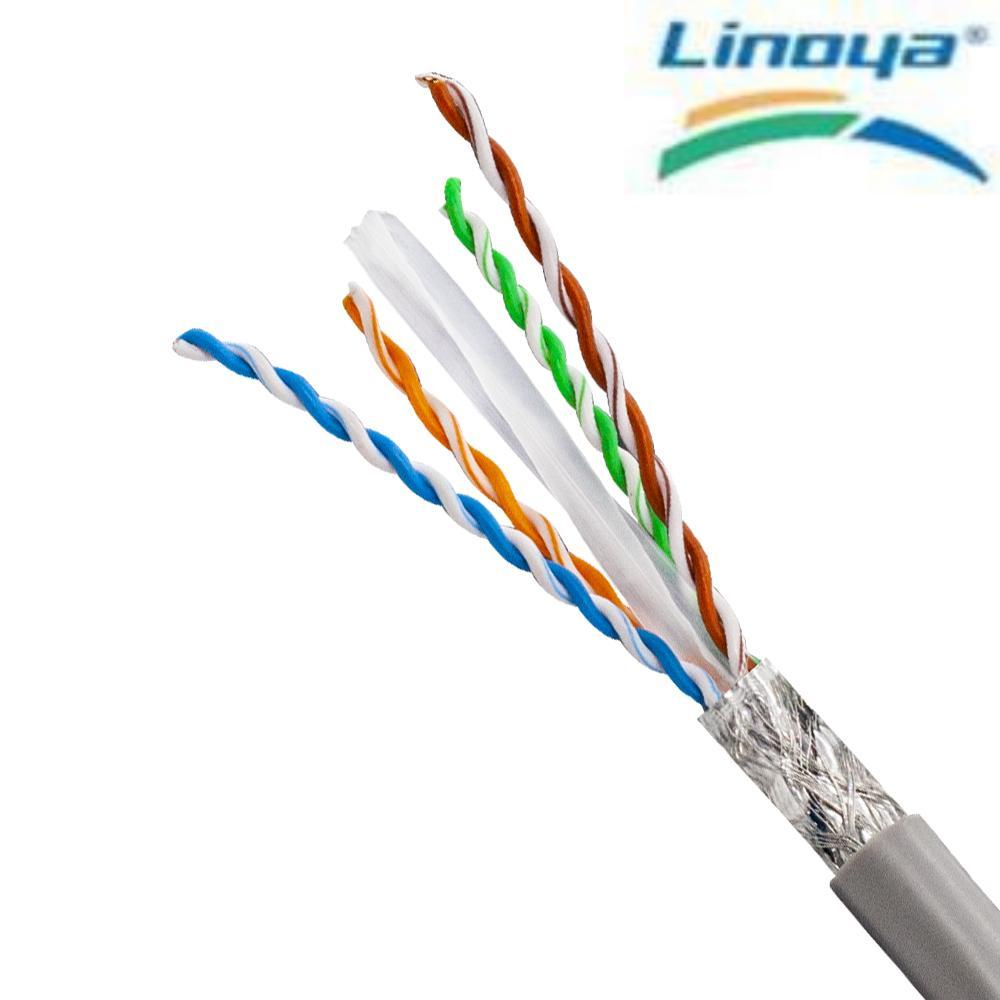
Cover: Cat6a U/FTP construction — 23AWG solid bare copper with individual pair foil shielding, rated for 10Gbps up to 100 m in office backbone and server-room runs.
An office network rarely fails all at once. It degrades: a file copy that once took seconds now stalls, a video call freezes at ten past the hour, an access point reboots under load, and one desk reports no connectivity while the desk beside it works normally. At that point the question is narrow and practical — is the Ethernet cable failing, or is the switch at fault?
The two can be separated in a fixed order, without swapping hardware by guesswork: read the port link state, test the copper run, substitute a known-good patch cord, then move the same cable to a second switch port. Whichever side the fault follows is the side to repair. This guide sets out that sequence for office IT staff, facilities engineers and cabling contractors, and then links each finding back to the cable specification that keeps the problem from returning after the run is replaced.
Problem Definition: What Poor Performance Is Actually Telling You
Physical-layer problems in an office share a compact symptom set. A port shows no link light. Links drop and re-establish. Throughput sits far below what the switch port and the desk NIC are rated for. File transfers and calls suffer random packet loss. PoE devices such as access points and cameras reboot or brown out. A link reports 10/100 Mbps where gigabit is expected.
Those symptoms do not identify the culprit on their own. A broken inner conductor, a mis-sequenced termination, an oxidized RJ45 pin, an off-spec or copper-clad aluminium (CCA) conductor, heavy electromagnetic interference, an ungrounded shielded run, or a low-grade connector fitted to a Cat6 or Cat6a cable can each produce the same complaint at the desk.
The switch side produces an overlapping but distinct pattern: faults that stay with a port after the cable is moved, errors that appear on every device behind one switch or one uplink, PoE ports that cannot carry the load their connected devices draw, and speed or duplex settings that no longer match the far end.
Decision rule: a fault that follows the cable is a cable fault; a fault that stays with the port is a port or switch fault. Change one variable at a time, and record each result.
Because a passive cable is in circuit 24/7, marginal runs fail under load rather than at installation. That is why the first useful question is not which part is best, but which part is out of margin.
Industry Background: Why Office Cabling Is Judged on Stability, Not on Installation Day
Ethernet cabling is a large, slow-moving infrastructure category, and that economics explains why offices rarely replace a working cabling plant. The global Ethernet cable market was valued at USD 38.55 billion in 2025 and is forecast to reach nearly USD 70.02 billion by 2032, a CAGR of 8.9% from 2026 to 2032, according to Maximize Market Research. Cat6 held a 32.5% share of that market in 2025, per Dataintelo — which is why most office troubleshooting happens on Cat6 or Cat5e runs rather than on the newest categories.
Office LANs are built as a wired star topology: each desk, access point and camera has its own cable back to a switch port. The cable is passive and carries traffic continuously, so the physical layer is judged on whether it holds its margin through years of 24/7 operation, desk moves, patch-panel re-terminations and the gradual addition of PoE loads — not on how it tested on handover day.
Verification criteria move as well. ANSI/TIA-568.2-E was released in October 2024, replacing ANSI/TIA-568.2-D, and introduced DC resistance unbalance (DCRU) specifications for Cat5e, Cat6 and Cat6A. A run accepted years ago under the older framework may not satisfy the current parameter set, and a marginal run is exactly the kind that surfaces as intermittent packet loss rather than as a clean failure.
Fire performance belongs to the same decision. In the European Union, EN 50575 CPR classes define the evidence required; the B2ca class, for example, requires FS ≤ 1.5 m, THR ≤ 15 MJ and peak HRR ≤ 30 kW. In North America, CMR and CMP ratings serve the equivalent function for riser and plenum spaces. A replacement run has to satisfy the building flame requirement as well as the electrical requirement of the link.
Detailed Solution: Isolate the Cable, the Termination and the Switch Port
1. Confirm the rated limit of the installed cable first
Every category has a defined ceiling, and a link asked to exceed it fails intermittently rather than cleanly. In Linoya product data, Cat5e is rated at 1 Gbps; Cat6 at 10 Gbps up to 55 m; Cat6a at 10 Gbps up to 100 m; Cat7 at 40 Gbps up to 50 m; Cat7A at 100 Gbps up to 15 m; and Cat8 at 40 Gbps up to 30 m. All are TIA/EIA-568-C.2 constructions built on solid bare copper conductors.
Two consequences follow. A Cat5e run cannot be made to deliver 10 Gbps by changing switch settings. And a Cat6 run at 80 m may serve 1 Gbps perfectly well today and fail the moment the floor moves to 10G — the cable, not the switch, is the constraint.
2. Five cable-side faults that mimic a switch failure
- Physical damage. Broken inner conductors, crushed cable, a scored jacket, or a bend beyond what the cable allows.
- Termination defects. Wrong wiring sequence, untwisted pairs left too long behind the jack, poor crimping, damaged or oxidized RJ45 pins.
- Cable quality. CCA conductors, an off-spec category, or counterfeit product sold under a branded category name.
- Environmental interference. Heavy EMI, incorrect grounding of a shielded (STP) run, or indoor cable installed outdoors.
- Connector mismatch. Low-grade RJ45 connectors that cannot support the high-frequency performance of a Cat6 or Cat6a cable.
3. What to check on the switch and router side
Close off the active side with four checks before ordering new cable.
- Link state per port. An unlit port LED means no physical link exists. That points to the run, the jack or the port itself — the next test is substitution, not configuration.
- Negotiated speed. A port linking at 10/100 Mbps where gigabit is expected is reporting that the channel cannot support the higher rate, which is typical of a pair fault, a mis-sequenced termination or an under-rated cable.
- Error counters and scope. Errors confined to one port and still present after a known-good patch cord is fitted indicate the port. Errors that travel with the cable to another port indicate the cable.
- PoE delivery. Access points and cameras that reboot under load may be drawing more than the port can budget, or may be fed by a conductor that is marginal for the current. Check the port PoE allocation together with the conductor size and conductor material of the cable.
In Linoya application data, the matched equipment for office and 10G scenarios is listed as Gigabit/10G switches, routers, workstations, servers, IP cameras and wireless access points, with patch panels and SFP modules added in rack deployments. The cable is specified to work with that equipment; it is not a substitute for a misconfigured or under-powered port.
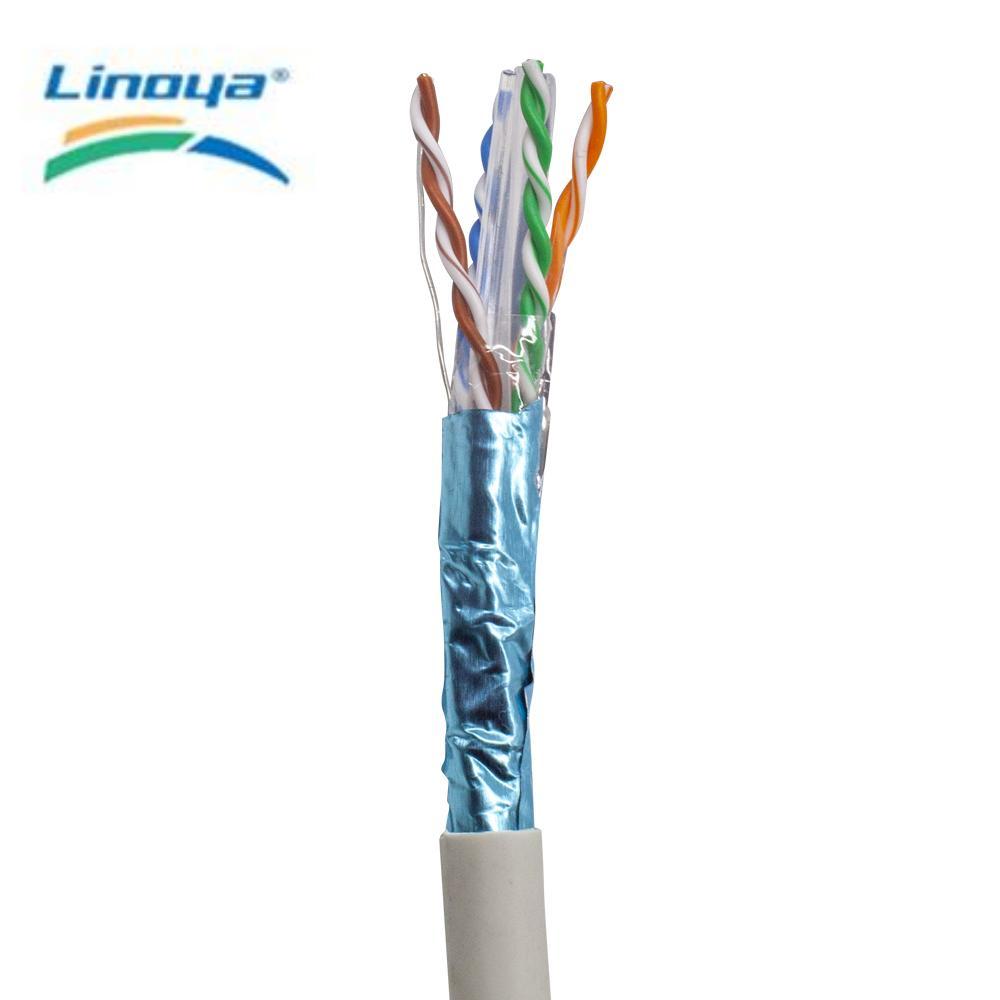
Cat6 F/UTP: an overall foil shield over 23AWG/24AWG solid bare copper, CMR rated and specified for 10Gbps up to 55 m — a frequent replacement choice for office floors with moderate EMI.
4. Read cable specifications as 24/7 stability requirements
- Conductor. Solid bare copper in 23AWG or 24AWG for permanent runs. Stranded conductors belong in patch cords, and CCA is a failure risk under PoE load.
- Shielding. Unshielded (U/UTP) for normal office space; overall foil (F/UTP) or screen-plus-foil (SF/UTP) where EMI is present; pair-level foil (U/FTP) or full overall-plus-pair foil (F/FTP) for dense 10G/40G bundles and high-interference environments.
- Flame rating. CM/CMG for general-purpose Cat5e runs, CMR for riser spaces on Cat6, CMP for Cat6a, Cat7 and Cat8 plenum deployments.
- Compliance. TIA/EIA-568-C.2 performance, UL or ETL listing, and CPR classification where the project is in the EU.
- Manufacturing control. Linoya states 100% pre-shipment electrical performance testing, third-party inspection (SGS/UL), random sampling inspection and full electrical performance testing.
Shielded cable only earns its benefit when the shield is terminated and grounded correctly. An ungrounded or wrongly grounded F/UTP or SF/UTP run can perform worse than an unshielded one, so specification and installation discipline have to be decided together.
Step-by-Step Breakdown: Seven Checks That Separate Cable From Switch
- Reproduce the symptom and define its scope. Is it one desk or one floor, always or only under load, wired only or also Wi-Fi? If the Wi-Fi served by the same access point is also slow, the access point uplink — not the desk run — is the first suspect.
- Read the physical link at both ends. Confirm the RJ45 link light on the device and on the switch port, and note the negotiated link speed reported by the switch or the operating system.
- Test the copper run with a cable tester. Plug both ends into the two ports of the tester and power it on. The LED sequence reveals open circuit, short circuit or mis-wiring. A wire-map pass does not by itself prove high-frequency performance, but a fail is conclusive.
- Run a real throughput test. Connect the cable between the PC and the switch or router, then run a speed test or a local file transfer and compare the result with the port rating. Replace the cable if mis-wiring or low throughput appears.
- Substitute a known-good, factory-tested patch cord. If the fault disappears, the original cable or its termination is the cause. If it persists, move on.
- Move the same cable to a second switch port, and a second known-good cable to the original port. This is the step that separates the two domains definitively.
- Replace the run, then re-test on site. A factory-tested cable still has to be re-checked after installation, because pulling, bending and termination all happen on site.
Record the outcome of each step. On a site with dozens of runs, that record is what prevents the same desk from being diagnosed twice — and it makes the pattern visible when the fault turns out to be a batch of terminations rather than a single cable.
Use Cases: Matching the Replacement Cable to the Office Environment
1. Standard desks, meeting rooms and Wi-Fi access points
For 1 Gbps desk runs, Cat5e U/UTP at 24AWG solid bare copper with CM/CMG flame rating and UL/ETL listing covers the requirement, including PoE support for IP phones and cameras. Where the same floor may move to 10G within a 55 m channel, Cat6 U/UTP in 24AWG or 23AWG with CMR rating provides headroom, and the dual-AWG option lets a project trade conductor size against cost. In a commercial office 10G deployment supplied by Linoya, the Cat6 U/UTP cable passed 10G network performance testing and reported 99.99% network stability.
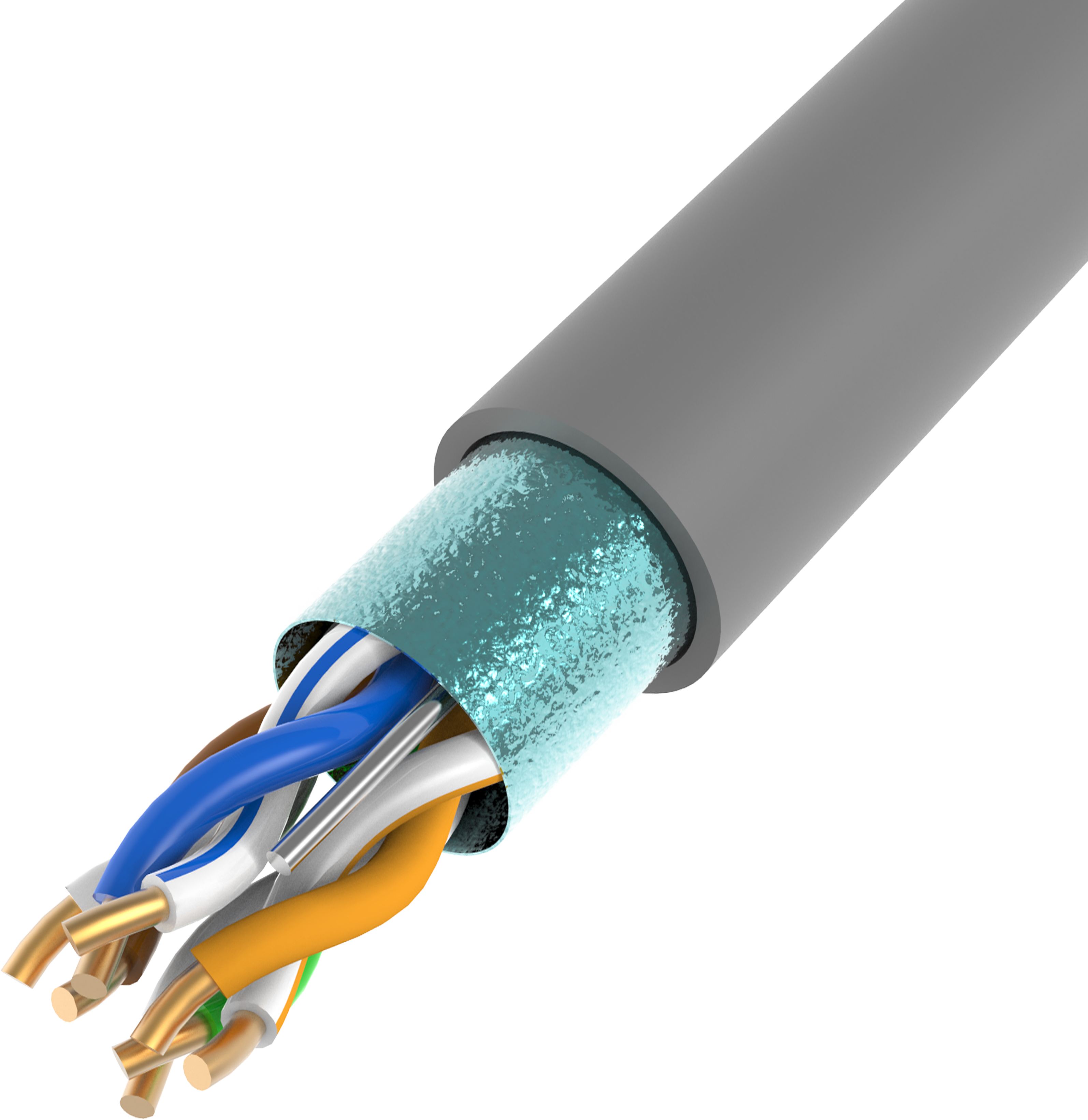
Cat5e F/UTP: 24AWG solid bare copper with an overall foil shield, CM/CMG rated and UL/ETL listed — the basic anti-interference option for Gigabit office runs.
2. Office floors with moderate electromagnetic interference
Where a floor shares space with electrical risers, lifts or heavy equipment, an overall foil shield (Cat6 F/UTP) or a screen-plus-foil construction (Cat6 SF/UTP) reduces crosstalk and keeps 10 Gbps stable to 55 m; both are CMR rated and UL/ETL listed. Linoya reports 99.98% network stability for a commercial-building Cat6 F/UTP installation with reduced crosstalk, and 99.97% with no signal loss in a high-noise industrial-office environment using Cat6a SF/UTP.
3. 10G backbone, server room and core network renovation
Full-channel 10 Gbps to 100 m requires Cat6a. Cat6a U/UTP in 23AWG solid bare copper with CMP flame rating and UL/ETL/CPR certification is the unshielded option; Cat6a F/FTP adds overall and pair-level foil for dense bundles and high-interference paths. In a small-to-medium data center deployment, Linoya Cat6a U/UTP reported 99.999% network stability with zero packet loss and passed data center acceptance, while a Cat6a U/FTP backbone project reported eliminated crosstalk at 99.999% stability.
4. High-density racks and short-reach data center links
Above 10G, distance shrinks quickly: Cat7 F/FTP carries 40 Gbps to 50 m, Cat7A carries 100 Gbps to 15 m, and Cat8 carries 40 Gbps to 30 m, all with overall-plus-pair foil shielding, CMP rating and UL/ETL/CPR certification. Linoya Cat8 F/FTP deployed in a high-performance data center reported 99.998% network stability with full shielding for 40G signal integrity, and a Cat7 F/FTP deployment reported 99.999%.
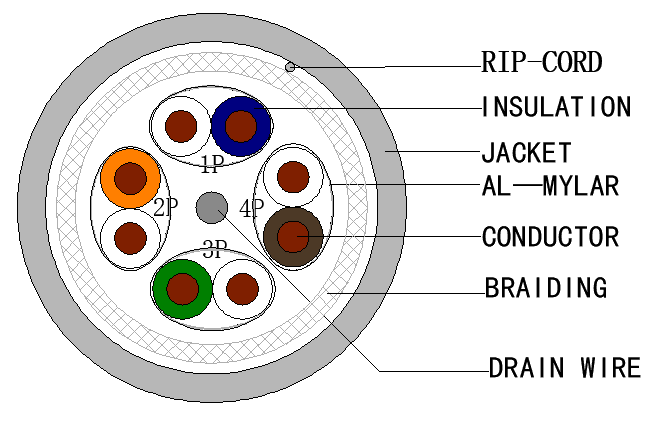
Cat7 F/FTP: 23AWG solid bare copper with overall and pair-level foil shielding, CMP rated and specified for 40Gbps up to 50 m.
5. Factory offices and industrial edge
When an office sits inside a plant, the run has to survive the noise. Cat5e SF/UTP holds 1 Gbps over a screen-plus-foil construction with CM/CMG rating and UL/ETL listing, and in a factory office and industrial-edge deployment Linoya recorded 99.97% network stability with zero downtime caused by interference. In these environments the fastest way to misdiagnose a switch is to install an unshielded cable into a noise path and then blame the port.
Comparison Table: Cable Options for an Office Replacement Run
| Model | Conductor | Rated bandwidth | Shielding | Flame rating | Certification |
|---|---|---|---|---|---|
| Cat5e U/UTP | 24AWG solid bare copper | 1 Gbps | Unshielded | CM/CMG | UL/ETL |
| Cat5e F/UTP | 24AWG solid bare copper | 1 Gbps | Overall foil | CM/CMG | UL/ETL |
| Cat6 U/UTP | 24AWG/23AWG solid bare copper | 10 Gbps @ 55 m | Unshielded | CMR | UL/ETL |
| Cat6 F/UTP | 24AWG/23AWG solid bare copper | 10 Gbps @ 55 m | Overall foil | CMR | UL/ETL |
| Cat6 SF/UTP | 24AWG/23AWG solid bare copper | 10 Gbps @ 55 m | Screen + foil | CMR | UL/ETL |
| Cat6a U/UTP | 23AWG solid bare copper | 10 Gbps @ 100 m | Unshielded | CMP | UL/ETL/CPR |
| Cat6a SF/UTP | 23AWG solid bare copper | 10 Gbps @ 100 m | Screen + foil | CMP | UL/ETL/CPR |
| Cat6a F/FTP | 23AWG solid bare copper | 10 Gbps @ 100 m | Overall + pair foil | CMP | UL/ETL/CPR |
| Cat7 F/FTP | 23AWG solid bare copper | 40 Gbps @ 50 m | Overall + pair foil | CMP | UL/ETL/CPR |
| Cat8 F/FTP | 22AWG solid bare copper | 40 Gbps @ 30 m | Overall + pair foil | CMP | UL/ETL/CPR |
Specifications as listed in Linoya product data for the Ethernet Cable range; all models are TIA/EIA-568-C.2 constructions. Field performance depends on installation, termination and channel length.
Symptom-to-side isolation matrix
| Symptom observed | First check | If the fault follows the cable | If the fault stays with the port |
|---|---|---|---|
| No link light at either end | Cable tester wire map | Replace run or re-terminate jacks | Test a second port; inspect the port contacts |
| Link at 10/100 Mbps where gigabit is expected | Substitute a known-good patch cord | Check pair sequence, connector grade and cable category | Review port speed and duplex settings against the far end |
| Drops and packet loss under load | Scope test: one desk or one floor | Check shielding, grounding and bend radius on the run | Check port errors and the shared uplink |
| PoE device reboots or browns out | Port PoE allocation and conductor check | Confirm solid bare copper conductor and category | Review PoE budget across the switch |
FAQ
Which certifications and flame ratings should a replacement office or data center Ethernet cable carry?
Check four layers. Performance: TIA/EIA-568-C.2 compliance for the category being installed. Safety listing: UL or ETL. Flame rating: CM/CMG for general-purpose Cat5e runs, CMR for Cat6 riser installations, CMP for Cat6a, Cat7 and Cat8 plenum deployments. Regional regulation: CPR classification in the EU, where EN 50575 defines classes such as B2ca with FS ≤ 1.5 m, THR ≤ 15 MJ and peak HRR ≤ 30 kW. Linoya Cat6a, Cat7 and Cat8 constructions are listed with CMP flame rating and UL/ETL/CPR certification, and the range is stated to comply with TIA/EIA, EN and GB standards. Also confirm the acceptance standard in force for the project: ANSI/TIA-568.2-E, released in October 2024, replaced ANSI/TIA-568.2-D and added DC resistance unbalance specifications for Cat5e, Cat6 and Cat6A.
How do I test whether an Ethernet cable works properly?
Use three checks in sequence. Plug both ends into the two ports of a cable tester and power it on; the LED sequence reveals open circuit, short circuit or mis-wiring. Connect the cable between a PC and a router or switch and check the RJ45 link light. Then run a speed test to verify actual throughput, and replace the cable if mis-wiring or low throughput appears. A cable that passed factory electrical testing still needs an on-site re-check after construction, because pulling, bending and termination happen after the cable leaves the factory. Linoya states that all finished cables pass factory-level electrical performance testing before delivery.
Cat6a SFTP Ethernet cable manufacturers for data centers — what should buyers verify?
SFTP in buyer usage usually means an overall screen plus foil shield. In Linoya's catalogue the equivalent Cat6a construction is listed as Cat6a SF/UTP (screen plus foil overall shield), while the construction with both overall and pair-level foil is listed as Cat6a F/FTP — so match the naming to the construction, not to the abbreviation. For data center use, verify five points: 23AWG solid bare copper conductors; 10 Gbps at 100 m; TIA/EIA-568-C.2 compliance; CMP flame rating with UL/ETL/CPR certification; and a test regime that includes 100% pre-shipment electrical test plus third-party inspection. As a reference point, an enterprise 10G backbone project using Linoya Cat6a reported 99.999% network stability with zero packet loss and passed data center acceptance.
What MOQ, lead time and monthly capacity apply to bulk Ethernet cable orders?
Linoya supplies bulk Ethernet cable at 305 m per carton, with a 100-carton minimum order quantity, a 30-day lead time and a stated monthly capacity of 200,000 cartons. OEM customization covers cable length, logo printing and packaging. Quality control includes 100% pre-shipment test, third-party inspection (SGS/UL), random sampling inspection and full electrical performance testing. After-sales support is 24/7 online technical assistance with a one-year product warranty and free replacement for defective products, and the stated export markets are the EU, US, Middle East, Southeast Asia, Australia, South Korea and Japan. Projects that mix categories should confirm the split across Cat5e, Cat6 and Cat6a before the order is released.
Can a replacement cable be validated before a full office rollout?
A rollout can be de-risked with a validation run rather than a full order: buy a carton, install the representative runs — the longest channel, the noisiest path, one PoE device — and field-test after termination. A passing wire map is not sufficient on its own; check throughput at the port and, for shielded constructions, confirm that the shield is bonded at the intended points. Linoya commercial terms are quoted per project, so contact inquiry@linoya.com or +86-15602610696 to confirm sample availability, pricing and the category mix for a validation order, and to request the product brochure.
Conclusion: Repair the Side the Fault Follows
The cable-versus-switch question resolves through substitution, not opinion. Read the link state, test the copper, swap in a known-good patch cord, then move the same cable to a second port. A fault that travels with the cable is repaired at the cable or its termination; a fault that stays with the port is repaired at the switch, its configuration or its power budget.
Once the cause is confirmed, the replacement has to be specified rather than merely re-ordered. Match the category to the speed and distance the floor actually needs — Cat5e at 1 Gbps, Cat6 at 10 Gbps to 55 m, Cat6a at 10 Gbps to 100 m, Cat7 at 40 Gbps to 50 m, Cat7A at 100 Gbps to 15 m, Cat8 at 40 Gbps to 30 m — match the shielding to the noise on the path, and match the flame rating and certification to the building and the region. Solid bare copper conductors, CMR or CMP rating depending on the space, and UL/ETL/CPR listing are the minimum evidence that a run will hold its margin through 24/7 operation.
Linoya Electronic Technology Co., Ltd. is a cable and wire manufacturer established in 1997, operating three industrial parks in Shenzhen and Dongguan — Shenzhen Linoya Technology Park, Dongguan Songshan Lake Linoya Industrial Park and Dongguan Chashan Linoya Industrial Park — plus a production base in Vietnam. The company supplies Ethernet cable from Cat5e to Cat8 within its broader network cable and high-speed data transmission range, and states annual sales exceeding USD 420 million, a 60,000 m² factory area, 3000+ employees and 300+ engineers.
Replacing runs after diagnosis?
Linoya supplies Cat5e through Cat8 Ethernet cable in 305 m cartons, with OEM options for cable length, logo printing and packaging, a 30-day lead time and a stated monthly capacity of 200,000 cartons. Request a quotation or a validation-run sample before the full bill of materials is released.
Email: inquiry@linoya.com | Tel: +86-15602610696 | WhatsApp: +86 13038893260
Address: No.2, The Fourth West Industrial Road, High-Tech Industrial Development Zone, Songshan Lake, Dongguan City, Guangdong Province, China
Have Questions or Need More Details?
Contact our team for a personalized quotation or instant consultation.
Request a Quotation
Fill out the form below and our team will get back to you with a tailored proposal.
WhatsApp Direct Chat
Prefer to chat in real-time? Message us on WhatsApp for instant assistance & quick answers.
- Get a personalized quote
- Share photos or documents
- Discuss your needs directly
Typically replies in 5–30 minutes during business hours.