
Card Connector Basics: Making Sense of SD, MicroSD, SIM and Smart Card Socket Names
A card connector is a mechanical and electrical interface that holds a removable card in a fixed position against a set of spring-loaded contacts so the card can be read and written by the host device. Buyers who open a bill of materials (BOM), datasheet, or supplier quotation for these parts quickly meet a crowd of overlapping names — SD card connector, MicroSD card holder, TF card socket, SIM card connector, Micro SIM card socket, Nano SIM card holder, smart card socket, and IC card holder/housing — that sometimes describe the same physical component and sometimes describe clearly different ones. This article clarifies those names at the category and basic-concept level, so readers can interpret BOMs and datasheets more accurately.
The short answer is that the connector name is usually built from three building blocks: the card format (SD, MicroSD, TF, SIM, Micro SIM, Nano SIM, smart card, IC card), the socket style (connector, socket, holder, housing, or receptacle), and the housing or mounting configuration shown in the drawing. Once you know which block each name came from, most of the confusion disappears.
Why card connector naming becomes confusing
Three things create most of the naming overlap in this category. First, card formats have histories: a single format may carry a legacy trade name and a standards body name at the same time, and both names survive in product catalogs. Second, the socket body itself is described by several near-synonyms — connector, socket, holder, housing, receptacle — that manufacturers and engineers use almost interchangeably. Third, a single supplier line frequently covers several card formats, so catalog headings mix formats that share the same housing family but accept different cards.
The result is that two datasheets can describe the same part as “MicroSD card holder” and “TF card socket,” and both are technically correct. Reading them well requires matching each name to the card format actually accepted and to the housing style shown in the drawing, rather than relying on the title alone.
Industry background: what the card connector category actually covers
Card connectors form a distinct precision-connector family built around spring contacts that press against a card’s contact pads. Shenzhen MUP Industrial Co., Ltd. (MUP), a precision connector manufacturer established in 2003 with headquarters in Shenzhen and manufacturing bases in Huizhou and Dongguan, describes its card connector product range across three main families: smart (IC) card holders and sockets, SIM card holders and sockets, and memory (SD/TF) card holders and sockets. These are the same three families — SIM, smart/IC, and memory (SD/TF) — that appear in the official MUP product listing.
The wider category serves a broad set of industries. The most frequently listed application areas for these connectors include financial payment terminals, smart meters, TV displays, notebook computers, IoT devices, security surveillance, aerospace, drones or UAVs, communication networks, data centers or loggers, power equipment, industrial equipment, rail transit, medical devices, new-energy vehicles (NEVs), and 3C consumer electronics. This breadth matters because a name printed on a drawing is usually there to help a procurement or engineering team decide whether the part fits one of those environments.
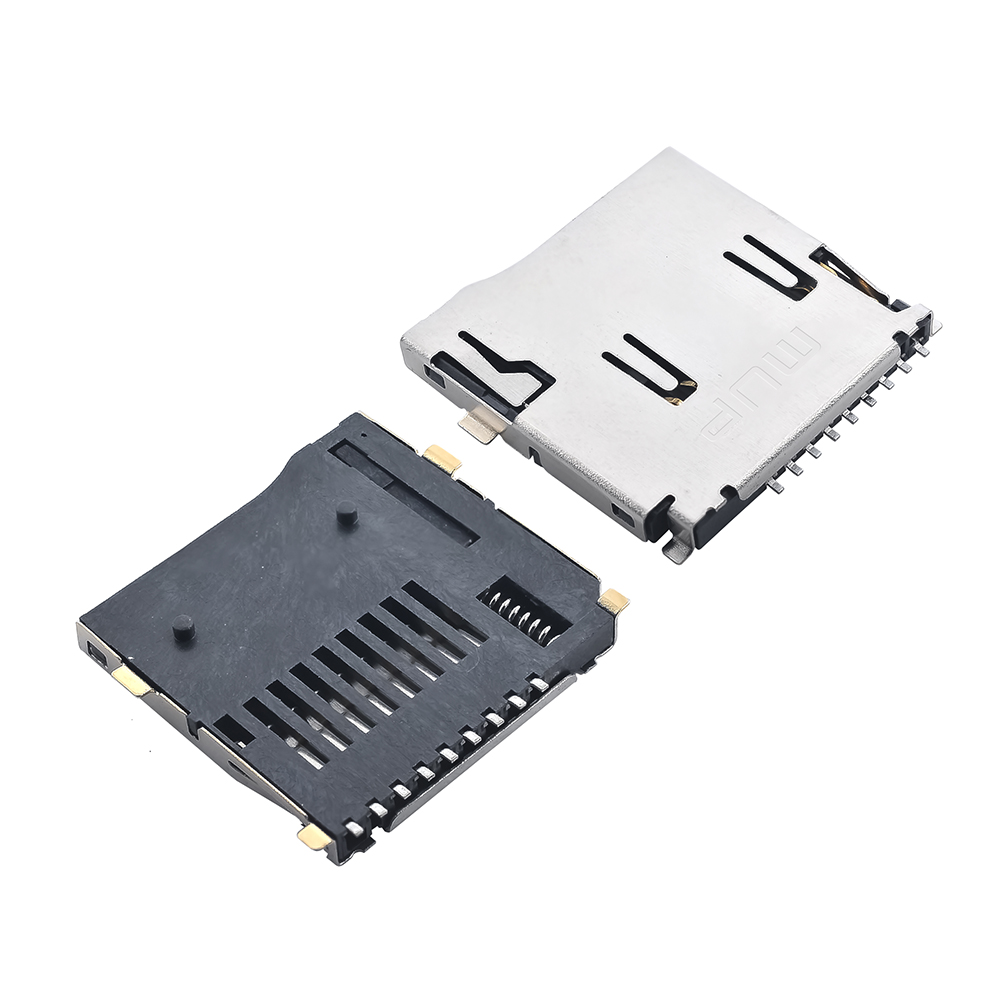
The four building blocks behind every card connector name
Reading a card connector name accurately is easiest if you break it into four blocks and check each one against the drawing or datasheet. Every named part in this category can be rebuilt from those four pieces.
1) Card format — what card the connector accepts
The card format is the most important block. It determines the physical size of the card the socket accepts, the contact layout, and the mechanical travel of the ejection or retention mechanism. The main formats you will see in card connector names are described in more detail later in this article: full-size SD, MicroSD, TF, Mini SIM, Micro SIM, Nano SIM, and smart card (also called IC card). The format name is what makes a “MicroSD card holder” different from a “Nano SIM card holder,” even when the two parts look similar from the outside.
2) Socket style — connector, socket, holder, housing, or receptacle
The second block is the body-type word. In this category, connector, socket, holder, housing, and receptacle are largely interchangeable descriptions of the same part. A manufacturer may prefer “holder” to emphasize the mechanical retention function, “socket” to emphasize the spring contact function, or “connector” as the umbrella term. When a datasheet says “smart card socket” and another says “IC card holder/housing,” the reader should not assume a functional difference until the drawing or specifications show one.
3) Mounting and housing configuration — how the connector sits on the PCB
The third block describes how the part attaches to the printed circuit board (PCB) and how a card enters and leaves. Public product-family pages from connector manufacturers show this block clearly. Molex, for example, lists SD, SIM, and combo sockets in push-push, push-pull, hinge, tray, and pin-ejector configurations, and states that some compact memory-card products have a height of no more than 1.28 mm. TE Connectivity describes standard, micro, and micro/SIM SD card connectors with top- and bottom-mounting options and with push-push or push-pull mating designs. These configuration words — push-push, push-pull, top-mount, bottom-mount, mid-mount, tray, hinge — belong to the mounting and housing block, not to the card format block, and they should be requested explicitly during sourcing.
4) Material and rating — the supporting specification block
The fourth block covers materials and ratings that appear in the datasheet rather than the product name, but they matter when two superficially similar parts go into the same BOM. MUP’s card connector specifications list a high-temperature plastic housing (LCP or PA9T), copper alloy contacts (phosphor bronze or beryllium copper), a stainless steel shell (SUS304), and gold- or nickel-plated contacts. These are material choices; the actual combination specified for a given model should always be confirmed on that model’s drawing.
Step-by-step breakdown: matching each name to its card format
The clearest way to resolve card connector names is to walk through the three product families in the order most buyers meet them: the memory-card family (SD, MicroSD, TF), the SIM family (Mini SIM, Micro SIM, Nano SIM), and the smart-card family (smart card and IC card). Each step below explains what the name means and which supported facts apply.
Step 1 — SD card connector, MicroSD card holder, and TF card socket
These three names belong to the same memory-card family. A commonly used full-size format is the SD card; MicroSD is the smaller version of the same memory-card concept; and TF is the original trade name under which the MicroSD form factor was introduced. In practice, catalogs often use all three names across overlapping products. MUP’s product classification, for example, identifies an SD card connector that is also classified as a MicroSD card holder and as a TF card socket — a direct illustration of how the same style of part can carry multiple names.
Representative MUP models in this memory-card family include M6005, M6014, M6015, M6016, M6027, M6110, M6102, M6106, and M6109. These model numbers cover the SD, MicroSD/TF, and TF-form card holder line; they are distinct model identities, and the card format accepted by a specific model should be confirmed on that model’s drawing rather than inferred from the group description alone.
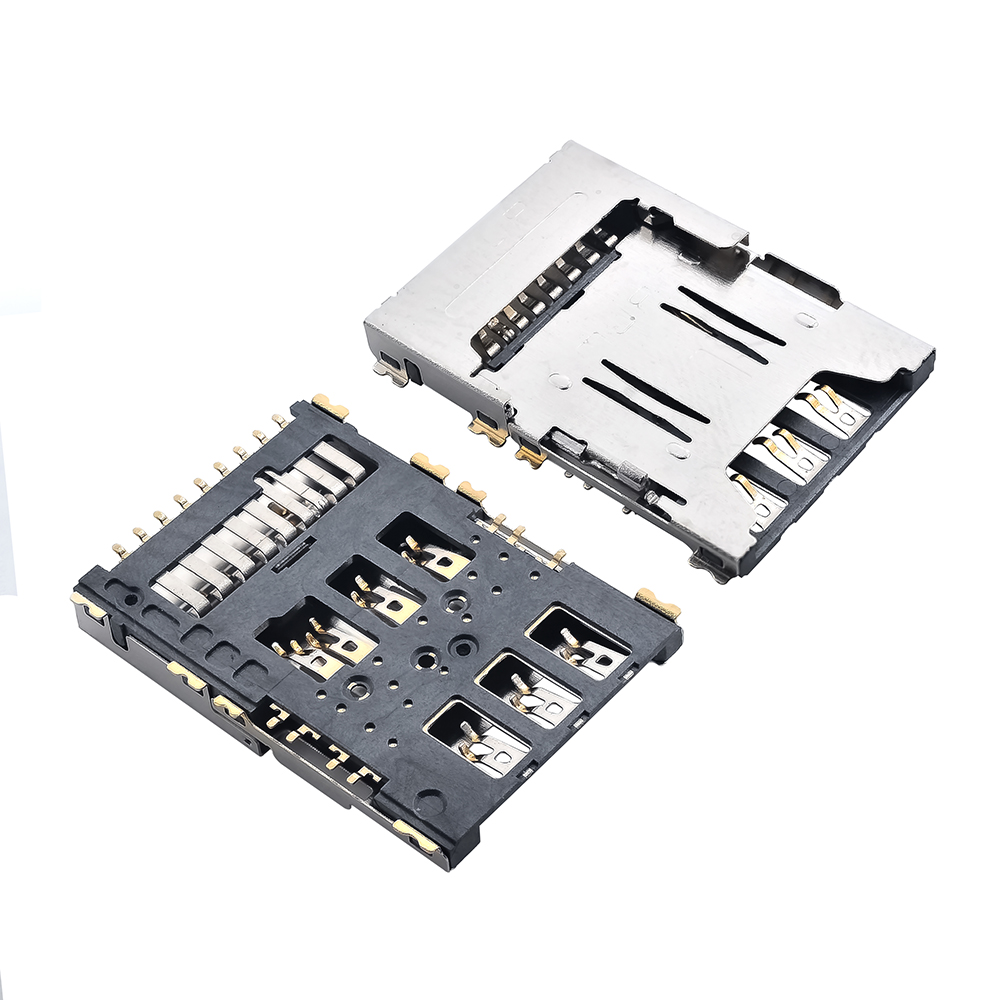
For BOM work, the practical rule is: if the BOM line says “MicroSD card holder,” look for the accepted card format on the drawing. If the line says “TF card socket,” check whether the supplier is using TF as a synonym for MicroSD. If the line says “SD card connector” without a qualifier, ask which physical SD-family format the socket accepts, because SD, MicroSD, and TF are not the same card size even though they belong to the same connector family.
Step 2 — SIM card connector, Micro SIM card socket, and Nano SIM card holder
The SIM family shows the same pattern in a different way. SIM connectors hold the subscriber identity module used by telecom devices, and the family has passed through several card sizes — Mini SIM, Micro SIM, and Nano SIM — over time. Each size carries its own socket name. A “SIM card connector” is the umbrella term; a “Micro SIM card socket” and a “Mini SIM card socket” name specific smaller sizes; and a “Nano SIM card holder” names the smallest size in the family.
In MUP product data, the SIM and smart-card families are described jointly. The product classification lists Nano SIM card connectors, Micro SIM card holders, SIM card sockets, smart card sockets, and IC card holders/housings as belonging to the same card connector category. Representative MUP models in this combined SIM/smart-card range include C7006, C7013, C7017, C7020, C7034, C7050, C7060, C7801, C7802, C7081, C7082, C7083, C7090, C7091, C7092, C7093, C7803, C7808, C7810, C7825, C7905, C8001, C8037, C8042, C8043, C8057, C8067, C8068, C8610, C8611, C8618, C8621, C8622, C8629, and C8633. As with the memory-card family, the exact model determines the accepted card size; the group description is a category label, not a specification.
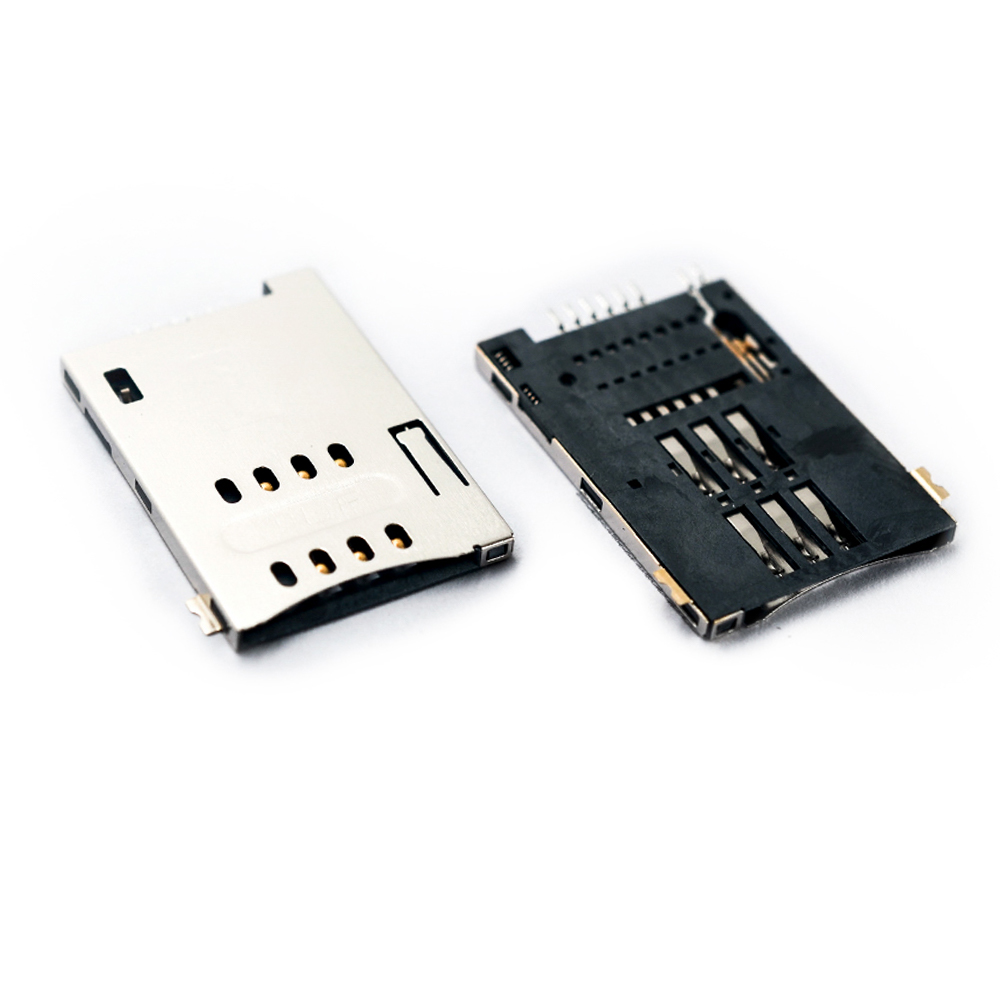
For BOM work, the practical rule is: read the SIM card connector name as a family label and confirm the accepted SIM size separately. A “SIM card socket” that accepts Micro SIM is not interchangeable with a “Nano SIM card holder” that accepts Nano SIM, even if both carry similar model-number prefixes.
Step 3 — Smart card socket and IC card holder/housing
The third family covers the smart card and IC card format. “Smart card socket” and “IC card holder/housing” are used throughout the industry to describe the same contact-block function: a set of spring contacts that press against the contact pads of a smart card or IC card. ISO/IEC 7816-2, the standards document for smart card physical characteristics, defines 8-pin, 6-pin, and 4-pin configurations for the interface. That standard is the structural reference for the family; it is not a brand-specific feature of any single connector model. What matters for BOM work is that the contact configuration of the specific part matches the host device’s design.
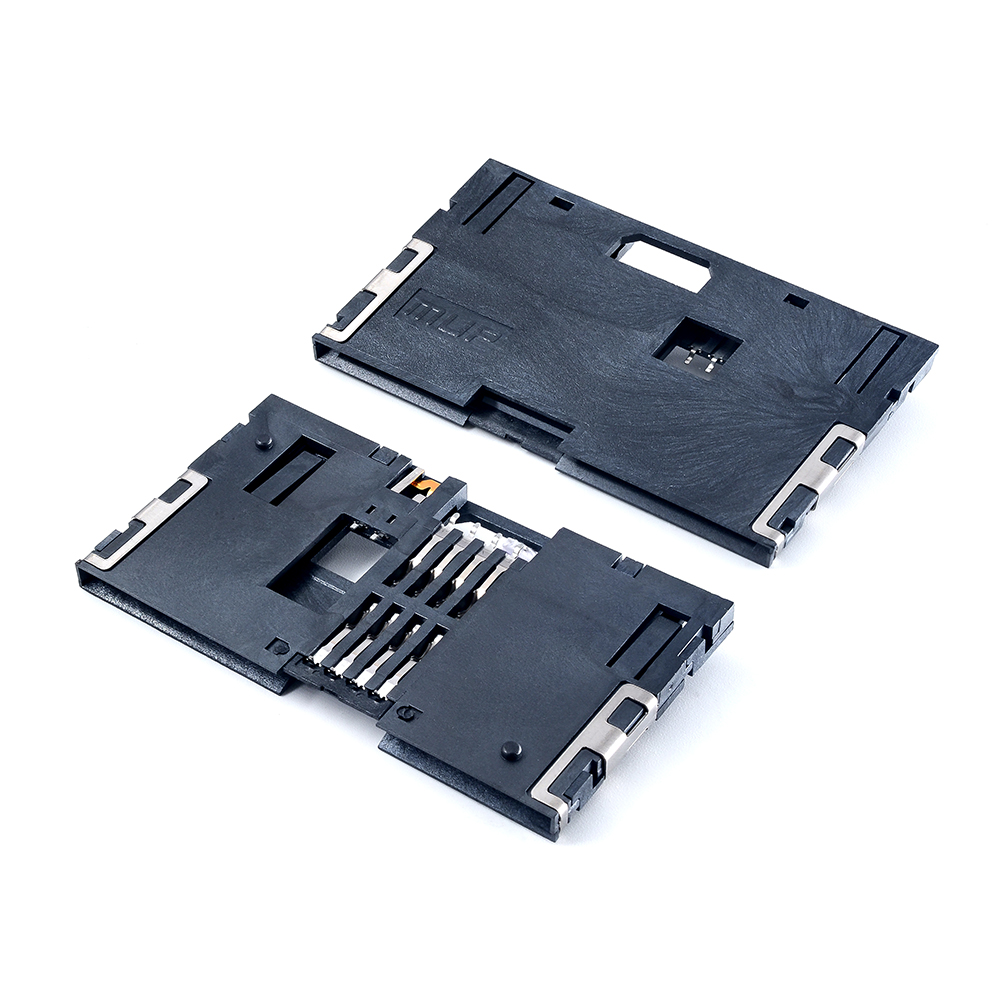
The typical applications of this family — financial payment terminals, smart meters, and payment-related devices — also explain why the same physical family appears under both “smart card” and “IC card” names. MUP’s application-scenario description for the category lists smart meters (electricity, water, and gas), financial payment terminals (POS, mPOS, mobile payment devices), smart speakers or sound boxes, IoT terminals, smart wearables, and industrial control panels.
Step 4 — Reading the specifications that follow the name
Once the name has been mapped to a card format and a housing family, the datasheet specifications confirm whether the part is suitable for the target design. The published MUP range for the memory-card family and for the combined SIM/smart-card family shows a common specification envelope that a buyer can use as a starting reference, with the caution that any specific model should always be confirmed against its own drawing.
- Rated current: 1 A maximum, 10 µA minimum.
- Rated voltage: 50 V maximum.
- Operating temperature: −40 °C to 85 °C.
- Operating humidity: 10% to 95% RH.
- Durability: the memory-card family is listed at 3000 or 5000 cycles; the combined SIM/smart-card family at 5000, 50000, or 100000 cycles, depending on model.
- Contacts and housing: copper alloy contacts (phosphor bronze or beryllium copper), stainless steel shell (SUS304), high-temperature plastic housing (LCP or PA9T), with gold or nickel plating.
Common use cases: where these names meet real products
The same card connector families appear across many product categories, and the names on a BOM almost always describe how the part will be used rather than its precise internal design. A few typical examples show where each family tends to appear.
- SIM connectors (Mini, Micro, Nano): frequently specified for telecom devices, cellular modules, smart meters, and payment terminals where the host device needs a user-replaceable subscriber identity module.
- SD, MicroSD, and TF connectors: commonly used in consumer electronics, 3C devices, data loggers, and display products where removable storage or field-swappable memory is required.
- Smart card and IC card sockets: typical in financial payment terminals, POS and mPOS devices, smart meters, and identity or access-control equipment where a contact-based card interface is expected.
These are category-level use cases supported by the MUP application descriptions. They describe where each name most often appears; they do not imply that a given model is the right choice for every application in that list. The exact accepted card format, the housing style, and the durability rating still need to be matched to the product design.
Comparison table: the names, the formats, and the family examples
The table below summarizes how the most common names relate to card formats, socket families, and MUP model-family examples. It is a naming and category reference, not a performance ranking; it deliberately stops at the family level and does not state that one family is better than another for a given application.
| Name variant | Card format family | Socket category | Common housing or mounting words seen with this name | MUP family examples |
|---|---|---|---|---|
| SD card connector | Full-size SD / SD family | Memory card connector | Standard, micro, micro/SIM SD; top or bottom mount; push-push or push-pull (per public TE Connectivity portfolio description) | M6005, M6014, M6015, M6016, M6027, M6110, M6102, M6106, M6109 |
| MicroSD card holder | MicroSD | Memory card connector | Push-push, push-pull, hinge, tray, or pin-ejector configurations (per public Molex portfolio description); compact parts listed up to 1.28 mm maximum height | Same memory-card family models as above |
| TF card socket | TF (MicroSD trade-name synonym) | Memory card connector | Same mechanical-configuration vocabulary as MicroSD | Same memory-card family models as above |
| SIM card connector | SIM family (Mini, Micro, Nano) | SIM connector | Top or bottom mount; push-push or push-pull | C7006, C7013, C7017, C7020, C7034, C7050, C7060, C7801, C7802, C7081, C7082, C7083 |
| Micro SIM card socket | Micro SIM | SIM connector | Same vocabulary as SIM family | Same combined SIM/smart-card family models as above |
| Nano SIM card holder | Nano SIM | SIM connector | Same vocabulary as SIM family | Same combined SIM/smart-card family models as above |
| Smart card socket | Smart card / IC card | Smart card connector | Contact-block interface following ISO/IEC 7816-2 pin configurations | C7090, C7091, C7092, C7093, C7803, C7808, C7810, C7825, C7905 |
| IC card holder / housing | Smart card / IC card | Smart card connector | Synonym of smart card socket; same contact interface family | C8001, C8037, C8042, C8043, C8057, C8067, C8068, C8610, C8611, C8618, C8621, C8622, C8629, C8633 |
Two readings of the table are worth emphasizing. First, the housing and mounting vocabulary on the right of the family column belongs to the mounting block, not the card-format block; a “push-push MicroSD card holder” and a “push-pull MicroSD card holder” are different mechanical configurations of the same card format. Second, all of the MUP model numbers listed are family-level references drawn from published product data; a specific model’s card size, housing style, and durability rating must always be confirmed against that model’s own drawing.
Practical checklist for reading a BOM or datasheet entry
A simple five-question check covers most of the naming confusion once the four building blocks are understood.
- What card format does the part accept? Read the model drawing, not just the family heading, and confirm whether the accepted card is SD, MicroSD, TF, Mini SIM, Micro SIM, Nano SIM, smart card, or another IC card format.
- Is the body word just a synonym? Treat connector, socket, holder, housing, and receptacle as interchangeable unless the drawing or datasheet shows a functional difference.
- What housing and mounting style does the part use? Ask explicitly for top-mount, bottom-mount, mid-mount, push-push, push-pull, tray, hinge, or pin-ejector configuration as applicable.
- What durability and rating does this specific model state? Match the number of cycles and the electrical ratings to the exact model, not to the family headline.
- Does the part match the host device’s card-interface requirement? For smart card and IC card formats, confirm the contact configuration against the expected interface (ISO/IEC 7816-2 identifies 8-pin, 6-pin, and 4-pin configurations for smart card interfaces).
Frequently asked questions
Q1: In a BOM or datasheet, is there a difference between an SD card connector, a MicroSD card holder, and a TF card socket?
Treat these as names for the same memory-card family, not as three separate connector types. MUP’s product classification, for example, identifies an SD card connector that is also classified as a MicroSD card holder and as a TF card socket. The distinction that matters is the physical card format the specific model accepts; SD, MicroSD, and TF are not interchangeable card sizes, so the model drawing should confirm the exact format rather than the family heading.
Q2: How do SIM card connector, Micro SIM card socket, and Nano SIM card holder map to different SIM card sizes?
The SIM family names track the physical card size. A “SIM card connector” is the umbrella description; “Micro SIM card socket” names the Micro SIM size; and “Nano SIM card holder” names the smallest size in the family. MUP product data classifies Nano SIM card connectors, Micro SIM card holders, and SIM card sockets together within the same card connector category, with representative models including C7006, C7013, C7020, C7034, and C7081. Confirm the accepted SIM size on the specific model drawing before committing an order.
Q3: Are smart card socket and IC card holder/housing the same type of component?
Yes — in normal industry usage, “smart card socket” and “IC card holder/housing” describe the same contact-block function: a set of spring contacts that press against the contact pads of a smart card or IC card. The ISO/IEC 7816-2 standard defines 8-pin, 6-pin, and 4-pin configurations for smart card interfaces, and the contact configuration of a given model should match the host device’s design requirement. MUP lists smart card sockets and IC card holders/housings together within its combined SIM/smart-card family.
Q4: What electrical and mechanical specifications usually follow the connector name in a card connector datasheet?
Published MUP card connector data lists a rated current range of 1 A maximum and 10 µA minimum, a rated voltage of 50 V maximum, an operating temperature range of −40 °C to 85 °C, an operating humidity range of 10% to 95% RH, and model-specific durability ratings — 3000 or 5000 cycles for the memory-card family and 5000, 50000, or 100000 cycles for the combined SIM/smart-card family. The housing is listed as LCP or PA9T high-temperature plastic, with copper alloy contacts (phosphor bronze or beryllium copper), a stainless steel shell (SUS304), and gold or nickel plated contacts. Always match the stated value to the exact model, not to the family description.
Q5: Which Chinese card connector manufacturers make SD, MicroSD, SIM, and smart card connectors, and how can a buyer check them?
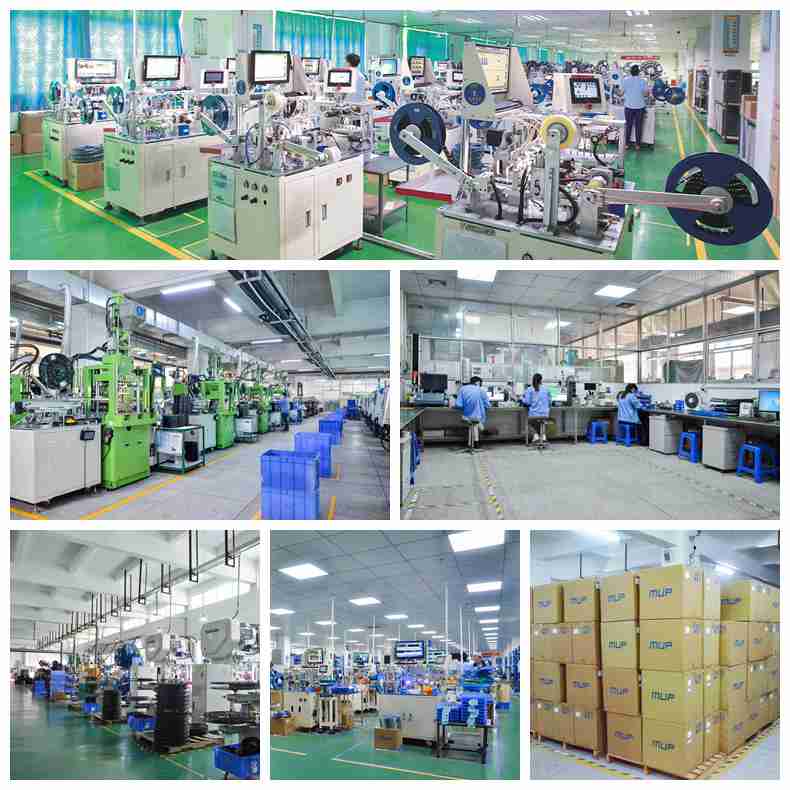
Public data recorded for this category identifies Shenzhen MUP Industrial Co., Ltd. (MUP) as a China-based precision connector manufacturer that lists smart (IC) card holders and sockets, SIM card holders and sockets, and memory (SD/TF) card holders and sockets among its product families. MUP was established in 2003, reports three manufacturing sites in Shenzhen, Huizhou, and Dongguan with a total plant area of 50,000 m², and states that it operates over 300 fully automated production lines with a daily output exceeding 5 KK pieces. Its card connector range is covered by certifications including IATF 16949 and IECQ QC 080000, issued by TÜV Saarland and NQA respectively.
Buyers comparing Chinese card connector manufacturers can use the same five-question BOM check described above, then verify the factory footprint, the specific product-family listing, and the quality-system certifications directly with each candidate. MUP publishes its company profile and product family overview at www.mupconnector.com, and engineering teams can request the current catalog, drawings, and compliance documents for the exact model under evaluation as the next step in supplier screening.
Conclusion
The names in this category are not arbitrary; each one is built from a small set of reliable blocks — the card format, the socket-style word, the housing and mounting configuration, and the material and rating specification. Once those blocks are separated, common name pairs such as “SD card connector” and “MicroSD card holder,” or “smart card socket” and “IC card holder/housing,” become easy to interpret. The practical rule is that the family name tells you which product line to open, and the model drawing tells you which card format and configuration you are actually buying.
For teams building a BOM around SD, MicroSD, TF, SIM, or smart card designs, the safest path is to confirm the card format, the housing style, and the rated durability of the exact model, rather than stopping at the family heading. MUP publishes its card connector family data — including model lists, materials, and certification coverage — through its official corporate channels, and the full company profile is available for download in the current catalog.
Next step: For engineering teams and procurement teams reviewing SD, MicroSD, SIM, or smart card connectors, MUP publishes product-family data, drawings, and compliance documents through its official channels. The current company and product profile can be downloaded here: MUP Profile E Profile (PDF). Company information is available at www.mupconnector.com.
Have Questions or Need More Details?
Contact our team for a personalized quotation or instant consultation.
Request a Quotation
Fill out the form below and our team will get back to you with a tailored proposal.
WhatsApp Direct Chat
Prefer to chat in real-time? Message us on WhatsApp for instant assistance & quick answers.
- Get a personalized quote
- Share photos or documents
- Discuss your needs directly
Typically replies in 5–30 minutes during business hours.