4K Capture Card Formats Explained: MJPG vs NV12 vs I420 Frame Rate Trade-Offs
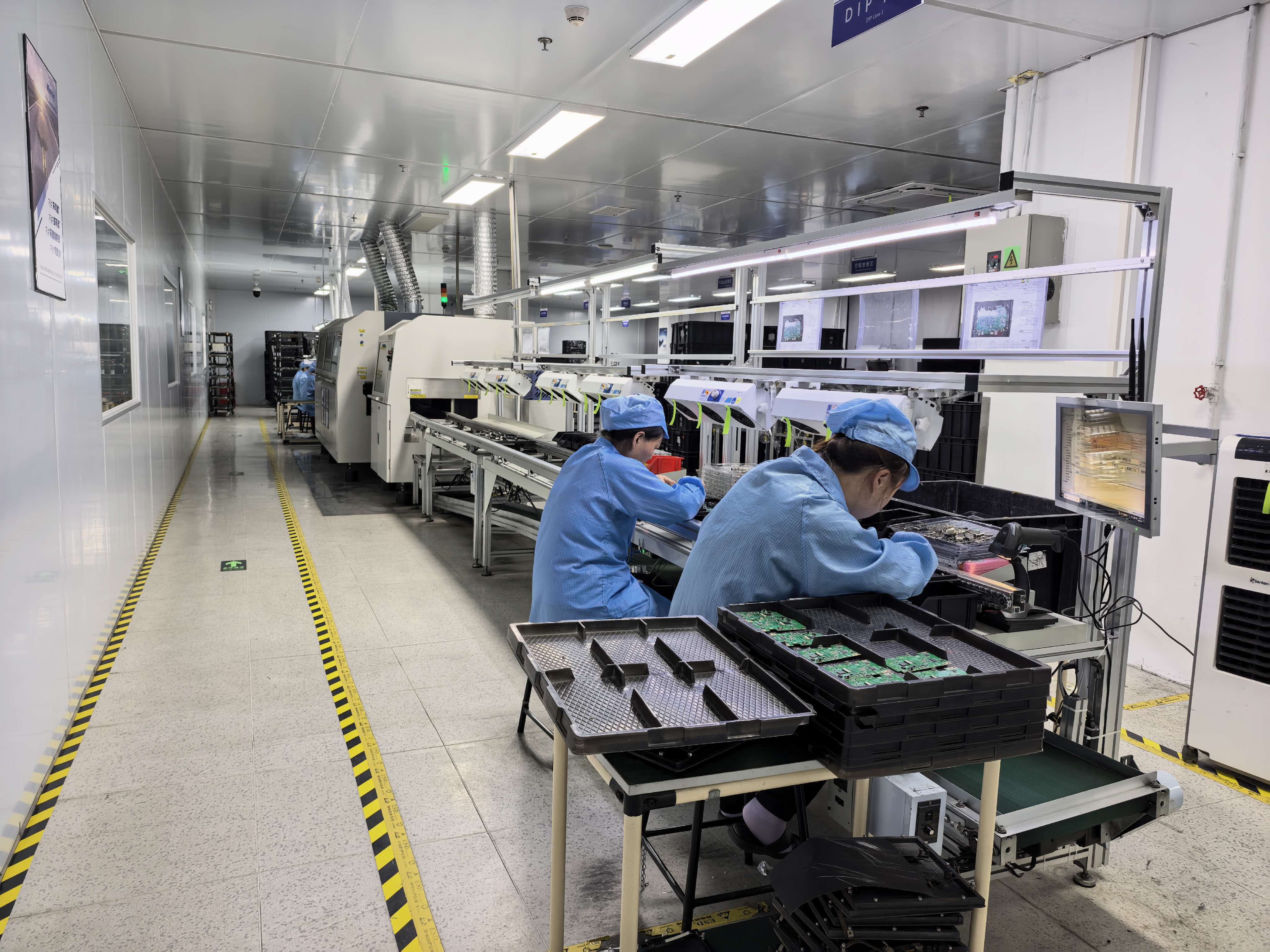
TCHD Video manufactures video capture and streaming hardware in Beijing; the format a capture card exposes is a hardware decision, not a software afterthought.
Short answer: on a USB 4K capture card, the video format you select — MJPG, NV12, or I420 — decides the maximum resolution and frame rate you can actually record. On the TCHD Video TC-UB620, MJPG reaches 3840 × 2160 at 60 fps and 2560 × 1440 at 144 fps or 120 fps, while NV12 and I420 stop at 3840 × 2160 at 30 fps and 2560 × 1440 at 60 fps. Compression buys frame rate. Uncompressed 4:2:0 formats buy predictable, raw frames. The full mode set is reached over the USB 3.2 Gen 2 Type-C connection mode; the USB 3.2 Gen 1 mode operates inside a smaller bandwidth envelope.
The Problem: One 4K Capture Card, Two Very Different Ceilings
A capture card that accepts a 3840 × 2160 signal cannot deliver that signal to your computer in any format, at any frame rate, at the same time. The limit is not the image sensor or the scaler. The limit is the bandwidth of the USB link between the card and the host, and the format is the variable that decides how much of that link each frame consumes.
The arithmetic is well documented. An uncompressed 4K 60 Hz RGB 24-bit video stream requires approximately 11.94 Gbps of bandwidth, which exceeds USB 3.0's 5 Gbps limit. Move from 24-bit RGB to an 8-bit 4:2:0 format such as NV12 or I420 and the payload roughly halves, because a 2 × 2 pixel block is stored as four luma bytes plus two chroma bytes instead of twelve bytes of RGB data. That still lands near 6 Gbps at 4K60 — above the 5 Gbps ceiling associated with a USB 3.0-class link. The practical consequence is simple: a Full HD-era assumption breaks at 4K. To move true 3840 × 2160 at 60 fps over USB, each frame has to be compressed before it leaves the card. That is exactly the job MJPG performs, and it is why MJPG sits at the top of the TC-UB620 mode table.
Three failure patterns show up repeatedly when buyers ignore this:
- The headline spec trap. A buyer orders on the strength of "4K60" and later discovers that 4K60 exists only in a compressed format, while the analysis or color-critical pipeline they built expects raw 4:2:0 frames.
- The wrong-direction trade. A production team records a two-hour session in a raw format at 4K, then runs into storage growth, higher sustained bus load, or dropped-frame complaints that would not have appeared at 30 fps in the same format or at 60 fps in a compressed one.
- The invisible setting. The card supports the mode, the software negotiates a different one, and the operator blames the hardware. Most capture devices follow UVC, the USB Video Class standard, which allows them to work as plug-and-play devices without proprietary drivers. Convenient for deployment — but it also means the operating system and the application, not the card alone, decide which format list you see.
Industry Background: Format Coverage Became a Procurement Spec
Capture hardware has moved from a niche accessory to a mainstream input device, and the buyer mix has widened with it. According to Dataintelo's capture card market research, the global capture card market was valued at USD 1.31 billion in 2024 and is projected to reach USD 3.37 billion by 2033 at a CAGR of 12.4%. Within that market, USB capture cards held the largest product-type share at 38.4% in 2025 — USB remains the default form factor for buyers who need a capture path without opening a workstation.
The demand behind that growth is not uniform, and each demand profile pushes a different format preference:
- Frame-rate-led demand. Gaming led the video capture card market with a 31.2% share of total revenue in 2025. High-refresh capture — 120 fps and 144 fps — is a compressed-format conversation, because raw 4:2:0 at that frame rate would exceed a USB link budget.
- Fidelity-led demand. Medical imaging and industrial application segments account for 19.4% of total video capture card revenues, with a segment CAGR of 11.8% through 2034. Those workflows generally want complete, uncompressed frames with no compression artifacts, and they accept a lower frame rate to get them.
- Session-led demand. Live streaming, lecture capture, conference recording, and enterprise meeting recording run for hours. Format choice here is governed by sustained stability, file growth, and host CPU headroom rather than by peak frame rate.
Because these three profiles want different things from the same physical port, "supports 4K" is no longer an adequate specification. What a buyer needs to verify is the format-by-format mode table: which resolution and frame rate is reachable in MJPG, and which is reachable in raw 4:2:0. UVC compliance, meanwhile, is what makes that mode table operational on the host side without a driver install — a UVC-compliant device presents itself to the operating system as a standard video input, which is why capture cards can be deployed on machines where installing vendor software is not permitted.
What MJPG, NV12, and I420 Actually Do
All three formats describe the same picture. They differ in how many bytes each frame occupies and in who pays for the difference — the USB link, the host CPU, or the storage volume.
MJPG: intra-frame compression, one complete picture per frame
MJPG (Motion JPEG) compresses every frame independently, the same way a still photograph is compressed. No frame depends on the frame before it. That single property explains most of the format's behaviour: it keeps the USB payload small enough to reach 3840 × 2160 at 60 fps and 2560 × 1440 at 144 fps or 120 fps, and it makes every captured frame a self-contained unit, which is convenient for cutting highlights, grabbing stills, or recovering from a dropped frame in a long recording. The cost is that MJPG is a lossy, compressed format: compression artifacts are possible, file sizes are typically larger than an inter-frame codec such as H.264 would produce at similar visual quality, and the host must decode each frame before editing or re-encoding.
NV12: uncompressed 8-bit 4:2:0, semi-planar
NV12 is an uncompressed 8-bit YUV 4:2:0 format. Chroma is sampled at a quarter of the luma resolution, so a 2 × 2 pixel group is stored as four luma bytes plus two chroma bytes. It is called semi-planar because the luma plane is stored separately while the interleaved chroma (U and V) plane follows it. Because nothing is compressed, every frame carries a fixed, predictable payload and there is no decode step and no compression artifact. That fixed payload is also why NV12 tops out lower than MJPG on the same hardware: on the TC-UB620, NV12 reaches 3840 × 2160 at 30 fps and 2560 × 1440 at 60 fps.
I420: uncompressed 8-bit 4:2:0, fully planar
I420 carries the same 8-bit 4:2:0 data as NV12 but stores it in three separate planes — one luma plane and two separate chroma planes. The payload class is the same, so the ceilings are the same: 3840 × 2160 at 30 fps and 2560 × 1440 at 60 fps. In practice the choice between NV12 and I420 is usually dictated by the software pipeline rather than by bandwidth: some compositing, analysis, and recording pipelines expect a planar layout, others expect the interleaved semi-planar layout. Both are raw formats, and both are chosen for the same reasons — predictable frames, no compression artifacts, minimal processing before the frame is used.
What TCHD's published device documentation specifies
TCHD Video is a video hardware manufacturer established in 2005 in Beijing, supplying capture cards, live streaming cameras, converters, encoders, switchers, and related system solutions. Its technical documentation for its USB video hardware lists the USB 3.0 video compression formats as MJPG, H.264, YUY2, and NV12, with AAC, MP3, and G.711A for audio, and UVC and UAC as the USB communication protocols. The same documentation lists HDMI, SDI, LAN (POE), USB 3.0, A-IN, RS232-IN, RS232-OUT, RS422 (compatible with RS485), and DC12V among the interfaces, with LAN video compression handled in H.264 and H.265.
Two points are worth reading carefully here. First, MJPG is not an emergency fallback in this format set — it is a first-class capture format alongside the raw ones. Second, YUY2 also appears in the supported list; as a 4:2:2 format it carries more chroma information per pixel than the 4:2:0 formats, so it consumes more of the link budget and is normally reserved for workflows that specifically need 4:2:2 color. The TC-UB620 mode table used in this article adds I420 as a selectable raw format at the same ceilings as NV12.
TC-UB620 Mode Table: Format, Resolution, Frame Rate, and Connection
The published TC-UB620 mode table is the clearest single answer to "what can this card actually record?" It reads as follows:
| Format | Resolution | Maximum frame rate | Connection mode |
|---|---|---|---|
| MJPG | 3840 × 2160 | 60 fps | USB 3.2 Gen 2 Type-C |
| MJPG | 2560 × 1440 | 144 fps | USB 3.2 Gen 2 Type-C |
| MJPG | 2560 × 1440 | 120 fps | USB 3.2 Gen 2 Type-C |
| NV12 | 3840 × 2160 | 30 fps | USB 3.2 Gen 2 Type-C |
| I420 | 3840 × 2160 | 30 fps | USB 3.2 Gen 2 Type-C |
| NV12 | 2560 × 1440 | 60 fps | USB 3.2 Gen 2 Type-C |
| I420 | 2560 × 1440 | 60 fps | USB 3.2 Gen 2 Type-C |
Two things stand out. First, 4K60 is a compressed-format capability. If your workflow requires raw 4:2:0 frames at 3840 × 2160, the honest number is 30 fps, and no amount of host-side tuning changes that — it is a link-budget outcome, not a setting. Second, the 1440p column is where the frame-rate headroom lives: 2560 × 1440 can run at 144 fps or 120 fps in MJPG, but at 60 fps in NV12 and I420. Anyone building a high-refresh capture workflow should plan around 1440p in a compressed format rather than 4K in a raw one.
A useful way to read the table is in pixels per second. Working from the published figures, 2560 × 1440 at 144 fps carries roughly 531 million pixels per second, while 3840 × 2160 at 60 fps carries roughly 498 million pixels per second. The two flagship modes sit in the same bandwidth neighbourhood; what changes is how the pixels are distributed — more of them, slightly smaller, or fewer of them, larger. Raw 4:2:0 at 4K30 lands far below that neighbourhood in compressed-payload terms but well above it in uncompressed bytes, which is the whole trade-off in one sentence.
Connection mode: USB 3.2 Gen 2 Type-C versus USB 3.2 Gen 1
| Connection mode | Role in the TC-UB620 mode set | Planning implication |
|---|---|---|
| USB 3.2 Gen 2 Type-C | Higher-bandwidth link, single-cable Type-C connection to the host | Carries the full published mode set: 4K60 MJPG, 1440p144 and 1440p120 MJPG, 4K30 NV12/I420, and 1440p60 NV12/I420 |
| USB 3.2 Gen 1 | Lower-bandwidth USB link | Operates inside a smaller envelope. Plan for a lower frame rate or a compressed format, and confirm the exact target mode before fixing the card into a permanent installation |
Gen 1 in the USB 3.2 naming scheme is the interface formerly labeled USB 3.0, the 5 Gbps-class link referenced earlier in the bandwidth discussion. Gen 2 raises the available link rate, which is why the top of the mode table — 4K60 MJPG and 1440p high-frame-rate MJPG — is tied to the USB 3.2 Gen 2 Type-C connection mode. If a project specification says "4K60," the connector and the host port must both be capable of the Gen 2 mode; a Gen 1 port caps what any format can achieve regardless of the card's own capability.
Step-by-Step: Selecting the Right Format for Your Workflow
- Define the deliverable frame rate, not the maximum spec. A 4K30 deliverable does not need a 4K60 capture path. Writing down the output frame rate first removes most of the ambiguity before the format question is even asked.
- Check the source signal. Confirm what the camera, console, or workstation actually outputs. TCHD's live streaming camera hardware, for example, outputs up to 3840 × 2160 at 60 fps over HDMI, SDI, USB, and wired LAN, with SDI carrying 1080p60 over 100 metres — a signal chain that defines what the capture stage has to handle.
- Decide compressed or raw. If the frames will be viewed, cut, or streamed, MJPG's frame independence is usually the better fit and it unlocks the higher frame rates. If the frames will be measured, analyzed, or inspected for color or detail fidelity, raw 4:2:0 is the better fit and the 4K ceiling becomes 30 fps.
- Match the format to the published mode table. Use the TC-UB620 table above rather than an assumption. 4K60 recording and 1440p144 capture both live in MJPG; 4K30 and 1440p60 both live in NV12 or I420.
- Confirm the connection mode. Reserve the USB 3.2 Gen 2 Type-C connection for the top modes. For Gen 1, plan within the smaller envelope and verify the intended mode.
- Verify negotiation on the actual host. Because the device is UVC-based, the application presents its own list of supported formats and frame rates. Check that the intended format is present and actually selected, and lock it in the application's capture settings rather than leaving it on auto.
- Budget the host, not just the card. MJPG shifts cost to decoding and re-encoding; raw 4:2:0 shifts cost to sustained bus load and storage growth. Both are manageable — but only if one of them is planned for.
- Test the complete chain before committing. Validate source, format, frame rate, software, cable, and host port as one system. Format problems rarely appear on the card; they appear at the point where the pipeline meets the link budget.
- Document the selected mode. Recording the exact resolution, format, and frame rate in the installation documentation is what keeps a working deployment working after a hardware swap or a software update.
Use Cases: Which Format Fits Which Workload
Game console recording and esports tournament capture
High-refresh gameplay capture is the clearest MJPG case. A console or gaming PC running at 120 Hz or 144 Hz needs the 2560 × 1440 MJPG modes to capture motion at the rate it is generated, and a 4K60 console signal needs the 3840 × 2160 MJPG mode. Frame independence also helps tournament workflows: when a highlight reel is cut from a long session, self-contained frames make trimming and still extraction straightforward.
Live streaming: e-commerce, multi-platform, concert, sports, outdoor
Live production values stability over per-frame perfection. A 4K60 MJPG capture path gives a 4K main feed with enough headroom for encoding, and a 1440p60 path in NV12 or I420 is a reasonable choice when the host has limited processing headroom and 30 fps is not acceptable for motion. For multi-platform restreaming, remember that compressed capture adds a decode step before re-encoding, while raw capture adds sustained bandwidth demand — the right answer depends on which resource is scarcer on the streaming machine.
Medical imaging, endoscope surgery, telemedicine, dual-channel recording
Clinical and diagnostic workflows generally cannot accept compression artifacts, and they generally do not need 60 fps. That combination points to NV12 or I420 at 3840 × 2160 and 30 fps, or 2560 × 1440 at 60 fps when motion detail matters. Because raw formats require no decode step, the frame path is also shorter and more predictable — a property that matters for synchronized dual-channel recording where two streams must stay aligned. TCHD's hardware line includes medical video recorders and surgical teaching hosts alongside its capture cards, and the medical imaging and industrial segment is growing at a CAGR of 11.8% through 2034, which reflects how routine this capture path has become.
Lecture recording, remote education, video conference, enterprise meeting recording
These sessions run long and repeat often. A 1440p60 NV12 or I420 mode is usually the practical balance: 60 fps keeps motion smooth for whiteboards and speakers, raw frames remove compression variability across a multi-hour recording, and the lower resolution keeps sustained storage growth manageable. Where archive size dominates, 4K30 raw or 4K60 MJPG are the two format-consistent options to weigh.
Virtual studio, multi-camera broadcast, campus TV production
Multi-camera installations multiply the bandwidth problem: four uncompressed 4K inputs consume far more of the host's bus capacity than four compressed 4K inputs. For that reason, multi-channel 4K builds typically standardize on a compressed format for the primary 4K angles and reserve raw 4:2:0 for the channels that specifically need it, such as a graphics or key input.
Comparison Table: MJPG vs NV12 vs I420 on a 4K Capture Card
| Attribute | MJPG | NV12 | I420 |
|---|---|---|---|
| Compression | Intra-frame compression; each frame is encoded independently | None; raw 8-bit 4:2:0 | None; raw 8-bit 4:2:0 |
| Data layout | Compressed bitstream per frame | Semi-planar: luma plane plus interleaved chroma plane | Planar: luma plane plus separate U and V planes |
| Payload per frame | Varies with scene content and compression settings | Fixed and predictable | Fixed and predictable |
| Maximum at 3840 × 2160 (TC-UB620) | 60 fps | 30 fps | 30 fps |
| Maximum at 2560 × 1440 (TC-UB620) | 144 fps and 120 fps | 60 fps | 60 fps |
| Decode step before use | Required | Not required | Not required |
| Compression artifacts | Possible; depends on compression ratio and scene motion | None from compression; chroma is sampled at 4:2:0 | None from compression; chroma is sampled at 4:2:0 |
| Data written per second | Lower — frames are compressed before storage | Higher — raw frames are written as captured | Higher — raw frames are written as captured |
| Best fit | 4K60 recording, 1440p144 esports capture, multi-channel 4K production, highlight editing | Color- and detail-critical pipelines, long sessions, low-latency paths, semi-planar software pipelines | Color- and detail-critical pipelines, long sessions, software pipelines that expect planar YUV |
| Main watch-out | Larger files than an inter-frame codec at similar visual quality; decode load on the host | Bus and storage load at 4K; 30 fps ceiling at 4K | Bus and storage load at 4K; 30 fps ceiling at 4K |
Long-Term View: Format Capability Belongs in a Supplier Continuity Plan
A capture format is not a one-off purchase decision, because it becomes part of an installation. Once a room, a studio, or a clinical cart is built around a specific resolution, format, and frame rate, changing that combination means re-validating software, storage, cabling, and operator procedure. This is the point at which supplier continuity starts to matter as much as the mode table itself.
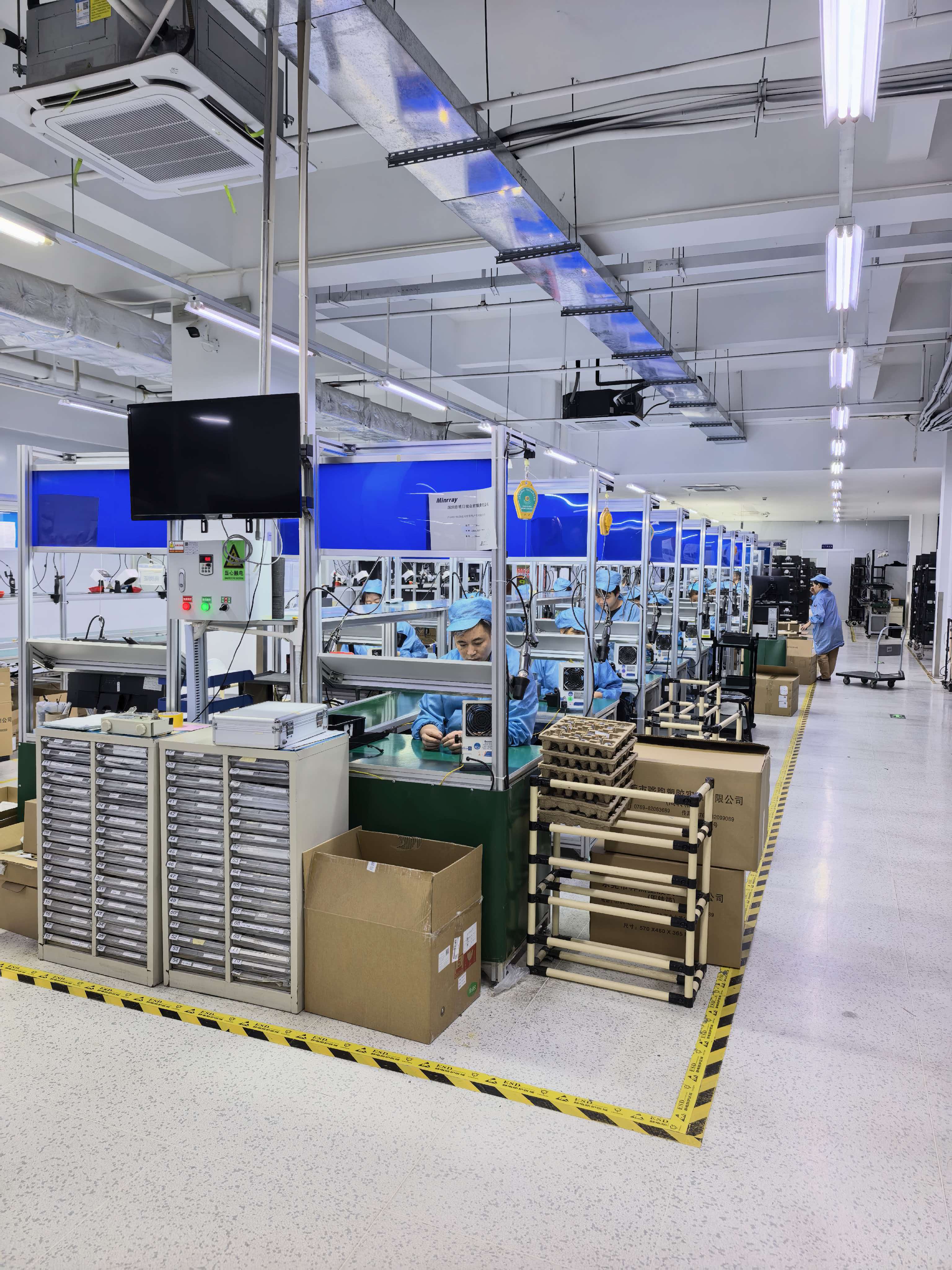
Continuity in capture hardware depends on manufacturing and R&D staying in the same hands as support and spares.
Four questions are worth asking of any long-term 4K capture card supplier:
- Can the device be updated in the field? Format behaviour, compatibility, and stability are maintained through firmware. TCHD's network-capable video hardware documentation lists remote upgrade, remote reboot, and remote reset support, alongside RTSP, RTMP, ONVIF, GB/T28181, VISCA OVER IP, IP VISCA, RTMPS, and SRT network protocols — a firmware path that does not require the unit to be pulled from a rack.
- Can the supplier change the mode table if the workflow changes? TCHD states that it specializes in standardized video software and hardware products and application systems, and that it can customize and develop video software and hardware products according to different customer needs. For OEM and channel partners, that capability is what turns a format gap into an engineering request rather than a substitution.
- Is the supplier's product line wide enough to carry the whole room? TCHD's hardware equipment includes high-definition video capture cards, live streaming cameras, guide stations, encoders, converters, recording hosts, virtual studio all-in-one machines, medical video recorders, SDVOE codecs, 10G switches, live lighting, multi card aggregation routers, and surgical teaching hosts, supported by system application solutions in virtual studios, guide recording, online live streaming, educational MOOCs, hard disk broadcasting, media asset management, educational recording systems, conference live streaming equipment, outdoor live streaming equipment, and streaming media servers. Fewer vendors in a signal chain means fewer compatibility boundaries to re-validate.
- Is the manufacturer behind the model, or only the reseller? TCHD Digital Video Technology Development (Beijing) Ltd has been established since 2005, operates a 10,000 m² factory with a 10-engineer R&D team, and serves markets in the EU, USA, and Asia. Spare-part continuity and firmware continuity are decisions made by whoever builds the hardware and writes the mode table — which is why they belong in the procurement file, not in a post-installation support call.
For distributors and system integrators, the same logic applies one step further out. A partner who can quote the format matrix, explain the USB connection modes, and adjust a mode table to a customer's pipeline is easier to keep in a channel catalogue than a supplier who only ships a box.
FAQ
Do MJPG, NV12, and I420 require special drivers on the host computer?
No proprietary driver is required. UVC (USB Video Class) is the standard that lets a capture device operate as a plug-and-play video input, and UAC covers the audio side. Because the card presents itself as a standard device, the operating system and the capture application negotiate the available formats and frame rates themselves. The practical implication is that format availability is a joint outcome of the card's mode table and the software's UVC support — so verify the intended format in the actual application before deployment.
Can the same 4K capture card deliver both 4K60 and 1440p144?
Yes, but not in every format. On the TCHD Video TC-UB620, MJPG reaches 3840 × 2160 at 60 fps and 2560 × 1440 at 144 fps or 120 fps, while NV12 and I420 reach 3840 × 2160 at 30 fps and 2560 × 1440 at 60 fps. Both high-frame-rate modes are reached over the USB 3.2 Gen 2 Type-C connection mode; the USB 3.2 Gen 1 mode operates inside a smaller bandwidth envelope.
Does choosing MJPG mean lower image quality than NV12 or I420?
MJPG is a lossy intra-frame compression format, so compression artifacts are possible, and the degree depends on the compression ratio and on how much movement is in the scene. NV12 and I420 are raw 8-bit 4:2:0 formats, so they carry no compression artifacts — but they still sample chroma at 4:2:0, and they cap at 4K30 and 1440p60. The choice is therefore a trade: MJPG buys frame rate and frame-independent editing at the cost of compression, while raw formats buy artifact-free, fixed-payload frames at the cost of maximum frame rate.
Which format is cheaper to run over a long recording?
It depends on which resource you are paying for. MJPG compresses each frame before it is written, so it places a lower sustained load on storage and on the USB link, while requiring the host to decode frames before editing or re-encoding. NV12 and I420 write raw frames as captured, so the data volume per second is materially higher even at half the frame rate, but no decode step is needed. For long sessions with limited host processing, compressed capture usually wins; for long sessions with limited storage and a color-critical requirement, the format decision has to be made at the resolution and duration level instead.
How do you evaluate a long-term 4K capture card supplier for firmware support and spare-part continuity?
Ask for four things in writing: the current format-and-frame-rate mode table, the firmware field-update mechanism, the spare-part and model-continuity position for the specific card model, and the supplier's ability to customize the product if a workflow requirement changes. As a reference point, TCHD Video documents remote upgrade, remote reboot, and remote reset support on its network-capable video hardware, states that it can customize and develop video software and hardware products according to different customer needs, and supports capture hardware with a wider line that includes encoders, converters, recording hosts, and switchers. Buyers who want to confirm a specific 4K capture card format profile for a project can contact TCHD Video directly to request the current documentation.
Conclusion: Choose the Format for the Job, Then Choose the Card
MJPG, NV12, and I420 are three answers to one bandwidth question. On a USB 4K capture card, MJPG compresses each frame so the link can carry 3840 × 2160 at 60 fps or 2560 × 1440 at 144 fps and 120 fps. NV12 and I420 send raw 8-bit 4:2:0 frames and therefore settle at 3840 × 2160 at 30 fps and 2560 × 1440 at 60 fps. The USB 3.2 Gen 2 Type-C connection mode carries the full published set; the USB 3.2 Gen 1 mode sits inside a smaller envelope.
The selection logic follows from that: use MJPG when frame rate, frame independence, and workable storage volume matter — game console recording, esports tournament capture, live streaming, multi-camera 4K production. Use NV12 or I420 when artifact-free, fixed-payload frames matter — medical imaging, endoscopy, telemedicine, dual-channel clinical recording, long lecture and meeting recordings where consistency across hours counts more than peak fps. Decide the deliverable frame rate first, then the format, then the connection mode, and validate the whole chain on the real host before it goes into a room.
Next Step
If you are specifying a 4K capture card for a 4K60 recording build, a 1440p high-frame-rate capture workflow, or a long-session recording deployment, TCHD Video can confirm the format and frame-rate profile for your pipeline, discuss customization requirements, and support distribution and OEM inquiries.
Product catalogue (PDF): Download the TCHD Video 2025 product catalogue
Website: www.tchdvideohk.com | Blog: blog.tchdvideohk.com
Contact: Leo Chen — tomzhang@tchdvideo.com — Tel: +86-13910334207 — WhatsApp: +86 19498872019
Company: TCHD Digital Video Technology Development (Beijing) Ltd, Room#411, Building#1, Yard#9, Lianqiao 2nd street, Haidian district, Beijing, China

Have Questions or Need More Details?
Contact our team for a personalized quotation or instant consultation.
Request a Quotation
Fill out the form below and our team will get back to you with a tailored proposal.
WhatsApp Direct Chat
Prefer to chat in real-time? Message us on WhatsApp for instant assistance & quick answers.
- Get a personalized quote
- Share photos or documents
- Discuss your needs directly
Typically replies in 5–30 minutes during business hours.