4K Capture Card Setup for Medical Training and Remote Education Classrooms
A 4K capture card setup for medical training and remote education classrooms is a chain of three decisions: which camera can genuinely deliver 4K, which capture device converts that signal into something the teaching platform accepts, and how video and audio are routed so the picture holds up for a full lecture or an operating-room session. In TCHD Video's line-up, the single-room answer is the TC420 live streaming camera feeding a TC-UB620 USB 4K capture card; the multi-source answer is the TCHD-840 Pro live stream switcher, which mixes four 4K HDMI or NDI inputs and outputs UVC to the host without an external capture card.
This guide is written for buyers in the research and evaluation stage. It covers the constraints that decide whether a design actually works — sensor and zoom, interface limits, audio mixing, and the certification documents that hospital and university procurement teams request before a purchase order.
Problem Definition: Where Classroom and Clinical 4K Setups Break
Four failure points appear repeatedly when a 4K capture card is specified for a teaching room, and each one is a hard constraint rather than a preference.
1. Field of view versus detail
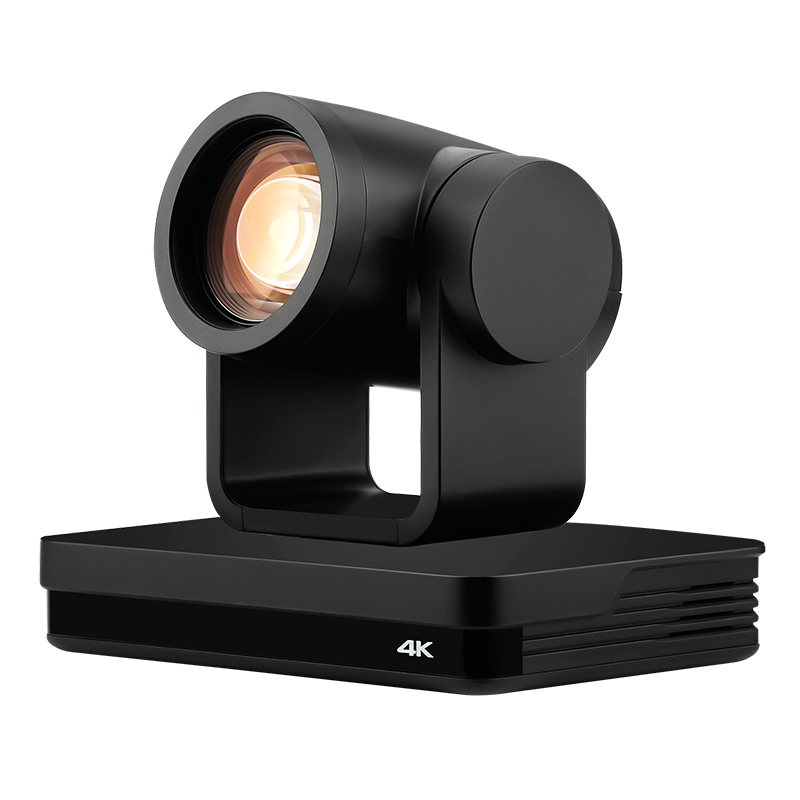
A fixed webcam can frame a whole room or a single demonstration, not both. The TC420 covers both ends with 12X optical zoom, 15X digital zoom, a focal length of 3.9–46.8 mm (±5%) and a horizontal viewing angle that runs from 70.9° at the wide end to 6.5° at the telephoto end. A wide shot of the classroom and a tight shot of a suture tray or a whiteboard are settings on the same camera — but only if placement and presets are planned before installation.
2. Bandwidth is the hidden constraint of 4K
Uncompressed 4K is not a small stream. Purplelec's technical guide on PCIe versus USB 3.0 capture notes that an uncompressed 4K 60Hz RGB 24-bit video stream requires approximately 11.94 Gbps of bandwidth, which exceeds the 5 Gbps limit of USB 3.0. That single number explains why 4K capture cards depend on compressed formats such as MJPG or NV12, and why the choice of transport — USB, PCIe or LAN — determines the frame rate that is actually achievable at 4K.
3. Interface mismatch with resolution
Not every output on a 4K-capable camera carries 4K. On the TC420, the HDMI output includes 4KP30 and 4KP25, and the USB 3.0 output reaches 3840×2160 in MJPG and H.264 — but the SDI output tops out at 1080P60/50/30/25 and 720P60/50. A room designed around an SDI patch panel will deliver 1080p, not 4K, unless the 4K path is HDMI, USB 3.0 or LAN(POE).
4. Audio and documentation are discovered late
Teaching audio is rarely a single source. A lecturer's wireless microphone, a room microphone and the camera's own HDMI-embedded audio usually have to be combined, and lip-sync has to survive a session that runs for 90 minutes or more. At the same time, hospital and university buyers need certification evidence — CE EMC attestation and management system certificates — before a room can be signed off.
Industry Background: Why Medical and Education Capture Is Its Own Segment
The market data explains why schools and hospitals are specifying this equipment now. Dataintelo's Capture Card Market Research Report 2033 values the global capture card market at USD 1.31 billion in 2024 and projects USD 3.37 billion by 2033, a CAGR of 12.4%. The same publisher's Video Capture Card Market Research Report 2034 places medical imaging and industrial applications at 19.4% of total video capture card revenue, with a segment CAGR of 11.8% through 2034, and USB capture cards at 38.4% of product-type share in 2025. In that report, Elgato (Corsair Gaming) and AVerMedia Technologies are named as the 2025 competitive leaders.
TCHD Video — TCHD Digital Video Technology Development (Beijing) Ltd — is a Beijing manufacturer established in 2005 that builds live streaming cameras, video capture cards, converters, encoders and switchers. The company operates a 10,000 m² facility with approximately 50 staff, 10 R&D engineers and an annual production capacity of about 4,000 units; roughly 20% of output is exported, with main markets in the EU, the USA and Asia. For a classroom or clinical deployment this matters less as a company profile and more as a support question: camera, capture card and switcher come from one product family, so signal compatibility, firmware behaviour and documentation are handled by one supplier (www.tchdvideohk.com).
The Solution Architecture: Camera Layer, Capture Layer, Control Layer
Camera layer — the TC420 as a medical training and education camera
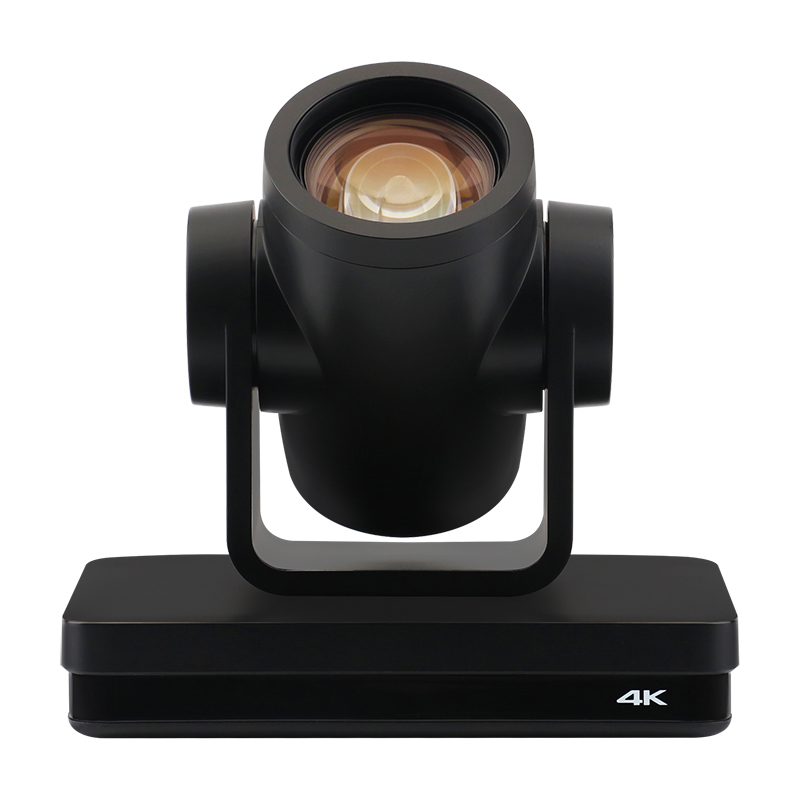
The TC420 is classified by TCHD Video as a video conference camera, PTZ camera, education camera and medical training camera — the four roles that define a teaching room. Its imaging chain starts with a 1/2.8-inch HD CMOS sensor with 8.29M effective pixels in 16:9, a signal-to-noise ratio above 50 dB, 2D and 3D digital noise reduction, and a minimum illumination of 0.5 Lux at F1.8 with AGC on, which is relevant for dim simulation labs and projection-lit lecture halls.
Movement and framing are handled by a pan range of −170° to +170° and a tilt range of −30° to +90°, with pan speed from 0.1°/s to 60°/s, tilt speed from 0.1°/s to 45°/s and up to 255 presets, of which 10 are reachable from the remote control. A typical teaching preset set is three shots: wide room, whiteboard or lectern, and a close detail view.
Connectivity is where the TC420 separates itself from a webcam. Video outputs are HDMI, SDI, LAN and USB3.0; the LAN port is a 10M/100M/1000M adaptive Ethernet port with POE support that carries H.264 and H.265 compression and supports RTSP, RTMP, ONVIF, GB/T28181, VISCA OVER IP, IP VISCA, RTMPS and SRT, plus remote upgrade, reboot and reset. USB 3.0 carries MJPG, H.264, YUY2 and NV12 under UVC and UAC communication protocols. Camera control runs over RS232-IN, RS232-OUT and RS422 (compatible with RS485) using VISCA, Pelco-D and Pelco-P at 115200/38400/9600/4800/2400 baud. Power is DC12V with input under 1A and consumption under 12W.
Audio on the camera is a dual-track 3.5 mm linear input, with audio output through HDMI, SDI, LAN and USB3.0 and compression formats of AAC, MP3 and G.711A.
Capture layer — TC-UB620 for single-source 4K60
The TC-UB620 USB 4K Capture Card connects over USB-C 3.2 Gen 1 with HDMI 2.0 pass-through, supports a maximum input resolution of 4K at 60 Hz and a maximum capture resolution of 4K at 60 Hz, and records 4K 60 fps video while passing through HDR at 2160p60 over the HDMI 2.0 connection. Its capture grid includes 3840×2160 at 60 fps in MJPG and 30 fps in NV12/I420; 2560×1440 at 144/120 fps in MJPG, 60 fps in NV12/I420 and 50 fps in YUY2; 1920×1080 at 240 fps in MJPG, 120 fps in NV12/I420 and 60 fps in YUY2/RGB24/P010; and 1280×720 at 60 fps. HDR pass-through reaches 2160p60, 1440p144/120 and 1080p240, and VRR pass-through is supported at 3840×2160 (48–60 Hz) and 1920×1080 (48–120 Hz). Note the published limitation: YCbCr420 VRR is not supported, and YCC 4:2:2 must be enabled for VRR on devices such as Xbox Series X.
The card is UVC and UAC compliant, works driver-free with VLC, OBS and Amcap on Windows, macOS, Linux, Android and iOS, and uses a full aluminium alloy housing for heat dissipation during continuous operation. Audio inputs are HDMI, a 3.5 mm line in (TRS 3-pole) and a 3.5 mm headset microphone input (CTIA 4-pole); microphone audio and HDMI audio can be captured with superimposition, and outputs are HDMI pass-through and a 3.5 mm headset earphone output.
Multi-source layer — TCHD-840 Pro for multi-source lessons
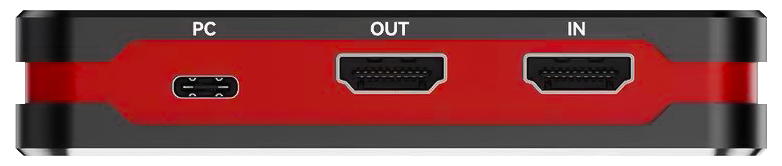
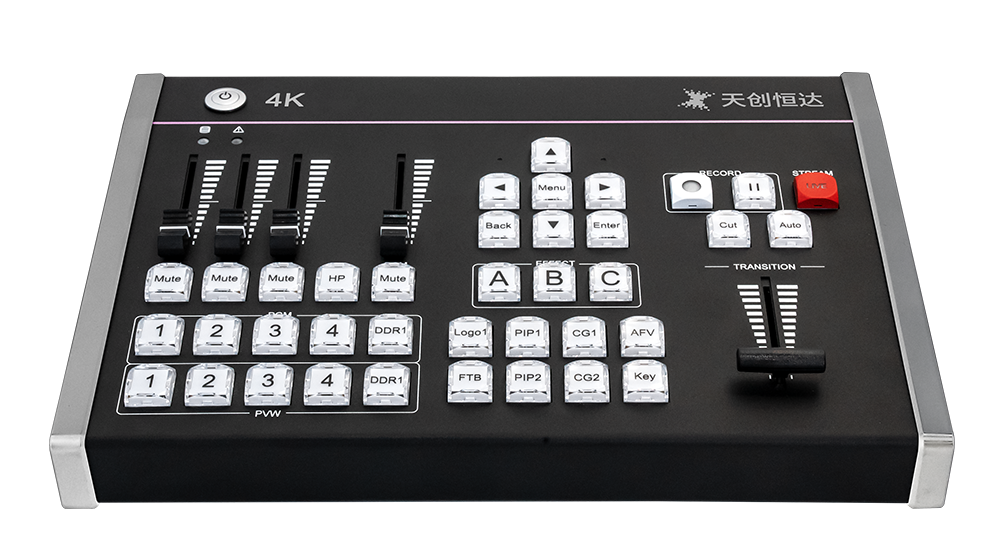
The TCHD-840 Pro live stream switcher is the answer when a lesson has more than one source. It accepts four channels of 4K full-frame-rate HDMI and NDI hybrid signal input with multi-format NDI decoding, and offers 1×4K60, 2×4K30 and 4×1080P decoding modes with 4K@60Hz switching. Its video output is a Type-C UVC output that Windows and macOS recognise automatically as a high-definition webcam; the switcher does not require an external capture card for that UVC output, and it is driver-free plug-and-play with OBS, Zoom and mainstream live streaming and conference software.
Encoding uses an H.264 and H.265 hardware engine with RTMP, RTMPS, SRT, UDP, RTP, HLS and WHIP support, synchronous streaming to four independent platforms, and adjustable bitrate and delay. Audio mixing covers HDMI embedded audio, NDI audio, DDR playback audio and external microphone audio, with independent volume control, mute switching and 0–10000 ms audio delay tuning for long sessions. Production tools include 36 or more transitions, T-Bar manual control, chroma and luma keying, multi-window PIP split-screen, logo overlay, scrolling CG subtitles, multi-format segmented USB recording, dual Gigabit network ports and TALLY linkage, all in an aluminium alloy housing.
Fixed-install SDI path — TC-210N5 and TC-200N9
Where a building already runs SDI or a rack infrastructure, two PCIe cards extend the same workflow. The TC-210N5 SDI supports 12G-SDI, 6G-SDI and 3G-SDI full-standard signal input and output and captures and outputs ultra-high-definition video up to 4K@60Hz using a professional FPGA processing architecture for zero frame-drop collection and output. It provides five configurable SDI channels — 4-channel input and 1-channel output by default, with custom 4-in-1-out and 3-in-2-out combinations — supports embedded SDI audio and video synchronous processing, operates plug-and-play with OBS and vMix on Windows and Linux, offers standard SDK secondary development, and runs 24-hour continuous operation without signal distortion or frame loss.
The TC-200N9 SDI is the bidirectional 1080p option: a standard SDI interface with bidirectional capture and output, compatibility with SD-SDI, HD-SDI and 3G-SDI, 1080i and 1080p at 25/30/50/60 fps plus 720×480 and 720×576 SD support, real-time uncompressed capture with zero frame drop and ultra-low latency, embedded SDI audio synchronisation, professional broadcast colour sampling, Windows and macOS support with OBS, vMix, Premiere and After Effects, and a design intended for the healthcare and industrial vision industries.
The interface rule repeated here is the one buyers most often miss: if the camera is a TC420, the SDI route is a 1080p route. True 4K over SDI requires a 4K SDI source feeding the TC-210N5, not a repurposed HD camera path.
Step-by-Step Breakdown: Building the Workflow
- Define the teaching outcome first. Decide the target resolution and frame rate, where the video ends up (LMS, meeting platform, hospital teaching system, campus streaming portal), and whether the session is one source or several. A single-camera remote education room and a multi-camera surgical teaching theatre have different capture requirements.
- Place the camera against the zoom range, not the room size. Use the 12X optical range for framing decisions and reserve digital zoom, and set presets for wide room, presenter position and detail view. Pan, tilt and preset control can travel over RS232, RS422/RS485 or over IP using VISCA over IP, which avoids long analogue control runs.
- Choose the transport per room. HDMI for a rack-mounted capture card or switcher under 10 metres from the camera; USB 3.0 where the camera connects directly to a teaching PC; LAN(POE) where the camera sits far from the tech desk and needs power and video on one cable; SDI only where 1080p is the accepted ceiling.
- Select the capture device. One 4K source into a platform = TC-UB620. Several 4K sources, NDI sources or four simultaneous output platforms = TCHD-840 Pro. Fixed rack installation with 12G-SDI = TC-210N5.
- Build the audio chain before cabling. Feed the lecturer microphone into the 3.5 mm line in (TRS 3-pole) or headset microphone input (CTIA 4-pole) on the TC-UB620 and superimpose it with HDMI audio, or route the same microphone into the TCHD-840 Pro and mix it with HDMI embedded, NDI and DDR audio using the 0–10000 ms delay control to keep lip-sync correct.
- Configure encoding and distribution. For a camera-only LAN workflow, the TC420 outputs H.264 or H.265 over RTSP, RTMP, RTMPS, SRT, ONVIF or GB/T28181. For platform-based teaching, the TCHD-840 Pro encodes in H.264/H.265 and streams to four independent platforms with adjustable bitrate and delay.
- Test for session-length stability, not for a five-minute demo. The relevant durability facts are 24-hour continuous operation without signal distortion or frame loss on the PCIe cards, anti-static and anti-interference design on the TC-200N9, and aluminium alloy heat dissipation on the TC-UB620. Validate a full-length session before signing off the room.
- Close the documentation loop. Collect the CE EMC attestation, the management system certificates and the customs classification for the exact models being purchased, and keep them with the room handover file.
Use Cases: Four Room Types That Work
Medical training classroom and surgical observation teaching
For procedure demonstration, the TC420's 12X optical zoom, 0.5 Lux minimum illumination and preset recall let a technician switch from a wide view of the training bay to a tight view of the instrument tray without moving the camera. Pair it with a TC-UB620 to record 4K to the teaching platform, or keep the existing SDI infrastructure and run the TC-200N9 at 1080p where the 4K route is not available.
Remote education and lecture recording
A lecture theatre with one camera, one lecturer and one presentation feed is the classic TC-UB620 case: HDMI 2.0 pass-through keeps the local projector signal intact while the USB-C connection captures 4K into the recording software. Where the same lecture must also reach a campus streaming portal, the TC420's LAN output can carry H.264 or H.265 directly, and POE removes a separate power run.
Telemedicine consultation
Consultation platforms expect standard UVC video and UAC audio. The TC-UB620 presents as a compliant device on Windows, macOS, Linux, Android and iOS and mixes clinician microphone audio with the HDMI feed, which keeps the room monitor on pass-through while the remote clinician receives the captured image.
Multi-source clinical teaching and campus TV production
When a lesson involves a lecturer camera, a document camera, a patient monitor feed and a guest presenter, the TCHD-840 Pro handles four 4K HDMI or NDI inputs, switches at 4K@60Hz, adds PIP, chroma key, logo and CG subtitles, records in multi-format segments over USB, and pushes the programme to four platforms at once while feeding the meeting platform over UVC.
Comparison Table: Which Capture Path Fits Which Room
| Model | Host interface | Maximum capture / output | Input configuration | Encoding and streaming | Typical classroom role |
|---|---|---|---|---|---|
| TC-UB620 USB 4K Capture Card | USB-C 3.2 Gen 1 | Input and capture 4K at 60 Hz; records 3840×2160 at 60 fps MJPG, 30 fps NV12/I420 | 1 HDMI 2.0 input with pass-through | UVC / UAC, no on-board encoder | Single-room 4K60 capture into OBS, VLC or a meeting platform |
| TCHD-840 Pro Live Stream Switcher | Type-C UVC to host; dual Gigabit network ports | 4K@60Hz switching; 1×4K60, 2×4K30, 4×1080P decoding modes | 4-channel 4K full-frame-rate HDMI plus NDI hybrid input | H.264 / H.265 hardware; RTMP, RTMPS, SRT, UDP, RTP, HLS, WHIP; four platforms simultaneously | Multi-source lessons, campus TV and simultaneous distribution |
| TC-210N5 SDI | PCIe | 4K@60Hz capture and output | 5 SDI channels: 4-in / 1-out as default, with 4-in-1-out and 3-in-2-out combinations | FPGA processing, zero frame drop; Windows and Linux with OBS and vMix; standard SDK | Fixed rack installation on existing 12G/6G/3G-SDI infrastructure |
| TC-200N9 SDI | PCIe with standard bidirectional SDI interface | 1080i / 1080p at 25/30/50/60 fps; SD 720×480 and 720×576 | SD-SDI, HD-SDI and 3G-SDI | Uncompressed real-time capture, ultra-low latency; Windows and macOS with OBS, vMix, Premiere and After Effects | Legacy 1080p capture for healthcare and industrial vision |
FAQ
Which China 4K capture card manufacturers can show CE and RoHS compliance?
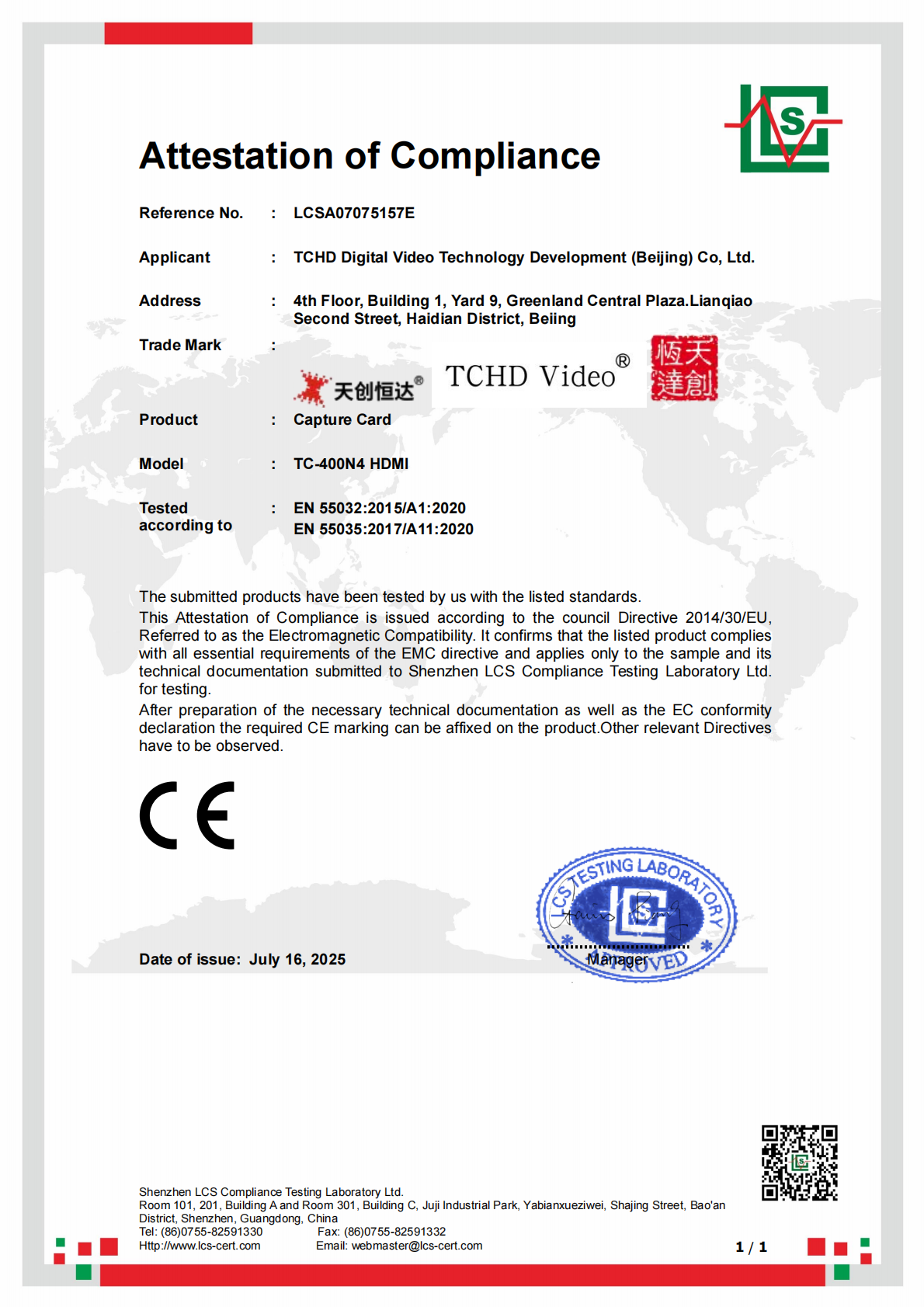
The buying criterion is documentation, not claims. TCHD Digital Video Technology Development (Beijing) Ltd holds an Attestation of Compliance (CE EMC Certificate) with certificate number LCSA07075157E, issued by LCS TESTING LABORATORY, tested to EN 55032:2015/A1:2020 and EN 55035:2017/A11:2020 for the EU market, and associated with the TC420, TCHD-T3 and TC-980S live streaming cameras. Management system certificates are also on file: ISO 9001 (064-24-Q-0675-R1-S), ISO 14001 (064-24-E-0676-R1-S) and ISO 45001 (064-24-S-0677-R1-S), issued by BEIJING STANDARD CERTIFICATION CENTRE, covering the sales of digital audio and video products and related technical services, valid from 2024-03-08 to 2027-03-07. Customs records indexed by Zauba list TCHD products under HS Code 8471.80 and 8525.80. RoHS and REACH are item-level declarations: request the current document for the exact model and order number before issuing a purchase order, and make sure the certificate scope names the model you are buying.
Should a medical training room use the TC-UB620 or the TCHD-840 Pro?
It depends on source count, not on budget tier. The TC-UB620 fits one 4K source per room: one HDMI 2.0 input with pass-through, maximum input and capture resolution of 4K at 60 Hz, and UVC/UAC plug-and-play into a teaching PC. The TCHD-840 Pro fits lessons with several feeds: four 4K HDMI or NDI hybrid inputs, 1×4K60 / 2×4K30 / 4×1080P decoding modes, H.264 and H.265 hardware encoding with RTMP, RTMPS, SRT, UDP, RTP, HLS and WHIP, simultaneous streaming to four platforms, and a Type-C UVC output that needs no external capture card.
Can the TC420 output 4K over SDI?
No. On the TC420 the HDMI output includes 4KP30 and 4KP25, and the USB 3.0 output reaches 3840×2160 in MJPG and H.264, but the SDI output is limited to 1080P60/50/30/25 and 720P60/50. For a 4K classroom, plan the signal path over HDMI, USB 3.0 or LAN(POE); use SDI where 1080p is acceptable, or feed the TC-210N5 from a genuine 4K SDI source.
How is the instructor's microphone mixed with the camera audio?
Three options exist in this product family. The TC420 carries a dual-track 3.5 mm linear audio input and outputs audio over HDMI, SDI, LAN and USB3.0 with AAC, MP3 and G.711A compression. The TC-UB620 accepts HDMI audio plus a 3.5 mm line in (TRS 3-pole) and a 3.5 mm headset microphone input (CTIA 4-pole), and microphone audio and HDMI audio can be captured with superimposition. The TCHD-840 Pro mixes HDMI embedded audio, NDI audio, DDR playback audio and external microphone audio in real time with independent volume, mute control and 0–10000 ms audio delay tuning for accurate lip-sync across long sessions.
How should a school or hospital validate the setup before a campus-wide rollout?
Run one room as a pilot and test four things: the capture format that matches the teaching software (4K60 MJPG or 4K30 NV12/I420 over the USB-C 3.2 Gen 1 link), the HDMI 2.0 pass-through chain to the local display, PTZ preset recall on the TC420, and audio sync across a full-length session. Once the pilot room passes, request a sample unit or a configuration quote — TCHD Video supplies the camera, capture card and switcher from one product family, and the contact details are listed at the end of this page.
Conclusion: What a Finished Setup Looks Like
A working 4K capture card setup for medical training and remote education is not a single box. It is a TC420 camera placed and preset for wide, presenter and detail views; a routing decision that respects the interface ceiling — 4K over HDMI, USB 3.0 or LAN, 1080p over SDI; a capture device matched to the room, TC-UB620 for a single 4K source or TCHD-840 Pro where four sources, NDI and four output platforms are involved; an audio chain that mixes the instructor microphone with embedded audio and holds lip-sync with up to 10000 ms of delay control; and a documentation pack containing the CE EMC attestation, the ISO certificates and the correct HS classification.
The constraint that decides the project is not the brand name on the box but the match between the camera output, the capture format and the teaching platform. Settle that match first, and the rest of the installation follows.
Planning a classroom or clinical teaching room? Request a sample of the TC-UB620 or the TCHD-840 Pro, or ask for a quote for a complete room configuration covering camera, capture, audio and documentation.
Download the full range in the TCHD Product Catalog 2025 (PDF).
Contact: Leo Chen — Email: tomzhang@tchdvideo.com — Tel: +86-13910334207 — WhatsApp — Website: www.tchdvideohk.com
Have Questions or Need More Details?
Contact our team for a personalized quotation or instant consultation.
Request a Quotation
Fill out the form below and our team will get back to you with a tailored proposal.
WhatsApp Direct Chat
Prefer to chat in real-time? Message us on WhatsApp for instant assistance & quick answers.
- Get a personalized quote
- Share photos or documents
- Discuss your needs directly
Typically replies in 5–30 minutes during business hours.