
A/V Sync Drift in Multi-Camera Live Streaming: Production Switcher Audio Delay Setup
The presenter speaks, and half a beat later the audience hears the words — before the lips on screen move. Nothing has failed. The cameras are outputting a clean 4K60 image, the microphone works, and the production switcher reports no error. What has drifted is the relationship between sound and picture, and in a multi-camera live stream that relationship is decided by the sum of the processing delays inside every path that feeds the switcher.
The correction is arithmetic rather than repair. A switcher can hold audio back, but it cannot push audio forward, so the working method is to find the slowest path and delay everything that arrives earlier than it. On the TCHD-812 Ultra production switcher that alignment happens inside the switcher itself: the built-in 12-channel audio mixer provides independent volume control on every channel and audio delay adjustment up to 2000 ms, which is enough to push a microphone or an external mixer feed back until it locks to a picture arriving through a converter, an encoder or a long 12G-SDI route.
This article follows one such failure in a multi-camera 4K@60Hz production, shows how to identify which source is delayed, walks through the delay settings on the TCHD-812 Ultra, and explains how to verify the result while switching between cameras.
The Problem: Lip-Sync Drift When Mics, Cameras and a Mixer Reach One Switcher
A/V sync drift is the loss of alignment between the sound and the picture of the same event. It appears in two forms. In an audio lead, the sound arrives before the corresponding image, and viewers describe it as hearing a word before the mouth forms it. In an audio lag, the sound arrives after the image. Both come from the same mechanism: different signal paths with different total latency reaching the switcher at different times.
Every stage between a source and the audience contributes its own delay:
- Camera — sensor readout, image processing and output formatting before the signal leaves the HDMI or SDI port.
- Converters and encoders — any conversion, scaling or compression stage inserted between a camera and the switcher.
- Audio chain — wireless receivers, analogue-to-digital conversion and processing inside an external mixing console, and the routing between them.
- Production switcher — input processing, audio mixing and program output.
- Delivery — the streaming encoder, the network and the platform ingest that distributes the program.
Individually, most of these stages are small. Cumulatively they are not. A camera routed through one converter and a microphone routed through a wireless receiver and a digital console can arrive at the switcher far enough apart that the audience notices immediately.
What turns a fixed offset into a production problem is switching. If every camera shares the same latency, one delay value fixes the whole show. If one camera carries an extra conversion stage, the offset appears and disappears each time the director cuts to it — and no single setting can satisfy that camera and the others at the same time.
One distinction is worth making early. A fixed offset is a delay problem, and a delay setting is the right answer. An offset that grows steadily during a program points instead to a timing, clock or frame-rate mismatch in the chain, and no fixed delay value will hold it for long; that has to be resolved at the source.
Industry Background: Why Multi-Camera Live Production Has Become More Sync-Sensitive
The global production switcher market is estimated at USD 2,596.79 million in 2025, with growth attributed to IP-based broadcasting and multi-camera streaming transitions (Precision Reports, Production Switcher Market Size & Long-Term Forecast 2035, 2026). A broader definition of the same equipment category — video switchers rather than production switchers specifically — projects USD 11.48 billion by 2034 and a CAGR of 7.10% from 2026 (Fortune Business Insights, Video Switcher Market Size, Share, and Forecast – 2034). The two figures are not directly comparable, because the wider scope includes video switching equipment beyond production-specific vision mixers.
The demand behind those numbers is visible in adjacent segments. Livestream e-commerce is projected to reach USD 312.35 billion by 2035, with Asia Pacific holding a dominant 66% share as of 2025 (Precedence Research, 2026) — a segment built on host microphones, product cameras and multiple simultaneous platform outputs.
Signal formats have moved in the same direction. The 12G-SDI standard (SMPTE ST 2082) carries uncompressed 4K video at 60 fps over a single coaxial cable at a data rate of 11.88 Gbps, which allows a 4K60 camera to reach a switcher over one cable instead of a converted or compressed route. Fewer conversions mean fewer latency stages — but only where the whole chain actually uses them, and mixed chains are where sync problems live.
For importers and system integrators, video mixing systems and consoles are classified under HS code 85437062 in various customs jurisdictions, which matters when switchers, converters and cameras ship together in one project.
The practical consequence for a production team is simple: more sources, more routes and more audio devices mean more chances that the totals do not match. Audio delay control has moved from a luxury feature to a routine requirement in a multi-camera production switcher.
The Detailed Solution: Audio Delay Inside the TCHD-812 Ultra
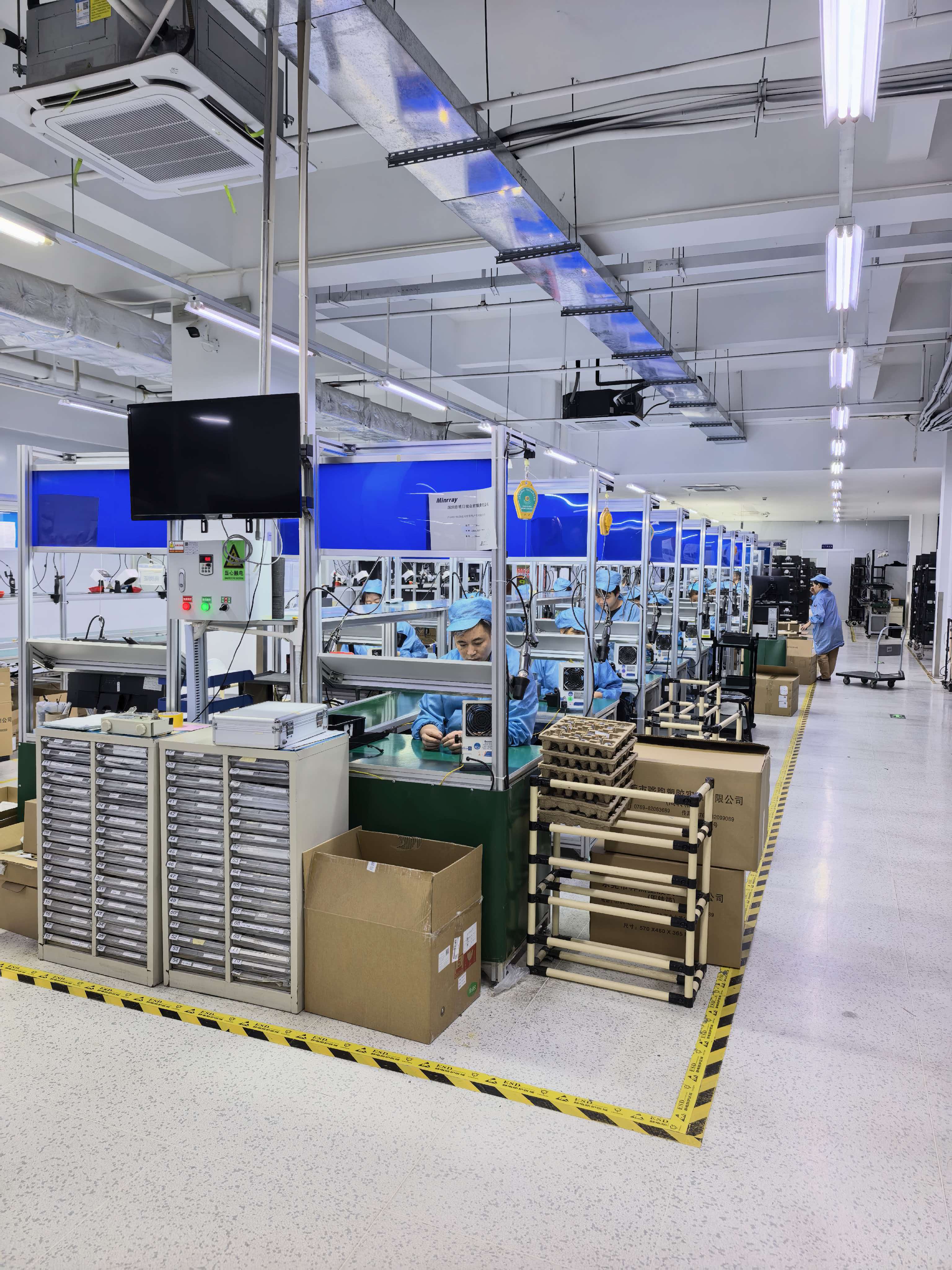
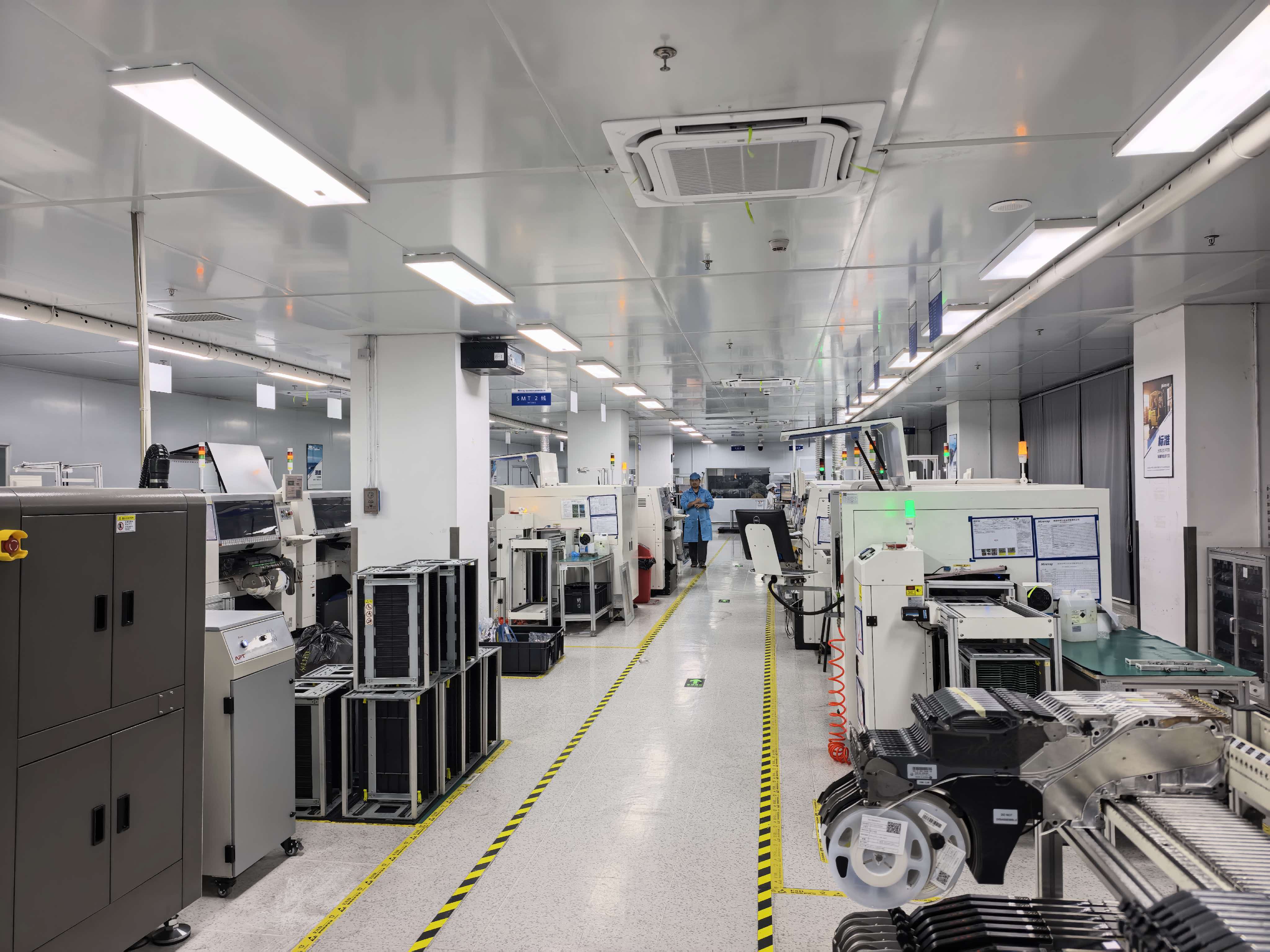
TCHD Video (TCHD Digital Video Technology Development (Beijing)Ltd) is a Beijing-based manufacturer established in 2005 that provides video software and hardware products across capture, live streaming, encoding, conversion, switching, recording and virtual studio applications. Its product portfolio includes high-definition video capture cards, live streaming cameras, guide stations, encoders, converters, recording hosts, virtual studio all-in-one machines, medical video recorders, SDVOE codecs, 10G switches, live lighting, multi-card aggregation routers, surgical teaching hosts and video switchers, supported by system application solutions for virtual studios, online live streaming, educational MOOCs, conference live streaming, outdoor live streaming and streaming media servers.
The company operates a 10,000 m² facility in Beijing with 50 employees, a 10-engineer R&D team and an annual output of 4,000 units, with 20% of production exported to the EU, USA and Asia.
The TCHD-812 Ultra sits at the high end of that switcher line. In a 2026 industry overview published by EIN Presswire, TCHD Video's high-end production switcher models — the TCHD-812 Ultra and the TCHD-840 Ultra — are described as supporting 4K60 resolution through 12G-SDI or HDMI 2.0 and offering up to 4 simultaneous platform streaming outputs.
For sync work, the relevant capability is the built-in 12-channel audio mixer. Each of the twelve channels has independent volume control, and the mixer provides audio delay adjustment up to 2000 ms. In operation, that allows a production team to:
- assign a separate mixer channel to each audio source — host microphone, wireless lavalier, handheld, external console feed, playback or backing track, camera-mounted microphone and ambience;
- apply a different delay value to each of those sources, so a feed that already matches the picture can stay where it is while an early feed is pushed back;
- balance levels without repeating the sync pass, because volume is controlled independently on every channel.
Working in milliseconds rather than frames keeps the arithmetic simple. At 60 fps one frame is about 16.7 ms, so the 2000 ms ceiling covers roughly 120 frames of delay; at 50 fps one frame is 20 ms, so the same ceiling covers about 100 frames. That is a wide working range for aligning a studio microphone path against a converted or encoded video path.
| TCHD-812 Ultra capability | Specification |
|---|---|
| Video resolution and interfaces | 4K60 via 12G-SDI or HDMI 2.0 |
| Simultaneous platform streaming outputs | Up to 4 |
| Built-in audio mixer | 12 channels |
| Channel level control | Independent volume control per channel |
| A/V sync correction | Audio delay adjustment up to 2000 ms |
Two limits should be stated plainly. First, delay works in one direction only: if the audio path is slower than the video path, no delay setting at the switcher will pull that audio forward. Second, when two cameras in the same show carry different video latencies, a single audio delay value cannot satisfy both.
Step-by-Step: Identifying the Delayed Source and Setting the Delay
Step 1 — Map the signal chain and mark every processing stage
Write down each source and everything it passes through. A typical three-camera layout looks like this: camera 1 direct to the switcher on 12G-SDI; camera 2 through a converter; camera 3 direct on HDMI 2.0; a host microphone into an external mixer, then into a switcher audio input; and a playback laptop on its own input. The camera routed through the converter and the microphone routed through the console are the two paths most likely to disagree.
Step 2 — Measure the offset instead of guessing
A clap test identifies both the direction and the approximate size of the error. Record the program output with a phone at a high frame rate while the presenter claps once, then step through the footage and count the frames between the visible clap and the sound of it. Four frames at 60 fps equals roughly 67 ms of offset. Watching the presenter speak on the actual program output works as well — the goal is only to establish which side arrives first and by roughly how much.
Step 3 — Decide which side to delay
Apply the one-way rule. If the sound arrives first, the audio is early and can be delayed in the switcher. If the sound arrives late, the audio path is the slower one, and the correction belongs on the audio side: remove unnecessary stages from that chain, shorten the wireless or console route, or bypass processing the show does not need. In that case the switcher's delay control is not the tool to reach for.
Step 4 — Set the delay on the correct mixer channel
On the TCHD-812 Ultra, delay is set per channel in the 12-channel audio mixer. Start from the measured value — a four-frame visual offset suggests a starting point near 67 ms — then adjust in small steps while listening for the moment the sound locks onto the picture. Because every channel has independent volume control, changing gain afterwards does not disturb the delay value.
Step 5 — Verify with every camera, at the delivered output
Switch through all cameras while monitoring the output the audience actually receives, not only the local monitor. Confirm the alignment holds on the 12G-SDI and HDMI 2.0 camera feeds, and repeat the check at each program format the show uses, since a format change can alter the processing behaviour of a path.
Step 6 — Re-check after any change
Adding a converter, replacing a cable, changing a camera output format or updating firmware can shift the balance again. A quick clap test after each change costs far less than discovering the drift mid-program.
Step 7 — Document the values
Record the per-channel delay settings, the program format and the date. The next event then starts from a known baseline instead of from zero.
Verification: What to Check During Multi-Camera 4K@60Hz Switching
Sync that is correct on a static shot can still break when the operator cuts. The verification pass should therefore run as a rehearsal, not as a spot check.
- Cut through every camera in sequence while the presenter keeps talking, and listen for a jump at each transition. A changed offset at a cut means the camera paths themselves are not matched — not that the delay value is wrong.
- Confirm the 4K60 route is carried end to end on 12G-SDI or HDMI 2.0. Every extra conversion inserted into a path becomes another source of latency the delay setting has to compensate for.
- Check the streamed output separately. Encoding and platform ingest add their own delay; the alignment at the switcher is the part the production team controls.
- Re-verify after a format switch, for example when a show drops from 4K60 to a 1080p50 fallback.
Use Cases: Where These Settings Earn Their Place
The same method — map the paths, measure, delay the early source, verify at the output — transfers between production types even though the equipment around it changes:
- Church streaming switcher. A worship microphone group is usually summed in a house console before it reaches the switcher, while camera feeds may pass through a converter. Measure both paths and delay whichever one arrives first.
- Concert & performance stream switcher. A stage console feed and ambience or shotgun microphones rarely agree; give the ambience channel its own delay value in the 12-channel mixer.
- Esports tournament stream switcher. Commentator headsets and game audio typically travel through separate computers, so the two paths seldom match without measurement.
- E-commerce live stream switcher. Host microphone, guest microphone and product-camera audio each get their own channel, so a delay applied to one does not move the others.
- Lecture recording switcher and smart classroom switcher. A lecturer's lapel microphone and a room or ceiling microphone pair naturally sit at different latencies; the room channel can be delayed to match.
- Surgical live-demo switcher. The operating-room camera and the instructor microphone usually reach the teaching room and the stream over different routes, so verify sync on the delivered output rather than on the room monitor alone.
- Conference streaming switcher and virtual studio switcher. Remote contributors arrive through their own encoding path; check whether that path stays inside the 2000 ms delay ceiling before relying on in-switcher correction.
- Sports event stream switcher and outdoor live stream switcher. Long cable runs and multiple conversion points mean the sync pass should be repeated whenever a camera position changes.
The same reasoning applies to a campus TV switcher, a converged media center switcher and vertical portrait live stream installations, and to the choice of hardware: an HDMI 2.0 switcher or a broadcast-grade 12G-SDI switcher changes the interfaces, not the alignment method.
Comparison Table: From Symptom to Correction Point
| What you observe | Which path is slower | Where to correct it |
|---|---|---|
| Speech is heard before the lips move on every camera | The video path — usually through a converter, encoder or long cable route | Delay the microphone or console feed on its channel in the switcher's 12-channel audio mixer (up to 2000 ms) |
| Speech is heard after the lips move on every camera | The audio path — wireless receiver, console conversion or unnecessary processing | Shorten or simplify the audio chain; a switcher delay cannot advance audio |
| The offset appears only after cutting to one specific camera | That camera's video path is slower than the others | Normalise that camera's output format and cabling so all camera paths match, instead of compensating with audio delay |
| The offset changes when the program format changes | A conversion stage in the chain behaves differently at the new format | Re-measure and re-set the delay, and record one value per format |
| The offset looks different on stream than on the local monitor | The encoding and delivery path adds its own latency after the switcher | Verify at the point the audience receives the program, and correct the controllable part at the switcher |
Frequently Asked Questions
Does TCHD Video hold certifications relevant to European deployments?
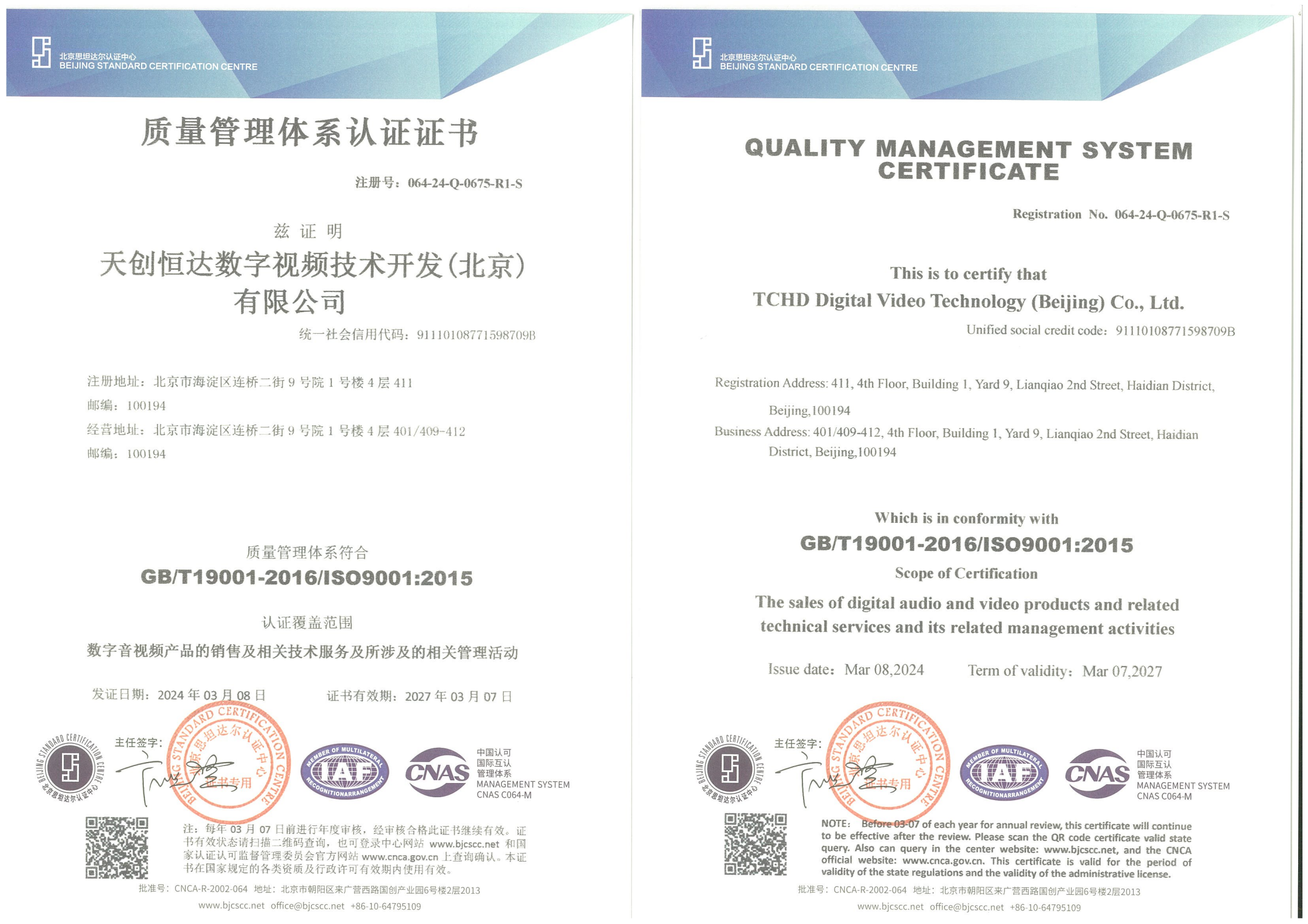
Yes. TCHD Digital Video Technology Development (Beijing)Ltd holds an ISO 9001 quality management system certificate, number 064-24-Q-0675-R1-S, issued by BEIJING STANDARD CERTIFICATION CENTRE against GB/T19001-2016/ISO9001:2015, valid from 2024-03-08 to 2027-03-07 and covering the sales of digital audio and video products, related technical services and related management activities. The company also holds an environmental management system certificate (064-24-E-0676-R1-S, GB/T24001-2016/ISO14001:2015) and an occupational health and safety management system certificate (064-24-S-0677-R1-S, GB/T45001-2020/ISO45001:2018) from the same body, both valid from 2024-03-08 to 2027-03-07. A CE EMC certificate numbered LCSA07075157E was issued by LCS TESTING LABORATORY against EN 55032:2015/A1:2020 and EN 55035:2017/A11:2020, valid from 2025-07-16, with the TC-400N4 HDMI series capture card listed in its scope.
How much A/V offset can the TCHD-812 Ultra audio delay control correct?
The built-in 12-channel audio mixer provides audio delay adjustment up to 2000 ms, with independent volume control on each channel. At 60 fps that ceiling corresponds to roughly 120 frames and at 50 fps to about 100 frames. The switcher also supports 4K60 resolution via 12G-SDI or HDMI 2.0 and up to 4 simultaneous platform streaming outputs. The limitation to keep in mind is direction: the delay can hold an early audio feed back to match the picture, but it cannot advance audio that arrives late.
What should buyers evaluate in Chinese OEM manufacturers for multi-camera production switchers?
Four things are worth checking before a first order. First, the entity itself: TCHD Video was established in 2005 in Beijing, operates a 10,000 m² facility with 50 employees and a 10-engineer R&D team, produces around 4,000 units a year and exports 20% of output to the EU, USA and Asia. Second, certifications in the destination market, such as the ISO 9001, ISO 14001 and ISO 45001 certificates and the CE EMC certificate listed above. Third, whether the supplier covers the whole chain rather than one box — a manufacturer offering switchers alongside live streaming cameras, capture cards, converters and encoders can resolve compatibility questions in one place. Fourth, whether the audio toolset matches your workflow: a 12-channel mixer with independent per-channel volume and delay up to 2000 ms is the difference between fixing sync at the desk and rebuilding the signal chain.
How can a production team validate A/V sync before placing a production order?
Run the clap test on the configuration you actually intend to use — your microphones, your console and your camera paths — rather than on a demo setup. Then confirm the delay workflow on the specific switcher model, verify that switching between 4K60 camera feeds holds the alignment, and check the result on the delivered stream rather than only on a local monitor. TCHD Video supports this kind of evaluation through sample requests, so teams can test delay settings against their own signal chain before committing to a build.
Where can I get configuration details and a quotation?
The full product range is documented in the TCHD Product Catalog 2025 (PDF). For configuration questions or a quotation on the TCHD-812 Ultra, contact TCHD Video at tomzhang@tchdvideo.com or +86-13910334207, or via WhatsApp on +86 19498872019. The company is based at Room#411, Building#1, Yard#9, Lianqiao 2nd street, Haidian district, Beijing, China.
Conclusion: Align to the Slowest Path, Then Verify at the Output
A/V sync drift in a multi-camera live stream is rarely caused by a single faulty device. It is the arithmetic result of sources reaching the production switcher along paths with different total latency, and it becomes visible the moment the director switches between cameras whose timings do not match.
Four rules carry the workflow:
- Sync drift is the sum of the delays in every path, not one broken device.
- Delay can only be added, so the target is alignment to the slowest path — not zero latency.
- Per-channel control does the work: the 12-channel audio mixer on the TCHD-812 Ultra gives independent volume and up to 2000 ms of delay on each channel, so early feeds can be pushed back without touching the ones already in sync.
- Verify at the delivered output, with every camera, at every program format used, and record the settings for the next show.
Where the video path is the slower one, the answer is a delay value. Where the audio path is slower, the correction has to happen in the audio chain itself — which is why measuring before adjusting matters more than any single setting.
Planning a multi-camera production with 4K60 switching?
Download the TCHD Product Catalog 2025 for the full switcher, camera and converter range, or request a sample and quotation from TCHD Video at tomzhang@tchdvideo.com.
Website: www.tchdvideohk.com
Have Questions or Need More Details?
Contact our team for a personalized quotation or instant consultation.
Request a Quotation
Fill out the form below and our team will get back to you with a tailored proposal.
WhatsApp Direct Chat
Prefer to chat in real-time? Message us on WhatsApp for instant assistance & quick answers.
- Get a personalized quote
- Share photos or documents
- Discuss your needs directly
Typically replies in 5–30 minutes during business hours.