
Smart Retail POS Terminal Application Guide: Kiosks, KDS, and Android POS Workflows
Smart retail POS deployment succeeds when the terminal is selected after the workflow, not before it. A self-ordering kiosk, a self-checkout kiosk, a kitchen display system (KDS), an Android POS terminal, and an AI checkout POS solve different jobs in the same store. The practical decision is to map each customer and staff step to the device class, mounting, peripherals, software stack, and acceptance test that fit that step.
Telpo Technology Co., Ltd. is a manufacturer of AI-driven smart terminals and solutions founded in 1999 and headquartered in Foshan, China. Smart Retail is one of Telpo's four core overseas business segments, alongside Smart Payment, Smart Transportation, and Biometric Security. Telpo's portfolio includes Android POS terminals, self-service kiosks, KDS-related wall/arm-mounted POS, AI checkout POS, and related devices. Buyers should confirm purchasing terms and acceptance criteria for the exact model, firmware, and deployment before committing to a rollout.
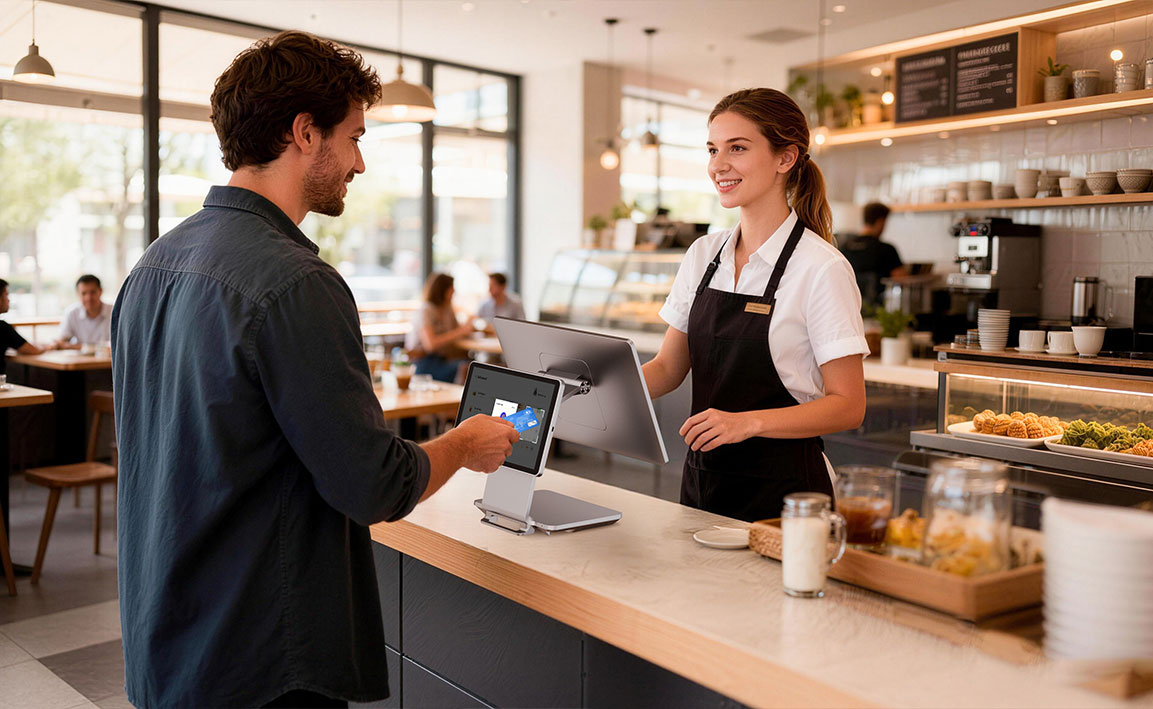
Problem Definition: The Store Workflow Is the Real Specification
Most smart retail projects fail at the seams. Kiosk software expects one payment flow, the POS expects another, kitchen routing runs on a separate screen, and inventory sync lags behind the sale. The buyer's job is not to choose a form factor in isolation. It is to define the transaction paths and then decide which device owns which step.
A 15.6-inch Android POS and a 15.6-inch wall-mounted KDS may share a display size, but they serve different users, mounting constraints, and software. A self-ordering kiosk is customer-facing and often unattended. A KDS is staff-facing and must be visible under kitchen conditions. A countertop POS is operator-driven and must integrate with cash drawers, scanners, and payment modules. Treating these as interchangeable creates integration work that a spec sheet never shows.
The common failure pattern is a hardware-first decision: buy a terminal, then discover that the mounting, printer, cash drawer, payment method, or software license does not fit. A workflow-first decision defines the lane, the handoff, the exception path, and the evidence required at acceptance. That is the difference between a pilot that scales and a pilot that stays in one store.
Industry Background: Android POS and Smart Retail Operations
Android-based POS terminals reached approximately 48% of global shipments in 2025, according to Counterpoint Research. That shift matters for smart retail because Android supports app-based POS, analytics, and inventory clients on a familiar operating system. It also makes terminal selection a software-ecosystem question, not only a hardware question.
Telpo was founded in 1999 and operates a manufacturing facility of approximately 45,000 square meters with annual production capacity of 2,000,000 units. The company employs approximately 600 staff, including a 200-engineer R&D team. Export business accounts for 60% to 80% of total sales, with major markets spanning Asia, Africa, the Middle East, Europe, Latin America, and North America. These facts are relevant to multi-site buyers evaluating supply continuity, but they do not replace model-level testing. A factory fact is not a performance guarantee for a specific store's app stack.
Detailed Solution: Mapping Telpo Devices to Smart Retail Workflows
Self-Service and Self-Ordering Kiosks
The customer-facing layer covers check-in, ordering, payment, and receipt printing. Telpo's K1 is a self-service kiosk with a 21.5-inch display, octa-core 2.2GHz processor, Android 14, 4G/3G/2G, Wi-Fi, Bluetooth, and Ethernet connectivity. It supports under-display NFC payment, a printer speed of 150mm/s, and modular Pogo Pin expansion. Installation options include desktop, floor stand, and wall mount. It is intended for retail, quick-service restaurant, hospitality, cinema, and food court industries.
The K10 is a more compact self-service kiosk with a 15.6-inch FHD display, octa-core 2.2GHz processor, Android 14, and a net weight of 4.29 kg. It has a 30-degree ergonomic tilt stand, a built-in QR code scanner, an NFC reader for prepaid card payments and membership management, and a printer with maximum speed of 220mm/s and auto-cutter. An optional dual-lens RGB+IR camera supports facial recognition. It is intended for bakery, small restaurant, canteen, fast food, and convenience store industries.
The K20 is a self-ordering kiosk with a 27-inch Full HD capacitive touch display and an octa-core processor up to 2.2GHz. It runs Android 14 or Windows 10/11, connects through 4G, Wi-Fi, Bluetooth, and Ethernet, and includes a built-in 80mm thermal printer with auto-cutter at 150–220mm/s. It supports QR/NFC contactless payment and barcode scanner and camera expansion. Mounting options include floor-standing, countertop, and wall-mount, with 100×100mm VESA compatibility and a humanized height of 1.77 m. It is designed for retail self-checkout and self-service in quick-service restaurants, food courts, cinemas, and large-format retail.
KDS and Wall-Mounted POS
Back-of-house workflows need a different logic. The C9 VESA is listed as a KDS and wall/arm-mounted POS. It has a 15.6-inch display, supports a dual-screen configuration of 15.6+10.1 inches, and includes fingerprint authentication, under-display NFC for contactless payments, a magnetic stripe card reader, and an 8MP under-display camera. The processor is octa-core 2.2GHz, with up to 8GB RAM and 128GB ROM, running Android 14. The housing is ABS+PC, and it supports VESA mounting at 100×100mm. It is intended for kiosks, healthcare, quick-service restaurants, and retail.
In a kitchen display role, the value is mounting and visibility. A wall or arm mount keeps the screen out of counter space and puts order status where staff can see it. The VESA standard allows bracket choice, which matters when the store already has a mounting plan. The same device can act as a compact POS at a service counter, but the software and peripheral set differ. A KDS license, kitchen-routing application, or order-management integration is a software decision, not a hardware feature.

Android POS Terminals for Staffed Counters
The C9 is an Android cash register POS for retail, hospitality, restaurants, and boutiques. It has an ultra-slim profile with a premium metallic texture, a 15.6-inch industrial-grade display with 350-nit brightness, and flexible dual-screen configurations of 15.6+10.1 inches or 15.6+15.6 inches. It is powered by an octa-core 2.2GHz CPU, up to 8GB RAM, up to 128GB ROM, and Android 14. It includes fingerprint security and under-display NFC payment compatible with SoftPOS. Construction is ABS and Metal ADC12.
The C9's eight-core processor and memory ceiling are the hardware envelope for running a POS application, a reporting or analytics client, and inventory lookup on the same terminal. That is the practical meaning of concurrent smart retail work: one device handles the sale, the data view, and the stock check without forcing staff to switch hardware. The important qualification is that no datasheet can guarantee 'no UI lag' for every app stack. Responsiveness depends on app architecture, database size, background sync, peripheral load, and firmware. Buyers should run an acceptance test with the actual POS app, analytics dashboard, inventory lookup, and payment flow open concurrently.
The C9PD is a dual-screen cash register POS made of ABS+PC for retail, hotel, restaurant, and service counter scenarios. It runs Android 14 with an octa-core 2.2GHz processor, up to 8GB RAM, and 128GB ROM. It has flexible dual-screen options, a built-in 80mm Seiko thermal printer at 250mm/s with auto-cutter, fingerprint authentication, under-display NFC, and Pogo Pin modular expansion for plug-and-play card readers. It fits service counters that need integrated receipt printing and a customer-facing display.
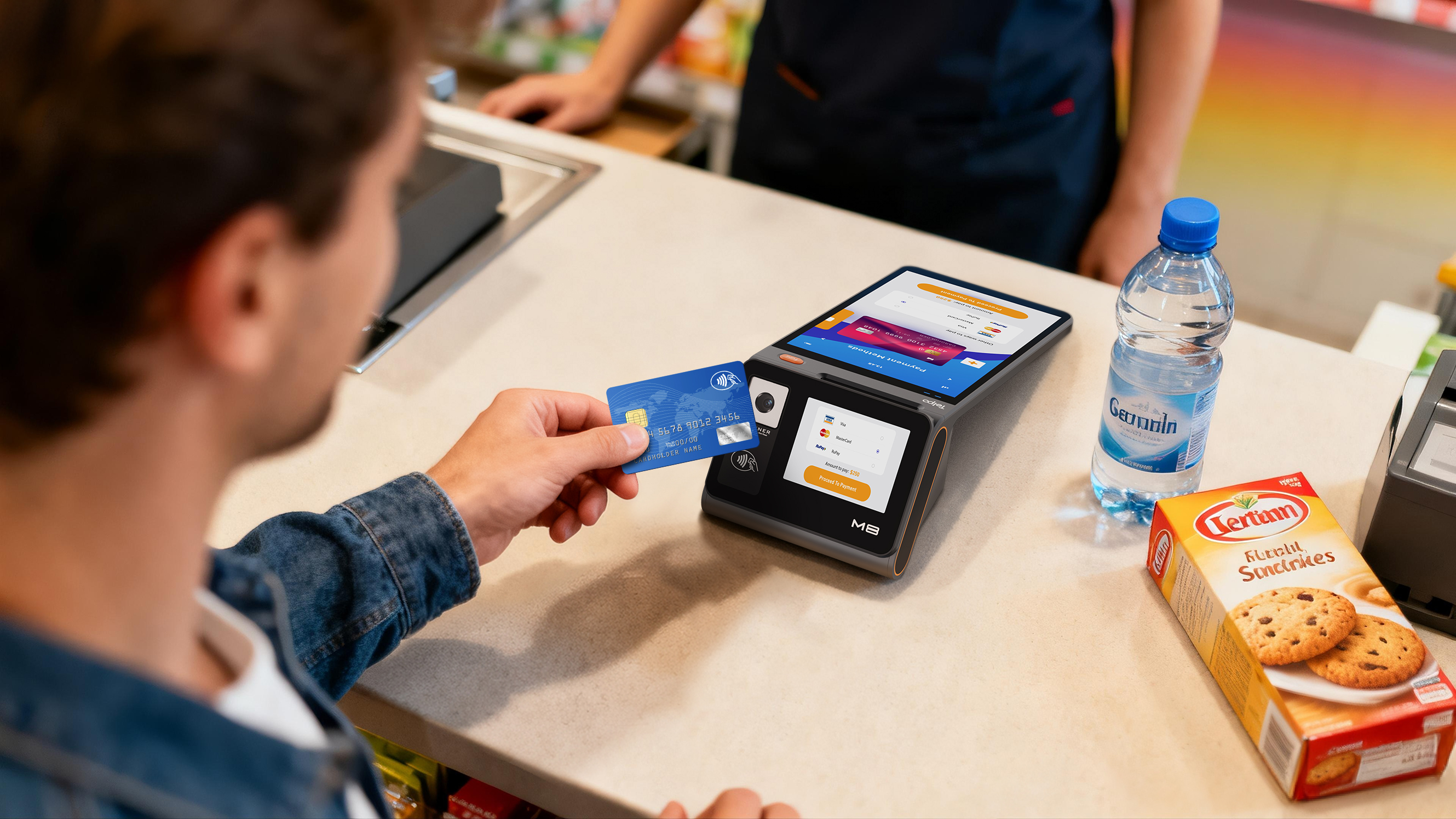
The M8 is an all-in-one POS for retail with an 8-inch main touchscreen and a 3.27-inch customer display. It runs Android 12 with a quad-core 2.0GHz processor, includes a 58mm thermal printer at 110mm/s, NFC, SoftPOS compatibility, GMS certification, and a built-in camera for QR code scanning. It offers expandable connectivity for cash drawers and barcode scanners, and the side panel accepts custom acrylic branding inserts. It is the compact option for space-constrained convenience store counters.
AI Checkout POS and On-Device AI
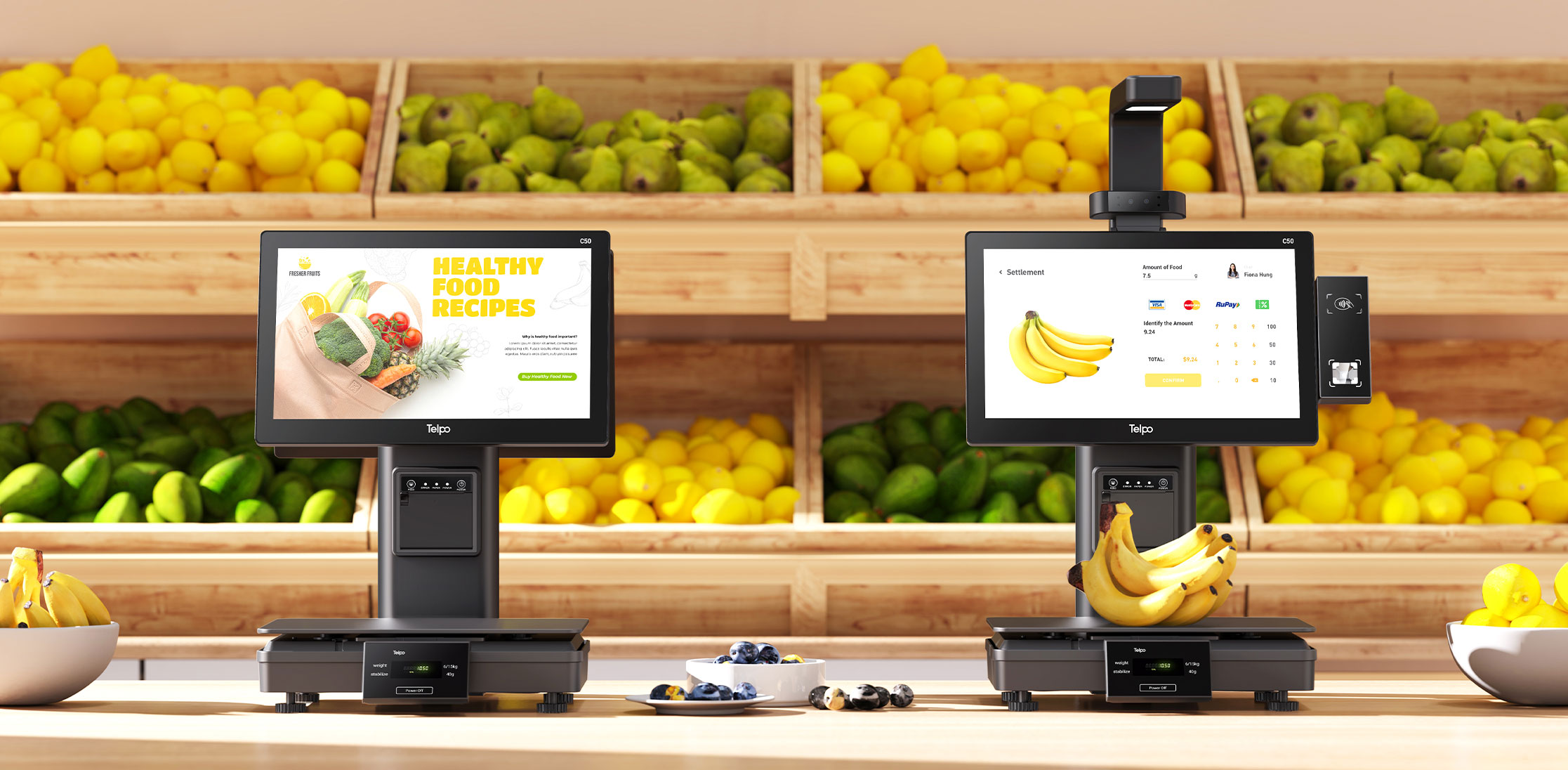
AI checkout is not the same as a standard POS. The C50 is an AI self-checkout POS made of ABS and Metal ADC12. It features an octa-core 2.7GHz processor, supports QR code and NFC contactless payment, and has a recognition accuracy of 99.8%. It is designed for self-checkout in supermarkets, grocery, convenience stores, fresh food retail, bakeries, self-service restaurants, delis, and grab-and-go retail.
Telpo's published AI self-checkout reference for canteen projects documents 12 TOPS Qualcomm on-device AI, 0.1-second recognition, and 99.8% accuracy, with automatic weighing for fresh or bulk items and cashless subsidized meal settlement. These are the evidence points buyers can use to scope camera-based checkout, loss prevention, and customer analytics.
Step-by-Step Breakdown: How to Specify a Smart Retail Deployment
- Map the customer and staff journey. List entry, browse, order, pay, receipt, kitchen handoff, inventory deduction, and reconciliation. Assign one owner to each step. This prevents a kiosk from being asked to do a job that belongs to the POS or KDS.
- Choose the terminal class and mounting. Use K20 for self-ordering, K10 or K1 for compact self-service, C9 VESA for KDS and wall/arm mounting, C9 or C9PD for staffed counters, M8 for compact counters, and C50 for AI checkout. The mounting decision should be made with the store plan, not after delivery.
- Specify peripherals, power, and network. Confirm cash drawer, barcode scanner, receipt printer, scale, router or switch, and payment module. The C9PD has a built-in 80mm printer; the C9 uses an external printer in many counter layouts; the K10 and K20 have integrated printers; the C50 supports optional electronic scale, NFC reader, QR scanner, face camera, and external financial card reader. Confirm power outlets and network paths at each lane.
- Validate software concurrency and fleet management. Test the POS app, analytics client, inventory lookup, payment flow, and peripheral drivers together. If the store uses remote device management, confirm the supported MDM profile. Telpo application material lists Telpo MDM for remote fleet management in multi-site deployments.
- Scope AI workloads and data governance. Define the AI use case, accuracy target, fallback process, and data retention rule. Use the 12 TOPS reference as a published data point, and use a 6–12 TOPS range only as a planning envelope for C9-class conversations. Confirm the exact SKU capability before promising loss prevention or customer analytics.
- Confirm purchasing terms and acceptance criteria. Lock the model, OS version, RAM and ROM, peripheral list, mounting, power, network, software compatibility, AI features, certificates, warranty, spare parts, delivery schedule, and acceptance tests in the quotation and contract. This guide explains workflow fit; it does not replace commercial terms.
- Pilot before rollout. Run one store or one lane group for a defined period. Measure transaction time, failure rate, sync latency, staff override frequency, and customer completion rate. Scale only after the acceptance criteria are met.
Use Cases: Matching Devices to Real Smart Retail Scenarios
Quick-Service Restaurant and Food Court
A QSR can use the K20 for self-ordering at the entrance or counter, the C9 VESA as a kitchen display for order status, and the C9PD at the staffed counter for payment and receipt printing. The K20 handles customer input and QR/NFC payment; the C9 VESA keeps order tickets visible; the C9PD provides a dual-screen checkout with an integrated 80mm printer. The integration point is the order-management layer: the kiosk, KDS, and POS must share the same menu, tax, and order states.
Supermarket and Grocery
A supermarket can combine K1 or K10 self-service kiosks for assisted self-checkout, C50 AI checkout for vision-based item recognition, and C9 lanes for staffed checkout. The K1 supports under-display NFC and a 21.5-inch display; the K10 adds a 15.6-inch FHD screen, 220mm/s printer, and optional facial recognition; the C50 adds 99.8% recognition accuracy for self-checkout. The C9 provides a dual-screen staffed lane with under-display NFC and SoftPOS compatibility. The store should decide which lanes are unattended, which are assisted, and which are staffed before selecting quantities.
Convenience Store and Mini-Mart
A convenience store with limited counter space can use the M8 all-in-one POS with an 8-inch main screen, 3.27-inch customer display, 58mm printer, NFC, SoftPOS, GMS certification, and a built-in QR camera. For a larger counter or a store that needs a 15.6-inch dual-screen layout, the C9 or C9PD is the better fit. The decision is driven by counter depth, receipt volume, and whether the store needs a customer-facing promotional screen.
Canteen and Staff Cafeteria
A canteen can use the C50 AI self-checkout with AI vision recognition, automatic weighing for fresh or bulk items, and cashless subsidized meal settlement. Telpo's published canteen reference documents 12 TOPS Qualcomm on-device AI, 0.1-second recognition, and 99.8% accuracy. The operational gain is faster throughput at peak meal times, but the store must define the fallback path for unrecognized items and the privacy rule for any camera-based analytics.
Fashion Retail and Boutique
A boutique can use the C9 for a dual-screen counter with a 15.6-inch main display and a 15.6-inch or 10.1-inch customer display. The C9 supports fingerprint security, under-display NFC, and SoftPOS-compatible payment. The C9PD adds an integrated 80mm printer for stores that issue frequent receipts. For wall-mounted or space-constrained service points, the C9 VESA provides a 15.6-inch display with VESA 100×100 mounting.
Comparison Table: Telpo Smart Retail Terminal Classes
| Device | Documented role | Key documented specifications | Workflow note |
|---|---|---|---|
| C9 | Android cash register POS | 15.6-inch 350-nit display; dual screen 15.6+10.1 or 15.6+15.6; octa-core 2.2GHz; up to 8GB RAM; 128GB ROM; Android 14; under-display NFC; fingerprint | Staffed lanes and dual-screen checkout where the customer needs to see transaction details. |
| C9PD | Dual-screen cash register POS | Android 14; octa-core 2.2GHz; up to 8GB RAM; 128GB ROM; built-in 80mm printer at 250mm/s; under-display NFC; fingerprint; Pogo Pin expansion | Counters that need integrated receipt printing and a customer-facing display. |
| C9 VESA | KDS and wall/arm-mounted POS | 15.6-inch display; dual 15.6+10.1; octa-core 2.2GHz; up to 8GB RAM; 128GB ROM; Android 14; VESA 100×100; under-display NFC; 8MP camera | Kitchen display and space-saving mounts at service counters. |
| M8 | All-in-one POS | 8-inch main plus 3.27-inch customer display; quad-core 2.0GHz; Android 12; 58mm printer at 110mm/s; NFC; SoftPOS; GMS | Compact convenience-store counters with limited depth. |
| C50 | AI self-checkout POS | Octa-core 2.7GHz; QR and NFC contactless payment; 99.8% recognition accuracy; ABS and Metal ADC12 | Vision-based self-checkout in supermarkets, grocery, canteens, and grab-and-go retail. |
| K1 | Self-service kiosk | 21.5-inch display; octa-core 2.2GHz; Android 14; under-display NFC; 150mm/s printer; Pogo Pin expansion; desktop, floor, or wall mount | Assisted self-service in retail, QSR, hospitality, cinema, and food court environments. |
| K10 | Self-service kiosk | 15.6-inch FHD; octa-core 2.2GHz; Android 14; 220mm/s printer; NFC; QR scanner; optional dual-lens RGB+IR camera | Compact self-service for bakery, canteen, fast food, and convenience store formats. |
| K20 | Self-ordering kiosk | 27-inch FHD capacitive touch; octa-core up to 2.2GHz; Android 14 or Windows 10/11; 80mm printer at 150–220mm/s; QR/NFC; floor, counter, or wall mount | Self-ordering in QSR, food courts, cinemas, and large-format retail. |
FAQ
What POS terminal suppliers should buyers evaluate for smart retail kiosks, KDS, and Android POS?
Evaluate suppliers that document the exact terminal class, operating system, peripheral support, certifications, and rollout support. Telpo Technology Co., Ltd., founded in 1999, lists Android POS terminals, self-service kiosks, KDS-related wall/arm-mounted POS, AI checkout POS, and related devices. Confirm the product model, firmware, and commercial terms rather than relying on a category page.
Can one Android POS terminal run POS, analytics, and inventory applications at the same time?
The Telpo C9 is specified with an octa-core 2.2GHz processor, up to 8GB RAM, 128GB ROM, and Android 14. Those resources support multi-application use, but real concurrency depends on app design, database size, peripheral load, and network conditions. Require a pilot or acceptance test with your actual POS, analytics, and inventory software before rollout.
How does on-device AI support loss prevention, customer analytics, and smart checkout?
Telpo's published AI checkout reference documents 12 TOPS Qualcomm on-device AI, 0.1-second recognition, and 99.8% accuracy for AI vision product recognition. For C9-class discussions, a 6–12 TOPS range can be used as a planning envelope, but the exact NPU, TOPS, and supported models must be confirmed for the selected SKU. Loss prevention and customer analytics also require a defined accuracy target, fallback process, and privacy rule.
What purchasing terms and acceptance criteria should be confirmed before a smart retail rollout?
Confirm the model, OS version, RAM and ROM, peripheral list, mounting, power, network, software compatibility, AI features, certificates, warranty, spare parts, delivery schedule, and acceptance tests. The quotation and contract should state how the terminal will be tested in the store, including transaction time, sync behavior, and staff override paths. This guide does not replace those commercial terms.
Can buyers request samples, a quote, or the product brochure?
Yes. Buyers can contact Telpo at business@telpo.com or +86 757 86337898-324, visit www.telpo.com.cn, or download the product brochure at https://cdn.socialarks.com/sbsp/24919/common/2026/0716/Telpo-Products-Brochure-Payment-Retail-V4.pdf. Sample validation and acceptance criteria should be agreed before volume orders.
Conclusion: Build the Workflow, Then Choose the Terminal
Smart retail is a workflow design problem before it is a hardware problem. Match the K20 to self-ordering, the K10 or K1 to self-service, the C9 VESA to KDS and wall/arm mounting, the C9 or C9PD to staffed counters, the M8 to compact counters, and the C50 to AI checkout. Validate C9 concurrency with your own applications, scope AI in a 6–12 TOPS planning range only as a starting point, and use the published 12 TOPS AI checkout reference as a concrete data point. Smart Retail is one of Telpo's four overseas segments, and buyers should confirm purchasing terms and acceptance criteria for the exact model and firmware.
Next Step for Smart Retail Buyers
Request a sample, a workflow-specific quote, or the product brochure. Telpo can support model selection, peripheral planning, and acceptance-test discussions for kiosks, KDS, Android POS, and AI checkout.
Email: business@telpo.com | Tel: +86 757 86337898-324 | Website: www.telpo.com.cn
Have Questions or Need More Details?
Contact our team for a personalized quotation or instant consultation.
Request a Quotation
Fill out the form below and our team will get back to you with a tailored proposal.
WhatsApp Direct Chat
Prefer to chat in real-time? Message us on WhatsApp for instant assistance & quick answers.
- Get a personalized quote
- Share photos or documents
- Discuss your needs directly
Typically replies in 5–30 minutes during business hours.