
Wireless Presentation for Exhibition Halls: Buyer Guide
Wireless presentation for an exhibition hall is an infrastructure decision, not a dongle purchase. The system must support multiple presenters, multiple displays and visitor-facing operation without making the hall feel like a cable repair zone.
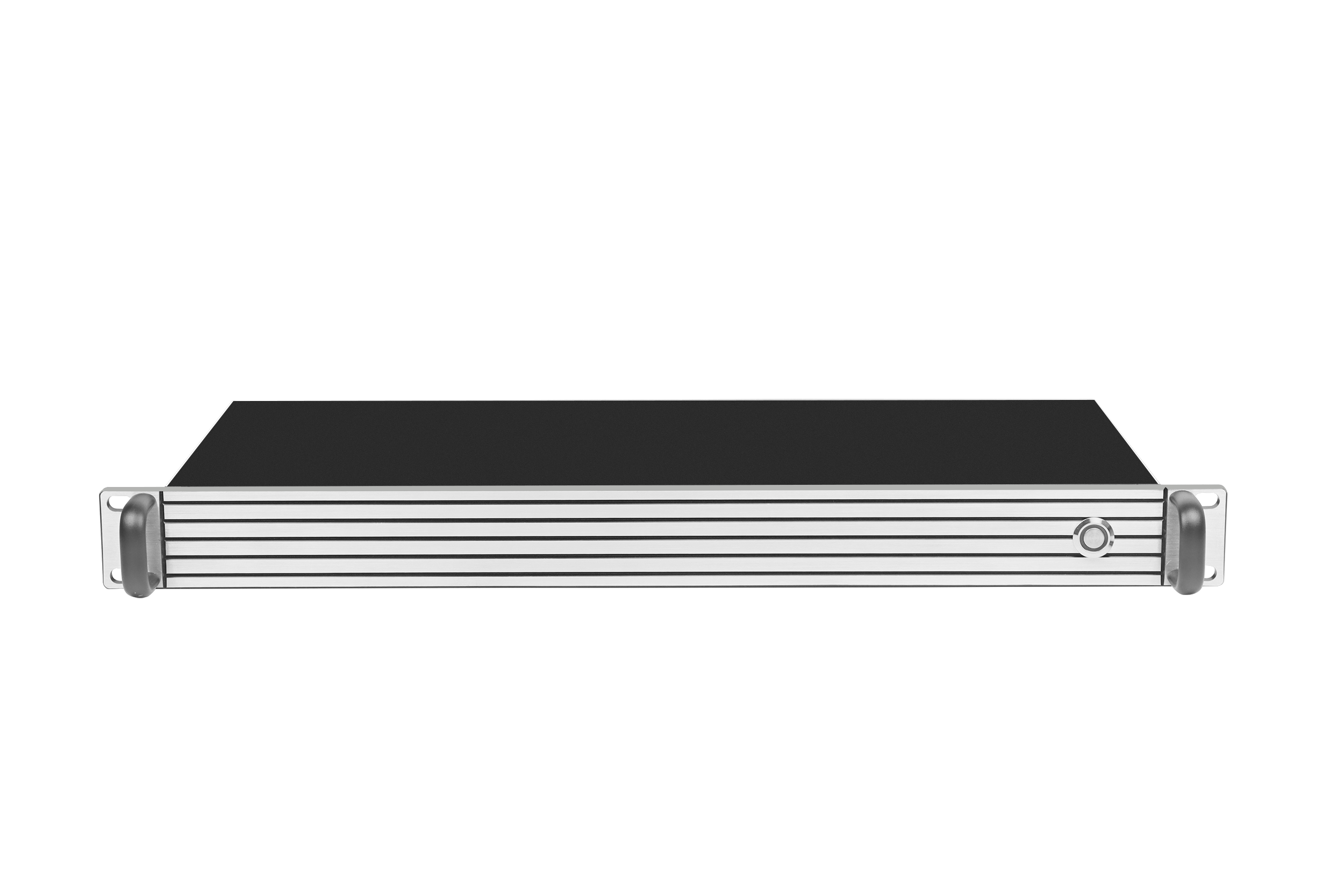
Cover: tranScreen Wireless Video Matrix PTM6302, a 1U matrix with 4 HDMI inputs, 9 HD outputs and wireless casting from up to 4 devices.
tranScreen Wireless Presentation is the wireless screen-sharing portfolio from Shenzhen tranScreen Technology Co.,Ltd., a Shenzhen-based manufacturer founded in 2014. The company designs, develops and manufactures wireless interaction products for professional and commercial use, including wireless presentation systems, wireless video matrix, presentation and collaboration tools, video servers, wireless transmitters and accessories.
The practical answer for exhibition hall buyers is to match the wireless layer to the display layer. A hall with one screen and one presenter needs a receiver. A hall with several zones, LED walls, product demonstration walls or experience centers needs a matrix, a multi-screen receiver or a video collaboration server, plus transmitters that work with the devices visitors and staff actually carry.
Problem Definition: Why Exhibition Hall Wireless Presentation Is Harder Than Meeting-Room Casting
Meeting-room screen sharing usually assumes one room, one display and a presenter who can ask for help. An exhibition hall assumes the opposite: visitors arrive with unknown laptops and phones, staff rotate, content changes during the day, and the display may be a large LED wall or a multi-screen demonstration wall. A wireless presentation system that works in a small meeting room can fail in an exhibition hall because the display topology, audience flow and operating model are different.
A wireless presentation system includes a sender, such as a laptop, phone or transmitter, and a receiver connected to a display. The sender encodes screen images and audio into a data stream, and the receiver decodes the stream and outputs video to the display. In an exhibition hall, the receiver may feed a matrix switcher, an LED wall controller or a multi-screen presentation layout. That makes latency, connection capacity and display control part of the procurement decision, not just a feature list.
- Multiple presenters, not one: product managers, sales staff, partners and visitors may present in the same zone. The system needs simple access control and predictable switching.
- Multiple displays, not one: a hall may use a main LED wall, side screens, demonstration monitors and a showroom display. The wireless system must define how many outputs and windows are needed.
- Visitor-facing simplicity: a presenter should not need an AV technician to start a demonstration. Plug-and-play transmitters, PIN code casting and clear welcome screens reduce friction.
- Continuous operation: exhibition halls run for long hours. Stable wireless connections and device management matter more than a one-time demo.
- Mixed devices: Windows, macOS, iOS, Android and Chrome devices may appear on the same day. Cross-platform support is a basic requirement.
- Visual environment: cable clutter and adapters weaken the experience. A wireless presentation system should reduce wiring while keeping the display area clean.
Industry Background: Hardware Still Matters in 2026
The wireless presentation market is large enough that buyers can find many products, but it is still a hardware-led category. DataIntelo values the global wireless presentation solutions market at USD 7.8 billion in 2025 and forecasts USD 14.2 billion by 2034, at an 8.3% CAGR. The same source reports that the hardware segment holds a 52.1% revenue share. For exhibition hall projects, that hardware share matters: software casting is useful, but the reliability of receivers, transmitters, matrix outputs and power design still determines the visitor experience.
Regional demand is also uneven. Grand View Research reported that North America held a 33% revenue share of the wireless display market in 2023. That does not mean other regions are secondary for every project, but it does show that professional AV buyers in mature markets have already compared many solutions. Suppliers must be ready to explain display topology, protocol support, latency and compliance in plain terms.
Compliance is part of the buying decision. The FCC states a base forfeiture of USD 7,000 per model for marketing unauthorized RF equipment in the United States. For a wireless presentation product that uses Wi-Fi or other radio technology, market access documentation is not paperwork after the sale. tranScreen states that it currently holds 3C, CE and SRRC certifications for related markets and can provide documentation to assist customers with certification for the relevant market.
The industry direction is clear: exhibition halls increasingly combine wireless casting, multi-screen layouts, BYOM workflows and central control. The buyer question is not whether wireless presentation is useful. The question is which combination of receiver, transmitter, matrix and server can carry the hall's display plan without adding operational risk.
Detailed Solution: Match the Wireless Layer to the Exhibition Hall Display Plan
A practical tranScreen exhibition hall design separates the wireless input layer from the display output layer. The input layer accepts content from visitor and staff devices. The output layer sends content to LED walls, LCD walls, monitors, projectors or interactive displays. When those two layers are matched correctly, the hall can support demonstrations, presentations, looped content and multi-source comparison without recabling.
1. Use a wireless video matrix when the hall has many display zones
The PTM6302 Wireless Video Matrix is designed for meeting rooms, exhibition halls, smart classrooms and command centers. It combines wired matrix switching and wireless presentation in a 1U chassis. It provides 4 HDMI inputs, 9 HD outputs, support for up to 8 wireless connection devices and simultaneous wireless casting from 4 devices. Each display supports up to 4 windows, and the system supports up to 36 freely positioned windows. Wireless casting resolution is 1080P at 30Hz.
The PTM6302 combines 4 HDMI inputs, 9 HD outputs and wireless casting from up to 4 devices in a 1U chassis.
For an exhibition hall, this is the model to consider when the requirement is output coverage: a main wall, side screens and demonstration monitors. It lets the AV team manage multiple display zones while presenters use wireless casting for their own content.
2. Use a multi-screen interactive receiver when the hall needs split-screen sharing
The PTB3609 Multi-screen Interactive Presentation is designed for LED video walls, LCD video walls, meeting rooms, control rooms and multi-source collaboration. It supports 1 true 4K stream, 4 1080P streams or 9 720P streams, with 1/2/4/9 split-screen layouts. It has 2 HDMI outputs with the same content, Wi-Fi 6 dual-band 2.4GHz/5GHz, Gigabit Ethernet, AirPlay, Miracast, DLNA and tranScreen protocols, plus software casting for Windows, Android, iOS, macOS and Chrome. Average transmission latency is less than 150ms at 10m for 1080P, and wireless transmission distance is more than 30m at 1080P line of sight.
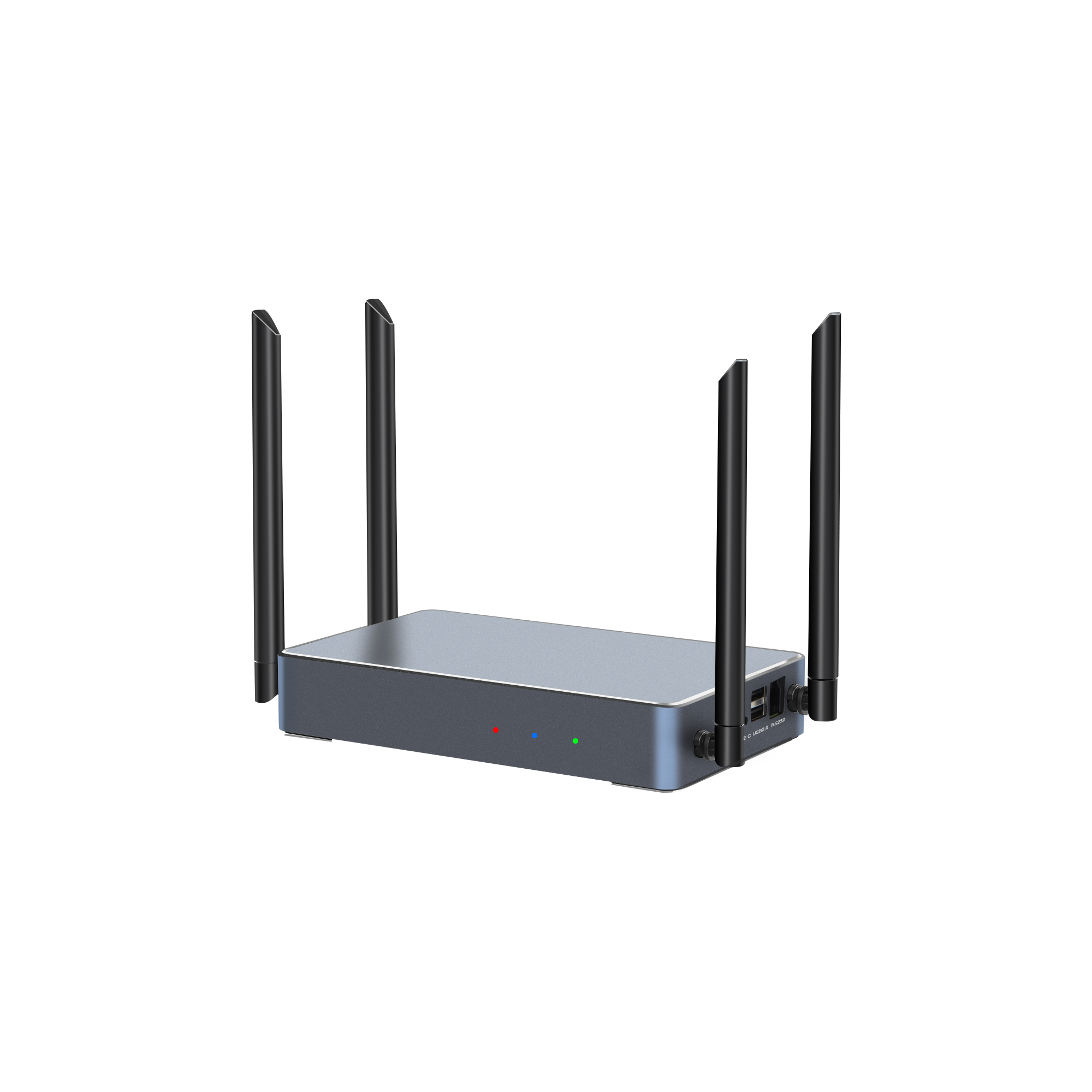
PTB3609 supports 1/2/4/9 split-screen layouts, Wi-Fi 6 and dual HDMI outputs for multi-source exhibition content.
This model fits exhibition zones where visitors need to compare content, such as a product comparison wall or a partner demonstration area. It also supports 10-point touchback for Windows and macOS, electronic whiteboard and on-screen annotation, wireless notes and wireless speech. Wireless notes support fewer than 128 users, which is relevant for guided sessions and group interaction.
3. Use a 4K receiver for dual-display demonstration zones
The PTB3219 4K Wireless Presentation is designed for corporate meeting rooms, training rooms, classrooms and collaboration spaces, and it is also useful in exhibition hall demonstration zones that need 4K content. It runs Android 11 with Wi-Fi 6 dual-band 2.4/5GHz, supports up to 9 hotspot-connected devices, 1/2/4/9 split-screen, 1 HDMI input up to 4K at 30Hz and 2 HDMI outputs. The main display supports up to 4K at 60Hz and the secondary display supports up to 2K at 60Hz. Average latency is less than 150ms at 10m for 1080P, with more than 30m visible transmission distance at 1080P.
PTB3219 provides 4K main-display output up to 4K at 60Hz and secondary output up to 2K at 60Hz for dual-screen demonstration areas.
Use this model when the hall has a main 4K demonstration screen plus a secondary confidence monitor or side display. Its dual HDMI outputs allow mirroring or independent display configurations, which helps when the presenter needs a different view from the audience.
4. Use a video collaboration server for very large LED walls and high window counts
The PTB8800 Video Collaboration Server is designed for LED video wall manufacturers, AV system integrators, control rooms, command centers, sports venues, large exhibitions, live events, digital signage, corporate experience centers and large-format display installations. It runs Android 15 on a Rockchip RK3588 ARM octa-core platform with 8 GB DDR5 memory and 64 GB eMMC storage expandable to 128 GB. It supports up to 32 simultaneous 1080P video streams, up to 16 wireless screen mirroring devices, 2 4K HDMI inputs, 1 4K USB-C input, 2 HDMI outputs and 1 USB-C output. HDMI OUT1 supports up to 7680 x 4320 at 60Hz, and dual-port video wall stitching supports up to 7680 x 2160 horizontal or 3840 x 4320 vertical.
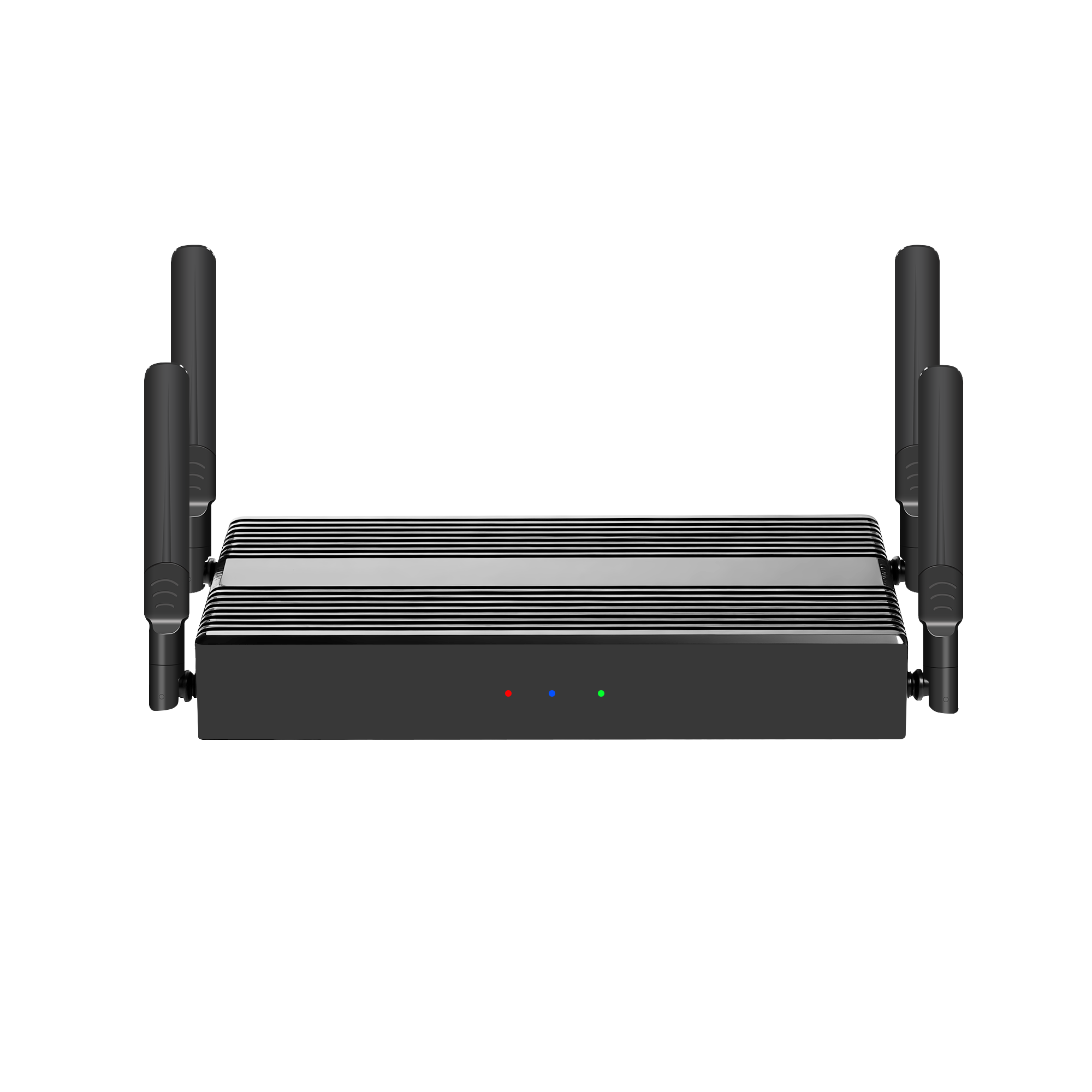
PTB8800 supports up to 16 wireless mirroring devices and up to 36 content windows for large LED wall and experience-center installations.
For a flagship exhibition hall with a large LED wall, the PTB8800 is the control point for content windows, live inputs, video, images, audio, webpages, subtitles, logos and camera feeds. It supports up to 36 content windows, including custom-shaped windows, scene management and Pad-based control for live events. This is not a small-room receiver; it is a display-control server for high-value visual environments.
5. Choose transmitters and presenter tools that match visitor devices
Exhibition halls cannot assume every presenter has the same laptop. tranScreen offers USB-C and HDMI transmitters for different device ports and resolutions. The PTB1312 Type C 4K BYOM Transmitter supports USB-C input, maximum transmission resolution of 3840 x 2160, startup time of 15 seconds or less, Windows and macOS, and a transmission frame rate of 30 fps or less. The PTB1308 HDMI 4K BYOM Transmitter supports HDMI input, 3840 x 2160 maximum transmission resolution, startup time of 15 seconds or less, and Windows and macOS. The PTB1304 Type C 2K Transmitter supports USB-C input and 1920 x 1080 transmission. The PTB1305 HDMI 2K Transmitter supports HDMI input, 1920 x 1080 transmission, mouse touchback control, OEM and ODM orders, and SDK integration with room control systems.
Presenter tools also matter in a hall because staff may need to move between displays. The PPT2105 Wireless Presentation Pen combines page turning, air mouse, spotlight, digital laser, magnifier, annotation, countdown reminder and a physical laser in one device, with 30m+ wireless control range and more than 50 hours of battery life. The PPT2201 Whiteboard Pen adds a built-in whiteboard app and annotation shortcuts. The PMS2402 Wireless Presentation Mouse supports mouse control, spotlight, digital laser, magnifier, annotation, screenshot and one-click wireless casting, with 800-2400 DPI and up to 120 hours of battery life. The PTB-EXB Transmitter Display Stand holds two transmitters and keeps presentation spaces organized.
Step-by-Step: How to Specify Wireless Presentation for an Exhibition Hall
A specification process should produce a short list of models and a test plan. The steps below turn the exhibition hall brief into a configuration that can be quoted and piloted.
Step 1: Map display zones and content windows
List every display in the hall: main LED wall, side screens, demonstration monitors, reception display and meeting or training room displays. For each display, record how many windows are needed. A hall with one full-screen presentation needs a different model from a hall with a 9-output matrix and 36 windows. The PTM6302 provides 9 HD outputs and up to 36 freely positioned windows; the PTB8800 supports up to 36 content windows with 8K output capability.
Step 2: Count presenters and simultaneous streams
Count how many people may present at the same time, not how many people attend. A product comparison wall may need 9 simultaneous cast streams, while a main stage may need one presenter and one backup. The PTB3609 supports 1 true 4K stream, 4 1080P streams or 9 720P streams. The PTB3219 supports up to 9 hotspot-connected devices. The PTM6302 supports simultaneous wireless casting from 4 devices and up to 8 wireless connection devices. The PTB8800 supports up to 16 wireless mirroring devices.
Step 3: Set resolution, latency and distance targets
Resolution and latency targets should match the viewing distance and content type. For close-range demonstration monitors, 4K output may be useful. For large LED walls viewed from a distance, stable 1080P or 4K output with consistent frame rate may matter more than a higher label. tranScreen's FAQ material states latency within 100 milliseconds for supported configurations. Model-level specifications list PTB4615 at less than 90 ms average at 3 m and 1080P, and PTB3609 at less than 150 ms at 10 m and 1080P. Buyers should test the actual distance and content rather than rely on a single number.
Step 4: Choose the connection method for visitor devices
Define whether presenters will use software casting, USB-C transmitters, HDMI transmitters or a mix. Software casting is convenient for visitors who can install an app or use a native protocol. Hardware transmitters are useful when guests should not install software or when the hall wants a controlled experience. The PTB1312 and PTB1308 are 4K BYOM transmitters for USB-C and HDMI sources. The PTB1304 and PTB1305 are 2K transmitters. AirPlay, Miracast, DLNA, Google Cast and tranScreen protocol support should be checked against the devices used in the hall.
Step 5: Plan network, access control and room control
Exhibition halls often have controlled networks and many temporary users. Use PIN code casting, host privilege transfer and configurable main presenter settings to keep sessions controlled. The PTB3609 supports local or server-based PIN code casting and transferable host privilege. The PTB8800 supports RS232, dual RS485, SPI, GPIO, TTL and infrared remote control, which helps AV integrators connect the server to room control systems. The PTB1305 supports SDK integration with room control systems for OEM and ODM projects.
Step 6: Validate AV integration and display compatibility
Check the display input types, LED wall controller, matrix switcher, camera, microphone, DSP and control system. The PTB8800 supports UVC and UAC through USB ports, Gigabit Ethernet, dual-band Wi-Fi 5 and dual-band Wi-Fi 6 hotspot. The PTB3609 provides Gigabit Ethernet and dual HDMI outputs. The PTB3219 provides Gigabit Ethernet, 1 HDMI input and 2 HDMI outputs. A configuration that looks correct on a product page can still fail if the display or control system cannot accept the output format.
Step 7: Confirm compliance and documentation
For export projects, confirm the certification path for the destination market. tranScreen states that it holds 3C, CE and SRRC certifications for related markets and can provide documentation to assist customers with certification for the relevant market. The FCC base forfeiture of USD 7,000 per model for marketing unauthorized RF equipment shows why this step belongs in the project plan, not in a post-delivery checklist.
Step 8: Pilot with a sample before full rollout
Run a sample or pilot in the actual hall. Test the devices visitors will bring, the distance to the receiver, the display resolution, the number of simultaneous streams and the recovery process after a disconnect. tranScreen states that the main unit of its product is entitled to a three-year free warranty, with free accessory replacement within three months for proven quality issues. A pilot is still the best way to confirm that the chosen model fits the hall.
Use Cases: Exhibition Hall Scenarios That Fit tranScreen Wireless Presentation
Product demonstration wall with several presenters
A product demonstration wall may have several presenters sharing laptops, tablets and video sources during the day. The PTM6302 is relevant because it combines 4 HDMI inputs, 9 HD outputs, wireless casting from 4 devices and up to 36 freely positioned windows. The AV team can route content to different displays while presenters connect wirelessly.
Experience center with 4K demonstration content
An experience center may use a main 4K display and a secondary monitor for specifications, video or a confidence view. The PTB3219 supports a 4K main display up to 4K at 60Hz and a secondary display up to 2K at 60Hz, with 1/2/4/9 split-screen and up to 9 hotspot-connected devices. This fits a premium demonstration zone where image quality and simple switching are both important.
Dealer showroom or sales center
A dealer showroom may not need a large video wall, but it still needs reliable casting for walk-in visitors. The PTB4615 Wireless Presentation Receiver supports up to 8 connected devices, 2 split screens, AirPlay, DLNA and tranScreen, and less than 90 ms average latency at 3 m and 1080P. It is designed for small and medium-sized meeting rooms, training rooms and collaboration spaces, which also makes it useful for showroom meeting corners.
Large LED wall or live event stage
A large exhibition LED wall may need multiple live inputs, wireless mirroring and scene control. The PTB8800 supports up to 16 wireless screen mirroring devices, 2 4K HDMI inputs, 1 4K USB-C input, 2 HDMI outputs, 1 USB-C output, 8K output capability on HDMI OUT1 and up to 36 content windows. It is designed for large exhibitions, live events, digital signage and corporate experience centers.
Comparison Table: tranScreen Options for Exhibition Hall Wireless Presentation
The table below uses product facts from tranScreen documentation. It is a configuration guide, not a claim that one model is universally better than another. The correct model depends on display count, windows, presenters, latency target and integration requirements.
| Model | Primary role | Wireless and connection facts | Display and output facts | Latency and distance | Typical exhibition-hall fit |
|---|---|---|---|---|---|
| PTM6302 | Wireless Video Matrix | 4 HDMI inputs; up to 8 wireless connection devices; simultaneous wireless casting from 4 devices; 1080P at 30Hz wireless casting | 9 HD outputs; up to 4 windows per display; up to 36 freely positioned windows; 1U chassis | Not stated in the provided specification | Multi-zone hall with several displays and matrix switching |
| PTB3609 | Multi-screen Interactive Presentation | Wi-Fi 6 dual-band 2.4GHz/5GHz; 1 true 4K stream, 4 1080P streams or 9 720P streams; AirPlay, Miracast, DLNA and tranScreen | 1/2/4/9 split-screen; 2 HDMI outputs with the same content; 10-point touchback for Windows and macOS | Less than 150ms average at 10m and 1080P; more than 30m at 1080P line of sight | Interactive split-screen demonstration and comparison zones |
| PTB3219 | 4K Wireless Presentation | Wi-Fi 6 dual-band 2.4/5GHz; up to 9 hotspot-connected devices; 1 HDMI input up to 4K at 30Hz | 2 HDMI outputs; main display up to 4K at 60Hz; secondary display up to 2K at 60Hz; 1/2/4/9 split-screen | Less than 150ms average at 10m and 1080P; more than 30m at 1080P | Dual-display 4K demonstration zone |
| PTB4615 | Wireless Presentation Receiver | Up to 8 connected devices; AirPlay, DLNA and tranScreen; Android 10 | 2 split screens | Less than 90ms average at 3m and 1080P; more than 30m at 1080P | Small demonstration pod or showroom meeting corner |
| PTB8800 | Video Collaboration Server | Up to 16 wireless screen mirroring devices; 2 4K HDMI inputs; 1 4K USB-C input; Wi-Fi 5 and Wi-Fi 6 hotspot | 2 HDMI outputs and 1 USB-C output; HDMI OUT1 up to 7680 x 4320 at 60Hz; up to 36 content windows | Not stated in the provided specification | Large LED wall, live event, experience center and high-window-count display control |
Procurement Checklist for Exhibition Hall Buyers
- Display count and output type: confirm HDMI, USB-C and LED wall controller inputs before selecting a matrix or receiver.
- Windows and split-screen: define whether the hall needs 1, 2, 4, 9 or up to 36 windows. PTM6302 and PTB8800 support up to 36 freely positioned or content windows.
- Simultaneous presenters: estimate peak concurrent streams, not average daily use. PTB3609 supports 1 true 4K stream, 4 1080P streams or 9 720P streams; PTB8800 supports up to 16 wireless mirroring devices.
- Protocol and device support: check AirPlay, Miracast, DLNA, Google Cast and tranScreen support against visitor devices.
- Latency at real distance: test at the hall's viewing distance and resolution. PTB4615 is specified at less than 90 ms average at 3 m and 1080P; PTB3609 at less than 150 ms at 10 m and 1080P.
- Access control: use PIN code casting, host privilege transfer and configurable main presenter settings where visitor access must be controlled.
- Integration: confirm RS232, RS485, GPIO, SDK or control-system support when the hall uses an AV control platform.
- Compliance and after-sales: request certification documentation for the destination market and confirm warranty terms in writing.
Frequently Asked Questions
How should I evaluate wireless presentation system manufacturers for an exhibition hall?
Evaluate the manufacturer against the hall brief, not against a generic product list. Check whether it offers receivers, transmitters, matrix systems and collaboration servers that match the display plan; whether it states latency, device capacity, resolution and protocol support clearly; whether it can support OEM or ODM requirements; and whether it provides certification documentation and after-sales terms. Shenzhen tranScreen Technology Co.,Ltd. manufactures wireless presentation systems, wireless video matrix, presentation and collaboration tools, video servers, wireless transmitters and accessories, and states that it holds 3C, CE and SRRC certifications for related markets.
What certifications are available for tranScreen wireless presentation systems?
tranScreen states that it currently holds 3C, CE and SRRC certifications for related markets. If a project requires certification for another market, tranScreen states that it will provide the relevant documentation to assist customers in completing certification for that market.
How many devices can connect and cast to the unit at the same time?
tranScreen states that the system supports simultaneous screen casting from 9 devices, while the casting box supports a maximum connection of up to 16 devices. It is compatible with multiple systems such as AirPlay, Miracast, Win+K, macOS and iOS. For larger exhibition halls, the PTB8800 Video Collaboration Server supports up to 16 wireless screen mirroring devices, and the PTM6302 Wireless Video Matrix supports simultaneous wireless casting from 4 devices with up to 8 wireless connection devices.
What is the latency of tranScreen wireless presentation?
tranScreen's FAQ material states latency within 100 milliseconds for supported configurations. Model-level specifications provide more specific figures: the PTB4615 Wireless Presentation Receiver has less than 90 ms average latency at 3 m and 1080P, and the PTB3609 Multi-screen Interactive Presentation has less than 150 ms average latency at 10 m and 1080P. Buyers should test the chosen model at the exhibition hall's actual distance and resolution.
How do I request a sample or quotation for an exhibition hall project?
Share the display count, output types, number of presenters, desired split-screen layout, device mix and target market with tranScreen. Project pricing and lead time depend on the configuration. You can contact tranScreen by email at maggie@transcreen.com or Vicki@transcreen.com, or use the catalog download link below to review the product range before requesting a sample or quotation.
Conclusion: Design the Wireless Layer Around the Hall, Not Around a Single Dongle
Wireless presentation for an exhibition hall works when the wireless layer, display layer and operating model are designed together. A single receiver may be enough for a small demonstration pod, but a multi-zone hall needs a matrix, a multi-screen receiver or a video collaboration server. The PTM6302 covers multi-output matrix switching; the PTB3609 supports interactive split-screen sharing; the PTB3219 provides dual-display 4K output; the PTB4615 serves smaller showroom corners; and the PTB8800 supports large LED walls, live events and high window counts.
The buying decision should be based on facts that can be tested: display count, output format, simultaneous streams, latency at distance, protocol support, access control, integration and compliance. tranScreen Wireless Presentation gives buyers a product range to match those requirements, backed by a Shenzhen-based manufacturing operation with a 4000 square meter facility, approximately 50 staff, an annual production capacity of 120,000 units and a 30-engineer R&D team.
Request a Sample or Project Quotation
For exhibition hall projects, start with a configuration review. Send your display layout, presenter count, device mix and target market to tranScreen. Email: maggie@transcreen.com. WhatsApp/Tel: +86 191 2931 0906. Website: www.transcreen.com.
Download the tranScreen catalog: Catalog_EN_2.0.pdf.
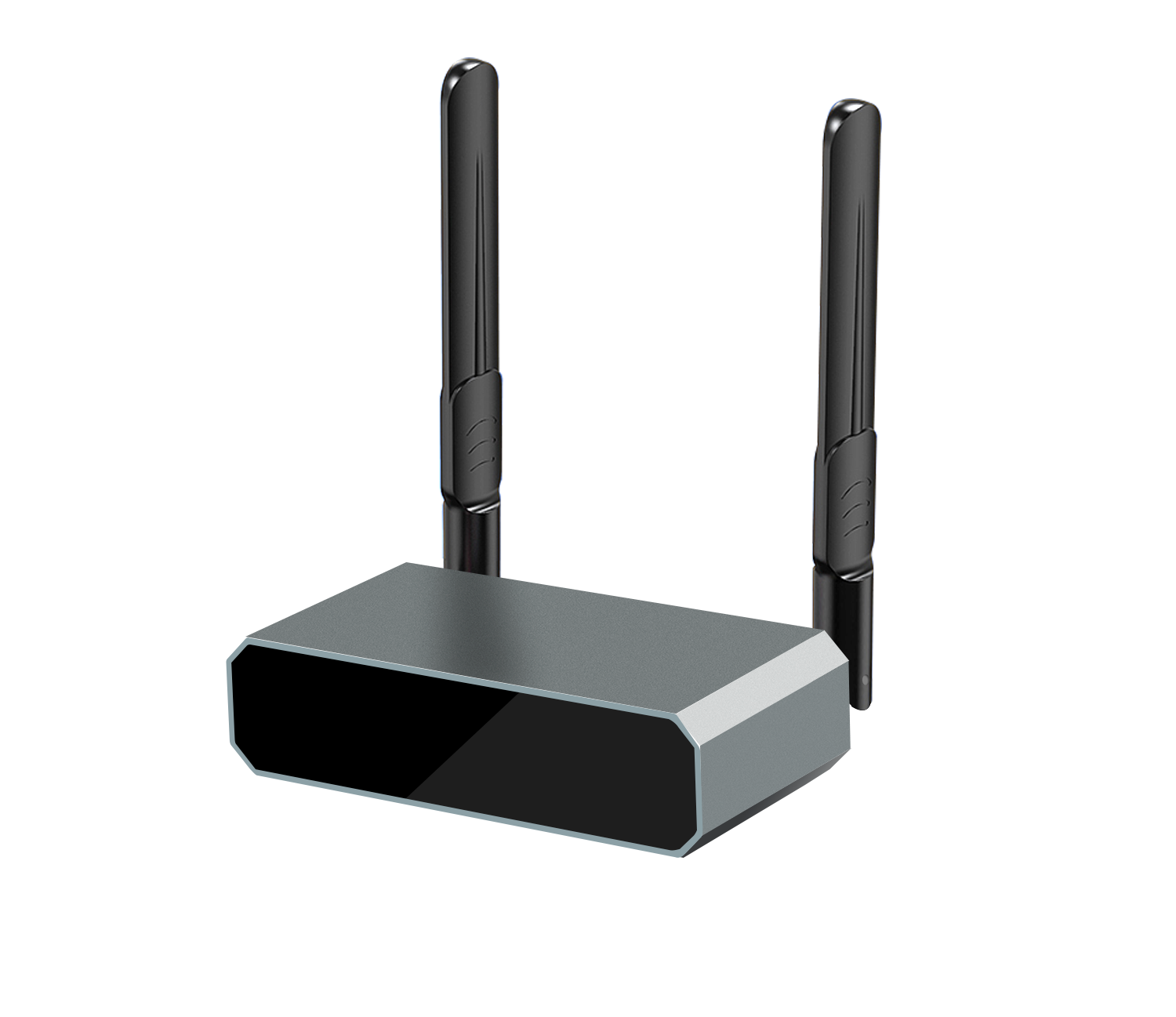
CTA: PTB4615 Wireless Presentation Receiver, suitable for showroom corners and small demonstration pods. Request a sample for exhibition-hall testing.
Facts in this article are based on tranScreen product documentation and the cited industry sources. Product images are from tranScreen content units. Buyers should validate final configuration, certification and warranty terms for their project.
Have Questions or Need More Details?
Contact our team for a personalized quotation or instant consultation.
Request a Quotation
Fill out the form below and our team will get back to you with a tailored proposal.
WhatsApp Direct Chat
Prefer to chat in real-time? Message us on WhatsApp for instant assistance & quick answers.
- Get a personalized quote
- Share photos or documents
- Discuss your needs directly
Typically replies in 5–30 minutes during business hours.