
Adding DTF Printing to an Existing Sublimation Workflow: A Textile Production Application Guide
Adding DTF printing to a sublimation shop is a routing decision, not a replacement decision. Orders that need cotton or cotton-rich fabric, dark garments, cut pieces, caps and bags, or very short runs without a coated-paper setup move to a DTF transfer printer; polyester and coated-substrate work stays on the sublimation line. The integration holds together when the machine is specified by width and head count against those mapped jobs, the peripheral package is budgeted, purchasing terms and acceptance criteria are written down, and the compliance file is cleared before installation.
The reason most mixed shops succeed or fail is not print quality. It is whether the second technology was introduced as an application decision with defined jobs, or as an opportunistic purchase that duplicated existing capacity. This guide is written for textile producers, garment decorators, print-on-demand operators and garment factories that already run sublimation and want a second capability without destabilising the first.
XINFLYING — legally Guangzhou Xin Flying Digital Technology Co., Ltd. — is a digital printing equipment manufacturer founded in 2010 in Guangzhou, China, building DTF printers, dye sublimation printers, DTG printers, UV DTF printers, UV flatbed printers and printing consumables. The company exports roughly 80% of its output to North America, South America, Europe, Asia, the Middle East and Africa, and its equipment is used in custom apparel, sportswear, promotional products, home textiles and industrial printing applications. Its DTF range is referred to throughout this guide as the reference example for a Digital Textile Printer integration.

Cover: the XINFLYING XF-F606, a 60 cm (24 in) DTF printer with six Epson i3200-A1 print heads — a typical second-technology platform for a shop already running sublimation.
Problem definition: sublimation leaves predictable gaps in a textile order book
Sublimation transfers a design into polyester and polymer-coated surfaces through heat. That single constraint — substrate chemistry — creates the recurring gaps that push a sublimation business toward a DTF printer.
- Cotton and cotton-rich blends. Sublimation has no natural affinity for 100% cotton. DTF transfers are applied to cotton, polyester, blended fabrics, fleece, canvas, non-woven fabric and denim, which is why a shirt printer quoting on a 100% cotton tee usually cannot complete the job on the sublimation line alone.
- Dark garments. Sublimation depends on a light or coated base. DTF builds the image on white ink before transferring, so dark and mid-tone fabrics stop being a quoting constraint.
- Cut pieces and assembled goods. Sublimation is typically pressed onto flat panels or finished light goods. DTF transfers are applied to finished garments — logos, patterns and customised graphics added before delivery to brands and distributors.
- Small batches. A minimal-order, one-off or sample run can be uneconomic when it requires a dedicated coated-paper setup. DTF transfers can be produced, stored and pressed on demand.
The operational problem is rarely a missing machine. It is the absence of an agreed rule for which jobs go where. Without that rule, quotes are either declined or produced at a loss on the wrong technology, and staff default to whichever line they learned first.
Industry background: DTF capacity is expanding, but unevenly
Direct-to-film is no longer an experimental add-on. Grand View Research valued the global DTF printing market at USD 2.7 billion in 2024, and Europe was the leading regional market that year with a 36.0% revenue share. In product terms, KBV Research reports that t-shirts accounted for 41% of DTF printing revenue in 2024 — the same category in which sublimation shops already hold customer relationships.
Throughput demand is shifting toward production-class equipment. Dataintelo estimates that industrial DTF printers accounted for 58.3% of total revenue share in 2025. The same source estimates the DTF printer market reaching USD 5.2 billion by 2034 at a 12.5% CAGR, while other research firms publish materially lower growth rates for overlapping periods. Forecast variance is normal in an emerging category, and buyers should treat any single growth figure — including optimistic ones — as a range rather than a purchasing justification.
Supply-side concentration matters for an integrator. China accounts for more than 45% of global DTF printer manufacturing capacity, according to Dataintelo, which is why specification quality, documentation quality and after-sales capability vary so widely between suppliers offering visually similar 60 cm machines.
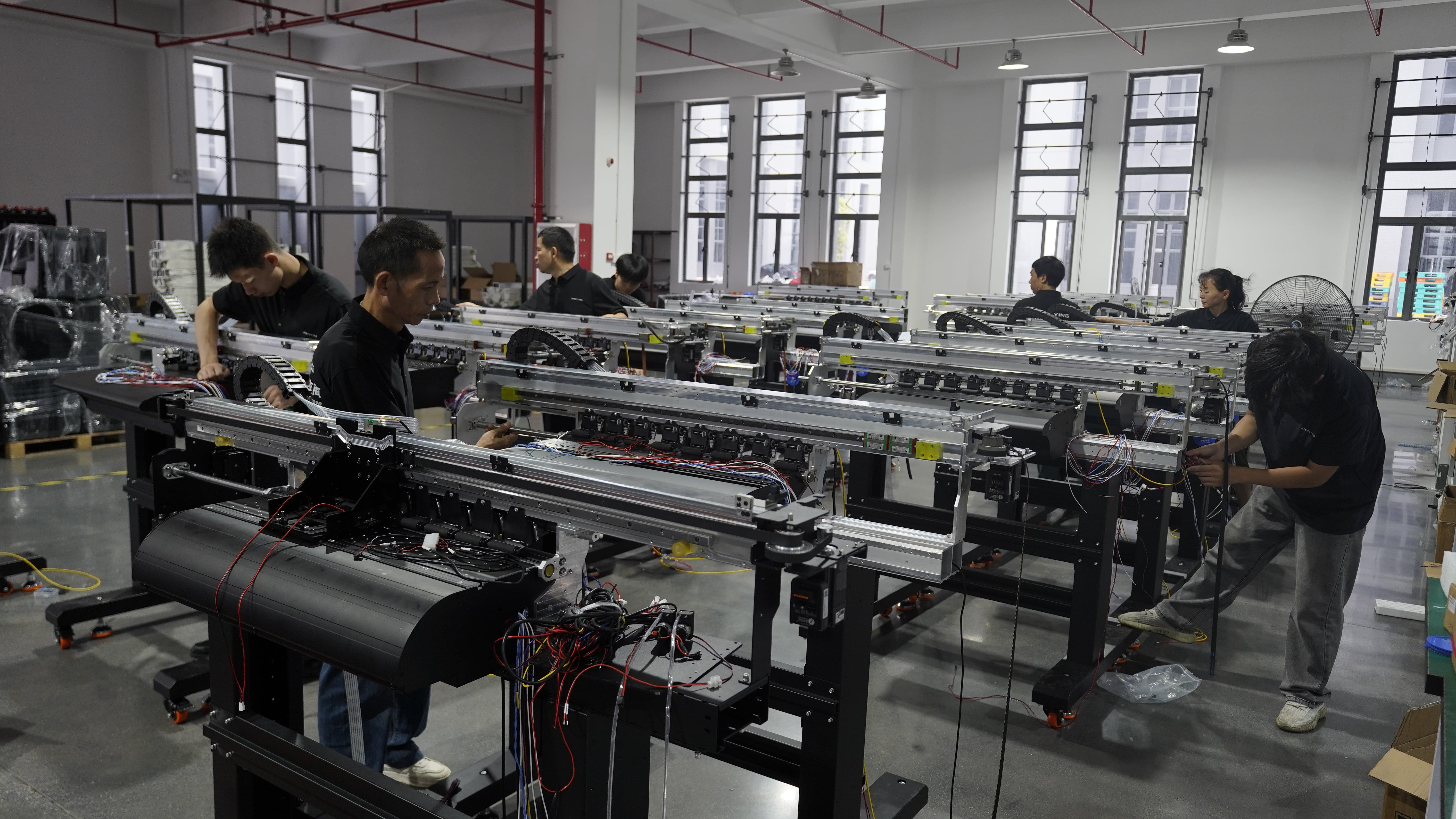
A DTF printer is a production asset, not a desktop accessory: assembly, wiring and test capacity at the manufacturing stage determine how quickly it can be integrated into an existing line.
The routing test: DTF printer vs sublimation printer
The starting point is not a specification sheet. It is a written comparison of the two processes against the jobs in your order book. Five criteria decide most cases.
1. Substrate and colour
Polyester and polymer-coated substrates belong to sublimation. Cotton, cotton blends, fleece, canvas, denim and non-woven belong to DTF, and dark or saturated base colours also favour DTF because no light base is required.
2. Item geometry
Flat panels, roll fabric and light coated goods suit sublimation. Assembled garments, caps, tote bags and irregular finished items suit a DTF transfer, which is pressed as a discrete film patch rather than wrapped around the substrate.
3. Run length and inventory model
Sublimation rewards repeat volume with stable substrates. DTF absorbs single-piece, sample and short-batch work, and a printed transfer can be held in stock and pressed when the order arrives — a pattern used by the US print-on-demand business described later in this guide, which reduced inventory pressure by bringing DTF in-house.
4. Finish and hand feel expectations
Both processes print through a transfer step, but DTF places a cured ink-and-adhesive layer on the surface of the fabric, which reads differently against the substrate than a sublimated image that has entered the fibre. Set the customer expectation at quote stage, and validate the actual result on your own fabric before committing to a specification.
5. Existing plant and skills
A DTF printer reuses much of what a sublimation shop already owns: RIP-driven workflow, colour management discipline, heat press operation and finishing. That overlap is the reason DTF is one of the cheapest second technologies to absorb — but it is not free, because powdering, curing and film handling are new steps.
What adding DTF actually requires on the floor
The printer is the visible purchase. The workflow around it is what determines whether the line runs at the specification you paid for.
Commercial textile printing applications require high printing precision, stable colour reproduction, wide fabric compatibility, continuous production capability, easy operation and maintenance, and reliable performance. In practice that translates into a defined peripheral set: RIP software, a DTF powder shaker, a DTF air purifier, DTF film, DTF powder, a heat press machine and DTF printer ink, working alongside the DTF printer itself.
Environment is a specification, not a preference. The application data for this equipment class specifies a controlled indoor production environment at 20–30°C and 45–65% RH, with continuous operation assumed. Individual models can differ: the XF-F606 is rated at 15–30°C and 35–65% RH, and the XF-L608 at 20–35°C and 35–65% RH. Confirm the rating of the exact model before you allocate floor space.
Step-by-step: integrating a DTF printer into a sublimation workflow
Step 1 — Audit the last 90 days of jobs and build a routing map
Pull the orders you declined, subcontracted, or produced at low margin. Classify each by substrate, colour, item type and quantity, then apply the five routing criteria above. The output is a one-page rule: sublimation by default, DTF for the named exceptions. This document, not the machine brochure, is what justifies the purchase.
Step 2 — Size the machine to the mapped jobs, not to the catalogue
Width and head count are the two variables that decide throughput. A 30 cm platform such as the XF-400D covers samples and small goods; a 42 cm platform such as the XF-450PRO covers A2-format work; the 60 cm (24 in) class covers the bulk of commercial shirt and transfer production; the 80 cm XF-F808 covers high-volume and wider layouts. Head count then scales output within a width class.
Step 3 — Specify the peripheral package and utilities
Budget powder shaker, air purifier, film, powder, ink, heat press capacity and RIP licensing at the same time as the printer. Confirm power per model — for example 1.6 kW on the XF-C602, XF-C604 and XF-C605, 1.2 kW on the XF-L608, 2 kW on the XF-F808 — and verify that the existing press capacity can absorb the added transfer volume without becoming the new bottleneck.
Step 4 — Write the purchasing terms
Commercial terms should be explicit before deposit: configuration, included consumables, RIP option, documentation set, training, warranty scope, spare-parts list and escalation route. For reference, XINFLYING quotes a minimum order quantity of 1 unit, a lead time of 5–40 days, OEM/ODM support covering product branding, machine appearance, colour, logo and packaging customisation, monthly capacity of 1600+ units, and pre-shipment testing on every unit.
Step 5 — Define acceptance criteria as a written test protocol
Acceptance should be measurable on your own materials, not on the supplier's demo film. Agree a protocol covering colour match against an approved target, registration and edge quality on fine detail, adhesion after your standard cure and press routine, and behaviour after your normal washing process. Record pass or fail per criterion. This is the single document that converts a supplier claim into a verified capability.
Step 6 — Clear the compliance file before installation
Compliance documentation should arrive with the model you are buying, not as a generic corporate pack. The required set is detailed in the compliance section below.
Step 7 — Integrate the workflow, not just the hardware
Load the DTF machine's ICC profiles into the existing colour workflow, standardise file naming and RIP presets across both technologies, and cross-train operators so that either team can run either line. Track the routing map monthly: if DTF volume grows past roughly the point where the mapped jobs justify a second unit, that is the signal to scale — not a low price on a spare machine.
Model ladder: matching a 60cm DTF printer to mapped jobs
The table below uses published specifications from the XINFLYING Digital Textile Printer range. The final column is application guidance, not a specification claim.
| Model | Print width | Print heads | Fastest print speed | Ink colours | Typical role in a sublimation shop |
|---|---|---|---|---|---|
| XF-400D | 30 cm (12 in) | 2× Epson i1600-A1 / XP600 | 6PASS 4.5 m²/h | CMYK+W | Sampling, small goods, first DTF capability |
| XF-450PRO | 42 cm (16.5 in) | 2× Epson i1600-A1 | 6PASS 11 m²/h | CMYK+W | A2-format apparel work, boutique production |
| XF-C602 | 60 cm (24 in) | 2× Epson i3200-A1 | 4PASS 16 m²/h | CMYK+W | Entry 60 cm platform for short-run transfers |
| XF-702E | 60 cm (24 in) | 2× Epson i3200-A1 | 6PASS 13 m²/h | CMYK+W | Low-power 60 cm unit (0.8 kW) with automatic moisturising |
| XF-C604 | 60 cm (24 in) | 4× Epson i3200-A1 | 4PASS 38 m²/h | CMYK+CMYK+W+W | General commercial shirt production |
| XF-C605 | 60 cm (24 in) | 5× Epson i3200-A1 | 6PASS 36 m²/h | CMYK+CMYK+CMYK+W+W | Higher colour density, extended production shifts |
| XF-F606 | 60 cm (24 in) | 6× Epson i3200-A1 | 6PASS 28 m²/h | CMYK+CMYK+CMYK+W+W+W or CMYK+CMYK+ORGB+ORGB+W+W | Volume shirt work with wide-gamut option |
| XF-L608 | 60 cm (24 in) | 8× Epson i3200-A1 | 4C4W 4PASS 42 m²/h; 5C3W 5PASS 45 m²/h | 4C4W / 5C3W, water-based pigment ink | High-throughput transfer film supply |
| XF-F808 | 80 cm (31 in) | 8× Epson i3200-A1 | 4PASS 50 m²/h | CMYK+CMYK+CMYK+CMYK+W+W+W+W | Industrial volume, wider layouts, multi-unit replacement |
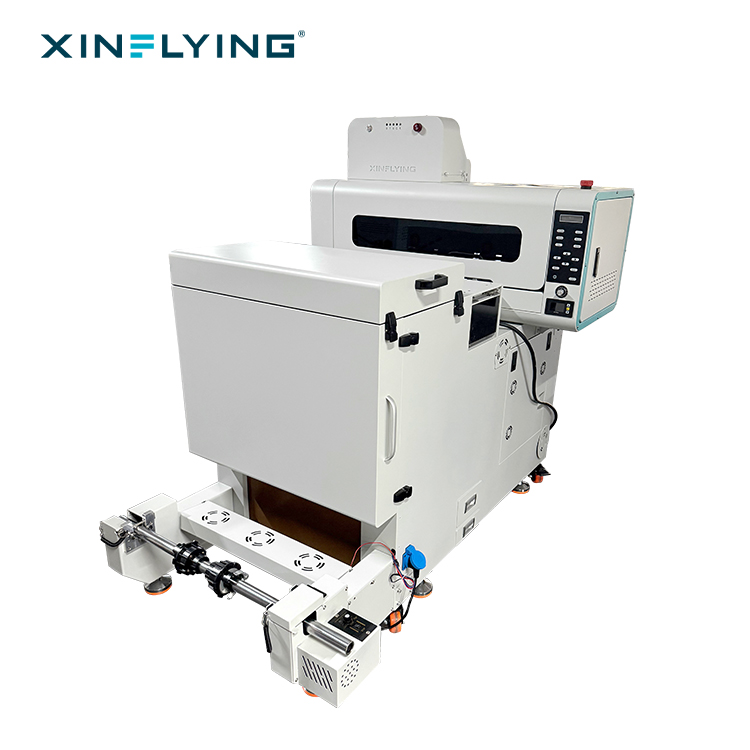
The XF-450PRO: a 42 cm (16.5 in) dual-head platform often used as the first DTF unit in a shop that already owns a sublimation press.
Two details in the table matter more than the headline speeds. First, speed is quoted at a stated pass count — a 4PASS figure and a 6PASS figure on similarly priced machines are not comparable. Second, ink configuration changes both colour behaviour and running cost: white ink channels carry a maintenance obligation, and models with automatic moisturising functions are easier to keep stable during intermittent use.
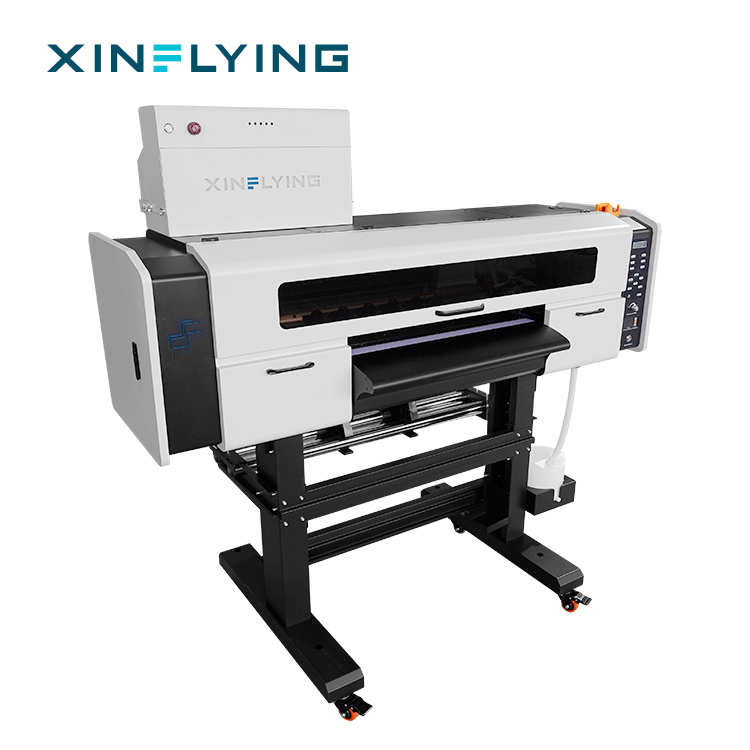
The XF-702E: a 60 cm, 0.8 kW dual-head unit with automatic moisturising — relevant where a DTF line runs alongside sublimation rather than continuously.
Where the second technology actually earns its place: four production profiles
The following profiles come from documented installations. They illustrate which job types justify DTF alongside sublimation.
Print-on-demand business — five units, five years
A US print-on-demand business has run a DTF printing solution for five years across five units, producing customised t-shirts, hoodies, sweatshirts and other personalised apparel from online orders. The workflow prints after the order is received, which reduced inventory pressure and dependence on external printing suppliers, and gave the business control over production schedules and order fulfilment speed. This profile fits online apparel entrepreneurs, POD businesses and e-commerce sellers that need flexible production and fast response.
Garment factory — twenty units, two years
A garment manufacturing factory operates 20 DTF printing units to add logos, patterns and customised graphics to finished garments before delivery to brands and distributors. The solution gives the factory a flexible decoration method for customised orders, sampling and short-run garment projects, and integrates directly into an existing production sequence.
DTF transfer supplier — thirty units, one year
A US transfer supplier runs 30 units producing transfer films with various designs, logos and graphics for downstream garment decorators. After adoption, the business improved transfer production capacity and maintained stable print quality, allowing it to support more apparel customisation orders from different customers. This is the profile where DTF stops being a supplement and becomes the core product.
Custom apparel printer — two units, three years
A custom apparel printing business uses two DTF units for t-shirts, hoodies, bags and other textile products with full-colour graphics and personalised designs, handling both small-quantity orders and repeat production. For a sublimation shop, this is the most realistic first-stage configuration: two units absorbing the exceptions while sublimation keeps the volume.

The XF-F808 (80 cm, eight heads, 4PASS 50 m²/h): the step up when mapped DTF jobs outgrow a single 60 cm platform.
Comparison table: routing and specification summary
The first table is a routing framework for a mixed shop. It describes process behaviour, not measured performance.
| Decision criterion | Sublimation printer | DTF printer |
|---|---|---|
| Primary substrate fit | Polyester and polymer-coated surfaces | Cotton, polyester, blends, fleece, canvas, non-woven, denim |
| Dark garment handling | Constrained by substrate colour and coating | White ink layer allows dark and mid-tone bases |
| Typical item form | Flat panels, roll fabric, coated light goods | Finished garments, cut pieces, caps, bags, promotional goods |
| Short-run economics | Better at repeat volume on stable substrates | Better at single-piece, sample and short-batch work |
| New consumables to stock | Transfer paper and sublimation ink | PET film, DTF powder, DTF ink, plus shaker and purifier |
| Shared with existing plant | — | RIP workflow, colour management, heat press, finishing |
| Best used for | Volume polyester apparel, sportswear, home textiles | Custom apparel, sampling, POD, branded goods decoration |
A second adjacent option deserves a mention because it appears in the same buying conversation: UV DTF. UV DTF technology is expanding into hard-surface customisation — glass, wood and metal — and is tracked as a growth segment in industry commentary, though vendor-published market-size targets in this segment should be treated as indicative rather than settled. A UV DTF printer solves a different problem from a textile DTF printer; it does not replace the routing decision described above.
Compliance before integration: the file you should hold
Compliance is the part of integration most often deferred until after the machine is on the floor, and it is the part that is hardest to fix retrospectively — particularly for suppliers selling into the European Union.
The compliance file for a DTF printer purchase should reference, at minimum:
- CE LVD — low voltage electrical safety
- CE EMC — electromagnetic compatibility
- CE MD — machinery safety
- RoHS — restricted hazardous substances
- ISO 9001:2015 — quality management system
- OEKO-TEX ECO PASSPORT — chemical safety of the ink and consumable inputs
XINFLYING documents its DTF printer range — including the XF-450PRO, XF-400D, XF-702E, XF-C602, XF-C604, XF-C605, XF-F606, XF-L608 and XF-F808 — against this set. The practical instruction is that any buyer should request the certificate documents that name the exact model and serial number being shipped, and treat a corporate certificate pack without a model reference as incomplete.
Two further compliance items belong in the same file. First, film and consumable safety: DTF printing films are expected to comply with OEKO-TEX STANDARD 100 for textile safety and restricted substances, so request the film supplier's documentation alongside the printer's. Second, import treatment: China's HS 84433213 classification for ink-jet printers carries a 13% value-added tax and a standard MFN duty of 0%, per ETCN and China Customs references — confirm your own landed-cost treatment with your broker rather than assuming the origin-country figures.
Frequently asked questions
What compliance evidence should arrive with a DTF printer before it is integrated into a sublimation shop?
Request the certificate documents for the exact model and serial number being shipped, covering CE LVD, CE EMC, CE MD, RoHS, ISO 9001:2015 and OEKO-TEX ECO PASSPORT. Keep the consumable evidence separate: film and ink references such as OEKO-TEX STANDARD 100 for textile safety belong to the material supply chain, not the machine. A pack that does not identify the model should be treated as incomplete, regardless of how many certificates it contains.
Can a 60cm DTF printer manufacturer support commercial shirt printing alongside an existing sublimation line?
Yes, and the model ladder shows how the capability is scaled. A 60 cm platform with two Epson i3200-A1 heads, such as the XF-C602, prints up to 16 m²/h at 4PASS and suits short-run transfer work; four to five heads — the XF-C604 at 4PASS 38 m²/h or the XF-C605 at 6PASS 36 m²/h — support general commercial shirt production; six to eight heads, including the XF-F606 at 6PASS 28 m²/h and the XF-L608 at 4C4W 4PASS 42 m²/h, are built for sustained throughput. The supporting capability matters as much as the hardware: XINFLYING supports the platform with OEM/ODM customisation, pre-shipment testing and technical support teams, which is what a shop needs when both technologies run on the same floor.
What drives the cost of adding DTF printing to a sublimation business?
Cost is driven by configuration rather than by the printer alone. The main variables are print width and head count, the ink configuration and therefore white-ink maintenance overhead, the peripheral package — powder shaker, air purifier, film, powder, heat press capacity and RIP licensing — and the import and logistics treatment, including freight and the duty and tax position for the destination market. Monthly capacity, lead time and after-sales coverage also affect total cost of ownership. This guide deliberately avoids price figures because configurations differ; a quote issued against your mapped jobs is the only meaningful number.
Can we validate the machine on samples before committing to a full integration?
Yes, and sampling should be the default, not an option. XINFLYING quotes a minimum order quantity of 1 unit and applies pre-shipment testing, which makes a single-unit trial practical for a shop testing a second technology. Run the trial on your own fabrics and your own press routine, score it against the acceptance protocol from Step 5, and only then decide on the production configuration.
How long does delivery and installation take, and what support is available afterwards?
XINFLYING quotes a lead time of 5–40 days depending on configuration, against monthly production capacity of 1600+ units, with more than 50 engineers providing 24/7 online technical support. For an integrating shop the practical planning constraint is often not the machine lead time but the peripheral package and operator training, so schedule both in parallel. To start, send your mapped job list to info@xin-flying.com or message +86 188-1322-1357 on WhatsApp, and the sample, quote or configuration discussion can be built around the jobs you actually intend to move.
Conclusion: the second technology should be smaller than you think
Most successful DTF integrations in sublimation businesses start under-specified on purpose: one or two units, targeted at the jobs the existing line genuinely cannot serve, with a written routing rule and a documented acceptance test. Once the routing map shows DTF volume growing past what the platform can absorb, scaling to a higher head count or a wider platform is a capacity decision with evidence behind it — not a speculative upgrade.
The three artefacts that make this work are unglamorous: a routing map built from real declined or subcontracted orders, an acceptance protocol run on your own fabric, and a compliance file that names your model. Everything else — head count, print width, RIP option, peripheral package — follows from those three.
Next step: map your jobs, then specify the machine
XINFLYING builds DTF printers, UV DTF printers, DTG printers and dye sublimation printers from a 37,440 m² facility in Guangzhou, with 200+ employees, a 20-engineer R&D team and 20,000+ units of annual output. Share your current sublimation job mix and the orders you turn away, and the configuration discussion can start from application fit rather than from a catalogue page.
Email: info@xin-flying.com | WhatsApp / Tel: +86 188-1322-1357 | Web: www.xin-flying.com
Download the company and product catalogue: XINFLYING corporate brochure (PDF)
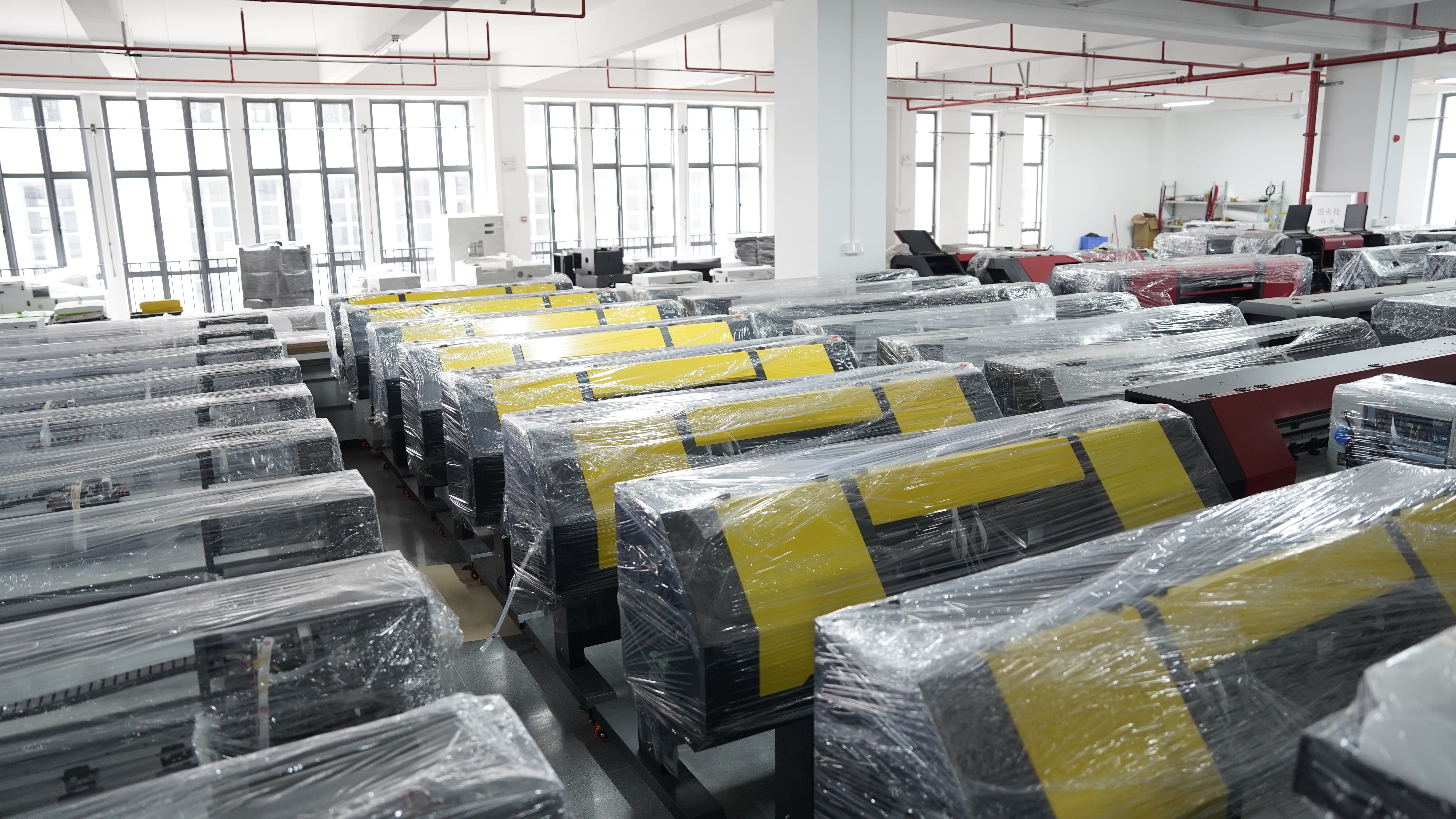
Configured and wrapped units awaiting shipment — lead time from XINFLYING is quoted at 5–40 days depending on configuration.
Have Questions or Need More Details?
Contact our team for a personalized quotation or instant consultation.
Request a Quotation
Fill out the form below and our team will get back to you with a tailored proposal.
WhatsApp Direct Chat
Prefer to chat in real-time? Message us on WhatsApp for instant assistance & quick answers.
- Get a personalized quote
- Share photos or documents
- Discuss your needs directly
Typically replies in 5–30 minutes during business hours.