
Sublimation Printer Purchase: Why Launch Setups Fail and How to Fix Them
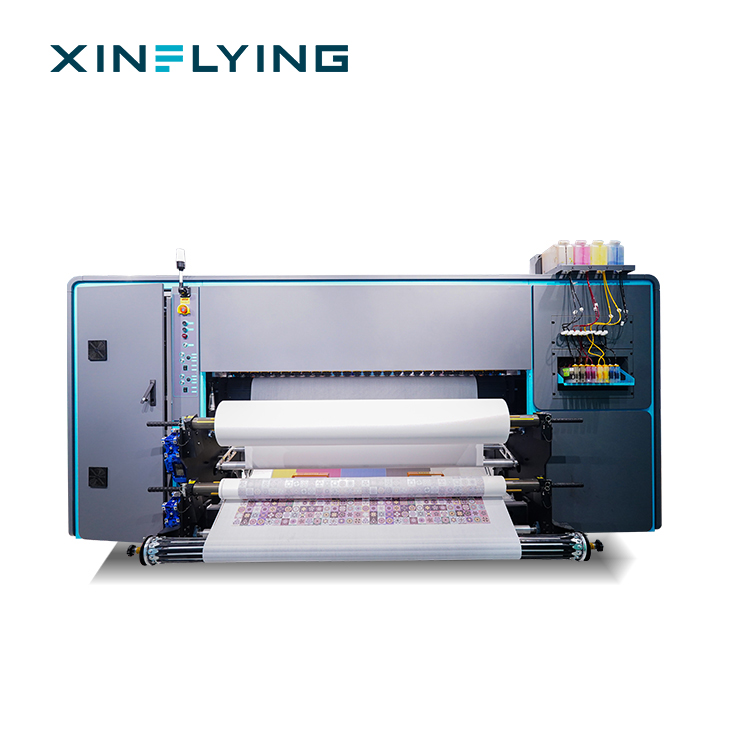
A sublimation printer purchase rarely fails because the print engine is weak. In practice, an unsuccessful launch is an integration failure: the design file, the RIP software, the host computer, the network link and the electrical supply were never matched to each other. This guide identifies the integration problems that appear when a sublimation printer is paired with CAD/design software in a new production room, explains why electrical stabilization belongs in site preparation rather than in the repair budget, and documents the verified compliance file behind the XF-19E8-PRO — including the CE EMC certificate TQT1550D270EC, which lists EN 55032:2015/A11:2020 among its applicable standards.
The article is written for buyers in the research and evaluation stage of a wide-format sublimation printer project: print shops moving up from DTF or entry-level roll-to-roll machines, textile producers commissioning a 190 cm dye sublimation line, and importers who need the compliance documentation to survive customs clearance and customer audits.
Problem Definition: What an Unsuccessful Launch Actually Looks Like
An unsuccessful launch does not usually announce itself as a broken machine. It announces itself as a short list of symptoms that appear in the first days of production, and each symptom points backwards into the setup chain rather than forwards into the printer.
Symptom 1 — Banding, lines and uneven color blocks
Printed images show horizontal lines, uneven color areas or visible printing gaps. The usual causes are partial printhead nozzle blockage, incorrect print resolution or speed settings, unstable ink supply, incorrect printhead alignment, or a printer that requires calibration. The standard response sequence is: run a nozzle check and look for missing nozzles, clean the printhead if output is abnormal, re-check printing speed and resolution settings, perform printhead alignment and calibration, then test print again and confirm the improvement.
Symptom 2 — Colors that do not match the approved artwork
Printed colors come out too dark, too light or visibly shifted. This is a color-management problem, not a hardware fault. The common causes are incorrect ICC color profile settings, RIP software parameters that were never configured for the ink and substrate, ink quality or ink compatibility issues, incorrect temperature or transfer time during heat pressing, and differences between fabric materials. The correction path is to check the RIP color-management settings, confirm the correct ICC profile, verify ink quality and compatibility, re-check heat press temperature and transfer time, and then run a controlled test print.
Symptom 3 — Missing colors and clogged printheads
Missing lines, incomplete colors or uneven ink output typically mean the printhead has partially clogged. Sublimation ink that has dried inside the head, a printer left idle for an extended period, an unstable ink supply system, skipped cleaning routines and unsuitable ink are the recurring causes. The fix is a nozzle check, a standard printhead cleaning cycle, an inspection of the ink supply for continuous flow, deeper cleaning only if the supplier's instructions call for it, and then a test print to reset the maintenance interval.
Symptom 4 — The CAD file never becomes a print job
This is the integration problem that buyers underestimate most. The design team exports artwork from CAD or textile design software, and the file fails to move cleanly through the RIP layer into the printer. Three verified boundaries define this link on the XF-19E8-PRO: the machine processes JPG, TIFF and PDF document formats; the operating system environment is Windows 11/10 (32/64-bit); and the specified host configuration is a 500 GB hard disk, an ATI discrete graphics card, a DVD ROM, a gigabit LAN connection, 4 GB RAM and an Intel i7 processor. A file chain that ignores those three boundaries will stall before the first saleable roll.
Symptom 5 — Communication instability and supply mismatch
The fifth signature is the one site engineers group under “electrical stabilization”: a supply that does not match the rating plate, and unstable communication between the host PC and the printer when both sit on the same electrical environment. The XF-19E8-PRO is rated at 10.2 kW on a 210–230V, 45A supply. Buyers who treat that line as a footnote usually pay for it later, because the electrical environment is the one part of the chain that cannot be fixed by a software setting.
Industry Background: Why Integration Discipline Is Now a Buying Criterion
Global capacity in dye sublimation is expanding quickly enough that commissioning quality, not equipment availability, decides whether a new line earns money in its first quarter.
- Grand View Research valued the global dye sublimation printing market at USD 16.4 billion in 2025 and projects USD 39.0 billion by 2033, a CAGR of 11.5% from 2026 to 2033.
- The same source reports that Asia Pacific held a 36.5% revenue share in 2025, led by China as the largest country market.
- China’s textile and garment exports reached USD 293.6 billion in 2023, which sustains local demand for industrial-scale sublimation equipment.
- Mordor Intelligence sizes the dye sublimation printer segment alone at USD 1.88 billion in 2025, rising to USD 2.53 billion by 2030.
- Fortune Business Insights puts the broader large format printer market at USD 10.57 billion in 2025, reaching USD 16.52 billion by 2034.
- FESPA industry insight notes that roll-to-roll sublimation printers with widths of 1.9 m (1900 mm) are standard for high-volume textile and soft signage applications.
Published market estimates are not uniform, and buyers should read them as scope-dependent rather than absolute. Mordor Intelligence values the total dye sublimation printing market at USD 15.22 billion for 2025, while Market Research Future reports USD 42.95 billion for 2024. The spread reflects differences between equipment-only definitions and definitions that include consumables and services. The practical takeaway is narrower and more useful: a 190 cm class machine is now a standard production asset, so competitive advantage shifts from buying the printer to commissioning it correctly — including the PC communication and power-quality conditions that ship inside the CE EMC file.
Detailed Solution: Stabilizing the CAD-to-Printer Chain
The fix for an unsuccessful launch is not a single repair. It is a four-layer integration that has to be verified in order, because each layer constrains the next.
Layer 1 — The design and CAD output layer
What matters at this layer is not the brand of design software, but the export. The XF-19E8-PRO processes JPG, TIFF and PDF documents. Before the machine ships, produce the actual files your design or CAD software generates, at the production resolution you intend to run, and confirm that the RIP you selected can ingest them without conversion workarounds. Target output is 3200 dpi at a 190 cm (75 inch) print width.
Layer 2 — The RIP layer
Maintop is the standard RIP for the XF-19E8-PRO. RIIN (Hoson only), PhotoPrint and Printfactory are optional. This decision belongs in the purchase order, not in the first week of production, because the RIP controls color profiles, ink distribution, resolution settings and printer communication. ISO 12647-8:2021, the standard for validation print processes working directly from digital data, is a useful reference when you write your internal proofing procedure, since it targets exactly the workflow that a CAD-to-RIP-to-printer chain depends on.
Layer 3 — The host PC and network layer
The specified host environment for the XF-19E8-PRO is Windows 11/10 (32/64-bit) with an Intel i7 processor, 4 GB RAM, a 500 GB hard disk, an ATI discrete graphics card, a DVD ROM and a gigabit LAN connection. Provision the workstation and the network path to that specification before installation day. Large TIFF and PDF production files move through the network, so a link that is slower than the specified gigabit interface becomes a throughput bottleneck that looks exactly like a printer fault.
Layer 4 — The electrical and EMC layer
The XF-19E8-PRO draws 10.2 kW on a 210–230V, 45A supply. It also carries a full CE compliance set, which is the part of the solution that most purchase checklists miss. A machine that is certified for emissions, immunity, harmonic current and voltage fluctuation gives the site engineer a documented baseline: when communication between the host PC and the printer becomes unstable, the engineers can work from a defined boundary instead of guessing.
Machine-side stability features that support continuous integration
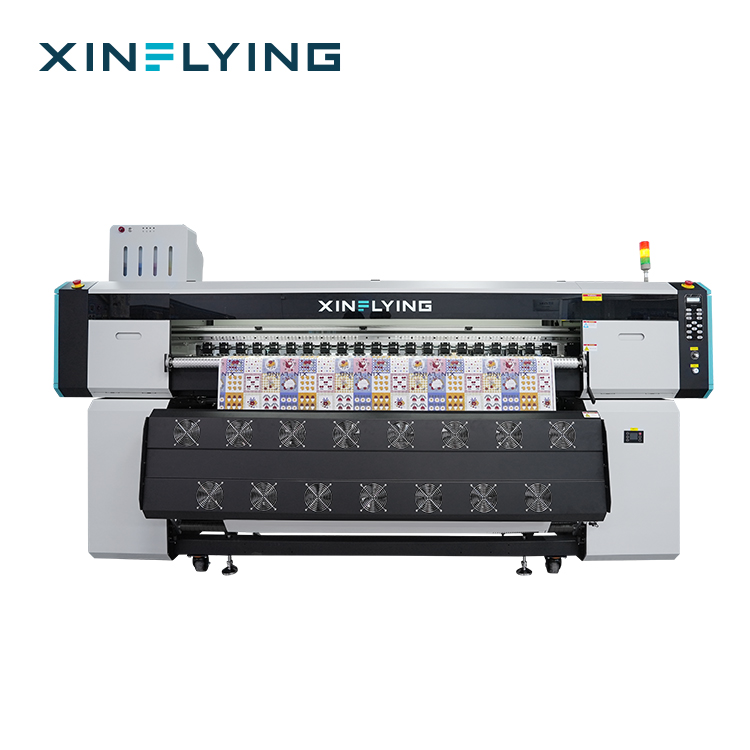
The XF-19E8-PRO carries 8 Epson i3200-A1 printheads in CMYK sublimation ink, with fastest speeds of 1PASS 306 m²/h and 2PASS 153 m²/h, and standard speeds of 1PASS 210 m²/h and 2PASS 109 m²/h. Supporting hardware includes a Japan THK silent linear guide, anti-collision devices at both ends, a fully sealed automatic moisturizing and cleaning system, an intelligent printhead cleaning and moisturizing device, an external intelligent air-heat integrated dryer, US-imported fluorine rubber pressure paper wheels, and liquid level and waste ink alarms. Physical installation parameters are equally part of site preparation: machine size 3840×1300×1800 mm, packing size 4010×1180×2160 mm, net weight 1400 kg and gross weight 1500 kg.
Electrical Stabilization and the Verified Compliance File
Electrical stabilization starts with a document review. For the XF-19E8-PRO, four certificates apply to the European Union market, and each one answers a different question a buyer is likely to be asked during import, installation or a customer audit.
| Document | Certificate number | Issuing body | Applicable standards |
|---|---|---|---|
| CE EMC Certificate of Compliance (EMC Directive 2014/30/EU) | TQT1550D270EC | TQT | EN 55032:2015/A11:2020; EN 55035:2017/A11:2020; EN IEC 61000-3-2:2019+A1:2021; EN 61000-3-3:2013/A2:2021 |
| CE MD Certificate of Conformity (Machinery Directive 2006/42/EC) | M.2026.206.C142385 | UDEM | EN ISO 12100:2010; EN 60204-1:2018/A1:2025; EN ISO 12643-1:2023 |
| CE LVD Certificate of Compliance (Low Voltage Directive 2014/35/EU) | TQT1550D271EC | TQT — Shenzhen Tianqi Testing Technology Service Co., Ltd. | EN IEC 62368-1:2020/A11:2020 |
| RoHS Compliance Certificate (Directive 2011/65/EU) | M.2026.206.C142366 | UDEM | EN IEC 63000:2018; EN IEC 62321 series |
The first row is the one that answers the PC-communication question. EN 55032:2015/A11:2020 is the emission requirement listed in the EMC file, and EN 55035:2017/A11:2020 is the immunity requirement. Together with EN IEC 61000-3-2:2019+A1:2021 for harmonic current and EN 61000-3-3:2013/A2:2021 for voltage fluctuations, they define the electrical boundary conditions under which the XF-19E8-PRO is documented as compliant in the EU market. The EMC certificate was issued on 2026-05-19.
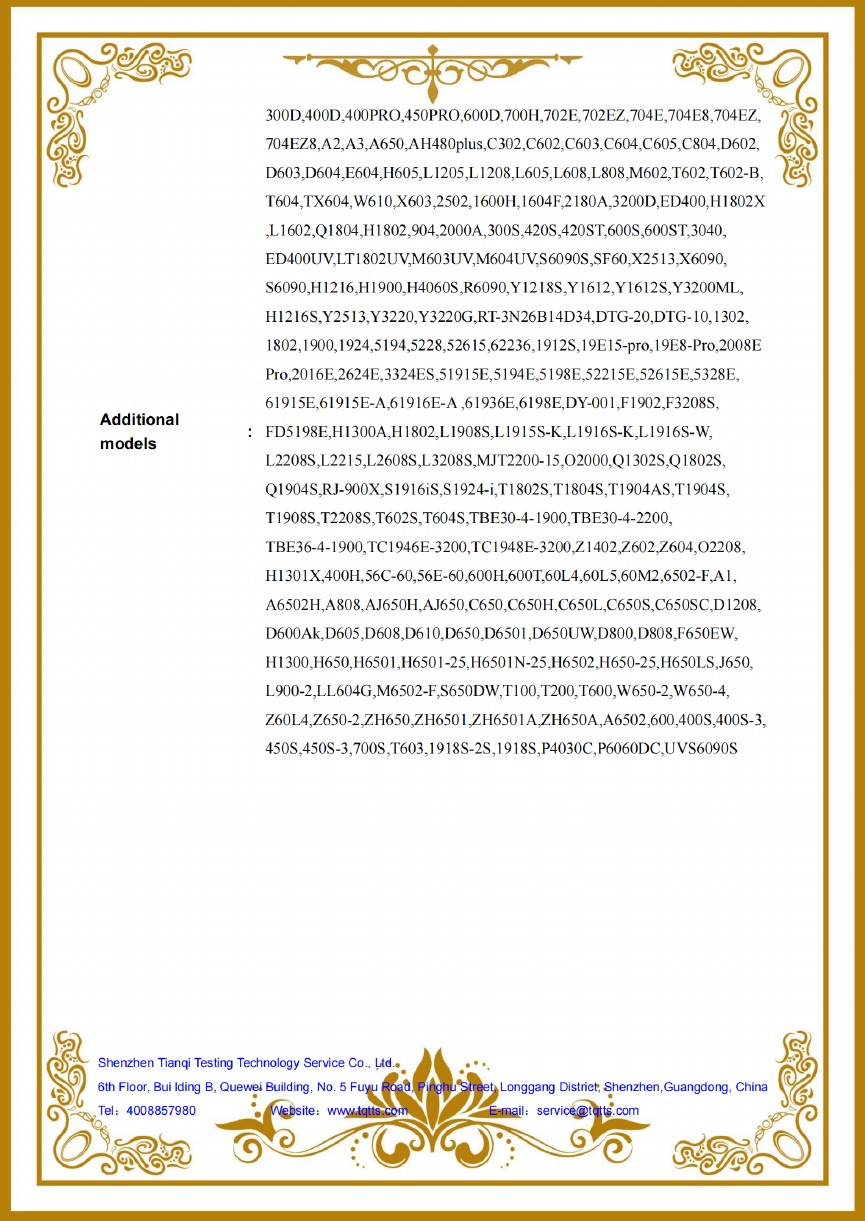
Audit rule for buyers: compliance documents are model-specific. Before you accept a certificate pack, confirm that the model number printed on each document matches the model number on your proforma invoice and packing list. For the XF-19E8-PRO, the four documents to cross-check are TQT1550D270EC, M.2026.206.C142385, TQT1550D271EC and M.2026.206.C142366.
Certification is a boundary condition, not a repair tool. If a site shows PC-to-printer communication instability, the diagnostic order is: verify the certificate and the model match, verify the supply voltage and current against the rating plate (210–230V, 45A for the XF-19E8-PRO), verify the physical installation and cabling, and only then run nozzle checks and data throughput tests. Reversing that order wastes days chasing a printhead that was never the problem.
Step-by-Step Breakdown: A Commissioning Sequence That Prevents a Relaunch
- Freeze the file chain before the purchase order. Export the production files your CAD or design software actually generates and confirm they exist as JPG, TIFF or PDF. Confirm which RIP you are buying — Maintop as standard, or RIIN (Hoson only), PhotoPrint or Printfactory as options.
- Match the host workstation to the specification. Windows 11/10 (32/64-bit), Intel i7, 4 GB RAM, 500 GB hard disk, ATI discrete graphics, DVD ROM, gigabit LAN. Install and license the RIP on that workstation before the machine arrives.
- Provision the electrical supply to the rating plate. For the XF-19E8-PRO that means 10.2 kW at 210–230V, 45A, delivered to a stable supply. Confirm your site can deliver the rated input before the crate is opened.
- Condition the room to the operating envelope. Temperature 18–30°C and humidity 35–65% RH. Stable conditions protect ink performance, color accuracy and long-term production reliability.
- Collect and verify the compliance pack. CE EMC (TQT1550D270EC), CE MD (M.2026.206.C142385), CE LVD (TQT1550D271EC) and RoHS (M.2026.206.C142366), each checked against the model number on the invoice.
- Run the banding and nozzle protocol as a routine, not as an emergency. Nozzle check, printhead cleaning, resolution and speed verification, alignment and calibration, then a confirming test print.
- Establish color control in the RIP layer. Correct ICC profile, RIP parameters for the ink and substrate in use, and verified heat press temperature and transfer time. This is where most “wrong color” launch complaints are actually resolved.
- Write the maintenance and support routine on day one. Regular nozzle checks, suitable sublimation ink, controlled operating conditions, and no extended idle periods. Confirm how you will reach technical support before you need it — Xinflying provides over 50 after-sales engineers delivering 24/7 online technical support.
Use Cases: Integrations That Stayed in Production
The commercial value of a stabilized chain shows up in installations that have been running for years rather than weeks.
- Sportswear manufacturer, Brazil — 15 units, 4 years. Football jerseys, basketball uniforms and customized sportswear printed on polyester before cutting and sewing. After adopting the sublimation solution, the customer improved production flexibility for customized orders, reduced dependence on outsourced printing services and achieved more consistent color quality across batches.
- Sports uniform supplier, Brazil — 8 units, 5 years. Customized football kits, training uniforms and team apparel with personalized names, numbers and graphics. The solution allows shorter production cycles while maintaining vibrant colors and detailed patterns.
- Home textile manufacturer — 10 units, 4 years. Curtains, cushions, decorative fabrics and customized polyester textile products, with rich patterns and consistent printing quality across large-format runs.
- Digital textile printing service provider — 5 units, 3 years. Services for sportswear brands, apparel factories and customized textile businesses; the solution expanded production capacity, supported more customer projects and improved response speed for customized orders.
These installations operate in controlled indoor conditions of 18–30°C and 35–65% RH, with a 24/7 operation mode, and are matched to RIP software, heat press calender, dye sublimation paper, dye sublimation ink and substrates. In every case the machine was the last item added to a chain that was already specified.
Comparison Table: Matching Sublimation Printer Configurations to Site Conditions
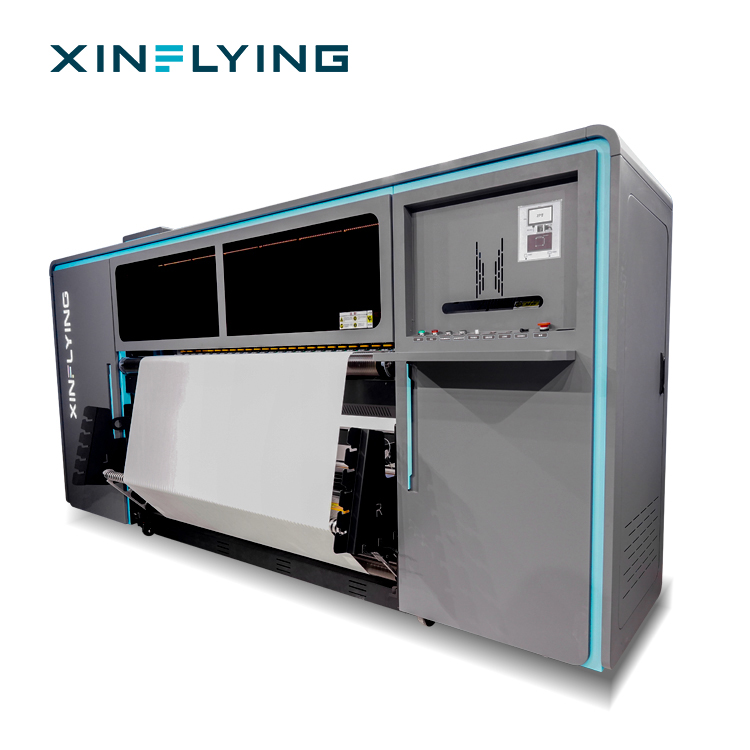
Integration risk scales with configuration. The table below shows the verified electrical and software parameters of five XinFlying sublimation printer models, because the supply requirement is the first number a site engineer needs.
| Model | Print width | Printheads | Fastest speed | Rated power / supply | RIP support |
|---|---|---|---|---|---|
| XF-H1301X-1I32A1 | 130 cm (1.3 m) | 1 × Epson i3200-A1 | 4PASS 28 m²/h | 2 kW; 110/220V, 18A/9A, 50–60Hz | Maintop (standard) |
| XF-H1802X-2I32A1 | 180 cm (1.8 m) | 2 × Epson i3200-A1 | 4PASS 52 m²/h (42 m²/h standard) | 3.5 kW; 110/220V, 27.2A/13.6A, 50–60Hz | Maintop (standard) |
| XF-O2000-4I32A1 | 195 cm (1.95 m) | 4 × Epson i3200-A1 | 2PASS 180 m²/h (4PASS 92 m²/h) | 8.5 kW; 220V, 50/60Hz | RIIN Print; Maintop |
| XF-19E8-PRO | 190 cm (75 in) | 8 × Epson i3200-A1 | 1PASS 306 m²/h (2PASS 153 m²/h) | 10.2 kW; 210–230V, 45A | Maintop (standard); RIIN (Hoson only), PhotoPrint, Printfactory (optional) |
| XF-19E15-PRO | 190 cm (75 in) | 15 × Epson i3200-A1 | 1PASS 524 m²/h (2PASS 254 m²/h) | 14.5 kW; 210–230V, 45A | Maintop (standard); RIIN (Hoson only), PhotoPrint, Printfactory (optional) |
Two integration patterns are visible in the table. First, supply requirements step up with printhead count: from 2 kW on a 110/220V input at the entry level, to 8.5 kW at 220V on the 195 cm model, to 10.2 kW and 14.5 kW on a 210–230V, 45A supply at the 8-head and 15-head levels. Second, RIP choice becomes a project decision at the higher levels, where Maintop is standard but RIIN (Hoson only), PhotoPrint and Printfactory are available. Both patterns confirm the same rule: the machine specification and the site specification have to be written in the same document.
Additional verified differences that matter at commissioning: the XF-H1301X-1I32A1 uses an external constant-temperature automatic drying system and has a 140 kg net weight; the XF-H1802X-2I32A1 uses front, middle and rear break-controlled heating with a 265 kg net weight and 3070×880×850 mm packing dimensions; the XF-O2000-4I32A1 supports heat transfer paper rolls of 1000–1500 m with a net weight of approximately 490 kg; the XF-19E8-PRO and XF-19E15-PRO use an external intelligent air-heat integrated dryer with fully sealed automatic moisturizing and cleaning.
FAQ
Does the XF-19E8-PRO have EMC certification that covers the host PC and printer electrical environment?
Yes. The XF-19E8-PRO is covered by CE EMC Certificate of Compliance TQT1550D270EC, issued by TQT for the EU market under the EMC Directive 2014/30/EU. The certificate lists EN 55032:2015/A11:2020, EN 55035:2017/A11:2020, EN IEC 61000-3-2:2019+A1:2021 and EN 61000-3-3:2013/A2:2021 as applicable standards. The same model is covered by CE MD Certificate of Conformity M.2026.206.C142385 issued by UDEM, CE LVD Certificate of Compliance TQT1550D271EC based on EN IEC 62368-1:2020/A11:2020, and RoHS Compliance Certificate M.2026.206.C142366 based on EN IEC 63000:2018 and the EN IEC 62321 series. When auditing a supplier, confirm that the model number on each certificate matches the model on the proforma invoice.
Which RIP software, file formats and computer configuration does the XF-19E8-PRO support?
Maintop is the standard RIP for the XF-19E8-PRO. RIIN (Hoson only), PhotoPrint and Printfactory are optional. The printer processes JPG, TIFF and PDF documents. The specified host environment is Windows 11/10 (32/64-bit) with a 500 GB hard disk, ATI discrete graphics, a DVD ROM, a gigabit LAN connection, 4 GB RAM and an Intel i7 processor. Print output is 3200 dpi at a 190 cm (75 inch) print width using 8 Epson i3200-A1 printheads and CMYK sublimation ink on sublimation paper.
Where does the budget risk sit when a launch has to be repaired?
Most launch repair cost is created on the site side rather than by the printheads. The three largest variables are matching the electrical supply to the rating plate (the XF-19E8-PRO requires 10.2 kW at 210–230V, 45A), conditioning the production room to 18–30°C and 35–65% RH, and re-running the file-chain and color validation work. Machine-side variables are configuration-based: printhead count, print width, drying system and moisturizing system. Xinflying builds to OEM/ODM requirements with a minimum order quantity of 1 unit, so a project can be scoped at one machine instead of a full lineup, and OEM/ODM lead time is 5–40 days.
Can I validate my own CAD or design files before I order?
Start with the files your design or CAD software actually exports. Because the XF-19E8-PRO processes JPG, TIFF and PDF documents, the practical validation path is to send those production files together with your fabric specification, target print width and daily volume, then request a configuration review and sample discussion. Xinflying accepts OEM/ODM orders from 1 unit, and the contact channel is info@xin-flying.com or WhatsApp +86 188-1322-1357. A document-led review usually surfaces the integration risks before a purchase order is raised.
What is the lead time, and what technical support continues after installation?
OEM/ODM lead time is 5–40 days, supported by a monthly production capacity of more than 1,600 units. After installation, Xinflying provides more than 50 engineers delivering 24/7 online technical support. Guangzhou Xin Flying Digital Technology Co., Ltd. was founded in 2010 and exports to North America, South America, Europe, Asia, the Middle East and Africa, with an 80% export ratio. For a project in the evaluation stage, the next step is a document review: send your certificate checklist, a set of production file samples and your site specification, and confirm the configuration against them.
Conclusion
A sublimation printer purchase succeeds or fails on the chain around the machine. The four links are the design file export (JPG, TIFF, PDF), the RIP layer (Maintop standard; RIIN, PhotoPrint and Printfactory optional), the host PC and network (Windows 11/10 32/64-bit, Intel i7, 4 GB RAM, 500 GB HD, ATI discrete graphics, gigabit LAN), and the electrical environment (10.2 kW at 210–230V, 45A on the XF-19E8-PRO, documented by CE EMC certificate TQT1550D270EC listing EN 55032:2015/A11:2020).
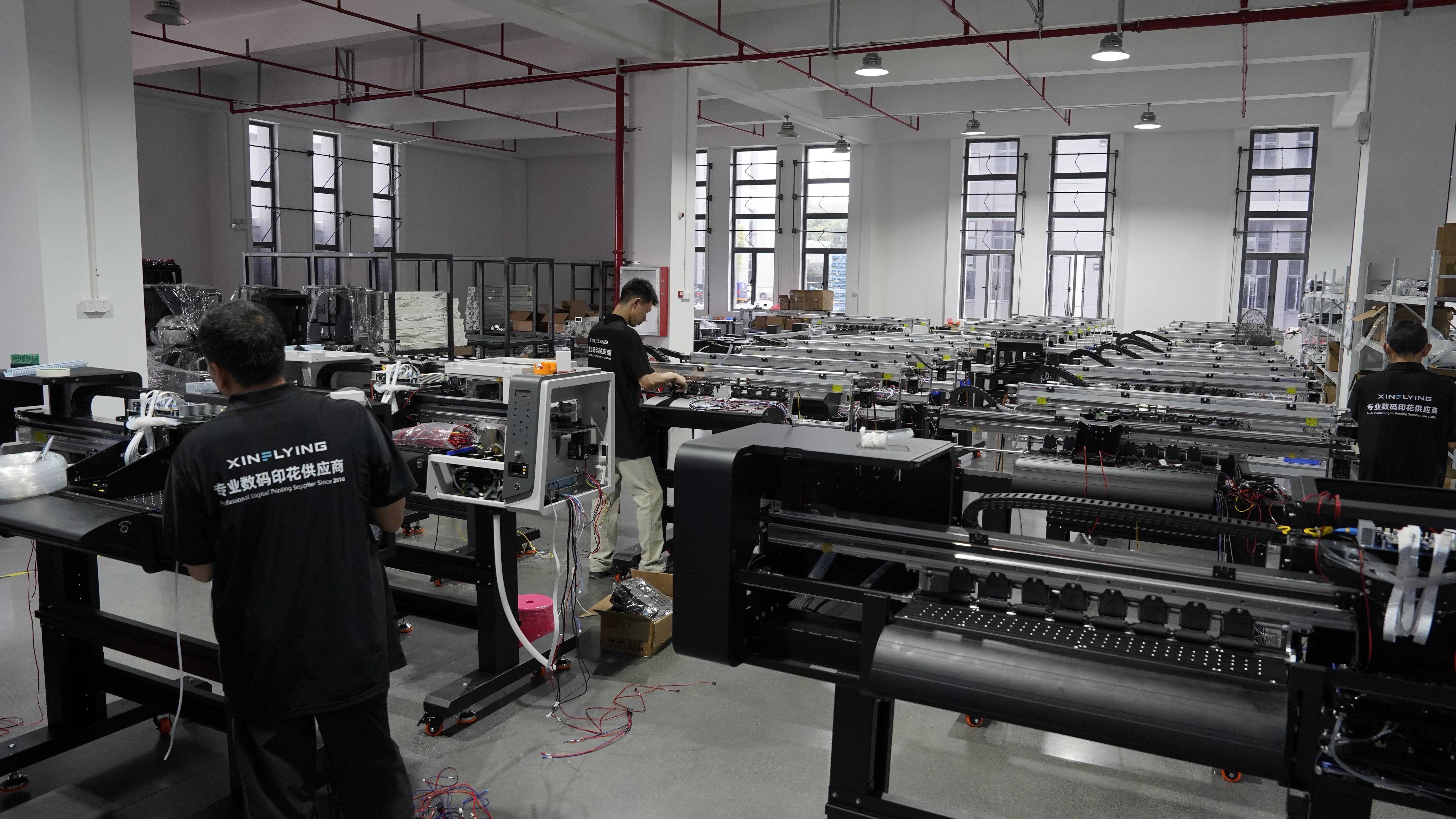
Fix those four links before the crate is opened and the symptoms that define an unsuccessful launch — banding, color shift, clogged heads, stalled files and unstable communication — never get a chance to appear. Guangzhou Xin Flying Digital Technology Co., Ltd. (XINFLYING), founded in 2010 and based at No.7, Xiecun 2nd Industrial Zone, Panyu, Guangzhou, Guangdong, manufactures the XF-19E8-PRO and the wider sublimation printer range and supports buyers through configuration, documentation and after-sales stages.
Next Step: Review the Documents Before You Review the Price
Send us the production files your CAD or design software exports, your fabric specification and your site supply details. We will confirm the matching configuration, the RIP option and the compliance documents that apply to your market — then prepare a quotation or a sample discussion around them.
Brochure download: XINFLYING company and product introduction (PDF)
Website: www.xin-flying.com | Email: info@xin-flying.com | WhatsApp: +86 188-1322-1357
Have Questions or Need More Details?
Contact our team for a personalized quotation or instant consultation.
Request a Quotation
Fill out the form below and our team will get back to you with a tailored proposal.
WhatsApp Direct Chat
Prefer to chat in real-time? Message us on WhatsApp for instant assistance & quick answers.
- Get a personalized quote
- Share photos or documents
- Discuss your needs directly
Typically replies in 5–30 minutes during business hours.