
Textile Printing Inks and Energy Transfer: An Application Guide
Short answer: consistent sublimation output comes from matching three variables to one another — the ink, the printer's ink-delivery and drying system, and the heat energy applied at the transfer stage. When any one of the three sits outside its working range, the fabric shows it: weak color depth, ghosted edges, partial nozzle loss, or color drift between two batches printed from the same file.
Dye sublimation is a phase-change process rather than a surface printing process. Sublimation ink is printed onto transfer paper, then heated under controlled pressure so the dye changes from solid to gas and penetrates the polyester fiber, where it re-solidifies inside the material. Energy transfer is the practical name for that chain — ink, printed paper, heat, fiber — and every link in the chain has a temperature, a dwell time, and an ink volume attached to it.
This guide is written for textile producers evaluating a sublimation printer against real print-quality and ink-safety requirements. It covers where transfer failures originate, how to pair ink with machine configuration, and how to validate that pairing before a production line is committed to it.
XINFLYING (Guangzhou Xin Flying Digital Technology Co., Ltd.) is a digital printing equipment manufacturer founded in 2010 in Panyu, Guangzhou, China, producing DTF printers, UV DTF printers, UV flatbed printers, DTG printers, and dye sublimation printers. The company operates a 37,440 m² manufacturing facility with 200+ employees and exports roughly 80% of its output to North America, South America, Europe, Asia, the Middle East, and Africa.
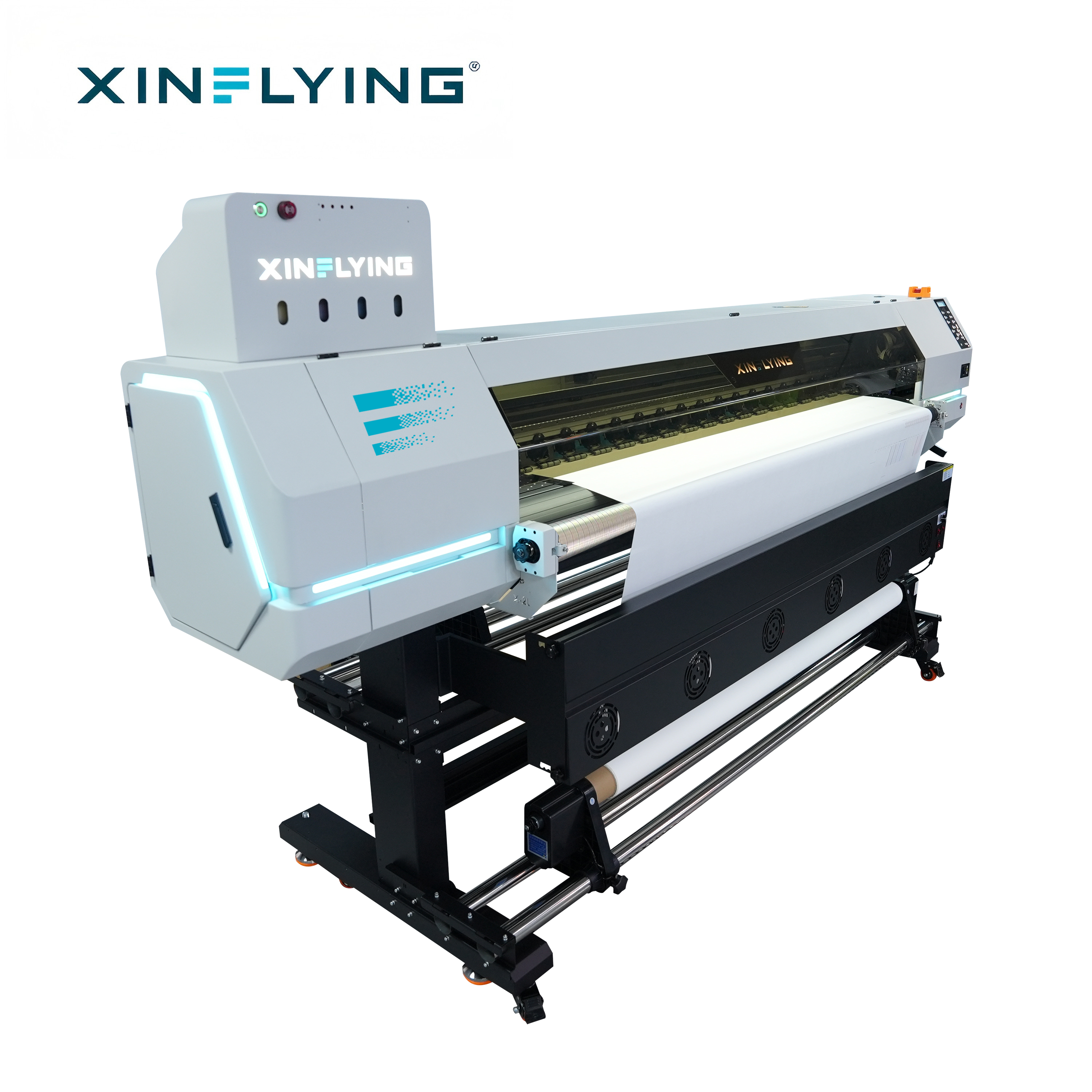
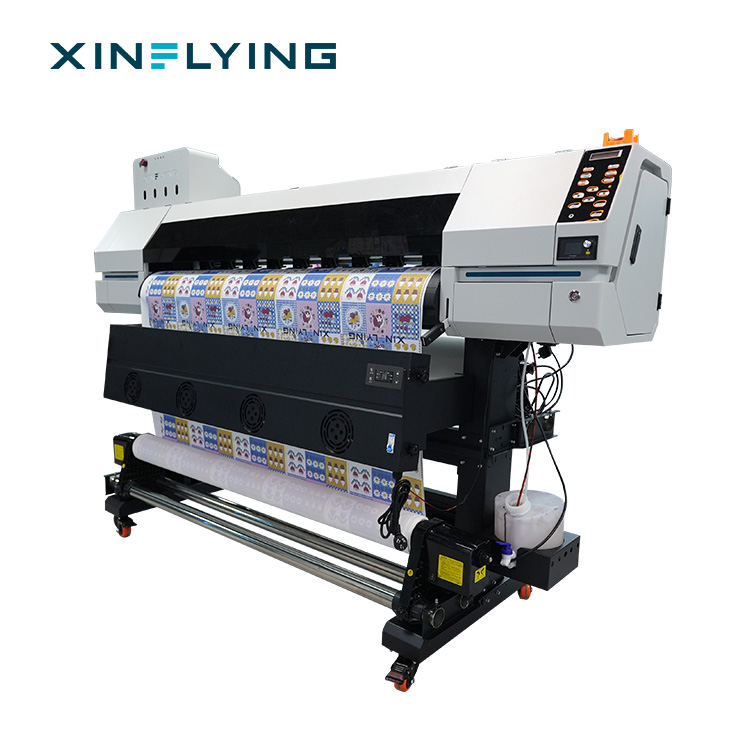
Cover: XINFLYING XF-H1802X-2I32A1, a 1.8 m roll-to-roll sublimation printer for polyester textile production.
Problem Definition: What Failed Energy Transfer Looks Like on Fabric
A transfer problem rarely announces itself as a machine failure. It appears downstream as a print-quality symptom: color that comes out lighter than the approved sample, a faint secondary outline beside the design edge, horizontal lines running across the image, or a visible shift between a batch printed on Monday and the same file printed on Friday.
Technical documentation from XINFLYING's sublimation service materials groups these symptoms into three observable families:
- Banding — horizontal lines, uneven color areas, or visible printing gaps.
- Color deviation — output that is too dark, too light, or clearly off the target color.
- Partial nozzle loss — missing lines, incomplete colors, and uneven ink output.
Each family has a different root cause. Banding usually traces back to partial printhead nozzle blockage, incorrect printing resolution or speed settings, an unstable ink supply, incorrect printhead alignment, or a machine that is due for calibration. Color deviation usually traces back to ICC profile settings, RIP software parameters, ink quality or ink compatibility, incorrect temperature or transfer time during heat pressing, or simply a different substrate. Partial nozzle loss usually traces back to sublimation ink drying inside the printhead, long idle periods, an unstable ink supply system, skipped cleaning and maintenance cycles, or an ink that was never formulated for that printhead.
That is why replacing a printer rarely fixes a transfer problem on its own, and why buying ink on unit price alone rarely lowers the true cost per printed meter.
Industry Background: Why Ink–Energy Pairing Became a Buying Criterion
Sublimation capacity keeps expanding, and with it the cost of getting the ink–energy relationship wrong. Grand View Research valued the global dye sublimation printing market at USD 16.4 billion in 2025, with a projected path to USD 39.0 billion by 2033 and a CAGR of 11.5% from 2026 to 2033.
Equipment demand follows the same curve. Mordor Intelligence sized the dye sublimation printers segment at USD 1.88 billion in 2025, expected to reach USD 2.53 billion by 2030, while Fortune Business Insights valued the wider large format printer market at USD 10.57 billion in 2025 with a projected USD 16.52 billion by 2034. Inkjet production printers already accounted for 87.3% of the production printer market by type in 2024, according to Grand View Research.
Two structural details matter when specifying ink and energy settings. First, roll-to-roll sublimation printers at 1.9 m (1900 mm) width are a standard configuration for high-volume textile and soft signage work, as described in FESPA market insights. Second, demand for personalized apparel and home decor is identified by Grand View Research as the primary driver behind a 13.1% CAGR in the digital textile sublimation market through 2030 — demand that pushes producers toward more SKUs per shift, which is exactly the condition under which color drift and re-validation cost appear.
Compliance pressure runs in parallel. Apparel brands and retail buyers increasingly ask textile producers for ink safety documentation before approving a print program, which moves ink selection out of the consumables column and into the qualification process.
Market estimates diverge between research houses: Grand View Research places the total dye sublimation printing market at USD 16.4 billion for 2025, while Mordor Intelligence reports USD 15.22 billion for the same year, and projected CAGRs range from 10.44% to 11.5%. Treat these figures as directional for planning, and validate equipment and ink decisions against your own production data.
Detailed Solution: Six Layers of Ink–Energy Pairing
Pairing ink with a sublimation printer is not one decision. It is six decisions, and each one constrains the next.
Layer 1 — Ink chemistry matched to the printhead
Sublimation ink must be formulated for the piezo inkjet printhead family installed in the machine. The XINFLYING roll-to-roll sublimation line uses Epson i3200-A1 printheads across five models, from a single-head 1.3 m machine to a 15-head 1.9 m industrial printer. Ink that is not matched to the printhead can still pass a nozzle check and then degrade across a production week — through unstable droplet formation, deposits on the nozzle plate, or a transfer response that falls outside the practical window of the calender.
Layer 2 — Ink safety documentation that survives buyer review
For textile producers selling into apparel supply chains, the ink decision is also a documentation decision. OEKO-TEX ECO PASSPORT (certificate SH150194016) applies to XF-450PRO inks, which gives buyers a verifiable reference point when a brand customer asks how the printed fabric was produced. Ask for the certificate that names the ink grade you are actually purchasing, and confirm the document corresponds to that grade rather than to the supplier's general catalogue.
Layer 3 — Ink delivery, moisturizing, and cleaning sized to real speed
Ink demand scales with printhead count and PASS setting. A 15-head machine running 1PASS at up to 524 m²/h draws incomparably more ink per minute than a single-head 1.3 m printer running 4PASS at up to 28 m²/h, and the delivery and maintenance system has to be sized for the former. The XF-19E15-PRO uses a fully sealed automatic moisturizing and cleaning system, a linear motor with magnetic grid, a Japan THK silent guide, 27 press rollers, and an enlarged beam. The XF-19E8-PRO adds an intelligent printhead cleaning and moisturizing device, a liquid level and waste ink alarm, an anti-collision device at both ends, and US-imported fluorine rubber pressure paper wheels.
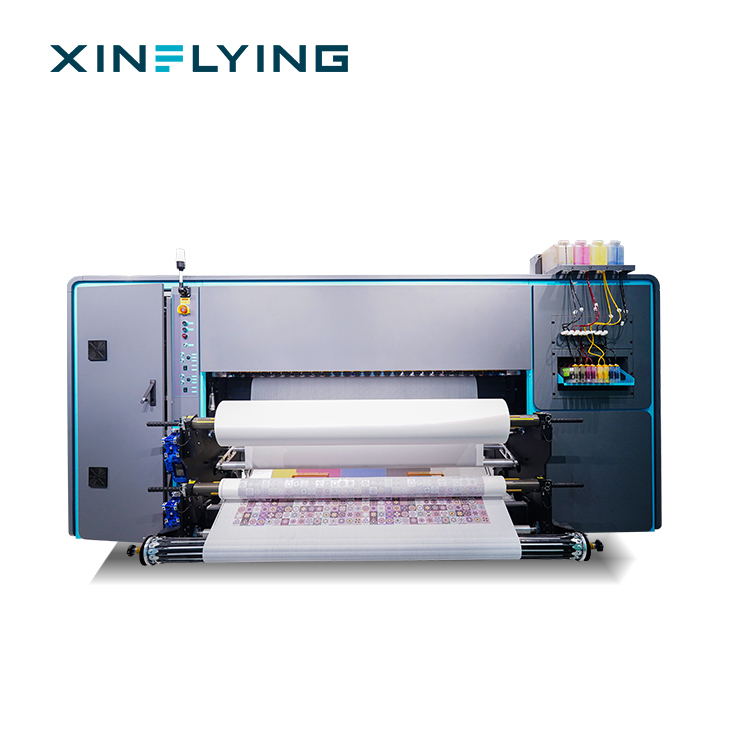
The XF-19E8-PRO pairs 8 Epson i3200-A1 printheads with an intelligent printhead cleaning and moisturizing device — the layer of the system that protects ink flow between shifts.
Layer 4 — Drying before the transfer stage
Wet paper is a transfer defect waiting for the calender. If the printed roll is wound while the ink carrier is still mobile, the design can offset onto the reverse side of the paper and reappear as ghosting after transfer. Drying architecture therefore belongs in the ink–energy pairing, not only in the machine specification. The XF-19E15-PRO and XF-19E8-PRO use an external intelligent air-heat integrated dryer; the XF-O2000-4I32A1 uses front, middle, and rear break-controlled heating with an integrated IR and cooling fan system; the XF-H1802X-2I32A1 uses front, middle, and rear break-controlled heating; and the XF-H1301X-1I32A1 uses an external constant-temperature automatic drying system.
Layer 5 — RIP and color management
RIP software converts the artwork into instructions the printer can execute, and it is where ICC profiles, ink density, resolution, and printer communication are controlled. Maintop is the standard RIP on the XINFLYING sublimation line, with RIIN (Hoson only), PhotoPrint, and Printfactory available as options on the 1.9 m models; the XF-O2000-4I32A1 supports RIIN Print and Maintop. ISO 12647-8:2021, the standard for graphic technology validation print processes working directly from digital data, is the reference point for validating that this layer reproduces what the design intended.
Layer 6 — The transfer stage itself
The printer applies the ink; the calender delivers the energy. The XF-19E15-PRO must be used with a heat press calender and dye sublimation paper in its application scenario. Media handling belongs to the same decision: the XF-19E15-PRO loads 1000 m sublimation paper rolls, the XF-O2000-4I32A1 supports heat transfer paper rolls of 1000–1500 m, and the same model accepts a 220 ml ink cartridge plus a 3 L ink tank, which changes how often an operator intervenes during a shift.
Step-by-Step Breakdown: Validating a Pairing Before Production
Step 1 — Confirm the substrate and the end use
Sublimation works best with polyester fabrics and polyester-coated substrates, because the dye bonds with the polyester fiber during heat transfer. Applications such as sportswear, team jerseys, customized apparel, home textiles, decorative fabrics, and soft signage all sit inside that material family. Confirm the fiber before confirming the hardware.
Step 2 — Select ink against two files: the printhead and the compliance file
Match the ink to the installed printhead family, and match the ink documentation to the market you sell into. If your customer base asks for ink safety references, the OEKO-TEX ECO PASSPORT certificate SH150194016 covering XF-450PRO inks is the reference to place in your qualification file.
Step 3 — Lock RIP and ICC settings before the first production roll
Select the color profile for the specific ink, paper, and fabric combination, then keep it fixed across the run. Most reported color deviation problems begin with an ICC profile that was changed between batches rather than with a fault in the printer.
Step 4 — Run the machine at the PASS setting you intend to sell
A validation print made at a slow setting proves nothing about a job scheduled at full speed. Book the test at the PASS setting that matches your committed delivery times, because ink delivery, drying, and nozzle stability are all speed-dependent.
Step 5 — Control the print room environment
Ink performance, color accuracy, and print quality depend on stable temperature and humidity. The XF-19E15-PRO and XF-19E8-PRO are specified for 18–30°C and 35–65% relative humidity; the XF-O2000-4I32A1 for 20–25°C and 45–65% RH; and the XF-H1802X-2I32A1 and XF-H1301X-1I32A1 for 20–35°C and 45–65% RH.
Step 6 — Set and record the transfer parameters
Fix the calender temperature and the transfer time for each fabric and paper combination, and record both next to the RIP settings. When a color problem appears three shifts later, the record is what separates an ink issue from a transfer issue.
Step 7 — Close the loop with batch records
Log nozzle checks, ICC profile versions, environment readings, and transfer parameters per production batch. This is the difference between diagnosing a defect and guessing at one — and it is the only reliable way to hold color consistent across repeated orders.
Use Cases: Where the Pairing Is Tested in Production
Sports uniforms and team kits
A sports uniform supplier in Brazil operates 8 units over 5 years, using sublimation printing to produce customized football kits, training uniforms, and team apparel with personalized names, numbers, and graphics. The operating requirement is vibrant color and detailed pattern reproduction on polyester, at production cycles short enough to serve team orders.
A sportswear manufacturer, also in Brazil, runs 15 units over 4 years and prints high-resolution patterns, team logos, and full-color designs on polyester fabric before garment cutting and sewing. After adopting the sublimation solution, the manufacturer improved production flexibility for customized orders, reduced dependence on outsourced printing services, and achieved more consistent color quality across different batches — the outcome that ink–energy pairing is designed to protect.
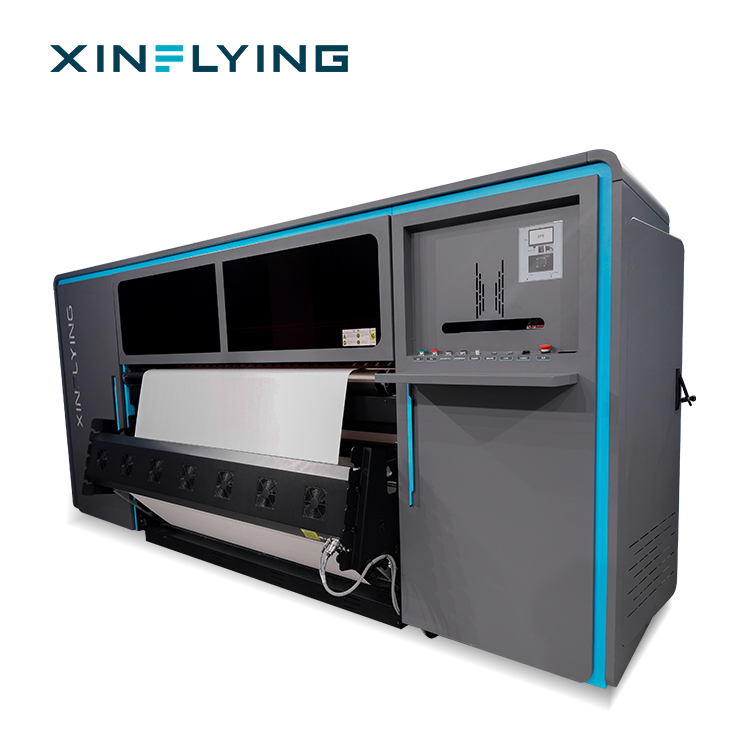
High-volume sportswear production is where ink delivery, drying, and transfer energy have to stay aligned: the XF-19E15-PRO runs 15 Epson i3200-A1 printheads at up to 524 m²/h in 1PASS.
Digital textile printing service providers
A digital textile printing service provider running 5 units over 3 years supplies sublimation printing services to sportswear brands, apparel factories, and customized textile businesses. In that model, capacity and response speed matter as much as peak color: the solution expanded production capacity, supported more customer projects, and shortened response time for customized textile orders.
Home textiles and decorative fabrics
A home textile manufacturer operating 10 units over 4 years applies sublimation printing to curtains, cushions, decorative fabrics, and customized polyester textile products. The requirement is large-format work with detailed patterns and consistent printing quality, so that customized textile collections can be developed with rich patterns and accurate colors while production stays flexible.
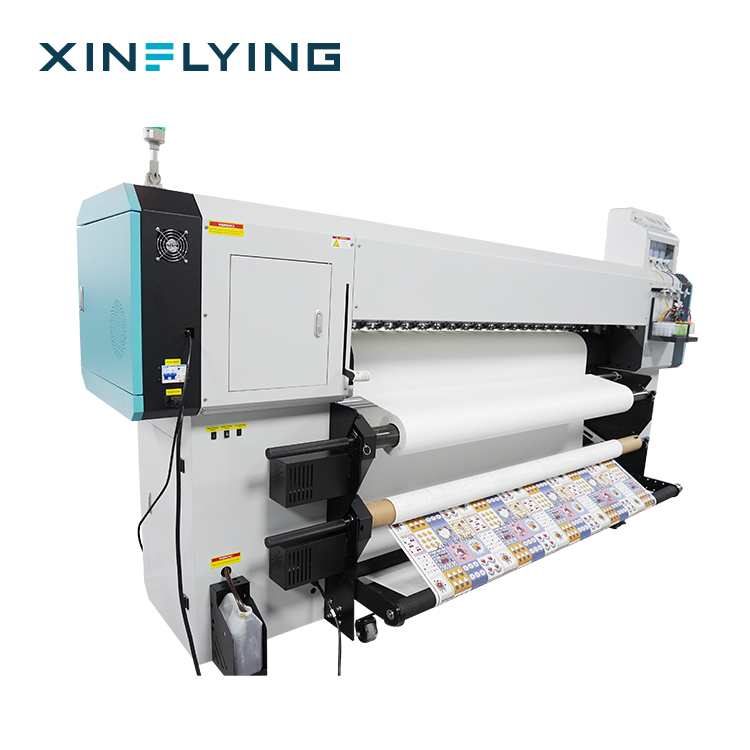
Home textile and decorative fabric work — cushions, curtains, canvas bags — runs on the XF-O2000-4I32A1 with a 195 cm print width and front, middle, and rear break-controlled heating.
Comparison Table: XINFLYING Sublimation Printers by Ink and Energy Configuration
| Model | Printheads | Ink colors | Print width | Max print speed | Drying and ink-care features | Typical fit |
|---|---|---|---|---|---|---|
| XF-19E15-PRO | 15 × Epson i3200-A1 | CMYK | 190 cm (75 in) | 1PASS 524 m²/h; 2PASS 254 m²/h | External intelligent air-heat integrated dryer; fully sealed automatic moisturizing and cleaning | High-volume industrial textile sublimation |
| XF-19E8-PRO | 8 × Epson i3200-A1 | CMYK | 190 cm (75 in) | 1PASS 306 m²/h; 2PASS 153 m²/h | External intelligent air-heat integrated dryer; intelligent printhead cleaning and moisturizing device; liquid level and waste ink alarm | Industrial textile sublimation, continuous operation |
| XF-O2000-4I32A1 | 4 × Epson i3200-A1 | CMYK+CMYK+CMYK+CMYK | 195 cm (1.95 m) | 2PASS 180 m²/h; 4PASS 92 m²/h | Front, middle, and rear break-controlled heating; integrated IR and cooling fan system; 220 ml cartridge + 3 L ink tank | Clothing, home decor, canvas bags, cushions, flags |
| XF-H1802X-2I32A1 | 2 × Epson i3200-A1 | CMYK+CMYK | 180 cm (1.8 m) | 4PASS 52 m²/h | Front, middle, and rear break-controlled heating | Polyester textile printing, small and medium batch |
| XF-H1301X-1I32A1 | 1 × Epson i3200-A1 | CMYK | 130 cm (1.3 m) | 4PASS 28 m²/h | External constant-temperature automatic drying system | Polyester fabrics; sampling and small-batch production |
Specifications as published by XINFLYING. The XF-19E15-PRO and XF-19E8-PRO are rated at 3200 dpi. Maintop is the standard RIP across the line, with RIIN (Hoson only), PhotoPrint, and Printfactory available as options on the 1.9 m models; the XF-O2000-4I32A1 supports RIIN Print and Maintop.
Power configuration is part of the same comparison, because the ink-and-drying load scales with the printhead count: from 2 kW on the XF-H1301X-1I32A1, through 3.5 kW on the XF-H1802X-2I32A1, 8.5 kW on the XF-O2000-4I32A1, and 10.2 kW on the XF-19E8-PRO, up to 14.5 kW on the XF-19E15-PRO.
Quick verification checklist by stage
| Stage | What to verify | What fails if it is skipped |
|---|---|---|
| Ink selection | Printhead compatibility; ink safety documentation (OEKO-TEX ECO PASSPORT SH150194016 for XF-450PRO inks) | Nozzle deposits; buyer rejection of printed fabric |
| RIP and ICC | One profile per ink, paper, and fabric combination, frozen for the run | Color deviation between batches |
| Ink delivery | Moisturizing and cleaning cycles; ink level and waste ink alarms | Banding and partial nozzle loss |
| Drying | Dryer or break-controlled heating set for the running speed | Ghosting and offset transfer |
| Transfer | Heat press calender plus dye sublimation paper; recorded temperature and time | Weak color depth; incomplete transfer |
| Environment | 18–30°C and 35–65% RH on the XF-19 series | Batch-to-batch drift in color and ink behavior |
Frequently Asked Questions
1. Which ink safety documents should a textile producer verify before approving a sublimation print program?
Verify ink safety documentation that names the specific ink grade being purchased, not only the supplier or the machine. The OEKO-TEX ECO PASSPORT certificate SH150194016 applies to XF-450PRO inks, which gives apparel buyers a verifiable reference when they ask how a printed fabric was produced. Before approving a program, confirm that the certificate corresponds to the ink grade in the order, keep the document together with the batch records, and remember that sublimation ink is designed for polyester-based materials rather than for every fiber type.
2. Which printer configurations support stable ink delivery across continuous production shifts?
Two features carry most of the load: controlled moisturizing and cleaning of the printhead, and drying before the printed roll is wound. The XF-19E15-PRO combines a fully sealed automatic moisturizing and cleaning system with an external intelligent air-heat integrated dryer. The XF-19E8-PRO adds an intelligent printhead cleaning and moisturizing device, a liquid level and waste ink alarm, and an anti-collision device at both ends, and is designed for continuous 24/7 operation in textile production facilities within 18–30°C and 35–65% RH. For lower output, the XF-O2000-4I32A1 and XF-H1802X-2I32A1 rely on front, middle, and rear break-controlled heating instead.
3. How do ink and printer choices affect the operating cost of a sublimation line?
Cost drivers sit in four places: printhead count and PASS setting, drying and heating energy, consumable handling, and maintenance. Printhead count sets both output and ink demand; power ratings across the line-up run from 2 kW on the XF-H1301X-1I32A1 to 14.5 kW on the XF-19E15-PRO, which affects electrical planning and running cost; and consumable logistics differ, with the XF-19E15-PRO loading 1000 m paper rolls and the XF-O2000-4I32A1 accepting 1000–1500 m rolls plus a 220 ml cartridge and a 3 L ink tank. Ink chosen only on unit price tends to return its savings as nozzle loss, reprints, and color deviation.
4. Can we validate ink and energy transfer settings before ordering full production equipment?
Validation is a print-and-transfer test, not a paperwork exercise. Run test prints at the PASS setting you intend to sell, on your own fabric, and transfer them with your own calender and dye sublimation paper, then inspect for color deviation, banding, and ghosting. XINFLYING applies pre-shipment testing as part of its quality control, and the minimum order quantity is 1 unit, so a single machine order can serve as the validation step before scaling up. OEM/ODM customization — including branding, machine appearance, color, logo, and packaging — is available for buyers who need the equipment adapted to an existing line.
5. What lead time and support should a textile producer plan for after ordering?
XINFLYING quotes a lead time of 5–40 days depending on configuration and customization scope, with a monthly production capacity of 1600+ units and a minimum order quantity of 1 unit. After installation, support is delivered by more than 50 engineers providing 24/7 online technical support. To move from evaluation to a configured offer, share your substrate, target print width, daily output, and ink safety requirements — the XINFLYING team can then match a machine and ink combination to your production scenario. Full equipment and company details are available in the XINFLYING brochure (PDF).
Conclusion
Energy transfer in sublimation printing is a system property, not a machine specification. It holds when the ink is formulated for the installed printhead, when the ink delivery and moisturizing system is sized for the speed the line actually runs, when drying happens before winding, and when the calender applies energy inside the window that the ink was designed for.
Three practical rules follow from that. First, qualify ink on two files — printhead compatibility and safety documentation such as the OEKO-TEX ECO PASSPORT reference SH150194016 for XF-450PRO inks. Second, validate at the PASS setting you intend to sell, on your own polyester fabric, before scaling. Third, record RIP, environment, and transfer parameters per batch, because consistent color across repeated orders depends on repeatable settings rather than on operator memory.
For textile producers covering sportswear, customized apparel, home textiles, and soft signage, the XINFLYING roll-to-roll line spans 1.3 m to 1.95 m print widths with configurations from a single Epson i3200-A1 printhead to fifteen — enough range to match printer, ink, and transfer energy to a defined scenario rather than to a general expectation.
Entry point for validation work: the XF-H1301X-1I32A1 prints at 1.3 m width with an external constant-temperature automatic drying system.
Next Step: Evaluate the Pairing Against Your Own Fabric
Send your substrate, target print width, daily output, and ink safety requirements, and XINFLYING can match a dye sublimation printer and ink configuration to your production scenario.
Download the full company and product reference: XINFLYING Company & Product Brochure (PDF)
Email: info@xin-flying.com | Tel / WhatsApp: +86 188-1322-1357 | Website: www.xin-flying.com
Address: No.7, Xiecun 2nd Industrial Zone, Panyu, Guangzhou, Guangdong
Have Questions or Need More Details?
Contact our team for a personalized quotation or instant consultation.
Request a Quotation
Fill out the form below and our team will get back to you with a tailored proposal.
WhatsApp Direct Chat
Prefer to chat in real-time? Message us on WhatsApp for instant assistance & quick answers.
- Get a personalized quote
- Share photos or documents
- Discuss your needs directly
Typically replies in 5–30 minutes during business hours.