
What Is Direct-to-Film Printing and How Does It Work?
Direct-to-film printing, usually called DTF printing, is a digital transfer process for decorating fabric. A DTF printer prints a design onto a PET film using CMYK color inks and white ink. The printed film is powdered with an adhesive, cured, and then heat-pressed onto the garment. After pressing, the film is removed and the printed image remains on the fabric.
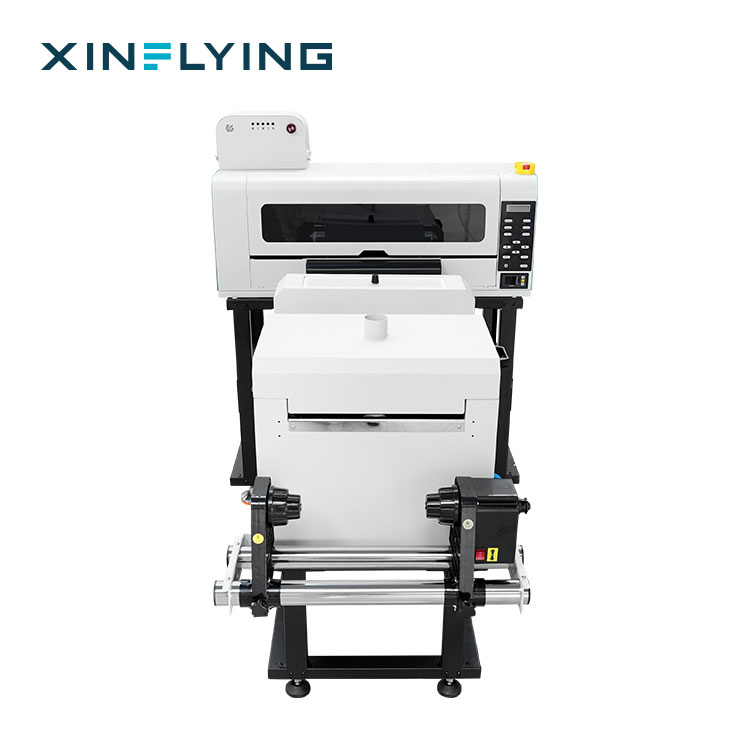
The process is easier to understand when it is separated into six visible steps: digital file preparation, printing, powder application, curing, heat pressing, and finishing. Each step has a specific purpose, and each one affects the final hand feel, durability and color appearance. This guide explains the basics for newcomers and uses the Xinflying XF-400D as an example of a compact DTF printer with model-level CE LVD and EMC compliance.
Problem Definition: What New DTF Users Need to Understand First
Newcomers often meet two kinds of explanations. One is too simple: a DTF printer prints a design and a heat press puts it on a shirt. The other is too technical: RIP settings, white ink channels, powder mesh, curing temperature, press pressure and peel timing are discussed before the basic workflow is clear.
A practical starting point is to understand that DTF is a film-based transfer process. The printer does not place ink directly onto the finished garment. It first creates a printed transfer on PET film. Adhesive powder is applied to the wet print, the powder is cured into a flexible adhesive layer, and heat pressing moves the design from the film to the fabric.
This matters for three reasons. First, white ink changes how the process is controlled, especially on dark fabrics. Second, powder and curing turn a wet ink film into a handleable transfer. Third, heat press settings influence how well the transfer bonds to the fabric. Compliance is a separate but important point: a DTF printer is electrical equipment, so CE LVD and EMC documentation helps buyers check electrical safety and electromagnetic compatibility before use.
Industry Background: Where DTF Printing Fits
DTF printing has become a practical decoration option for custom apparel, print-on-demand production, garment factories and promotional product businesses. Published market estimates describe a growing category, although different research firms use different assumptions.
Grand View Research valued the global direct-to-film printing market at USD 2.7 billion in 2024. Dataintelo projects that the DTF printer market will reach USD 5.2 billion by 2034 with a CAGR of 12.5%. Other published growth estimates vary, so buyers should treat any single forecast as one reference point rather than a guarantee.
Regional and product data also show where DTF is used. Grand View Research reports that Europe held a 36.0% revenue share of DTF printing in 2024. KBV Research reports that T-shirts represented 41% of DTF printing revenue in 2024. Dataintelo estimates that China accounts for more than 45% of global DTF printer manufacturing capacity. These figures describe the category and its supply base, not the performance of one specific printer.
Detailed Solution: The DTF Process and the Equipment Behind It
A DTF production setup usually includes a DTF printer, DTF PET film, DTF ink, adhesive powder, a powder shaker, a heat press and RIP software. An air purifier may also be used in the production area. The printer creates the image; the film carries it; the powder and curing stage convert the wet image into a transfer; and the heat press bonds it to the fabric.
The printer is the center of the workflow. In a compact configuration, the Xinflying XF-400D uses two Epson i1600-A1/XP600 printheads, CMYK plus white ink, a 30 cm print width, 0.5 kW power, 110–220V power supply and Windows 10/11 64-bit operating system support. Its fastest stated print speed is 6PASS 4.5 m²/h, with standard 6PASS 2.5 m²/h. These specifications show why a small DTF printer can fit into a shop environment: it uses a relatively narrow film width and a compact machine footprint.

White ink is central to the DTF process because it creates an opaque base under the color image. On a dark shirt, color inks printed alone would be affected by the fabric color. The white layer helps the printed design read clearly. This is why DTF printers specify CMYK plus white ink configurations, and why printhead configuration matters when a buyer compares models.
Safety and compliance should be checked at the model level. The XF-400D is certified to CE LVD and EMC compliance. Its CE LVD certificate number is TQT1550D271EC, and it meets EN IEC 62368-1:2020/A11:2020 for electrical safety. It also holds a CE EMC Certificate of Compliance. CE LVD addresses electrical safety; CE EMC addresses electromagnetic compatibility. These documents support safe operation when the printer is installed and used correctly, but they do not replace correct site wiring, operator training or routine maintenance.
Step-by-Step Breakdown: From Digital File to Finished Transfer
Step 1: Prepare the digital file in RIP software
The process starts with a digital design. RIP software converts the file into printer data and helps manage color, image size and white ink output. For a beginner, the key point is that the file should be prepared for the printer and film width, not simply sent to a desktop office printer. The RIP stage also helps the operator place the white layer correctly for the intended fabric color.
Step 2: Print CMYK and white ink onto PET film
The DTF printer prints the design onto PET film. Color inks build the image, and white ink provides the opacity layer. On light fabrics, the white layer may be adjusted; on dark fabrics, it is essential for color brightness. The printed film is still wet at this stage, so it must be handled carefully before powder is applied.
Step 3: Apply adhesive powder
Adhesive powder is applied to the printed side of the wet film. The powder sticks to the ink and forms the future bonding layer. A powder shaker helps distribute powder evenly and remove excess powder. Uneven powder can lead to inconsistent transfer, excess residue or a rougher hand feel, so this stage is a visible quality control point.
Step 4: Cure the powder
Curing applies heat to melt the powder into a flexible adhesive layer. The printed film changes from a wet, powdered surface into a handleable transfer. Curing is not the same as heat pressing: curing prepares the film, while heat pressing later bonds the transfer to the garment. The operator should follow the film, powder and equipment instructions because under-curing and over-curing can both affect the result.
Step 5: Heat press the transfer onto fabric
The cured transfer is placed on the garment and pressed with a heat press. Heat, pressure and time move the adhesive and printed image from the film to the fabric. The fabric type matters: cotton, polyester, blends, fleece, canvas, non-woven fabric and denim may require different handling. A test on the actual fabric is more reliable than assuming that one setting fits every garment.

Step 6: Cool, peel and finish
After pressing, the film is cooled and removed. The printed image remains on the fabric. The operator then checks adhesion, edge quality, color appearance and hand feel. If the transfer is for a T-shirt, hoodie, sportswear item, workwear, uniform, tote bag, cap or promotional product, the same basic sequence applies, but the fabric and design may require different press handling.
Comparison Table: What Each DTF Stage Contributes
The table below compares the purpose of each stage and the control point a new operator should watch. It does not compare DTF with other printing methods; it compares the stages inside the DTF workflow itself.
| Stage | Main purpose | What to check |
|---|---|---|
| Digital file and RIP | Convert the design into printer data and define the white layer | File size, placement, white ink setting, film width |
| Printing | Place CMYK color and white ink onto PET film | Printhead condition, ink flow, film feed, image position |
| Powder application | Apply adhesive to the wet print | Even coverage, excess powder removal, clean film edges |
| Curing | Melt powder into a flexible adhesive layer | Heat consistency, film movement, cured appearance |
| Heat pressing | Transfer the image and adhesive to the fabric | Fabric type, pressure, heat, time and placement |
| Finishing | Cool, peel and inspect the finished garment | Adhesion, edge quality, color, hand feel |
Use Cases: Where a DTF Workflow Is Used
DTF printing is used for custom apparel and textile decoration where full-color graphics and flexible order quantities are needed. Common products include T-shirts, hoodies, sweatshirts, sportswear, workwear, uniforms, tote bags, caps, children's apparel, fashion apparel, streetwear and promotional products. The process is also used in print-on-demand production, where a design is printed after an order is received.
Fabric compatibility is broad in practical use: cotton, polyester, blended fabrics, fleece, canvas, non-woven fabric and denim are all listed in DTF application data. That does not mean every fabric and design combination behaves the same. A new business should test its actual fabric, wash procedure and design type before promising a finished result to customers.
For a small business, a compact 30 cm DTF printer such as the XF-400D can support small batches, samples and personalized orders. A 60 cm DTF printer is a common production width for shops that need more film coverage per pass. Larger 80 cm models are also available for higher-volume work. The right choice depends on order size, design width, available space and the finishing equipment the business already has.
FAQ
What should buyers check when comparing CE-certified 60cm DTF printer manufacturers?
Check model-level evidence, not only a brand statement. Ask for the certificate number, issuer, applicable standard and the exact model covered. Xinflying's 60 cm DTF range includes models such as XF-702E, XF-704E, XF-C602, XF-C604, XF-C605, XF-L608 and XF-F606. For example, XF-704E is covered by CE LVD certificate TQT1550D271EC, a CE EMC Certificate of Compliance and CE MD certification. XF-C604 is CE LVD certified under TQT1550D271EC, meets EN IEC 62368-1:2020/A11:2020, and holds CE EMC, CE MD and RoHS certification. Confirm that the certificate or report lists the model you intend to buy.
Why does DTF printing use white ink?
White ink creates an opaque base under the CMYK color image. This is especially important on dark fabrics, where color inks alone would be affected by the garment color. The XF-400D uses a CMYK plus white ink configuration, which is typical for DTF printing on apparel.
What does a complete DTF setup include beyond the printer?
A working DTF setup also needs PET film, DTF ink, adhesive powder, a powder shaker, a heat press and RIP software. An air purifier may be used in the production area. The printer creates the film image, but the powder, curing and pressing stages are what turn that image into a finished transfer.
What affects the budget for a DTF printer?
A realistic budget should cover more than the printer itself: print width, printhead count, RIP option, powder shaker, DTF film, adhesive powder, heat press, spare parts and shipping. A compact 30 cm dual-printhead model such as the XF-400D has different equipment needs from a 60 cm production model. Request a configured quote for exact pricing based on the model and accessories.
What is the lead time for an Xinflying DTF printer order?
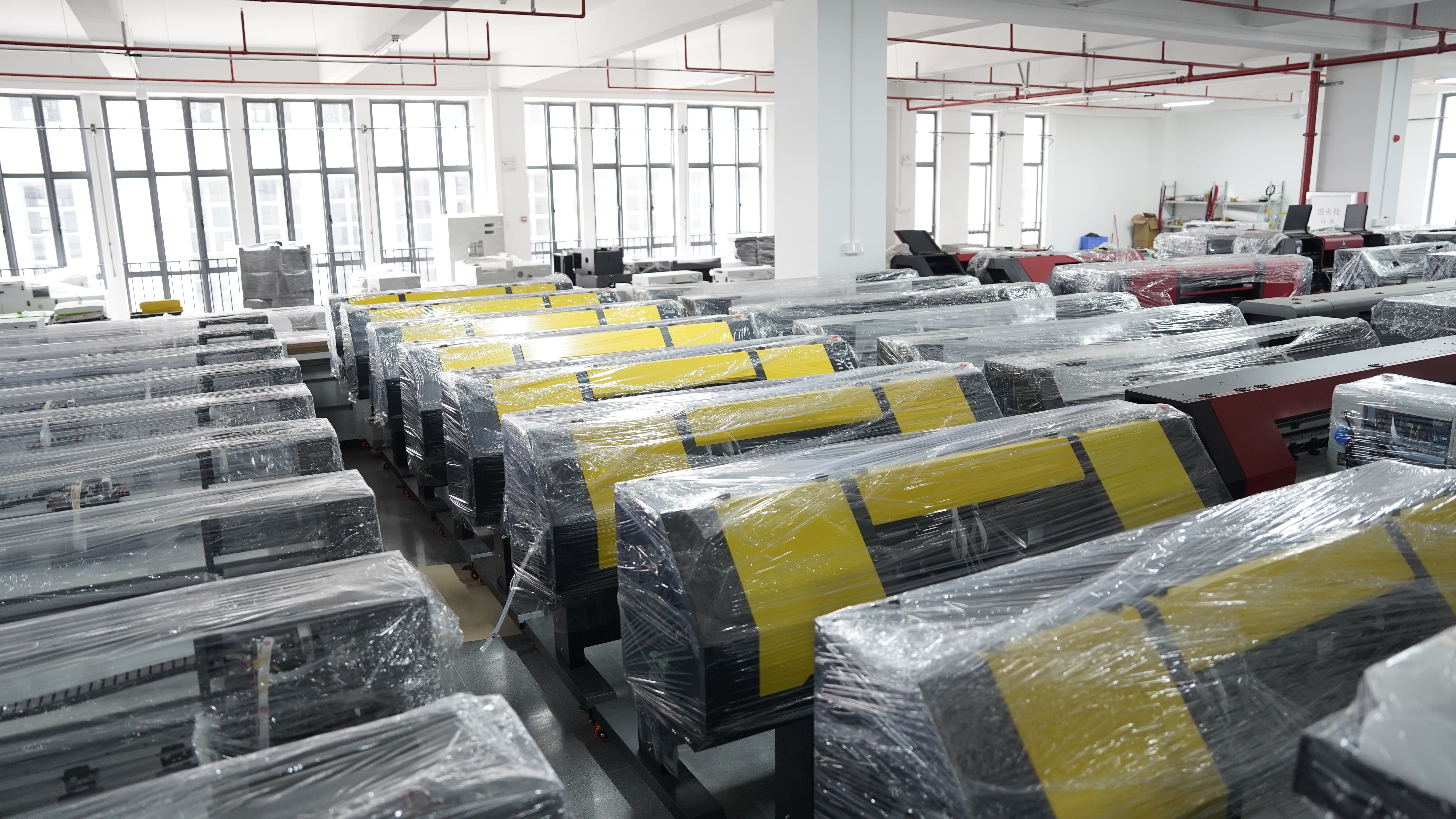
Xinflying lists a lead time of 5–40 days, a minimum order quantity of 1 unit and a monthly capacity of 1600+ units. Actual timing depends on the model and configuration. To discuss a sample, quote or technical question, contact info@xin-flying.com or +86 188-1322-1357. The company brochure can be downloaded here: Xinflying company brochure.
Conclusion: DTF Is a Film-to-Fabric Transfer Process
Direct-to-film printing is best understood as a sequence: prepare the file, print CMYK and white ink onto PET film, apply adhesive powder, cure the powder, heat-press the transfer onto fabric, then cool and peel. The printer is important, but it is only one part of the system. Film, powder, curing, heat press handling and fabric testing all influence the finished result.
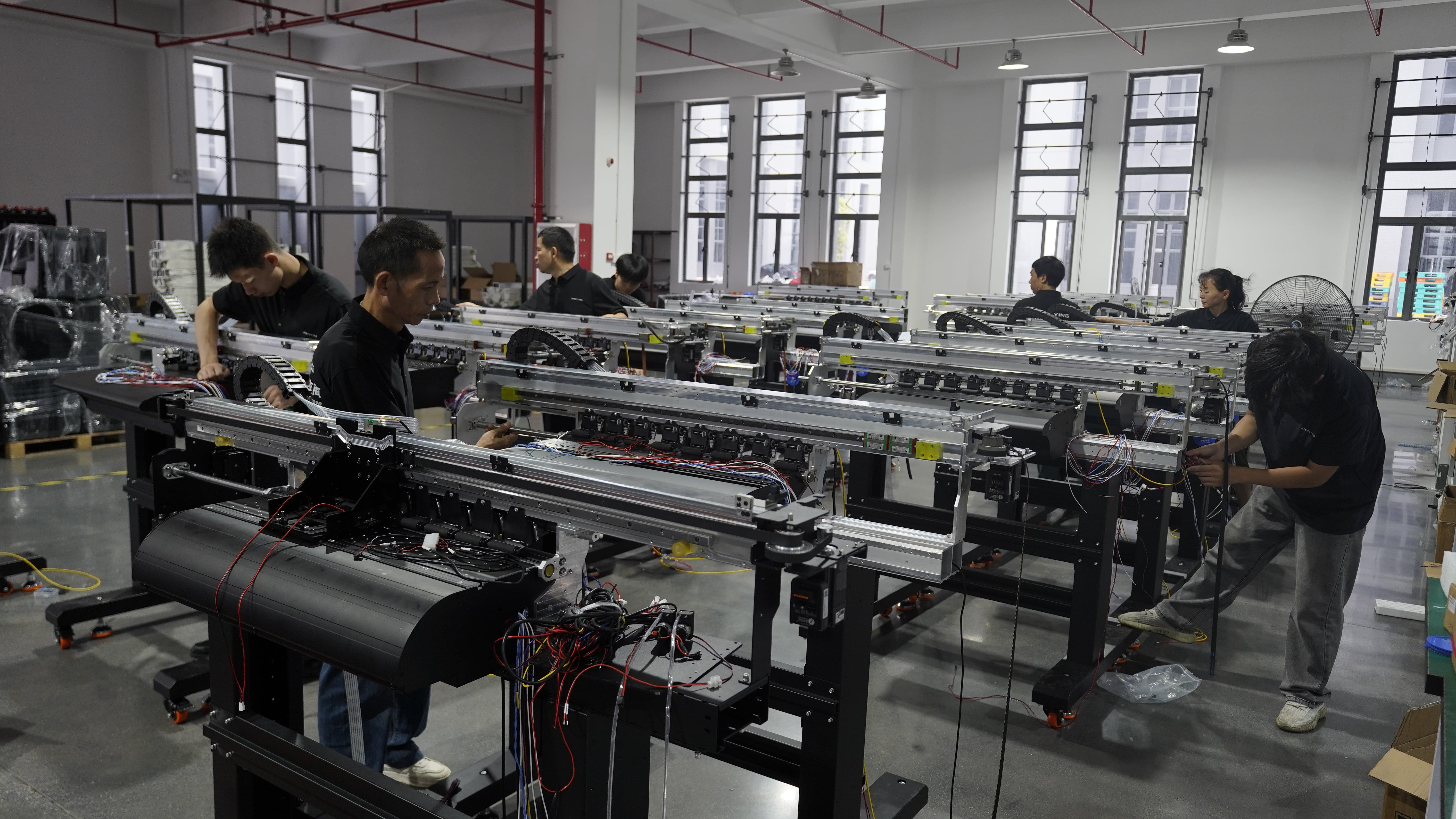
For newcomers, the practical next step is to learn the workflow on real fabric samples and to check compliance evidence before purchase. The XF-400D is an example of a compact 30 cm DTF printer with two Epson i1600-A1/XP600 printheads, CMYK plus white ink and CE LVD and EMC compliance. Xinflying, founded in 2010, manufactures DTF printers, UV DTF printers, DTG printers, dye sublimation printers, UV flatbed printers and printing consumables for apparel businesses, textile manufacturers, printing companies, distributors and entrepreneurs. Its website is www.xin-flying.com.
This article explains the basic DTF workflow. Production settings should be confirmed with the specific printer, film, powder, ink and heat press instructions used at the production site.
Have Questions or Need More Details?
Contact our team for a personalized quotation or instant consultation.
Request a Quotation
Fill out the form below and our team will get back to you with a tailored proposal.
WhatsApp Direct Chat
Prefer to chat in real-time? Message us on WhatsApp for instant assistance & quick answers.
- Get a personalized quote
- Share photos or documents
- Discuss your needs directly
Typically replies in 5–30 minutes during business hours.