
What Is an Industrial Sublimation Printer? Digital Textile Printing Basics
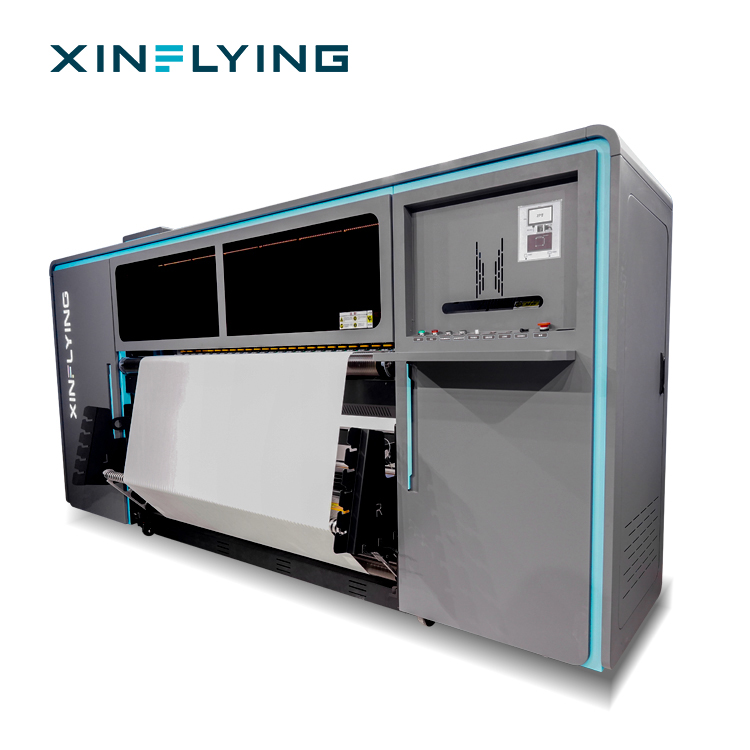
An industrial sublimation printer is a roll-fed digital textile printing machine that prints dye-sublimation ink onto transfer paper, after which controlled heat and pressure convert the dye into gas so that it bonds into polyester fabric or polyester-coated substrates. The word industrial is a configuration statement rather than a marketing label: it describes print width, printhead count, ink delivery, drying, RIP control and the expectation of continuous production.
This article explains the category from the ground up. It defines digital textile printing, shows how roll-to-roll sublimation systems fit into textile production, walks through the documented industrial model range — XF-H1301X-1I32A1, XF-O2000-4I32A1, XF-19E8-PRO and XF-19E15-PRO — and explains why certification documentation belongs in the category baseline rather than in an appendix.
XINFLYING is the brand of Guangzhou Xin Flying Digital Technology Co., Ltd., a digital printing equipment manufacturer founded in 2010 in Panyu, Guangzhou, China. The company builds DTF printers, UV DTF printers, UV flatbed printers, DTG printers and dye-sublimation printing systems, and reports that export business accounts for 80% of total sales.
Digital Textile Printing in Plain Terms
Dye sublimation printing is a heat-transfer process in which solid dye is converted into gas and permanently embedded into polyester-based materials. Sublimation ink is first printed onto transfer paper, the paper is placed against the fabric, and a heat press or rotary calender applies controlled temperature and pressure. The dye moves from the paper into the fibre structure; when it cools, the image is part of the fabric rather than a layer sitting on top of it.
A production sequence for a roll-to-roll sublimation line therefore looks like this:
- Artwork preparation — image files in JPG, TIFF or PDF format are prepared for output.
- RIP processing — RIP software converts the artwork into printer instructions while managing colour profiles, ink distribution and resolution settings.
- Printing onto transfer paper — the sublimation printer lays dye ink onto paper at the required width and resolution.
- Heat fixation — a calender or heat press transfers the dried ink into polyester fabric or coated substrates.
- Inspection and finishing — colour checks, cutting and packing.
Material compatibility is part of the definition. Sublimation works best on polyester and polyester-coated surfaces because of the chemical relationship between the disperse dye and polyester fibre. Cotton and other natural fibres generally require a different printing method or a special coating, which is why sublimation shops usually define their product range by fibre content before they define their machine list.
What the Word “Industrial” Actually Describes
Commercial internet searches often mix two very different machines under the same phrase. A desktop or entry-level sublimation printer is usually built for sampling, personalised products and small runs. An industrial model is built around different constraints.
- Print width. Roll-to-roll sublimation printers with 1.9 m (1900 mm) widths are treated as standard for high-volume textile and soft signage applications. The XF-19E8-PRO and XF-19E15-PRO both use a 190 cm (75 inch) print width, while the XF-O2000-4I32A1 runs at 195 cm.
- Printhead count. Printhead quantity is the most direct indicator of throughput class: the documented range runs from 1 × Epson i3200-A1 on the XF-H1301X-1I32A1 to 15 × Epson i3200-A1 on the XF-19E15-PRO.
- Ink supply. Production machines use larger ink systems. The XF-O2000-4I32A1, for example, pairs 220 ml cartridges with a 3 L ink tank.
- Media handling. The XF-O2000-4I32A1 supports heat-transfer paper rolls of 1000–1500 m, and the XF-19E15-PRO loads 1000 m rolls — a media capacity aimed at uninterrupted runs.
- Drying and heating. Industrial configurations use external drying systems or break-controlled front, middle and rear heating rather than relying on ambient drying.
- Utilities and mass. Power ratings in this class range from 2 kW on the XF-H1301X-1I32A1 to 14.5 kW on the XF-19E15-PRO, and machine weights reach 1400–1480 kg for the 8-head and 15-head PRO models.
These are configuration facts, not performance promises. Actual daily output depends on artwork coverage, media, RIP settings, operator routine and site conditions.
The Problem This Article Solves: Decision-to-Execution Mismatches
Buyers who reach this category are usually past general research and inside an active project. Four mismatches account for most of the expensive mistakes at that stage.
1. Capacity mismatch. The machine is sized from a price list rather than from the order book, so it either runs out of capacity during peak season or sits idle outside it. The selection question is not “fastest or cheapest” but “which documented configuration matches current orders and the next two years of growth”.
2. Documentation mismatch. Certification files that do not correspond to the actual machine model can slow customs clearance, restrict retail listing or create additional compliance costs. Buyers increasingly cross-check certificate records against the model on the proforma invoice.
3. Ink and compliance mismatch. A printer can be fully compliant as machinery while the ink used on it does not carry the documentation a downstream buyer requests. For textile products that touch skin, ink documentation questions arrive early in the sourcing conversation.
4. Lifecycle mismatch. Equipment bought without spare-part availability, technical support or maintenance guidance carries a downtime risk that does not appear on the quotation. Poor after-sales support is one of the most frequently cited risks in this category.
Industry Background: Where Digital Textile Printing Stands
The commercial context explains why industrial digital textile equipment has moved from niche to mainstream. Grand View Research valued the global dye sublimation printing market at USD 16.4 billion in 2025 and projects USD 39.0 billion by 2033, a CAGR of 11.5% for 2026–2033. Asia Pacific held a 36.5% revenue share in 2025, with China as the largest country market.
Within that broader market, the dye sublimation printers segment was valued at USD 1.88 billion in 2025 by Mordor Intelligence and is expected to reach USD 2.53 billion by 2030. For context, Fortune Business Insights valued the wider large format printer market at USD 10.57 billion in 2025, projected to reach USD 16.52 billion by 2034. Grand View Research also reports that inkjet production printers accounted for 87.3% of the production printer market share by type in 2024.
Two structural drivers sit behind these figures. First, China’s textile and garment exports reached USD 293.6 billion in 2023, sustaining demand for industrial-scale printing capacity. Second, demand for personalised apparel and home décor is described by Grand View Research as the primary driver of a 13.1% CAGR in the digital textile sublimation market through 2030.
Market structure matters too. In the digital textile dye-sublimation printer segment, Epson holds a documented 26.7% share, followed by Mimaki at 18.6% and Roland DG at 15.5% (Data Insights Reports, 2024). Printhead supply in this category is therefore concentrated, which is why printhead type — such as the Epson i3200-A1 used across the XINFLYING industrial range — appears at the top of most technical comparison lists.
Why Certification Is Part of the Category Baseline
In machinery categories, certification is often treated as paperwork. In industrial textile printing, it functions as part of the product definition, because it determines where the machine and its output can legally be sold.
On the equipment side, XINFLYING sublimation printers are supplied with CE documentation covering the Machinery Directive (MD), Low Voltage Directive (LVD) and Electromagnetic Compatibility (EMC), together with RoHS documentation addressing restrictions on hazardous substances in electrical and electronic components. For ink, the XF-450PRO ink series holds OEKO-TEX ECO PASSPORT certification SH150194016.
Two practical rules follow from this. First, documents should match the model actually being shipped: a certificate file that references a different machine is a compliance gap, not a formality. Second, buyers should request environmental and safety documentation as part of the quotation process, not after the order. RoHS documentation, for example, is requested in regulated markets to confirm that electrical and electronic components meet hazardous-substance restrictions.
Where relevant, colour validation adds a technical layer. ISO 12647-8:2021 provides the standard for graphic technology validation print processes working directly from digital data, and it is the reference most often cited when sublimation colour accuracy is verified across batches.
Certification requirements are market-specific, so the verification list changes by destination. For the European market, CE compliance typically covers electrical safety, electromagnetic compatibility and product safety requirements. For the US market, buyers commonly check electromagnetic compatibility documentation such as FCC, along with electrical safety documentation appropriate to the equipment configuration and sales channel.
The Documented Industrial Model Range
The current industrial range shows how one category splits into distinct production roles. All four machines below are digital textile printers in the sublimation category; they differ in width, printhead count and intended operating scale.
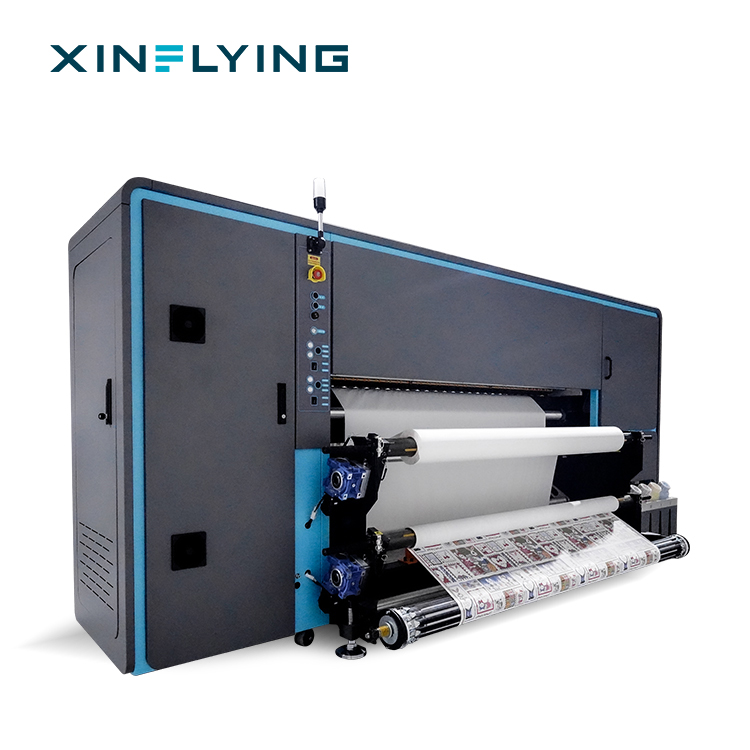
XF-19E8-PRO — the 8-head industrial configuration
The XF-19E8-PRO is built with 8 × Epson i3200-A1 printheads, CMYK ink colours, a 190 cm (75 inch) print width and 3200 dpi resolution. Documented print speeds reach 306 m²/h at 1PASS and 153 m²/h at 2PASS in fastest mode, with standard-mode figures of 210 m²/h at 1PASS and 109 m²/h at 2PASS. Maintop is standard RIP, with RIIN, PhotoPrint and Printfactory available as options. It runs on 210–230V at 45A with 10.2 kW power, uses an external intelligent air-heat integrated dryer, and includes a fully sealed automatic moisturising and cleaning system. Net weight is 1400 kg, and the recommended operating window is 18–30°C at 35–65% relative humidity.
XF-19E15-PRO — the highest-throughput configuration in the range
The XF-19E15-PRO uses 15 × Epson i3200-A1 printheads with CMYK ink colours, the same 190 cm (75 inch) print width and 3200 dpi resolution. Documented speeds reach 524 m²/h at 1PASS and 254 m²/h at 2PASS in fastest mode, and 394 m²/h at 1PASS and 188 m²/h at 2PASS in standard mode. It loads 1000 m sublimation paper rolls and shares the external air-heat integrated dryer and sealed automatic moisturising system of the 8-head model. Power is 14.5 kW at 210–230V, 45A; net weight is 1480 kg.
XF-O2000-4I32A1 — the 1.95 m mid-range production model
The XF-O2000-4I32A1 carries 4 × Epson i3200-A1 printheads in a CMYK × 4 configuration, a 195 cm (1.95 m) print width and piezoelectric inkjet technology. Documented speeds are 180 m²/h at 2PASS and 92 m²/h at 4PASS. It prints on heat-transfer paper rolls of 1000–1500 m, uses a 220 ml cartridge plus 3 L ink tank ink system, and supports RIIN Print and Maintop RIP. Front, middle and rear break-controlled heating is included, with 8.5 kW power at 220V. Net weight is approximately 490 kg, and the recommended operating window is 20–25°C at 45–65% relative humidity.
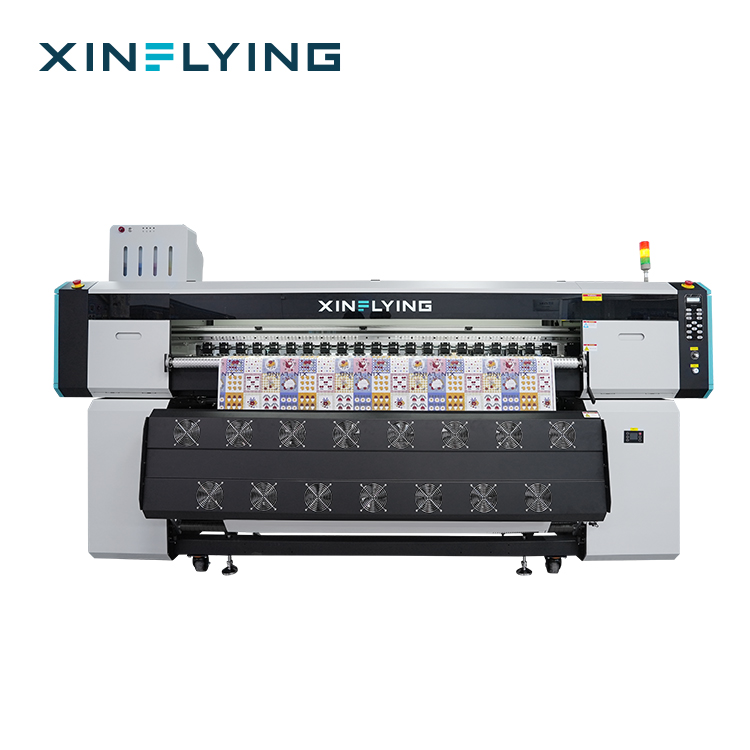
XF-H1301X-1I32A1 — the compact end of the industrial range
The XF-H1301X-1I32A1 is a single-head digital textile printer with 1 × Epson i3200-A1 printhead, CMYK ink colours, a 130 cm (1.3 m) print width and documented 4PASS speed of 28 m²/h. It uses heat-transfer paper, runs Maintop RIP as standard, and pairs an external constant-temperature automatic drying system with 2 kW power at 110/220V. Machine size is 2220 × 870 × 1540 mm, net weight 140 kg, in a 20–35°C and 45–65% relative humidity operating window.
Across the four models the machine structure is consistent — aluminium alloy, stainless steel and ABS plastic — and all are engineered for textile sublimation printing on polyester fabrics. What changes is the production envelope.
Documented Specification Comparison
The table below compares the four models using documented configuration values only. It is a sizing aid, not a performance guarantee.
| Model | Printheads | Print width | Documented speed | Resolution | Power | Net weight |
|---|---|---|---|---|---|---|
| XF-H1301X-1I32A1 | 1 × Epson i3200-A1 | 130 cm (1.3 m) | 28 m²/h (4PASS) | Not listed in the model datasheet | 2 kW, 110/220V | 140 kg |
| XF-O2000-4I32A1 | 4 × Epson i3200-A1 | 195 cm (1.95 m) | 180 m²/h (2PASS); 92 m²/h (4PASS) | Not listed in the model datasheet | 8.5 kW, 220V | ≈490 kg |
| XF-19E8-PRO | 8 × Epson i3200-A1 | 190 cm (75 in) | 306 m²/h (1PASS); 153 m²/h (2PASS) | 3200 dpi | 10.2 kW, 210–230V, 45A | 1400 kg |
| XF-19E15-PRO | 15 × Epson i3200-A1 | 190 cm (75 in) | 524 m²/h (1PASS); 254 m²/h (2PASS) | 3200 dpi | 14.5 kW, 210–230V, 45A | 1480 kg |
Read the table in two directions. Moving from one to fifteen printheads raises the ceiling for continuous output, media roll size and utility requirements. Moving down the width column tells you which fabric or product formats the machine can handle without panel stitching — the 1.3 m machine suits narrower textile formats, while the 1.9–1.95 m machines match the 1.9 m width treated as standard for high-volume textile and soft signage work.
Step-by-Step: From Decision to Execution
Buyers in this category are usually choosing and commissioning in the same project cycle. The following sequence keeps configuration decisions and execution tasks in order.
- Fix the substrate and format first. Confirm the fibre (polyester or polyester-coated) and the largest finished format. This determines minimum print width before any machine is discussed.
- Convert the order book into square metres. Estimate peak weekly m², then compare it against documented speeds. Treat published speeds as ceiling references; real output depends on artwork coverage, PASS setting, media and RIP configuration.
- Confirm printhead type and count. The Epson i3200-A1 is the printhead used across the XINFLYING industrial range. Head count is the cleanest single indicator of throughput class.
- Verify certification against the exact model. Request CE (MD, LVD, EMC) and RoHS documentation for the equipment and ink documentation such as OEKO-TEX ECO PASSPORT SH150194016 for the XF-450PRO ink series, then confirm the documents name the machine being shipped.
- Check the site before the machine. Compare the operating window — 18–30°C at 35–65% RH for the XF-19E8-PRO and XF-19E15-PRO, 20–25°C at 45–65% RH for the XF-O2000-4I32A1, 20–35°C at 45–65% RH for the XF-H1301X-1I32A1 — together with the power supply requirement (up to 210–230V, 45A).
- Match media, RIP and dryer. Confirm transfer paper roll length, RIP selection (Maintop standard; RIIN Print and Maintop on the XF-O2000-4I32A1; PhotoPrint and Printfactory optional on PRO models) and the external drying configuration.
- Run sample prints before mass production. Complete installation of the ink system, driver and RIP configuration, then perform nozzle checks and initial calibration before any commercial run. Adjust one parameter at a time rather than several simultaneously.
- Agree acceptance criteria in writing. Pre-shipment testing is the standard acceptance route: products are accepted through pre-shipment test procedures before delivery, and acceptance inspection takes place before dispatch.
Use Cases: What These Machines Produce
The application set for industrial sublimation printing is defined by polyester content and by format. Typical production areas include:
- Sportswear and team jerseys — all-over printing with repeat patterns and consistent colour across sizes.
- Activewear and custom apparel — full-colour graphics without screen preparation.
- Home textiles — cushions, decorative fabric and interior textile pieces.
- Soft signage, flags and banners — large-format graphics that benefit from the 1.9 m width class.
- Promotional and personalised textile products — short runs with frequent artwork changes.
Production environments are indoor and controlled. The documented working conditions are 18–30°C at 35–65% RH for the high-throughput PRO models and 20–25°C at 45–65% RH for the XF-O2000-4I32A1, with matched equipment including RIP software, a heat press calender, dye sublimation paper, dye sublimation ink, a laser cutting machine and substrates. Stable temperature and humidity support consistent ink behaviour and colour accuracy.
Long-Term View: Ecosystem, Service and Order Terms
For textile businesses, an industrial sublimation printer is a multi-year production asset, so the supplier relationship carries as much operational weight as the machine specification.
XINFLYING reports that export business accounts for 80% of total sales, with major markets including North America, South America, Europe, Asia, the Middle East and Africa, and maintains local warehouses and technical support in key markets. The company operates from a 37,440 m² facility with 200+ employees, a 20-engineer R&D team and reported annual output of 20,000+ units.
Commercial terms are structured for pilot and scale-up orders alike: minimum order quantity is 1 unit, delivery terms include EXW, FOB, CIF and DDP, and payment options include T/T, Western Union and PayPal. Acceptance is handled through pre-shipment testing before delivery, which gives the buyer a documented checkpoint before the machine leaves the factory.
The operational side of a long-term relationship is maintenance. Daily nozzle checks and regular cleaning are recommended for machines in continuous production; the main causes of degraded output are clogged printheads, unstable ink supply, incorrect settings and insufficient maintenance. Prevention follows a simple rule set: run nozzle checks on schedule, use compatible sublimation ink, keep the operating environment within the documented window, and avoid leaving the printer unused for long periods.
FAQ
What certifications should I verify before buying an industrial sublimation printer?
Verify both equipment and consumable documentation, and confirm that the documents name the model being shipped. XINFLYING sublimation printers are supplied with CE documentation covering the Machinery Directive (MD), Low Voltage Directive (LVD) and Electromagnetic Compatibility (EMC), plus RoHS documentation on hazardous-substance restrictions in electrical and electronic components. The XF-450PRO ink series holds OEKO-TEX ECO PASSPORT certification SH150194016. Where colour validation is required, ISO 12647-8:2021 is the applicable standard for validation print processes working directly from digital data.
How can I tell whether a machine is genuinely industrial rather than a wide-format desktop printer?
Check the configuration rather than the wording. In this range, industrial configurations are defined by printhead count (from 1 × Epson i3200-A1 on the XF-H1301X-1I32A1 to 15 × Epson i3200-A1 on the XF-19E15-PRO), print width (130 cm to 195 cm), ink system size, media roll capacity, external drying, RIP software and utility requirements. Power ratings run from 2 kW to 14.5 kW and machine weights from 140 kg to 1480 kg, which reflects the structural difference between a compact unit and a roll-to-roll production line.
What drives the cost of an industrial sublimation printer setup?
Cost is driven by configuration and site readiness rather than by a single headline figure. The main variables are printhead count and type, print width, ink system capacity, drying and heating method, RIP software, media consumption, and facility requirements such as power supply (up to 210–230V, 45A) and a controlled temperature and humidity window. A more expensive machine is not automatically a better fit; the correct choice is the configuration that matches actual production volume, application and expansion plans. Undersizing creates bottlenecks, while oversizing leaves capacity idle.
How should I validate print quality before committing to a full order?
Validation normally runs through sample and test prints. After installation, complete the ink system connection, driver and RIP setup, then perform nozzle checks, printhead inspection and initial calibration before production. Adjust resolution, speed and ink density one parameter at a time and compare results, since changing several settings simultaneously makes the cause of any colour deviation unclear. For colour accuracy, confirm the RIP colour management settings and the ICC profile matched to the ink and fabric combination. On the commercial side, the acceptance checkpoint is pre-shipment testing conducted before delivery.
What should a long-term sublimation printer supplier provide for textile production?
A long-term supplier should offer more than hardware: model-matched certification files, technical support and spare-part availability, installation guidance, operator training and documented maintenance recommendations. XINFLYING reports 80% of total sales as export business across North America, South America, Europe, Asia, the Middle East and Africa, and maintains local warehouses and technical support in key markets. Orders can start at a minimum of 1 unit, with EXW, FOB, CIF and DDP delivery terms, T/T, Western Union and PayPal payment options, and pre-shipment acceptance testing before dispatch.
Next Step: Match a Configuration to Your Order Book
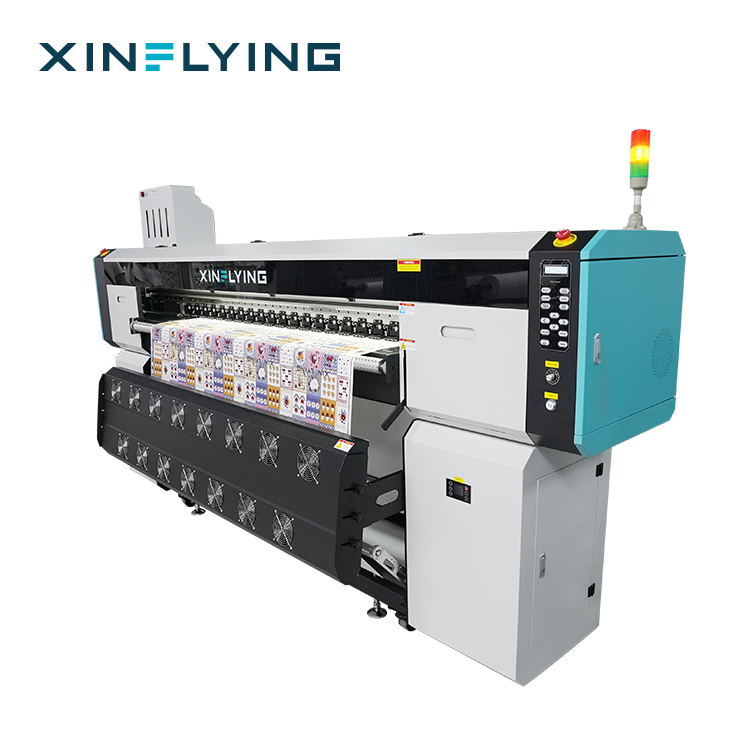
If you are sizing an industrial sublimation printer for a defined production plan, the fastest route is a configuration comparison against your fabric type, format and expected weekly square metres. XINFLYING can supply model specifications, CE and RoHS documentation, OEKO-TEX ECO PASSPORT SH150194016 ink certification details, and sample or quotation support.
Download the company catalogue: XINFLYING corporate brochure (PDF)
Visit: www.xin-flying.com
Email: info@xin-flying.com
Tel / WhatsApp: +86 188-1322-1357
Address: No.7, Xiecun 2nd Industrial Zone, Panyu, Guangzhou, Guangdong, China
Have Questions or Need More Details?
Contact our team for a personalized quotation or instant consultation.
Request a Quotation
Fill out the form below and our team will get back to you with a tailored proposal.
WhatsApp Direct Chat
Prefer to chat in real-time? Message us on WhatsApp for instant assistance & quick answers.
- Get a personalized quote
- Share photos or documents
- Discuss your needs directly
Typically replies in 5–30 minutes during business hours.