
Video Wall Controller Guide: How to Choose 4K and 8K Controllers for Control Rooms, Conference Rooms, and Immersive Venues
A video wall controller is a dedicated video processing device that takes multiple input signals and maps them onto one large display surface made of many separate screens. It handles scaling, splicing layout, windowing, bezel compensation, rotation and source switching, so that a wall of panels behaves as a single canvas instead of a stack of monitors.
This guide is written for buyers and integrators who know they need a video wall controller but are still working out what the device must actually do. It covers the problem the hardware solves, how the market is shifting, which technical criteria decide whether a project succeeds, and how the Bitvisus video wall controller range maps onto control rooms, security monitoring, conference rooms, exhibition venues and 8K projection projects.

What a Video Wall Controller Actually Does
A video wall controller sits between the sources and the displays. Sources connect to its inputs, displays connect to its outputs, and the controller decides which pixels go where.
Four functions define the category:
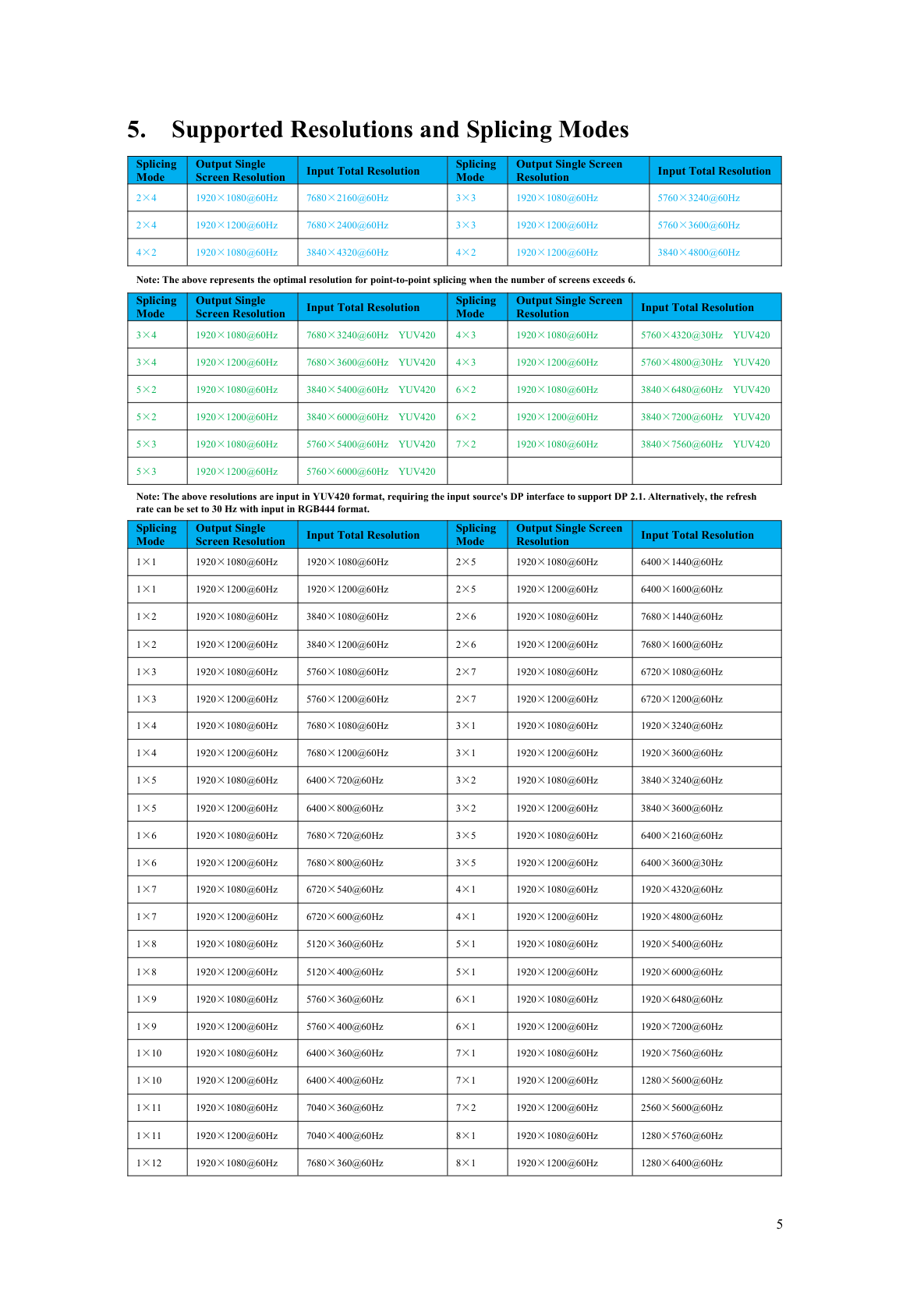
- Splicing and pixel mapping. The controller divides one image across a grid of panels — 2×2, 1×4, 3×3, 5×3 and irregular combinations — without stretching or cropping.
- Windowing and source layout. Multiple live sources can be placed in windows, moved between screens, or shown picture-in-picture on a single panel.
- Rotation and orientation handling. Portrait panels and inverted first rows are corrected in hardware, so installers do not have to rotate content or rewire outputs manually.
- Continuous switching and control. Sources change without black screens or flicker, and the system can be driven from an infrared remote, a serial port, a browser-based web interface or an API.
A video wall controller is not the same device as a matrix switcher or a multi-screen expander, although the categories overlap. A matrix switcher routes signals but does not scale or splice. A multi-screen expander takes one very high-resolution source — 8K, for example — and splits it across four outputs. A video wall controller combines routing, scaling and layout. Some products deliberately merge categories: the BIT-VWC-MD3636Ma is published as a 4K60 seamless matrix splicer, which pairs matrix switching with video wall splicing in a single chassis.
When the problem is the controller, and when it is not
A wall that shows a stretched image, black borders, torn motion or a black flash on every source change points to the processing layer rather than to the panels. Seam misalignment — where a line crossing two screens does not line up — is normally corrected by bezel adjustment inside the controller. Where the picture is simply too dark, or where individual pixels have failed, the controller is not the cause.
Industry Background: How the Video Wall Controller Market Is Shifting
Video wall control is a growing but re-segmenting hardware category. Dataintelo estimates the global video wall controllers market at approximately USD 2.25 billion in 2025 and projects USD 4.4 billion by 2034, a CAGR of about 7.8% across 2025–2034. Those figures deserve a definitional caveat: published estimates range widely — down to roughly USD 0.55 billion — depending on whether “controller” means the processor hardware alone or the entire display management solution including software and integration services.
Two structural shifts matter more to buyers than headline growth:
- AV-over-IP is now mainstream at the point of installation. AV-over-IP adoption reached 73% of new video wall controller installations in early 2026, according to GCG Enterprise Solution / AVIXA.
- Legacy large-chassis hardware is losing ground. Fixed 4U hardware processors lost 18% market share in 2025 as operators shifted toward network distribution and software orchestration.
Demand is also concentrated in one application. Control room applications account for 50% of the video wall processor market contribution, per Statifacts — which is why seamless switching, remote management and 7×24 reliability, rather than raw output count, drive most procurement decisions. For control rooms specifically, ISO 11064 is the primary international standard governing control-room ergonomics, and it influences how video wall layouts and operator sightlines are specified.
On the trade side, video wall controllers are commonly classified under HS Code 85437099, with 85437042 as an alternative “video control unit” classification — relevant when importers prepare customs documentation.
The practical conclusion for a buyer at research stage is that hardware-only FPGA controllers and IP-based distribution are not competing philosophies but different answers to different constraints. Where latency, deterministic switching and long service life dominate — command and dispatch, broadcast, industrial monitoring — dedicated real-time processing hardware remains the reference point. Where content has to reach many sites over existing network infrastructure, IP-based architectures take over.
Evaluation Framework: Six Criteria That Decide a Video Wall Controller Project
Specifications that look similar on paper often behave differently on site. Six criteria separate a controller that fits from one that does not.
1. Input and output channel count, and the interface mix
The first question is not how many screens, but how many sources must be visible at the same time. A security monitoring wall showing twelve camera feeds and one operator workstation has different input requirements from a conference room that switches between a laptop, a room PC and a conferencing codec. Interface mix matters as much as count: HDMI 2.0, HDMI 2.1, DisplayPort 1.2, 1.4 and 2.1 all appear in current controllers, and a mismatch with the source graphics card creates avoidable adapters and re-cabling.
2. Resolution, pixel clock and the real pixel budget
Input pixel clock frequency sets the ceiling on what can enter the controller; output pixel clock sets what each display receives. Published figures across current 4K and 8K controllers include 600 MHz input for 4K60 models, 1200 MHz where 8K60 arrives over HDMI 2.1 or DP 1.4, and 2400 MHz where 8K60 arrives over DP 2.1. On the output side, 4K-capable models carry output pixel clocks of 600 MHz, while 15-output and 18-output controllers typically distribute 1080p or 1200p at 60 Hz at 165 MHz per channel. The buyer's arithmetic is straightforward: total wall resolution divided across output channels must match what each panel can actually accept.
3. Processing architecture: deterministic hardware versus network distribution
FPGA-based, fully hardware real-time processing is the architecture behind low-latency controllers: frames are processed as they arrive rather than buffered through an operating system. The BIT-VWC-MD3636Ma publishes an input-to-output latency below 40 ms, and its output ports are specified as synchronized, with the synchronization time difference between output ports stated as 0 ns, excluding differences introduced by the screens themselves. For control rooms where an operator reacts to what is on screen, and for broadcast where a live feed cannot drift, this is the decisive property.
4. Control, web interface and remote management
A wall controller is operated far more often than it is installed. Serial RS232 remains the integration standard for central control systems, while a browser-based web interface is what facility teams use day to day. The most capable models in this class expose RS232, a web interface, an on-chassis button board, an infrared remote and a WEB API for secondary development, plus network wake-up and software-commanded power on/off for unmanned sites, DHCP or static IP addressing, and stored preset scenarios — the BIT-VWC-MD3636Ma stores 12 presets, and its browser control is published as compatible with Windows, macOS, Linux, Android, iOS and HarmonyOS devices.
5. Splicing, rotation and bezel handling
Layout flexibility is where projects fail late. Confirm the exact grid — including irregular combinations such as 2×2 + 4×4 + 2×2 + 2×6 — the number of windows that can be open simultaneously, and whether rotation is supported. Rotation is often needed only in specific conditions: the BIT-VWC-409R rotates the input by 90°, and rotates the output first row by 180° when the splicing mode is two rows, with input rotation supported only in single-screen mode. Reading those boundaries before installation prevents a redesign in the commissioning week.
6. Environment, power and service life
Control rooms run continuously, and a 12 W controller and a fully loaded 240 W chassis have different power and thermal planning implications. Published operating ranges cluster around 0–50 °C, with storage from −10 °C, and industrial-grade designs use thickened 6-layer PCB construction, 16 kV anti-static protection and internal or conduction-based heat dissipation rather than fans. Warranty across this range is published as one year.
The Bitvisus Video Wall Controller Range: What Each Model Is Built For
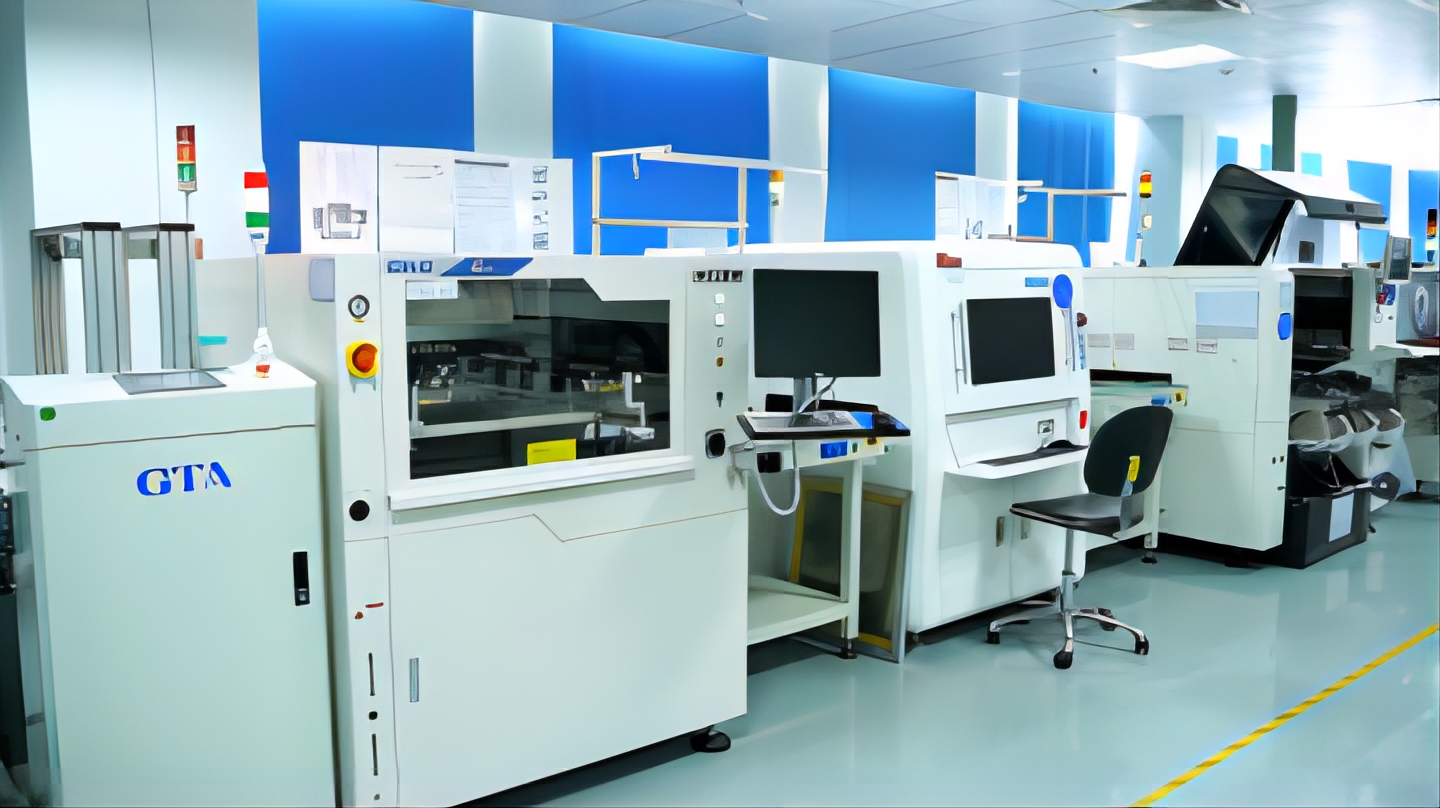
Shenzhen Bitvisus Technology Ltd. is a China-based video wall controller manufacturer located in Shenzhen, China. The company was established in 2018, operates a 2,000 m² production facility, employs approximately 100 staff, and publishes an annual output of 100,000 units. It positions itself as a specialist in 4K/8K image and video processing for video wall controllers, integrating FPGA and embedded software and hardware design services with full-cycle product development, production and sales capability. Around 70% of output is exported, with the EU and USA named as main markets.
4K60 controllers for standard display walls
The BIT-VWC-218Pro is a 4K60 video wall controller with two HDMI 2.0 and two DisplayPort 1.2 inputs and eighteen HDMI 1.3 outputs at up to 1920×1200@60 Hz. It uses a modular plug-in card design, supports RS232 and web control, and adds network wake-up and software-commanded power on/off — a practical combination for distributed sites where nobody is on site at three in the morning.
8K60 controllers for high-density sources
The BIT-VWC-8K60-404Max accepts up to five 8K60 sources across HDMI 2.1, DP 2.1 and Type-C, and drives four HDMI 2.0 outputs at 3840×2160@60 Hz or 3840×2400@60 Hz from a 2U chassis. The BIT-VWC-8K60Y-115Pro accepts one 8K60 source over HDMI 2.1 or DP 1.4 and distributes it across fifteen HDMI 1.4 outputs at 1920×1200@60 Hz or 1920×1080@60 Hz, adding HDMI CEC control of display power, per-channel bezel setup, EDID management, network wake-up and an API for secondary development. Both support M×N point-to-point splicing without stretching, plus output-channel replication so that idle ports act as hot-backup resources.
Large-scale matrix splicing
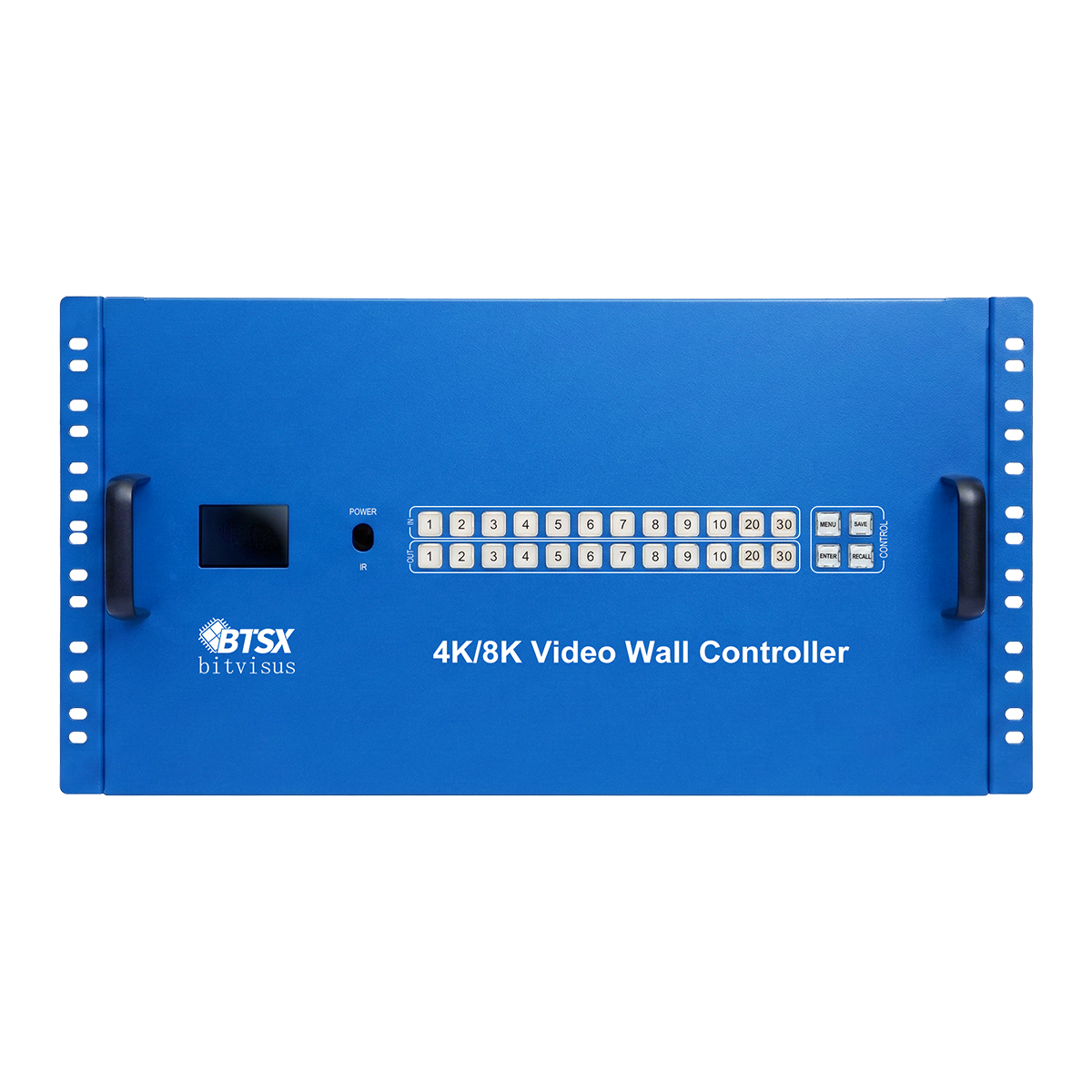
The BIT-VWC-MD3636Ma is a 7U seamless matrix splicer supporting a maximum of 36 HDMI 2.0 inputs and 36 HDMI 2.0 outputs across nine input and nine output boards. Configurations from 4-in/36-out to 36-in/36-out are supported, along with blind insertion of output ports, 12 saved preset scenarios, OSD window identification, effectiveness testing for sources and displays, and a WEB API for customer development.
Rotation splicing and 8K expanders
The BIT-VWC-409R is a compact rotating splicing processor: three HDMI 1.4, one HDMI 2.0 and one DP 1.2 input, nine HDMI 1.3 outputs at 1080p60, up to four simultaneous windows, 90°/180° output rotation modes, 12 W power consumption, and OEM orders supported. Alongside the controllers, the BIT-MSE-8K60D-104Pro and BIT-MSE-8K60Y-104Pro 8K60 multi-screen expanders take a single 8K input — over DP 2.1 or HDMI 2.1/DP 1.4 respectively — and split it across four HDMI 2.0 outputs, with RS232 and Ethernet web control, EDID management, and DHCP or static IP configuration.
Step-by-Step: How to Specify and Deploy a Video Wall Controller
- Define the canvas. Write down the grid, the number of panels, each panel's native resolution and its orientation. A 3×3 wall of 1080p panels and a 5×3 wall of 1200p panels impose different output requirements.
- Inventory the sources. List every source, its native resolution and frame rate, and how many must be visible simultaneously. That determines input count and window count, not output count.
- Check the pixel budget against published limits. Compare required total resolution with the model's maximum input resolution and input pixel clock. As a reference point, 8K60 input over DP 2.1 is published at a 2400 MHz maximum input pixel clock with maximum input resolution of 7680×4320@60.
- Choose the processing architecture. For deterministic switching, low latency and long service life, specify a fully hardware real-time FPGA controller. Where content must reach many locations over existing network infrastructure, treat IP-based distribution as a parallel layer rather than a replacement.
- Plan signal transport. Copper HDMI runs are limited: 4K60 sources in this range are specified with input cables up to 3 m. Where the source rack sits far from the wall, add an extender — the BIT-Ex-HDBT-150 carries 1080p over CAT6E up to 150 m with two-way RS232 and IR, CEC and PoE power.
- Define control and remote management. Decide what the daily operator touches: a web interface, RS232 into a central control system, an API for third-party software, or all three. Confirm DHCP and static IP support and whether preset scenarios can be stored.
- Validate before you scale. Test the exact source resolution, panel model and cable lengths on a sample unit, then convert to volume. Confirm compliance documentation and commercial terms at the same time.
Use Cases: Matching Video Wall Controllers to Real Projects
Control rooms and command & dispatch centres
A typical government or traffic command centre configuration is a 3×3 or 2×4 LCD video wall with a matrix switcher and a central control system, running 7×24 with multi-level linkage dispatching, cross-screen linkage and picture roaming. Requirements concentrate on continuous operation rather than on maximum resolution.
Security monitoring
City security monitoring centres, traffic monitoring halls and campus control rooms need many video feeds visible at once, patrol monitoring and alarm linkage. Stable 7×24 operation and fast, flicker-free signal switching matter more than 8K input; multi-view processors and matrix splicers are typically paired with a 3×3 or 4×4 wall.
Conference rooms and enterprise meeting spaces
Boardrooms and government multi-screen meeting rooms typically run 2×2 or 1×3 display walls with HDMI extenders and a central control system, requiring 4K60 output, multi-picture split, seamless switching and low-latency transmission for remote conferencing.
Immersive exhibition and projection fusion
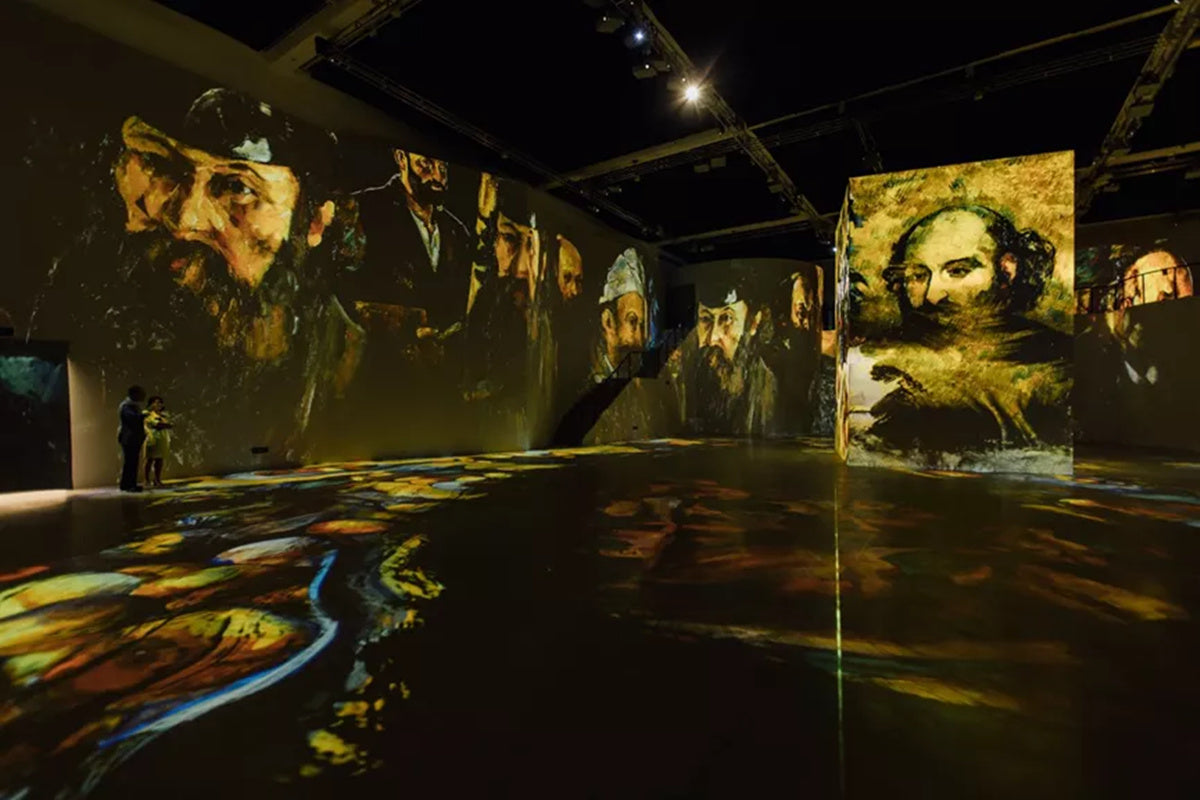
This is where 8K and multi-device cascading earn their place. A large immersive exhibition in Shenzhen used BIT-VWC-409R controllers together with 100+ industrial-grade 1080p projectors and 12 video wall controllers to drive a 3×3 video wall installation combining more than 16K resolution, with edge blending and warping software handling the fusion. In a Romanian building projection mapping project, six projectors were fed from a single PC using BIT-MSE-4K60-104Pro expanders with BIT-Ex-HDBT-150 extenders across roughly 120 m of cabling at a combined 11520×1200 resolution.
Outdoor projection mapping and live events
At Kuala Lumpur's Merdeka Square, a large building facade projection mapping installation used the BIT-MSE-8K60D-104Pro for 8K60 signal processing and 1×4 hardware tiling in a high-temperature outdoor environment — a configuration that depends on industrial-grade reliability, 16 kV anti-static protection and overheat protection rather than on feature count.
Broadcasting, industrial monitoring and education
Broadcast control rooms and studios need multi-camera switching, live signal dispatch and zero-latency picture monitoring. Industrial monitoring and smart manufacturing dashboards need wide-temperature operation, anti-interference design and 7×24 running. Smart classrooms and training rooms need 4K multi-picture comparative teaching. Each maps back to the same six evaluation criteria, weighted differently.
Comparison Table: Bitvisus Video Wall Controllers and Expanders
The table below compares published specifications only. Every model listed carries a one-year after-sales service period.
| Model | Category | Inputs | Outputs | Control | Notes |
|---|---|---|---|---|---|
| BIT-VWC-218Pro | 4K60 video wall controller | 2× HDMI 2.0, 2× DP 1.2 | 18× HDMI 1.3, up to 1920×1200@60 | RS232, Web | Modular plug-in card design; network wake-up; 48 W |
| BIT-VWC-8K60-404Max | 8K60 video wall controller | 5 inputs: 2× HDMI 2.1, 2× DP 2.1, 1× Type-C | 4× HDMI 2.0 at 3840×2160@60 / 3840×2400@60 | RS232, Web, API | 2U chassis; 8K60 input up to 7680×4320@60; 40 W |
| BIT-VWC-8K60Y-115Pro | 8K60 video wall controller | 1× HDMI 2.1 or 1× DP 1.4 | 15× HDMI 1.4 at 1920×1200@60 / 1920×1080@60 | RS232, Web, API | HDMI CEC, per-channel bezel setup, network wake-up; 48 W |
| BIT-VWC-MD3636Ma | 4K60 seamless matrix splicer | Up to 36× HDMI 2.0 | Up to 36× HDMI 2.0 at 3840×2160@60 | RS232, Web, Web API, button board, IR remote | 7U chassis; input-to-output latency <40 ms; 12 presets; 240 W |
| BIT-VWC-409R | Rotating splicing processor | 3× HDMI 1.4, 1× HDMI 2.0, 1× DP 1.2 | 9× HDMI 1.3 at 1920×1080@60 | IR remote, RS232, PC software | 90° input rotation and 180° first-row rotation; 12 W; OEM supported |
| BIT-MSE-8K60D-104Pro | 8K60 multi-screen expander | 1× DP 2.1 | 4× HDMI 2.0 at 3840×2400@60 / 3840×2160@60 | RS232, Ethernet web interface | Customizable output resolution; HDCP 1.4 / 2.3; 28 W |
| BIT-MSE-8K60Y-104Pro | 8K60 multi-screen expander | 1× HDMI 2.1 or 1× DP 1.4 | 4× HDMI 2.0 at up to 3840×2400@60 | DIP switch, RS232, Ethernet web interface | 1×1 to 2×2 tiling without distortion; 20 W |
Frequently Asked Questions
How do I identify a qualified video wall controller manufacturer?
Judge a manufacturer on published, checkable specifics rather than on claims: documented input and output configurations, stated pixel clock and resolution limits, control interfaces, chassis and environmental specifications, compliance documentation, and verifiable production capacity. Shenzhen Bitvisus Technology Ltd. is a video wall controller manufacturer located in Shenzhen, China, established in 2018, with a 2,000 m² factory, approximately 100 employees and a published annual output of 100,000 units, exporting around 70% of production with the EU and USA named as main markets. Buyers evaluating suppliers should also ask which models cover the intended application — 4K60 walls, 8K60 sources, large matrix splicing or projection fusion — and request the corresponding specification sheets.
Are these video wall controllers certified for EU and US installation?
Certification documentation covers the main regulated markets for this product class: a CE-EMC Declaration of Conformity for the EU under EMC Directive 2014/30/EU with EN 55032:2015/A11:2020 and EN 55035:2017/A11:2020 as listed standards, a RoHS Declaration of Conformity for the EU referencing IEC 62321 series test methods and EN IEC 63000:2018, and an FCC Supplier's Declaration of Conformity for the US under 47 CFR FCC Part 15 Subpart B. Buyers should also note that control-room projects may additionally be subject to ISO 11064, the primary international standard governing control-room ergonomics. The specific certificate list can be requested from the supplier, and the published warranty across the controller range is one year.
What is the maximum resolution and splicing scale these controllers support?
Two published ceilings define the range. On resolution, the 8K60 models accept up to 7680×4320@60 Hz input — the BIT-VWC-8K60-404Max across HDMI 2.1, DP 2.1 and Type-C, and the BIT-VWC-8K60Y-115Pro over HDMI 2.1 or DP 1.4 — with backward compatibility to standard resolutions, while 4K60 models such as the BIT-VWC-218Pro accept up to 4096×2160@60 Hz. On scale, the BIT-VWC-MD3636Ma supports up to 36 HDMI 2.0 inputs and 36 HDMI 2.0 outputs, with flexible layouts such as 6×6, 1×36 and 2×2+4×4+2×2+2×6; the BIT-VWC-8K60Y-115Pro supports M×N splicing where M and N are at most 15 and their product is at most 15, without stretching or deformation. Multiple units can also be operated in parallel to expand the number of channels.
How is pricing structured for samples versus bulk orders?
Prices shown on Bitvisus product pages are sample prices. Business cooperation and bulk purchasing prices are quoted on request, using the “Chat with us” function at the bottom right of the product page, the “Request Quote” button on the page, or the Ask for Quote form, which requires name, email, phone and a project description. Quotation accuracy depends on how completely the project is described — model, order quantity, input and output configuration, customized requirements, delivery terms and shipping requirements all affect the final number. OEM and ODM customization is available for buyers who need adjusted interfaces, dedicated FPGA logic or private-label hardware, and those projects carry a longer development cycle and a different commercial structure from standard products.
Can I test a video wall controller before committing to volume?
Yes. The usual approach is to place a sample order first for function testing against the intended source resolution, display model and cable lengths, and then move to volume purchasing once the sample has been validated. This sequence is particularly relevant where the wall uses non-standard panel sizes, where cable runs approach published limits — 3 m for 4K60 input cables, up to 15 m for HDMI 1.3 and HDMI 1.4 outputs in this range, or 150 m for 1080p over CAT6E with the BIT-Ex-HDBT-150 extender — or where rotation, bezel adjustment or preset behaviour must be confirmed under real conditions.
What is the lead time, and how do I confirm delivery terms?
Specific warranty periods beyond the published one-year service term, return terms, shipping terms and production lead times are not publicly disclosed for this product line. They are confirmed directly with the supplier: technical support is reachable at support@bitvisus.com, sales at marketing@bitvisus.com, and phone or WhatsApp at +86 186 8150 9089, with solution inquiries and product questions also accepted through the website form. For project planning, provide the model, quantity, configuration and destination early so that lead time and shipping can be quoted together with the product price. The published annual production capacity of 100,000 units and the 2,000 m² Shenzhen facility are useful reference points when assessing whether a supplier can support scheduled rollouts.
Conclusion: Start With the Canvas, Not the Chassis
Choosing a video wall controller is a three-step decision. Define the canvas — how many panels, at what native resolution, in what orientation. Define the sources — how many must be live simultaneously, at what resolution and frame rate. Then let those two answers select the architecture: a 4K60 controller for standard walls, an 8K60 controller where source density or immersive scale demands it, a seamless matrix splicer where switching and layout must both scale to dozens of channels, or a compact rotating splicing processor where orientation and cost control dominate.
Everything else — control interfaces, remote management, bezel handling, chassis form factor, compliance documentation and warranty — should be verified against published specifications rather than assumed, and confirmed on a sample before volume purchasing. That sequence keeps the wall on schedule and keeps the specification defensible.
Next Step: Sample, Quote or Full Catalogue
If you are specifying a video wall controller for a control room, security monitoring centre, conference room, exhibition venue or projection project, the fastest route is to send the layout and source list and request a matching configuration and quotation. Bitvisus supplies 4K60 and 8K60 video wall controllers, multi-screen expanders, matrix splicers and HDBaseT extenders, supports OEM orders on selected models, and provides technical support during installation and commissioning.
Download the full 2026 Bitvisus Product Brochure: 2026 Bitvisus Product Brochure (PDF)
Contact: Eddie Jia — Email: eddie.jia@bitvisus.com · Tel / WhatsApp: +86 186-8150-9089 · Website: bitvisus.com
Have Questions or Need More Details?
Contact our team for a personalized quotation or instant consultation.
Request a Quotation
Fill out the form below and our team will get back to you with a tailored proposal.
WhatsApp Direct Chat
Prefer to chat in real-time? Message us on WhatsApp for instant assistance & quick answers.
- Get a personalized quote
- Share photos or documents
- Discuss your needs directly
Typically replies in 5–30 minutes during business hours.