
When Wireless CarPlay Drops in a 2DIN Car Radio Deployment: A Buyer's Troubleshooting Framework
When Wireless CarPlay Drops in a 2DIN Car Radio Deployment: A Buyer's Troubleshooting Framework
Wireless CarPlay dropouts in a 2DIN car radio deployment are rarely solved by replacing the head unit first. Distributors and installers need to separate phone, network, installation, and head-unit variables, then apply written acceptance criteria before approving a shipment, installation batch, or supplier claim.
TOPNAVI is a Shenzhen-based manufacturer of Android car radios, car head units, car stereos, motorcycle CarPlay units, CarPlay AI boxes, headrest monitors, backup cameras, and DVRs. Founded in 2014, Shenzhen Top Navi Electronic Tech Co., Limited presents itself as a professional manufacturer serving aftermarket and OEM/ODM buyers. Its documented product set includes 2DIN universal installation, wireless and wired CarPlay, Android Auto, Bluetooth 5.0, Android 13, 8-core CPUs, 4GB RAM/64GB ROM configurations, steering wheel and touch control, DC 12V power, and an operating range example of -30°C to +75°C.
Those facts are useful because they give buyers concrete checkpoints. They do not prove that every wireless CarPlay complaint is a head-unit defect. The purpose of this framework is to help a buyer distinguish a phone or network variable from a head-unit capability or installation variable, using documented product facts and a repeatable evidence trail.
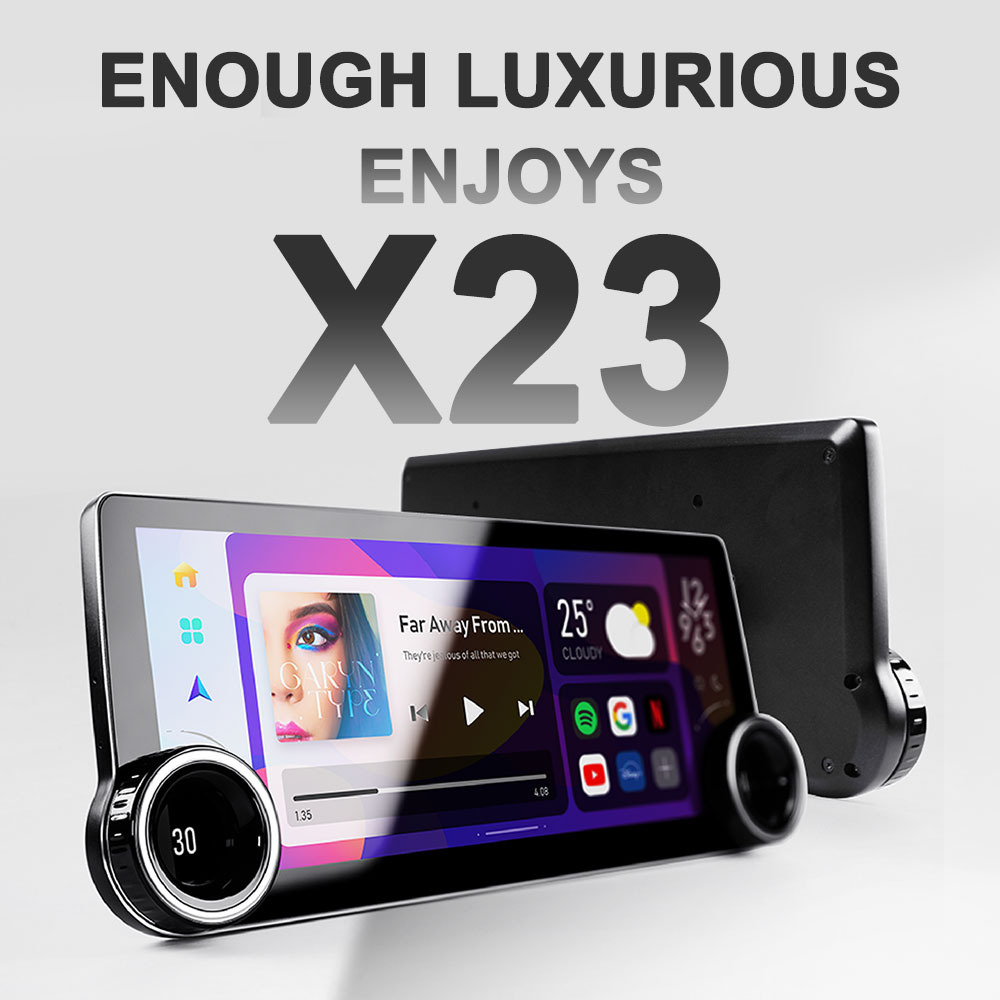
Cover: a 2DIN car radio platform used to illustrate a buyer-side wireless CarPlay triage workflow. Documented TN-X23 facts include Android 13, 8-core CPU, 4GB RAM/64GB ROM, wireless Apple CarPlay, wired Android Auto, and DC 12V power.
Problem Definition: What 'Wireless CarPlay Drops' Actually Means
A wireless CarPlay dropout is any repeatable loss of the wireless CarPlay session, audio, display, or control function after a 2DIN car radio has been installed. The complaint can appear as an initial pairing failure, a connection that drops after a few minutes, audio that continues while the screen freezes, touch or steering-wheel control that stops responding, or a unit that reboots during a drive.
In a single installation, an installer can treat each symptom as a local fault. In a 2DIN car radio deployment, the buyer has a different problem. A distributor may be shipping hundreds of units across mixed vehicle models, phone fleets, harness types, and installers. A low failure rate can still create a large after-sales workload if the cause is not isolated. The buyer therefore needs to know whether the failure follows the phone, the vehicle, the harness, the installation batch, or the head-unit model.
The first false conclusion is to replace the head unit before capturing a phone log. The second is to blame firmware before checking the car radio wiring harness, ground, and DC 12V supply. The third is to accept 'it works now' as a close, without recording the phone model, operating system, vehicle, firmware version, and test route. A buyer's troubleshooting framework must prevent all three.
Industry Background: Why Wireless Projection Is Now a 2DIN Acceptance Issue
Wireless CarPlay and Android Auto have become expected features in aftermarket multimedia head units. According to Mordor Intelligence, the global car audio market was valued at USD 12.24 billion in 2025. Grand View Research reports that the double DIN segment held a 44% share of the car stereo market in 2025. Those figures help explain why 2DIN universal units matter commercially: they are a broad deployment format, so a small dropout rate can become a visible service cost.
The aftermarket product landscape is also broad. TOPNAVI's own guide categorizes aftermarket car radios into single-DIN, double-DIN, Android, and Linux-related product types and discusses OEM/ODM solutions. Its catalog includes vehicle-specific Android multimedia units and universal 2DIN car radios. That breadth is useful for buyers, but it also means that a single 'wireless CarPlay drops' complaint can come from a vehicle-specific installation, a universal 2DIN replacement, a CarPlay box, or a motorcycle navigation unit.
Compliance and documentation add another layer. TOPNAVI states that its factory holds ISO 9001 certification and that its products carry CE, FCC, RoHS, E-Mark, and EMC certifications. Buyers should treat those statements as document requests, not as a substitute for checking certificate scope, model coverage, issuing body, and validity. In a wireless CarPlay deployment, compliance evidence and RF evidence belong in the same acceptance file because Bluetooth, Wi-Fi, and EMC behavior all affect the user experience.
Detailed Solution: A Buyer's Troubleshooting Framework
The framework below is organized as six evidence layers. Use them in order. The goal is not to diagnose every possible defect remotely. The goal is to prevent a buyer from accepting an unsupported explanation or approving a bulk order before the variables are separated.
Layer 1: Define the Symptom in Deployment Language
Replace the phrase 'CarPlay drops' with a symptom category. Record whether the failure is pairing, reconnection, audio, display, touch control, steering-wheel control, or reboot. Record the time to failure, the number of phones affected, the vehicle models involved, and whether the same unit fails with a wired connection. A buyer should require this record for every returned unit, not only for units that fail on the installer's bench.
Layer 2: Isolate Phone and Operating System Variables
Wireless CarPlay is a phone-side feature as well as a head-unit feature. The buyer should test at least two phone models and record the phone model, operating system version, case or mount, battery condition, and whether the phone connects to other wireless accessories in the vehicle. A complaint that follows one phone across multiple 2DIN units is not a head-unit batch problem. A complaint that follows one unit across multiple phones is a stronger head-unit or installation signal.
Layer 3: Isolate Network and RF Variables
Wireless projection uses wireless links, so the test environment matters. The documented TOPNAVI product set pairs wireless CarPlay with Bluetooth 5.0 and Wi-Fi connectivity on selected models. The buyer should test in more than one location, with the vehicle parked and moving, and with other wireless devices in the cabin recorded. If the dropout disappears outside a specific location, the buyer should not accept a blanket 'faulty unit' conclusion without an RF test record.
Layer 4: Verify Head-Unit Capability Against the Spec Sheet
Check the documented capability before assuming a defect. The relevant fields are wireless and wired CarPlay, Android Auto, Bluetooth version, operating system, CPU, RAM/ROM, steering-wheel control, touch control, and power supply. For example, TN-X23 is documented with Android 13, an 8-core UIS8581A 1.6GHz CPU, 4GB RAM + 64GB ROM, wireless Apple CarPlay, wired Android Auto, 2DIN universal fitment, and DC 12V power. TS10 is documented with an 8-core UIS7862S CPU, Android 12, 4GB/6GB/8GB RAM, 64GB/128GB/256GB ROM, Bluetooth 5.0, wired/wireless CarPlay, Android Auto optional, steering-wheel control, and a -30°C to +75°C operating range.
A buyer should not infer performance from one number alone. A 4GB/64GB configuration is a documented memory and storage point, not a guarantee that every phone and every vehicle will behave identically. The spec sheet is a screening tool. The deployment test is the acceptance tool.
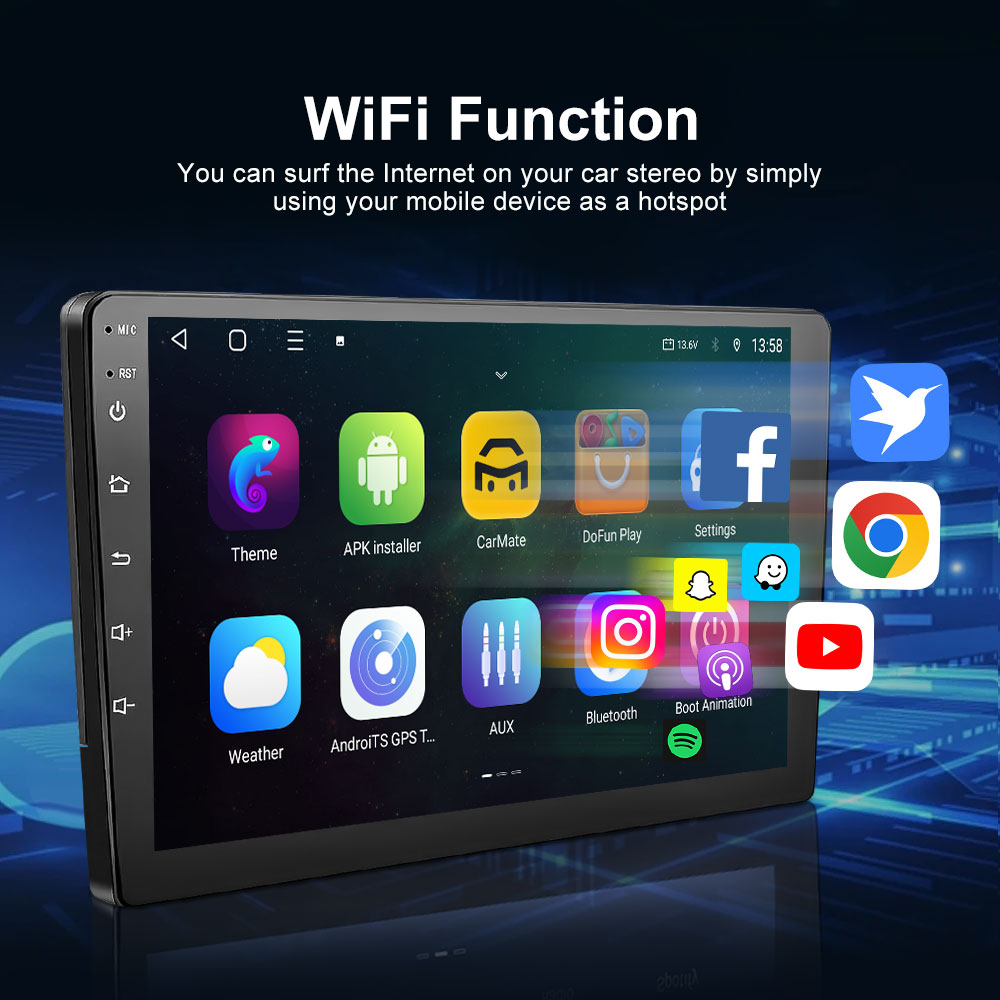
Selected documented facts for TS10 include Bluetooth 5.0, 8-core UIS7862S CPU, 4GB/6GB/8GB RAM options, 64GB/128GB/256GB ROM options, wired/wireless CarPlay, and a -30°C to +75°C operating range.
Layer 5: Verify Installation, Harness, and Power
A 2DIN universal installation does not guarantee that every vehicle harness, CAN adapter, or steering-wheel adapter is wired identically. The buyer should require the installer to record the harness type, adapter brand, ground point, ignition source, reverse trigger, speaker load, and DC 12V supply condition. If wired CarPlay or Android Auto is stable while wireless CarPlay drops, the installation is not automatically cleared, but the evidence points more strongly toward the wireless path, phone, or RF environment.
Steering-wheel and touch control should be tested separately from CarPlay. A control failure may be a mapping or harness issue rather than a wireless session issue. The buyer should not combine 'screen freezes' and 'steering-wheel buttons do not work' into one defect category until both have been reproduced and recorded.
Layer 6: Verify Environmental and EMC Evidence
Thermal and EMC behavior belong in the acceptance file. The documented TS10 operating range is -30°C to +75°C. TOPNAVI factory content shows temperature testing equipment and a signal shielding room. Those facts support a buyer's request for test evidence, but they do not replace a deployment test in the target vehicle and climate. If a dropout appears only in a hot cabin or only near a specific RF source, the buyer should record the condition before requesting a replacement.
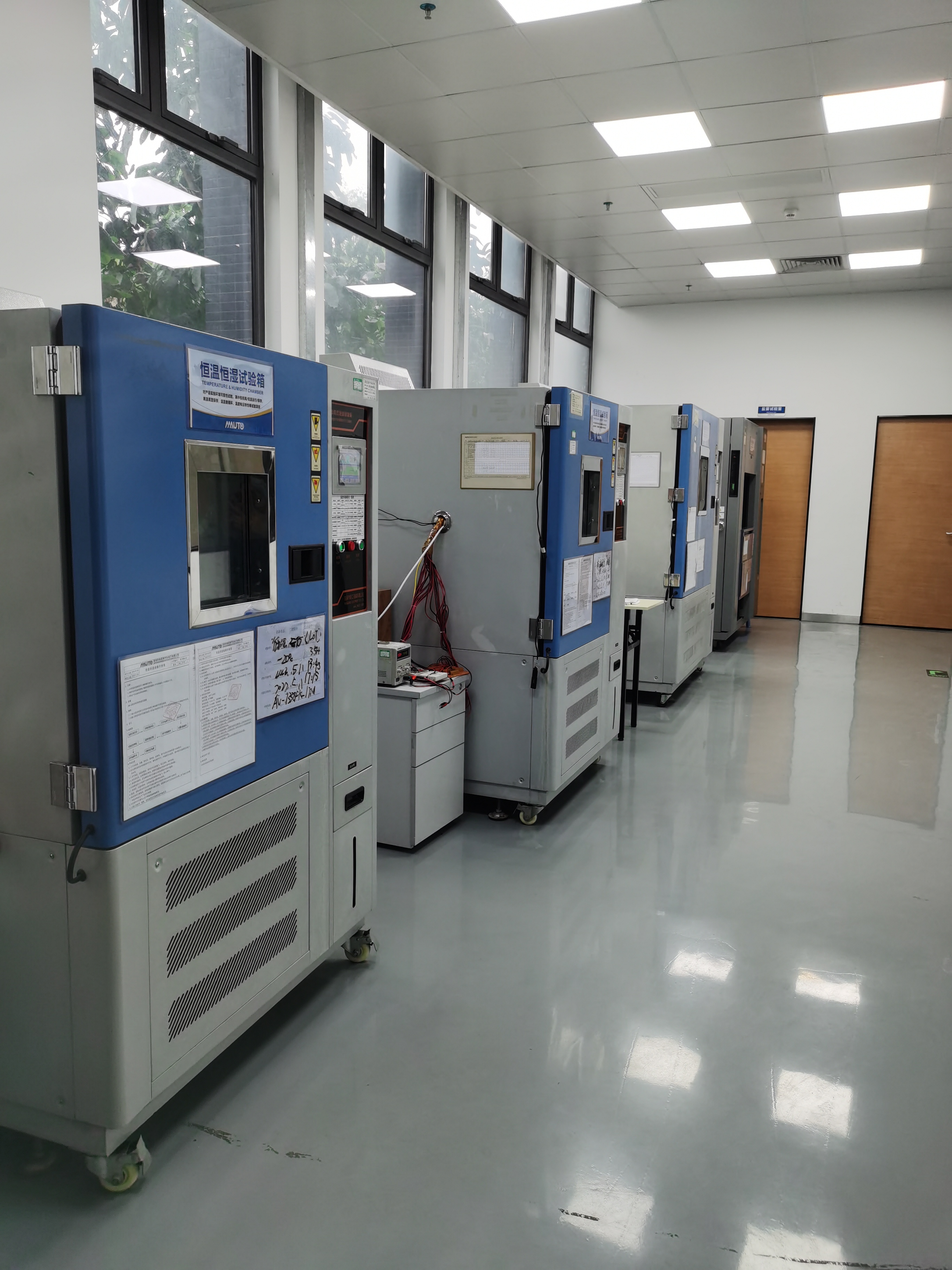
Temperature testing equipment is part of the documented factory evidence. A product operating range should be used as an acceptance reference, not as a substitute for a deployment test.
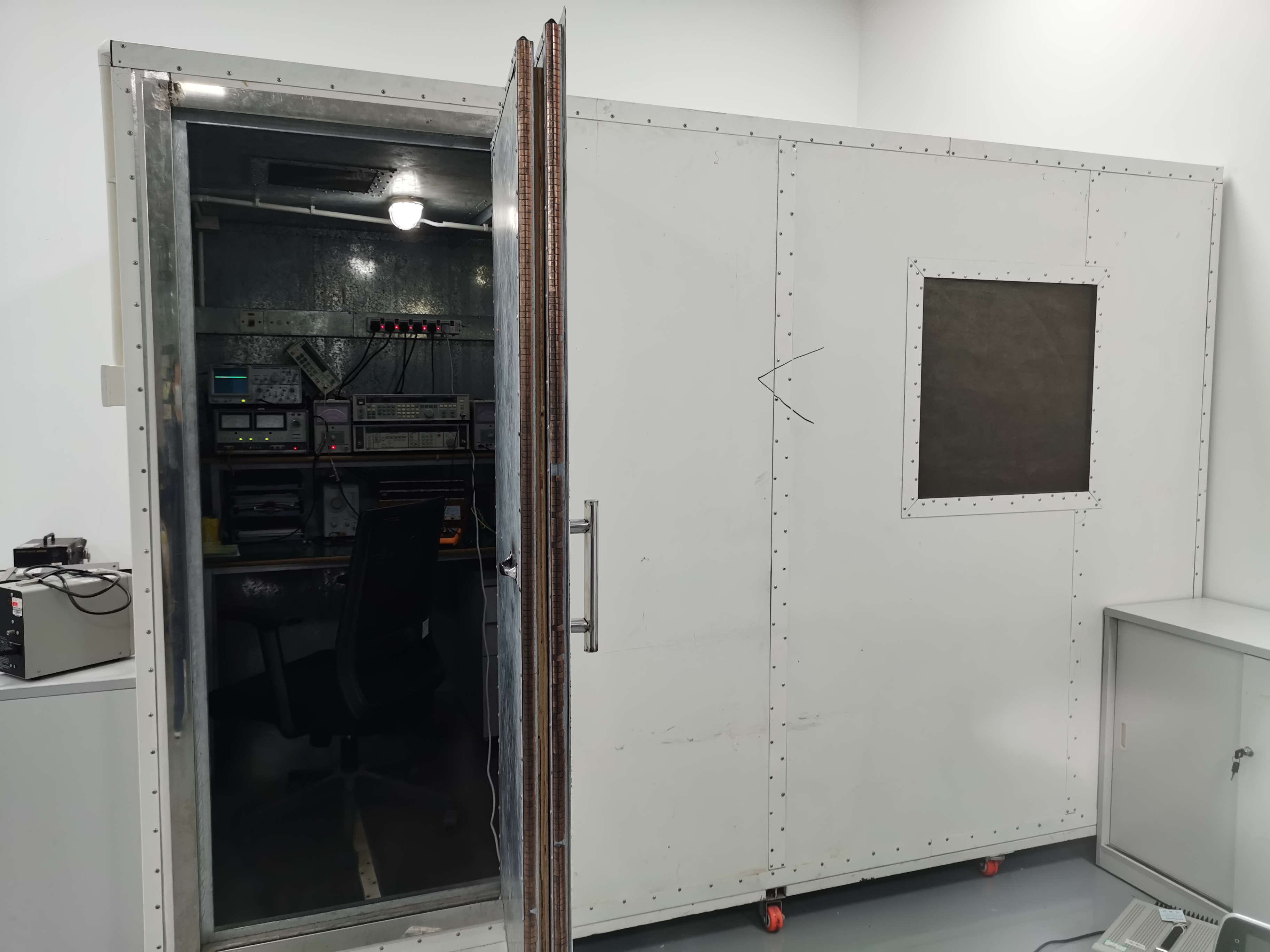
Signal shielding room shown in TOPNAVI factory content. RF and EMC variables should be checked before a buyer accepts a hardware replacement as the only remedy.
Step-by-Step Breakdown: The 8-Step Deployment Triage
- Open a deployment record. Record the SKU, model, firmware version, vehicle model, harness type, installer, phone model, phone OS version, and symptom category. Do not accept a return without this record.
- Reproduce with a known-good phone. Test the same unit with at least two phones. If the complaint follows one phone, treat it as a phone or OS variable until proven otherwise.
- Test wired CarPlay and Android Auto. A stable wired session with an unstable wireless session narrows the evidence to the wireless path, phone, RF environment, or wireless configuration. A failure in both modes points toward the unit, harness, power, or installation.
- Change the RF environment. Test in a second location and record other wireless devices in the cabin. If the dropout follows the location, the buyer should request an RF test record before approving a replacement batch.
- Verify the documented configuration. Check Android version, CPU, RAM/ROM, Bluetooth version, CarPlay/Android Auto support, and control features against the product spec. Do not compare a 4GB/64GB unit with a different configuration as if they were identical.
- Inspect power and harness. Confirm DC 12V supply, ground, ignition, reverse trigger, speaker load, and steering-wheel adapter. A loose ground or incorrect harness can produce symptoms that look like a wireless CarPlay defect.
- Record environmental conditions. Note cabin temperature, time to failure, and whether the failure repeats after a cold start. Where the product is rated -30°C to +75°C, use that range as a reference point for the test record.
- Apply the acceptance matrix. Approve a batch only when the defined phones, vehicles, routes, and control functions pass the same written criteria. Reject a batch when the failure follows the unit across phones and locations, or when the installer cannot provide a complete record.
Use Cases: How Buyers Apply the Framework
Use Case 1: A US Online Auto Parts Retailer With Mixed Pickup and SUV Customers
A US online auto parts retailer sold 1,500 units over three years for pickup truck and SUV modification enthusiasts. The documented application highlights universal 2DIN fitment, wireless Android Auto, and built-in GPS navigation, with fast after-sales response and a low product failure rate. For this type of buyer, the framework should be applied at the return-desk level: record the phone, vehicle, harness, and symptom before issuing a replacement. A universal 2DIN unit can fit many vehicles, but the phone fleet and installation quality vary widely.
Use Case 2: A Car Modification Chain With Steering-Wheel Control Complaints
A car modification chain store in Mexico purchased 1,000 units over 2.5 years for used-car dealerships and private car owners. The documented application highlights dual-knob physical control, built-in DSP audio, and steering-wheel control compatibility. When a customer reports that CarPlay drops and the steering-wheel buttons stop working, the buyer should separate the two symptoms. The control issue may be a mapping or harness problem, while the CarPlay issue may be phone or RF related. A combined complaint should not be closed with one replacement unit unless both symptoms are reproduced and recorded.
Use Case 3: A High-Temperature Market Deployment
A Switzerland-based automotive OEM purchased 500 units over three years for local car modification shops. The documented case highlights stable performance in a high-temperature environment and smooth wireless CarPlay connection, with a 2K display, plug-and-play installation, and multi-language support. For buyers in hot climates, the lesson is to include temperature and cold-start behavior in the acceptance record. The TS10 operating range of -30°C to +75°C is a useful documented reference, but the buyer should still test the target vehicle and cabin conditions.
Comparison Table: Documented 2DIN and Wireless CarPlay Facts
The table below uses only documented product facts from the provided product specifications. 'Not stated in provided spec' means the available specification does not state the value; it is not a negative claim.
| Documented field | TN-X23 | TN-X15 | TS10 |
|---|---|---|---|
| Installation / form factor | 2 Din Universal Fit | 2 Din universal | Universal car multimedia player; 2DIN not stated in provided spec |
| CarPlay / Android Auto | Wireless Apple CarPlay; wired Android Auto | Wireless Apple CarPlay; wired Android Auto | Wired/wireless CarPlay; Android Auto optional |
| Bluetooth / connectivity | Not stated in provided spec | Bluetooth 5.0; built-in WiFi | Bluetooth 5.0; 2.4G+5G dual-band WiFi |
| Operating system | Android 13 | Android | Android 12 |
| CPU | 8 Core UIS8581A 1.6GHz | Not stated in provided spec | Unisoc UIS7862S 8-core |
| RAM / ROM | 4GB RAM + 64GB ROM | Not stated in provided spec | 4GB/6GB/8GB RAM; 64GB/128GB/256GB ROM |
| Controls | Touchscreen control | Steering wheel control | Steering wheel control; touchscreen |
| Power supply | DC 12V | DC 12V | Not stated in provided spec |
| Operating temperature | Not stated in provided spec | Not stated in provided spec | -30°C to +75°C |
Table purpose: help buyers compare documented facts before writing an acceptance test. Missing values should trigger a specification request, not an assumption.
FAQ: Wireless CarPlay Drops in 2DIN Deployments
What compliance documents should a buyer request before accepting a wireless CarPlay 2DIN car radio?
Request CE, FCC, RoHS, E-Mark, and EMC evidence, plus the factory quality certificate. TOPNAVI states that its factory holds ISO 9001 certification and that its products carry CE, FCC, RoHS, E-Mark, and EMC certifications. The buyer should confirm certificate scope, model coverage, issuing body, and validity before accepting a shipment.
Which head-unit capabilities should be verified first when wireless CarPlay drops?
Verify documented wireless and wired CarPlay, Android Auto, Bluetooth 5.0 where stated, operating system, CPU, RAM/ROM, steering-wheel and touch control, DC 12V power, and operating temperature where stated. Then use a wired-versus-wireless test and a multi-phone test to separate a head-unit capability issue from a phone, network, or installation issue.
How should a distributor budget a 2DIN wireless CarPlay deployment?
Budget for sample units, harness and adapter variants, installer labor, a phone test matrix, and warranty reserve. The provided capability data lists MOQ from 1 unit and lead time of 7-15 days, but a distributor should still confirm the exact configuration, test scope, and commercial terms for the order.
What sample test should be run before a bulk order?
Order a sample configured to the target specification and record the phone models, operating system versions, vehicle, harness, firmware, and wired-versus-wireless results. Test reconnection, audio, touch control, steering-wheel control, and temperature behavior where the product is rated. TOPNAVI capability data lists 100% test, MOQ from 1 unit, and OEM/ODM customization including firmware OTA, language, CarPlay, SWC, and CAN protocol.
What lead time and production evidence should be confirmed?
Confirm lead time, monthly capacity, test process, and factory evidence in writing. TOPNAVI capability data lists a 7-15 day lead time, 30,000-unit monthly capacity, and 100% test. Company background data lists a 20,000 m² factory, 100+ employees, 360,000 units annual output, and a 50-engineer R&D team. For a sample, quotation, or specification review, contact sales@topnaviauto.com or WhatsApp +86 150-7094-1278.
Conclusion: Buyers Need Evidence, Not Guesswork
Wireless CarPlay dropouts in a 2DIN car radio deployment should be treated as an evidence problem before they are treated as a product defect. The buyer's job is to separate phone and operating system variables, RF and network variables, installation and harness variables, and head-unit capability. Documented facts such as 2DIN universal installation, wireless and wired CarPlay, Android Auto, Bluetooth 5.0, Android 13, 8-core CPU, 4GB RAM/64GB ROM, steering wheel and touch control, DC 12V power, and -30°C to +75°C operating range give the buyer concrete checkpoints.
The most useful acceptance criterion is not 'it worked in the demo'. It is a written record that the same unit, phone fleet, vehicle batch, harness type, and test route passed the same conditions. Distributors that build that record will resolve more complaints at the installation and phone level, reduce unnecessary replacements, and make better sourcing decisions for the next 2DIN car radio order.

OEM and ODM support is part of the documented TOPNAVI capability set, including language, UI, firmware OTA, CarPlay, SWC, and CAN protocol customization options.
Need a Sample or a 2DIN Wireless CarPlay Configuration Review?
Share your target vehicle list, phone test matrix, and acceptance criteria with TOPNAVI. Request a sample, current specification sheet, or quotation for your aftermarket car radio program.
Visit TOPNAVIDownload Product CatalogEmail Sales
Contact: sales@topnaviauto.com | WhatsApp: +86 150-7094-1278
Have Questions or Need More Details?
Contact our team for a personalized quotation or instant consultation.
Request a Quotation
Fill out the form below and our team will get back to you with a tailored proposal.
WhatsApp Direct Chat
Prefer to chat in real-time? Message us on WhatsApp for instant assistance & quick answers.
- Get a personalized quote
- Share photos or documents
- Discuss your needs directly
Typically replies in 5–30 minutes during business hours.