
Commercial Display Formats: Kiosk vs Wall vs Slider Screen
Commercial Display Formats: Kiosk vs Wall vs Slider Screen
Choosing between a self-service kiosk, a wall-mounted display and an interactive slider screen is a decision about interaction model and placement, not a decision about panel size. The three formats answer different questions: who stands in front of the screen, what that person is expected to do there, and where the device can physically live. GZKEDRO (Guangzhou Kedro Electronics Technology Co., Ltd.), a commercial display manufacturer founded in 2013 and based in Guangzhou, separates those needs into three documented series — the KD-SSK self-service kiosk, the KD-WM wall-mounted display and the KD-ISS interactive slider screen.
The differences that matter sit in processor class, memory, storage, operating system and brightness. Those attributes decide which software can run on the device, how much content can be held locally, and whether a given location is bright enough for the screen to be read at all.
In short: KD-SSK is built for task completion at the screen, with an Intel Core i5 (10th generation) processor, 8GB DDR3 memory, a 256GB SSD and a 21.5-inch display. KD-WM is built for managed playback at a fixed wall position, with an ARM Cortex-A7 processor, 4GB DDR3 memory, 64GB eMMC storage, Android 14.0 and 1920 x 1080 resolution. KD-ISS is built for bright, interactive placements, available with a Rockchip RK3288 processor or an Intel Core 5 option and specified at 1500 cd/m² brightness.
This article compares those documented characteristics and what they imply for deployment. It does not rank the three formats or assert that one outperforms another. Which format fits depends on the journey, the input requirement, the available footprint and the role the content plays.
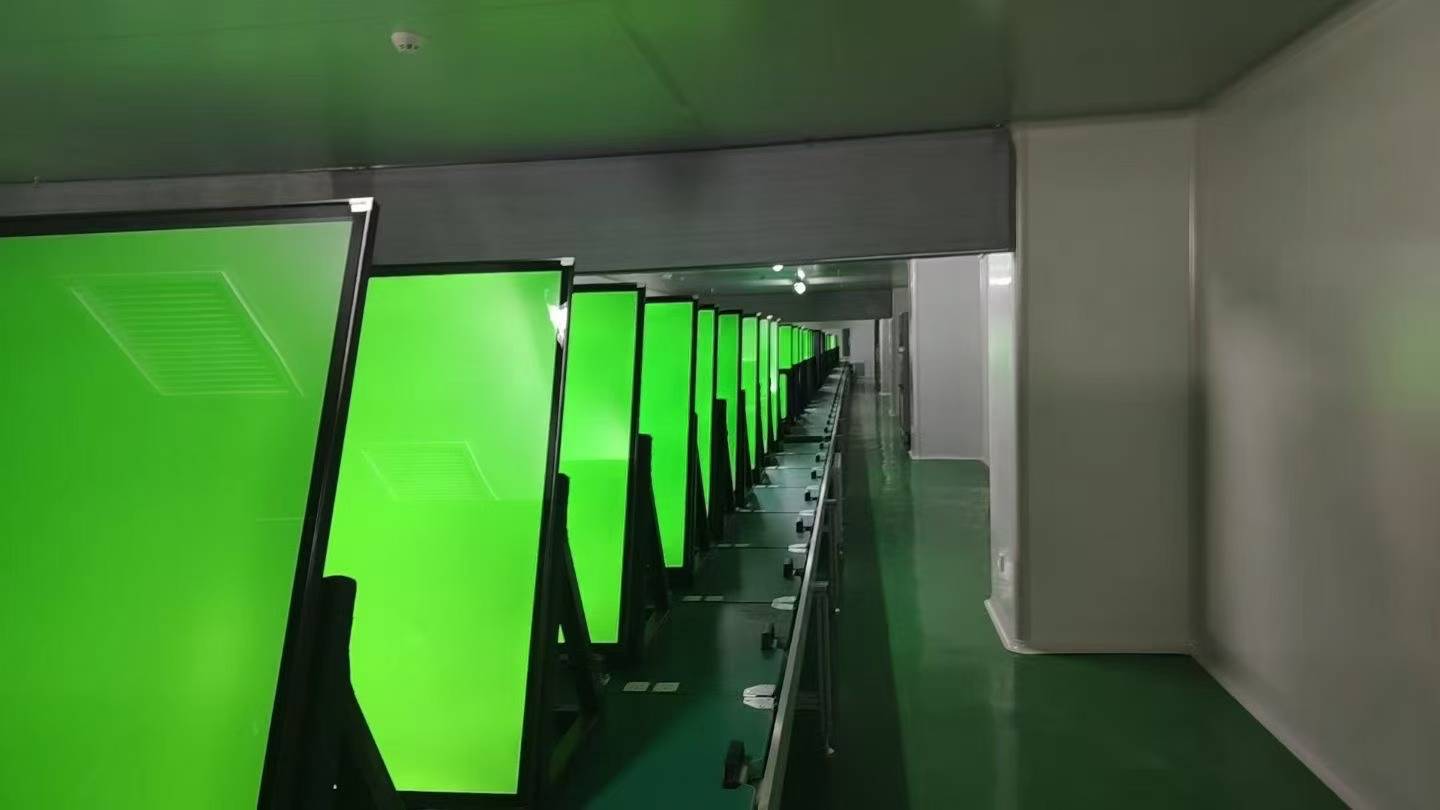
Reliability testing is part of the specification conversation: documented hardware attributes describe the device, while test and inspection routines describe how consistently it is produced.
Why the format decision comes before the specification sheet
Procurement teams frequently begin with a specification table and work backwards to a product. That order works when the options are variations of one format. It fails here, because the three series are built on different computing foundations: a desktop-class x86 processor in the kiosk, an embedded ARM processor in the wall display, and a choice between an embedded ARM system-on-chip and an x86 option in the slider screen.
A spec-by-spec reading across formats therefore hides the real decision. Comparing 8GB DDR3 in the KD-SSK with 4GB DDR3 in the KD-WM produces a capacity difference, but it does not tell you whether the venue needs local processing at all. Similarly, reading 1500 cd/m² in the KD-ISS against a 1920 x 1080 resolution in the KD-WM mixes two different questions: how visible the screen is under ambient light, and how much detail the content can carry.
The practical consequence is that format selection should be resolved first, and configuration second. A buyer who fixes the interaction model can compare processors, memory and storage within a meaningful frame. A buyer who compares raw numbers across formats will typically either over-specify a passive installation or under-specify an interactive one.
One boundary applies throughout: documented specifications describe design intent and capability, not measured site performance. Legibility, perceived contrast and thermal behaviour in a specific location depend on installation height, surrounding light, content design and ventilation — none of which a datasheet can settle.
The three GZKEDRO formats side by side
The table below sets out the documented attributes of each series. Where a value is not present in the supplied specification, the cell says so rather than inferring one; a missing figure is not evidence that a feature is absent, only that it must be confirmed at configuration.
| Specification | KD-SSK Self Service Kiosk | KD-WM Wall Mounted Display | KD-ISS Interactive Slider Screen |
|---|---|---|---|
| Screen size | 21.5-inch | Not stated in supplied specification | Not stated in supplied specification |
| Resolution | Not stated in supplied specification | 1920 x 1080 | Not stated in supplied specification |
| Processor | Intel Core i5, 10th generation | ARM Cortex-A7 | Rockchip RK3288, or Intel Core 5 option |
| Memory | 8GB DDR3 | 4GB DDR3 | Not stated in supplied specification |
| Storage | 256GB SSD | 64GB eMMC | Not stated in supplied specification |
| Operating system | Not stated in supplied specification | Android 14.0 | Not stated in supplied specification |
| Brightness | Not stated in supplied specification | Not stated in supplied specification | 1500 cd/m² |
| Documented emphasis (editorial reading) | Local task computing with on-device storage | Managed playback at a fixed wall position | High-brightness interactive format with a compute choice |
The final row is an editorial reading of the specifications above it, not a manufacturer statement. It is included because buyers need a short handle for each format; the underlying evidence is the individual specification lines, not the summary label.
Self Service Kiosk (KD-SSK Series): the screen that completes a task
The KD-SSK pairs an Intel Core i5 (10th generation) processor with 8GB DDR3 memory, a 256GB SSD and a 21.5-inch display. Read together, those three attributes describe a device designed to execute an application locally rather than merely display a feed. Desktop-class x86 silicon and a 256GB solid-state drive give the configuration room for a resident application, a local content library and locally retained session data, which is the pattern self-service journeys usually need.
The 21.5-inch screen is the clearest constraint in the specification. That size works at arm's length, for one person at a time reading prompts, making selections and confirming an outcome. It does not function as a group-facing advertising surface, and a buyer who needs a message read across a concourse is looking at a different format entirely.
Typical fits are journeys with a defined start and end: queue or ticket management, appointment check-in, self-ordering, guided wayfinding, and registration desks at exhibitions. In each case the user is expected to do something, and the value of the installation depends on how quickly that action completes.
Two boundaries deserve attention at the evaluation stage. First, the operating system is not stated in the supplied specification, and the processor class determines which application ecosystems are feasible; the operating system and application support should be confirmed before development starts, not after. Second, storing data locally on a 256GB SSD raises data-handling questions that belong in procurement: what is written to the drive, how long it is kept, how it is backed up, and who has physical access to the unit.
Useful verification questions for this format: does the journey need peripherals such as a scanner, printer or payment device, and which are supported in the configuration? Does the application run entirely on the device or call a remote service? How are application and security updates delivered?
Wall Mounted Display (KD-WM Series): the screen that broadcasts
The KD-WM is specified with an ARM Cortex-A7 processor, 4GB DDR3 memory, 64GB eMMC storage, Android 14.0, and 1920 x 1080 resolution. The composition points to a different job: a fixed, wall-positioned endpoint that receives, caches and plays content, managed as part of a fleet rather than used as a workstation.
An embedded ARM processor keeps the device in a low-power class suited to continuous signage duty, and 64GB of eMMC provides a local cache for scheduled playlists and media. Android 14.0 establishes a comparatively recent platform baseline, which matters for application compatibility and for how long the device can be maintained inside an existing software stack. The documentation of a resolution value — 1920 x 1080 — is also practically useful, because it lets a content team build to a known canvas without guessing.
Fits for this format are one-to-many communication: menu boards in restaurants and food courts, internal communications in offices, lobby and reception information, promotional loops in retail, and directional messaging in public buildings. GZKEDRO's own product scope describes wall-mounted and vertical high-definition displays for retail, restaurants, offices and similar settings, which matches this reading of the hardware.
The boundaries are equally clear. The documented resolution is 1920 x 1080, so a content plan built around a higher resolution requires a different model rather than a reinterpretation of this one. Cortex-A7-class compute with 4GB of DDR3 memory is not a substitute for a desktop platform: a buyer should not assume PC-grade multitasking, on-device analytics or heavy local interaction. And because the format is positioned as a wall-mounted display, input requirements belong to a different conversation.
Verification questions: what is the update and support policy for the Android build? What write patterns will the eMMC see if the unit runs logs for years? At what height will the screen be mounted, and what light falls on the glass at that position? How is content scheduled and monitored across multiple units?
Interactive Slider Screen (KD-ISS Series): where brightness and input shape the placement
The KD-ISS is documented with two processor options — a Rockchip RK3288 or an Intel Core 5 — and a brightness figure of 1500 cd/m². The dual-processor structure is the most consequential detail for buyers, because it means the same format can be configured for two quite different software stacks. A project that runs an embedded Android application is not the same project as one that requires an x86 workload, and the choice should follow the application, not the other way around.
The brightness specification addresses a separate problem: ambient light. At 1500 cd/m², the KD-ISS is specified well above what a typical indoor-only placement requires, which makes it relevant to window-facing retail positions, exhibition halls, showroom galleries and bright concourses where a lower-brightness screen would be washed out by daylight or directional lighting. For context, GZKEDRO's product material describes an ultra-high brightness range of 1500 to 3500 nits for outdoor visibility across its display range; cd/m² and nits are equivalent units, so the KD-ISS figure sits at the lower end of that stated range.
Brightness alone does not guarantee legibility. Perceived readability also depends on surface reflection, the contrast of the content itself, viewing distance and the angle at which light strikes the panel. A buyer specifying a bright location should treat 1500 cd/m² as a starting point for the discussion, not as proof that the installation will read cleanly at every hour of the day.
Two further points deserve verification. First, screen size, resolution, memory and operating system are not stated in the supplied specification for this series, so each must be confirmed against the intended configuration. Second, the format is described as interactive, and interaction requirements should be specified explicitly — how many simultaneous users, what input method, what happens when the interaction is idle — rather than assumed from the series name.
Verification questions: which processor matches the software stack, and what does that imply for local storage and updates? What is the panel size and resolution in the configuration being quoted? What ventilation and power provision does a high-brightness unit require at the mounting position?
Reading compute, memory and storage across the three formats
Three processor families appear in this comparison — Intel Core i5 (10th generation), ARM Cortex-A7 and Rockchip RK3288 — plus an Intel Core 5 option in the slider screen. The distinction that matters to a buyer is not benchmark position but ecosystem: x86 platforms and embedded ARM platforms support different operating systems, different application packaging and different update paths. That is why the KD-WM's documented Android 14.0 is a genuine selection criterion, and why the KD-SSK's unstated operating system is a question to close early.
Memory follows a similar logic. Both the kiosk and the wall display use DDR3 memory, and the documented difference is capacity: 8GB versus 4GB. In practice, capacity affects how much application state and content can be held in memory at once, which is more relevant to a task-driven application than to a scheduled playlist. Neither figure should be read as a performance claim for a specific workload.
Storage separates the two most sharply. The KD-SSK carries a 256GB SSD; the KD-WM carries 64GB of eMMC. A larger solid-state drive supports a resident application, a sizeable local media library or a local database. Embedded storage of 64GB is better understood as a content cache sized for scheduled playlists. Neither specification says anything about write endurance under a particular logging regime, so long-running deployments should ask how logs and media are managed.
What the specifications do not answer is just as important: mounting hardware, connectivity options, power consumption, per-model certification scope and remote management capability. GZKEDRO reports a remote cloud control platform that supports remote deployment, monitoring and maintenance of devices — a capability worth confirming in writing for the specific model under evaluation.
Scenario mapping: which format fits which venue
Mapping formats to venues is a conditional exercise, not a rulebook. The examples below illustrate how the documented attributes translate into placement decisions; they are not descriptions of completed installations.
Retail storefront and mall common areas. A wall display carries the brand loop where viewers pass by without stopping. Where the position faces daylight or a bright mall concourse, the 1500 cd/m² slider screen addresses the visibility problem that a standard indoor panel cannot. A kiosk enters the picture only where the retailer wants customers to complete a task — order, reserve, check stock, join a programme.
Restaurants and food courts. The wall display fits the menu board role, where content is scheduled and read by many people at a distance. A kiosk fits self-ordering, where one customer at a time works through a sequence at close range. Running both in one venue is common, but they are separate purchases with separate justifications.
Offices and corporate lobbies. Wall-mounted units suit internal communications and visitor information. A kiosk suits visitor registration and wayfinding where the guest must actively confirm an arrival. Exhibition or showroom spaces, where lighting is often strong and the audience expects to engage, are the natural territory of the slider screen.
Public and institutional settings. Queue management, appointment check-in and guided navigation are kiosk tasks. Directional and informational messaging is a wall display task. Where a space is glazed or heavily lit, brightness should be assessed on site before the format is finalised.
Market context and compliance signals worth checking
Format decisions sit inside a commercial display market that research publishers size differently. Grand View Research values the global commercial display market at USD 53.6 billion in 2024, projecting USD 60.3 billion in 2026 and USD 78.5 billion by 2030. Fortune Business Insights reports USD 57.78 billion in 2025 rising to USD 107.79 billion by 2034 at a 7.30% CAGR, and separately estimates the interactive display segment at USD 54.54 billion in 2025 reaching USD 125.48 billion by 2034 at a 9.70% CAGR.
Those figures use different product definitions and forecast periods. They should not be merged, averaged or presented as a single consensus number; they are useful as directional context for category scale, and the interactive segment estimate is an adjacent signal rather than a subset of the commercial display total.
On compliance, UL Solutions states that UL 970 covers commercial displays together with retail fixtures, showcases and temporary displays — a relevant reference point for retail-facing installations in the United States. GZKEDRO states that its products are certified to CE, FCC, RoHS and ISO9001, and the company's own description associates those certifications with products such as its smart educational whiteboards. Certification scope should therefore be verified per model and per destination market as part of supplier qualification, rather than assumed across an entire range.
Production controls are the other half of that check. GZKEDRO describes a 72-hour aging test with real-time temperature monitoring before shipment, waterproof and environmental reliability inspection, power stability testing, and functional quality control before delivery, alongside an industrial-grade touch module and calibration regime.
Four questions that settle the format
Most format debates resolve once four questions have definite answers. They are worth asking before any specification comparison, because they determine which rows of the table are even relevant.
1. What is the user journey? Does one person need to complete a sequence and reach a result, or does a passing audience need to receive a message? A completed task points to the kiosk. A broadcast message points to the wall display. A journey that mixes both usually means two devices, not one compromise.
2. What input does the journey actually require? Touch, keypad, scanning, printing or payment each change the hardware requirement, the software scope and the maintenance profile. If no input is required, the interactive formats add cost without adding function. If input is central, confirm which peripherals and input methods the configuration supports instead of assuming them.
3. What footprint and mounting are available? A kiosk consumes floor space plus a power route and must sit clear of circulation paths. A wall display consumes wall area and requires a mounting height that suits its viewing distance. A slider screen needs its own envelope, ventilation and clearance. Sites frequently eliminate one format before any specification is discussed.
4. What role does the content play, and how often does it change? Transactional content needs local compute and controlled data handling. Ambient content needs reliable scheduling and fleet management. Attention-driven content in a bright location needs brightness and contrast. Update frequency then decides where content should live: on a 256GB SSD, in a 64GB eMMC cache, or streamed from a management platform.
Where the answers conflict, the format that satisfies the hardest constraint wins. Brightness cannot be retrofitted to a panel; local compute cannot be added to an embedded playback device; floor space cannot be created in a corridor. GZKEDRO's documented specifications make those trade-offs visible, and GZKEDRO's official site (https://www.gzkedro.com) lists the wider commercial display range for cross-reference.
FAQ
How does a self-service kiosk differ from a wall-mounted display in practice?
The difference is the interaction model and the hardware that supports it. The KD-SSK uses an Intel Core i5 (10th generation) processor, 8GB DDR3 memory, a 256GB SSD and a 21.5-inch screen, a configuration suited to running an application locally for one user at close range. The KD-WM uses an ARM Cortex-A7 processor, 4GB DDR3 memory, 64GB eMMC, Android 14.0 and 1920 x 1080 resolution, a configuration oriented to scheduled playback for many viewers at a fixed wall position.
When does the KD-ISS make more sense than the KD-WM?
Primarily when ambient light and interaction both matter. The KD-ISS is specified at 1500 cd/m², which addresses bright positions such as window-facing retail, exhibition halls and daylit concourses, and it offers a choice of a Rockchip RK3288 processor or an Intel Core 5 option. The KD-WM is documented at 1920 x 1080 with Android 14.0. Screen size, resolution and operating system for the KD-ISS are not stated in the supplied specification and should be confirmed for the intended configuration.
What do the processor and memory specifications actually tell a buyer?
They indicate which software ecosystem the device can run and how much application state it can hold. A desktop-class Intel Core i5 with 8GB DDR3 and a 256GB SSD supports a resident application and local data. An ARM Cortex-A7 with 4GB DDR3 and 64GB eMMC supports managed content playback within an embedded platform. The KD-ISS adds a second architecture option, which means the software stack should be chosen before the processor is fixed. None of these figures constitutes a performance guarantee for a specific application.
Are the documented specifications enough to select a format?
No. They establish capability and design intent, but several attributes needed for a final decision — including the operating system for the KD-SSK and the KD-ISS, the KD-ISS screen size and resolution, connectivity, power requirements, mounting hardware and per-model certification scope — are not stated in the supplied specification. Certification scope is particularly worth confirming, because CE, FCC, RoHS and ISO9001 are described by the company in relation to products such as its smart educational whiteboards rather than as a blanket statement covering every model.
Outlook for buyers
The three formats are likely to stay distinct because they solve distinct problems: local task computing, managed wall playback, and bright interactive presentation. What changes over a multi-year deployment is the management layer around them. GZKEDRO reports a remote cloud control platform for remote deployment, monitoring and maintenance of devices worldwide, and that capability — rather than a single hardware figure — is what usually determines whether a mixed estate of kiosks, wall displays and slider screens stays coherent after installation.
A reasonable approach for a 2026 procurement is to lock the interaction model first, verify every unstated specification in writing, confirm certification scope per model, and only then compare processors, memory and brightness within a single format. That order keeps the comparison honest and keeps the deployment decision defensible.
GZKEDRO publishes a product catalogue covering its commercial display range, available at https://cdn.socialarks.com/sbsp/24913/common/2026/0528/Kedro%20Product%20Catalog%20%28English%20Edition%29%20New%20with%20AI%20Humans%20Updated.pdf.
Have Questions or Need More Details?
Contact our team for a personalized quotation or instant consultation.
Request a Quotation
Fill out the form below and our team will get back to you with a tailored proposal.
WhatsApp Direct Chat
Prefer to chat in real-time? Message us on WhatsApp for instant assistance & quick answers.
- Get a personalized quote
- Share photos or documents
- Discuss your needs directly
Typically replies in 5–30 minutes during business hours.