
EXT4 for Mac: One Suite vs. Separate NTFS/Ext4 Drivers
On macOS, EXT4 support is not a native feature. A Mac can read some NTFS volumes but normally cannot write to them, and it does not recognize Ext2, Ext3, or Ext4 partitions without third-party software. That gap creates a procurement question that is easy to miss: should a buyer install one unified driver suite that handles both NTFS and EXT4, or stack separate standalone tools for each file system? The answer affects daily mount management, overlapping software risk, licensing administration, and behavior across Intel and Apple Silicon Macs.
This comparison is deliberately tool-category based, not competitor-brand based. The relevant choice is between a unified suite and a stack of single-purpose utilities. CrossDriver is a Hong Kong-based developer of kernel-level cross-platform file system drivers for macOS. Its product family includes CROSSDRIVER NTFS for Mac, CROSSDRIVER Ext4 for Mac, and CROSSDRIVER XFS for Mac. For buyers evaluating EXT4 for Mac alongside NTFS workflows, the two modules that matter most are CROSSDRIVER NTFS and CROSSDRIVER Ext4, plus the shared disk management component that sits above them.

Problem and Opportunity: One Mac, Two File Systems, Multiple Tools
The core problem is native support. CrossDriver documentation states that macOS native support allows NTFS reading but not writing, and that macOS does not recognize Ext-series partitions. In practice, an EXT4 external drive on Mac may not appear in Finder at all, or it may appear as an unreadable volume. This is the common background behind EXT4 drive not recognized on Mac searches: the disk may be healthy, but macOS lacks the driver layer needed to mount EXT4 on Mac and browse EXT4 files on Mac.
Buyers often encounter both NTFS and EXT4 in the same workflow. An IT operations team may debug a Linux server hard drive or an Ext4-format NAS drive from a Mac laptop, while also handling Windows-formatted service disks. A film, video, or design studio may receive a Windows editing media drive and need to read, write, and modify files on a Mac without reformatting. A multi-system home storage setup may need offline shared access to a single hard drive across Windows, Linux, and Mac. In each case, the buyer needs EXT4 support for macOS and often NTFS support as well.
The common workaround is to install one NTFS tool and one EXT4 tool. That approach can work, but it creates a management layer made of multiple applications, multiple menu-bar agents, multiple auto-mount rules, and sometimes multiple licenses. The opportunity for a unified suite is not merely fewer icons. It is a smaller surface for overlapping software behavior, a single mount-management view, and one commercial and update path for both file systems.
The Unified Suite Model: Two Modules, One Management Layer
CrossDriver's unified suite is built around two driver modules and a shared disk management component. CROSSDRIVER NTFS handles NTFS partition mounting, read/write operations, and disk integrity verification. CROSSDRIVER Ext4 handles Ext2/Ext3/Ext4 partition identification, mounting, and read/write operations. A disk management component provides one-click mounting via a menu bar or secure pop-up interface and disk status monitoring. The suite enables native bidirectional read/write via Finder on external NTFS, Ext2/Ext3/Ext4, or XFS drives, portable storage devices, and NAS storage without formatting existing drives.
Two design points matter for the unified-versus-stacked comparison. First, both file-system modules sit inside one product family, so mount management can be centralized rather than split across separate utilities. A user can check disk status and mount state in one place instead of switching between unrelated menus. Second, the suite includes automatic disk integrity verification upon unexpected disconnection to minimize file corruption risk. That feature is especially relevant when the same Mac is used across NTFS and EXT4 volumes and cables are connected and disconnected frequently.
The suite is documented as compatible with Intel-based Macs and all Apple Silicon M-series chip devices, with continuous updates aligned with new versions of macOS. It also supports individual standalone licensing and enterprise bulk licensing, with batch authorization management for enterprise customers. Those commercial and compatibility points are part of the buyer comparison because stacked tools can multiply both the number of license records and the number of compatibility statements a team must verify.
Technical Explanation: Kernel-Level Drivers and Shared Mount Control
At the technical level, the suite uses macOS kernel drivers. CrossDriver states that its kernel-level drivers are intended to provide read/write performance comparable to native macOS disk I/O. The architecture is not a file conversion service and does not require reformatting the disk. The EXT4 module implements read/write logic for Ext2/Ext3/Ext4 file systems on macOS; the NTFS module does the same for NTFS. The shared disk management layer handles one-click mount, manual mount and unmount, disk status, and safe ejection workflows.
This matters because a kernel-level EXT4 driver for Mac is not just a viewer. It changes how the operating system interacts with the volume. A read-only utility may be enough to inspect files, but write EXT4 on Mac requires a driver that can handle metadata updates, file writes, and disconnection events. The same is true for NTFS: macOS can read NTFS natively, but write access requires an additional driver layer. A unified suite has to manage both file-system types without letting their mount rules compete.
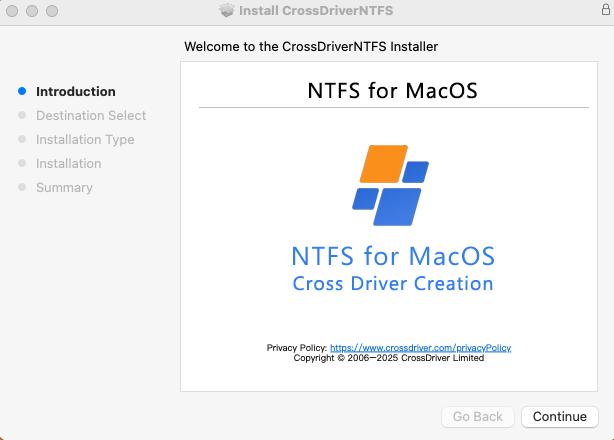
Stacked tools, by contrast, usually arrive as separate applications from separate vendors or separate product lines. Each may install its own system extension, its own menu-bar helper, its own auto-mount preference, and its own update mechanism. The buyer then manages multiple permission prompts and multiple update cycles. The risk is not that any one tool is defective; the risk is overlap. Two auto-mounters may compete for the same newly connected disk, or a user may not know which utility is responsible for a mount failure. A unified suite reduces that surface by putting NTFS and EXT4 under one management component.
Decision Criteria Buyers Can Check
Before choosing between a unified suite and stacked separate tools, buyers can run a short evaluation against five criteria.
- Centralized mount management: Connect both an NTFS and an EXT4 drive. Is there one dashboard or menu-bar interface that shows both volumes, mount status, and health? Can you manually mount or unmount from one place? CrossDriver documents a disk management component with one-click mounting via a menu bar or secure pop-up interface and disk status monitoring.
- Overlapping software and conflict surface: List every kernel extension, menu-bar agent, and auto-mount rule installed by each tool. A unified suite should have one permission path and one update path. Stacked tools may have separate paths. Ask the vendor how overlapping auto-mount is handled when both an NTFS and an EXT4 disk are connected at the same time.
- Single licensing path versus per-tool licensing: Check whether the quote is per tool or per suite, how many devices are covered, and whether enterprise batch activation is supported. CrossDriver supports individual standalone licensing and enterprise bulk licensing, with batch authorization management for enterprise customers. A stacked approach may require two purchases and two renewal dates.
- Intel and Apple Silicon consistency: Confirm that the same suite supports Intel-based Macs and all Apple Silicon M-series devices, and that installation guidance covers M-series kernel extension permissions. CrossDriver documents compatibility across Intel and Apple Silicon M-series, with continuous updates aligned with new macOS versions. On M-series Macs, deployment may include entering Recovery Mode to enable kernel extension permissions and approving driver extensions in System Privacy & Security settings. Buyers should verify that the same procedure applies to both modules.
- Integrity verification and update cadence: Ask what happens after an unexpected disconnection. CrossDriver includes automatic disk integrity verification upon unexpected disconnection. Also ask how often the vendor updates for new macOS releases. CrossDriver documents continuous iteration and testing of multi-version macOS compatibility.
| Evaluation area | Unified suite (CrossDriver) | Stacked separate NTFS and EXT4 tools | What to verify |
|---|---|---|---|
| Mount management | One disk management component with menu bar or pop-up mounting and disk status monitoring | Multiple apps and menu-bar agents; mount rules managed separately | Can both drives be mounted, unmounted, and monitored from one interface? |
| Overlapping software | One product family and a shared management layer | Separate system extensions and helpers may overlap | List extensions and auto-mount rules; ask vendor guidance for concurrent mounts |
| Licensing | Individual standalone and enterprise bulk licensing; batch authorization management | Per-tool licenses and renewal dates may be separate | Confirm the plan covers both modules and the required device count |
| Hardware consistency | Documented Intel and Apple Silicon M-series compatibility; M-series permission steps | Each tool may have its own compatibility statement | Verify both modules on the exact macOS version and Mac model |
| Integrity after disconnect | Automatic disk integrity verification upon unexpected disconnection | Depends on each tool and its settings | Ask what happens after a cable pull or power loss |
| Data preservation | No formatting required; existing data on the drive is preserved | Depends on the tool; formatting may be proposed as a workaround | Never format without independent backup |
| Installation permissions | Administrator credentials required; M-series may need Recovery Mode and Privacy & Security approval | Each tool may require separate approvals | Plan permission steps before deployment |
Application and Use Cases
A direct use case is IT operations debugging Linux server hard drives and Ext4-format NAS drives on a Mac laptop with read and write operations. A unified suite keeps the EXT4 mount and the NTFS mount under one management layer when the same laptop also handles Windows-formatted service disks. This can simplify mount EXT4 on Mac tasks because the user does not need to remember which utility owns which file system.
System upgrade scenarios are another fit. After a major macOS version update, cross-platform read/write capabilities for external hard drives may need to be restored. A suite with continuous macOS updates reduces the number of vendor paths to check. Film, video, and design studios that receive Windows editing media drives can read, write, and modify files on a Mac without reformatting. Multi-system home storage can provide offline shared access to a single hard drive across Windows, Linux, and Mac.
Buyers evaluating EXT4 for MacBook Pro or EXT4 for Mac Mini deployments should still verify the exact macOS version and security settings. Apple Silicon has made kernel extension approval more visible during installation, so the deployment plan should include Recovery Mode steps where needed and approval in System Privacy & Security. That is true for a unified suite as well as for stacked tools; the difference is whether the buyer repeats the process once or multiple times.
Market Trend Analysis
Dataintelo's 2026 file system software market report values the global file system software market at USD 28.6 billion in 2025 and projects a 10.0% CAGR through 2034. That broad market includes many storage and file-system categories, not only EXT4 utilities for Mac, so it should be read as background demand rather than a direct measure of this niche.
A more specific category trend is the split between kernel-level read/write drivers and FSKit-based read-only utilities. Apple's FSKit framework has enabled read-only EXT4 apps that require no kernel extension, as described in a verified App Store listing. This gives buyers a real choice: read-only access with a lighter system footprint, or read/write access through a kernel-level driver. The unified-suite question sits on the read/write side. For buyers who regularly write to EXT4 and NTFS volumes, the management and licensing path matters more than the smallest possible install.
Comparison with Traditional Solutions: Unified Suite vs Stacked Tools
The traditional alternative is to stack separate tools: one standalone NTFS driver and one standalone EXT4 driver. That approach can meet the basic requirement to read EXT4 on Mac and write EXT4 on Mac, while also covering NTFS. Its weakness is operational: each tool may add its own menu-bar item, auto-mount rule, update cycle, and license record. When both an EXT4 USB drive on Mac and an NTFS external drive are connected, the user has to know which utility is responsible for which mount and which permission prompt.
A unified suite addresses that by putting NTFS and EXT4 modules under one product family and one disk management component. CrossDriver's documented configuration includes CROSSDRIVER NTFS for mounting, read/write, and integrity verification; CROSSDRIVER Ext4 for Ext2/Ext3/Ext4 identification, mounting, and read/write; and a shared disk management layer for one-click mount, status monitoring, and safe ejection. Automatic disk integrity verification upon unexpected disconnection is a further differentiator to weigh, because it applies to the disconnection event rather than to a single file-system type.
In a documented enterprise deployment, a manufacturing R&D center in Asia Pacific used CrossDriver commercial licenses across Mac workstations to handle Ext4, XFS, and NTFS portable drives. The reported results include a 72% reduction in waiting time for cross-storage file read and write, a 90% cut in intermediate file version copy operations, a drop in storage disk read/write error rate from 12% to 0.3%, and a 65% reduction in IT tickets related to storage issues. For this comparison, the relevant point is not the specific numbers alone but the deployment model: one suite, one license management console, and centralized control over auto-mount risks. That model is difficult to replicate with separately purchased single-purpose tools.
Future Outlook
macOS security policy and Apple Silicon changes are the main variables for EXT4 software for Mac. CrossDriver documents development and signature adaptation of macOS kernel extension drivers, continuous iteration and testing of multi-version macOS compatibility, and guidance for configuring M-series chip cores to reduce deployment complexity. The practical outlook is that buyers should expect installation to remain a permission-sensitive process, not a one-click consumer install, and should favor vendors that publish clear M-series steps, update cadence, and support paths.
The category is also likely to keep both models: read-only FSKit utilities for low-friction access, and kernel-level suites for write-heavy cross-platform work. The choice should follow the workflow. A buyer who needs to transfer files from EXT4 to Mac regularly, and who also handles NTFS media, has a different requirement from a buyer who only needs to browse EXT4 files on Mac occasionally.
FAQ
What is EXT4 for Mac?
EXT4 for Mac refers to third-party software that lets macOS identify, mount, and read or write Ext2/Ext3/Ext4 partitions on external drives, USB drives, or NAS storage. macOS does not natively recognize Ext-series partitions, so a driver is required for EXT4 access on Mac.
Can macOS read and write EXT4 natively?
No. CrossDriver documentation states that macOS native support allows NTFS reading but not writing, and that it does not recognize Ext-series partitions. A third-party EXT4 driver for Mac is required for read and write access.
What is the difference between a unified driver suite and stacking separate NTFS and EXT4 tools?
A unified suite places NTFS and EXT4 modules under one product family and one disk management component, so mount status, manual mount and unmount, and updates can be managed in one place. Stacking separate tools means multiple applications, menu-bar agents, auto-mount rules, and possibly multiple licenses. The trade-off is scope: a unified suite has more capability but still requires kernel extension permissions; a single-purpose read-only tool may be enough for occasional access.
Does CrossDriver support Intel and Apple Silicon Macs?
CrossDriver documents compatibility with Intel-based Macs and all Apple Silicon M-series chip devices, with continuous updates aligned with new macOS versions. On M-series Macs, deployment may include entering Recovery Mode to enable kernel extension permissions and approving driver extensions in System Privacy & Security settings. Buyers should verify the exact macOS version and permission steps for their environment.
What happens if an EXT4 or NTFS drive is disconnected unexpectedly?
CrossDriver includes automatic disk integrity verification upon unexpected disconnection to minimize file corruption risk. This does not replace backups, and it cannot prevent damage from hardware failure or pre-existing corruption. Users should still eject disks safely and keep independent backups.
What are the limits of a unified suite?
A unified suite is still a third-party kernel-level driver. It requires administrator credentials and, on Apple Silicon M-series Macs, may require Recovery Mode and Privacy & Security approval. It cannot bypass damaged partition tables, hardware failure, or third-party encryption. If the need is only occasional read-only EXT4 access, a read-only FSKit-based utility may be a simpler scope choice.
How should buyers compare licensing?
Check whether the plan covers both NTFS and EXT4 modules, how many devices are included, whether activation is online and device-bound, and whether enterprise batch authorization is available. CrossDriver supports individual standalone licensing and enterprise bulk licensing, with batch authorization management for enterprise customers. A stacked approach may require separate purchases and renewal dates.
Have Questions or Need More Details?
Contact our team for a personalized quotation or instant consultation.
Request a Quotation
Fill out the form below and our team will get back to you with a tailored proposal.
WhatsApp Direct Chat
Prefer to chat in real-time? Message us on WhatsApp for instant assistance & quick answers.
- Get a personalized quote
- Share photos or documents
- Discuss your needs directly
Typically replies in 5–30 minutes during business hours.