
How to Match OPS PC Models to Interactive Display Projects
Interactive flat panels, interactive whiteboards and commercial displays increasingly ship with a removable compute module that fits into a standardized slot. For buyers planning a display project, the key question is not only which screen size or panel technology to choose, but which OPS PC module will actually run the required software, connect to the right peripherals and survive long operating hours. This article explains how to match OPS PC models to specific project types, and what to verify before committing to a configuration.
Why Display Projects Fail After Compute Selection
Most display projects do not fail because of the panel. They fail because the compute module is selected after the screen design is finished, and the module turns out to be mechanically incompatible, thermally under-specified, or unable to run the intended operating system and software stack.
An OPS PC is a pluggable computer that slides into a display's OPS slot and turns a screen into a self-contained computing endpoint. Intel created the Open Pluggable Specification to standardize the mechanical and electrical interface between displays and media players. It uses a unified 80-pin JAE connector with a footprint of 180 mm x 119 mm x 30 mm. The OPS-C standard, widely adopted in China for educational interactive whiteboards, uses a different footprint, typically 180.8 mm x 195.2 mm x 42.5 mm. Choosing the wrong standard is one of the most common project errors.
Beyond the standard, a project must also match the CPU platform, memory, storage, graphics capability, interfaces and operating system image to the application. A classroom whiteboard running teaching software has different requirements from a 4K video wall rendering data visualization. A digital signage screen playing scheduled content may not need a discrete GPU, but it does need reliable networked playback and remote management.
AIOSTAR as an OPS PC Supplier
Shenzhen Aiostar Electronics Co., Ltd. is a computer hardware supplier established in 2015 in Shenzhen, China. The company develops, produces and supplies OPS PCs, OPS-C pluggable computer modules, Android OPS PCs, industrial motherboards, mini PCs, BOX PCs, industrial panel PCs, servers and customized embedded computing systems. Its products are used in interactive displays, digital signage, education, corporate meetings, industrial automation, smart transportation, retail and security projects.
AIOSTAR operates a 1500 m² facility with 50 employees and an annual output of over 170,000 units. Its R&D team includes 8 engineers, and production capacity is more than 5,000 units per month. The company offers OEM and ODM services covering CPU platform, memory, storage, I/O, chassis size, cooling solution, BIOS functions, operating system image, logo, packaging, power adapter and cables. For evaluation, the MOQ is 1 unit; customized project MOQ depends on configuration.
OPS and OPS-C: Standards That Define Compatibility
Intel's Open Pluggable Specification standardizes a mechanical and electrical interface between displays and media players using a unified 80-pin JAE connector with a footprint of 180 mm x 119 mm x 30 mm. This allows an OPS module to be inserted into a slot on the back or bottom of a display, providing power, video and USB signals in one connection.
The OPS-C (China) standard is a variant widely adopted in the Chinese domestic market for educational interactive whiteboards, featuring different dimensions, typically 180.8 mm x 195.2 mm x 42.5 mm. It uses the same pluggable concept but requires a matching slot and connector. A project cannot mix an OPS-C module with an OPS slot unless an adapter is used, and adapters must be validated for fit and signal integrity.
OPS PC Families for Different Project Requirements
AIOSTAR's OPS product line covers Intel and ARM platforms, as well as domestic-platform solutions. Four representative models show how compute choices map to project needs.
- OPS-C Pluggable Computer Module (AOS-SOHAUF41SC) is based on Intel Alder Lake-U, with CPU options including Core i5-1235U and i5-1240P. It is designed for OPS-C slot-in installation in interactive whiteboards, education technology, corporate meeting displays and commercial display systems. Memory and M.2 SSD are configurable; Wake-on-LAN, auto power-on and watchdog functions are available by BIOS configuration.
- Android AI OPS Computer (AOS-SOR358464H) is built around the Rockchip RK3588 octa-core CPU up to 2.4 GHz, with an integrated 6 TOPS NPU. It supports Android 13, Ubuntu or Debian, and is suited for digital signage, smart retail, information kiosks and edge-AI display terminals. Multimedia playback and interface configuration depend on firmware.
- Discrete-GPU OPS Computer (AOS-SOH61I41SXG) uses an Intel H610 LGA1700 platform and supports selected 12th and 13th Gen Intel Core i3, i5 and i7 processors. It provides HDMI and DisplayPort outputs with up to 8K 60 Hz output subject to the selected CPU, GPU and display configuration. Optional discrete graphics are available by project. This model targets large-format commercial displays, LED meeting displays, video walls and multi-display projects.
- Domestic-Platform OPS-C Computer (AOS-SOZK6A341SXGE) supports Zhaoxin KX-U6780A, KX-U6740A, KX-U6640A and KX-U6640MA processors, with six USB ports including two USB 3.0 ports. Optional GT730, GT1030, GTX 1050 or GTX 1050 Ti graphics are available depending on configuration. It is suitable for domestic-platform interactive displays, education, government information systems and project-specific commercial displays.
Matching OPS PC Models to Application Scenarios
The same OPS module is not ideal for every project. The following scenario mapping is based on typical deployment conditions in each market.
Education: Interactive Whiteboards and Teaching Displays
Classroom displays run daily in a networked environment, with touch interaction and teaching applications. The compute module must fit an OPS-C slot, support the school's chosen operating system image, and stay reliable during long school hours. Before mass production, the mechanical size, connector pinout, display resolution, cooling and operating system image should be verified.
For this scenario, the AOS-SOHAUF41SC OPS-C module is a common fit, with mobile Intel processors, configurable memory and storage, and BIOS-level features such as auto power-on and Wake-on-LAN that simplify IT management.
Corporate Meeting Rooms and Conferencing Displays
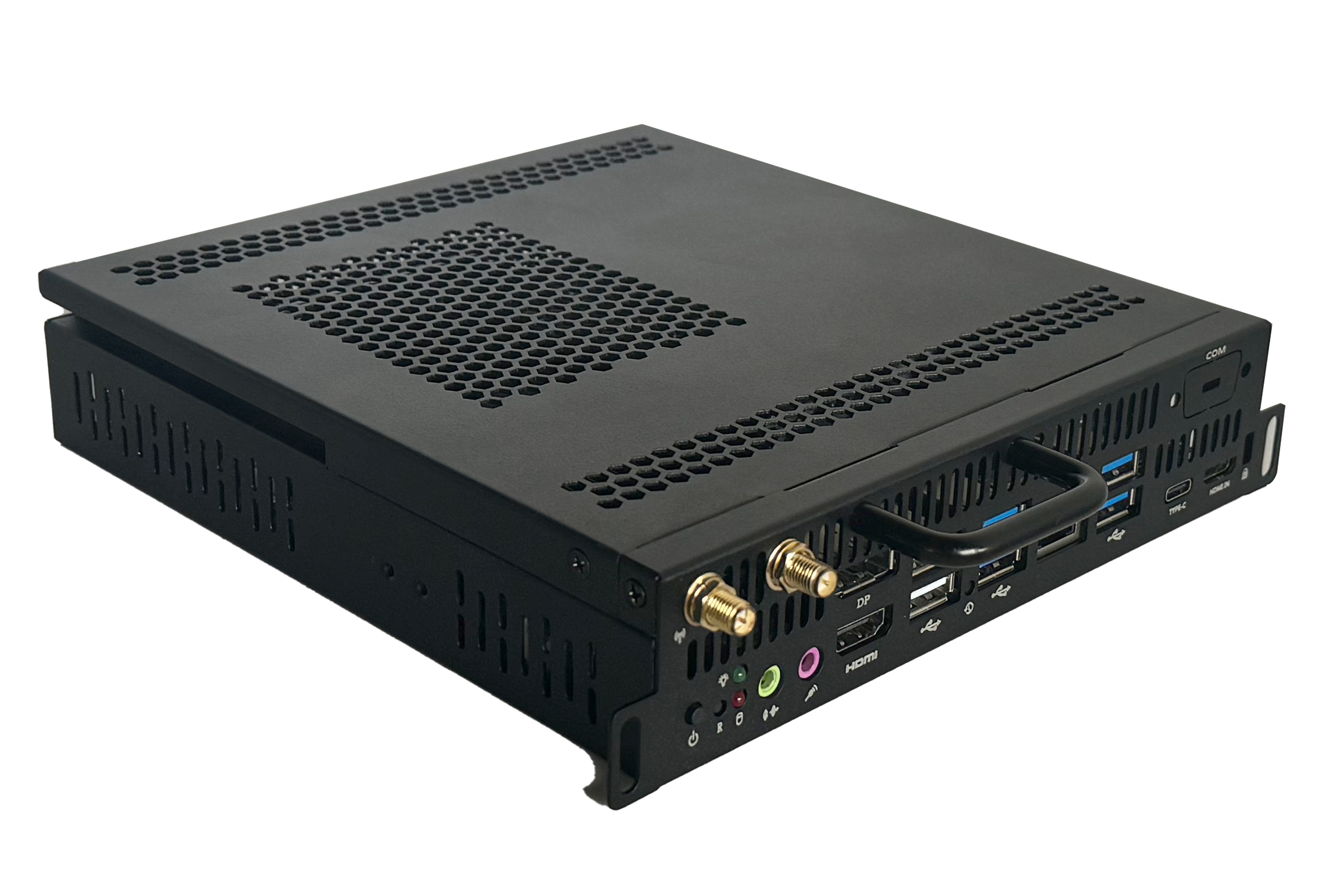
Meeting room displays require multi-user touch, video conferencing, document sharing, whiteboarding and presentation. The module operates in a slot-in installation with local operation, network access and optional auto power-on. Supporting equipment includes cameras, microphone arrays, speakers and touch controllers. Compatibility with the conferencing platform and display output must be confirmed before deployment.
AIOSTAR's AOS-SOZK6A341SXGE can serve projects that require a domestic CPU platform, while the AOS-SOHAUF41SC is appropriate for standard Intel-based meeting displays. In one example from Japan, an industrial or transportation solution provider deployed 1,000 units of the AOS-SOZK6A341SXGE for OPS adapter board use, and the project achieved stable operation results.
Digital Signage and Smart Retail
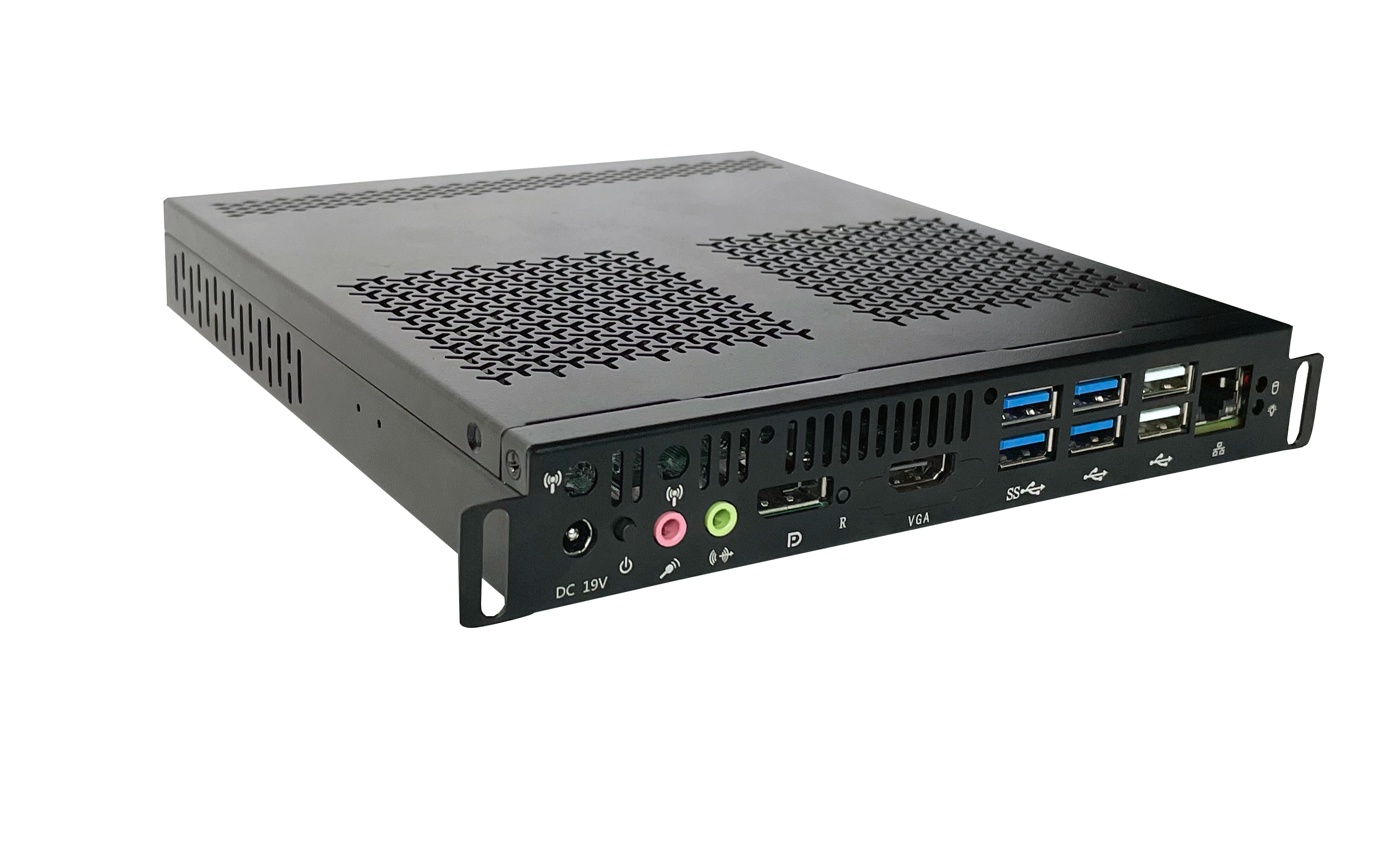
Digital signage runs scheduled or continuous media playback in indoor commercial environments, often with remote content updates. The compute module needs to decode video and image content reliably and support local or network-based content management. Codec support, resolution, storage, network and thermal requirements must be confirmed.
The Android-based AOS-SOR358464H fits this segment. Its integrated NPU also enables basic edge-AI functions for audience analytics or smart retail applications without a separate AI box.
Large-Format Visualization and LED Video Walls
LED meeting displays, video walls and visualization projects demand high-resolution graphics and often optional GPU-assisted workloads. The module runs continuously or on a defined schedule inside the display's OPS slot. Confirming the GPU model, power budget, heat dissipation, output resolution and display compatibility is essential before production.
For such projects, the AOS-SOH61I41SXG supports selected desktop-class processors and optional discrete graphics, which allows more graphics headroom than typical thin OPS modules. Because of higher power and heat, the display's slot power capacity and thermal design need to be checked carefully.
Project Validation Checklist Before Mass Production
Regardless of the module, a project-specific validation step reduces integration risk. Based on AIOSTAR's application experience, the following items should be confirmed before mass production:
- Mechanical size and chassis fit with the target display model.
- Connector pinout and slot standard (OPS vs OPS-C).
- Display resolution and video output compatibility.
- Cooling and power budget, especially when discrete graphics are used.
- Operating system image and software stack, including drivers and BIOS settings.
- Peripheral compatibility: touch controller, camera, microphone, speakers, LAN / Wi-Fi.
Market Direction: Modular Compute Is Becoming Standard
The shift from fixed PC hardware to pluggable OPS modules is visible in market data. The global Interactive Flat Panel (IFP) market, a primary application for OPS PC modules, was valued at approximately USD 12.6 billion in 2024. The global Industrial PC market, including industrial-grade OPS modules, was estimated at USD 6.48 billion in 2024 and is projected to grow at a CAGR of 6.30% through 2032. Integrated OPS-slot compute modules and Android-based SoC modules are estimated to ship in 15–25% of new interactive flat panel display units.
The global interactive whiteboard market is also projected to reach USD 730 million by 2030, with OPS penetration remaining a key growth driver for modular classrooms. These figures suggest that buyers will increasingly need a structured way to evaluate OPS PCs against project requirements rather than treating them as generic accessories.
OPS PC vs. External Computers: Trade-Offs to Accept
An OPS PC provides a cleaner integration than an external desktop or mini PC: no loose cables, no extra mounting, and a single slot that supplies power, video and connectivity. It can be upgraded by sliding out the old module and inserting a new one, which simplifies maintenance.
The main limitation is physical. The standardized enclosure restricts how much cooling and power can be delivered. High-end CPUs with discrete GPUs generate heat that must be dissipated inside a narrow slot, so the display's OPS slot power budget and internal airflow become critical constraints. External PCs do not face this limitation, but they require more space, cable management and separate power. For projects running GPU-heavy applications for long periods, an external workstation may be the safer choice. Therefore, the selection is not about which technology is universally better; it is about whether the project can meet the thermal, mechanical and power requirements of the chosen OPS module.
Future Outlook: NPUs, Android and Edge AI
Two trends will shape the next generation of OPS PCs. First, ARM-based modules with integrated NPUs, such as the Rockchip RK3588 with 6 TOPS, make edge AI affordable for digital signage and retail. Second, Android and Linux options give buyers a lower-cost path for content playback and interactive applications that do not require the full Windows desktop ecosystem. As display resolution moves toward 8K, OPS modules with higher memory bandwidth and stronger graphics will be required. The availability of configurable BIOS, storage and operating system images will remain important for project-specific deployment.
For a broader overview of AIOSTAR's manufacturing, quality control and product systems, the company profile is available for reference: AIOSTAR Introduction 2026 (PDF).
Frequently Asked Questions
What is an OPS PC?
An OPS PC is a pluggable computer module that fits into a standardized slot on an interactive display or commercial display. It provides the computing platform for the display, including processor, memory, storage and video output. Intel's Open Pluggable Specification defines a unified 80-pin JAE connector and a footprint of 180 mm x 119 mm x 30 mm.
What is the difference between OPS and OPS-C modules?
OPS is the original Intel standard, with a footprint of 180 mm x 119 mm x 30 mm. OPS-C is a variant widely adopted in China for educational whiteboards, with different dimensions, typically 180.8 mm x 195.2 mm x 42.5 mm. They are not physically interchangeable without an adapter.
Which OPS PC should I choose for a classroom interactive whiteboard project?
For a classroom, an OPS-C module with an Intel mobile processor such as the AOS-SOHAUF41SC is a typical choice. It runs Windows or Linux, supports touch applications and teaching software, and should be validated for mechanical size, connector pinout, display resolution, cooling and operating system image before mass production.
Can an Android OPS PC handle digital signage with remote content updates?
Yes. Android-based OPS modules such as the AOS-SOR358464H are designed for digital signage and smart retail. They operate in scheduled or continuous mode with local or network-based content management, and can decode video, images and information content.
Do I need a discrete GPU for a video wall or LED meeting display?
Not always, but high-resolution graphics and GPU-assisted workloads benefit from optional discrete graphics, as supported by the AOS-SOH61I41SXG. Before choosing a GPU model, confirm the display's slot power budget, heat dissipation, output resolution and compatibility.
What are the main limitations of OPS PCs?
The standardized enclosure restricts cooling and power capacity. High-end processors and discrete GPUs may exceed the thermal and power limits of a display's OPS slot. For GPU-heavy continuous workloads, an external PC may be more reliable. Always check power budget, cooling and mechanical compatibility before selecting an OPS PC.
Have Questions or Need More Details?
Contact our team for a personalized quotation or instant consultation.
Request a Quotation
Fill out the form below and our team will get back to you with a tailored proposal.
WhatsApp Direct Chat
Prefer to chat in real-time? Message us on WhatsApp for instant assistance & quick answers.
- Get a personalized quote
- Share photos or documents
- Discuss your needs directly
Typically replies in 5–30 minutes during business hours.