
Matching an OPS PC to the Job: Intel, H610, RK3588 and KX-6780
Matching an OPS PC to the Job: Intel, H610, RK3588 and KX-6780
An OPS PC decision rarely turns on which module is fastest. At the point of purchase it turns on which platform survives the project: the workload the display must run every day, the operating system the software requires, the graphics and AI tasks the content demands, and the mechanical, thermal and firmware realities of the display the module has to live inside.
This comparison sets four AIOSTAR OPS platforms against those criteria: the AOS-SOHAUF41SC Intel Alder Lake-U OPS-C module, the AOS-SOH61I41SXG H610 discrete-GPU OPS computer, the AOS-SOR358464H RK3588 Android AI OPS computer, and the AOS-SOZK6A341SXGE Zhaoxin KX-6780 domestic-platform OPS-C computer. Shenzhen Aiostar Electronics Co., Ltd., established in 2015, develops and supplies OPS PCs, OPS-C pluggable computer modules, Android OPS PCs, industrial motherboards, mini PCs, BOX PCs and customized embedded systems for interactive displays, digital signage, education, corporate meetings, industrial automation, transportation, retail and security projects.
None of the four is ranked here and no single overall winner is named. They answer different briefs. The useful output of a decision-stage comparison is a fit map plus a validation list, not a league table.
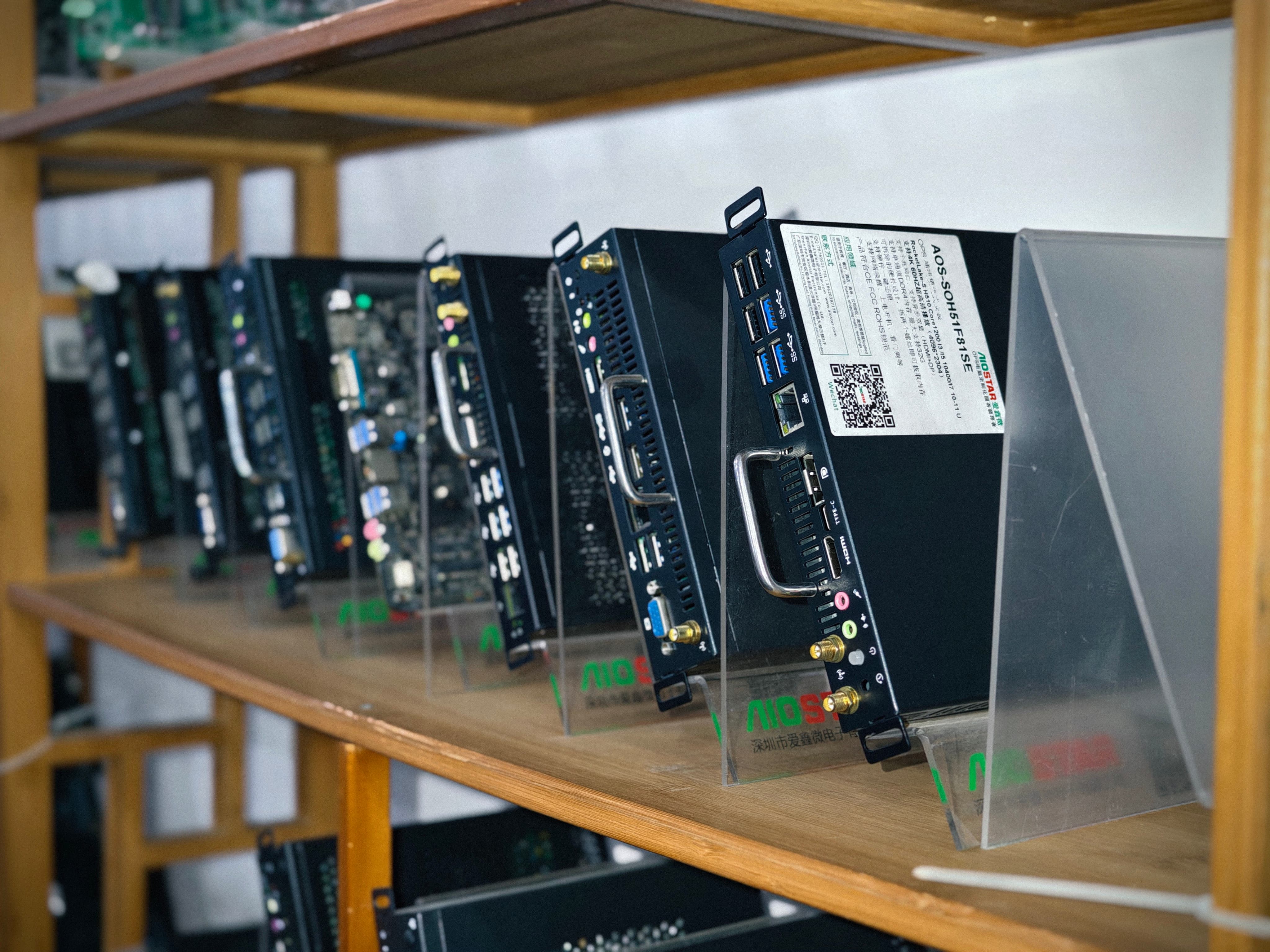
Why the module decision outlives the display decision
The Open Pluggable Specification, published by Intel, standardizes a pluggable compute module for displays, including an 80-pin JAE interface and a module footprint of 180 mm × 119 mm × 30 mm. The purpose of the standard is separation: the computing platform becomes a replaceable part rather than a component built into the display enclosure.
That separation has a procurement consequence with a documented figure behind it. Compared with a compute board fixed inside a display enclosure, OPS and OPS-C modules allow the computing unit to be serviced or upgraded separately, reducing complete-display replacement requirements by over 75% in typical compute-module failures. In a classroom or a meeting room the panel is usually the long-lived asset; the compute platform follows software generations. A buyer who fixes the compute choice permanently to the panel purchase is effectively buying both twice.
The same logic applies to installation. Compared with an external desktop PC connected to an interactive display, an OPS PC reduces external cable quantity by over 70% and occupied installation space by more than 65% in a typical deployment. Those figures describe installation and service characteristics, not computing performance. They are the reason OPS PCs appear in wall-mounted and furniture-integrated installations where an external chassis is awkward, exposed or simply unwanted.
What each of the four platforms actually represents
Model names do not describe capability. What follows is the platform logic behind each module — the reason a buyer shortlists it — rather than a specification sheet. Approved configuration details should be confirmed model by model before an order is placed.
AOS-SOHAUF41SC — Intel Alder Lake-U OPS-C module
The AOS-SOHAUF41SC is built on Intel's Alder Lake-U mobile processor family, a power-conscious x86 platform with integrated graphics. Its role in a project is x86 continuity at a restrained power envelope: it runs the Windows and Linux software stacks that interactive flat panel and interactive whiteboard deployments usually assume, without the thermal load of a desktop-class processor.
As an OPS-C module it belongs to the China-market mechanical variant rather than the original Intel OPS footprint. That distinction is decisive in the compatibility section below and should be resolved before any other selection work begins.
For the buyer, this is the general-purpose candidate for classroom and meeting-room work — annotation software, lesson delivery, device management agents, video conferencing clients — where the required software is x86 and the graphics load is mainstream.
AOS-SOH61I41SXG — H610 discrete-GPU OPS computer
The AOS-SOH61I41SXG pairs an Intel H610 chipset platform with a discrete graphics card. On the processor side, H610 is an entry desktop chipset rather than a mobile platform, which changes the thermal and power conversation. On the graphics side, a discrete GPU moves rendering work away from integrated graphics.
For the buyer, this is the candidate for graphics-intensive display work: high-resolution multi-window rendering, 3D visualisation, video walls, design or engineering review on large-format panels. The trade-off is that a discrete GPU adds heat and power draw inside the display's thermal envelope, so cooling design, thermal contact verification and burn-in testing matter more here than on any other platform in this comparison.
AOS-SOR358464H — RK3588 Android AI OPS computer
The AOS-SOR358464H uses the Rockchip RK3588, an ARM-based system on chip that combines processor cores, integrated graphics and a neural processing unit on a single die, running Android rather than Windows. Its design intent is content and inference at low power: signage playback, kiosk applications and on-device AI tasks that would otherwise require a separate accelerator.
The fit boundary is sharp. It suits applications that are Android-native and workloads centred on playback, interaction or edge inference. It does not suit projects whose software is a Windows executable with no Android equivalent. That single question — is there an Android build of everything the display runs? — decides the RK3588 module's eligibility before any performance discussion begins.
AOS-SOZK6A341SXGE — Zhaoxin KX-6780 domestic-platform OPS-C computer
The AOS-SOZK6A341SXGE uses the Zhaoxin KX-6780, a China-developed x86-compatible processor. Its purpose is procurement eligibility rather than benchmark leadership: projects that specify domestic-platform silicon need a module built on it, and the OPS-C form factor matches the same China-market slot family as the Alder Lake-U module.
For the buyer, this platform is normally selected by a sourcing requirement first and by workload second. Because the processor and its driver stack differ from mainstream Intel platforms, application and peripheral validation becomes a first-class task rather than a formality. Even within the same broad instruction-set family, software is not automatically certified for a domestic platform.
Comparison by workload, OS, AI and graphics, and display integration
| Model | Platform and OS posture | Workload fit | Graphics and AI profile | Display integration | Select when |
|---|---|---|---|---|---|
| AOS-SOHAUF41SC | Intel Alder Lake-U, x86, Windows or Linux images | Classroom and meeting-room software, annotation, conferencing clients, management agents | Integrated graphics; mainstream 2D, video and multi-window content | OPS-C module family; verify slot, power budget and firmware against the display | The software list is x86 and the graphics load is ordinary |
| AOS-SOH61I41SXG | Intel H610 chipset with discrete GPU, x86, Windows or Linux images | Graphics-intensive display work, high-resolution rendering, visualisation, review and simulation on large panels | Discrete GPU offloads rendering; higher heat and power inside the display envelope | OPS computer; thermal design and burn-in must be planned with the enclosure | Sustained graphics load exceeds what integrated graphics are designed for |
| AOS-SOR358464H | Rockchip RK3588 ARM system on chip, Android | Signage playback, kiosks, hospitality information displays, networked media, edge inference | Integrated graphics plus neural processing unit for on-device AI | Slot-in module; no external player chassis, video cable, touch cable or separate adapter | Every application in the project has an Android build |
| AOS-SOZK6A341SXGE | Zhaoxin KX-6780, x86-compatible domestic platform | General x86 interactive workloads where a domestic-platform sourcing rule applies | Integrated graphics; driver and application behaviour must be validated on the platform | OPS-C module family; verify slot, firmware and peripheral support against the display | A domestic-platform requirement governs the procurement |
The table compares documented platform characteristics and intended fit. It does not contain measured performance, power or reliability data for the four configurations, and it should not be read as if it did. Configurations also vary within a platform: AIOSTAR offers OEM and ODM services covering hardware configuration, I/O, chassis, cooling, BIOS, operating-system image, logo, packaging and accessories, so the platform sets the envelope while the approved configuration sets the detail.
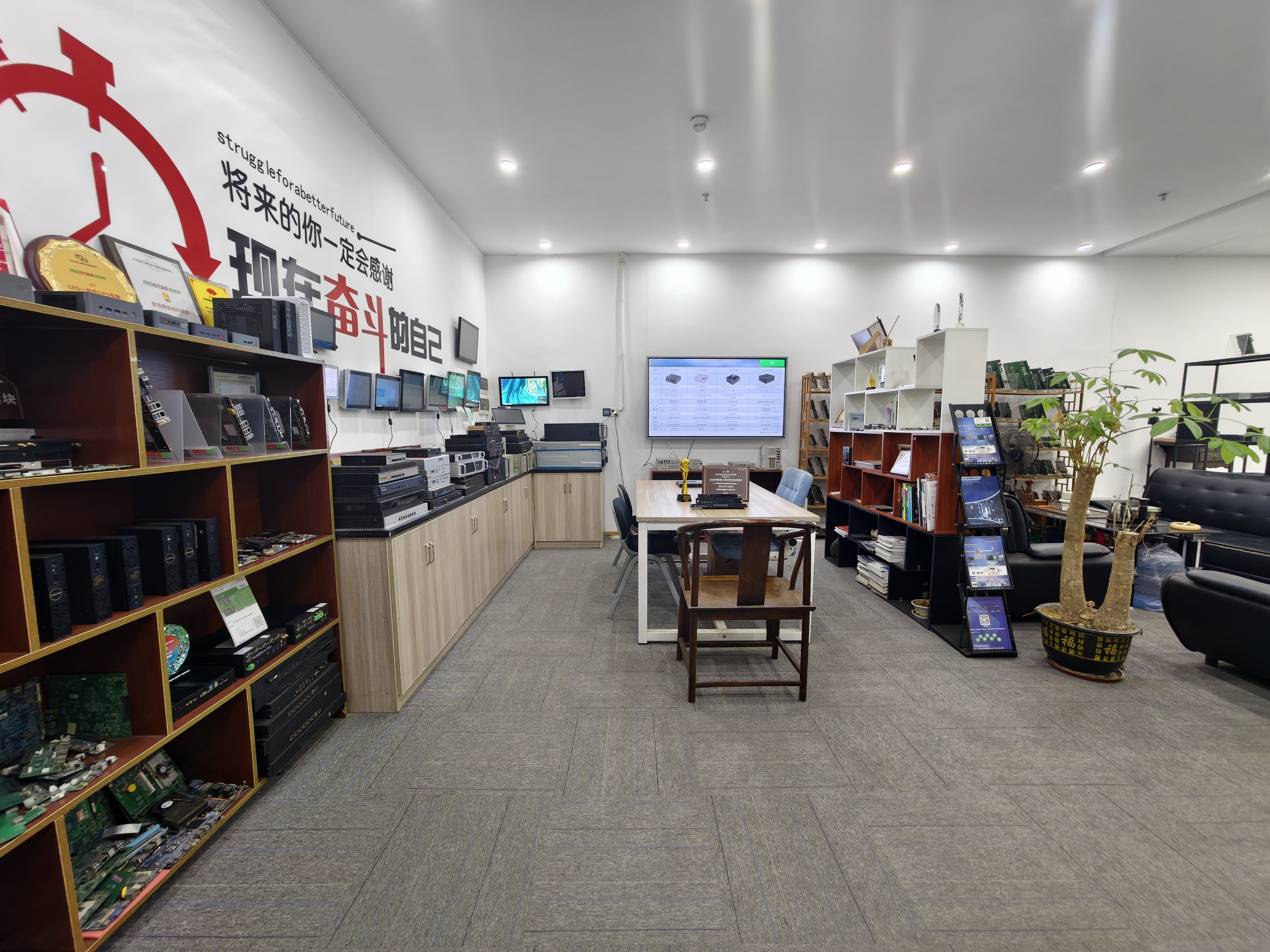
Classroom and meeting-room deployments
For classrooms using an OPS PC for interactive flat panels, the deciding question is normally software rather than hardware. Teaching platforms, annotation tools, assessment clients and device management agents are predominantly x86 and Windows products. That places the AOS-SOHAUF41SC at the centre of the shortlist and makes the discrete-GPU AOS-SOH61I41SXG relevant only where lesson content carries heavy graphics — 3D models, simulation, high-resolution video work.
Meeting rooms follow the same pattern with a different constraint: video conferencing clients and room-control software. Where the room runs native Windows conferencing clients, an x86 module is the safe assumption. Where the display already provides conferencing through its own Android environment, the Android OPS module changes the architecture rather than duplicating it. It does so with over 60% fewer peripheral hardware items than an external Android media player installation, according to the documented comparison.
Both scenarios share one operational requirement: the module must start unattended, join the network and be managed remotely. That is why Wake-on-LAN, auto power-on and watchdog behaviour belong in the validation plan rather than the appendix.
Commercial playback and kiosk deployments
For an OPS PC for digital signage, kiosks, hospitality information displays and networked media playback, the RK3588 Android AI OPS computer is the natural starting point. Playback and content scheduling match an ARM system on chip with integrated graphics well, and the AI unit adds headroom for on-device inference if the project's software supports it.
The integration argument is measurable. Compared with an external Android media player, an Android OPS module removes an external chassis, a separate video cable, a USB touch cable and an independent power adapter, reducing peripheral hardware items by over 60% in a typical interactive-display installation. Service is not sacrificed, because the module can be removed from the OPS slot for replacement or software service.
The boundary is content management. If the signage CMS, player software or kiosk runtime is a Windows application or depends on an x86-only component, the Android module is ineligible regardless of its integration advantages. The same module families also appear in industrial-grade OPS PC deployments across automation, transportation, retail and security projects, where the same software-first test applies.
High-resolution graphics workloads
Where the display is asked to render at high resolution in real time — video walls, 3D visualisation, design review or simulation on large-format panels — the AOS-SOH61I41SXG H610 discrete-GPU OPS computer is the candidate the brief points to. Integrated graphics on mobile-class platforms are designed for mainstream display output, not for sustained graphics-heavy rendering.
Two cautions belong beside that mapping. First, a discrete GPU inside a display slot changes the thermal profile of the whole installation: cooling selection must follow processor power, enclosure airflow and the display's internal temperature, and heat sink, fan and thermal contact design must be verified. Second, supported resolution and refresh rate must be confirmed on the approved configuration and the target display rather than assumed from the platform class. A 4K OPS PC module designation describes a capability family, not a tested outcome for every panel.
Domestic-platform requirements
Some projects are defined by a sourcing rule rather than a workload: the compute platform must be domestically developed. In those projects the AOS-SOZK6A341SXGE Zhaoxin KX-6780 OPS-C module exists precisely because a mainstream Intel module cannot satisfy the requirement, whatever its position on other criteria.
The practical consequence is that the validation budget shifts. Buyers should expect to confirm operating-system image, drivers, peripheral compatibility and application behaviour on the domestic platform before committing volume, rather than inheriting assumptions from an Intel deployment. It is the same discipline the manufacturer describes for operating system, BIOS and driver mismatch: confirm the required OS version, BIOS functions, drivers and application dependencies before imaging, then validate the approved system image and functions such as Wake-on-LAN, auto power-on and watchdog on the final hardware configuration.
How the module approach compares with the alternatives
Three alternative architectures usually appear in the same procurement discussion, and each has a documented trade-off with a defined fit boundary.
Against an external desktop PC. The OPS module reduces external cable quantity by over 70% and occupied installation space by more than 65%, and it can be removed and serviced without moving the display or replacing the display panel. This applies only where the display provides an OPS slot and has a compatible power and thermal budget; a display without a slot gains nothing from the comparison.
Against a compute board fixed inside the enclosure. Separating the computing platform from the display assembly reduces complete-display replacement requirements by over 75% in typical compute-module failures, and turns a platform upgrade or an operating-system change into a module swap. This requires that the display interface and firmware accept the replacement module.
Against an external Android media player. An Android OPS module reduces peripheral hardware items by over 60% in a typical interactive-display installation. Only Android-native content stacks qualify for this comparison.
None of these comparisons establishes that an OPS PC outperforms the alternative. They describe installation, service and space characteristics — the dimensions on which modularity actually competes.
Pre-project checks that decide the order
1. Mechanical and interface compatibility across OPS and OPS-C
The two footprints are not interchangeable. The original Intel OPS module footprint is 180 mm × 119 mm × 30 mm. OPS-C modules, the variant used primarily in China, are typically documented at 180.8 mm × 195.2 mm × 42.5 mm — roughly 40% thicker and 60% longer in depth than standard OPS. Before production, verify module dimensions, connector type, pin definition, video interface, USB, power budget and display firmware, then test a pre-production sample on the customer's target display before confirming the final configuration.
This is the most common way a technically suitable module fails a project: the platform logic is right and the slot is not.
2. Operating system, BIOS and driver validation
Confirm the required OS version, BIOS functions, device drivers and application dependencies before imaging, then validate the approved system image and required functions on the final hardware configuration. For unattended installations — signage, kiosks, classrooms — Wake-on-LAN, auto power-on and watchdog are operational requirements, not optional features. Validating them on a bench sample rather than the exact shipping configuration leaves the most likely failure untested.
3. Thermal design and burn-in
Select cooling according to processor power, enclosure airflow and the display's internal temperature, verify heat sink, fan and thermal contact design, and conduct burn-in and thermal testing per project specification before mass production. The discrete-GPU module and the domestic-platform module deserve the closest attention here, because both depart from a low-power mobile profile.
4. Lifecycle and change control
Maintain a controlled bill of materials, evaluate form, fit and function alternatives when a component reaches end of life, notify the customer of material changes affecting the agreed specification, and obtain approval where the project requires it. For multi-year display programs this matters more than a marginal platform difference at approval time.
5. Logistics and transport
Protective internal packaging suited to the module, accessories and shipping method, plus packaging checks and drop or vibration testing where the customer or project specification requires them.
Market context and its limits
QYResearch projects the global OPS computer host market to reach USD 1.005 billion by 2031, with a CAGR of 8.0% over 2025–2031, according to the report published in January 2026. The figure indicates that the pluggable module category is expected to keep expanding. It says nothing about which platform a specific project should adopt, and it is a forecast rather than a measured result. Category growth is an argument for a disciplined selection process, not an argument for standardizing on one architecture.
Supply-side capability supports that process without deciding it. AIOSTAR reports annual production capacity above 170,000 units at its Shenzhen facility, a company-reported figure that speaks to availability rather than to any platform's suitability for a given workload.
What this comparison cannot establish
Three limits should be stated plainly. First, no comparative performance, power-consumption or reliability test data for these four configurations was supplied for this comparison, so no performance ranking is asserted. Second, platform-level reasoning describes design intent and fit; it does not predict field behaviour in a specific display enclosure under a specific content load. Third, the percentages cited — 75%, 70%, 65%, 60% — describe installation, space and replacement characteristics in typical deployments, not guaranteed outcomes for every project.
What remains, and what is sufficient for a decision, is a fit map: each platform's intended workload, its operating-system posture, its graphics and AI profile, its mechanical family, and the checks that convert a shortlist into an approved configuration.
A decision sequence for project teams
- Write the software list first, including the operating system each application requires. This eliminates platforms before any hardware discussion begins.
- Classify the graphics and AI load: mainstream 2D and video, sustained graphics-intensive rendering, or on-device inference.
- Confirm the display's slot family — standard OPS or OPS-C — together with its power and thermal budget.
- Map the four platforms to the surviving requirements rather than to a standing preference for one vendor.
- Validate on a pre-production sample against the target display: dimensions, connector, pin definition, video, USB, power, firmware, OS image, Wake-on-LAN, auto power-on and watchdog.
- Lock the bill of materials, change-notification terms and thermal test plan before the volume commitment.
Run in that order, the comparison produces a decision per project instead of a permanent preference. For a component category whose entire purpose is to be replaced when the workload changes, that is the correct outcome.
FAQ
Which OPS PC platform is the best choice for a classroom deployment?
There is no single best platform, because the answer depends on the teaching software. Where the required applications are x86 and Windows-based, the AOS-SOHAUF41SC Intel Alder Lake-U OPS-C module is the general-purpose candidate. Where lesson content is graphics-intensive at high resolution, the AOS-SOH61I41SXG H610 discrete-GPU OPS computer becomes relevant. Where the classroom deployment is content playback on an Android stack, the RK3588 Android AI module applies. The software list decides first; hardware follows.
Can an Android OPS module replace a Windows OPS PC?
Only when every application the display runs has an Android equivalent. Android OPS modules are documented as suited to retail signage, hospitality information displays, kiosks and networked media playback, where integration reduces peripheral hardware items and the module can be removed for service. Where the project depends on a Windows executable, a proprietary x86 runtime or Windows-only device drivers, an x86 platform is required and the Android option is not a substitute.
Will an OPS-C module fit a display designed for standard OPS?
Not automatically. OPS-C modules are typically documented at 180.8 mm × 195.2 mm × 42.5 mm, compared with the standard OPS footprint of 180 mm × 119 mm × 30 mm — approximately 40% thicker and 60% longer in depth. Module dimensions, connector type, pin definition, video interface, USB, power budget and display firmware should all be verified, and a pre-production sample should be tested on the target display before the configuration is confirmed.
What has to be validated before an OPS module configuration is approved?
The approved operating-system image, BIOS functions, device drivers and application dependencies, together with Wake-on-LAN, auto power-on and watchdog behaviour on the final hardware configuration. Alongside that, mechanical and interface compatibility with the target display, and thermal design verified through burn-in and thermal testing per project specification. Lifecycle terms — controlled bill of materials and change notification — complete the approval file.
Does a discrete-GPU OPS computer always deliver better graphics performance?
No blanket claim is possible without measured data for the specific configuration. A discrete GPU is the appropriate candidate for sustained graphics-intensive rendering at high resolution, but the result depends on the graphics card, the processor, the power and thermal budget available inside the display, the driver stack and the workload itself. Supported resolution and refresh rate should be confirmed on the approved configuration rather than inferred from the platform class.
Documentation: Aiostar Introduction 2026 (PDF) — company and product overview for project teams preparing a configuration review.
Have Questions or Need More Details?
Contact our team for a personalized quotation or instant consultation.
Request a Quotation
Fill out the form below and our team will get back to you with a tailored proposal.
WhatsApp Direct Chat
Prefer to chat in real-time? Message us on WhatsApp for instant assistance & quick answers.
- Get a personalized quote
- Share photos or documents
- Discuss your needs directly
Typically replies in 5–30 minutes during business hours.