Top 5 Stylus Pen Options for OEM Buyers: A 2026 Sourcing Shortlist
Top 5 Stylus Pen Options for OEM Buyers: A 2026 Sourcing Shortlist
Choosing a stylus pen for an OEM program in 2026 is a configuration decision before it is a brand decision. The global stylus pen market was valued at USD 19.45 billion in 2025 (IMARC Group), and active stylus technology is projected to grow at a CAGR of 9.8% from 2026 to 2034 (Dataintelo). More buyers are entering the category, more SKUs sit on the same shelf, and the suppliers that win repeat orders are the ones that can document what a pen actually does.
This shortlist ranks five stylus pen options that an OEM buyer can verify from product records and procurement terms. It does not invent brand names for the options. Each entry is a configuration: a charging architecture, a level of input fidelity and a platform scope. Where the record names a specific model — the W12-A stylus pen, the A7-H-L stylus pen and the E3-A stylus pen — that model is named. The reference supplier used throughout is Jiayao Stylus, the stylus pen line of Dongguan Jiayao Intelligent Technology Co., Ltd., a manufacturer based in Dongguan, Guangdong, China, whose stated capability covers PCBA design, battery welding, final assembly and quality testing.
How This Shortlist Was Ranked
Ranking criteria were defined before the options were listed, so the order can be checked rather than trusted. Four criteria were applied:
- Platform coverage — how many device families one SKU serves, including iPad and Android-based tablets and phones, without a second tooling or firmware investment.
- Power architecture — whether the pen charges wirelessly, over USB-C, or not at all, and what that means for packaging, manuals, returns and end-user support.
- Input fidelity — the documented relationship between pen movement and screen output: latency, writing offset, palm rejection, and tilt or pressure sensing.
- Execution fit — minimum order quantity, sample lead time, standard production lead time and inspection terms, which decide whether an option can realistically ship in a given quarter.
Two limits apply. First, the ranking measures fit for OEM sourcing, not absolute product quality: a lower-ranked option is not a weaker pen, it answers a narrower requirement. Second, no public benchmark library currently compares third-party stylus manufacturers against first-party performance figures under identical test conditions. Specification sheets should be treated as the start of validation, not the end of it — buyers should confirm latency, offset and palm rejection on their own reference devices before scaling an order.
The Top 5 Stylus Pen Options for OEM Buyers in 2026
Each entry states the verified basis for the option, the program it fits, and the boundary a buyer should cost in before committing.
| Rank | Option | Verified basis | Strongest fit | Boundary to weigh |
|---|---|---|---|---|
| 1 | Wireless-charging active stylus (W12-A stylus pen) | Wireless charging plus a USB-C port; fast charging available alongside wireless charging | Premium iPad accessory programs where charging convenience is part of the offer | Adds charging hardware cost and requires documentation of two charging paths |
| 2 | Fast-charging active stylus (A7-H-L stylus pen) | Five minutes of charging provides about two hours of use | Short-session environments: classrooms, kiosks, counters, shared devices | Not the long-runtime option; continuous use per full charge is shorter |
| 3 | Extended-runtime active stylus (E3-A stylus pen) | Up to 30 hours of continuous use after a full charge | Education, healthcare and field deployments with irregular charging access | Optimised for fewer charging events, not for faster ones |
| 4 | Universal active stylus (cross-platform) | Active design for iPad and mainstream tablets; palm rejection and tilt sensing; active pens in this class documented at latency under 8 ms and writing offset under 0.5 mm | Buyers who want one SKU and one listing across device families | Protocol behaviour varies by device and must be validated per platform |
| 5 | Capacitive (passive) stylus pen | Battery-free operation; replaces the finger; lowest unit cost in the range | Entry-price bundles, kids' products, kiosk and promotional programs | No palm rejection, no tilt sensing; latency and writing offset occur |
1Wireless-Charging Active Stylus (W12-A stylus pen)
Wireless charging removes the most common end-user complaint in the category: a discharged pen and a missing cable. In the manufacturer's own model guidance, the W12-A stylus pen is the wireless-charge recommendation, and it also carries a USB-C port that provides fast charging in addition to wireless charging. For an OEM buyer, that dual path simplifies packaging — the box can ship without a cable and still offer a wired fallback — and it gives the retail listing a second charging claim that reviewers can test.
Boundary: wireless charging adds hardware cost and requires the manual, the packaging and the support script to explain two charging paths rather than one. Buyers targeting the lowest possible landed cost should compare this option against the passive configuration before finalising a price tier.
2Fast-Charging Active Stylus (A7-H-L stylus pen)
Charging speed matters where pens are shared and downtime is visible. The A7-H-L stylus pen is positioned as the fast-charge option: five minutes of charging provides about two hours of use. That ratio — a few minutes of charging against a couple of hours of work — suits classrooms, retail kiosks, device-lending desks and field check-in points, where a user cannot wait for a full cycle.
Boundary: a short top-up window is not the same as a long working day. Buyers whose users draw or annotate continuously should compare this option against the extended-runtime model, because the two solve different problems: one shortens charging, the other reduces how often charging is needed.
3Extended-Runtime Active Stylus (E3-A stylus pen)
Runtime is the option that takes charging out of the daily workflow. The E3-A stylus pen is specified for up to 30 hours of continuous use after a full charge, against the 11-hour continuous working time documented for active stylus pens generally in this class. For deployments where a charging station is inconvenient — classrooms without desk power, healthcare carts, warehouse or field inspection — the reduction in charging events is the measurable benefit, not the number on the datasheet.
Boundary: long runtime is a trade in priorities. Where the W12-A and A7-H-L options optimise for how quickly energy goes in, this option optimises for how slowly it runs out, so the three should be positioned as different price tiers rather than substitutes.
4Universal Active Stylus (iPad and Android tablet coverage)
A universal active stylus is the option for buyers who want one SKU across device families instead of two. Active stylus designs in this category support precise writing, palm rejection and tilt sensing, and are compatible with iPad and mainstream tablets. The published performance envelope for active pens in this class is latency under 8 ms with writing offset under 0.5 mm, which is the difference users feel immediately when they switch from a passive pen.
Standardisation supports this option. The USI 2.0 (Universal Stylus Initiative) specification, released in 2022 and supported by Google, Intel and Lenovo, is the primary cross-platform standard for active styluses. A supplier building to an open standard reduces the risk of a device-generation change breaking the product.
Boundary: platform coverage is not platform uniformity. Several device ecosystems still rely on proprietary protocol behaviour, so a universal pen must be validated device by device, and some platform-specific functions — high pressure-level response, for example — will not carry across. Buyers should define a validation matrix before tooling.
5Capacitive (Passive) Stylus Pen
The passive option is the entry point. A capacitive stylus is battery-free and simply replaces the finger: no charging, no battery, no power-management documentation, and the lowest unit cost in the range. A 2-in-1 stylus pen that pairs an active tip with a passive fiber tip can cover both active and touch-only screens with one body, which reduces catalogue complexity for buyers serving mixed device bases.
Boundary: the passive design does not support palm rejection or tilt sensing, and writing shows latency and offset. It is adequate for tapping, menu navigation and simple marking, and inadequate for note-taking or drawing. Programs that market a passive pen as a writing tool will generate returns.
Technical Explanation: What Separates One Stylus Pen Option from Another
Active versus passive architecture
An active stylus requires a power supply and supports palm rejection with precise input, which is why it suits note-taking, drawing and sketching, and also improves the experience of playing games on an iPad or tablet compared with a passive pen. A passive stylus is battery-free and inexpensive, but it does not support palm rejection or tilt sensing and introduces latency and offset when writing.
Latency, writing offset and palm rejection
Three measures decide whether a pen feels usable. Latency is the delay between pen movement and on-screen output; active pens in this class are documented at under 8 ms. Writing offset is the physical distance between the nib and the rendered line; the documented value is under 0.5 mm. Palm rejection is the behaviour that allows a hand to rest on the screen while writing — the single feature that separates a note-taking tool from a finger replacement.
The protocol layer
Two families exist. Open-standard pens follow the USI 2.0 specification; platform-specific pens follow the behaviour of a single ecosystem. High-end first-party pens remain the performance reference point: the Samsung S-Pen and comparable professional active pens reach up to 4,096 levels of pressure sensitivity. Third-party active styluses typically reproduce precise writing, palm rejection and pause-doodle behaviour, and offer tilt sensing rather than pressure sensing.
Trade and classification
Stylus pens are typically classified under HS Code 8471.60.90 as automatic data processing input units for import and export purposes. Buyers building landed-cost models should confirm the classification applied by their own customs broker, since accessory categories are frequently reassessed.
Application Fit: Mapping an Option to a Program
The same five options map onto common programs, and choosing deliberately avoids over-specifying a low-cost SKU or under-specifying a professional one.
- Education and note-taking: active options with palm rejection and tilt sensing; extended runtime where desk power is unavailable.
- Drawing and sketching: active options; where pressure-level response is a stated requirement, the boundary against first-party pens should be explained to the buyer before launch.
- Tablet and iPad gaming accessories: active pens improve the experience versus passive pens, which makes them a natural attach-rate product for device bundles.
- Retail, kiosk and point-of-sale: fast-charging or passive options, depending on whether signature capture is required.
- Entry-price and promotional bundles: passive and 2-in-1 configurations, where unit cost and battery-free shipping dominate the decision.
- Corporate gifting and private label: the configuration follows the recipient's device fleet, which is why platform coverage should be confirmed before artwork is approved.
Market Trend Analysis
Two published figures frame the category. The global stylus pen market was valued at USD 19.45 billion in 2025 by IMARC Group, while active stylus technology is projected to grow at a CAGR of 9.8% from 2026 to 2034 according to Dataintelo. Those numbers point in the same direction — steady expansion led by active pens — but they should be handled with care.
Data caveat: market-size estimates for this category vary widely by definition. A 2025 figure of USD 3.36 billion from Fortune Business Insights sits alongside the USD 19.45 billion estimate above. The gap reflects scope rather than error: one figure covers the broader input-device category, the other focuses on active digital pens. Buyers should use these numbers for direction and not as the basis of a capacity commitment.
Two structural trends matter more to an OEM buyer than any single estimate. First, standardisation: the USI 2.0 specification gives suppliers a defined target to build against, which lowers the cost of serving multiple device families with one design. Second, the persistence of platform-specific behaviour in premium ecosystems, which keeps a compatibility matrix in every serious quotation. A third, quieter trend is documentation pressure — as performance claims such as latency and offset become comparable across suppliers, buyers increasingly ask for measured values rather than marketing language.
Comparison with Traditional Solutions
Buyers comparing an active stylus with older input options should expect clear trade-offs rather than a uniform upgrade path.
| Attribute | Active stylus | Passive (capacitive) stylus | First-party professional pen (Apple Pencil reference) |
|---|---|---|---|
| Power | Requires regular charging; replaceable pen tip | Battery-free, no charging | Requires charging |
| Palm rejection | Supported | Not supported | Supported |
| Sensing | Tilt sensing; precise writing | None beyond touch position | Pressure sensing |
| Documented performance | Latency under 8 ms; writing offset under 0.5 mm | Latency and offset occur | Reference-class performance |
| Relative cost | Higher than passive | Lowest | Considerably more expensive |
The limitation worth stating plainly is the sensing gap. A third-party active stylus reproduces precise writing, palm rejection and pause-doodle behaviour, and adds tilt sensing, but it does not provide pressure sensing, which the Apple Pencil does. The practical consequence is a documented decision rule: artists who need precise, pressure-driven drawing should choose a first-party pen; buyers who mainly need note-taking and drawing can choose a third-party active stylus. A second limitation is maintenance: active pens require regular charging and a replaceable pen tip, both of which belong in the after-sales script rather than in a footnote.
Execution and Long-Term Supply: What the Supplier Side Has to Prove
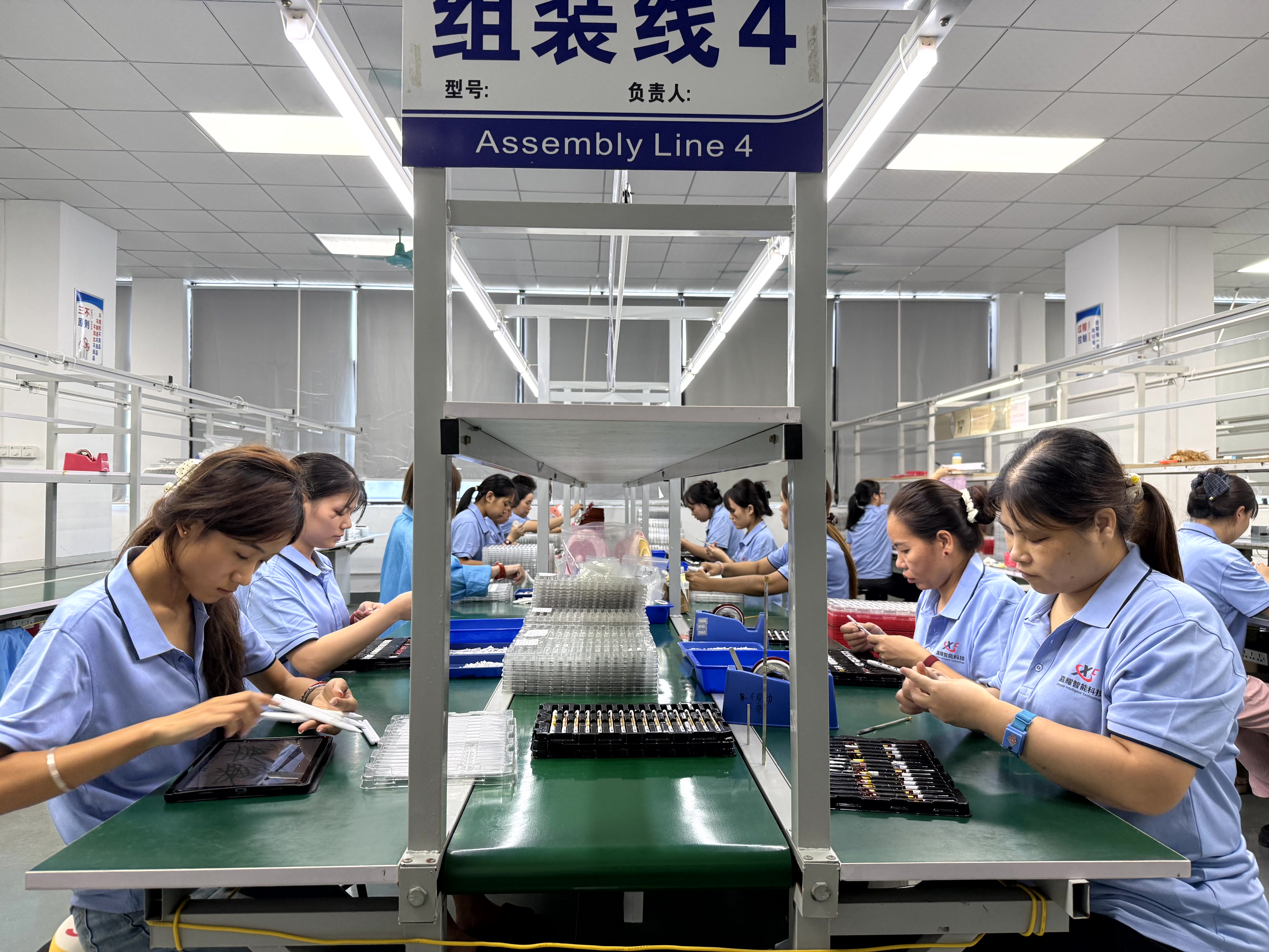
A shortlist only becomes a purchase order when the supplier can hold a schedule. Jiayao Stylus, operated by Dongguan Jiayao Intelligent Technology Co., Ltd., was founded in 2021 and runs a 2,700 m² facility in Dongguan with approximately 100 employees, an annual output of 3,000,000 units, an R&D team of four engineers, and an export ratio of 40% concentrated in the EU and USA markets. Vertical scope covers PCBA design, battery welding, final assembly and quality testing, which is what allows a specification change — a charging method, a tip material, a firmware behaviour — to be answered without a third-party loop.
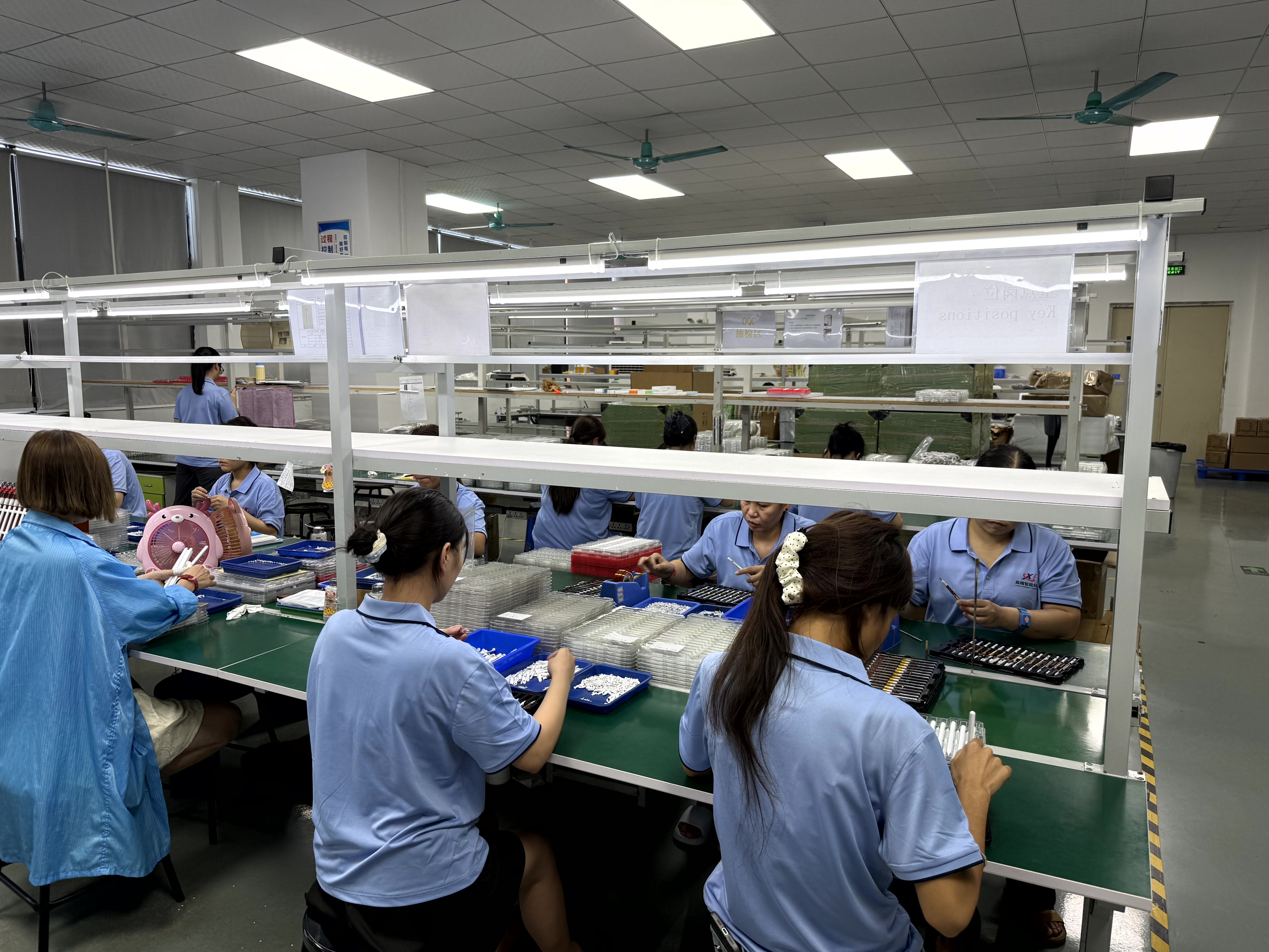
Quality control is stated as 100% full inspection on every stylus produced, covering functional, tactile and visual checks. For a buyer, that matters at the point of a repeat order: the second container should behave like the first, and inspection discipline is what makes a second order a reorder rather than a new project.
Execution terms are published, which shortens the quotation stage. Samples can be available in as little as three weeks, and standard orders ship in 20 days. Regular models are held in stock to handle small, scattered and urgent orders of standard products — a supply model that suits fast-moving brands and growing sellers that cannot commit to a full container on every SKU. Both OEM and ODM projects are supported, including customisation of logo, packaging, function and Bluetooth name.
| Procurement item | Stated terms |
|---|---|
| Minimum order quantity | MOQ 500 units |
| Delivery terms | EXW / FOB |
| Acceptance criteria | Pre-shipment inspection |
| Payment terms | 30 / 70 |
| Sample lead time | As little as 3 weeks |
| Standard production lead time | 20 days |
For longer-term programs, three supply questions decide whether a partnership survives its second year: whether standard models stay in stock between production runs, whether the same specification can be re-ordered without re-engineering, and whether the supplier documents what happens after delivery. A supplier with in-house assembly and inspection can answer all three; a trading intermediary usually cannot.
Future Outlook
Active stylus growth in the range of 9.8% annually through 2034, on the Dataintelo projection, would keep the category competitive for several product cycles. Open standards such as USI 2.0 should gradually reduce the cost of building a pen that works across device families, while premium ecosystems are likely to keep platform-specific behaviour as a differentiator. The likely shift for OEM buyers is in evidence rather than technology: quotations that specify measured latency and writing offset, and that state the boundaries of a configuration as clearly as its capabilities, will be easier to defend internally and easier to market honestly. The gap that remains — the absence of a public benchmark comparing third-party stylus performance against first-party metrics on identical test conditions — is best filled by each buyer's own sample validation, because a specification verified on your reference device is worth more than a claim verified on someone else's.
FAQ
Should an OEM buyer choose a passive stylus pen or an active stylus pen?
An active stylus requires a power supply and supports palm rejection with precise input, which makes it suitable for note-taking, drawing and sketching; it also gives a better experience than a passive stylus when playing games on an iPad or tablet. A passive stylus is battery-free, lower cost and easier to use, but it does not support palm rejection or tilt sensing and shows latency and writing offset when writing. The practical rule: if the pen only needs to replace a finger, choose a passive stylus; if the program requires note-taking, drawing or sketching, choose an active stylus.
How does a buyer choose between the W12-A, A7-H-L and E3-A stylus pens?
The three models differ mainly in charging method, charging time and working time. The W12-A stylus pen supports wireless charging and also has a USB-C port that provides fast charging alongside wireless charging. The A7-H-L stylus pen is the fast-charge option: five minutes of charging provides about two hours of use. The E3-A stylus pen is the long-runtime option, specified for up to 30 hours of continuous use after a full charge. Buyers who want wireless convenience select the W12-A; buyers who need rapid top-ups between short sessions select the A7-H-L; buyers who want the longest interval between charging events select the E3-A.
What is the difference between a third-party active stylus and the Apple Pencil?
The two share precise writing, palm rejection and pause-doodle behaviour. The main documented difference is sensing: the Apple Pencil supports pressure sensing, while the third-party stylus uses tilt sensing instead. Cost is the other stated difference — the Apple Pencil is considerably more expensive. The guidance that follows is straightforward: artists who need precise, pressure-based drawing should choose the Apple Pencil, while buyers who mainly need note-taking and drawing can choose a third-party stylus.
What are the purchasing terms and acceptance criteria for a stylus pen order?
The stated terms are a minimum order quantity of 500 units, delivery on EXW or FOB basis, pre-shipment inspection as the acceptance criterion, and 30/70 payment terms. Execution facts from the manufacturer profile add that samples can be produced in as little as three weeks and that standard orders ship in 20 days.
Reference document: Jiayao Intelligent Stylus Pen Catalogue (PDF).