
EXT4 for Mac: Why macOS Needs a Driver for Linux Drives
Linux-formatted storage is ordinary equipment in Mac-based video, photography, research and IT workflows. macOS, however, has no native read or write path for EXT4, so an EXT4 hard drive, SSD or USB stick may not be detected at all when it is connected to a Mac. Understanding what “EXT4 for Mac” actually covers — read access, write access, permission behaviour and fault handling — is the first step in deciding whether a driver, a read-only utility or a workflow change is the right answer.
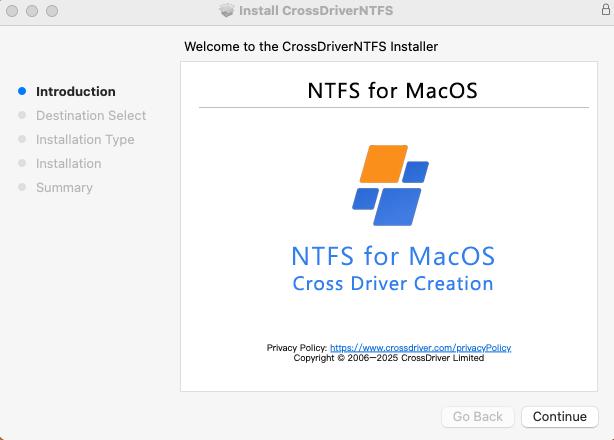
An EXT4 driver for macOS operates as an installed application that mounts Linux-formatted volumes into the normal Mac file workflow.
What EXT4 is, and why macOS cannot open it
EXT4 — the fourth extended filesystem — is documented in the Linux manual pages as a general-purpose file system built for extensibility and backwards compatibility, and described as the journaling successor to ext3. It is widely characterised as the default modern Linux file system on many systems because it balances speed, reliability and scalability, with journaling helping a volume recover after a crash. The practical consequence is that a large share of the drives arriving from Linux servers, NAS units, engineering workstations and Linux-formatted external enclosures are EXT4 volumes.
macOS does not provide that path. The platform has no native read or write support for the Ext family, and a drive carrying an EXT4 partition can go undetected when connected. The reason is architectural rather than accidental: the Ext family is an open-source Linux file system with on-disk structures macOS never integrated, and the file protocols of different operating systems are not interoperable at the driver level. Apple Silicon added a second layer of friction, because M-series Macs enforce tighter kernel permission rules that raise the deployment threshold for any third-party driver needing low-level access.
For a Mac-only user this is invisible. For anyone whose storage crosses platforms it becomes a recurring operational problem: files cannot be added, renamed or deleted on the EXT4 volume, large media has to be copied through an intermediary device, and the obvious fallback — reformatting the disk — erases the data it contains.
Four capabilities hidden inside the phrase “EXT4 for Mac”
Products marketed as EXT4 software for Mac differ sharply in scope, and price comparisons only make sense once the capabilities are separated.
- Detection and mounting. The driver has to recognise an EXT2, EXT3 or EXT4 partition and attach it to macOS as a usable volume, ideally automatically on connection, with a menu-bar control for mounting and unmounting.
- Read access. Browsing the volume, opening files and copying them to the Mac. This is the capability that free and low-cost tools generally provide.
- Write access. Creating, editing, moving, renaming and deleting files directly on the Linux volume — the capability that separates read-only utilities from genuine read-write drivers.
- Metadata and permission fidelity. Linux stores ownership as user and group identifiers alongside extended attributes. If a driver cannot map those identities to the macOS permission model, files edited on a Mac can return to Linux with altered ownership.
- Fault handling. Unexpected disconnection, journal consistency and built-in volume checking determine whether an interrupted transfer damages the file system or merely interrupts it.
The fifth point is the one buyers discover last. A driver that mounts a clean volume successfully has proved very little about how it behaves when a cable is pulled mid-transfer, which is why a technical acceptance test matters more than a first successful mount.
The available routes to EXT4 access on macOS
Four routes exist today, and they are not interchangeable.
| Route | Write capability | Deployment profile | Main constraint |
|---|---|---|---|
| Kernel-level commercial driver (CrossDriver Ext4 for Mac, Paragon extFS for Mac) | Yes | Installed application with system extension approval; volumes appear in Finder | Requires administrator rights and driver approval; must be maintained across major macOS releases |
| Read-only FSKit utility (ExtendFS) | No — vendor states read-only | Distributed through the App Store; no kernel extension | Cannot create, edit or delete files on the EXT4 volume |
| Open-source FUSE tools (ext4fuse, fuse-ext2 on macFUSE) | Experimental only | Terminal commands plus macFUSE dependency; no graphical interface | Stable builds are read-only; write operations are not recommended for critical data |
| Indirect workarounds (Linux virtual machine, SMB/NFS share, reformatting to exFAT) | Yes, outside the Mac file system | Requires a second system, a stable network, or full data migration | Consumes host resources or bandwidth; reformatting destroys existing data and removes native EXT4 features |
The read-only tier has become meaningfully better. ExtendFS is an App Store-distributed driver that provides read-only access to EXT2, EXT3 and EXT4 volumes using FSKit and explicitly does not support write access. On the open-source side, macFUSE 5.3.0 introduced an FSKit backend that lets supported file systems run entirely in user space on macOS 26, removing the recovery-mode step that previously discouraged many users.
What has not changed is the ceiling of that tier. Reading a Linux drive and working on it are different tasks, and the moment a project requires editing, renaming, deleting or writing new files onto the EXT4 volume, read-only tooling stops being a solution.
Where CrossDriver Ext4 for Mac sits in that landscape
Crossdriver Limited is a Hong Kong-based software company established in 2025 that develops kernel-level and system-level cross-platform file system drivers, with a product line consisting of CrossDriver NTFS for Mac, CrossDriver Ext4 for Mac and CrossDriver XFS for Mac. The company reports roughly 50 staff with a 30-engineer R&D team, states 15 years of macOS driver development experience alongside 20 years of Windows and 15 years of Linux development experience, and serves export markets across the EU, USA and Asia.
CrossDriver Ext4 for Mac is the read-write tool in that family for Linux EXT2, EXT3 and EXT4 disks. It lets a Mac access Linux-partitioned hard drives and USB flash drives directly, and it shares the family architecture in which driver code runs inside the macOS kernel layer rather than in user space. The vendor states that the solution is compatible with Intel-based Macs and Apple Silicon M-series devices, and that its NTFS sibling is documented from macOS 10.13 through macOS Tahoe 26 — buyers planning a fleet rollout should confirm the exact supported macOS range for the Ext4 build they deploy.
Operationally, the product family covers automatic mounting when a compatible disk is connected, one-click mount and unmount from the menu bar, disk status monitoring and integrity verification after an unexpected disconnection — the last of which is the practical answer to the “what happens if the cable comes out” question raised earlier.
Commercially, CrossDriver sells this as a licensing and support service: commercial subscription or perpetual licensing, delivered online, with a service duration ranging from one day to a lifetime licence. Deliverables include the installation package, activation key, user documentation, knowledge-base tutorials and remote troubleshooting reports on request, with support in English and Chinese through the knowledge base, service tickets and email. A lifetime licence for the EXT4 product was listed at USD 59.95 per seat on the vendor site at the time of this review.
Kernel-level versus user-space: what the architecture changes
The technical dividing line in this category is where the driver executes. FUSE-based tools such as ext4fuse and fuse-ext2 run in user space through the macFUSE framework: every file operation passes through an additional translation layer between the file system and the kernel, which is one reason these tools remain read-oriented and slow down on large or bulk operations.
A kernel-level driver interacts with the system at a lower level, reducing the number of conversion steps between the disk and macOS. CrossDriver states that its kernel-level NTFS, Ext4 and XFS drivers deliver over five times faster transfer speeds than FUSE-based user-space tools, and that this architecture produces more stable reads and writes, lower CPU consumption and better handling of large files. That figure is a first-party claim; no independent benchmark comparing EXT4 drivers on macOS was located for this review, so treat published speed multiples as directionally useful and platform-specific until measured on your own hardware.
A second architectural detail matters more for IT teams than for individual users. Kernel-level access on Apple Silicon requires enabling kernel-extension permissions and approving the driver under Privacy & Security, which in some configurations means entering Recovery Mode. That is a one-time setup cost per device, but it is also a policy decision that has to be cleared with whoever owns endpoint security.
Where direct EXT4 access changes the workflow

Volume management views let users mount, unmount and monitor EXT4 storage without leaving the Mac desktop.
The scenarios where read-write EXT4 support changes an outcome, rather than merely saving a step, cluster into five groups.
- Film, video and design studios. A media drive formatted on a Linux edit system or NAS is connected to a Mac for review, colour work or delivery; clips must be read, renamed and written back, not copied out first.
- IT operations and server debugging. A technician uses a MacBook to inspect an EXT4-formatted server disk or NAS volume, correcting configuration files directly on the volume instead of transferring them to a Linux machine.
- Individual users with existing Linux drives. A drive already formatted under Linux has to be used on a Mac without reformatting, because reformatting would erase its contents.
- Multi-system home or lab storage. One external drive is shared offline across Windows, Linux and macOS machines, and every machine needs genuine write access.
- macOS upgrade recovery. After a major macOS release, an older driver stops mounting volumes and the workflow stalls until a compatible version is installed — a scenario that turns version maintenance into an operational requirement rather than a convenience.
What is changing in the EXT4-on-Mac niche
No verified market-size, installed-base or revenue data for this software niche was located for this review, so the reading below is qualitative and should be treated as an editorial assessment rather than a quantified forecast.
The floor for read access is dropping. FSKit-based utilities and the FSKit backend in macFUSE 5.3.0 reduce installation friction and, on macOS 26, remove the recovery-mode step for supported user-space file systems. As read-only mounting becomes easier and cheaper, the commercial value in this category shifts decisively toward write reliability, permission fidelity and deployment support rather than the ability to see a Linux volume at all.
Apple’s security model keeps raising the deployment bar. Enhanced kernel permission restrictions on M-series hardware mean a driver is now a managed installation, not a double-click. Vendors that publish clear extension-approval guidance reduce the real cost of adoption more than vendors that publish another feature bullet.
Cross-platform storage keeps growing in the background. High-capacity media assets, NAS deployments and hybrid multi-platform work environments all increase the frequency with which a Mac meets a Linux-formatted volume. The bottleneck in those workflows is rarely the file system itself; it is the transfer step bolted on to avoid dealing with it.
Comparison with traditional methods — and where a driver is the wrong choice
| Method | What it solves | Where it falls short |
|---|---|---|
| Reformat the drive to exFAT | Native read-write on both platforms | Requires a full backup first, destroys existing data, and removes native EXT4 features — unusable for production Linux storage |
| Linux virtual machine on the Mac | Full EXT4 behaviour inside the guest | Heavy CPU and memory consumption, latency on large files, extra maintenance, and access stops when the VM stops |
| SMB/NFS share from a Linux host | Network access to EXT4 storage | Depends on a stable network, cannot serve offline local disks, is capped by bandwidth and may not fully preserve EXT4 attribute semantics |
| Open-source FUSE tools | Read-only access with no licence cost | Command-line only, no automatic mounting, experimental write support, and reported performance and mount problems on Apple Silicon |
| Kernel-level commercial driver | Direct read-write access with Finder integration | Administrator rights and kernel-extension approval required; version maintenance tied to macOS releases |
Against those alternatives, a kernel-level driver removes the intermediate copy entirely: no reformatting, no second machine, no network dependency, and no repeated duplication of large files. That is the substantive difference, and it is why the category persists despite free read-only tools.
The boundary matters just as much. A kernel-level driver is the wrong purchase when the task is a one-off read of a Linux disk — a read-only utility or a short-lived virtual machine will do the job at negligible cost. It is also undeployable, regardless of merit, on managed Mac fleets where endpoint policy blocks kernel extensions; there, the realistic alternatives are off-device conversion or a networked Linux host.
The final boundary is feature coverage. Paragon documents read-write support for ext2, ext3 and ext4 plus Finder integration and mount, unmount, verify and repair operations, while explicitly listing bigalloc, journal_dev, meta_bg, metadata_csum and inline_data as unsupported in its published product information. CrossDriver describes full feature support for Ext4 across its driver family, but the public materials reviewed here do not publish a per-feature compatibility matrix. Buyers running volumes created by recent Linux distributions should therefore request written confirmation against the specific feature flags in use — particularly metadata checksums and bigalloc — before committing a production workflow.
The procurement questions that decide deployment
- Write or read only? Confirm the requirement before comparing prices; read-only tooling cannot substitute for a write driver.
- Which EXT4 features are enabled on your volumes? Feature flags, not the file system name, determine whether a volume mounts read-write or falls back to read-only or fails outright.
- Which macOS versions and which silicon? Verify the exact supported range for the build you will deploy across both Intel and Apple Silicon machines.
- Who approves kernel extensions? Confirm endpoint security policy permits driver installation and that Recovery Mode access is available where required.
- How is licensing structured? Per-seat perpetual versus subscription, renewal terms after major macOS releases, and bulk licensing for multi-device fleets all affect total cost.
- What happens after an unclean disconnect? Ask specifically about volume verification and repair behaviour, and test it.
- What is out of support scope? Hardware failure, physical data recovery and on-site work typically sit outside driver support contracts.
Future outlook
The direction of travel is toward fewer kernel extensions and more user-space file systems, with FSKit positioning Apple’s own framework as the long-term mounting path. Read-only access to Linux volumes will keep getting easier and cheaper as a result. What is less likely to commoditise quickly is reliable write access with correct permission handling on Apple Silicon, because that work sits at the intersection of file-system semantics, kernel security policy and continuous macOS release maintenance.
For buyers, the practical implication is to stop evaluating EXT4 software on the ability to mount a drive and start evaluating it on write behaviour, permission fidelity, upgrade cadence and support responsiveness. For vendors, the differentiator is no longer visibility into a Linux volume but the assurance that editing files there will not corrupt ownership, metadata or the journal. CrossDriver’s own roadmap follows the same pattern of expanding across file systems and platforms, with a lightweight Windows application compatibility layer for Apple Silicon macOS, CrossDriver App, in development.
FAQ
What is EXT4, and why can’t a Mac read it out of the box?
EXT4 is the fourth extended filesystem, documented as a general-purpose, journaling Linux file system and the successor to ext3, widely used as the default on many Linux systems. macOS provides no native read or write support for the Ext family, so an EXT4-partitioned drive may not be detected when connected to a Mac. Access requires third-party software that implements the file system on macOS.
Can you write to an EXT4 drive on a Mac, or only read it?
Both are possible, but they are separate capabilities. Read-only access is available from FSKit-based utilities such as ExtendFS, which the vendor states does not support write access, and from open-source FUSE tools whose stable builds are read-only with write marked experimental. Creating, editing, renaming and deleting files on an EXT4 volume requires a read-write driver, such as CrossDriver Ext4 for Mac or Paragon extFS for Mac.
What does mounting an EXT4 volume on a Mac actually involve?
Mounting attaches the EXT4 partition to macOS so it behaves like any other connected volume. Drivers in this category typically mount automatically when a compatible disk is connected and provide a menu-bar interface for mounting, unmounting and monitoring volume status; some commercial products also offer verification and repair operations. Open-source FUSE tools generally require manual command-line mounting and a macFUSE dependency.
How does a kernel-level EXT4 driver differ from FUSE tools like ext4fuse?
FUSE tools run in user space through the macFUSE framework, adding a translation layer between the file system and the kernel, which is associated with slower throughput on large or bulk operations and with experimental write support. A kernel-level driver interacts with the system at a lower level with fewer conversion steps. CrossDriver states that its kernel-level drivers deliver more than five times the transfer speed of FUSE-based user-space tools; that figure is a vendor claim and no independent cross-product benchmark on macOS was located for this review.
Does EXT4 software for Mac work on Apple Silicon machines?
Support depends on the specific product and version. CrossDriver states that its cross-platform storage solution is compatible with Intel-based Macs and all Apple Silicon M-series devices. Paragon states that its extFS for Mac product is compatible with M1, M2, M3 and M4 Macs. On M-series hardware, kernel-level drivers require kernel-extension permission and approval under Privacy & Security, which may involve Recovery Mode during setup.
How do you transfer files from an EXT4 drive to a Mac?
With a read-write driver installed, the volume appears as a mounted disk and files can be dragged or copied through Finder in either direction, and edited in place without an intermediate copy. With read-only tooling, files can be copied to the Mac but not modified on the EXT4 volume. Indirect methods — a Linux virtual machine, an SMB/NFS share from a Linux host, or reformatting the disk after a full backup — move data without native EXT4 access but add resource, network or data-loss constraints.
What should be verified before deploying an EXT4 driver in a studio or IT fleet?
Verify four things: that the driver provides write access rather than read-only mounting; that it supports the EXT4 feature flags present on your volumes, since specific features such as bigalloc, journal_dev, meta_bg, metadata_csum and inline_data can be excluded even by established commercial products; that the exact macOS version and Mac architecture in use are supported; and that endpoint security policy permits kernel-extension installation. Licensing structure, renewal terms after major macOS releases, and the scope of support exclusions should be confirmed in writing before purchase.
Have Questions or Need More Details?
Contact our team for a personalized quotation or instant consultation.
Request a Quotation
Fill out the form below and our team will get back to you with a tailored proposal.
WhatsApp Direct Chat
Prefer to chat in real-time? Message us on WhatsApp for instant assistance & quick answers.
- Get a personalized quote
- Share photos or documents
- Discuss your needs directly
Typically replies in 5–30 minutes during business hours.