
How to Write to NTFS on Mac: A Practical Buyer's Guide
Connecting an NTFS-formatted drive to a Mac produces one of the most consistent frustrations in cross-platform work: every file is visible, every folder opens, and nothing on the disk can be changed. macOS mounts NTFS volumes in read-only mode by default, and writing to them generally requires a third-party driver, as the independent explainer published by Setapp notes. Being able to read NTFS on a Mac is not the same capability as being able to write to NTFS on a Mac, and the gap between the two is where most procurement questions begin.
NTFS remains the default file system of Windows and the standard format for external hard drives, SSDs and USB sticks that travel between Windows and macOS machines. Understanding what write access actually requires, how the available approaches differ, and which criteria should be verified before purchase is the difference between a working cross-platform workflow and a recurring support ticket.
CrossDriver NTFS for Mac is a macOS utility developed by Crossdriver Limited, a Hong Kong-based software company founded in 2025 that specialises in kernel-level and system-level cross-platform software. The product delivers read and write access to NTFS volumes on Intel and Apple Silicon Macs. It belongs to a category that also includes Paragon NTFS for Mac, Tuxera NTFS for Mac, iBoysoft NTFS for Mac, EaseUS NTFS for Mac and the App Store-listed Pro NTFS Drive, alongside free tools such as NTFS-3G and Mounty.
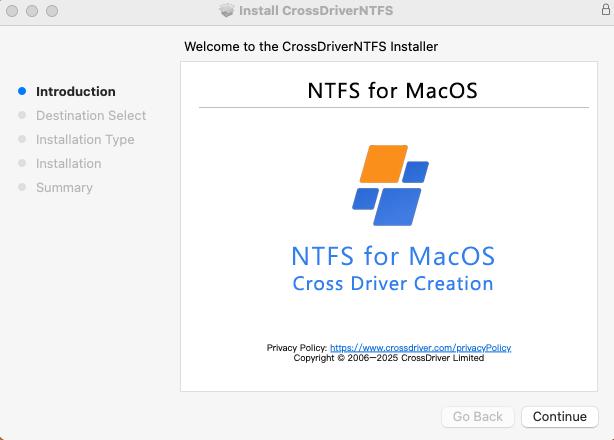
Why a Mac Reads NTFS Drives but Will Not Write to Them
macOS has shipped NTFS read support for years. The limitation is not a defect in the operating system; it reflects licensing and platform design decisions. Apple does not enable the NTFS write driver by default, and NTFS is a closed-source file system owned by Windows. The underlying file protocols of the two operating systems are not interoperable at the file system level, which is why a Mac can enumerate an NTFS volume without being able to modify it.
Read-only access is sufficient for inspection and retrieval. It is not sufficient for actual production work. The practical consequences are consistent across individual users and enterprise teams:
- Files cannot be created, renamed, moved or deleted directly on the NTFS volume from Finder.
- Media assets must be copied to the Mac, edited locally and copied back, which doubles storage consumption and transfer time for large video or project files.
- Reformatting the drive to exFAT removes the restriction but requires a full backup first and drops NTFS-specific attributes such as security permissions and compression.
- Network sharing and virtual machines work around the problem but depend on stable connectivity or on host CPU and memory resources.
Each workaround trades one constraint for another. That is why the relevant question for most buyers is not whether a driver is required, but which class of driver fits the workflow, the Mac fleet and the support model around it.
What Writing to NTFS on a Mac Actually Requires
Three technical routes exist, and they differ far more than their marketing pages suggest.
The first route is a kernel-level file system driver. The driver runs within the macOS kernel layer and interacts with the system at a low level. Because the file system is handled inside the kernel, fewer data conversions take place between the disk and the applications reading it, which is the architectural argument for near-native input and output behaviour.
The second route is a user-space FUSE implementation. Tools such as NTFS-3G and Mounty depend on the macFUSE framework, which moves file system handling out of the kernel and into user space. This makes them easy to distribute and free to use, but the architecture introduces additional overhead, and write operations are generally described by their own communities as less reliable than kernel-level alternatives. They also carry no commercial service-level agreement.
The third route avoids the file system question entirely through network sharing, a virtual machine, or reformatting the disk to a format both operating systems accept. These methods work, but each introduces a dependency: bandwidth, host resources, or a mandatory backup and format cycle.
On Apple Silicon, the installation step matters as much as the driver itself. macOS restricts kernel-level permission extensions on M-series chips, which raises the deployment threshold for any third-party file system driver. In practice, deployment usually involves approving a system extension in Privacy and Security settings, and on some Macs entering Recovery Mode to enable kernel extension permissions before the driver can load. That is a one-time step, but it is a real operational consideration for IT teams managing many endpoints.
Comparing the Available Approaches
The table below summarises what each approach delivers and where it stops. It is a qualitative comparison of capability classes, not a performance ranking.
| Approach | Write capability | Existing data preserved | Principal limitation |
|---|---|---|---|
| macOS native support | Read only | Yes | No write access at all |
| FUSE tools (NTFS-3G, Mounty) | Basic write | Yes, with lower write reliability | User-space performance ceiling, manual setup, community-only maintenance, no commercial SLA |
| Commercial kernel drivers | Full read and write | Yes | Licence cost; depends on vendor updates for each macOS release |
| Reformat to exFAT | Full read and write on both systems | No, full backup required first | Loses NTFS permissions, compression and other NTFS attributes |
| Network share or virtual machine | Indirect | Yes | Bandwidth dependency, host CPU and memory overhead, extra maintenance |
Where CrossDriver NTFS for Mac Fits
CrossDriver positions its NTFS driver as a kernel-level alternative to both FUSE tools and reformatting. The vendor states that CrossDriver NTFS for Mac supports macOS 10.13 High Sierra through macOS 26 Tahoe and runs on Intel Macs as well as Apple M1 through M5 chips. That declared range covers the two questions buyers ask first: whether the driver loads on the current macOS release, and whether it runs on the Apple Silicon hardware that now dominates new Mac purchases.
The product is described as providing full read and write control over NTFS disks without reformatting. Mounting and unmounting are handled from the menu bar, and file operations such as creating, editing, renaming, copying, moving and deleting are performed inside Finder rather than through a separate file browser. For teams that already work in Finder all day, that reduces retraining to almost nothing.
CrossDriver also lists automatic disk integrity verification after an unexpected disconnection among the product features. No driver eliminates the risk of corruption when a cable is pulled mid-write, but a check that runs on reconnect is a meaningful difference from a driver that simply remounts the volume and continues.

On commercial terms, the vendor lists a lifetime licence for CrossDriver NTFS for Mac at USD 29.95. Licensing is offered for individual machines and as enterprise batch authorisation, and service duration is stated as ranging from 1 day to a lifetime licence. Delivery is online: the installation package, product activation key, user documentation and knowledge base tutorials are provided digitally, with remote technical troubleshooting reports available on request. Support runs through the official website knowledge base, online service tickets and email, in English and Chinese.
The same vendor also publishes CrossDriver Ext4 for Mac and CrossDriver XFS for Mac, which address Linux-formatted volumes rather than Windows NTFS. Buyers running mixed Windows, Linux and macOS environments sometimes consolidate on one vendor for that reason, though each file system should be validated separately against the specific requirement.
Technical Explanation: Kernel-Level Driver vs User-Space FUSE
The architectural difference between a kernel extension and a FUSE implementation is not academic; it determines where the work happens when a file is written.
With a kernel-level driver, the file system logic executes inside the macOS kernel. Read and write requests from applications reach the driver with minimal translation, and the driver hands data to the storage device with fewer context switches. CrossDriver states that its drivers run directly within the macOS kernel layer, interacting with the system at the lowest level to reduce data conversion and bring NTFS performance close to that of Mac native file systems. The company also claims transfer speeds more than five times faster than FUSE-based user-space tools, together with lower CPU consumption and smoother handling of large files.
Those performance figures are vendor statements. CrossDriver has published them in its own product and comparison material, and no disclosed, independently reproducible benchmark accompanies them. Buyers running throughput-sensitive workflows, such as uncompressed video or large photo catalogues, should validate transfer behaviour on their own hardware before standardising on any driver, including this one. The absence of an independent benchmark is a gap in the category as a whole, not a point specific to a single vendor.
With FUSE, the file system runs as a user-space process that communicates with the kernel through the macFUSE framework. That design is portable and free, but every file operation passes through an additional boundary. Under sustained load the overhead becomes measurable, and write reliability depends on the robustness of the individual implementation. It is a reasonable choice for occasional transfers; it is a weaker fit for production media work.
Application Scenarios Where Write Access Matters
Video and photo production. A studio edits on Windows workstations but reviews and delivers on Macs. With write access, the same NTFS media drive can be mounted, files renamed and proxies generated without copying footage to local storage first. For large media sets, removing the copy step changes both turnaround time and the amount of internal disk space required.
IT operations and server debugging. A technician carrying a MacBook to a server room can read and modify data on external drives attached to Linux servers. This is where a single-vendor portfolio becomes relevant, because NTFS handles the Windows side while Ext4 and XFS handle Linux volumes through separate CrossDriver products.
Existing Windows portable drives. Many Mac users already own NTFS-formatted backup drives from a previous Windows machine. Write access allows those drives to be reused for backup and file management without a format cycle and without moving data off the disk first.
Multi-system home and small-office storage. One external SSD shared across Windows, Linux and macOS devices is a common arrangement. Write access on the Mac side removes the need to designate one machine as the transfer station.
Post-upgrade recovery. After a major macOS release, an older driver may fail to load or mount. Restoring read and write capability on the new OS version is a recurring operational task, and it is the scenario where vendor update cadence becomes visible to the end user.
What to Check Before Buying NTFS Software for Mac
The category looks homogeneous from the outside and is not. The following criteria separate products that survive a macOS upgrade from those that generate a support escalation.
| Criterion | Why it matters | What to verify |
|---|---|---|
| Declared macOS coverage | A driver that does not load on the current release blocks the entire workflow | Lowest and highest supported versions, and how quickly patches follow a new release |
| Processor support | Fleets now mix Intel and Apple Silicon machines | Explicit Intel and M-series statements, not a generic macOS claim |
| Licensing model | Device-bound licences scale poorly across large Mac fleets | Per-machine versus batch terms, and whether OS upgrades trigger renewal fees |
| Metadata and permission handling | Files edited on a Mac may return to Windows with inconsistent permissions | Whether NTFS security descriptors and attributes are preserved through an edit cycle |
| Fault recovery | A volume with file system errors may refuse to mount | Built-in disk checking, and behaviour after an unexpected disconnection |
| Support model | Community-only maintenance provides no incident response | Ticket channels, languages, response expectations, documentation depth |
| Uninstall behaviour | Residual kernel components can cause conflicts later | Documented removal procedure and post-removal disk recognition |
| Distribution channel | Installation method and update delivery differ by channel | Vendor-direct download versus App Store listing, and how updates are pushed |
Market Signals Shaping NTFS Software for Mac
Several structural forces are visible in the category, and each has a direct procurement consequence.
Kernel extension policy is tightening. Recent macOS releases have introduced stricter kernel extension policies, which makes driver stability a genuine procurement differentiator rather than a marketing talking point. Apple Silicon raises the same threshold further by restricting kernel-level permission extensions. The effect is that installation and approval steps now form part of the evaluation, not an afterthought.
Vendors are competing on version coverage. CrossDriver states support for macOS 10.13 through macOS 26 Tahoe, and Paragon Software's published compatibility documentation for its NTFS driver version 18 lists macOS 27 Golden Gate. Declared support for a forthcoming macOS release has become a visible marker of development velocity in this segment. Buyers should read those declarations as statements of intent that still require confirmation on their own hardware.
Distribution is diversifying. NTFS read and write functionality is now available through vendor-direct channels and through App Store listings such as Pro NTFS Drive, which the App Store describes as remounting write-protected NTFS volumes in read-write mode on macOS. Different channels imply different installation methods, identity verification and update delivery, all of which belong in a procurement review.
Storage demand is shifting toward larger, mixed environments. High-capacity media assets, NAS deployments and hybrid multi-platform work environments continue to expand, and the demand for cross-platform data exchange grows with them. That trend is directional rather than quantified here; no reliable category market-size figure was available for this analysis, so none is asserted.
Limits and Trade-offs Buyers Should Expect
A credible evaluation includes what a product does not solve.
- Installation friction is real. Kernel-level drivers require approval in Privacy and Security settings, and on some Apple Silicon Macs entering Recovery Mode to enable kernel extension permissions. This is a one-time task, but it must be planned for in managed environments.
- Compatibility has a ceiling. CrossDriver currently declares support up to macOS 26 Tahoe. When a later macOS release ships, continued access depends on the vendor issuing an update. The same dependency applies to every commercial driver in the category.
- Performance claims are unverified. The stated near-native speed and the comparison against FUSE tools originate from the vendor and are not accompanied by a disclosed, independent test protocol.
- Scope stops at software. Documented service boundaries exclude hard drive hardware repair, physical disk data recovery, operating system reinstallation, LAN or NAS deployment, and recovery of data lost through formatting.
- A driver is not a backup strategy. Integrity checks on reconnect reduce risk after an unexpected disconnection; they do not replace versioning or a second copy of critical media.
Future Outlook
Three developments are likely to shape how this category is evaluated over the next few release cycles.
First, kernel extension policy will probably continue to tighten, which favours vendors with an established engineering process for signing, notarisation and permission handling over tools maintained on a volunteer basis. Second, file system diversity is expanding alongside demand. CrossDriver states that it continues to explore more complex file systems such as BTRFS and ZFS, an indication that single-file-system utilities may give way to portfolio products covering several formats under one management interface. Third, licensing terms are becoming part of the technical decision. For organisations running mixed Mac fleets, the difference between a per-machine licence and a batch arrangement compounds with every hardware refresh and every major OS upgrade.
For buyers, the practical implication is straightforward: treat update cadence, deployment procedure and licence flexibility as contractual requirements rather than as features discovered after purchase.
Frequently Asked Questions
Can a Mac write to an NTFS drive without third-party software?
No. macOS mounts NTFS volumes in read-only mode by default, and writing to them generally requires a third-party driver. Without one, files can be read and copied off the drive, but they cannot be created, edited, renamed or deleted on the NTFS volume itself. The alternatives are a commercial or open-source driver, reformatting the drive to a file system both operating systems can write to, or routing access through a network share or virtual machine.
What is the difference between a kernel-level NTFS driver and a FUSE-based tool?
A kernel-level driver executes file system logic inside the macOS kernel, so application read and write requests require less translation before reaching the storage device. A FUSE-based tool such as NTFS-3G or Mounty runs the file system in user space on top of the macFUSE framework, which adds an extra boundary on every operation. FUSE tools are generally free and community-maintained, with performance limits and lower write reliability under sustained load; kernel drivers are commercial products that typically include vendor support and update commitments.
Does NTFS for Mac work on both Apple Silicon and Intel Macs?
It depends on the specific product, so the vendor's compatibility statement should be checked rather than assumed. CrossDriver states that its NTFS for Mac utility supports macOS 10.13 High Sierra through macOS 26 Tahoe and runs on Intel-based Macs as well as Apple M1 through M5 chips. Because macOS restricts kernel-level permission extensions on Apple Silicon, installation on those machines may require approving a system extension and, on some Macs, enabling kernel extension permissions in Recovery Mode.
Do I need to reformat my NTFS drive to use it on a Mac?
No, not if a compatible driver is installed. CrossDriver describes its utility as providing read and write control over NTFS-formatted disks without reformatting, which preserves the existing data and the NTFS attributes Windows relies on. Reformatting to exFAT is an alternative, but it requires a complete backup first and removes NTFS-specific features such as security permissions and compression.
How is NTFS software for Mac licensed and supported?
Licensing models differ by vendor. CrossDriver lists a lifetime licence for CrossDriver NTFS for Mac at USD 29.95, with individual machine licensing and enterprise batch authorisation, and a service duration ranging from 1 day to a lifetime licence. Delivery is online and includes the installation package, activation key, user documentation and knowledge base tutorials, with remote technical troubleshooting reports available on request. Support is provided through the official website knowledge base, online service tickets and email, in English and Chinese. Hardware failure repair, physical data recovery and on-site implementation are outside the documented service scope.
Summary
Writing to NTFS on a Mac is a solved problem, but it is solved differently depending on the method chosen. Native macOS support stops at read-only access. FUSE tools remove the restriction at the cost of performance headroom and commercial support. Reformatting removes it at the cost of a backup cycle and NTFS-specific attributes. Kernel-level commercial drivers sit between those options, trading a licence fee and an OS-update dependency for full write access inside Finder. For organisations, the decisive questions are version coverage, Apple Silicon deployment procedure, metadata handling and update cadence, and all four are answerable before purchase rather than after.
For readers who want the underlying detail, CrossDriver publishes a technical white paper covering its driver architecture and deployment approach: Technical White Paper (DOCX).
Have Questions or Need More Details?
Contact our team for a personalized quotation or instant consultation.
Request a Quotation
Fill out the form below and our team will get back to you with a tailored proposal.
WhatsApp Direct Chat
Prefer to chat in real-time? Message us on WhatsApp for instant assistance & quick answers.
- Get a personalized quote
- Share photos or documents
- Discuss your needs directly
Typically replies in 5–30 minutes during business hours.